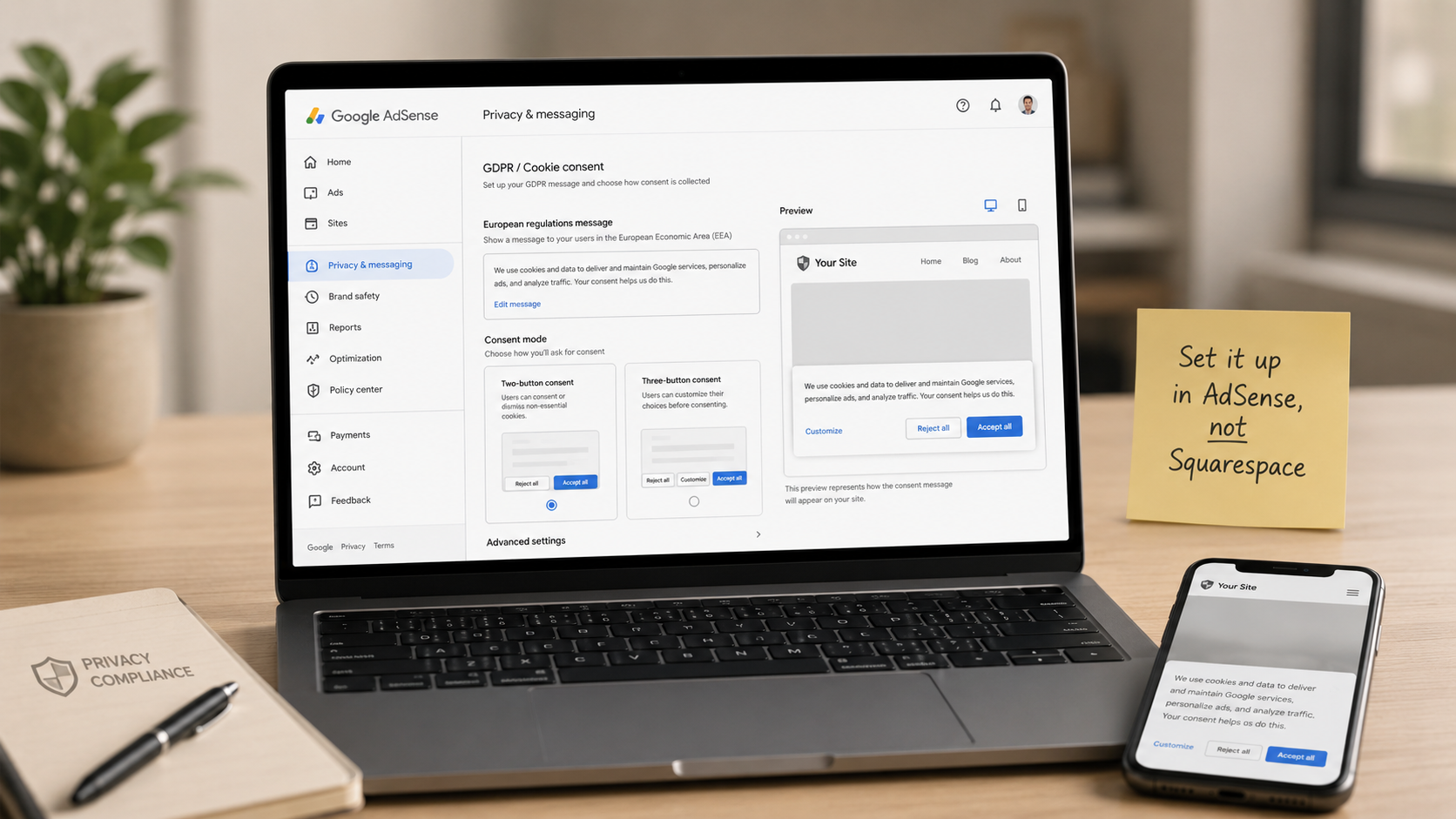
Where Do You Actually Set Up the AdSense Cookie Consent Banner? A For-Dummies Walkthrough (Squarespace Edition)
You know you need a Google-certified cookie consent banner to run AdSense — but where do you actually go to turn it on? Not Squarespace. The banner lives inside your AdSense account, in a sidebar menu called Privacy & messaging that most publishers have never clicked. This for-dummies walkthrough covers every step: creating the European regulations (GDPR) message, choosing between the two-button and three-button consent setup, enabling the US states message while you're there, testing it with a VPN (spoiler: you can't see the banner from New Jersey — that's by design), and what to do about Squarespace's built-in cookie banner so your European visitors don't get prompted twice. No code, no cost, about 20 minutes.

Do You Need Cookies Set Up on Your Site to Run Google AdSense?
Do you need cookies set up on your website before running Google AdSense? Not the way most people think — AdSense creates and manages its own cookies automatically the moment the ad code loads. What you're actually required to set up is the framework around them: a privacy policy disclosing Google's advertising cookies (required of every publisher, everywhere), and a Google-certified cookie consent banner if your site can be visited from the EU, UK, or Switzerland — which describes virtually every site on the open internet. This guide covers what AdSense's cookies do, exactly what Google requires, the free built-in CMP that handles compliance in about an hour, and what skipping it costs you in revenue before it ever costs you legally.