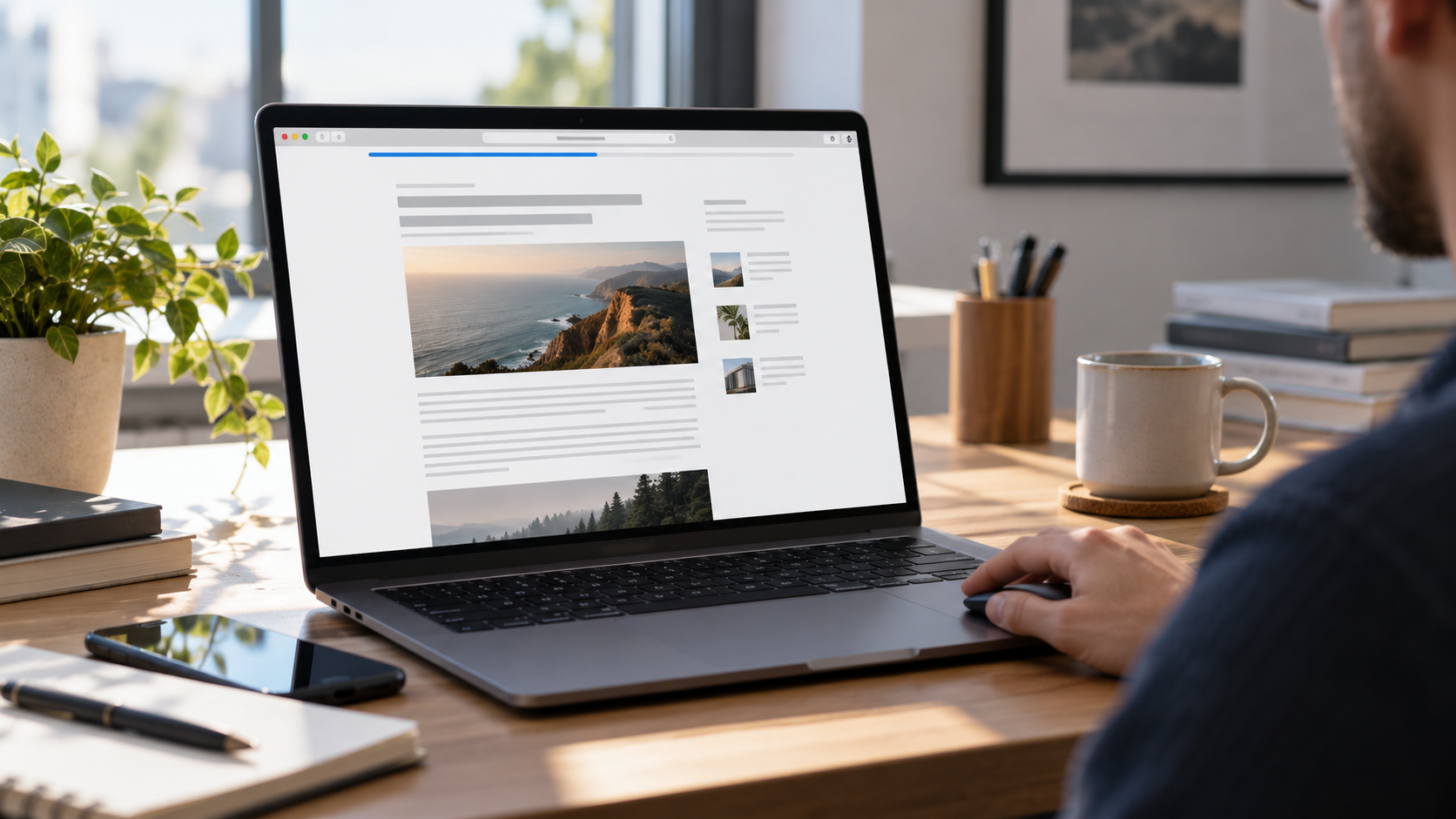
You know that thin little line at the top of some websites? The one that starts empty and gradually fills from left to right as you scroll down an article?
It might seem like a tiny design detail, but it has a name, a purpose, and a surprisingly interesting role in how people interact with websites.
It's called a scroll progress bar, also known as a reading progress indicator.
As you move down a webpage, the bar fills horizontally, showing how far you've traveled through the content. When you reach the bottom, the bar reaches 100%. Scroll back up, and it moves backward with you.
Simple concept. Smart execution.
A scroll progress bar gives visitors a visual sense of where they are, how much content remains, and how close they are to finishing what they're reading.
For businesses investing in content marketing, search engine optimization (SEO), and user-friendly websites, this small design feature is worth understanding.
But does every website need one? Can a reading progress bar improve engagement? Does it help SEO? And what separates a well-designed progress indicator from another unnecessary website animation?
Let's get into it.
What Is a Scroll Progress Bar?
A scroll progress bar is a visual website element that indicates how far a user has scrolled through a page or a specific section of content.
It typically appears as a thin horizontal line along the top of the browser window, although some designs position it beneath the navigation menu or along the side of the screen.
Here's how it works:
At the top of the page, the bar begins at 0%.
As the visitor scrolls downward, the bar fills from left to right.
Around the halfway point, the bar appears approximately 50% complete.
At the bottom of the tracked content, the bar reaches 100%.
If the visitor scrolls upward, the bar decreases accordingly.
The result is an immediate visual representation of scrolling progress.
Unlike a traditional website animation that plays automatically, a scroll progress bar responds directly to the visitor's movement.
The experience is interactive without demanding attention or requiring additional clicks.
Think of it like a bookmark that moves with you.
Or the progress indicator on a video, except instead of showing how much video you've watched, it shows how much of a webpage you've traveled through.
According to Mozilla Developer Network (MDN), modern CSS scroll-driven animation technology can connect an element's visual progress directly to the scrolling position of a webpage.
That means this effect can be created using web technologies designed specifically for scroll-based interactions.
And while the implementation can be technical, the reason to use it is straightforward: help visitors understand their position within the experience.
Scroll Progress Bar vs. Scrollbar: What's the Difference?
Although the terms sound similar, a scroll progress bar and a traditional scrollbar are not the same thing.
Both relate to scrolling, but they serve different purposes.
The Traditional Scrollbar
A scrollbar is the browser or interface control that allows someone to move through content.
On desktop computers, it often appears vertically along the right side of the screen. Depending on the browser, operating system, and device settings, it may remain visible or appear only during scrolling.
Users can generally scroll with their mouse, trackpad, keyboard, or touch gestures, and some scrollbars can be dragged directly.
Its primary function is navigation.
The Scroll Progress Bar
A scroll progress bar is generally an additional website design element.
Rather than serving as the primary scrolling control, it visually communicates how much progress the visitor has made.
It is usually positioned horizontally at the top of the screen and fills as scrolling occurs.
Its primary function is orientation and feedback.
The Main Differences
A scroll progress bar should complement normal scrolling behavior, not replace it.
A website should remain easy to navigate whether the progress indicator is present, hidden, or unsupported by a particular browser.
How Does a Reading Progress Bar Work?
Behind the scenes, a reading progress bar uses information about the user's position within a scrollable area.
The basic idea involves three measurements:
The total height of the scrollable content.
The height of the visible browser area.
The distance the visitor has already scrolled.
These measurements allow the website to calculate how far the visitor has moved through the available scrolling range.
For example, imagine a webpage with 4,000 pixels of content and a browser viewport that displays 1,000 pixels at once.
The available vertical scrolling distance is 3,000 pixels.
If the visitor scrolls down 1,500 pixels, they've moved through 50% of that scrolling distance.
The progress bar would fill halfway across the screen.
The calculation can be expressed as:
Scroll Progress (%) = (Current Scroll Position ÷ Total Available Scroll Distance) × 100
In practice, website developers account for additional conditions, such as dynamic page content, short pages, responsive layouts, and changes to the browser viewport.
MDN explains how properties such as scrollHeight and clientHeight help measure content and visible areas.
There is also an important design decision: What exactly should the progress bar measure?
Some websites measure the entire page, including the footer.
Others measure only the main article, ending the progress indicator when the visitor reaches the conclusion.
For a blog, an article-specific reading progress bar can be more meaningful because it reflects the main content rather than everything surrounding it.
Neither approach is automatically correct. The goal is to make the indicator consistent with what visitors believe it represents.
Why Do Websites Use Scroll Progress Bars?
The best website features solve a problem, answer a question, or make an interaction easier.
A scroll progress bar can do all three.
It gives visitors useful context while they move through a page, especially when that page contains substantial information.
1. It Helps Visitors Understand Where They Are
Long webpages can be surprisingly difficult to navigate.
A visitor might scroll through an introduction, several explanations, images, examples, and FAQs without knowing how much content remains.
A progress indicator makes that journey visible.
Instead of guessing whether they're halfway through an article, visitors have a general reference point.
A nearly full bar communicates that they're approaching the end.
A bar that's only one-third complete indicates there's still a substantial amount of content below.
This is particularly useful on educational articles, industry guides, tutorials, and other pages designed for extended reading.
2. It Makes Long-Form Content Feel More Manageable
A comprehensive article can be valuable, but it can also feel intimidating.
Imagine landing on a detailed guide about digital marketing.
You find the introduction helpful, begin scrolling, and realize the page is considerably longer than expected.
Without any indication of its length, you may wonder how much more there is to read.
A progress bar doesn't shorten the article.
What it can do is make the remaining journey easier to understand.
There is an important psychological distinction between an undefined task and one with a visible endpoint.
Progress feedback provides a sense of structure.
Of course, the bar doesn't guarantee someone will finish reading. A visitor who doesn't find the content valuable may still leave immediately.
But when the content is useful, a visual progress indicator can make the experience feel more organized.
3. It Provides Immediate Feedback
Good interfaces communicate what's happening.
Click a button, and the interface should acknowledge the action.
Submit a form, and the visitor should know whether the submission succeeded.
Start an upload, and a progress indicator can show what's happening.
Scrolling is another interaction where visual feedback can help.
A reading progress bar responds continuously as the visitor moves through content.
This creates a connection between the person's action and the website's response.
It's subtle, predictable, and easy to understand.
The important word here is predictable.
If a progress bar behaves unexpectedly, jumps around, or doesn't accurately reflect the content, it stops being helpful.
4. It Can Support a More Polished User Experience
Website design is more than colors, fonts, and attractive imagery.
It includes how visitors understand the interface and how easily they can accomplish their goals.
A carefully integrated progress indicator can contribute to that experience.
It communicates that the website has been designed with attention to the reading journey.
The feature shouldn't overshadow the content. Ideally, the user understands it almost immediately and then continues reading naturally.
This is the kind of small interaction that can help a digital experience feel more considered.
5. It Can Reinforce Website Branding
A reading progress bar can also become a subtle branding element.
Its color, thickness, placement, and behavior can reflect the website's visual identity.
A minimalist brand might use a two-pixel line in its primary accent color.
A more expressive brand might choose a slightly bolder indicator with a color transition.
The key is restraint.
Branding works best when it supports usability rather than competing with it.
A progress indicator should feel like part of the website, not a disconnected visual effect added simply because it looks interesting.
6. It Gives Readers a Sense of Direction
A progress bar can be especially valuable when paired with good content structure.
Clear headings tell people what each section covers.
A table of contents helps visitors jump directly to relevant information.
A reading progress bar shows the overall position within the journey.
Together, these elements help visitors navigate complex content with less guesswork.
Research from Nielsen Norman Group on scrolling and attention demonstrates that visitors do scroll through webpages, but their attention is not distributed evenly across a page.
This reinforces the importance of thoughtful content organization.
A progress bar can support that organization. It cannot compensate for a confusing layout or unhelpful content.
Different Types of Progress Indicators in Web Design
Not every progress bar measures the same thing.
Websites and applications use progress indicators in several different contexts, and understanding those differences helps businesses choose the right solution.
1. Reading Progress Bars
These are the thin horizontal indicators commonly found at the top of articles.
They visually advance as visitors scroll through written content.
Best for: Blog posts, educational resources, long-form guides, tutorials, and editorial content.
2. Page Scroll Progress Indicators
These track movement through an entire webpage rather than only an article.
They're often useful on long landing pages or websites with multiple content sections.
Best for: Long-form landing pages, storytelling websites, portfolios, and some service pages.
3. Vertical Scroll Progress Indicators
Not every scrolling indicator needs to be horizontal.
Some websites use a vertical progress line or a sequence of markers to communicate how far someone has moved through a page.
These indicators may appear alongside an interactive timeline or section navigation.
Best for: Interactive narratives, timelines, case studies, and section-based layouts.
4. Multi-Step Form Progress Bars
A multi-step form progress bar communicates how many steps remain before a process is complete.
For example, a business requesting information from a prospective customer might organize its form into three stages:
Step 1: Contact information
Step 2: Project details
Step 3: Review and submit
A form progress indicator shows movement through that process.
This is different from a scroll progress bar because it measures steps completed rather than scroll distance.
5. Loading Progress Bars
Loading indicators communicate that a task is being processed.
Examples include file uploads, downloads, and other operations that take time.
Some loading bars display measurable progress, while others indicate ongoing activity without a specific percentage.
MDN documents the HTML <progress> element as a native way to represent task completion.
A reading progress indicator is related conceptually, but its purpose is different: it reflects a visitor's position in content, not the completion of a background operation.
Where Should a Scroll Progress Bar Be Used?
A scroll progress bar can be a useful addition to many websites, but it shouldn't automatically appear on every page.
The better question is whether the feature helps people complete the task they came to the website to accomplish.
Blogs and Educational Articles
This is one of the strongest use cases.
Long-form blogs often require readers to move through multiple sections before reaching the conclusion.
A reading progress indicator provides context throughout the article.
It can be particularly useful for marketing guides, technical explanations, and instructional content.
Long-Form Landing Pages
Some landing pages use storytelling to guide visitors from a problem to a solution.
They may include testimonials, supporting information, service details, and a final call to action.
A page-level scroll progress bar can help visitors understand their position within the sequence.
However, the business should still prioritize clear navigation and visible calls to action.
Case Studies
Detailed case studies often follow a narrative:
The challenge, the strategy, the execution, and the outcome.
A progress indicator can reinforce that progression, especially if the case study is substantially longer than a standard service description.
Online Learning Resources
Educational websites often benefit from showing learners where they are within a lesson.
Reading progress indicators can work alongside lesson navigation and completion tracking.
It's important, though, not to treat scrolling as proof of learning or understanding.
Portfolio and Storytelling Websites
Visual portfolios sometimes present content as a continuous scrolling experience.
A well-designed progress bar can help visitors understand how much of the presentation remains.
The design should still work for people who navigate with keyboards or assistive technologies.
When a Scroll Progress Bar May Not Be Necessary
A reading progress bar is usually less useful on pages that don't involve substantial scrolling or sequential content.
For example:
A short contact page
A simple thank-you page
A brief product description
A small login screen
A homepage where visitors are expected to navigate in different directions
On these pages, a progress bar may add visual complexity without providing useful information.
A feature doesn't improve a website simply because it's interactive. It improves the website when it serves a purpose.
Best Practices for Designing an Effective Scroll Progress Bar
A scroll progress bar may be small, but several design decisions determine whether it feels useful or distracting.
Keep the Design Simple
The most effective indicators are often the least complicated.
A thin line that fills smoothly is generally easier to interpret than an elaborate animation.
Visitors shouldn't need instructions to understand what they're seeing.
If a progress bar attracts more attention than the article, the design probably needs refinement.
Position It Where People Expect It
The top of the screen is a common location for horizontal reading progress bars.
This placement makes the indicator easy to notice without occupying a large portion of the page.
Some websites position it immediately below a fixed navigation header.
Others place it along the uppermost edge of the viewport.
Either approach can work, provided the indicator remains visible and doesn't interfere with essential interface elements.
Use a Clear Color
The filled portion should be distinguishable from the unfilled track or surrounding background.
A brand accent color can be a good starting point.
However, visual clarity matters more than decoration.
For meaningful interface graphics and states, the WCAG guidance on non-text contrast establishes a 3:1 contrast requirement where the success criterion applies.
Even when a decorative indicator isn't subject to that specific requirement, adequate contrast is still good design practice.
Keep the Animation Consistent
A progress indicator should reflect actual scrolling.
If a user scrolls halfway down a tracked area, the visual representation should communicate approximately halfway progress.
Unexpected acceleration, delayed movement, or dramatic easing can make the indicator less accurate.
A direct relationship between scrolling and visual progress is usually best.
Avoid Competing With Navigation
Many business websites use sticky navigation headers.
A reading progress bar needs to work within that layout.
If placed incorrectly, it might appear behind the header, overlap navigation elements, or disappear when a menu opens.
Its positioning should be tested with desktop navigation, mobile menus, and any other fixed interface components.
Decide Whether the Bar Tracks the Page or Article
This decision influences the visitor's expectations.
If the indicator represents the article, it should reach completion when the article ends.
If it represents the entire webpage, completion may occur at the bottom of the footer.
Neither behavior should be accidental.
A good implementation reflects the content model and the promise being made to the user.
Make Sure It Reaches 100%
An indicator that never reaches completion can feel broken.
Developers should account for the bottom of the tracked area, changes in content height, and pages that are shorter than the browser viewport.
The bar should behave consistently when the visitor scrolls upward, jumps to a section, or navigates back to the top.
Small technical details matter because visitors notice when interfaces feel unreliable, even if they can't identify exactly why.
Should Scroll Progress Bars Be Used on Mobile Websites?
Yes, they can work on mobile devices.
In fact, long-form mobile reading is one situation where a subtle progress indicator may be useful.
A phone displays less content at once than a large desktop monitor, which means visitors may need to scroll more frequently through the same article.
A slim line near the top of the screen can provide a convenient visual reference.
But mobile design introduces several considerations.
Screen Space Is Limited
A mobile progress bar should not consume excessive vertical space.
It should remain thin enough to avoid interfering with reading or navigation.
Sticky Headers Can Cause Problems
If the website already has a fixed mobile navigation bar, the progress indicator needs a deliberate position.
It shouldn't overlap the logo, menu button, or other essential controls.
Touch Scrolling Should Remain Natural
Users should be able to scroll normally.
A reading indicator should not interfere with touch gestures, introduce accidental scrolling behavior, or act like an unnecessary draggable control.
Mobile Layouts Change
Text wraps differently based on screen size.
Images, expandable sections, and navigation elements may also affect page height.
The progress calculation needs to adapt to these changes.
Test Across Devices
A design that works on one phone may behave differently on another screen size or mobile browser.
Responsive testing should be part of the implementation process.
Ultimately, a mobile reading progress bar should provide helpful orientation without taking anything away from the reading experience.
Are Scroll Progress Bars Accessible?
Accessibility should be part of the design conversation from the beginning.
A visually attractive progress indicator isn't automatically accessible, and not every user navigates websites in the same way.
Some visitors use a keyboard.
Others use screen readers, magnification software, or alternative input devices.
Some have motion sensitivities.
The goal is to create an experience that works for different needs without requiring everyone to interact with the page in the same way.
Consider Motion Preferences
Some users experience discomfort from certain animations.
The CSS prefers-reduced-motion feature allows websites to recognize when a user has requested less non-essential animation.
The World Wide Web Consortium (W3C) documents this technique for reducing motion associated with interactions.
A simple line changing width may be less visually disruptive than elaborate parallax effects, but designers should still evaluate its behavior and respect relevant preferences.
Unnecessary bouncing, pulsing, or distracting animation should be avoided.
Use Appropriate Accessibility Semantics
An important distinction exists between a purely decorative reading indicator and a progress indicator communicating meaningful status.
If the scroll bar is only a visual enhancement, it may be appropriate to keep it out of the accessibility tree.
If it conveys meaningful information that should be available to screen reader users, it needs an appropriate accessible representation.
MDN's documentation for the ARIA progressbar role describes accessible names and progress values.
However, developers shouldn't automatically assign a progressbar role to every decorative reading indicator. The chosen semantics should match the feature's actual purpose, and any exposed value should remain accurate.
Avoid Excessive Announcements
A screen reader shouldn't be forced to announce every tiny change in scroll position.
Constant announcements could become distracting or interfere with reading.
An accessible implementation should provide useful information without overwhelming the visitor.
Don't Rely on Color Alone
If the progress indicator communicates important information, think beyond a color change that some users may have difficulty distinguishing.
Depending on the design and purpose, a meaningful accessible label or other supporting information may be appropriate.
Preserve Keyboard Navigation
A progress bar should never prevent people from navigating the webpage with a keyboard.
Unless it's intentionally designed as an interactive control, it generally shouldn't become another unnecessary stop in the keyboard tab sequence.
Accessibility isn't something to sprinkle on at the end of a website project.
It should influence decisions about structure, behavior, presentation, and testing from the start.
How Are Scroll Progress Bars Added to a Website?
Developers generally implement reading progress indicators using CSS, JavaScript, or a combination of web technologies.
The best approach depends on the website platform, required browser support, accessibility needs, and the complexity of the interaction.
Option 1: CSS Scroll-Driven Animations
Modern CSS includes capabilities that connect animations to scroll position.
Instead of running an animation based on elapsed time, the browser can connect its progress to movement through a scrollable area.
For a reading progress bar, this might involve a horizontal element that starts at zero width or zero horizontal scale and grows as the page is scrolled.
The CSS animation-timeline property and scroll() function are relevant to this technique.
MDN provides a detailed explanation in its article, Scroll Progress Animations in CSS.
One advantage of CSS-driven approaches is the opportunity to avoid continuously calculating scroll position in custom JavaScript.
However, browser compatibility matters.
As documented by MDN's browser compatibility guidance for animation-timeline, this feature does not have universal support across widely used browsers.
Developers should verify current compatibility and provide appropriate fallbacks.
Option 2: JavaScript-Based Progress Bars
JavaScript can calculate the visitor's scrolling position and update the progress indicator accordingly.
This provides flexibility, especially when a website needs to track a particular article instead of the entire document.
A typical implementation involves identifying the scrollable range, calculating a percentage, and applying that percentage to the visual indicator.
Developers need to account for scroll events, page resizing, images loading, and other changes that affect document height.
Poorly implemented scroll listeners can create unnecessary browser work.
A well-engineered version should minimize repeated calculations and avoid performance-heavy visual updates.
Option 3: Website Builders and Content Management Systems
Some website builders and content management systems support scroll-based effects through existing features, themes, extensions, or custom code.
For example, WordPress websites may use a suitable plugin or theme functionality to add a reading progress indicator.
Custom-built websites can integrate the feature directly into their front-end code.
The right approach depends on the website's existing technology.
Before adding another plugin, businesses should consider maintenance requirements, security, compatibility, and any effect on performance.
Adding a dependency for a thin line at the top of the screen may not always be the most efficient choice.
Which Implementation Is Best?
There isn't one universal answer.
A CSS approach may be attractive when browser support and project requirements allow it.
A carefully implemented JavaScript solution may provide broader control or compatibility.
A supported website-builder feature might be sufficient for a smaller project.
The important part is testing the result in real browsing conditions rather than choosing a method purely because it's trendy.
Do Scroll Progress Bars Affect Website Speed?
They can, depending on how they're implemented.
A lightweight progress indicator should not require a large amount of code or processing.
But even simple-looking features can become inefficient when built poorly.
For example, a website might repeatedly perform unnecessary layout calculations during every scroll event.
It might use expensive animations or load additional scripts that aren't needed.
Those implementation decisions can affect responsiveness.
Better approaches generally minimize browser work and favor efficient visual properties when appropriate.
CSS scroll-driven animations can offer performance advantages because they can reduce reliance on JavaScript-based scroll tracking, as explained in MDN's scroll-driven animation guidance.
However, implementation details and browser behavior still matter.
It's also worth remembering that the feature doesn't exist in isolation.
A website could have an efficient progress bar and still suffer from oversized images, unnecessary scripts, or other performance issues.
Website performance should be evaluated as a complete system.
The goal is not simply to create an effect that works.
It's to create an effect that works without making the rest of the experience worse.
Can a Scroll Progress Bar Improve SEO?
This is where things get interesting for business owners and marketers.
A reading progress bar can support a more thoughtful website experience, but adding one is not a direct, documented Google ranking factor.
There is no credible basis for promising that installing a scroll progress bar will automatically improve search rankings.
SEO involves many factors, including content relevance, technical accessibility, site structure, performance, and the usefulness of the information provided.
Google's page experience documentation explains that its ranking systems consider multiple signals aligned with good page experience, rather than rewarding a website for one isolated design feature.
So where does a progress indicator fit?
It Can Support Content Usability
A well-designed article should be easy to understand and navigate.
Reading progress indicators may help visitors orient themselves, especially when the content is extensive.
That makes them a potential usability enhancement rather than an SEO shortcut.
It Can Complement Long-Form Content
Many businesses publish detailed blog posts to answer customer questions.
These articles may cover complicated topics that require multiple sections, examples, and explanations.
A reading progress bar can provide another layer of navigation feedback as visitors move through the information.
It works best alongside descriptive headings, a logical content hierarchy, and useful internal links.
It Does Not Replace Helpful Content
A progress bar cannot turn a weak article into a good one.
If the writing doesn't answer the visitor's question, the design feature won't fix the underlying problem.
Google's guidance on creating helpful, reliable, people-first content emphasizes producing content that serves the audience rather than manipulating rankings.
The strongest content strategy starts by answering real questions.
Design features should make those answers easier to consume.
It Should Not Damage Core Web Vitals
Google identifies Core Web Vitals as one consideration within the broader page experience picture.
If a progress bar is implemented inefficiently and contributes to a sluggish website, the feature may create a problem instead of solving one.
A lightweight enhancement is preferable to an elaborate effect that slows the page.
The Real Opportunity Is Better Experience Design
A well-organized article can help users find information.
An accurate reading progress bar may help them understand where they are.
A clear call to action can guide interested visitors toward the next step.
Together, these elements can contribute to a more useful website.
But no single feature guarantees higher rankings, more traffic, or more leads.
That's why Ritner Digital approaches website design and SEO as connected parts of a larger strategy.
The goal is not to add features for their own sake.
It's to help the right people find a website, understand its value, and take meaningful action.
Do Reading Progress Bars Increase Engagement or Conversions?
Potentially, but the outcome should be measured rather than assumed.
A scroll progress bar may improve the experience for some visitors because it provides useful feedback about their location in long-form content.
Other visitors may barely notice it.
And on certain pages, the feature may not provide enough value to justify its presence.
The impact depends on context.
Engagement Isn't the Same as Scrolling
A person reaching the bottom of a webpage doesn't necessarily mean they've read or understood every section.
Some people skim.
Others scroll quickly to find a specific answer.
Some jump directly to the FAQ or conclusion.
Scrolling is an observable behavior, not definitive proof of meaningful engagement.
Longer Sessions Don't Automatically Mean Better Experiences
If someone spends more time on a page, that might indicate interest.
But it could also indicate confusion or difficulty finding information.
Similarly, a visitor who quickly finds an answer and submits an inquiry may have had a very successful experience.
Metrics should be interpreted in relation to the page's purpose.
Conversion Goals Matter
For a business website, the desired action might be:
Submitting a contact form
Scheduling a consultation
Requesting a quote
Clicking through to a relevant service
Downloading a resource
A progress bar should support the journey toward those actions, not distract from them.
On some long articles, it might help readers navigate to the end, where a relevant call to action appears.
But if the CTA is buried beneath unnecessary content, the better solution may be improving the content structure or CTA placement.
A progress bar is not a conversion strategy. It is one potential piece of a conversion-focused experience.
How Can You Measure Whether a Scroll Progress Bar Is Working?
If a business wants to understand whether a reading progress indicator is useful, testing can provide more meaningful answers than assumptions.
Start with a simple question:
What behavior are we trying to improve?
For example, perhaps the goal is to help visitors navigate long educational articles or increase the number of readers who reach related resources.
From there, choose metrics that reflect that goal.
Scroll Depth
Scroll-depth measurement can reveal how far visitors typically move through a page.
Google Analytics 4 offers a built-in scroll event through enhanced measurement.
According to Google's documentation, that standard event fires when a user first reaches the point where 90% of the page's vertical depth becomes visible.
This is useful, but it doesn't provide a complete picture of every scroll-depth milestone.
More detailed measurement may require additional event configuration.
Calls to Action
Track meaningful interactions with relevant calls to action.
If the article is intended to generate consultation requests, the important question isn't simply how many people reached the bottom.
It's whether the content helped qualified visitors move toward an inquiry.
Content Navigation
Businesses can examine how visitors use table-of-contents links, related articles, or other navigation elements.
This may reveal whether the article's structure supports the way people actually consume information.
A/B Testing
When traffic volume and measurement quality allow it, a business can compare two versions of an article:
One with a reading progress bar and one without.
The test should evaluate a clear objective and avoid changing several unrelated design elements at the same time.
Otherwise, it becomes difficult to understand what contributed to any observed difference.
Qualitative Feedback
Analytics can't explain everything.
User testing, session observations conducted with appropriate privacy safeguards, and direct feedback can help identify whether the indicator is useful, confusing, or simply unnoticed.
A combination of behavioral data and qualitative insights provides a more complete view.
Common Scroll Progress Bar Design Mistakes
An otherwise useful feature can become distracting when execution is poor.
Here are some common mistakes to avoid.
Making the Bar Too Large
A thick progress indicator can dominate the top of a webpage.
It may compete with the main navigation or draw unnecessary attention away from the content.
A slim design is generally more appropriate for reading progress.
Using Distracting Effects
Glowing animations, excessive movement, flashing colors, or constant pulsing can make a simple indicator feel overwhelming.
The purpose is to communicate progress, not entertain the visitor with an animation.
Tracking the Wrong Content
If a bar claims to show article progress but includes a lengthy footer, unrelated recommendations, or other sections, the reading percentage may feel misleading.
Define the tracked area carefully.
Ignoring Dynamic Content
Images, embedded media, expandable FAQs, and other content can change a page's height after it initially loads.
If the progress calculation doesn't account for those changes, the bar may jump or become inaccurate.
Failing to Test Mobile Layouts
A desktop implementation may look fine but overlap navigation elements on a smaller screen.
Testing should cover mobile behavior, sticky headers, and different viewport dimensions.
Creating Accessibility Problems
A decorative indicator that receives keyboard focus unnecessarily, uses incorrect accessibility semantics, or generates constant screen-reader announcements can introduce avoidable friction.
Accessibility should be considered during development, not after launch.
Adding Unnecessary Plugins
Installing an entire plugin solely to create a simple animation can introduce maintenance or performance concerns.
The development approach should match the complexity of the feature.
Assuming the Feature Guarantees Better Results
This may be the biggest mistake from a marketing perspective.
A reading progress bar is not automatically going to improve engagement, SEO, or lead generation.
Its value depends on whether it serves the people using the website.
What Makes a Great Reading Experience Beyond the Progress Bar?
A scroll progress bar is only one small part of a successful website.
If businesses want visitors to engage with long-form content, several fundamentals deserve at least as much attention.
Clear, Descriptive Headings
Headings help readers scan an article and identify relevant sections.
They also create a logical content hierarchy.
Comfortable Typography
Readable font sizes, appropriate line spacing, and sensible paragraph lengths make content easier to consume.
A beautiful typeface doesn't help if visitors struggle to read it.
Thoughtful Content Structure
Articles should answer the main question without unnecessarily delaying the answer.
Supporting explanations should build logically.
Readers should not have to fight through unrelated information to find what they came for.
Internal Links
Relevant internal links help visitors discover related information and move through a website.
They also support broader site organization and content discovery.
Helpful Tables of Contents
For substantial guides, a table of contents can make navigation easier.
A progress bar tells readers how far they've traveled.
A table of contents helps them choose where to go.
These features can complement one another.
Effective Calls to Action
A call to action should make the next step clear and relevant.
For a business blog, that might mean inviting readers to explore a service or discuss a website improvement.
The CTA should follow naturally from the content.
Accessible, Mobile-Friendly Design
Visitors should be able to navigate and read content across different devices and abilities.
A progress bar should enhance that foundation, not serve as a substitute for it.
When these fundamentals are in place, small interactive details can provide additional polish and usefulness.
Should Your Website Have a Scroll Progress Bar?
Here's the practical answer: maybe, and that's not a bad thing.
A scroll progress bar can be a thoughtful enhancement for a content-heavy website.
But it isn't a universal requirement, and it shouldn't become the centerpiece of a redesign.
Before adding one, consider these questions:
Does the website contain long articles or scrolling experiences where orientation would be helpful?
Will the indicator accurately represent the content being tracked?
Can it fit naturally into the existing design?
Will it work across mobile devices and supported browsers?
Can it be implemented without unnecessary performance costs?
Have accessibility needs been considered?
Is there a meaningful way to evaluate its usefulness?
If the answers support the feature, a reading progress bar may be worth adding.
If not, there may be more important website improvements to prioritize first.
A better navigation system, faster loading pages, stronger content, or clearer conversion paths could have a more direct impact on the visitor experience.
Good web design requires knowing not only what to build, but also what doesn't need to be there.
Frequently Asked Questions
What is the bar at the top of a website that fills as you scroll?
It's usually called a scroll progress bar or reading progress indicator. It visually shows how far you've scrolled through a webpage or article. The bar generally starts empty at the top of the page and fills horizontally as you move toward the bottom.
Is a scroll progress bar the same as a scrollbar?
No. A traditional scrollbar is primarily a navigation control that helps users move through content. A scroll progress bar is usually an additional visual indicator showing how much of the content's scrollable range has been covered. The two features can coexist on the same webpage.
What is a reading progress indicator?
A reading progress indicator is a website element that communicates progress through written content. It is commonly displayed as a horizontal bar at the top of a blog post. It typically measures scrolling position rather than verifying that a person has actually read every word.
Why do websites have progress bars at the top?
Websites use reading progress bars to provide orientation and visual feedback. The indicator can help visitors understand how far they've moved through an article and how much scrolling remains. It is especially relevant to long-form content.
Do scroll progress bars improve user experience?
They can, particularly when visitors are navigating lengthy articles or structured content. An accurate, unobtrusive progress indicator may make the reading journey easier to understand. However, its effectiveness depends on the website, audience, and implementation.
Does a scroll progress bar help SEO?
A scroll progress bar is not a direct, documented Google ranking factor. It may support usability as part of a well-designed website, but adding one does not guarantee higher rankings. Helpful content, technical quality, accessibility, and overall page experience remain more important.
Can a progress bar increase conversions?
It's possible for a progress indicator to contribute to a more useful experience, but there is no universal guarantee that it will increase conversions. Businesses should evaluate whether the feature helps visitors move toward meaningful actions, such as viewing services or submitting inquiries.
Can a scroll progress bar work on mobile devices?
Yes. Reading progress bars can work on smartphones and tablets. They should be responsive, lightweight, and positioned so they don't interfere with navigation or content. Mobile testing is essential because layouts and screen dimensions vary.
How do you add a scroll progress bar to a website?
Developers can create one using CSS scroll-driven animations, JavaScript, or supported features within a website builder or content management system. The appropriate method depends on browser compatibility, website architecture, and the desired behavior.
Can WordPress websites have reading progress bars?
Yes. WordPress websites can support reading progress indicators through compatible plugins, theme functionality, or custom development. Before using a plugin, evaluate whether its functionality, performance, and maintenance requirements are appropriate for the website.
How thick should a scroll progress bar be?
There is no universal required thickness. Reading progress bars are generally designed to remain slim and unobtrusive. The right size depends on the visual design, device type, contrast, and placement. The indicator should be noticeable enough to serve its purpose without distracting from the content.
Should a progress bar reach 100% at the end of an article or the bottom of the webpage?
It depends on what the indicator represents. An article-specific reading progress bar should generally reach completion when the article is finished. A full-page scroll progress bar may reach 100% at the bottom of the webpage, including the footer. Consistency and accurate labeling are important.
Are scroll progress bars accessible?
They can be. Accessibility depends on factors such as contrast, motion preferences, appropriate semantics, keyboard behavior, and screen-reader considerations. Decorative indicators should not create unnecessary interaction requirements, while meaningful indicators should communicate information appropriately.
What happens when someone scrolls back up?
A conventional scroll progress bar decreases as the person scrolls upward. It reflects the current position in the content rather than permanently recording the farthest point reached. This behavior distinguishes it from completion tracking in a learning platform or multi-step process.
Are scroll progress bars worth adding to every website?
No. They're most useful when a webpage contains enough content for progress feedback to add value. On a short contact page or simple landing screen, they may be unnecessary. The decision should depend on visitor needs and the purpose of the page.
Final Thoughts: Small Web Design Details Should Have a Purpose
A scroll progress bar might be one of the smallest visual elements on a website, but it represents a larger idea in web design.
A good website helps people understand where they are, what they're looking at, and what to do next.
Sometimes that requires a major improvement to navigation, content architecture, or page performance.
Other times, a thoughtful detail like a reading progress indicator can make the experience feel more intuitive.
The important thing is knowing the difference between a feature that looks interesting and a feature that serves visitors.
A thin line filling across the top of the screen won't fix weak content, confusing navigation, or a website that doesn't communicate its value.
But when it's part of a well-designed experience, it can provide useful feedback and help people navigate long-form content.
That's what thoughtful design is really about.
Not adding more for the sake of more.
Making the details work together.
Sources and Further Reading
The technical, accessibility, analytics, and search-related guidance in this article is informed by the following resources:
Mozilla Developer Network (MDN) — Scroll Progress Animations in CSS. Explains how horizontal progress bars can use CSS scroll-driven animations.
MDN Web Docs — Scroll-Driven Animation Timelines. Documents scroll progress timelines, viewport-based animations, and implementation concepts.
MDN Web Docs — animation-timeline CSS Property. Covers the property and its browser compatibility considerations.
MDN Web Docs — ARIA Progressbar Role. Explains semantic progress indicators and accessible value attributes.
World Wide Web Consortium (W3C) — Understanding Non-Text Contrast. Provides accessibility guidance for meaningful interface graphics and visual states.
W3C Web Accessibility Initiative — Using prefers-reduced-motion to Prevent Motion. Documents techniques for supporting people who prefer reduced animation.
Nielsen Norman Group — Scrolling and Attention. Research discussing scrolling behavior and how attention is distributed across webpages.
Google Search Central — Understanding Page Experience in Google Search Results. Explains Google's guidance on page experience and search.
Google Search Central — Creating Helpful, Reliable, People-First Content. Provides guidance on creating content that serves real audiences.
Google Analytics Help — Enhanced Measurement Events. Documents built-in scroll measurement and other GA4 events.
MDN Web Docs — Element.scrollHeight. Explains how browsers measure scrollable content.
Build a Website That Does More Than Look Good
Your website should do more than make a good first impression. It should help people discover your business, understand what makes you different, and feel confident taking the next step.
At Ritner Digital, we connect thoughtful website design with SEO, content strategy, and conversion-focused digital experiences. From the structure of your pages to the smallest interaction details, the goal is to create a website that works for your visitors and supports your business.
Whether you're planning a new website, improving an existing one, or trying to make your content work harder, let's build something with purpose.
Contact Ritner Digital to talk about your website and digital strategy →