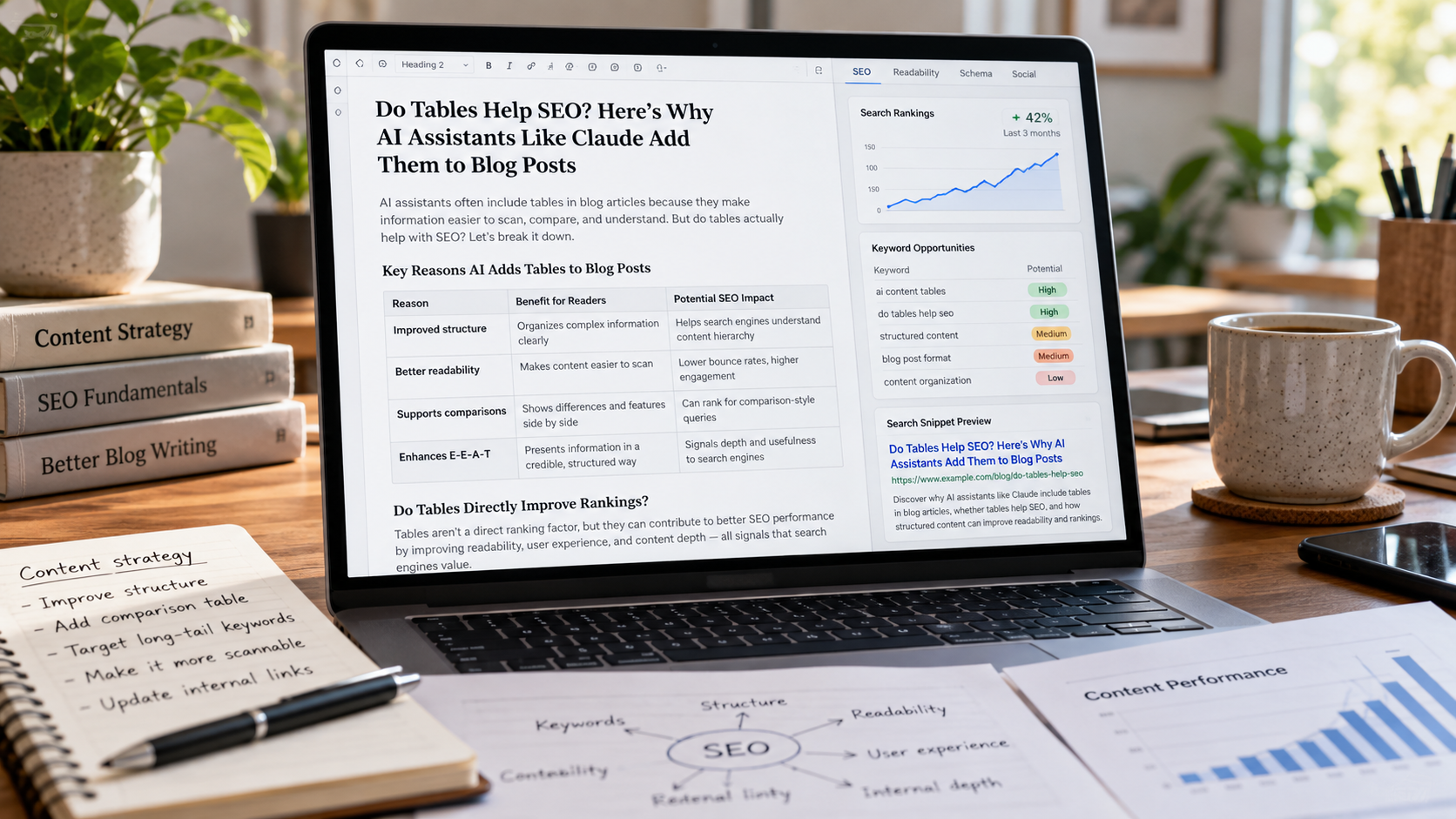
If you have been asking Claude to write blog posts lately, you may have noticed something.
There are tables everywhere.
Ask for a 2,000-word article and Claude may give you several paragraphs, a heading, another few paragraphs, and then suddenly:
Then the prose continues.
A few sections later, another table appears.
Sometimes it is useful.
Sometimes it is an excellent way to summarize information that really should be compared side by side.
Other times, you look at the table and wonder:
Why is this a table at all?
It is an increasingly noticeable characteristic of AI-generated long-form content, particularly when Claude is asked to create informational articles, comparisons, reports, guides, or research-heavy content.
That raises three interesting questions for marketers and SEOs:
When did Claude start doing this?
Why does Claude increasingly organize information into tables?
And, perhaps most importantly, do those tables actually help SEO?
The short answer is interesting.
We could not find evidence that Anthropic flipped a public switch on a specific date called something like "Automatically Add Tables to Blog Posts."
Instead, the behavior appears to be part of a broader evolution in how Claude structures professional and knowledge-work outputs.
And when it comes to SEO, tables can absolutely be useful.
But there is no evidence that Google gives you a ranking bonus simply because your article contains them.
That distinction matters.
The Short Answer
Let's answer the three questions before going deeper.
When did Claude start adding tables to blogs?
There does not appear to be a publicly documented Anthropic release date for a feature that specifically tells Claude to insert tables into blog posts.
Claude has been capable of structured formatting for years. Anthropic described Claude Instant 1.2 in August 2023 as producing "longer, more structured responses" and following formatting instructions more effectively. Later generations improved instruction following, knowledge work, document creation, and professional communication even further.
The frequency with which you see tables today may therefore be the product of several changes rather than one table-specific launch: newer model behavior, better document creation, better instruction following, interface-level prompting, your own conversation context, Claude Styles, and Claude choosing what it considers the most useful format for the information.
Anthropic's own current documentation explicitly says that Claude's formatting can be steered by the prompt and even provides instructions for users who want to reduce excessive Markdown and formatting.
Why does Claude use tables?
Anthropic has not publicly said, "We make Claude put tables in blogs because of X."
The reasonable explanation is that tables are an efficient format for presenting information with clear relationships: comparisons, prices, specifications, pros and cons, timelines, datasets, categories, and repeated attributes.
Anthropic's current Claude Constitution says Claude should follow formatting instructions and, without specific instructions, choose the format it believes best fits the context.
Do tables help SEO?
Potentially.
But not because the HTML <table> tag is some magical ranking factor.
Google's guidance continues to emphasize helpful, reliable, people-first content rather than arbitrary formatting tricks. Google specifically says its ranking systems are designed to prioritize useful information created for people, and its current guidance for AI-powered Search continues to emphasize unique, satisfying content.
A useful table can make information clearer, improve scanning, establish relationships between data, and give search engines structured information that may be easier to extract.
A pointless table does not make mediocre content better.
That is the important part.
First: Was There Actually a "Claude Tables Update"?
As far as we can establish from Anthropic's publicly available release notes and documentation, no.
At least not in the way the question implies.
There is no obvious release note that says:
Starting today, Claude will automatically insert more tables into articles.
That matters because AI product behavior changes constantly, and it is easy to attribute a noticeable output pattern to a specific product update when several things may have changed simultaneously.
Anthropic's public release history shows a steady expansion in Claude's ability to produce more structured and professional work.
In August 2023, Anthropic said Claude Instant 1.2 generated longer and more structured responses and improved its formatting instruction following.
In November 2024, Anthropic introduced Styles, allowing users to customize Claude's tone and structure. Anthropic specifically described Styles as a way to adapt responses to communication preferences, including the way information is structured.
Claude 3.7 Sonnet arrived in February 2025 with improvements across reasoning, instruction following, coding, and other capabilities.
In September 2025, Anthropic expanded Claude from primarily generating conversational text and Artifacts into directly creating documents, spreadsheets, presentations, and PDFs.
Claude Sonnet 4.6, launched in February 2026, was described by Anthropic as receiving a broad upgrade across areas including knowledge work, instruction following, and design.
Claude Sonnet 5 followed in June 2026, with Anthropic describing additional improvements in reasoning, tools, coding, and knowledge work.
And in September 2026, Anthropic introduced Opus 5.5 with explicit emphasis on improved professional communication. Anthropic says the model places important information more prominently, communicates more clearly, and follows writing rules more effectively.
So there is clearly a trend.
Claude is becoming increasingly capable of deciding not only what information to include, but also how to package it into a useful professional output.
Tables fit naturally into that evolution.
But that is different from saying Anthropic implemented a dedicated "blog table feature" on a particular date.
We cannot substantiate that claim.
Claude Has Actually Been Able to Make Tables for a Long Time
Markdown tables are not new.
Neither are HTML tables.
Neither is the concept of an LLM recognizing that information has rows, columns, categories, or comparable attributes.
What appears to have changed is how willingly and confidently AI models use formatting without the user explicitly asking for it.
Older AI responses often felt like walls of text.
Then came the age of the bullet point.
Lots and lots of bullet points.
Now increasingly sophisticated models are expected to create something closer to a finished document.
That means making presentation decisions.
Should this section be prose?
Should this become a numbered process?
Would this data make more sense in a table?
Should these results become a chart?
Is there a better way to summarize the preceding analysis?
Those are document-design decisions as much as writing decisions.
Anthropic's products have been moving explicitly in that direction. Claude can create and edit files, generate spreadsheets and documents, work with visual material, and now produce rich documents in Claude Docs. Claude's documentation says Docs can contain headings, tables, and other rich-text formatting.
The line between "AI chatbot" and "AI document creator" has become increasingly blurry.
The tables are one symptom of that shift.
Why Would Claude Decide a Table Is the "Best" Format?
This is where we need to separate documented facts from interpretation.
Anthropic has not published an engineering note saying that Claude has a rule such as:
If blog > 1,500 words, insert table every 600 words.
We have no evidence such a rule exists.
In fact, Anthropic's own prompting documentation indicates the opposite kind of flexibility.
Its guidance says prompt formatting can influence Claude's output formatting and recommends explicit instructions when users want tighter control over Markdown, lists, and document structure. Anthropic even provides a sample prompt designed to encourage smoothly flowing prose instead of excessive lists and fragmented formatting.
That tells us something important.
Formatting is steerable.
Claude is making choices based on instructions, context, examples, model behavior, and whatever additional product-level instructions Anthropic applies in the interface.
And tables often make sense to a model for a simple reason:
They compress relationships.
Consider this sentence:
A Basic plan costs $29 per month and includes three users, while the Professional plan costs $79 and includes ten users, and the Enterprise plan has custom pricing and unlimited users.
That works perfectly well.
But this may work better:
The information has an obvious two-dimensional relationship.
Humans recognize it.
A language model recognizes it.
A table is an efficient representation.
The problem arises when AI begins applying that logic to information that does not need a two-dimensional relationship.
The Difference Between a Useful AI Table and an AI-Looking Table
A genuinely useful table makes the information easier to understand.
An unnecessary AI table merely reformats sentences.
That distinction is enormous.
Suppose you are writing about local SEO.
Claude might produce:
Has that really helped?
Maybe a little.
But it mostly converted four simple statements into boxes.
Now consider a table containing actual data:
That table is doing real work.
The relationships would be awkward to communicate repeatedly in paragraph form.
The table lets you compare locations immediately.
That is what tables are for.
Are Tables Good for SEO?
Now we get to the question marketers actually care about.
Do tables improve rankings?
There is no Google documentation saying:
Pages with tables receive a ranking boost.
Google's current guidance is much broader.
Its Search Essentials says some of the most important practices include producing helpful, reliable, people-first content, using the words searchers use, making links crawlable, and ensuring Google can understand different types of content on the page.
Google's people-first content guidance asks whether content provides original information, reporting, research, or analysis; whether it substantially covers the subject; whether it adds value beyond other search results; and whether visitors leave feeling that they learned what they needed.
Notice what is not on that list.
"Insert three tables."
The same principle applies to headings, bullet points, FAQs, word count, images, and practically every other formatting element SEOs eventually turn into a formula.
A useful format can support good content.
It does not substitute for good content.
But Google Can Understand Tables
This is where the answer gets more interesting.
Tables themselves are not a documented ranking factor, but proper tables create explicit relationships between information.
The World Wide Web Consortium's accessibility guidance explains that HTML data tables organize logically related data into grids, with markup connecting header cells and data cells. Proper <th> and <td> markup gives both people and assistive technologies additional context about those relationships.
Search engines can also identify tabular information.
Google's John Mueller has previously discussed Google's ability to recognize tables and extract information from them, while warning that content merely styled to look like a table without actual table structure is harder for Google to interpret.
That does not mean:
table = higher ranking.
It means:
When information genuinely has a tabular relationship, correctly marking it up as a table helps communicate that relationship.
That is a very different claim.
And it is much more defensible.
Tables Can Appear in Featured Snippets
There is another legitimate SEO reason to care.
Google can display information from pages as featured snippets, and table-formatted featured snippets have existed for years.
Google's official featured-snippet documentation confirms that its systems determine whether a page is useful for a featured-snippet presentation. Publishers do not simply declare themselves a featured snippet.
Third-party SEO research has documented paragraph, list, table, and video featured snippets.
Ahrefs, for example, identifies table snippets as one of the established featured-snippet formats and notes that they commonly appear when a table is naturally suited to answering the search query.
That creates a legitimate opportunity.
If somebody searches:
average mortgage rates by year
a table may be the best response.
If somebody searches:
iPhone models compared
a table may be useful.
If somebody searches:
2026 tax brackets
a table is logical.
If somebody searches:
how does grief change a person's sense of identity
turning the answer into a giant table probably does not improve it.
Search intent should determine format.
Not Claude's formatting habit.
Tables May Also Make Content Easier for AI Systems to Process
This is one of the more interesting questions in 2026.
As Google Search, AI Overviews, AI Mode, ChatGPT, Claude, Gemini, Perplexity, and other answer engines increasingly synthesize information, publishers are understandably thinking about machine readability.
Does putting factual information into a clean table make it more likely an AI system will understand or cite it?
There is a reasonable argument that well-structured data is easier to parse.
A table explicitly states relationships.
The header identifies the property.
The row identifies the entity.
The intersecting cell provides the value.
That is much less ambiguous than burying twenty figures inside a 1,500-word narrative.
But we should not turn that reasoning into an unsupported ranking claim.
Google's own guidance for succeeding in its AI-powered search experiences says the traditional fundamentals still apply: produce unique, valuable, satisfying content for people and make the site technically accessible.
In May 2026, Google published additional guidance specifically addressing optimization for generative AI experiences and again emphasized unique, non-commodity content while warning against myths surrounding "AEO" and "GEO."
So yes:
Clean tables can make facts structured.
No:
There is no reason to start converting every paragraph on your website into a table because you heard "AI likes structured content."
That would be taking a useful idea and turning it into another SEO superstition.
The Real SEO Advantage Is Often User Experience
Think about a person landing on a 3,000-word article.
They probably do not read it exactly as the writer imagines.
They scan.
They jump.
They look for the answer that applies to them.
They may read the introduction, skip three sections, study one chart, return to another heading, glance at a table, and then read the conclusion.
Formatting helps people navigate.
Google explicitly encourages publishers to think about whether visitors receive a good page experience and can easily access the information they are seeking.
A useful table can contribute to that experience because it allows someone to absorb several relationships quickly.
Imagine an article titled:
How Much Does SEO Cost in 2026?
The author could write five paragraphs explaining service tiers.
Or provide this:
Then follow the table with detailed explanations.
That table gives the reader orientation.
The prose gives the reader depth.
Those formats complement each other.
That is probably the strongest way to think about tables from an SEO perspective.
Use the table to make the content more useful to the person.
The SEO benefit, when there is one, follows from that.
Where Claude's Table Habit Can Become Bad for SEO
Here is the part AI-content workflows need to pay attention to.
When every article generated by Claude follows the same pattern, the formatting itself starts becoming formulaic.
Introduction.
Three paragraphs.
Table.
Three paragraphs.
Bullet list.
Table.
"Why This Matters."
Another table.
FAQ.
Conclusion.
You can almost see the prompt behind the article.
The problem is not that Google has some "Claude table detector" that automatically penalizes the page.
There is no evidence for that.
The problem is that repetitive formatting can be a symptom of something more important:
The content has not been edited by someone making actual editorial decisions.
Google explicitly warns publishers against producing large volumes of automated content primarily to attract search traffic without adding meaningful value. Its guidance asks whether a page provides original research or analysis and whether it adds substantial value beyond what is already available.
A generic AI table containing the same facts as the surrounding paragraphs adds no original value.
It may actually make the article feel longer and more manufactured.
That is the opposite of what you want.
Tables Can Create Repetition
This happens constantly in AI-generated writing.
The paragraph says:
There are three major benefits of SEO: visibility, authority, and lead generation.
Then Claude inserts:
Then Claude writes:
As the table demonstrates, SEO can increase visibility, improve authority, and help generate leads.
We have now communicated one idea three times.
That is not additional depth.
It is padding.
And if you are doing this across a 3,000-word article, the article may technically be long while saying surprisingly little.
Google explicitly says there is no preferred word count publishers should target simply because they believe Google rewards a particular length.
The objective is not to make the blog look substantial.
The objective is to make it substantial.
A Table Should Add Compression, Not Duplication
This is the rule we would use.
A good table compresses information. A bad table duplicates information.
If the table lets the reader understand in ten seconds what would otherwise require three minutes of careful reading, it probably belongs.
If the table simply repeats the preceding paragraph with borders around it, delete it.
For example:
Good reasons to use a table
Pricing comparisons.
Historical data.
Benchmark results.
Product specifications.
Feature comparisons.
Timelines.
Survey results.
Performance metrics.
Geographic comparisons.
Before-and-after data.
Test results.
Pros and cons when the same criteria apply to every option.
Poor reasons to use a table
A nuanced argument.
A personal story.
An explanation that requires context.
A persuasive conclusion.
A complex causal relationship.
A section containing only two or three simple facts.
An attempt to make an article "look more SEO optimized."
A desire to break up text because the AI has run out of meaningful information.
The difference is editorial judgment.
There Is Also a Mobile Problem
Tables look great on a desktop until they have six columns.
Then somebody opens the article on a phone.
Now the text is microscopic.
Or the table runs off the side of the screen.
Or the user has to scroll horizontally and loses track of which value belongs to which header.
Or the CMS mangles the formatting completely.
Page experience matters.
Google's current AI Search guidance specifically reminds publishers that content should provide a good experience across devices and should not make it difficult for visitors to find the main information they need.
That means an SEO team should not approve a table solely because it looks nice inside Claude.
Look at it on the actual site.
On desktop.
On mobile.
On a small phone.
With longer text.
With accessibility considerations.
A five-column table may technically be structured beautifully and still provide a terrible user experience.
Tables Also Need Proper HTML
If the information really is tabular, use an actual table.
Do not build something that looks like a table using random text boxes and CSS if the CMS gives you a semantic table option.
The W3C recommends properly distinguishing table headers and data cells so their relationships can be understood by assistive technologies.
A simple HTML table might conceptually contain:
<table>
<th> elements for headers.
<td> elements for data.
Potentially appropriate scope, id, or header relationships for more complex tables.
The exact implementation depends on the table.
This is one of those cases where technical SEO and accessibility often point in the same direction.
Make the underlying structure accurately describe the content.
Do not just make something visually resemble it.
Should You Put Keywords in Table Headers?
Naturally, when relevant.
Not because table headers have a secret ranking multiplier.
If a table compares "Local SEO Pricing by Service Type," then that phrase may naturally belong in the heading introducing the table.
If one column represents "Average Monthly SEO Cost," that is an accurate heading.
Good.
If you start writing columns like:
Best SEO Company Philadelphia SEO Services Price
because you want extra keywords on the page, you have missed the point.
Google's Search Essentials recommends using the words people search for in prominent and descriptive locations.
The important word there is descriptive.
The heading should tell the user what the data represents.
That is SEO.
Keyword soup is not.
Do Tables Help With Featured Snippets?
They can.
But this needs another distinction.
A table can make information eligible for table-style extraction.
That is not the same as saying:
Adding a table will get you a featured snippet.
Google decides whether featured snippets appear and what source to use.
Ahrefs' research and guidance have documented table snippets among the common featured-snippet formats, particularly for queries where rows and columns naturally answer the question.
So the practical SEO strategy is not:
"We need a table."
It is:
"What does this SERP appear to reward, and what format most clearly answers the query?"
If a query asks for a comparison, table.
If it asks for steps, ordered list.
If it asks for a definition, concise paragraph.
If it asks for a complicated explanation, prose.
Match format to information.
Should Every Long-Form Blog Have at Least One Table?
No.
There is no sensible SEO reason to establish a site-wide rule that every article must contain a table.
Some articles may need five.
Some may need one.
Some may need none.
Imagine an article called:
How Google's Algorithm Has Changed Since 2011
A timeline table could be genuinely useful.
Now imagine:
Why Customers Stop Trusting Brands
That may be better served through research, examples, behavioral analysis, and flowing prose.
Forcing the second topic into three separate tables may actually make the writing worse.
This is why human editing still matters.
A model tends to make locally reasonable decisions.
"These five things can be compared, therefore a table would be useful."
An editor makes a broader decision.
"We already have two tables on this page. This next one interrupts the argument and isn't adding much. Delete it."
Those are different kinds of judgment.
The Bigger Issue Is That AI Is Becoming a Designer, Not Just a Writer
This is what makes Claude's tables interesting beyond SEO.
The model is not merely predicting the next sentence anymore.
From the user's perspective, modern AI systems are increasingly producing completed work products.
Reports.
Spreadsheets.
Presentations.
Dashboards.
Documents.
Research summaries.
Landing pages.
Visual designs.
Anthropic has explicitly expanded Claude in this direction. It launched direct file creation in 2025 and continued adding document, spreadsheet, presentation, design, and knowledge-work capabilities through 2026.
That means AI systems increasingly have to make information-design choices.
Tables are an obvious tool.
So are headings.
Charts.
Bullets.
Callouts.
Cards.
Timelines.
Sidebars.
Visual hierarchy.
The shift we are seeing is bigger than "Claude likes tables."
We are watching LLMs evolve from producing text into producing documents.
That is a much more consequential change.
And That Changes What Marketers Need to Review
Five years ago, reviewing an outsourced blog might have meant checking:
Is this fact correct?
Does the grammar work?
Did they use our target keyword?
Does it sound like us?
Now AI-assisted content needs another layer of review:
Did the model make sensible information-design decisions?
Why is this a table?
Why is that a list?
Why are there eleven H2s?
Why does every section have exactly three paragraphs?
Why is the conclusion repeating the introduction?
Why is there an FAQ answering questions the article already answered four times?
Why did it bold thirty different phrases?
Why did it turn five ordinary statements into a comparison chart?
Those are not grammar problems.
They are editorial-design problems.
And those problems become easier to overlook as AI outputs become more polished.
Could Tables Make AI Content Look More AI-Generated?
Yes, stylistically.
But that statement needs context.
A table by itself does not identify AI content.
Humans have been publishing tables for as long as publishing technology has allowed them.
Research papers contain tables.
Annual reports contain tables.
Pricing pages contain tables.
Newspapers contain tables.
Wikipedia contains tables.
Professional analysts use tables constantly.
The "AI look" emerges when the structure becomes unnecessarily predictable.
Three paragraphs.
Generic table.
Generic summary.
Three bullets.
Another table.
Conclusion beginning with "In today's rapidly evolving digital landscape..."
That combination can make a page feel generated even when every individual element is technically fine.
The solution is not "never use tables."
The solution is editing.
Does Google Penalize AI-Generated Tables?
There is no evidence that Google penalizes a table because an AI generated it.
Google's published guidance on AI-generated content focuses on the purpose and quality of the content, not whether AI touched it.
Google's people-first content guidance explicitly discusses automation and AI and asks publishers to consider how and why automation was used. The concern is content created primarily to manipulate rankings rather than genuinely help users.
So if Claude creates a table that organizes original research beautifully, great.
If Claude creates 500 near-identical tables across 500 programmatic articles with no original value, that is a different situation entirely.
Again:
The table is not the problem.
The publishing strategy may be.
What We Would Tell Claude When Writing an SEO Blog
If you dislike Claude's tendency to over-format, tell it.
Anthropic's own prompt engineering documentation recommends being specific about desired formats and says the style of your prompt can influence the style of the output. It even provides detailed instructions for minimizing excessive Markdown and bullet points.
A useful instruction might be:
Write primarily in natural paragraphs. Use a table only when the information genuinely benefits from side-by-side comparison or contains structured data that would be harder to understand in prose. Do not create tables merely to summarize surrounding paragraphs. Every table must add information density rather than repeat the text.
That one instruction can eliminate a lot of useless formatting.
You can go further:
Limit the article to no more than two tables unless the underlying data requires more.
Or:
Do not use any tables.
Or:
Include one comparison table immediately after the pricing section.
This is not fighting the model.
It is editing before generation.
Our Rule for AI-Generated Tables
At Ritner Digital, the question should not be:
Does Google like tables?
The question should be:
Would a human reader understand this information faster or more accurately because it is in a table?
If yes, use it.
Then make sure the implementation is accessible, responsive, crawlable, accurate, and properly labeled.
If no, write the paragraph.
That sounds almost too simple.
But SEO has a long history of turning basic editorial techniques into supposed ranking hacks.
Long articles became "Google wants 2,000 words."
FAQs became "Google wants an FAQ on every page."
Headings became "put your keyword in every H2."
Schema became "more schema equals more rankings."
Internal links became "add exactly X internal links."
Now we are heading toward:
"AI search likes tables, so every article needs tables."
We do not need another superstition.
We need useful pages.
Where Tables Genuinely Excel in SEO Content
There are several situations where we would actively encourage them.
Original Research
If you have collected your own data, tables can be excellent.
Suppose Ritner Digital analyzes 500 local-business websites.
We could hide every result inside prose.
Or present:
Now the reader can understand the pattern instantly.
More importantly, the table contains actual proprietary information.
That is valuable.
The table is not the content strategy.
The research is.
The table communicates it.
Pricing
Pricing almost always involves repeated attributes.
Tables are often ideal.
Comparisons
Product A versus Product B.
Strategy A versus Strategy B.
2025 versus 2026.
Local versus national.
Paid versus organic.
Tables can reduce cognitive load.
Historical Data
Year-over-year figures naturally lend themselves to rows and columns.
Technical Specifications
Measurements, compatibility, requirements, and limits often belong in tables.
Survey Results
Well-labeled survey data becomes easier to interpret and cite.
Those are real uses.
Where Tables Usually Make Writing Worse
Tables are weaker when the value is in reasoning.
For example:
Why does branding influence trust?
That needs explanation.
Why do founders become the public face of B2B companies?
That may require narrative and examples.
What makes a piece of thought leadership memorable?
Again, probably prose.
Why did a marketing strategy fail?
A summary table may eventually be useful, but the important part is probably the explanation connecting cause and effect.
Tables display relationships.
Prose explains them.
Good long-form content often needs both.
What Does All of This Mean for SEO Teams Using Claude?
It means your workflow should change slightly.
Do not treat Claude's formatting as finished simply because it looks polished.
Review every table.
Ask:
Does this contain information that is actually relational?
Does it make comparison easier?
Does it introduce information that is not obvious from the surrounding paragraphs?
Can a mobile user read it?
Are the headers descriptive?
Is the data accurate?
Is it implemented as a real HTML table?
Does it need context before or after?
Would a paragraph communicate the same thing more naturally?
If the answers point toward keeping it, keep it.
If not, remove it.
The fact that Claude generated a professional-looking table is not itself a reason for that table to survive editing.
The Most Interesting Part May Not Be SEO at All
There is a broader lesson here.
People notice AI behavior changing in subtle ways before they know exactly why.
Suddenly the model writes shorter introductions.
Suddenly it stops using certain phrases.
Suddenly it adds more tables.
Suddenly it creates cleaner headings.
Suddenly it builds a complete spreadsheet instead of describing one.
There may be a model update.
There may be an interface update.
There may be system instructions we cannot see.
There may be a new Style setting.
There may be improved training.
There may be context from earlier messages.
There may be several of those things happening at once.
That is why marketers should be careful about treating observed AI behavior as documented product functionality.
There is a difference between:
"Claude seems to be using more tables lately."
and:
"Anthropic released the Tables Update on June 30."
The first is an observation.
The second requires evidence.
At the time of writing, Anthropic's public documentation supports the idea that Claude has become increasingly sophisticated at knowledge work, document creation, instruction following, and formatting.
It does not appear to document a standalone update whose purpose was to insert more tables into blog posts.
That is the accurate answer.
Frequently Asked Questions
When did Claude start automatically adding tables to blogs?
There does not appear to be a publicly documented date when Anthropic introduced a specific feature that automatically adds tables to blog posts.
Claude has supported structured formatting for years. Anthropic described Claude Instant 1.2 in August 2023 as generating longer, more structured responses with better formatting instruction following, and subsequent Claude generations have significantly expanded their instruction-following, professional writing, knowledge-work, and document-creation capabilities.
If you have noticed more tables recently, that may reflect newer model behavior or other product-level changes rather than a discrete "tables" release.
Why does Claude put so many tables in articles?
Claude appears to use tables when it determines that information can be communicated efficiently through rows and columns.
Anthropic's published Constitution says Claude should follow user and operator formatting instructions and otherwise choose the format that best fits the context.
Anthropic has not publicly documented a requirement telling Claude to insert tables at a particular frequency.
Can I tell Claude to stop using tables?
Yes.
Anthropic specifically recommends giving detailed instructions when you want control over response formatting. Its prompt engineering documentation notes that even the formatting of the prompt itself can affect Claude's output style.
Tell Claude to write primarily in flowing paragraphs and use tables only when the information genuinely requires side-by-side comparison.
You can also prohibit tables entirely.
Do tables improve Google rankings?
There is no documented Google ranking boost awarded simply for including tables.
Google's guidance focuses on creating helpful, reliable, original, people-first content.
Tables may indirectly support SEO when they improve usability, make relational information clearer, and help search engines understand structured data.
Can Google read HTML tables?
Yes. Google can recognize tabular information, and Google's John Mueller has previously discussed Google's ability to identify and extract properly structured tables.
Proper semantic HTML is preferable to visually imitating a table using unrelated page elements.
Can tables appear in Google featured snippets?
Yes.
Table-style featured snippets are an established search result format, although Google determines when to show a featured snippet and which source to select.
Tables are particularly appropriate for queries involving comparisons, prices, specifications, rankings, and structured numerical information.
Are tables good for AI Overviews and AI search?
Tables may make some factual relationships easier for machines to parse, but there is no documented guarantee that adding a table will cause content to appear in AI Overviews or other AI search products.
Google's current advice for its generative AI Search experiences remains focused on unique, useful, satisfying content and established SEO fundamentals.
Should every SEO blog include a table?
No.
Use tables where rows and columns genuinely make the information easier to understand.
Do not insert one simply because an AI model generated it or because you believe Google expects it.
How many tables should a 3,000-word article contain?
There is no ideal number.
A 3,000-word statistical analysis might reasonably contain ten tables.
A 3,000-word essay may require none.
Content format should follow the information being communicated rather than an arbitrary ratio.
Are AI-generated tables bad for SEO?
Not inherently.
A useful, accurate AI-assisted table can improve a page.
A generic table that repeats existing text adds little value.
Google's concerns around AI-generated content focus primarily on whether automation is being used to produce useful content or primarily to manipulate search rankings.
Can too many tables hurt a blog?
They can hurt readability and user experience, particularly on mobile devices.
They can also break a narrative into so many pieces that readers struggle to follow the argument.
The issue is not the table element itself.
It is whether the formatting helps or interferes with the user.
Should tables contain original data?
They do not have to, but original data makes a table dramatically more interesting.
A table comparing information already available on a hundred other websites is primarily a formatting device.
A table containing your own survey, experiment, benchmark, or proprietary analysis creates information other publishers may want to reference.
That can have significantly more SEO and authority value.
Is a table better than bullet points for SEO?
Neither format is universally better.
Use a table when multiple items share the same comparable attributes.
Use bullets when the items are discrete but do not require row-and-column comparison.
Use prose when explanation and context matter.
The format should follow the information.
Does Google prefer HTML tables over images of tables?
If the information is intended to be machine-readable and accessible, actual HTML provides structural information that an image alone does not.
The W3C recommends semantic table markup connecting headers and cells so assistive technologies can understand the relationships within the data.
Charts and graphics can still be useful, but they serve a different purpose.
Does using Claude to write a blog hurt SEO?
Using Claude does not automatically make a page bad for SEO.
The important questions are whether the resulting page is useful, original, accurate, trustworthy, and created primarily for the audience rather than to manipulate search traffic.
Google's guidance explicitly discusses AI and automation within this broader people-first framework.
The Bottom Line
Claude really does seem more willing than many earlier AI systems to make presentation decisions for you.
Tables are part of that.
But based on Anthropic's public documentation, we would not describe this as a single identifiable "table update."
It is better understood as part of Claude's broader development from a chatbot that produces text into a professional-work system that can structure information, create documents, analyze data, and decide how an output should be presented.
And from an SEO perspective?
Tables can help.
They can make comparisons clearer.
They can communicate original data.
They can improve scanning.
They can create semantic relationships between information.
They can provide source material that Google may extract for certain search-result formats.
They may also make structured facts easier for other machine systems to interpret.
But none of that changes the fundamental rule.
The table needs to deserve to exist.
A table filled with useful original data is an asset.
A table that compresses an awkward five-paragraph comparison into something instantly understandable is useful.
A table that merely restates four generic sentences because Claude thinks the blog needs some visual variety is decoration.
And decoration is not SEO.
The increasingly important skill is not knowing how to get AI to generate more content.
It is knowing which pieces of that generated content should survive editing.
Sources
Anthropic — Releasing Claude Instant 1.2. Anthropic's August 2023 announcement described improvements including longer, more structured responses and stronger formatting instruction following. Read Anthropic's Claude Instant 1.2 announcement
Anthropic — Tailor Claude's Responses to Your Personal Style. Anthropic introduced Styles in November 2024, allowing users to customize tone and response structure. Read Anthropic's announcement about Claude Styles
Anthropic — Claude 3.7 Sonnet and Claude Code. Anthropic's February 2025 release detailed improvements in reasoning, instruction following, and other capabilities. Read the Claude 3.7 Sonnet announcement
Anthropic — Claude Can Now Create and Edit Files. Anthropic's September 2025 launch expanded Claude into direct creation of spreadsheets, documents, presentations, and PDFs. Read Anthropic's file-creation announcement
Anthropic — Introducing Sonnet 4.6. The February 2026 release describes upgrades across instruction following, knowledge work, design, coding, and other capabilities. Read Anthropic's Sonnet 4.6 announcement
Anthropic — Introducing Claude Sonnet 5. Anthropic's June 2026 announcement describes further improvements in reasoning, tool use, coding, and knowledge work. Read Anthropic's Sonnet 5 announcement
Anthropic — Claude Opus 5.5. Anthropic's September 2026 launch describes improvements to professional communication, clarity, and following writing rules. Read the Claude Opus 5.5 announcement
Anthropic — Prompting Best Practices. Anthropic explains how prompts influence output formatting and provides specific guidance for reducing excessive Markdown, lists, and fragmented formatting. Read Anthropic's prompting best practices
Anthropic — Claude's Constitution. Anthropic's published Constitution explains that Claude should follow user and operator formatting instructions and otherwise select an appropriate format based on context. Read Claude's Constitution
Google Search Central — Creating Helpful, Reliable, People-First Content. Google's core guidance emphasizes original, substantial, trustworthy content created primarily to help people rather than manipulate rankings. Read Google's people-first content guidance
Google Search Central — Google Search Essentials. Google's foundational SEO guidance covers helpful content, descriptive language, crawlability, and making different content types understandable to Google. Read Google Search Essentials
Google Search Central — Featured Snippets and Your Website. Google's documentation explains how featured snippets are selected and controlled. Read Google's featured-snippet documentation
Google Search Central — Succeeding in AI Search. Google's guidance says established SEO fundamentals and unique, satisfying content remain important for AI Overviews and AI-powered Search experiences. Read Google's AI Search guidance
W3C Web Accessibility Initiative — Tables Tutorial. The W3C explains how semantic table markup establishes relationships between header and data cells and improves accessibility. Read the W3C table guidance
Ahrefs — Featured Snippets. Ahrefs documents paragraph, list, table, and video featured-snippet formats and discusses when table snippets are appropriate. Read Ahrefs' featured-snippet guide
Don't Let AI Make Your Editorial Decisions for You
AI can make content production faster.
It can research, organize, compare, summarize, and turn complicated information into useful formats.
But generating a polished-looking page is not the same thing as building a page that deserves to rank.
Ritner Digital focuses on the part after generation: what information people are actually searching for, what deserves to be published, how it should be structured, and how the finished asset can earn visibility across traditional search and AI-driven discovery.