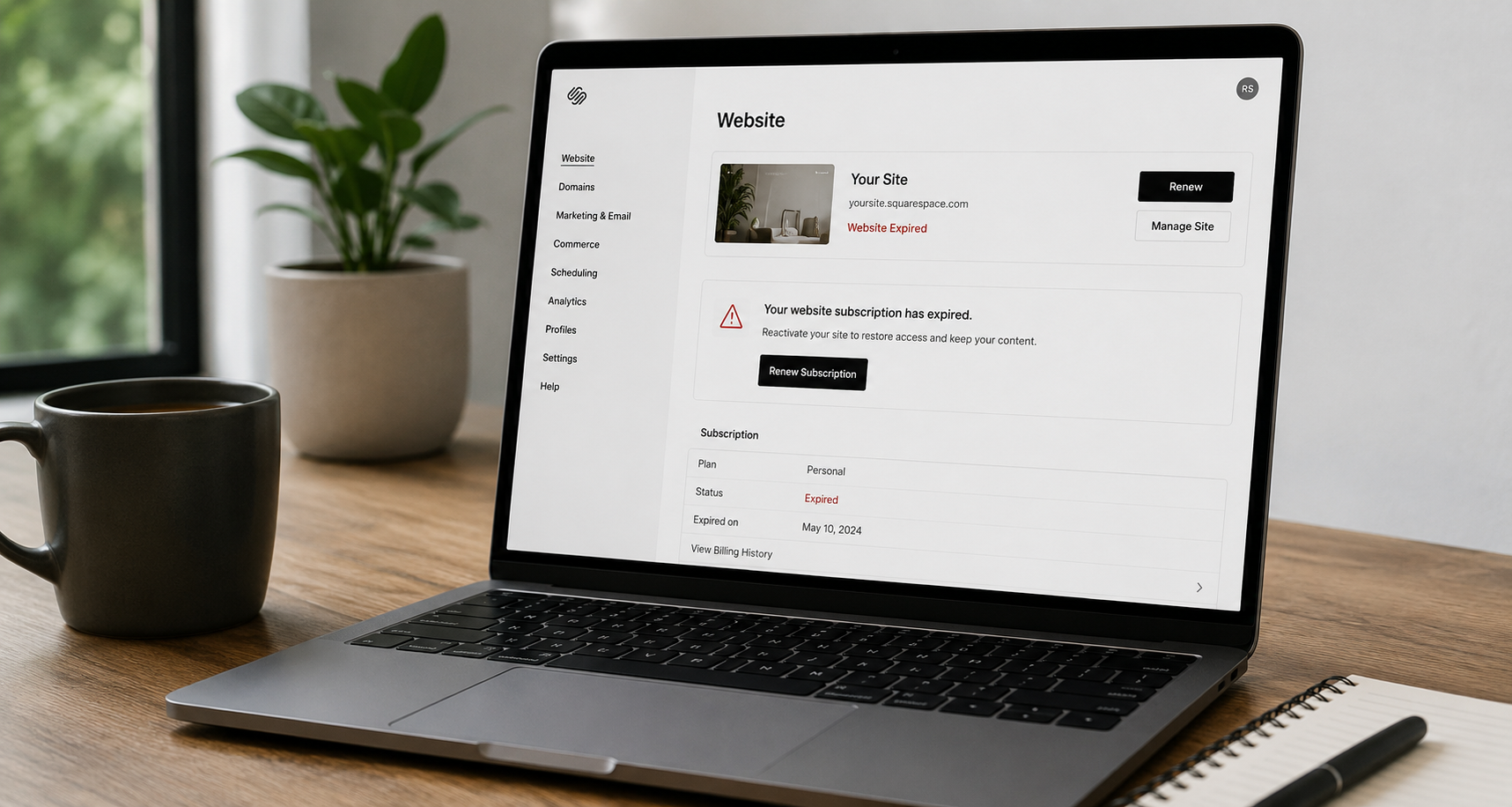
You canceled the subscription. The billing lapsed. The site shows "Website Expired" to anyone who visits. By every reasonable expectation, that site should be gone — or at least deletable with a click. Instead, you open your account dashboard, click the three-dot menu, and either the Delete option is missing entirely, or it's there but the deletion silently refuses to complete.
This is one of the most common points of confusion in the Squarespace ecosystem, and the reason almost always comes down to a single principle that Squarespace doesn't explain well inside the dashboard itself: an expired website subscription is not the same as a deletable site. Expiration stops the billing and takes the site offline. Deletion is a separate, gated action with its own prerequisites — and if any one of those prerequisites isn't met, the platform blocks the delete.
Here's exactly what's happening, why, and how to actually get the site removed.
The core rule Squarespace enforces
Squarespace's own documentation states the governing condition plainly: only expired or canceled sites with no other active subscriptions can be deleted. That last clause — no other active subscriptions — is where most people get stuck. Squarespace Help Center
Your website plan is only one of several things that can be billing under a single site. A site can simultaneously carry a domain registration, a Google Workspace email plan, an Email Campaigns subscription, an Acuity Scheduling plan, and a Digital Products plan. If your site has other active subscriptions, like Google Workspace, Email Campaigns, or Acuity Scheduling, it can't be deleted until you cancel them. Squarespace Help Center
In other words: your website billing expiring doesn't mean everything attached to that site expired. The dashboard treats the site as a container, and it won't delete the container while anything inside it is still live and billable.
The number-one culprit: a domain still attached
The single most common reason a delete is blocked is a domain that's still active on the site. Squarespace is explicit about this: if your site has a Squarespace domain attached to it, it can't be deleted until you cancel or transfer the domain. Squarespace Help Center
This catches people because domains and website plans run on separate billing cycles. You might cancel your website subscription and watch it expire, while your domain — which you may have purchased for a full year, or which auto-renewed independently — is still perfectly active. From the platform's perspective, the site is hosting a live domain registration, so it can't be torn down.
This is exactly the scenario that plays out repeatedly in Squarespace's own community forum. In one widely-referenced thread, a user couldn't access or remove their expired site at all. The resolution from Squarespace's team was direct: the expired site can be deleted once it is no longer linked to your domain. You can either move the domain to a different Squarespace site or otherwise detach it. Once the user separated the domain, they regained access to billing and could finish removing what they needed. Squarespace Forum
The fix depends on whether the domain is registered through Squarespace or a third party:
Squarespace-registered domain: You'll need to either cancel the domain (delete it) or move it to another site on your account before the parent site becomes deletable. As the Squarespace Domains FAQ notes, if your site expires while your Squarespace domain is still active, you can continue managing your domain from the expired site — meaning the expired site deliberately stays accessible because it's the management surface for that still-live domain. Squarespace Help Center
Third-party domain (GoDaddy, Google Domains, Namecheap, etc.): You can disconnect it manually, or let the deletion handle it. Per Squarespace's guidance, when you delete an expired site from your account, all third-party domains connected to the site will automatically disconnect. But in practice, if the delete is being blocked, disconnecting the third-party domain first via the Domains panel is the cleaner path. Squarespace Help Center
The other subscriptions that quietly block deletion
Even with the domain handled, deletion can still be blocked by services that survive a website cancellation independently. This is by design — Squarespace intentionally keeps these running so you don't lose email, bookings, or campaigns just because the site went offline.
According to Squarespace's documentation, after a website subscription ends you can still access and manage several panels from the expired site, and certain services keep operating. For example, even without an active website subscription, you can still access the Email Campaigns dashboard, draft and send campaigns, and manage your Email Campaigns subscription through your expired site. Similarly, after you cancel your website subscription, your Acuity subscription remains active and clients can continue booking appointments from your standalone scheduling page. Squarespace Help CenterSquarespace Help Center
Each of these is a separate billing relationship that has to be ended before the site qualifies for deletion. Run through this checklist on the expired site:
Domain — cancelled, transferred, or moved to another site.
Google Workspace — email plan cancelled.
Email Campaigns — subscription cancelled (export your mailing lists first if you want them).
Acuity Scheduling — cancelled.
Digital Products — note that after your site is cancelled or expires, your Digital Products are paused for 30 days rather than ending instantly, which can also keep the site in a non-deletable state. Squarespace Help Center
Only once every one of these reads as cancelled/inactive does the Delete action reliably go through.
Why Squarespace designed it this way
This friction isn't an accident or a bug — it's a deliberate guardrail, and understanding the logic makes it less maddening.
Deletion on Squarespace is genuinely irreversible. The Help Center is blunt about the stakes: your site and its content and any data related to the site or your site visitors won't be recoverable. We can't provide invoices for the deleted site. You won't be able to see the site anymore in your account dashboard, so you can't log in to make changes or publish the site again. Squarespace Help Center
If Squarespace let you nuke a site while a domain or email plan was still attached to it, you could accidentally orphan a domain you're still paying for, sever an active email service, or lose access to the only dashboard from which those services can be managed. By forcing you to consciously cancel each attached subscription first, the platform ensures you don't destroy something valuable as collateral damage of deleting the website shell.
There's also a data-retention dimension. Even after a clean deletion, Squarespace notes that to the extent necessary and permitted under applicable law, certain data may be retained to comply with legal or financial obligations — so the deletion gate also gives the platform a controlled, auditable point at which a site truly leaves the system. Squarespace Help Center
A subtle but important distinction: expired vs. cancelled vs. deletable
Part of why this is confusing is that Squarespace uses three states that people tend to collapse into one:
Expired — billing lapsed. The site goes offline after a grace period. Squarespace notes it offers a 15-day automatic grace period. Your site will expire 15 days after payment is due. The site still exists in your account. Squarespace Help Center
Cancelled — you proactively ended the subscription. The site is offline but its data is preserved on Squarespace's servers, and you can reactivate it by resubscribing.
Deletable — the site is expired or cancelled and has zero remaining active subscriptions attached. Only in this state will the platform actually remove it.
"Billing expired" gets you to the first state. It does not automatically advance you to the third. That gap — between I stopped paying and the platform will let me delete this — is the entire source of the frustration.
It's also worth knowing that if you simply never paid and walk away, Squarespace will eventually clean it up on its own. Sites that were never a paid subscription are automatically marked for deletion after a period of inactivity. For trial sites specifically, if you manually delete your trial site, this will expedite the deletion process — but the automatic sweep happens regardless. Squarespace Help CenterSquarespace Help Center
The step-by-step fix
If you want the site gone now rather than waiting for automatic cleanup:
Log into the expired site itself (not just the top-level account dashboard). The expired site retains access to its Billing, Domains, and subscription panels precisely so you can do this.
Open the Domains panel. Cancel/delete the Squarespace domain, transfer it out, move it to another site, or disconnect the third-party domain. If it's your primary domain, set a different one as primary first.
Cancel every other active subscription — Google Workspace, Email Campaigns, Acuity, Digital Products. Export any data (mailing lists, content) you want to keep before cancelling.
Return to your account dashboard. With nothing left attached, hover over the site, click the … menu, and choose Delete. Confirm in the pop-up.
A "Site Deleted" message will then appear to anyone visiting the old URL, confirming the removal is complete.
If the Delete option still won't appear or complete after all of that, it almost always means one attached subscription is still showing as active somewhere — re-check the Domains and Products & Services panels, since a lingering domain or a paused-but-not-cancelled Digital Products plan is the usual holdout. At that point, Squarespace support can force the removal manually.
The bigger lesson
The reason Squarespace "won't let you delete" an expired site is rarely a glitch. It's the platform protecting you from severing live, billable services — chiefly a domain — that happen to live under the same roof as the website you no longer want. Expiration handles the website. Deletion handles the container, and the container won't go until it's empty.
Untangle the attached subscriptions in the right order, and the delete button does exactly what you expected it to in the first place.
A note on why this matters for visibility
If you're cleaning up old or duplicate Squarespace properties, there's a strategic angle worth flagging: orphaned, expired, or duplicate sites can fragment your brand's entity signals and dilute the authority that both Google and AI answer engines rely on when deciding whether to cite you. A single, clearly-owned, well-structured web presence is far easier for search and AI systems to understand and trust than a scatter of half-dead sites and stray domains.
That clarity — consolidating your entity, your domains, and your authority signals so the right systems recognize and recommend you — is exactly the kind of work we do at Ritner Digital.
Want your brand structured to get found across Google, ChatGPT, Perplexity, and AI Overviews — not buried under technical loose ends? Book an AI Search Audit with Ritner Digital →
Frequently Asked Questions
Why can't I delete my Squarespace site even though billing expired?
Because an expired website subscription isn't the same as a deletable site. Expiration stops billing and takes the site offline, but deletion is a separate, gated action. Squarespace only allows deletion of expired or canceled sites with no other active subscriptions. If a domain, Google Workspace plan, Email Campaigns, Acuity, or Digital Products plan is still attached and active, the platform blocks the delete until you cancel them. Squarespace Help Center
What's the most common reason the Delete option is blocked?
A domain still attached to the site. Domains and website plans bill on separate cycles, so your website can expire while your domain stays active. Squarespace states that if your site has a Squarespace domain attached to it, it can't be deleted until you cancel or transfer the domain. Detach, transfer, or cancel the domain first and the delete typically becomes available. Squarespace Help Center
What other subscriptions block a site from being deleted?
Any service that survives a website cancellation independently — chiefly Google Workspace email, Email Campaigns, Acuity Scheduling, and Digital Products. These are designed to keep running after a website expires; for example, even without an active website subscription, you can still access the Email Campaigns dashboard, draft and send campaigns, and manage your Email Campaigns subscription through your expired site. Each has to be cancelled separately before the site qualifies for deletion. Squarespace Help Center
What's the difference between an expired, cancelled, and deletable site?
Expired means billing lapsed and the site went offline after a grace period — Squarespace allows a 15-day automatic grace period before expiration. Cancelled means you proactively ended the subscription, with data preserved so you can reactivate later. Deletable is a separate state: the site is expired or cancelled and has zero active subscriptions attached. "Billing expired" only gets you to the first state, not automatically to the third. Squarespace Help Center
How do I actually delete an expired Squarespace site?
Log into the expired site itself, open the Domains panel and cancel/transfer/disconnect the domain, then cancel every other active subscription (export any data first). Return to your account dashboard, click the … menu on the site, and choose Delete. A "Site Deleted" message will then appear at the old URL. If the option still won't complete, a lingering domain or paused Digital Products plan is usually the holdout.
Is the missing Delete button a bug?
No — it's a deliberate guardrail. Deletion is irreversible: your site and its content and any data related to the site or your site visitors won't be recoverable. Blocking deletion while a domain or email plan is still attached prevents you from accidentally orphaning a domain you're paying for or severing an active service you still need to manage. Squarespace Help Center
Will Squarespace ever delete the site on its own?
Yes, eventually. Sites that were never a paid subscription are automatically marked for deletion after a period of inactivity. For trial sites, if you manually delete your trial site, this will expedite the deletion process. But if you want it gone immediately, you'll still need to clear the attached subscriptions yourself. Squarespace Help CenterSquarespace Help Center
What happens to my domain if I delete the site?
Third-party domains disconnect automatically — when you delete an expired site from your account, all third-party domains connected to the site will automatically disconnect. Squarespace-registered domains must be cancelled, transferred, or moved to another site before the parent site becomes deletable, since the expired site is the surface you use to manage that domain. Squarespace Help Center