Why Your WordPress Blog Looks Fine in the Editor But Broken on the Front End — And What It's Telling You
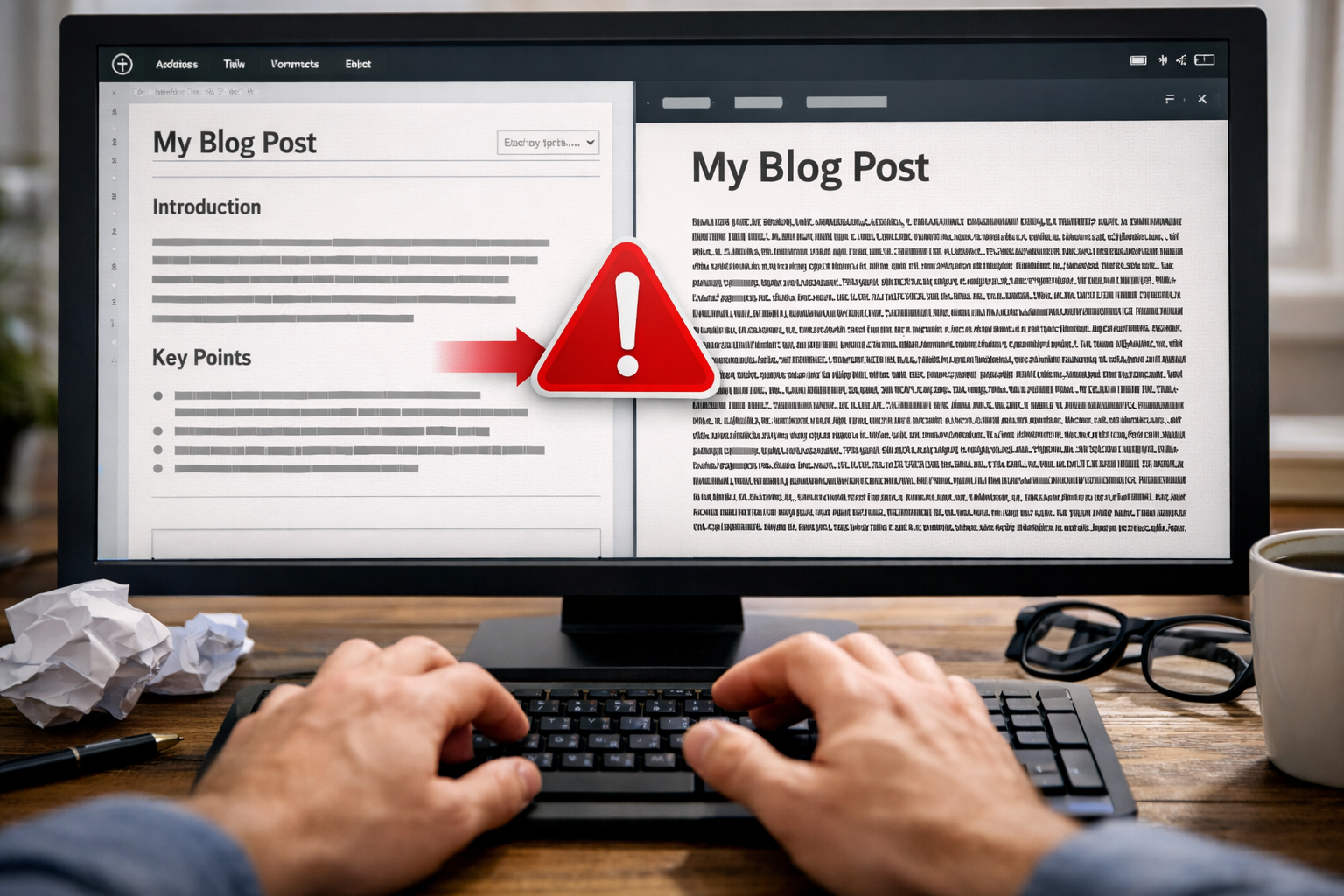
You just finished writing a blog post. You spent time on it. The content is good, the structure makes sense, and when you look at it in the WordPress editor everything looks exactly the way it should — clean paragraphs, clear spacing between sections, a post that is readable and professionally presented.
You hit publish. You click the link to see it live. And the front end looks like someone took your carefully formatted post and ran it through a compressor. Paragraphs are jammed together. The spacing between sections is gone. Text that was clearly separated in the editor is now sitting directly against the next block of copy with no visual breathing room whatsoever.
You go back to the editor. It looks fine. You publish again. Still broken on the front end. You add extra line breaks. You hit publish. Maybe it gets worse.
If you have spent any time managing a WordPress website, you have almost certainly experienced some version of this. It is one of the most reliably maddening quirks in a platform that has more than its share of them — and the reason it happens is worth understanding, because it points to something bigger than a formatting glitch.
Why This Actually Happens
The spacing discrepancy between the WordPress editor and the live front end is not a random bug. It has a specific cause — usually one of several — and knowing which one you're dealing with determines whether it's a fixable quirk or a symptom of a deeper problem with your site's setup.
The Classic Culprit: Pasting From Another Source
The most common trigger for the spacing problem is pasting content into WordPress from somewhere else — a Google Doc, a Word document, a Notion page, an email draft. When you copy text from any of those sources and paste it into WordPress, you are not just pasting the words. You are pasting the invisible formatting markup that the source application uses to structure the text.
That hidden markup — which you cannot see in the editor — conflicts with the CSS and HTML that your WordPress theme uses to control spacing and layout. The result is that the spacing you see in the editor, which is being generated partly by the pasted markup, does not match the spacing that appears on the front end, which is being controlled entirely by your theme's stylesheet. The editor is showing you a version of the content that includes the source formatting. The front end is showing you what your theme actually does with the underlying HTML once the page is rendered.
The fix in this scenario — pasting as plain text using Ctrl+Shift+V rather than Ctrl+V, or using the "Paste as plain text" option in the editor — strips the hidden formatting from the source document and lets your theme's stylesheet control the spacing consistently. It works, but it requires remembering to do it every single time, which is a workflow tax that adds up when you are publishing content regularly.
The Block Editor vs. Classic Editor Conflict
WordPress shifted from its Classic Editor to the Gutenberg Block Editor several years ago, and the transition created an entire category of compatibility problems that many sites are still living with. If your site was built using the Classic Editor — or if your theme was designed for Classic Editor output — and you are now writing posts in the Block Editor, the HTML that the Block Editor generates may not be styled correctly by your theme's CSS.
The Block Editor wraps content in block-specific markup — paragraph blocks, heading blocks, group blocks, spacer blocks — that Classic Editor themes were not designed to handle. The result is that the visual spacing you create in the Block Editor interface does not translate to the front end because the theme does not have the CSS rules to style those block elements correctly. You add a spacer block, you see space in the editor, and the front end ignores it entirely because the theme has no idea what to do with it.
Theme CSS Overrides
Sometimes the problem is neither pasted formatting nor editor compatibility — it is simply that your theme's CSS is explicitly removing or overriding the spacing that WordPress would otherwise apply. Many themes apply CSS rules that reset or compress margins and padding on paragraph elements to achieve a specific visual style. When those rules are aggressive, they strip out spacing that looks correct in the editor and produce the compressed, wall-of-text appearance on the front end.
This is particularly common with premium themes that have been heavily customized, with page builder outputs that generate non-standard HTML structures, and with themes that have accumulated years of CSS additions and overrides from multiple developers working on the site at different times. The stylesheet becomes a layered mess of rules, some of which are contradicting others, and the spacing behavior becomes unpredictable in ways that are genuinely difficult to diagnose without digging into the code.
Plugin Conflicts
WordPress sites typically run somewhere between 10 and 30 active plugins, and plugin conflicts are a consistent source of front-end rendering problems including spacing issues. A caching plugin that is serving an outdated version of the page, a page optimization plugin that is stripping whitespace from the HTML output, a security plugin that is modifying content on output — any of these can produce a front end that does not match what the editor shows. Plugin conflicts are particularly insidious because they are not obviously related to formatting and are therefore the last thing most site owners think to check when the spacing looks wrong.
Why This Keeps Happening to You Specifically
Here is the part that most WordPress troubleshooting articles don't say out loud: if you are regularly hitting this kind of problem — if maintaining your own website feels like a series of inexplicable quirks that require workarounds, research, and frustration to navigate — that is not a you problem. It is a platform maturity problem.
WordPress is the most widely used content management system in the world. It powers somewhere around 40% of all websites. Its ubiquity is both its greatest strength and the source of its greatest weakness — because that ubiquity means it has accumulated decades of legacy code, thousands of plugins built by thousands of developers to varying standards, and an enormous installed base of sites running wildly different combinations of themes, plugins, and customizations that interact with each other in ways nobody fully anticipated.
The spacing problem is not a bug that WordPress will fix in the next update. It is a structural characteristic of a platform that has grown through accretion rather than design — layer upon layer of functionality added over 20 years, each layer potentially interacting with every other layer in ways that produce exactly the kind of unpredictable, difficult-to-diagnose behavior that makes you want to throw your laptop across the room when you're just trying to publish a blog post.
Most businesses that run WordPress sites hit their personal version of a WordPress limit at some point. For some it is the spacing problem. For others it is a plugin update that breaks the site. For others it is a theme that stops being supported, or a security vulnerability that requires emergency patching, or a page builder that produces code so bloated that the site's performance scores collapse. The specific manifestation varies. The underlying dynamic is the same: WordPress's flexibility is real, but it comes with a maintenance and complexity overhead that accumulates over time and eventually becomes a meaningful drag on the business's ability to use its own website effectively.
What It's Telling You About Your Website
The spacing problem feels like a small annoyance. And in isolation, it is. But it is worth asking what it represents in the context of your relationship with your website overall.
If publishing a blog post requires you to remember to paste as plain text, then manually check the front end, then go back and fix spacing issues, then republish, then check again — that is a workflow that is costing you time and mental energy every single time you publish content. Multiply that friction across every post you publish over the course of a year and it becomes a meaningful operational cost. It also becomes a deterrent to publishing at all, which is the most damaging outcome for a business that is trying to build an SEO-driven content strategy.
If your website requires you to have a working knowledge of CSS, HTML, plugin conflict diagnosis, and WordPress-specific quirks just to maintain basic functionality — that is a technical overhead that most business owners did not sign up for and should not have to manage. A website is supposed to be a business asset that works for you. When it becomes something you have to work around, the asset-to-liability ratio has shifted in the wrong direction.
The businesses that come to Ritner Digital in this situation are not usually businesses with catastrophically broken websites. They are businesses with websites that are functional but subtly exhausting to maintain — where every content update involves a small battle with the platform, where asking for help requires explaining layers of WordPress-specific context to whoever is supporting them, and where the gap between what they want the website to do and what they can actually make it do has quietly grown wider over time.
What the Right Website Setup Actually Looks Like
A website that works correctly for a business — particularly for a business that publishes content regularly as part of its marketing strategy — should have a few baseline characteristics that the spacing problem and its cousins reveal to be absent.
What you see should be what you get. The editing experience should produce a front-end result that is consistent with what the editor shows. This is not a revolutionary expectation. It is table stakes for a content management system in 2026, and it is something that modern website platforms deliver reliably without the compatibility layers and conflict potential that produce the WordPress spacing problem.
Publishing content should be simple. A business owner or marketing team member should be able to write a post, add it to the website, and publish it without needing to understand platform-specific quirks, formatting gotchas, or troubleshooting procedures. The less technical overhead between "content is written" and "content is live," the more content gets published — which is directly correlated with SEO performance and organic traffic growth over time.
The website should not require regular maintenance interventions. Plugin updates, theme compatibility checks, security patches, performance optimization — these are real requirements of a WordPress site, and they represent ongoing time and cost that many business owners underestimate when they first build on the platform. A well-built website on a modern platform has significantly lower ongoing maintenance overhead, which means more resources available for the things that actually grow the business.
When something goes wrong, the fix should be straightforward. Not a research project. Not a plugin conflict diagnostic exercise. Not a conversation with a developer who needs three hours of context before they can help. A platform where problems are rare and where the path to resolution is clear when they do occur.
When It's Time to Have a Different Conversation
If the spacing problem is the latest in a series of WordPress frustrations, the most valuable conversation you can have is not about how to fix the spacing problem. It's about whether WordPress is the right platform for your business at this stage, what a website that actually works for your specific needs looks like, and what it would take to get there.
That is a conversation Ritner Digital has with businesses every day. Not every business needs to leave WordPress — it is the right platform for some use cases and some teams. But a significant number of the businesses that come to us frustrated with their website's performance and maintainability are on WordPress not because it is the best fit for their needs but because it is what they started with and nobody has ever asked them whether it is still serving them well.
The answer to that question is different for every business. What does not vary is that the businesses that ask it — that take an honest look at whether their website is working for them or whether they are working for their website — consistently end up in a better position after the conversation than they were in before it.
If your WordPress site has you troubleshooting spacing on a blog post when you should be running your business, it might be time to ask that question.
Ritner Digital builds and manages websites for businesses that are done fighting with their platform. If your website is becoming more of a liability than an asset, let's talk.
Frequently Asked Questions
Why does my WordPress blog post look fine in the editor but have no spacing on the front end?
The most common cause is pasting content from another source — Google Docs, Microsoft Word, Notion, or any other writing application — directly into the WordPress editor using a standard paste command. When you do that, invisible formatting markup from the source application comes along with the text. That hidden markup interacts with your WordPress theme's CSS in unpredictable ways, producing spacing in the editor that the front end does not replicate. The editor is showing you a hybrid of the source formatting and the theme styling. The front end is showing you what the theme actually does with the underlying HTML once the page renders. They are not the same thing, which is why they look different.
What is the quickest fix for the WordPress spacing problem?
The immediate fix for pasted content is to use Ctrl+Shift+V instead of Ctrl+V when pasting into the WordPress editor — this pastes as plain text, stripping the hidden formatting from the source document and letting your theme's CSS control spacing consistently. Alternatively, most browsers and the WordPress editor itself offer a "paste as plain text" option that does the same thing. For spacing problems that persist even without pasted content, the issue is likely in your theme's CSS or a plugin conflict, which requires a more diagnostic approach — checking whether the problem occurs with all plugins deactivated, or whether a specific CSS rule in your theme's stylesheet is overriding the spacing WordPress would otherwise apply.
Is this a WordPress bug that will get fixed in an update?
Not exactly. The spacing discrepancy is not a discrete bug with a discrete fix — it is a structural characteristic of how WordPress has evolved over time. The platform has accumulated 20 years of legacy code, thousands of plugins built to varying standards, and an enormous range of theme and customization combinations that interact in ways nobody fully anticipated. The specific trigger for the spacing problem — pasted formatting markup conflicting with theme CSS, Block Editor output not being styled correctly by Classic Editor themes, plugin conflicts affecting front-end rendering — are inherent to the complexity of that ecosystem rather than isolated bugs that a patch can resolve. WordPress updates address specific vulnerabilities and add specific features, but they do not and cannot eliminate the category of compatibility and conflict problems that produce symptoms like the spacing issue.
Why does the WordPress Block Editor and Classic Editor produce different spacing results?
Because they generate fundamentally different HTML output and most themes were designed with one or the other in mind, not both. The Classic Editor produces relatively simple paragraph and heading tags that most themes style consistently and predictably. The Block Editor wraps content in block-specific markup — paragraph blocks, group blocks, spacer blocks, cover blocks — that requires specific CSS rules to style correctly. If your theme was built for Classic Editor output and you are writing posts in the Block Editor, the theme does not have the CSS rules to handle the block markup correctly, and spacing elements you create in the editor are ignored or rendered incorrectly on the front end. The reverse is also true — themes built specifically for the Block Editor can produce unexpected results when Classic Editor content is introduced.
Could a plugin be causing my WordPress spacing problem?
Yes, and it is more common than most site owners realize. Caching plugins are a frequent culprit — if your caching plugin is serving an outdated version of a page, you may be looking at a front end that does not reflect your most recent edits regardless of how many times you republish. HTML minification plugins, which are common in performance optimization setups, sometimes strip whitespace from the page output in ways that collapse spacing. Content security and firewall plugins occasionally modify page output on delivery. The diagnostic approach for plugin-related spacing issues is to deactivate all plugins temporarily and check whether the spacing problem resolves on the front end — if it does, reactivate plugins one at a time to identify the specific conflict.
How much time should managing a WordPress website actually take?
For a business using its website primarily as a marketing and content asset — publishing blog posts, updating service pages, managing contact forms — the ongoing time investment in platform maintenance should be minimal. Checking for and applying plugin and theme updates takes a few minutes periodically. Publishing a new post should take no longer than writing it. Troubleshooting platform quirks, diagnosing plugin conflicts, and navigating compatibility issues should be rare exceptions rather than regular occurrences. If your WordPress site is regularly demanding meaningful time for maintenance, troubleshooting, and workarounds beyond the actual content and marketing work, the platform's complexity overhead has exceeded what is reasonable for a business website at your scale.
When does a WordPress frustration become a reason to consider a different platform?
When the cumulative friction of managing the platform is meaningfully interfering with your ability to use the website as a business tool. A single spacing quirk is an annoyance. A pattern of spacing issues, plugin conflicts, update-related breakages, performance problems, and security vulnerabilities requiring regular intervention is a different situation — it indicates that the complexity overhead of the platform has grown beyond what the business should be managing. The specific trigger varies by business: for some it is the spacing problem, for others it is a plugin update that breaks the site at the worst possible time, for others it is realizing that publishing a blog post has become a multi-step technical exercise rather than a straightforward content task. The common thread is a website that requires the business to work around it rather than a website that works for the business.
Is WordPress always the wrong choice, or does it depend on the situation?
It depends entirely on the situation, and anyone who gives you a categorical answer in either direction is oversimplifying. WordPress is genuinely the right platform for certain use cases — sites that require highly custom functionality, businesses with dedicated technical resources to manage the platform, developers who are comfortable in the WordPress ecosystem and can handle its complexity efficiently. It is not the right platform for every business, and it is frequently the platform businesses are on not because it is the best fit for their needs but because it is what they started with years ago and nobody has ever evaluated whether it still makes sense. The question worth asking is not "is WordPress good or bad" but "is this platform serving my business's specific needs well enough to justify its ongoing maintenance and complexity overhead" — and the honest answer to that question is different for every business.
What does a website that actually works for a business look like in 2026?
It is a website where publishing content is genuinely straightforward — where what you see in the editor is what appears on the front end, without formatting quirks, compatibility issues, or platform-specific workarounds. It is a website where ongoing maintenance does not require technical intervention on a regular basis. It is a website that performs well on Core Web Vitals and loads quickly on mobile, because page speed directly affects both user experience and search rankings. It is a website where making changes — updating a service page, adding a team member, publishing a blog post — is fast enough that it actually gets done rather than getting deferred because the friction is too high. And it is a website built on a foundation that a trusted partner understands deeply enough to support quickly and effectively when something does need attention.
How does Ritner Digital help businesses that have hit their WordPress limit?
We start with an honest assessment of whether the current platform is the right fit for the business going forward — not every frustrated WordPress user needs to leave WordPress, and we will tell you that if it is the case. For businesses where a platform change makes sense, we handle the migration, the redesign, and the technical setup so the transition is as smooth as possible and the new site launches without the accumulated complexity overhead of the old one. For businesses that want to stay on WordPress but need their current site to work better, we assess the specific issues, clean up the underlying problems, and set up a maintenance structure that keeps the site running reliably. Either way, the goal is the same: a website that functions as a business asset rather than a source of ongoing frustration.
Ritner Digital builds and manages websites for businesses that are done fighting with their platform. If your website has become more of a liability than an asset, let's talk.