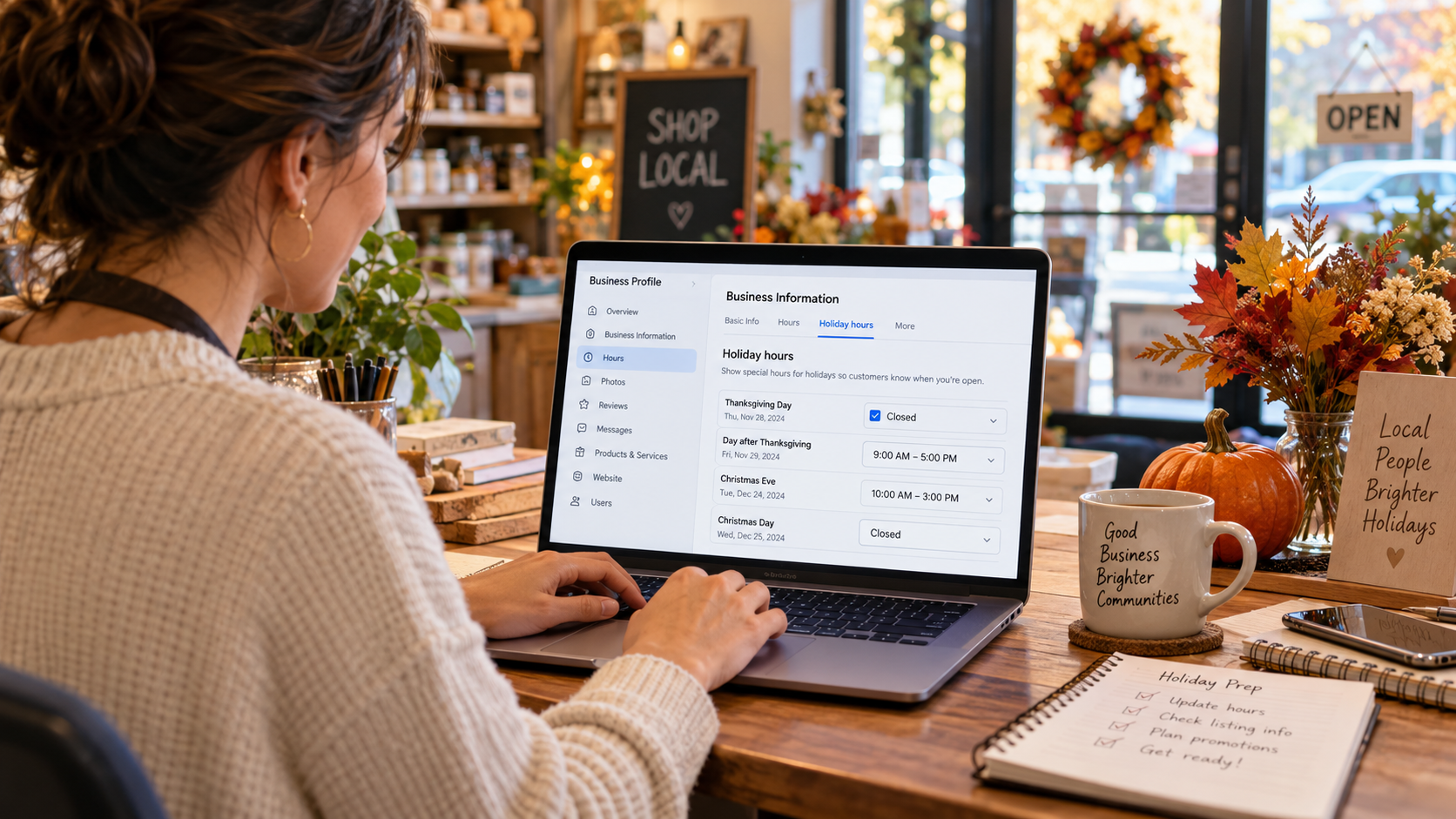
Before the turkey goes in the oven, make sure customers know when your business is open. A practical Thanksgiving 2026 guide to Google Business Profile holiday hours, local search visibility, and keeping customer information accurate.
You've planned Thanksgiving dinner.
You know who's bringing the mashed potatoes.
You've figured out when the turkey needs to go into the oven.
Someone has been assigned dessert.
And you've probably already had at least one conversation about whether everyone is arriving at the same time.
But there's one detail many business owners forget to plan.
What does Google say your business is doing on Thanksgiving?
Because while you're preparing for a holiday with family, your customers may still be searching for your business.
Someone might need an emergency plumbing service.
A family may be looking for a restaurant that's open.
A homeowner could be searching for an HVAC company before guests arrive.
A customer may want to visit a local shop on Friday.
Or a prospective client might finally have a few days off and decide to research the business they've been meaning to contact.
They search Google.
Your business appears.
And the first practical question may not be about your prices, services, or reputation.
It might simply be:
"Are they open?"
If your Google Business Profile displays the wrong information, you could create unnecessary confusion before the customer ever visits your website.
A customer may drive to a closed storefront.
Someone could call an office that isn't staffed.
Or a person searching for a service may assume your company isn't available when it actually is.
That's not how any business wants to begin a customer relationship.
And it can happen even when your website looks great, your SEO is performing well, and your customers genuinely appreciate your work.
At Ritner Digital, we spend plenty of time thinking about organic search visibility, local SEO, website performance, and how businesses can generate more relevant customer inquiries.
But not every useful marketing improvement involves a major campaign.
Sometimes, the most important action is making sure your business information is correct.
Thanksgiving is a good reminder that local SEO isn't only about getting discovered. It's also about helping people know what to expect when they find you.
So before the holiday arrives, let's give your Google Business Profile a little attention.
No complicated marketing gimmicks.
No guaranteed ranking promises.
Just a practical holiday plan that helps customers get accurate information about your business.
First, Mark the Important Thanksgiving 2026 Dates
Thanksgiving Day in the United States falls on Thursday, November 26, 2026, as confirmed by the U.S. Office of Personnel Management's official federal holiday calendar.
But Thanksgiving Day isn't necessarily the only date that affects your business schedule.
Here's the period worth reviewing:
Wednesday, November 25: The day before Thanksgiving. Some businesses close early.
Thursday, November 26: Thanksgiving Day. Businesses may be closed, offer limited service, or operate special hours.
Friday, November 27: The day after Thanksgiving, often called Black Friday. Some businesses reopen normally, offer extended hours, or remain closed.
Saturday, November 28: Small Business Saturday. Particularly relevant for retailers and other businesses participating in holiday shopping activities.
Sunday, November 29: A day worth confirming if your normal weekend operations are affected.
Monday, November 30: The following Monday, also known as Cyber Monday in retail marketing, when some companies return to normal operations and others continue special schedules.
This isn't a suggestion that every business should open, close, or run promotions on those dates.
It's a reminder to verify what your company will actually be doing.
A local restaurant, commercial contractor, professional services firm, and emergency HVAC provider may have completely different Thanksgiving schedules.
Your Google Business Profile should reflect your business's real customer-facing availability.
Not what Google's regular weekly schedule happens to show.
Not what your company did last Thanksgiving.
And not what someone assumes your hours will be.
Why Holiday Hours Matter More Than Business Owners Sometimes Realize
A customer doesn't always begin their search by visiting your website.
They may find your company through Google Search or Google Maps.
Your Google Business Profile can display essential information, including the business name, location or service area where applicable, telephone number, website, reviews, and business hours.
For someone deciding whether to call or visit, that information can be important.
Imagine a South Jersey family searching for a restaurant that's open on Thanksgiving.
They find a listing showing regular Thursday hours.
The family assumes the restaurant is serving customers.
They arrive and discover it's closed for the holiday.
The problem isn't that the restaurant chose to close.
Employees deserve holidays, and businesses have every right to set their schedules.
The problem is that the information customers encountered didn't accurately reflect the schedule.
Now imagine a different situation.
An HVAC company has technicians available for emergency heating calls on Thanksgiving, but its online information incorrectly suggests the entire business is unavailable.
A prospective customer may not realize emergency service is an option.
Again, the issue is clarity.
Google May Flag Unconfirmed Holiday Hours
Google explains in its Business Profile guidance on holidays that a warning may appear on a profile indicating that hours could differ on certain holidays.
Businesses can set or confirm special hours to communicate their actual schedules.
Google also recommends confirming holiday hours even when they are the same as the normal schedule.
That's an important point.
You don't have to change your hours to have a reason to review them.
If your business is operating normally on Thanksgiving, confirming that schedule can help communicate that the information is intentional rather than merely unchanged.
Accuracy Isn't the Same as a Ranking Boost
Let's clear up a misconception.
Updating Thanksgiving hours does not guarantee higher Google Maps rankings.
Google's official explanation of local ranking identifies relevance, distance, and prominence as the primary local ranking factors.
Keeping accurate business information is a recommended best practice.
But an agency shouldn't promise that setting holiday hours will automatically move your company into the top three local results.
The immediate benefit is more practical.
Customers can make better decisions when your hours and availability are accurate.
That alone is a worthwhile reason to keep the information updated.
Your Thanksgiving Plan Starts With Understanding Three Different Types of Hours
One reason business owners make mistakes is that Google Business Profile supports different kinds of hours.
They are not interchangeable.
Regular Business Hours
These describe the business's normal customer-facing weekly schedule.
For example, a company might normally operate Monday through Friday, from 8 a.m. to 5 p.m.
Those hours remain relevant outside the holiday period.
If the company is only changing its schedule for a short Thanksgiving break, it generally shouldn't replace its normal hours with a temporary holiday schedule.
Special Hours
Special hours are designed for short-term exceptions, including holidays, special events, and certain temporary closures.
According to Google's official instructions for setting special hours, businesses can use them when temporarily adjusting hours or closing for up to six consecutive days.
This is the setting most businesses should review for Thanksgiving.
You can specify that you're closed on November 26, open for a shorter period on November 27, or operating normally on an official holiday.
Those entries apply to the designated dates rather than permanently replacing your usual weekly schedule.
More Hours
Google also supports additional hours for certain types of services.
For example, a restaurant may have dining hours that differ from takeout hours.
Other applicable businesses may have different hours for delivery, pickup, drive-through service, or similar functions.
Google explains these options in its More hours documentation.
This matters during Thanksgiving because your main business operations and individual services may not follow identical schedules.
A restaurant might offer takeout before closing its dining room.
A dealership's sales department might be closed while another eligible department operates under a different schedule.
The information needs to reflect the actual service and the way the profile is configured.
How to Set Your Thanksgiving Hours on Google Business Profile
If your business operates with normal main hours and needs a short-term Thanksgiving exception, the process is relatively straightforward.
Google's interface may evolve, but its published instructions currently follow these steps.
Sign in to the Google account that manages your Business Profile.
Open your business's profile in Google Search or Maps.
Select Edit profile, then Hours.
Find Special hours and select the edit option.
Select an existing suggested holiday date or add a custom date.
Choose whether the business is closed or enter the correct opening and closing times.
Add other affected dates if your holiday schedule extends beyond Thanksgiving Day.
Save the changes.
Review the saved hours and check how the public-facing profile displays them.
You can follow Google's latest instructions at How to set special hours.
If You're Closed All Day on Thanksgiving
Select November 26, 2026, and mark the business closed for that day.
Don't replace all your regular Thursday hours with a permanent closure if you normally operate on Thursdays.
The goal is to create an exception for the holiday.
If You're Closing Early
Suppose your business normally operates until 6 p.m. but will close at noon on Wednesday, November 25.
Set special hours for November 25 that reflect the actual shorter schedule.
This can be especially useful for businesses whose employees leave early to prepare for Thanksgiving.
If You're Open Normally
Google recommends confirming hours for official holidays even when they match your usual schedule.
Use the special hours interface to confirm the correct schedule for Thanksgiving.
That makes the information more deliberate and helps address uncertainty about whether the holiday changes your availability.
If Your Business Has Split Hours
Some businesses close for part of the day and reopen later.
Google's special hours feature supports multiple sets of hours on a date.
For example, a restaurant might operate during one period for an event and reopen later for regular service, if that's genuinely how the business operates.
Enter the actual operating periods rather than describing a continuous schedule that isn't accurate.
If You're Open Across Midnight
Businesses with overnight schedules need to be careful when hours cross into the following day.
Google provides specific formatting guidance for special hours extending past midnight.
A single special-hours period cannot exceed 24 hours, and certain overnight schedules need to be divided across dates.
If your business operates overnight, consult Google's official instructions rather than guessing how to enter the schedule.
Don't Mark Your Business "Temporarily Closed" Just Because You're Taking Thanksgiving Off
This is one of the most important distinctions in the entire guide.
Google Business Profile includes an option to mark a business as temporarily closed.
That status isn't intended for every short holiday closure.
Google's official closure guidance directs businesses to use special hours for short closures and the temporarily closed status for longer interruptions, such as a closure lasting more than seven days, an off-season closure, or an indefinite closure.
Its special-hours guidance specifically describes use for closures of up to six consecutive days.
Because Google's help pages use slightly different threshold wording around the seven-day boundary, businesses facing a closure of exactly seven days should review the latest guidance for their circumstances.
For a normal one-day Thanksgiving closure, the decision is much simpler.
Use special hours.
Why the Distinction Matters
A business marked temporarily closed may appear differently to searchers.
Google notes that temporarily closed businesses may rank after open businesses for some broad queries.
That's different from simply communicating that you're closed on a particular holiday.
You shouldn't use a long-term closure status to solve a one-day scheduling issue.
And you shouldn't mark a business permanently closed because you're taking a holiday break.
Accurate status information matters.
What If Your Business Is Closing for an Extended Vacation?
A company shutting down for a longer period needs to review its actual closure length.
The appropriate Google setting may depend on whether the business remains available, whether the closure is seasonal, and how long it will last.
Don't assume every extended vacation should be handled the same way.
Follow Google's applicable closure guidance and verify what appears publicly.
For most businesses dealing with Thanksgiving Day and perhaps the following Friday, however, special hours are the appropriate starting point.
Your Website Needs to Agree With Your Google Business Profile
Updating Google is only part of the process.
Imagine a customer sees a Google listing that correctly says your business is closed on Thanksgiving.
They click your website to learn more.
But the homepage says:
"Open Monday through Saturday, 8 a.m. to 6 p.m."
With no holiday explanation.
The customer is left wondering which information is correct.
That's avoidable.
Communicate Holiday Schedules Where Customers Will Look
Depending on your website, that may involve a homepage notice, updated contact-page information, an appointment booking announcement, or a temporary notification in a relevant part of the site.
The right approach depends on how customers normally use your website.
A small local shop might benefit from a short holiday-hours announcement.
A service company may need to explain whether routine scheduling and emergency calls are handled differently.
A professional services firm could communicate office closures and when inquiries will receive responses.
You don't necessarily need a dedicated Thanksgiving landing page.
You need the appropriate information to be easy to find.
Check Your Website's Contact Page
This is often overlooked.
Many businesses display hours on a contact page, footer, or location page.
If customers rely on that information, it should not contradict your holiday schedule.
For multi-location businesses, each location's relevant information should be accurate.
And if a location has different departments, the website should clarify which schedules apply.
Test Online Booking and Scheduling
A website can display correct holiday hours while still allowing customers to book unavailable appointment times.
That creates a different problem.
Check your booking calendar.
Confirm that blocked dates are actually unavailable.
Make sure automated confirmation emails reflect the correct schedule.
And verify whether appointments booked during the holiday are appropriate for the staff or service involved.
Your website and Google profile should support the same customer experience.
Your Telephone and Voicemail Need a Thanksgiving Plan, Too
Suppose someone searches for your business and clicks the call button.
Your hours are correct.
Your website is accurate.
But the phone still rings without a useful response.
Or the voicemail promises a callback within one business day without explaining that the office is closed for several days.
The result may still be frustrating.
Review the Customer's Actual Calling Experience
Test the telephone number listed on Google.
Does it reach the correct business?
Is the number active?
If you use a call routing system, does it reflect your holiday coverage?
If nobody is available, does the voicemail provide accurate information?
A short recorded message may be enough.
For example:
"Thank you for calling. Our office will be closed Thursday, November 26, and Friday, November 27, for Thanksgiving. We'll resume regular office hours on Monday, November 30. Please leave a message, and we'll respond when we return."
Those dates and the Monday reopening are illustrative.
Only use a message that reflects your actual schedule.
Emergency Services Require Extra Clarity
For an HVAC or plumbing company, emergency availability may differ from normal administrative office hours.
If your company genuinely provides emergency service during Thanksgiving, explain how customers can request it.
If emergency coverage is unavailable, don't imply otherwise.
Google's displayed business hours should reflect the appropriate customer-facing schedule under its category guidelines.
Additional service information can be communicated accurately through your website and permitted profile features.
The most important thing is avoiding contradictory promises.
Consider a Google Business Profile Holiday Update
Special hours are essential, but a profile update can provide additional context.
Google's documentation on Business Profile posts explains that eligible businesses can publish updates, offers, and event information directly to their profiles.
A simple Thanksgiving message can help explain schedule changes or customer service arrangements.
Example for a Local Service Business
"Happy Thanksgiving from our team! Our office will be closed on Thursday, November 26. We appreciate our customers and look forward to serving you when regular hours resume. Please see our updated business hours for availability."
Example for a Restaurant
"We're updating our schedule for Thanksgiving week. Check our holiday hours before visiting, and visit our website for current dining or ordering information. Thank you for supporting our local team!"
Example for a Professional Services Firm
"Our office will observe adjusted hours during Thanksgiving week. We appreciate the clients and community partners who have been part of our year. Please review our current holiday schedule and contact information before scheduling an appointment."
These are adaptable examples.
Don't publish one without confirming that it matches your actual operations.
Don't Use a Post Instead of Updating Hours
This is crucial.
A holiday post is not a substitute for entering the correct special hours.
Someone looking quickly at Google Maps may see the hours without reading your full update.
Make sure the actual hours field is correct.
Then use a post if additional explanation would help.
Follow Google's Post Policies
Google also has specific content policies for Business Profile posts.
For example, Google restricts including telephone numbers directly in post content. Businesses can use appropriate calling features associated with their verified profile instead.
Certain business categories, including hotels, have additional restrictions on promotional posts.
Use the available post types appropriately and verify that any announcement complies with Google's policies.
The goal is accurate customer communication, not a promotional loophole.
What South Jersey Businesses Should Check Before Thanksgiving
Not every industry faces the same holiday challenges.
A local restaurant has different needs from a commercial contractor.
And a financial institution may have different operating arrangements from an independent retailer.
Here are some practical examples.
Restaurants and Cafés
Confirm Thanksgiving Day dining hours.
Review whether takeout, pickup, or delivery schedules differ.
Update any website menus, reservation options, or ordering systems that depend on operating hours.
Google's business representation guidelines explain that restaurant main hours generally correspond to dine-in hours where applicable, with separate options for certain additional services.
If your kitchen offers holiday orders but the dining room is closed, make the distinction understandable.
A customer shouldn't need to guess whether "open" means dining, takeout, or pickup.
Retail Stores
Review Thanksgiving Day, Black Friday, and Small Business Saturday hours.
If your store plans extended hours on Friday or Saturday, enter the relevant exceptions.
If you operate normally, confirm the schedule.
Any advertised holiday promotion should have accurate dates and terms.
And your website should reflect the same information.
HVAC, Plumbing, and Electrical Companies
Clarify administrative office hours versus emergency service availability.
Review call routing and contact forms.
If your technicians aren't available on Thanksgiving, avoid suggesting otherwise.
If you have legitimate emergency coverage, explain how customers can request service.
Accurate expectations are especially important when a household is dealing with an urgent problem.
Contractors and Construction Companies
Many construction offices close for Thanksgiving and sometimes the following Friday.
Even if your crews aren't working, prospective customers may still research your services during the holiday.
Your website should remain informative.
Online inquiry forms should work.
And any auto-response should explain when someone will follow up.
Community Banks and Credit Unions
Financial institutions may have different hours for branches, drive-through service, and ATMs.
Google's guidelines say bank main hours should generally reflect lobby hours where possible, with drive-through hours used as the alternative under its applicable guidance.
Eligible ATM locations may have separate profiles under Google's rules.
Review the appropriate profile for each location and department.
A Thanksgiving office closure doesn't necessarily mean every banking service is unavailable.
Be precise about what remains accessible.
Auto Dealerships
A dealership may have different schedules for vehicle sales, parts, and service departments.
Google's business guidelines specify that dealership main hours should generally represent car sales hours.
If appropriately eligible departments have separate profiles, each requires accurate information.
A customer planning to inspect inventory on Friday shouldn't mistake service department hours for sales availability.
Professional Services Firms
Accountants, attorneys, consultants, and other professional service providers may operate primarily by appointment.
Google's guidelines note that certain appointment-only businesses should not display standard public opening hours in the same way as walk-in businesses.
Review the rules applicable to your business type rather than adding artificial walk-in hours.
Communicate actual appointment availability and office closures through appropriate channels.
The objective is to help customers understand when and how services are available.
Multi-Location Businesses Need More Than One Holiday-Hours Check
If your company operates in several towns, Thanksgiving planning becomes more complicated.
One location may close early.
Another may operate normally.
A third could offer limited customer service.
And different managers may be responsible for updating different profiles.
Assign Responsibility by Location
Each legitimate location should have a designated person responsible for confirming its actual schedule.
Don't assume headquarters knows every local operating arrangement.
Holiday hours should be based on what the individual location is doing.
Verify the Right Profiles
Businesses with multiple locations should review the correct profile for each eligible location.
Google supports bulk updates for qualifying multi-location management workflows, including special-hours information in a spreadsheet.
However, those updates need careful preparation.
Google's special-hours instructions describe how affected dates can be entered for bulk uploads and warn that certain empty spreadsheet columns can erase existing information.
If your company manages many listings, test the process and review the imported information.
Don't Create Fake Locations to Reach More Towns
This is a broader local SEO issue worth remembering.
Businesses shouldn't create artificial profiles in nearby communities simply to appear in more local searches.
Google has rules concerning eligible locations and service-area businesses.
A holiday-hours project is not a reason to expand listings in ways that misrepresent the company.
Maintain the locations and service information that accurately reflect your business.
Service-Area Businesses Still Need a Thanksgiving Plan
Not every business has a public storefront.
Many South Jersey contractors and home service companies travel to customers.
Some operate from locations that aren't open for walk-in visits.
That doesn't make their Google Business Profiles less important.
Check Your Service-Area Information
Google's Business Profile editing guidance explains that service-area businesses can specify the geographic places they serve.
Businesses that don't receive customers at their address should follow the applicable rules for hiding that address.
Your listed service area should remain accurate.
Thanksgiving isn't a reason to claim additional towns simply because holiday demand might be higher.
Be Honest About Response Availability
A service-area business may receive inquiries even when no technicians are working.
That's not automatically a problem.
The problem arises when customers believe immediate service is available and the business cannot provide it.
Explain the difference between submitting an inquiry and receiving emergency assistance.
If the office is closed but messages are still accepted, clarify that responses may occur after the holiday.
Accurate communication can prevent unnecessary frustration.
A Thanksgiving SEO Plan Should Include Reviews, but Not Review Manipulation
Holiday weeks can be busy.
Restaurants serve special meals.
Retailers handle seasonal purchases.
Home service businesses respond to urgent requests.
Customers may have strong opinions about their experiences.
But Thanksgiving isn't an excuse to pressure people into leaving positive Google reviews.
Respond to Customer Feedback Appropriately
Google's review management guidance explains how verified businesses can reply to customer reviews.
A thoughtful response can acknowledge positive feedback or help address a concern.
If someone reports that your posted holiday hours were incorrect, investigate.
Don't immediately argue that the customer should have checked somewhere else.
Look at whether your own public information was accurate.
And if the listing was wrong, correct it.
Keep Review Requests Honest
Google permits businesses to invite customers to leave genuine reviews through appropriate links or QR codes.
But it prohibits incentivized reviews and selectively soliciting positive feedback.
A Thanksgiving promotion offering a reward for a five-star review is not an appropriate reputation strategy.
The objective is honest customer feedback, not a manufactured holiday rating increase.
Learn From Holiday Complaints
If customers repeatedly report that they couldn't determine whether the business was open, that's useful feedback.
Perhaps the website was unclear.
Maybe a department's hours weren't communicated.
Or the phone system didn't match the posted schedule.
Use those experiences to improve the process for the next holiday.
A helpful customer experience often depends on details that are easy to overlook.
Your Thanksgiving Profile Update Doesn't Need a Sales Pitch
Some businesses feel pressure to turn every holiday into a marketing promotion.
A Thanksgiving discount.
A Black Friday campaign.
A Small Business Saturday offer.
A special email sequence.
A seasonal social media push.
Those activities may be appropriate for some businesses.
But they're not mandatory.
A B2B manufacturing company may not need a Thanksgiving sale.
A professional services firm may not have a suitable promotional offer.
A commercial contractor probably doesn't need to discount large projects simply because November is approaching.
Communication Can Be Valuable Without Promotion
A clear holiday-hours announcement is useful by itself.
So is a short message explaining emergency coverage.
Or an update about when your team will return customer inquiries.
Sometimes the best holiday marketing is simply helping people understand how to reach you.
You can thank your customers without making a special offer.
You can acknowledge your employees without advertising discounted services.
And you can keep your Google profile accurate without turning Thanksgiving into a sales campaign.
Not every holiday needs a promotion. Every business needs accurate information.
That's the distinction worth remembering.
Don't Assume Google Automatically Knows Your Holiday Schedule
Another common misconception is that Google handles major holidays automatically.
Because Thanksgiving is a national holiday, business owners may assume Google knows whether they're open.
But Google cannot reliably determine every private business's schedule.
A federal holiday doesn't mean every restaurant, shop, or service provider closes.
Some operate limited hours.
Some remain fully open.
Others close for multiple days.
And some businesses have separate customer-facing functions with different availability.
Google can flag uncertainty about holiday hours.
But it cannot guarantee that an unchanged weekly schedule reflects the business's intentions.
That's why owners and managers need to review and confirm their information.
Verify the Public Result, Not Just the Editing Screen
After making changes, check how the profile appears to customers.
Google may review certain edits before publishing them.
Interfaces and display details can vary.
Don't assume that clicking Save always means the update is immediately visible everywhere.
Confirm that the correct information has been accepted and appears as expected.
If it doesn't, review the profile status and Google's available guidance.
Have Someone Else Check
A useful extra step is asking a colleague to view the listing as a customer would.
Search the business name.
Check the displayed hours.
Review the website link and phone number.
Look at the next few days.
This can catch mistakes that are easy to miss when you're working inside an administrative interface.
A Holiday-Hours Mistake Can Reveal a Larger Local SEO Problem
Thanksgiving is a good time to update hours.
But it's also an opportunity to identify whether your business information is being maintained consistently.
If nobody knows who manages the Google Business Profile, that's worth fixing.
If former employees still have access, review permissions.
If the listed telephone number is outdated, update it.
If your website link points to an old page, investigate.
If customers regularly encounter conflicting information about your hours, establish a process to prevent it.
These problems exist beyond Thanksgiving.
The holiday simply makes them easier to notice.
Build a Repeatable Business Profile Maintenance Process
Assign an appropriate owner or manager to the profile.
Review key information periodically.
Confirm hours ahead of important holidays.
Document who approves changes.
And make sure someone can respond if Google requests verification or an edit needs attention.
A small business doesn't need a large local SEO department.
It needs a reliable process.
Make Updates Part of Your Operational Calendar
Your marketing team may not know the exact holiday schedule until operations confirms it.
That means communication matters.
A business owner, office manager, restaurant manager, or operations lead may need to approve the schedule before anyone updates Google.
Make that responsibility clear.
The same process can support Christmas, New Year's Day, and other holidays or special closures.
A marketing calendar is useful.
But operational accuracy should come first.
How to Use Google Business Profile Performance Data After Thanksgiving
Once the holiday passes, you may want to understand how customers interacted with your profile.
Google provides performance reporting for verified profiles.
According to its Business Profile performance documentation, available metrics may include views, searches, website clicks, call-button clicks, direction requests, and other relevant interactions.
Not every metric is available to every business category.
And the numbers require interpretation.
A Call-Button Click Isn't Necessarily a Completed Call
Google's performance reporting counts calls through clicks on the call button.
That doesn't mean every click resulted in an answered conversation.
If your business needs to measure actual telephone inquiries, additional systems or records may be necessary.
Website Clicks Aren't Automatically New Customers
A visitor may click through to check hours, view a menu, or read a service page.
That can be useful activity.
But it isn't necessarily a sales opportunity.
Businesses should distinguish profile interactions from verified inquiries and completed transactions.
Holiday Comparisons Need Context
Thanksgiving falls on different calendar dates from year to year.
Business schedules may change.
Customer demand can vary.
Advertising spending, weather, and local events may also affect search behavior.
If Google Business Profile interactions increase during Thanksgiving week, don't automatically credit a holiday-hours update with creating the growth.
And if interactions decline, don't immediately conclude that the profile performed poorly.
Accurate hours are primarily a customer information improvement.
They shouldn't be judged solely by whether a particular metric increased.
A Practical Thanksgiving 2026 Google Business Profile Checklist
Before November 26, walk through the following checks.
Holiday schedule: Confirm Wednesday through Monday as applicable, including any early closings, full-day closures, or extended hours.
Special hours: Enter or confirm the relevant dates through Google Business Profile.
Closure status: Make sure a short Thanksgiving closure hasn't been incorrectly marked as a longer temporary or permanent closure.
Main hours: Confirm regular hours are still correct outside the holiday period.
Additional services: Review relevant restaurant, pickup, drive-through, dealership, or other service-specific hour arrangements.
Website information: Update any holiday notice and check that your contact page doesn't contradict Google.
Contact options: Test telephone numbers, forms, booking calendars, and any relevant emergency service communication.
Business Profile post: Publish a simple update if additional explanation would help customers.
Other platforms: Review important scheduling tools, social profiles, ordering systems, and business directories where customers may look.
Public verification: Check the actual customer-facing listing after changes have been saved or approved.
Team ownership: Confirm who's responsible for monitoring information during the holiday period.
Post-holiday review: Note any customer confusion or operational issues that should be corrected for the next holiday.
This checklist doesn't require buying new marketing software.
It requires coordinating the information your business already uses.
A Three-Week Timeline for Thanksgiving Preparation
If you're reading this ahead of Thanksgiving, there's no reason to leave everything until the day before.
A short preparation schedule can help.
Three Weeks Before Thanksgiving: Confirm the Actual Schedule
Talk to whoever manages operations.
Determine which dates will have changed hours.
For multi-location businesses, confirm each location separately.
Identify any differences between office hours, dining hours, service departments, or emergency availability.
Don't begin by guessing what the schedule should be.
Start with the business's actual plan.
Two Weeks Before Thanksgiving: Update Google and Your Website
Enter appropriate special hours.
Review major contact information.
Update your website where needed.
Check online appointment and ordering systems.
If you're planning a Google Business Profile post, prepare accurate wording.
One Week Before Thanksgiving: Test Everything
Search your company name.
Confirm that special hours appear correctly.
Test telephone links and forms.
Verify voicemail messages.
Check booking availability.
Ask someone outside the marketing team to review the information.
During Thanksgiving Week: Monitor Important Changes
Unexpected staffing or operational issues may affect hours.
If your business changes its schedule, update the relevant information as soon as practical.
Someone should know how to make corrections.
You don't need to watch your Google profile continuously.
You do need a way to respond when something important changes.
After Thanksgiving: Review and Document
Look at customer questions and any problems that occurred.
Did someone arrive when the business was closed?
Did customers misunderstand emergency availability?
Were online bookings accepted incorrectly?
Did the website and Google display conflicting schedules?
Record useful lessons.
Then apply them to the next holiday.
Your Thanksgiving Plan Should Also Prepare You for December
Thanksgiving is not the last scheduling exception of the year.
Christmas and New Year's Day follow soon afterward.
For 2026, Christmas Day falls on Friday, December 25.
New Year's Day 2027 falls on Friday, January 1.
Businesses may also change schedules on Christmas Eve, New Year's Eve, and surrounding dates.
The exact arrangements will vary.
Don't Finish Thanksgiving and Forget Everything Again
Once your business establishes a working holiday-hours process, use it for December.
Confirm staffing and operations.
Set the appropriate special hours.
Update important website and booking information.
Check the public-facing profile.
And assign responsibility for any necessary changes.
This doesn't mean every business needs a complicated holiday marketing campaign.
It means accurate information should be part of normal business maintenance.
Bring the Process Into 2027
Make a list of holidays and business-specific dates that may affect your schedule.
That could include federal holidays, annual company closures, seasonal operations, community events, or planned maintenance.
You don't need to set every future schedule immediately.
But you can identify when the team should review upcoming changes.
That helps prevent the same problem from recurring every few months.
Frequently Asked Questions
1. When is Thanksgiving in 2026?
Thanksgiving Day in the United States is Thursday, November 26, 2026.
Businesses should also review their schedules for Wednesday, November 25, and the days immediately following Thanksgiving if their normal operations will change.
2. How do I change Thanksgiving hours on Google Business Profile?
Open your Business Profile, choose Edit profile, select Hours, and find Special hours.
Choose the relevant date, mark the business closed or enter the correct operating hours, and save.
Google's official help documentation provides current step-by-step instructions.
3. Should I change my regular business hours for Thanksgiving?
Generally, no.
If the change only applies to Thanksgiving or another short holiday period, use Special hours instead of permanently editing your regular weekly schedule.
That helps preserve normal hours for the rest of the year.
4. What if my business is closed on Thanksgiving?
Add November 26, 2026, as a special-hours date and mark the business closed.
For a normal one-day holiday closure, you should not need to mark the entire business temporarily or permanently closed.
5. What if my business is open on Thanksgiving?
Confirm your actual hours through the appropriate Google Business Profile settings.
Google recommends confirming hours on official holidays even when the business is following its regular schedule.
This can help customers understand that the hours have been reviewed.
6. What if my business closes early the day before Thanksgiving?
Use special hours for Wednesday, November 25, if that date differs from your normal schedule.
Enter your actual opening and closing times.
Don't rely on a Thursday holiday closure to communicate Wednesday's early closing.
7. What if my business is closed on both Thanksgiving and Black Friday?
Add the appropriate special-hours entries for Thursday, November 26, and Friday, November 27.
Review any additional affected dates as well.
A two-day holiday closure generally belongs in special hours, not a long-term closure status.
8. Can I schedule Thanksgiving hours in advance?
Yes. Google Business Profile supports adding special hours for future holidays and exceptional dates.
It's sensible to confirm the operational schedule first and then update the profile before customers begin planning visits or appointments.
9. What's the difference between Special hours and Temporarily closed?
Special hours are intended for short-term schedule exceptions, including holidays and brief closures.
The temporarily closed status is intended for longer interruptions or closures of uncertain duration, according to Google's applicable guidance.
A standard Thanksgiving Day closure should generally use special hours.
10. Will updating Thanksgiving hours improve my Google Maps ranking?
It doesn't guarantee any ranking improvement.
Google's local ranking systems consider relevance, distance, and prominence.
Accurate business information is important, but changing hours isn't a guaranteed shortcut to higher rankings.
The primary benefit is giving customers reliable information.
11. Does Google automatically know that my business is closed on Thanksgiving?
Not necessarily.
Google may display a warning that holiday hours could differ, but it cannot reliably know every business's actual schedule.
Owners and managers should confirm and maintain accurate information.
12. Do service-area businesses need holiday hours?
Eligible service-area businesses should review the operating information appropriate to their business type.
They should also communicate actual service and response availability.
Businesses should not display artificial walk-in hours or public addresses when Google's guidelines don't permit them.
13. What if my restaurant has different dining and takeout hours?
Review the main business hours and applicable More hours settings.
Google provides additional hour types for services such as takeout, delivery, and pickup.
Customers should be able to distinguish which services are available and when.
14. What if my dealership's service department is closed but sales is open?
Review the applicable Google profiles and the actual hours for each eligible department.
Google's guidelines specify car sales hours as the appropriate main hours for dealership profiles.
Separate eligible departments should maintain accurate information where their own profiles are permitted.
15. Should I create a Google Business Profile Thanksgiving post?
A post can be useful if you need to communicate additional context, such as holiday scheduling details or a public announcement.
However, it shouldn't replace setting accurate special hours.
Check Google's current post rules before publishing.
16. How can I tell whether customers interacted with my profile during Thanksgiving?
Verified Business Profiles may provide performance information such as views, searches, website clicks, call-button clicks, and direction requests.
These metrics show interactions, not necessarily completed calls or customer purchases.
Interpret holiday changes with appropriate context.
17. What if my holiday hours aren't showing correctly?
Confirm that the correct dates and times were saved.
Check whether the edits are pending review or require additional action.
Review the profile's public display rather than relying only on the editing screen.
If necessary, consult Google's current Business Profile support documentation.
18. Should I also update Christmas and New Year's hours?
Yes, if those holidays affect your business schedule or require confirmation.
Thanksgiving is a useful opportunity to establish a repeatable process for all relevant holiday and exceptional operating hours.
Accurate Holiday Hours Are a Small Detail That Can Make a Big Difference to Customers
Thanksgiving is supposed to be a time to step away from the usual routine.
For many business owners, it means spending time with family, giving employees a well-deserved break, and reflecting on the year.
For some companies, it also means one of the busiest periods of the season.
Restaurants prepare special meals.
Retailers plan holiday shopping schedules.
Home service companies may need to communicate emergency availability.
And professional offices coordinate closures and customer follow-up.
There isn't one correct Thanksgiving schedule for every business.
But there is a common responsibility.
Make sure the information customers encounter reflects what your business is actually doing.
That starts with your Google Business Profile.
Confirm your holiday hours.
Use the right settings.
Keep your website consistent.
Test your contact options.
And make sure your team understands what customers can expect.
You don't need an elaborate Thanksgiving marketing campaign to accomplish any of this.
You just need a little preparation.
Because local SEO isn't only about appearing when someone searches.
It's about being useful once they find you.
A customer trying to determine whether you're open shouldn't have to solve a mystery.
Someone looking for emergency service shouldn't have to guess whether help is available.
And a family planning a holiday outing shouldn't discover an unexpected closure only after arriving.
Those situations may seem small compared with website redesigns, content strategies, or advertising budgets.
But the details of a customer experience matter.
The information someone encounters today can shape whether they feel comfortable contacting your business tomorrow.
So this Thanksgiving, plan the meal.
Confirm who's bringing the pie.
Make sure the turkey has enough time to cook.
And somewhere between finalizing the family schedule and preparing for the holiday, take a few minutes to review your Google Business Profile.
Your customers don't need your business to be open every holiday. They need to know when it is.
That's a local SEO lesson worth carrying into 2027.
Make Sure Your Customers Can Find the Right Information With Ritner Digital
Your Google Business Profile is an important part of how local customers discover and evaluate your business.
But it shouldn't operate separately from your website, services, and broader digital strategy.
At Ritner Digital, we help local businesses and specialized service providers improve SEO, local search visibility, website content, and the digital experience that connects customers with the services they need.
That includes helping businesses identify confusing information, strengthen important service pages, and make it easier for relevant customers to find and contact them.
Sometimes the opportunity involves a more comprehensive search strategy.
Other times, it begins with practical details that shouldn't have been overlooked.
Accurate hours.
Clear services.
Reliable contact information.
A website that works.
And a digital presence that reflects how the business actually operates.
As you prepare for Thanksgiving and begin thinking about 2027, make sure the people looking for your business are finding information they can trust.
Ready to strengthen your local search presence before 2027? Contact Ritner Digital →