Template Shop · Link in bio
The Edit Template
A soft, editorial link-in-bio page for creators. Your links, your story and your newsletter on your own website, installed and supported by me.
$500 + $250/mo · See pricing
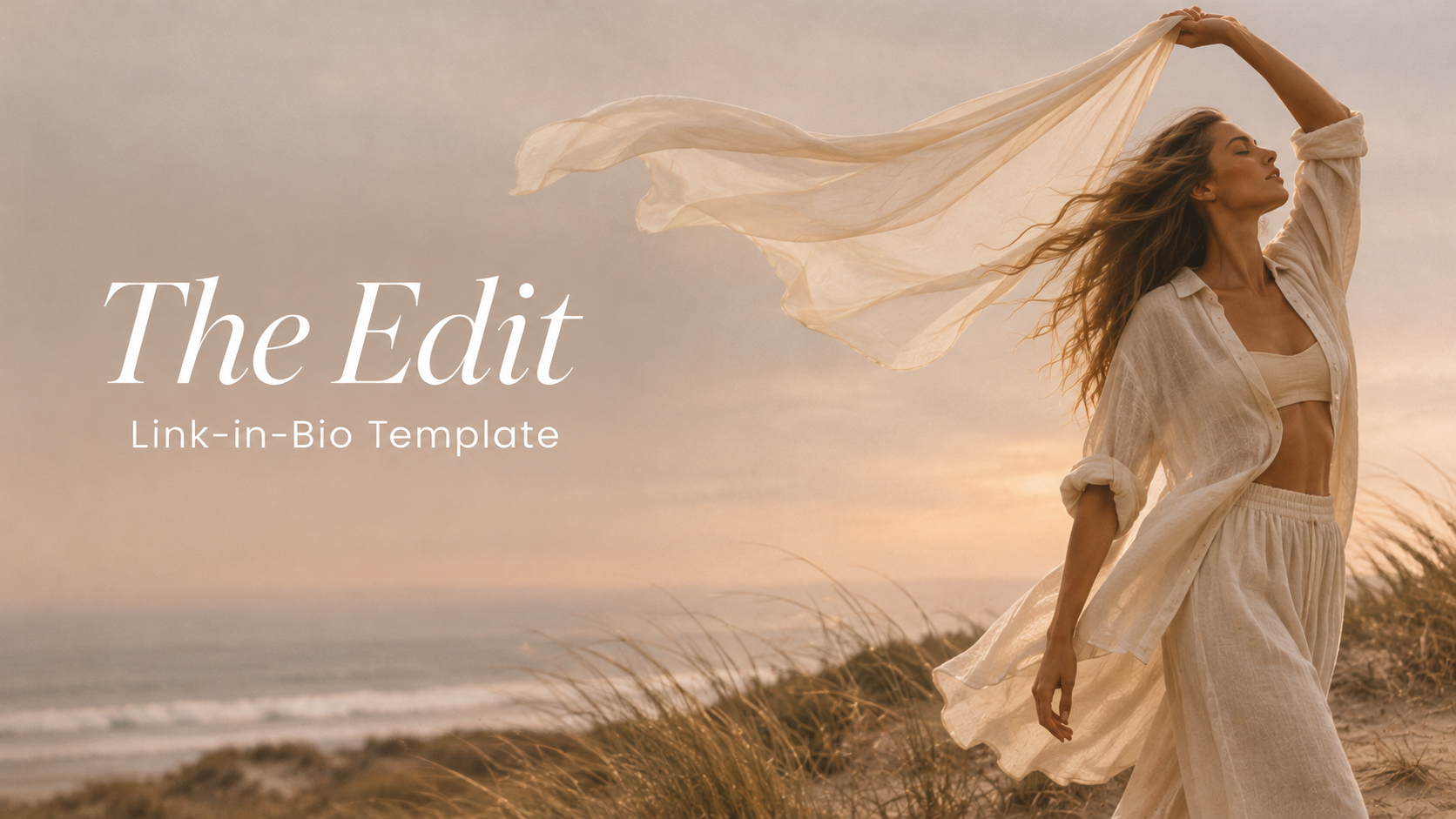
The whole homepage
One page, top to bottom.
This is the real demo site, not a screenshot. Scroll inside the window, watch the topics drift by and tap around, just like your followers would.
The walkthrough
Every section, up close.
First impression
01
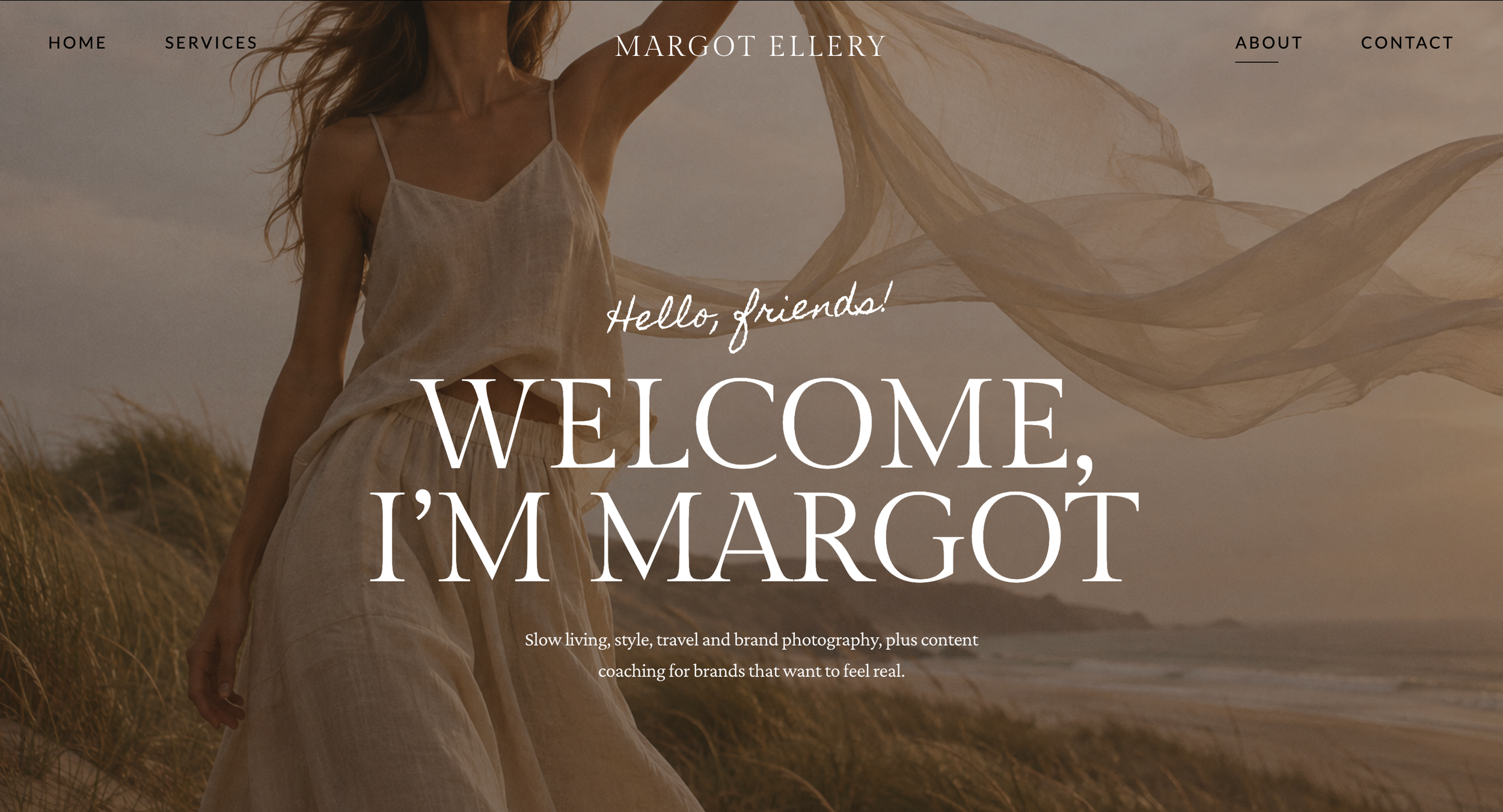
Welcome hero
A full-bleed photo under your name, a handwritten hello, a big serif welcome and a one-line intro, with a nudge down to the links.
02
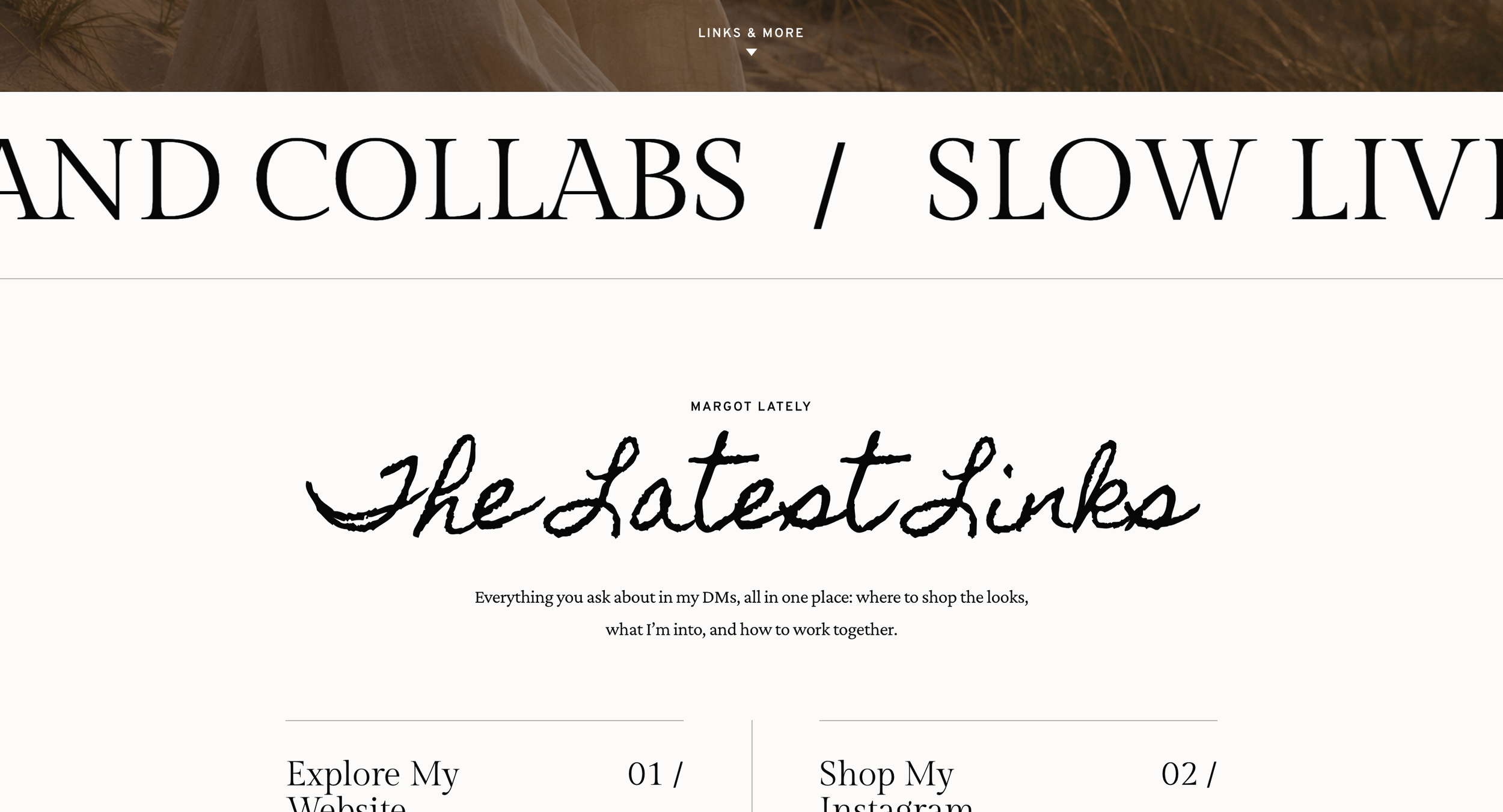
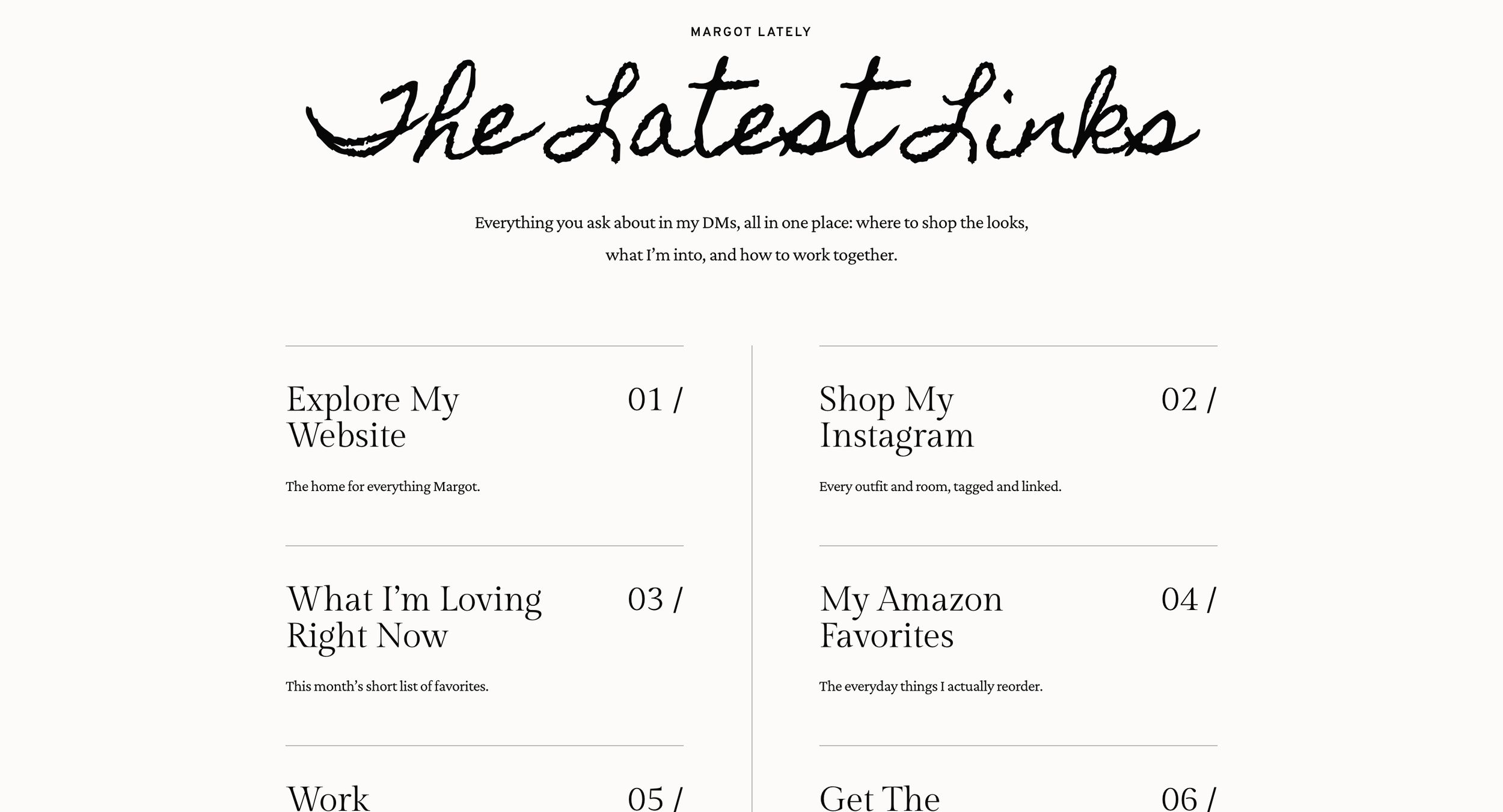
Topics and the latest links
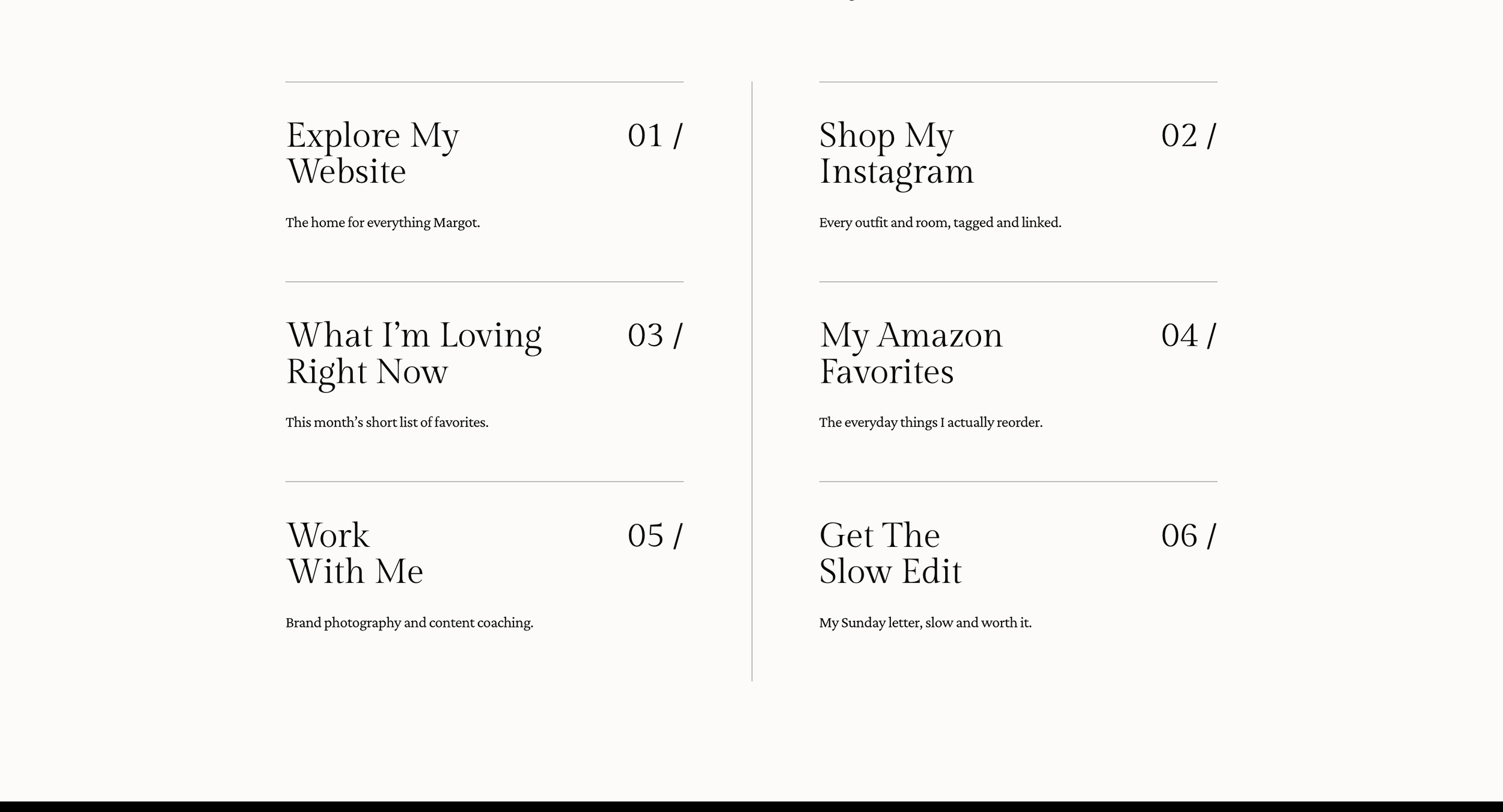
Your niches scroll slowly across the page, then six numbered links sit in two editorial columns under a handwritten heading.
Your story

Features and signup
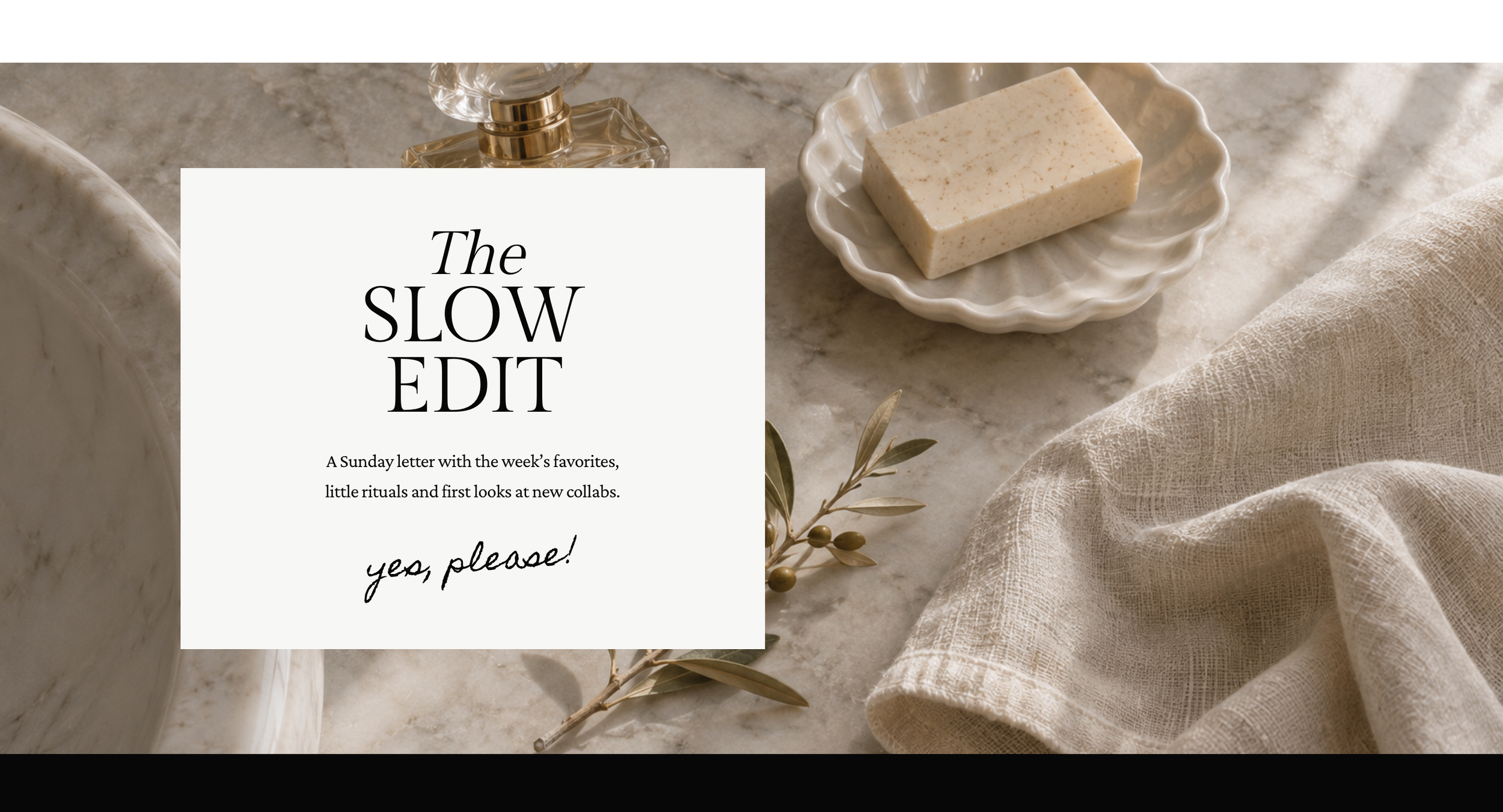
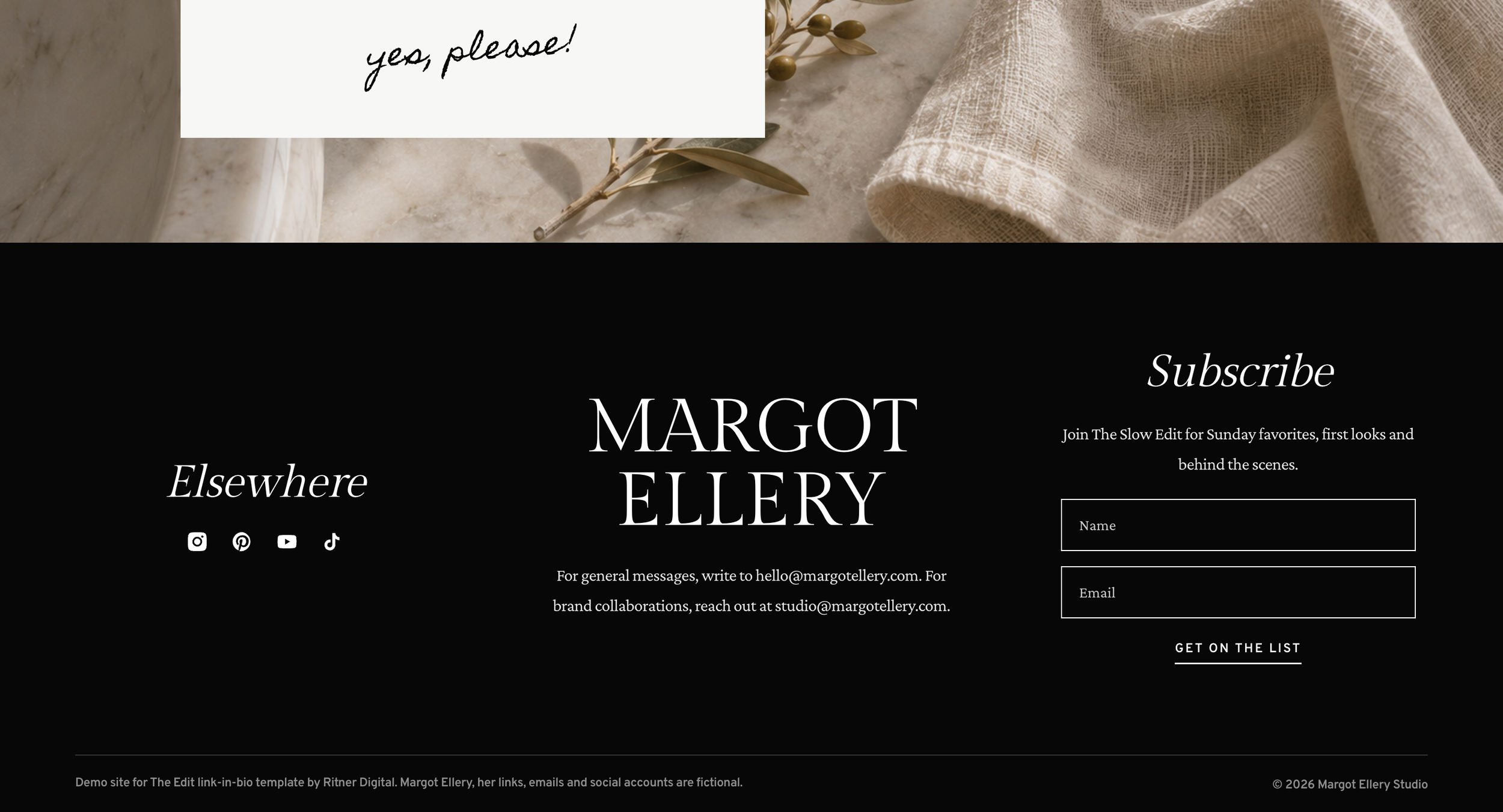
The Edit Template, built for Squarespace.
What is the Edit Template?
It’s a soft, editorial link-in-bio page for creators: a welcome hero, scrolling topics, six numbered links, a behind-the-account bio, a mission quote, three featured spots and a newsletter signup, all built as custom code on Squarespace. I set it up with your name, photos, links and words.
Why it matters
The link in your bio is the one link every follower taps. Most creators send them to a list of buttons on someone else’s app. This one lives on your own website, looks like a magazine spread, grows your email list, and is built by an SEO practice so people searching your name find you too.
01 · See what’s inside
What’s inside
Everything your bio link needs.
One page, eight sections: a welcome hero with your name, scrolling topics, six numbered links, a behind-the-account bio, a mission quote, three featured spots, a newsletter card and a footer with your socials, emails and signup form.
Section counts are from the demo site.
02 · See what’s inside
The latest links
Six links, beautifully set.
Your most-asked-for links sit under a handwritten heading in two editorial columns, each with a number, a title and a short line. Point them at your shop, your Amazon list, your services or anywhere else, and swap them whenever you post something new.
Links are examples from the demo site.
03 · Built to connect
Bio and mission
Put a face to the feed.
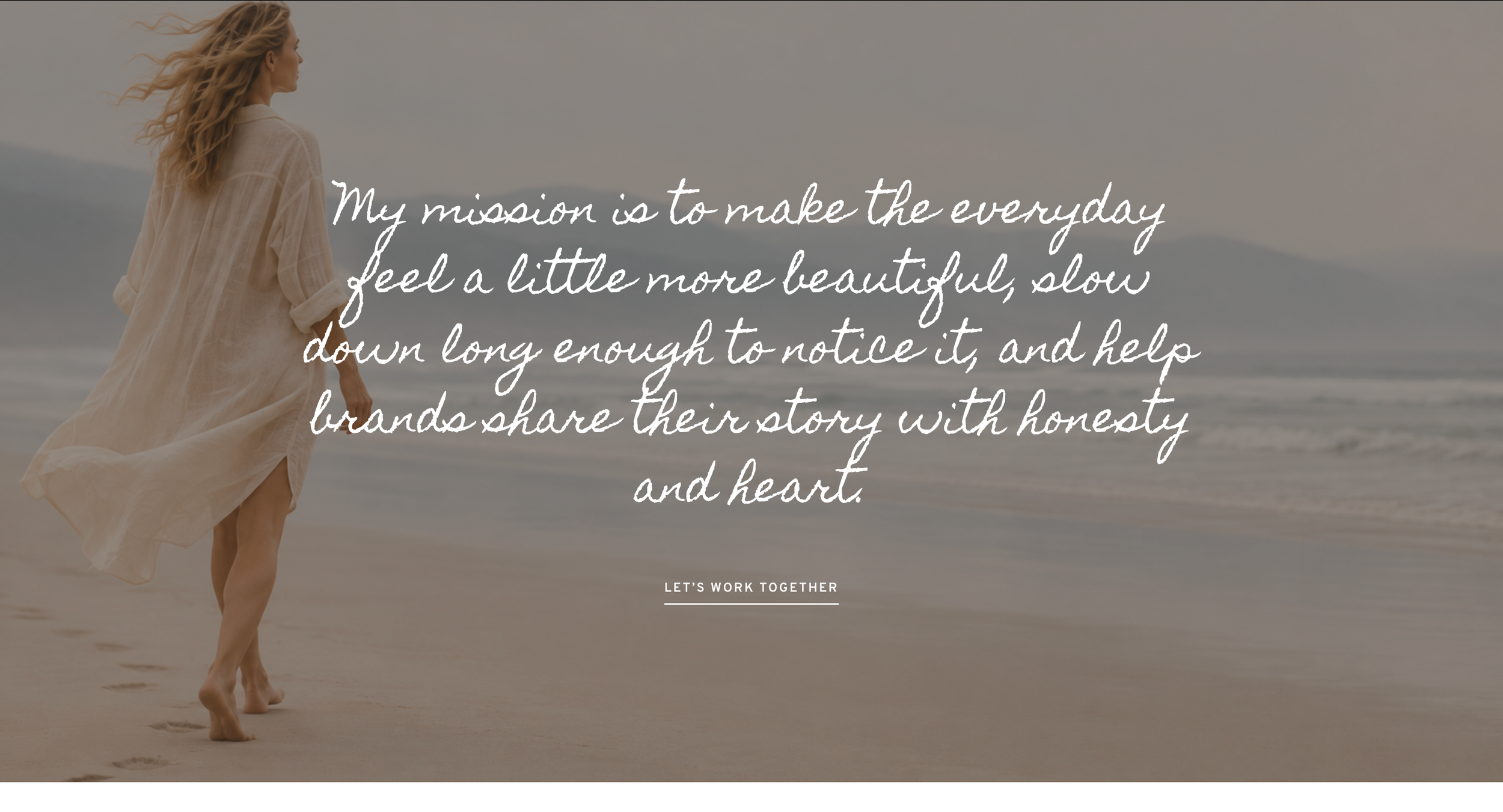
A black behind-the-account band pairs your portrait with your name, title and story, then a full-width photo carries your mission in handwritten type with a link to work together. New followers learn who you are, and brands see where to reach you.
Illustrative example.
04 · Built to connect
Featured and newsletter
Feature the good stuff. Grow your list.
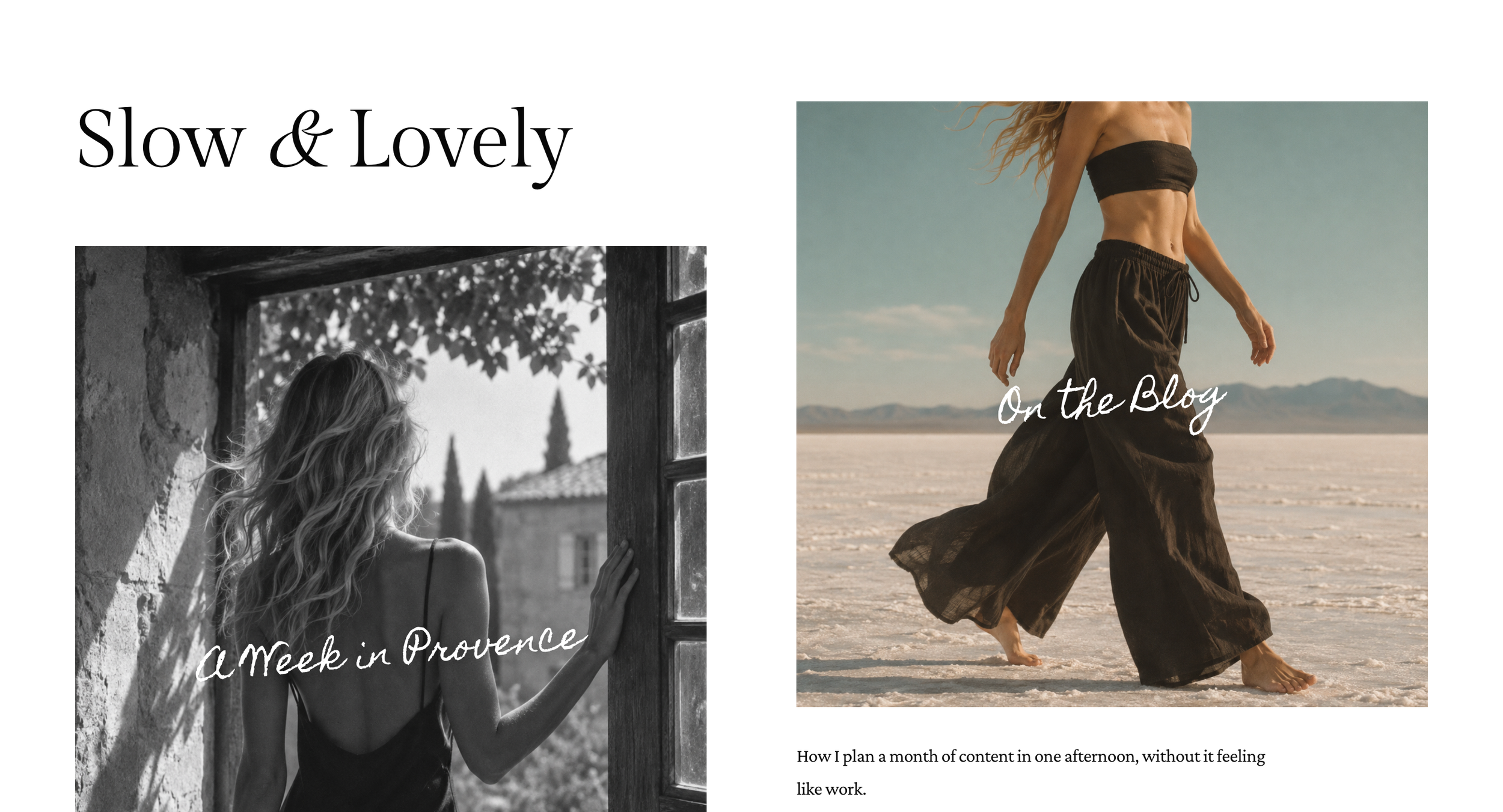
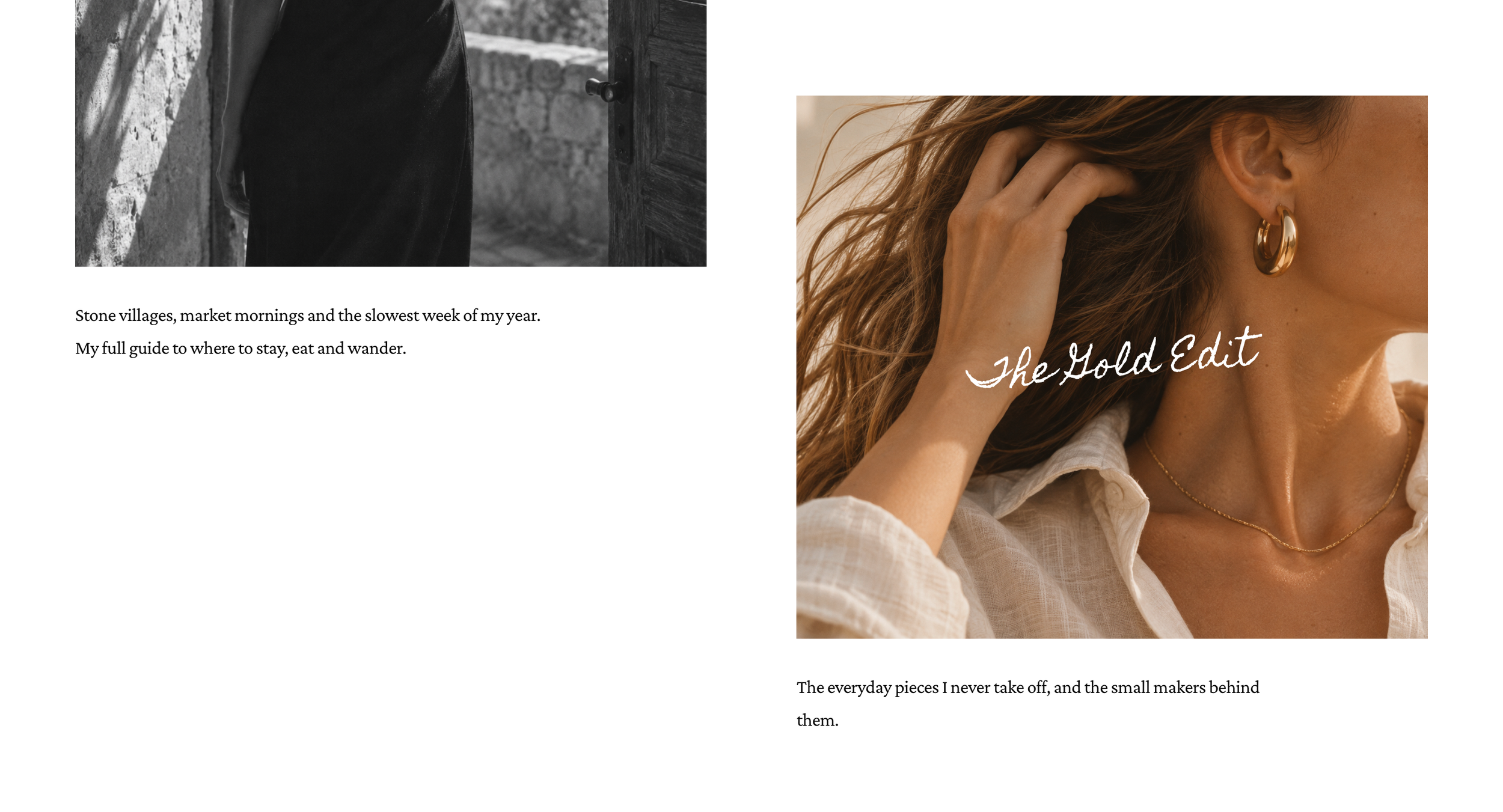
Three photo spots with handwritten titles highlight a guide, a blog post and a favorite edit. A newsletter card and a footer signup turn followers into subscribers you own, so your audience isn’t only living on someone else’s app.
Illustrative example.
05 · Done for you
Setup and support
I set it up. You keep creating.
This is a done-for-you template. I gather your photos, links, bio and copy, set up every section, connect your signup form, review it with you and launch, with 30 days of fixes after. Then monthly support keeps it current: new links, new features and changes whenever you need them.
Illustrative timeline.
Pricing
Simple, done-for-you pricing
Every template in the shop is $500 to set up, then $250 a month for ongoing management and support. I build it with your photos and words, launch it and keep it running.
-
One-time
Template + setup
$500
- Installed on your Squarespace site
- Your photos, links, bio and copy
- Your link-in-bio page, all eight sections
- Newsletter signup connected
- Meta titles and descriptions
- 30 days of fixes after launch
-
Ongoing
Management + support
$250 per month
- Content changes and updates
- New blog posts featured on your homepage
- Small design tweaks
- Fixes when Squarespace changes
- One person to call when something needs doing
Requires a Squarespace plan that allows custom code: Core, Plus or Advanced (or legacy Business and Commerce plans). One purchase covers one website. The newsletter forms connect to your email platform, such as Squarespace Email Campaigns, Flodesk or Mailchimp, during setup.
Questions
Is the demo a real creator?
No. Margot Ellery, her links, emails and social accounts are fictional, made to show how the template looks with real content. Your page launches with your name, your photos and your links.
Do I need a full website?
No. The Edit works on its own as a single link-in-bio page on Squarespace, or as one page inside your existing Squarespace site.
Can I change the links myself?
Yes. Links and short text are simple to edit, and monthly support covers any changes you’d rather hand off.
Can you match my style?
Yes. The demo uses soft neutrals, a serif and handwriting, but colors, fonts and photos are all set to your brand during setup.
Which email platforms work with the signup?
Most of them. During setup I connect the newsletter forms to the platform you use, such as Squarespace Email Campaigns, Flodesk or Mailchimp.
Which Squarespace plan do I need?
One that allows custom code: Core, Plus or Advanced, or a legacy Business or Commerce plan. Basic and Personal plans don’t support it.
Ready when you are
Let’s make itYours
Tell me about your business and what you need from your website. I’ll reply personally and let you know if the template is the right fit.
Ask about the template
Socialize
@RitnerDigital
If you’re into SEO advice that doesn’t put you to sleep, AI search news in plain English, and the occasional plate of pasta, you’ve come to the right place.
Same-day brake repair, with strong reviews from local fleets.