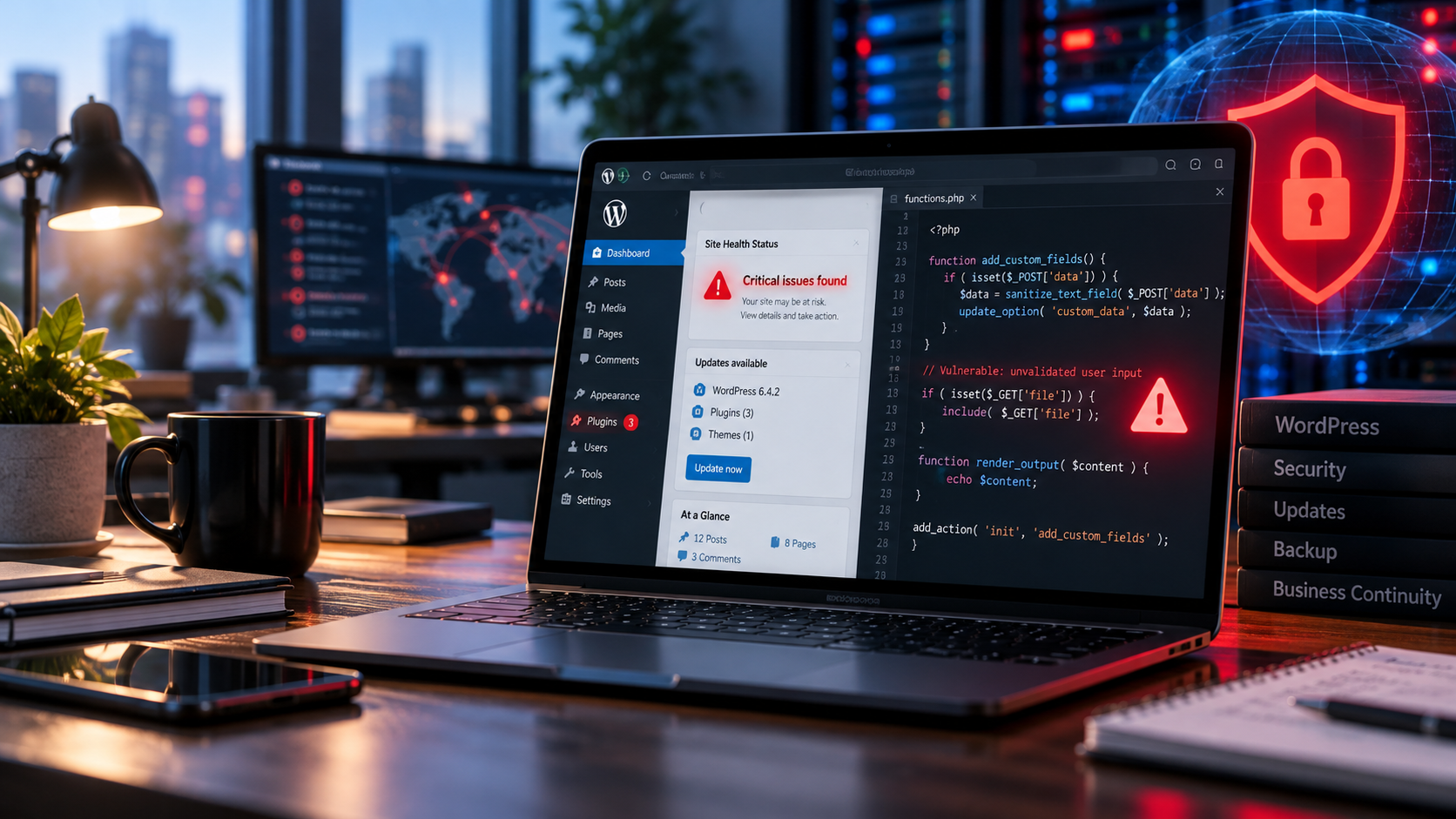
Two critical PHP vulnerabilities, a 9.2-out-of-10 security rating, and a global race to patch the technology behind millions of websites. Here's what WordPress owners and small businesses need to know.
Imagine waking up, opening your email, and discovering that a programming language running millions of websites has a critical security problem.
Not a minor plugin glitch.
Not a broken contact form.
Not an image that refuses to load.
A vulnerability that could potentially allow someone to execute their own code on a server without even logging in.
And the technology affected?
PHP.
A programming language used by approximately 70% of websites, according to the cybersecurity researchers who helped uncover the problem.
If you've ever owned or managed a WordPress website, there's a good chance you've encountered PHP without even realizing it.
It's one of the technologies working behind the scenes to make WordPress function.
On October 21, 2026, the PHP development team released emergency security patches addressing two critical vulnerabilities that researchers discovered with assistance from advanced artificial intelligence systems.
Both vulnerabilities received severity ratings of 9.2 out of 10.
The potential consequences include unauthorized code execution, stolen information, altered website content, and compromised servers.
And because PHP is so widely used, the discovery sent hosting companies, cybersecurity researchers, developers, and IT departments scrambling to respond.
But here's the part that business owners should really pay attention to.
You can invest thousands of dollars in website design, SEO, and digital marketing, but if the technology supporting your website isn't properly maintained, you're exposing that investment to unnecessary risk.
A website isn't secure just because it looks professional.
It isn't automatically protected because it has an SSL certificate.
And installing a WordPress security plugin doesn't necessarily fix a vulnerability in the underlying programming language.
This incident is a reminder that website security is not simply a developer concern.
It's a business concern.
It's a customer trust concern.
And yes, it can become an SEO concern.
Let's break down what happened, why AI played such an important role, which WordPress websites could be affected, and what business owners should do to protect their digital presence.
Security update: This article reflects information released through October 22, 2026. The PHP2Shell vulnerabilities require urgent attention. Consult the official PHP advisory and your hosting provider for the latest remediation instructions.
What Happened? The PHP Security Crisis Explained
On October 21, 2026, the PHP development team released fixes for two serious vulnerabilities in the PHP runtime.
The vulnerabilities are identified as:
CVE-2026-109618
CVE-2026-109619
Both received a Common Vulnerability Scoring System (CVSS) v4.0 severity rating of 9.2 out of 10, placing them in the critical category.
The vulnerabilities have also been referred to collectively as PHP2Shell.
According to Google Cloud's official security response, the flaws could expose affected applications to unauthenticated remote code execution and memory disclosure.
Let's translate that into ordinary language.
An attacker might not need your WordPress password.
They might not need access to your website's administrative dashboard.
Under vulnerable conditions, they could exploit a flaw in the PHP engine itself.
That potentially allows malicious activity at the server level.
What Does Unauthenticated Remote Code Execution Mean?
The term sounds technical, but it describes something important.
Remote code execution (RCE) is a security vulnerability that can allow an attacker to run instructions on another computer or server.
Unauthenticated means the attack may not require a valid login.
For a website, that can be extremely serious.
The server is responsible for processing requests, accessing application data, and generating webpages.
If an attacker gains unauthorized control over server-side execution, the consequences can extend well beyond changing a homepage.
Depending on the environment and the attacker's permissions, it may expose sensitive information or other connected resources.
This doesn't mean every PHP website has already been compromised.
It means vulnerable installations require urgent remediation because the potential impact is substantial.
Why Is the Severity Rating So High?
The CVSS framework provides a standardized method for communicating the severity of software vulnerabilities.
A rating of 9.2 falls into the critical range.
In this case, the combination of remote accessibility, potentially severe consequences, and exploitation without authentication contributed to the rating.
The PHP Foundation's October 21 announcement emphasized that affected installations should be updated immediately.
This is not a situation where website owners should assume they can safely wait until the next routine maintenance cycle.
What Is PHP, and Why Does WordPress Use It?
Before we get too far into security warnings, let's explain what PHP actually does.
PHP is a server-side scripting language commonly used to build dynamic websites and web applications.
It helps process information and generate content before that content is delivered to a visitor's browser.
If HTML provides structure and CSS controls visual presentation, PHP can help perform many of the behind-the-scenes operations that make a dynamic website work.
WordPress uses PHP as a major part of its underlying software architecture.
Think of Your Website Like a Restaurant
Imagine your website is a restaurant.
Your website design is the dining room.
It's what customers see.
The menu represents your content.
Your contact forms, booking tools, and ecommerce features are ways customers interact with the business.
PHP is part of what happens in the kitchen.
It helps process requests and produce the information people see.
Customers might never enter the kitchen.
They might not even know how it operates.
But the restaurant depends on it.
A beautiful dining room won't make up for a kitchen that can't function safely.
The same principle applies to websites.
PHP Supports Much More Than WordPress
WordPress is one of the best-known PHP-based content management systems.
But PHP is also used by other platforms, frameworks, and web applications.
The vulnerabilities disclosed in October 2026 affect PHP itself.
That distinction is crucial.
This is not simply a WordPress plugin vulnerability or a flaw exclusive to WordPress.
It concerns the underlying runtime that powers WordPress and numerous other PHP applications.
According to the official WordPress security announcement, no WordPress core update was required or planned specifically to resolve these two PHP vulnerabilities.
Instead, affected websites need the appropriate PHP security updates at the hosting or server level.
Why the “70% of Websites” Statistic Matters—and What It Doesn't Mean
The headline that PHP powers approximately 70% of websites understandably attracts attention.
That's a tremendous portion of the internet.
It explains why a vulnerability in PHP can create a large coordinated response.
But the statistic needs context.
PHP Usage Is Not the Same as Confirmed Compromise
The approximately 70% figure refers to the estimated prevalence of PHP across websites.
It does not mean 70% of websites have been hacked.
It also doesn't establish that every PHP installation is equally exploitable under identical conditions.
Risk varies based on the PHP version, deployment environment, configuration, available patches, and other factors.
Some hosting providers implemented protections ahead of public disclosure.
Others have updated their systems since the patches became available.
WordPress Sites Don't All Have the Same Hosting Setup
Two businesses can both operate WordPress websites while having completely different technical environments.
One might use fully managed WordPress hosting.
Another might run WordPress on shared hosting.
A third might operate a dedicated server managed by an internal developer.
They may have different PHP versions, update policies, access controls, and security responsibilities.
That's why the correct response is not to panic about every WordPress website.
It's to determine whether the specific hosting environment has been protected.
How AI Helped Researchers Discover the Vulnerabilities
Here's where this story becomes particularly fascinating.
Artificial intelligence didn't create the underlying flaws in PHP.
The vulnerable code patterns existed long before modern generative AI systems became widely available.
What changed was researchers' ability to investigate them.
According to Wiz Research's October 21 technical report, advanced AI tools helped researchers identify and demonstrate vulnerabilities that would previously have required extraordinary amounts of manual investigation.
Researchers from multiple organizations independently discovered related problems.
These efforts involved Wiz, Calif, OpenAI, and other collaborators.
Why Were the Bugs So Difficult to Exploit Before?
The vulnerabilities involved complex memory-handling behavior deep inside PHP.
The relevant conditions could be difficult to reproduce and analyze.
One problem involved error handling during out-of-memory conditions.
Another involved internal state persisting after memory had been released.
For ordinary business owners, the technical mechanics aren't the main point.
The significance is that unusual programming conditions could be used to create serious security consequences.
Historically, some vulnerabilities are difficult enough to investigate that their practical exploitation remains challenging.
AI-assisted research can reduce the time needed to analyze complex code and explore potential failure conditions.
That changes the cybersecurity landscape.
AI Can Help Both Attackers and Defenders
This is one of the most important lessons from the incident.
Advanced AI systems can assist legitimate security researchers in identifying vulnerabilities.
They can help developers review complex code.
They can support testing.
They can help investigate whether proposed fixes actually address a problem.
But similar capabilities can also lower barriers for malicious actors.
This doesn't mean an AI model independently hacks every vulnerable website.
Nor does it mean software security is hopeless.
It means the speed and economics of vulnerability discovery are changing.
The same technological advances that help researchers identify weaknesses may also make those weaknesses easier for attackers to investigate.
What OpenAI Reported
In its October 21 announcement, OpenAI described its Patch the Planet initiative, which involved collaborating with researchers, maintainers, and security organizations to help identify and remediate critical software vulnerabilities.
The company said Calif used GPT-5.6 Sol during its research, while Wiz independently discovered and reported the vulnerabilities.
The PHP maintainers ultimately led the work to produce and release the patches.
This is an important distinction.
AI assisted the research and remediation process.
Human maintainers and security teams remained responsible for making decisions, coordinating releases, and maintaining the software.
Why These Vulnerabilities Are Especially Serious for WordPress
WordPress websites often handle information that is important to businesses.
That can include contact forms, customer accounts, administrative credentials, website content, and ecommerce-related functionality.
The exact data depends on the website.
A small brochure-style site may store relatively little personal information.
A larger ecommerce or membership website may process considerably more.
In either case, unauthorized access to the server can have serious consequences.
1. Website Content Could Be Altered
A compromised server might allow an attacker to modify website files or content.
That could result in unauthorized changes to pages, messages, or functionality.
A business might discover that its website no longer represents its actual services.
2. Sensitive Information Could Be Exposed
Depending on the attack and environment, attackers may attempt to access data or credentials.
This could create privacy and operational concerns.
The consequences depend on what information is stored and what systems are connected.
3. Malicious Code Could Be Introduced
Attackers sometimes place malicious code on compromised websites.
That code might redirect visitors, alter website behavior, or support further unauthorized activity.
4. Website Availability Could Be Disrupted
A vulnerability may be used to interfere with the website or its underlying server.
If customers cannot access your website, they may be unable to find information, submit inquiries, or complete purchases.
5. Other Systems Could Be Affected
Some websites connect to databases, application services, email providers, or other business systems.
The impact of a compromise depends on those connections and the security controls around them.
A well-secured environment limits what one compromised component can access.
This is one reason server configuration and hosting architecture matter.
Which PHP Versions Are Affected?
The October 2026 vulnerabilities affect a broad range of PHP versions.
According to Google Cloud's security guidance, affected versions extend from PHP 5.4 through PHP 8.5.11.
The PHP project released fixes for its supported branches.
Version information reflects PHP's October 21, 2026 security release. Some operating-system or hosting vendors may backport fixes without changing the visible upstream version number. Confirm the status of both CVEs with your provider.
This is why website owners should avoid relying on a quick internet search for their PHP version and assuming that answers the entire security question.
Your hosting provider's security advisory may contain important information about how the patches are deployed.
How to Check Your WordPress PHP Version
If you operate a WordPress website, one of the first things you can do is identify the PHP version currently running.
WordPress provides a built-in way to view this information.
Step 1: Log Into Your WordPress Dashboard
Access your website's administrative dashboard using your normal, trusted login method.
Avoid following unsolicited links claiming to provide emergency security updates.
Step 2: Open Tools
From the WordPress dashboard, locate Tools in the administrative navigation.
Step 3: Select Site Health
Open the Site Health screen.
This area provides information about your website's technical environment and potential configuration issues.
Step 4: Open the Info Tab
Select the information section and locate Server.
Step 5: Find the PHP Version
The server information should show the PHP version in use.
WordPress documents this process in its official PHP security announcement.
Step 6: Verify Patch Status With Your Host
Checking the displayed version is a useful first step.
However, some hosting providers and operating-system vendors deploy security fixes through backported packages.
That means a visible version number alone may not fully describe whether a specific vulnerability has been addressed.
Ask your hosting provider whether CVE-2026-109618 and CVE-2026-109619 have been remediated for your site's active PHP environment.
If you're uncertain, don't experiment with server settings or download random security patches.
Contact your host or a qualified website administrator.
Does Updating WordPress Fix PHP2Shell?
This is one of the most important questions in the entire article.
No. Updating WordPress core alone does not fix vulnerabilities in the underlying PHP runtime.
WordPress core, PHP, plugins, themes, and server software are related, but they are different components.
Updating one doesn't automatically update all the others.
Think of your website as several layers.
Layer One: Hosting Infrastructure
This includes the server environment, operating system, web server, and associated infrastructure.
Layer Two: PHP
PHP processes server-side application code.
This is the layer involved in the current security disclosure.
Layer Three: WordPress Core
WordPress provides the content management system.
It has its own release schedule and security updates.
Layer Four: Themes and Plugins
Themes control aspects of presentation and functionality.
Plugins extend features and integrations.
Both may have their own vulnerabilities and update requirements.
Layer Five: Custom Code and Integrations
Custom website functionality, third-party scripts, and integrations can introduce additional dependencies.
The key lesson is that website security requires attention to the entire technology stack.
A site can run the latest WordPress version while using an outdated PHP environment.
Likewise, a PHP update doesn't automatically fix an insecure plugin.
Security maintenance involves more than clicking one update button.
What Should WordPress Owners Do Right Now?
If you manage a WordPress website, prioritize the following actions.
Because these vulnerabilities are critical, they should be handled as an urgent security matter rather than an ordinary maintenance task.
1. Contact Your Hosting Provider
Ask whether the PHP2Shell vulnerabilities have been addressed in your hosting environment.
Mention the specific CVE identifiers.
Your provider should be able to explain whether the necessary patched PHP packages or equivalent vendor fixes have been deployed.
2. Identify the Active PHP Version
Use WordPress Site Health or your hosting control panel to check which PHP version the website is using.
3. Apply the Appropriate PHP Security Update
If your installation remains vulnerable, work with your host or system administrator to apply the correct fix.
Do not assume an ordinary WordPress dashboard update will resolve the PHP issue.
4. Address Unsupported PHP Versions
If your website uses a PHP version no longer supported by the PHP project, you may need to migrate to a newer branch.
This can require compatibility testing, especially for websites with older themes, plugins, or custom code.
5. Maintain a Current Backup
A reliable backup is important when performing significant updates.
For self-hosted WordPress websites, the backup should include both website files and the database.
Where possible, verify that the backup can be restored.
However, do not delay urgent security remediation unnecessarily simply to arrange a routine backup process.
6. Test the Website After Updating
Confirm that major website functions still work.
Check key pages, contact forms, navigation, checkout processes, integrations, and other critical features.
If problems appear, involve a qualified developer or hosting professional.
7. Review for Suspicious Activity
If you believe the website was vulnerable while publicly accessible, consider asking the hosting provider or security team whether there is evidence of compromise.
Successful patching closes the known vulnerability, but it doesn't automatically remove malicious code that may already have been introduced.
8. Keep Monitoring Official Guidance
Security incidents can evolve rapidly after public disclosure.
Continue reviewing information from PHP, your host, WordPress, and relevant security authorities.
If the environment cannot be adequately secured immediately, follow your provider's incident guidance. Security authorities have advised considering temporary isolation or taking systems offline where prompt remediation is not feasible.
Managed WordPress Hosting vs. Self-Hosted WordPress: Who Handles Security?
This incident highlights an important distinction that many business owners overlook.
Not all WordPress hosting arrangements work the same way.
Managed WordPress Hosting
A managed WordPress hosting provider may handle some or many server administration responsibilities.
That can include infrastructure updates, security controls, monitoring, and certain backups.
The exact responsibilities depend on the service.
Some managed hosts maintain direct control of PHP versions and deploy urgent security fixes centrally.
For example, Automattic announced on October 21 that websites hosted on WordPress.com, WordPress VIP, WP Cloud, Pressable, and Tumblr were already protected against PHP2Shell.
That is an important example of the value a coordinated hosting response can provide.
However, the announcement covers those named platforms.
It does not mean every company advertising managed WordPress hosting has automatically completed the same remediation.
Self-Managed WordPress Hosting
In a self-managed environment, the business or its technical administrator may be responsible for a larger share of maintenance.
That can include PHP upgrades, server configuration, backups, monitoring, and application updates.
The level of responsibility varies.
Shared Hosting
On shared hosting, the provider often controls important server components, while customers may have some ability to select PHP versions or manage site-level settings.
Don't assume responsibility without checking your provider's policies.
The Question Every Business Should Ask
Who is responsible for security updates?
Not just WordPress updates.
PHP updates.
Server updates.
Plugin updates.
Theme updates.
Backups.
Security monitoring.
Incident response.
If no one can clearly answer those questions, that's a problem worth addressing.
Why WordPress Plugins Can Create Additional Security Risks
WordPress's extensibility is one of its strengths.
Plugins allow businesses to add functionality without developing every feature from scratch.
Contact forms.
SEO tools.
Booking systems.
Analytics integrations.
Ecommerce features.
And much more.
But every plugin introduces code that needs to be maintained.
More Plugins Can Mean More Maintenance
A website with dozens of plugins may have many independently maintained components.
Each can receive security updates.
Some may have compatibility requirements.
Others may eventually be abandoned by their developers.
That doesn't mean every plugin is dangerous.
It means the website owner needs a process for evaluating and maintaining them.
Outdated Plugins Can Become Vulnerabilities
The WordPress security hardening documentation emphasizes maintaining updated software and using trusted sources.
When a plugin vulnerability is discovered, attackers may attempt to exploit websites that haven't applied the fix.
Choose Plugins Carefully
Before installing a plugin, consider whether its functionality is necessary.
Review its maintenance status, compatibility, reputation, support, and security history.
Avoid unnecessary or untrusted installations.
And don't assume a plugin is safe forever because it was reputable when originally installed.
Remove What You Don't Need
Unused plugins can add complexity.
Evaluate whether inactive or abandoned components should remain installed.
Changes should be made carefully, particularly when the website depends on older custom functionality.
The goal isn't to install as few plugins as possible at any cost.
It's to maintain a manageable, supported website.
Why Website Backups Matter More Than Business Owners Realize
Imagine your website disappears tomorrow.
How quickly could your business restore it?
Would you have a recent copy?
Would the contact forms still work?
Would customer information be intact?
Would recent updates and content be recoverable?
These questions become particularly important during security incidents.
A Backup Is Your Recovery Plan
A backup allows you to restore website files and data from an earlier state.
WordPress typically requires both filesystem and database backups for complete recovery.
Backing up only the appearance of the website may not preserve all the information necessary to rebuild it.
Backups Should Be Stored Securely
Keeping the only backup on the same compromised server can create additional risk.
Businesses should consider secure backup storage that is separate from the live website environment.
Access to backups should also be restricted.
Backups Need Testing
A backup that has never been restored is an unproven recovery process.
Testing helps confirm that the required files and databases can actually be recovered.
Backups Don't Replace Patching
This is especially important for PHP2Shell.
Restoring an old website onto an unpatched server may reintroduce the same vulnerability.
A secure recovery process needs to address the underlying security problem.
Backups help restore the website.
Patches address the known software flaw.
You need both.
Can a WordPress Security Plugin Protect Against PHP2Shell?
A security plugin can be useful as part of a broader defense strategy.
But it should not be treated as a substitute for patching the PHP runtime.
Some plugins help with login protection, file monitoring, suspicious activity detection, or application-level security rules.
These features can reduce certain risks.
However, the vulnerabilities disclosed in October 2026 exist within PHP itself.
In some affected configurations, exploitation may occur before normal WordPress application code has an opportunity to run.
That distinction is critical.
What About Web Application Firewalls?
A web application firewall, commonly called a WAF, can inspect and filter certain web requests.
Hosting providers and security vendors may deploy emergency rules to help reduce exposure to known attack patterns.
Those protections can be valuable.
But the PHP project has emphasized that there are no complete mitigations for these vulnerabilities outside applying the appropriate fixes.
A firewall should be viewed as a supporting control, not proof that an unpatched PHP environment is safe.
A security plugin is not a replacement for server security. And a firewall is not a replacement for an available critical patch.
Can a PHP Vulnerability Hurt Your Website's SEO?
Yes, but the relationship deserves careful explanation.
Using a vulnerable PHP version is not, by itself, a documented automatic Google ranking penalty.
Google doesn't simply assign a lower ranking because a website has a particular PHP version.
However, the consequences of a successful security compromise can create serious search visibility problems.
1. Hackers Can Add Unauthorized Pages
Attackers sometimes create spam pages on compromised websites.
Those pages may promote unrelated products, redirect visitors, or distribute malicious content.
Google's spam policies explicitly address hacked content, including unauthorized page injection and code injection.
If an attacker adds malicious pages, search engines may discover content the legitimate business never intended to publish.
2. Malware Can Trigger Warnings
Google may warn users when it detects malware, phishing, or other harmful content on a website.
According to Google Search Central, site owners can review suspected security problems through the Security Issues report in Search Console.
A warning can significantly affect whether visitors feel comfortable opening a website.
3. Downtime Can Affect Search Accessibility
If a website becomes unavailable, search engines may have difficulty crawling its pages.
Google's search traffic troubleshooting guidance identifies server availability and other technical problems as possible contributors to search traffic declines.
A temporary interruption doesn't necessarily cause permanent damage.
But prolonged or recurring availability problems can interfere with website accessibility and discovery.
4. Malicious Redirects Can Harm the Visitor Experience
Attackers may modify website behavior so visitors are sent to unexpected destinations.
That can create confusing or dangerous experiences.
It may also interfere with conversion tracking and legitimate customer activity.
5. Customer Trust Can Be Damaged
If someone visits a business website and encounters a security warning, suspicious page, or unexpected redirect, they may hesitate to proceed.
Even after technical problems are fixed, the business may need to communicate what happened and restore customer confidence.
That's a business issue, not merely an SEO issue.
What Happens to AI Search Visibility When a Website Is Compromised?
AI-powered search introduces another reason businesses should maintain accurate, reliable websites.
Search experiences are increasingly capable of summarizing information from different online sources.
But the content available online isn't always accurate or trustworthy.
A compromised website might contain unauthorized material.
That material could become discoverable through traditional search engines or other systems.
Whether a specific AI-powered search tool retrieves or uses it depends on that tool's operation and available sources.
The Risk Isn't a Special AI Security Penalty
There's no basis for claiming that PHP2Shell automatically causes a website to disappear from ChatGPT, Google AI Overviews, or other AI experiences.
The concern is broader.
A compromised website may become unreliable as a source of information.
And an unavailable website is less useful to people attempting to research a business.
Accurate Information Still Matters
Google's guidance on AI search features emphasizes the continued relevance of ordinary SEO best practices.
A business benefits from maintaining accessible pages, helpful content, and accurate information.
Security supports that foundation by helping preserve the integrity and availability of the website.
AI search optimization isn't a substitute for website maintenance. A trustworthy digital presence needs both discoverability and technical reliability.
What Should You Do If Your WordPress Website Has Already Been Hacked?
Patching a known vulnerability is one task.
Responding to an actual compromise is another.
If you suspect your website has been hacked, avoid making random changes without understanding the situation.
A structured incident response is important.
Step 1: Contact Your Hosting Provider
Your host may have access to relevant logs, snapshots, and security tools.
Explain the suspicious activity and request assistance.
Step 2: Contain the Problem
Depending on the circumstances, a security professional may recommend restricting access, isolating affected systems, or temporarily taking the website offline.
Containment decisions should reflect the severity and scope of the incident.
Step 3: Preserve Relevant Evidence
Server logs, alerts, and other records may help determine what happened.
Deleting everything immediately can make the incident more difficult to investigate.
Step 4: Identify the Entry Point
Determine how the attacker gained access.
An outdated plugin, stolen credential, vulnerable server, or other issue may be involved.
Do not assume PHP2Shell caused the incident without evidence.
Step 5: Remove Malicious Changes and Remediate Vulnerabilities
A qualified professional may need to inspect files, accounts, databases, scheduled tasks, and integrations.
The specific response depends on the compromise.
Step 6: Review Credentials and Access
If credentials may have been exposed, rotate them appropriately.
Review administrative accounts and connected services.
Use multifactor authentication where supported.
Step 7: Consider Data and Notification Obligations
If sensitive personal information may have been accessed, the business may have legal or contractual notification responsibilities.
Seek appropriate legal and security guidance.
Step 8: Verify Recovery
After remediation, test the website and confirm that suspicious behavior has stopped.
Monitor for recurrence.
Step 9: Review Google Search Console
If Google has identified a security issue, follow its guidance to resolve the problem and request a review when appropriate.
Google provides security monitoring recommendations and resources for recovering from compromised websites.
A website appearing normal again doesn't necessarily mean a compromise has been fully resolved.
Security and Website Design Shouldn't Be Separate Conversations
Here's something business owners don't hear often enough.
Website design isn't finished when a site launches.
A launch is an important milestone.
But the website continues operating long afterward.
Its software changes.
Browsers evolve.
Plugins receive updates.
Hosting environments change.
Security vulnerabilities are discovered.
And business content needs to remain accurate.
A professional website strategy should account for that entire lifecycle.
A Website Is an Operating Business Asset
If your business depends on its website to generate inquiries, schedule appointments, or process orders, the website is part of your operations.
It isn't merely an online brochure.
A security incident can interfere with the activities that support the business.
Design Decisions Influence Maintenance
Custom functionality, themes, integrations, and hosting architecture can affect how difficult a website is to maintain.
A heavily customized environment may require more testing when software components change.
That's not automatically a reason to avoid custom development.
It is a reason to understand the long-term maintenance commitment.
Simpler Can Be More Manageable
Not every business needs a complicated website architecture.
A smaller service business might benefit from a straightforward, well-supported platform with fewer dependencies.
A larger organization might need a custom WordPress solution because of its content management or integration requirements.
The right platform depends on the actual business needs.
Is WordPress Less Secure Than Other Website Platforms?
This is where the discussion needs nuance.
WordPress is not automatically an unsafe platform.
It's widely used, actively developed, and supported by a large ecosystem.
But its flexibility creates different maintenance responsibilities depending on how a website is hosted and built.
A properly managed WordPress installation can be part of a strong security strategy.
An abandoned WordPress installation running outdated software presents a different risk profile.
What About Squarespace and Other Managed Platforms?
Hosted platforms may manage more of the underlying infrastructure and software maintenance for their customers.
That can reduce some responsibilities associated with running a self-managed application.
However, no platform is immune to every security issue.
Businesses still need to protect account credentials, manage administrator access, evaluate third-party integrations, and understand their provider's security practices.
A platform being easier to maintain doesn't mean security can be ignored.
Which Platform Is Best?
There isn't one universally correct answer.
The decision should consider functionality, usability, flexibility, cost, technical expertise, hosting responsibilities, and long-term maintenance.
A business shouldn't choose WordPress only because it's popular.
Nor should it abandon WordPress simply because a critical PHP vulnerability was discovered.
Instead, evaluate whether the hosting and maintenance setup fits the company's resources and requirements.
How Often Should a WordPress Website Be Updated?
There is no single update schedule that fits every website or every type of update.
Different software components and vulnerabilities require different responses.
A routine plugin feature update may be handled during scheduled maintenance.
A critical security vulnerability may require urgent action.
WordPress Core Updates
Core updates should be reviewed and applied according to the release's importance, compatibility requirements, and security implications.
Some installations support automatic updates.
Plugin Updates
Review plugin updates regularly.
Security-related updates may need immediate attention.
Theme Updates
Themes also require maintenance, particularly when they include functionality or dependencies.
PHP Updates
PHP should remain on a supported, security-maintained branch.
Critical patches should be applied promptly, with hosting-provider coordination where necessary.
Server and Hosting Updates
Depending on the hosting environment, the provider or administrator may be responsible for operating system and server updates.
Backups
Backups should occur frequently enough to meet the business's recovery needs.
For a frequently changing ecommerce website, those needs may differ considerably from a mostly static brochure website.
Monitoring
Monitoring should help identify outages, suspicious changes, failed updates, and other important problems.
The objective isn't to update blindly.
It's to keep the system secure without unnecessarily disrupting business operations.
The Hidden Cost of Neglecting Website Maintenance
One reason businesses postpone website maintenance is that the benefits can be difficult to see.
A redesign produces a visible result.
A new blog post produces a visible page.
A successful advertising campaign may generate immediately measurable traffic.
But a security patch often changes nothing the customer can see.
That's actually part of the point.
A successful security update may allow the website to continue functioning normally while removing a serious vulnerability.
Neglected Maintenance Creates Technical Debt
Technical debt describes the future costs and complications associated with decisions or deferred work in a technology system.
For websites, this might include outdated plugins, unsupported PHP versions, abandoned themes, or custom integrations nobody remembers how to maintain.
Over time, those issues can make ordinary updates more difficult.
Emergency Fixes Can Be More Disruptive
A website running a supported environment may be able to receive a routine security release.
A site running outdated software might require broader upgrades, compatibility testing, and professional assistance.
That creates more uncertainty during a time-sensitive incident.
Downtime Can Interrupt Revenue
If customers rely on the website to order products or submit inquiries, an outage may interfere with those activities.
The impact varies by business.
A local service provider may lose inquiries.
An ecommerce business may be unable to process orders.
A membership platform may temporarily block users from accessing services.
Recovery Costs Can Extend Beyond Development
A serious compromise may involve forensic investigation, data restoration, customer communication, legal review, and additional security work.
The precise costs depend on the circumstances.
But prevention and recovery are not equivalent operations.
Maintaining a website is often easier to plan than responding to an unexpected security emergency.
WordPress Security Myths Every Business Owner Should Stop Believing
Let's address a few common assumptions.
Myth 1: “My Website Is Too Small to Be Hacked”
Attackers may use automated tools to search for vulnerable systems.
They don't necessarily need to know your business exists before attempting an attack.
A small website can still be exposed.
Myth 2: “I Have HTTPS, So My Website Is Secure”
HTTPS helps encrypt data transmitted between the browser and website.
That's important.
But it doesn't fix vulnerable server-side code or outdated software.
Myth 3: “My WordPress Login Is Protected, So I'm Safe”
Strong authentication is essential, but it doesn't eliminate vulnerabilities that can be exploited without logging in.
PHP2Shell demonstrates that distinction.
Myth 4: “A Security Plugin Protects Everything”
Security plugins can provide useful defenses.
They cannot replace every server update or address every type of vulnerability.
Myth 5: “Automatic Updates Mean I Never Need to Check Anything”
Automatic updates can reduce maintenance burdens.
But update coverage varies across WordPress, PHP, plugins, themes, and hosting infrastructure.
Someone still needs to verify that critical security issues have been addressed.
Myth 6: “My Website Was Fine Yesterday”
A vulnerability can exist for years before its exploitability is fully understood.
The absence of visible problems yesterday doesn't establish that a system is secure today.
Myth 7: “A Backup Means I Can't Be Hacked”
Backups support recovery.
They don't prevent a security vulnerability from being exploited.
What AI-Assisted Cybersecurity Means for the Future of Websites
The PHP2Shell discovery illustrates a broader shift.
Artificial intelligence is helping security researchers investigate software at a scale and speed that would previously have been difficult.
That can accelerate defensive work.
But it may also increase pressure on software maintainers and system administrators.
The Time Between Discovery and Exploitation Matters
Once a vulnerability becomes public, more people may begin researching it.
Some are legitimate security professionals.
Others may be malicious actors.
The public disclosure of a patch can also reveal clues about the underlying problem.
That doesn't mean every attacker can immediately exploit it.
But it creates a reason for urgency.
Legacy Software Can Become More Exposed
Code that has been operating for years may contain weaknesses that were previously difficult to investigate.
AI-assisted tools can make complex research more accessible.
Organizations maintaining older systems should pay attention to that change.
Human Expertise Remains Important
AI systems can assist research and analysis.
But they can also make mistakes.
Security patches require careful engineering, testing, and deployment.
Website owners need qualified professionals who understand the consequences of making changes to production systems.
The Business Lesson
AI isn't automatically making the internet safer or more dangerous in a single direction.
It is changing the capabilities available to researchers, defenders, and attackers.
Businesses should respond by developing better maintenance practices rather than relying on hype or panic.
A Practical WordPress Security Maintenance Plan
Once the immediate PHP vulnerabilities have been addressed, businesses should consider the long-term health of their website.
Here is a practical framework.
Weekly: Review Critical Website Health
Check for important security advisories.
Review pending updates.
Confirm that monitoring hasn't detected unexplained outages or unusual activity.
Make sure important customer-facing functions are operating.
Monthly: Review the Technology Stack
Review the list of installed plugins and themes.
Identify unnecessary or abandoned components.
Confirm that backups are running successfully.
Check the hosting environment's update status.
Review administrator accounts and remove access that is no longer required.
Quarterly: Test and Evaluate
Test the backup recovery process.
Review access permissions.
Evaluate major integrations.
Check important website pages and forms.
Review website performance and technical SEO issues.
Consider whether new security requirements or business needs have emerged.
Annually: Reassess the Platform and Hosting Setup
Evaluate whether the current hosting arrangement still meets the business's needs.
Review support responsibilities and recovery expectations.
Consider whether older custom functionality remains necessary.
Assess whether the business has appropriate incident response arrangements.
These intervals are general maintenance guidelines, not substitutes for urgent security advisories.
A critical vulnerability needs attention when it is discovered, not simply when the calendar says it's time for maintenance.
How Security Fits Into Technical SEO
Technical SEO involves making a website accessible, understandable, and functional for search engines and users.
Security is not identical to technical SEO.
But the two disciplines intersect.
A technically optimized website still needs to be reliable.
Crawlability
Search engines need access to appropriate pages.
Security incidents or server problems may interfere with that access.
Indexing
Malicious or unauthorized pages can create unwanted content within a site's searchable footprint.
Website Availability
A website needs to be available for people and search engines to access it.
Data Integrity
Website content should reflect what the legitimate owner intends to publish.
User Trust
Visitors need to feel comfortable interacting with the website.
A security warning or malicious redirect can interfere with that confidence.
Conversion Performance
If forms, checkout systems, or other important functions are disrupted, the website may fail to support its business objectives.
This is why technical SEO shouldn't be treated as an isolated checklist of meta titles, redirects, and indexing settings.
A reliable website depends on the broader technology environment.
Should Website Security Be Part of Your SEO Agency's Responsibilities?
That depends on the services being provided.
An SEO agency isn't automatically responsible for server administration.
Likewise, a hosting provider isn't necessarily responsible for content strategy.
And a web designer may not manage security incidents.
Different providers offer different services.
The important thing is clarity.
Questions Worth Asking Your Website Partners
Who updates WordPress?
Who updates PHP?
Who manages plugins and themes?
Who monitors uptime?
Who maintains backups?
Who can restore the website?
Who responds to security alerts?
Who checks whether technical incidents are affecting search visibility?
Who coordinates with the hosting provider?
These responsibilities should be established before an emergency.
A business doesn't necessarily need one company to handle every task.
It does need to know which person or organization is responsible for each critical component.
Why This PHP Incident Is a Wake-Up Call for Small Businesses
One of the reasons this story stands out is that the vulnerabilities weren't discovered in an obscure plugin used by a handful of websites.
They were found in a core technology used throughout the web.
The PHP Foundation, security researchers, hosting providers, and technology companies all had to coordinate a response.
But ultimately, the protection of individual websites depends on whether the necessary updates reach the systems running them.
A security patch existing somewhere on the internet doesn't mean it has been installed on your server.
A hosting provider publishing a statement doesn't automatically establish the status of every independently managed installation.
And a business owner assuming someone else is handling it doesn't constitute a security process.
That's the larger lesson.
Website security requires ownership.
Not necessarily hands-on programming knowledge from every business owner.
But a clear understanding of who is maintaining the systems the business relies on.
Frequently Asked Questions
What is PHP2Shell?
PHP2Shell is a name used for two critical PHP vulnerabilities disclosed on October 21, 2026. The vulnerabilities, CVE-2026-109618 and CVE-2026-109619, can allow unauthenticated remote code execution under affected conditions. Both received severity scores of 9.2 out of 10.
Does PHP2Shell affect WordPress websites?
Potentially, yes. WordPress relies on PHP, so sites using affected PHP environments can be exposed. However, the vulnerabilities are in PHP itself rather than WordPress core, and some hosting providers have already applied protections.
Does every WordPress website need to be taken offline?
No. Websites that have been appropriately patched or otherwise confirmed protected by their hosting providers do not need to go offline solely because of this disclosure. For unpatched environments where immediate remediation is not feasible, security authorities have advised considering temporary isolation or taking the system offline.
What are the two PHP vulnerabilities?
The vulnerabilities are CVE-2026-109618 and CVE-2026-109619. They involve memory-handling problems in the PHP runtime that can create serious security consequences, including unauthorized remote code execution.
How severe are the PHP vulnerabilities?
Both received CVSS v4.0 scores of 9.2, placing them in the critical severity category. That rating reflects their potential impact and exploitability under affected conditions.
When were the PHP security patches released?
The PHP development team released the security fixes on October 21, 2026, at approximately 10 a.m. Eastern Time. The release was moved forward from its originally planned date after information about the vulnerabilities began circulating publicly.
Which PHP versions fix the vulnerabilities?
The PHP project released security-fixed versions 8.5.12, 8.4.27, 8.3.36, and 8.2.35. Administrators should use the appropriate security-fixed release or confirmed vendor-patched equivalent.
What if my website uses PHP 8.1 or older?
PHP 8.1 and earlier branches are no longer receiving new upstream security releases from the PHP project. Website owners should work with their hosting providers to migrate to supported versions or establish verified vendor remediation. Unsupported installations may require urgent isolation if adequate protection cannot be established.
How do I check my PHP version in WordPress?
Log in to your WordPress dashboard, open Tools, select Site Health, choose the Info tab, and expand Server. The PHP version should appear in that section. You may also be able to find the information in your hosting control panel.
Can I update PHP directly through WordPress?
Usually, PHP updates are managed through the hosting environment rather than the ordinary WordPress core update process. Depending on your provider, you may need to use a hosting control panel or request support.
Will updating WordPress fix PHP2Shell?
No. PHP2Shell concerns vulnerabilities in the PHP runtime. Updating WordPress core is still important for WordPress-specific security, but the PHP vulnerabilities require appropriate server-level remediation.
Are WordPress.com websites affected?
Automattic announced on October 21, 2026, that websites hosted on WordPress.com, WordPress VIP, WP Cloud, Pressable, and Tumblr were already protected. Owners of websites hosted elsewhere should confirm their individual provider's status.
Can a WordPress security plugin prevent PHP2Shell?
A security plugin may provide useful additional defenses, but it is not a complete substitute for applying the appropriate PHP fixes. The PHP project states that updating is the only complete remediation for these vulnerabilities.
Does a web application firewall protect against PHP2Shell?
A web application firewall may help reduce exposure to certain attack patterns. However, emergency filtering rules are not considered a complete solution. Affected PHP environments still require the appropriate security patch.
Can hackers steal information from a WordPress website?
A successful server compromise may expose sensitive data, depending on the website's configuration and the attacker's access. Potential consequences include data theft, unauthorized changes, and other malicious activity.
Does PHP2Shell mean my website has already been hacked?
No. A vulnerability indicates that an affected system may be susceptible to exploitation. It doesn't prove compromise. Website owners should patch urgently and consider appropriate security review if there are signs of suspicious activity.
How did AI help discover PHP2Shell?
Security researchers used advanced AI systems to help analyze complex PHP code, investigate memory-handling flaws, develop tests, and validate findings. AI-assisted research helped reduce the difficulty of exploring vulnerabilities that had been challenging to exploit manually.
Did artificial intelligence create the PHP vulnerabilities?
No. The underlying weaknesses existed in PHP's code before current generative AI systems. AI-assisted research helped uncover and demonstrate their impact. The distinction is between creating a vulnerability and making an existing vulnerability easier to identify or exploit.
Is WordPress an insecure website platform?
WordPress is not inherently insecure simply because it uses PHP. Its security depends on the software versions, hosting environment, extensions, configuration, and maintenance practices involved. Proper management can substantially reduce risk.
Does having HTTPS mean a WordPress website is secure?
No. HTTPS protects data in transit between the browser and website. It does not automatically fix vulnerabilities in PHP, plugins, themes, or server software.
How often should WordPress plugins be updated?
Plugins should be reviewed regularly, and security-critical updates should be prioritized promptly. Automatic updates can help in appropriate circumstances, but website owners should still maintain backups and verify compatibility.
Can a hacked website lose Google traffic?
Yes. Google may display security warnings for sites associated with malware or phishing, and hacked content can create additional search problems. Downtime and technical failures may also affect crawling and search visibility. A PHP vulnerability alone is not an automatic ranking penalty.
Can website hacking affect AI search visibility?
A compromise can introduce inaccurate or malicious content or make a website unavailable. Those problems can affect the information accessible online. However, there is no established rule that a PHP vulnerability automatically removes a site from AI-powered search results.
Can backups prevent website hacking?
No. Backups support recovery after a problem. They don't prevent exploitation. Businesses should maintain both preventative security controls and a tested recovery process.
Should I change my WordPress password because of PHP2Shell?
Strong, unique passwords and multifactor authentication are good security practices. However, changing a password alone does not remediate these PHP vulnerabilities because exploitation may not require authentication. If an actual compromise is suspected, credential rotation may be part of a broader incident response.
What should I do if I suspect my WordPress website has been hacked?
Contact your hosting provider or qualified security professional, contain the incident, preserve relevant evidence, investigate the entry point, remediate vulnerabilities, remove malicious changes, and verify recovery. Review data notification obligations where applicable.
Is managed WordPress hosting safer?
Managed hosting can reduce certain maintenance burdens by having the provider handle more of the underlying infrastructure. However, protection depends on the provider's actual practices, service scope, configuration, and shared responsibilities. No hosting model guarantees immunity from every vulnerability.
Is Squarespace affected by PHP2Shell?
A business using Squarespace's managed website platform does not administer a self-hosted WordPress PHP runtime. The PHP2Shell disclosure should not be interpreted as evidence that every Squarespace website is vulnerable. Platform-specific exposure should be evaluated through official provider guidance.
How much does WordPress security maintenance cost?
Costs vary depending on hosting, website complexity, number of plugins, custom functionality, monitoring, backup requirements, and support arrangements. Businesses should evaluate maintenance as an ongoing operational responsibility rather than assuming every website has the same needs.
What is the best way to protect a WordPress website long term?
Use supported software, keep WordPress and its extensions updated, maintain a patched PHP environment, choose reputable hosting, enforce strong authentication, limit access, maintain tested backups, monitor for security problems, and establish a clear incident response process.
Sources and Further Reading
The security findings, technical explanations, remediation instructions, and SEO guidance in this article are informed by the following primary sources and supporting resources:
PHP — Official Security Releases and Advisory — October 21, 2026. Official security announcement and patched versions addressing CVE-2026-109618 and CVE-2026-109619.
The PHP Foundation — Today's PHP Security Release and How We're Strengthening PHP Security — October 21, 2026. Detailed discussion of the vulnerabilities, coordinated remediation, disclosures, and changes to PHP security processes.
WordPress.org — Critical PHP Security Release — October 21, 2026. Official guidance for WordPress site owners, including checking PHP versions and coordinating with hosting providers.
Google Cloud — Responding to Core PHP Vulnerabilities — October 21, 2026. Technical overview, severity ratings, affected PHP versions, and patched releases.
Wiz Research — PHP2Shell: AI Uncovers Critical RCE Vulnerabilities Affecting 70% of the Internet — October 21, 2026. Research on the vulnerabilities, AI-assisted discovery, potential impacts, and responsible disclosure timeline.
OpenAI — Patch the Planet: Global Response Coordination as Agents Uncover Critical Vulnerabilities — October 21, 2026. Information about coordinated research and remediation involving PHP maintainers, security firms, and AI-assisted tools.
Automattic — Your Sites Are Protected Against the PHP2Shell Vulnerabilities — October 21, 2026. Provider-specific statement identifying hosted platforms already protected.
Associated Press — Rush to Patch a Software Vulnerability Affecting Large Parts of the Internet — October 21, 2026. Reporting on the global response to the PHP vulnerabilities.
WordPress Developer Resources — Hardening WordPress — Official guidance on WordPress security practices, backups, trusted software, access controls, and maintenance.
WordPress Documentation — Site Health Screen — Instructions for reviewing server information and identifying WordPress environment details.
WordPress Documentation — Plugin and Theme Auto-Updates — Guidance on managing updates and maintaining extensions.
Learn WordPress — Backing Up Your WordPress Site — Educational resource on preserving WordPress files, databases, and backups.
Google Search Central — Preventing Malware Infection — Guidance on website security monitoring, suspicious content, and Google Search Console.
Google Search Central — Spam Policies for Google Web Search — Policies concerning hacked content, injected pages, and malicious code.
Google Search Central — Debugging Search Traffic Drops — Explains technical, security, and website availability issues that can affect search traffic.
Google Search Central — AI Features and Your Website — Official guidance on AI-powered search features and established SEO practices.
Final Thoughts: Your Website's Security Is Part of Your Business Strategy
The PHP2Shell discovery is a serious reminder that the internet depends on technology most people never see.
A website may appear perfectly normal while relying on software that urgently needs a security update.
A business may have excellent content, polished design, and a strong SEO strategy.
But those investments depend on the underlying website remaining available, reliable, and properly maintained.
The October 2026 PHP vulnerabilities also reveal something important about the future of cybersecurity.
AI is helping researchers uncover complex weaknesses that might previously have remained difficult to exploit.
That's a valuable defensive capability.
But it also means organizations may need to respond faster when serious vulnerabilities become known.
For WordPress website owners, the immediate priority is straightforward.
Confirm that the PHP environment has been appropriately patched.
Then take a broader look at how the website is maintained.
Who manages updates?
Who monitors security?
Who maintains backups?
Who responds when something goes wrong?
And does the hosting arrangement still fit the business's needs?
These questions may not be as exciting as a new homepage design or a successful advertising campaign.
But they're part of what keeps a digital presence dependable.
Because great web design isn't just about what customers see.
It's also about the technology making that experience possible.
And your website should be built to support your business—not become an avoidable source of risk.
Is Your Website Built on a Strong Digital Foundation?
At Ritner Digital, we believe a successful website should do more than look good.
It should be easy to use, technically sound, designed for search visibility, and supported by a thoughtful long-term strategy.
From website design and technical SEO to content development and AI search optimization, we help businesses think beyond surface-level marketing and build digital experiences that support meaningful growth.
If your website is outdated, difficult to maintain, underperforming in search, or no longer meeting your business's needs, it may be time to evaluate your next step.
And if you're running WordPress and haven't confirmed the current PHP security patches, start by contacting your hosting provider immediately.
Your website is an important business asset. Treat its foundation like one.
Let's talk about your website, SEO, and digital strategy. Contact Ritner Digital →