Don't Panic: Your Webinar Registrant Unsubscribed — Here's What You Can Do in HubSpot
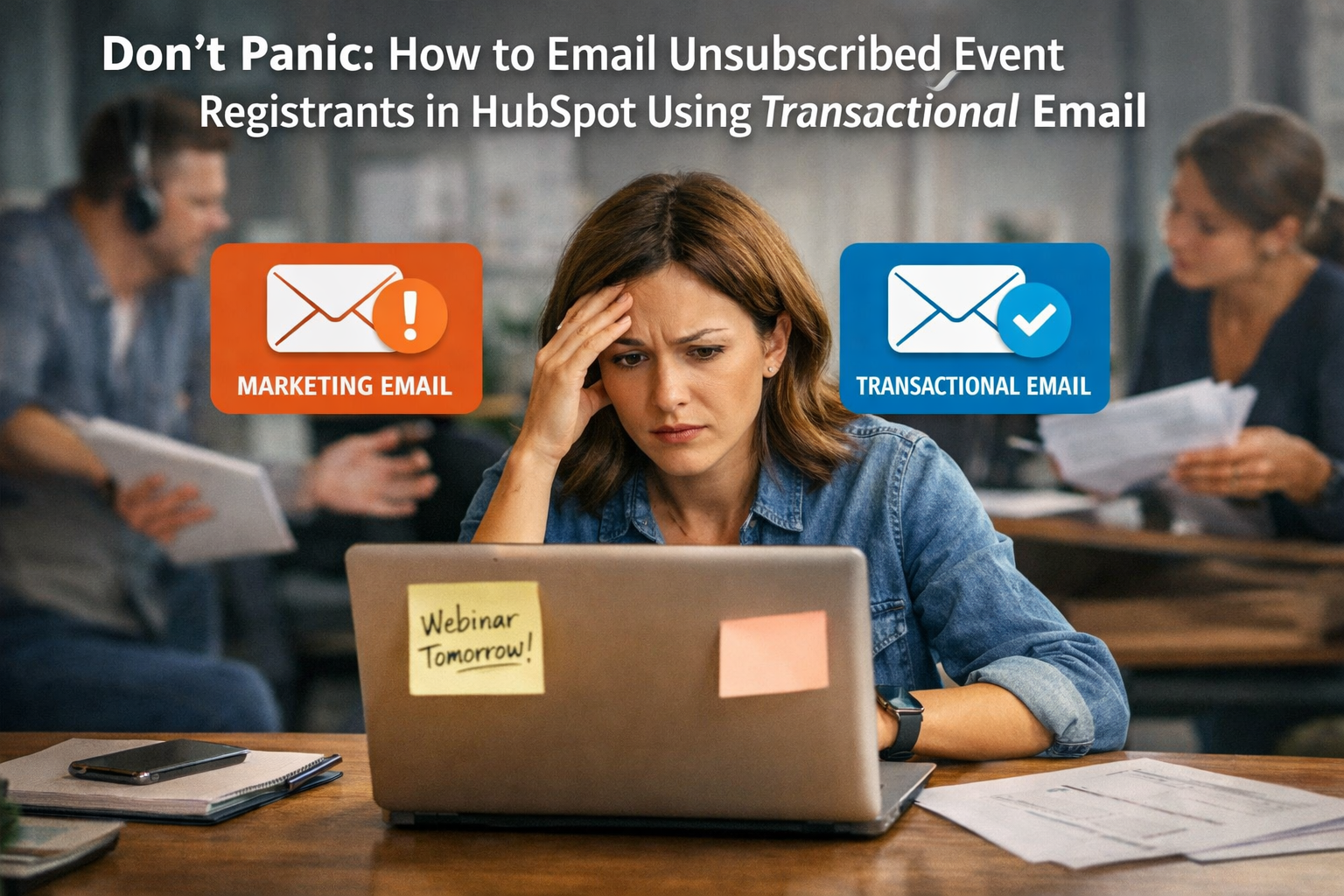
Picture this: Your team has spent weeks building out a webinar campaign. The landing page is live, ads are running, emails are converting, and registrations are rolling in. Then, two days before the event, your marketing manager gets an alert — or worse, they're digging through a contact record and notice it — an attendee who paid for event access has unsubscribed from marketing emails.
Cue the panic.
"They paid! We need to remind them! Can we still email them? Are we going to get fined? What do we do?"
It's a scenario that plays out more often than most teams expect, and the overreaction is almost always the same. The good news: this is not an emergency. HubSpot has a clear framework for handling exactly this situation, and once your team understands the distinction between marketing emails and transactional emails, you'll never lose sleep over an unsubscribed registrant again.
Let's break this down fully.
Why This Happens More Than You Think
Unsubscribes are a normal, healthy part of email marketing. People's inboxes get crowded. They go through phases of cleaning up subscriptions. Sometimes they click "unsubscribe" on one email without realizing they're opting out of everything from your domain. Sometimes they genuinely don't want your marketing emails but absolutely still want to attend the event they registered and paid for.
These are two completely separate relationships with your brand, and conflating them is where teams get into trouble — both operationally and legally.
When someone unsubscribes from your marketing emails, they are exercising their right to say: "Stop sending me promotional content I didn't specifically ask for." They are not saying: "Forget I ever bought something from you" or "Don't tell me where to show up on Tuesday."
HubSpot actually understands this distinction at a system level, which is exactly why the solution already exists inside the platform.
The Core Distinction: Marketing Emails vs. Transactional Emails
This is the foundation of everything. If your team doesn't understand this clearly, no workaround will feel comfortable to use.
Marketing emails are promotional in nature. They exist to drive awareness, nurture leads, promote products or services, announce new content, and generally move people through a funnel. Think: newsletters, promotional campaigns, event promotional emails, re-engagement sequences, and drip campaigns. These emails require consent, and an unsubscribe opt-out must be honored. Full stop. HubSpot enforces this automatically — once a contact is unsubscribed, they are suppressed from all marketing email sends.
Transactional emails are operational in nature. They exist to fulfill a transaction or communicate information that is directly related to a specific action the recipient has already taken. Think: purchase confirmations, password resets, shipping notifications, account updates — and critically — event registration confirmations, access links, and event logistics for an event someone has already registered and paid for.
Transactional emails do not require marketing consent. They are expected by the recipient as a direct result of an action they took. In fact, failing to send a transactional email when one is expected can actually damage trust more than sending it.
When a paid registrant unsubscribes from your marketing list, they still need to receive:
Their registration confirmation (if not already sent)
Event access links, Zoom links, or venue details
Day-of reminders directly tied to their registration
Post-event materials like recordings or slides they were promised as part of their registration
All of that is transactional communication. None of it is promotional. And HubSpot lets you send every single one of those emails, unsubscribe status notwithstanding.
How HubSpot Handles This at the System Level
HubSpot separates email sends into two distinct categories within the platform, and the mechanics work differently depending on which type you use.
Marketing emails in HubSpot automatically suppress unsubscribed contacts. There is no override for this within a standard marketing email send. This is intentional and legally necessary — HubSpot is protecting you and your contacts. You will not be able to include an unsubscribed contact in a marketing email workflow or broadcast, and you shouldn't try to.
Transactional emails in HubSpot bypass the standard marketing unsubscribe suppression. This is the key. When you send an email through HubSpot's transactional email channel, the system does not check the contact's marketing unsubscribe status. It treats the email as a non-promotional operational send, which means unsubscribed contacts can and will receive it.
However — and this is critical — with that power comes responsibility. HubSpot requires that transactional emails actually be transactional. You cannot rebrand a promotional email as transactional to get around unsubscribe preferences. The content must be directly related to a transaction or action the contact has already taken. Misusing the transactional channel is a violation of HubSpot's terms of service and potentially of CAN-SPAM, GDPR, and CASL depending on your audience's geography.
Setting Up Transactional Email in HubSpot
Before you can use transactional email as a solution, you need to make sure it's enabled and properly configured in your HubSpot portal. This is not a default feature in all tiers — let's walk through exactly what's required.
Step 1: Confirm You Have Transactional Email Access
Transactional email in HubSpot is available as an add-on for Marketing Hub accounts. If you're on a Professional or Enterprise tier, you can purchase the Transactional Email add-on if it isn't already part of your package. To check, navigate to your account's subscription settings or reach out to your HubSpot account representative. Without this add-on active, you won't see the transactional option when creating emails.
Step 2: Create a New Email and Select the Transactional Type
Once transactional email is enabled on your account, here's how to create one:
Navigate to Marketing → Email in your HubSpot dashboard. Click "Create email" in the upper right corner. When prompted to select the type of email, you'll see options including Regular, Automated, and — if your add-on is active — Transactional.
Select Transactional. From this point forward, you're working in a channel that bypasses marketing unsubscribe suppression.
Step 3: Build Your Email Content
Design the email exactly as you normally would using HubSpot's drag-and-drop editor or your custom template. For an event registrant, this email might include:
A clear subject line like "Your access details for [Event Name] — [Date]"
Their registration confirmation number or ticket details
The Zoom link, virtual event link, or physical venue address and parking information
The event agenda or schedule
Who to contact if they have questions
What to expect on the day of the event
Notice what's not in this email: promotional language, upsells, CTAs to buy other products, newsletter sign-ups, or anything that could be characterized as marketing. Keep it clean and operational.
Step 4: Do Not Remove the Unsubscribe Footer (But Understand It Behaves Differently)
Even in transactional emails, it's best practice and sometimes legally required to include contact information and some form of preference management. HubSpot handles this slightly differently in transactional emails — the standard one-click unsubscribe footer for marketing preferences may not render the same way, because the contact is already unsubscribed from marketing. Work with your legal counsel if you're operating in GDPR-regulated markets to ensure your footer language is appropriate for transactional sends.
Sending Transactional Emails to Unsubscribed Registrants via Workflow
For most event scenarios, you're not sending a one-off email — you have a sequence of communications tied to the event lifecycle. Here's how to build that properly in HubSpot workflows so that unsubscribed registrants are handled automatically and correctly.
Building the Workflow
Navigate to Automation → Workflows. Create a new Contact-based workflow. Set your enrollment trigger — this will typically be something like a contact being added to a specific list (e.g., "Paid Event Registrants — [Event Name]"), or a deal moving to a certain stage, or a form submission from your event registration page.
Once you've defined enrollment, begin adding your email steps.
When you click "Send email" within the workflow action, you'll be prompted to select the email you want to send. Your transactional emails will be listed alongside your marketing emails, but they'll be clearly labeled as transactional. Select your transactional email for each logistics-related touchpoint.
A typical event communication workflow for a paid registrant might look like this:
Immediately upon enrollment: Send transactional registration confirmation with access details
7 days before event: Send transactional reminder with agenda
1 day before event: Send transactional "see you tomorrow" with access link
Day of event: Send transactional "we're live" or "doors open" reminder
24 hours after event: Send transactional follow-up with recording link and materials
Every one of those sends uses a transactional email. Every one of those sends will reach your unsubscribed paid registrant. No panic necessary.
A Note on Re-enrollment
Make sure your workflow re-enrollment settings are configured appropriately if you run recurring events. You don't want a contact who attended Event A automatically enrolling in the Event B workflow if their list membership triggers re-enrollment.
Using HubSpot's Single Send API for Transactional Email (For Technical Teams)
If your organization has development resources and is integrating HubSpot with an event platform, ticketing system, or payment processor, you can also trigger transactional emails programmatically using HubSpot's Single Send API.
This is particularly useful when your event registration happens outside of HubSpot — say, through Eventbrite, a custom-built registration page, or a third-party ticketing platform. You can fire a webhook from that system into HubSpot and use the Single Send API to trigger the transactional email to the registrant immediately upon purchase, regardless of their marketing subscription status.
The API call passes the contact's email address, the ID of the transactional email template you've built in HubSpot, and any personalization token data. HubSpot sends it. The contact receives it. Their unsubscribe status for marketing email is completely irrelevant to this process.
This is a more advanced implementation but extremely powerful for teams running high-volume events with complex tech stacks.
What Your Team Should Have in Place Before Every Event
The unsubscribed registrant scenario is actually a great forcing function to get your event communication infrastructure right once and for all. Here's what Ritner Digital recommends having in place before any paid event goes live:
A dedicated transactional email series for every event. Don't try to repurpose your marketing drip sequence. Build a separate, clean transactional series that is specifically for registered attendees. Keep it operational. Keep it clear.
A paid registrants list that lives separately from your marketing lists. In HubSpot, create a static or active list specifically for contacts who have purchased tickets or registered for the event. Use this list as your workflow enrollment trigger, and make sure it's completely separate from your newsletter list, lead nurture lists, or any other marketing segmentation.
Internal documentation for your team. One of the biggest sources of panic in this scenario is that team members don't know this option exists. Create a simple internal SOP that explains: if a paid registrant is unsubscribed, we use transactional email. Link to the relevant workflow and email templates. This eliminates the "what do we do?!" fire drill every time it happens.
A conversation with your legal team or HubSpot partner. If you're running events with attendees in the EU or Canada, understanding how GDPR and CASL intersect with transactional email is important. The general principle that transactional emails are permitted for fulfilling a paid transaction holds across most frameworks, but the specifics of your communication and how your registration process captures consent matter.
What You Absolutely Cannot Do
Since we're being thorough, let's address the workarounds that are tempting but wrong.
Do not re-subscribe a contact without their consent just because they paid for your event. Some teams get the bright idea to simply flip the unsubscribe status back to subscribed in HubSpot so the contact can receive marketing emails again. This is a violation of the contact's explicitly stated preference, a violation of HubSpot's terms, and potentially illegal depending on your jurisdiction. Do not do this.
Do not send marketing emails to unsubscribed contacts through a secondary email tool to get around HubSpot's suppression. Some teams try routing around HubSpot by using another platform — a personal Gmail account, a secondary ESP, or a tool without built-in suppression — to send emails to contacts who are unsubscribed in HubSpot. This is not a compliant workaround. The unsubscribe preference follows the contact, not the tool.
Do not label a promotional email as transactional to bypass suppression. If your "transactional" event email includes a promotion for your next event, a referral offer, or a newsletter CTA as the primary purpose of the email, it's a marketing email. Keep transactional emails transactional.
The Bigger Lesson: Consent and Commerce Are Different Things
The reason this scenario causes panic is that teams conflate two things: the commercial relationship (they paid us money) and the communication consent relationship (they agreed to receive our emails). Those are separate agreements with separate rules.
When someone pays for your event, they've entered into a commercial transaction with you. That transaction comes with certain communication obligations on your part — fulfilling what they paid for, giving them the information they need, delivering the experience they purchased. That's transactional.
When someone subscribes to your marketing emails, they've given you permission to send them promotional content. When they take that permission back, you must honor it — for promotional content.
HubSpot is built to honor both of those realities simultaneously. Your paid registrant can be unsubscribed from marketing and still receive every logistics email they need. Both things are true at the same time, and the platform handles it cleanly if you're using it correctly.
Final Thoughts
The next time a team member runs in saying "a registrant unsubscribed and they have a ticket — what do we do?", you'll have a clear answer: switch their event communications to transactional emails in HubSpot, and keep moving.
No re-subscribing without consent. No panicking. No scrambling for workarounds that put you in legal gray areas. Just a clean, compliant, purpose-built solution that HubSpot already provides.
If your team isn't sure whether your current event communication setup is structured correctly — or if you want help building a transactional email series and workflow for your next event — that's exactly the kind of thing Ritner Digital helps with. Getting this infrastructure right once means you never have to improvise when it matters most.
FAQs
If a contact unsubscribes from our marketing emails, does that automatically cancel their event registration in HubSpot?
No, not at all. An unsubscribe in HubSpot only affects the contact's marketing email subscription status. It has zero impact on any deals, form submissions, list memberships, event registrations, or any other data associated with that contact record. Their registration is completely intact. The only thing that changes is that HubSpot will suppress them from future marketing email sends.
Can we legally email an unsubscribed contact who paid for our event?
Generally yes, provided the emails you're sending are genuinely transactional — meaning they directly relate to the transaction the contact completed. Sending a Zoom link, venue details, a registration confirmation, or a recording they were promised as part of their ticket purchase is considered fulfillment of a transaction, not promotional outreach. That said, laws vary by geography. CAN-SPAM, GDPR, and CASL each have nuanced rules, so if your audience includes contacts in the EU or Canada, it's worth a conversation with your legal counsel to confirm your specific communications are appropriately classified.
What exactly qualifies as a transactional email for an event?
A good rule of thumb is to ask: "Would this contact reasonably expect to receive this email as a direct result of registering and paying?" If the answer is yes, it's likely transactional. Emails that qualify include registration confirmations, order receipts, event access or Zoom links, day-of reminders tied to their specific registration, agenda details, post-event recordings or materials promised at registration, and any logistical updates like venue changes or schedule adjustments. What doesn't qualify: promotional content for future events, referral offers, newsletter sign-up prompts, upsells, or anything primarily designed to drive additional revenue or engagement rather than fulfill the existing registration.
Does HubSpot's transactional email feature come with every subscription?
No. Transactional email is an add-on for HubSpot Marketing Hub accounts. It is not included by default in the standard Professional or Enterprise tiers — it needs to be purchased separately. If you're unsure whether your portal has it enabled, navigate to Marketing → Email → Create Email and check whether "Transactional" appears as an option alongside Regular and Automated. If it doesn't appear, contact your HubSpot account representative to add it.
We already sent the Zoom link in our original confirmation email before they unsubscribed. Do we still need to worry about reaching them for reminders?
Yes, you should still plan to reach them for reminders using transactional email. An unsubscribed contact will not receive any follow-up marketing emails — which includes any reminder emails you have set up in a standard marketing workflow. If your day-before reminder or day-of email is set up as a regular marketing email, that contact will be suppressed and miss it entirely. Move those reminder emails to your transactional email series to ensure every paid registrant gets them regardless of subscription status.
Can we build an entire event communication workflow using transactional emails in HubSpot?
Yes, and honestly this is the best practice approach for paid events. You can create a HubSpot workflow that enrolls contacts from your paid registrant list and uses transactional emails at every touchpoint — confirmation, reminders, day-of send, and post-event follow-up with materials. Because transactional emails bypass marketing suppression, this workflow will reach every paid registrant regardless of their subscription status. Just make sure every email in that workflow stays genuinely operational and doesn't slip into promotional territory.
What if our event registration happens on a third-party platform like Eventbrite? Can we still use HubSpot transactional email?
Yes. If your HubSpot portal is integrated with your event platform — either through a native integration, Zapier, or a custom webhook — you can sync registrant data into HubSpot and trigger your transactional email workflow from there. For more technical teams, HubSpot's Single Send API allows you to trigger transactional emails programmatically from any external system, passing in the contact's email address and the relevant email template ID. This works regardless of where the registration or payment was processed.
Can we just manually re-subscribe the contact in HubSpot since they paid for the event?
No. This is one of the most important things to avoid. Manually flipping a contact's subscription status back to subscribed without their explicit consent is a violation of their stated preference, a violation of HubSpot's terms of service, and potentially illegal under CAN-SPAM, GDPR, or CASL depending on where your contacts are located. The fact that they paid for something does not constitute new consent to receive marketing emails. Use transactional email to reach them for event logistics, and leave their marketing subscription status exactly as they set it.
Will the unsubscribed registrant see an unsubscribe link in the transactional emails we send them?
HubSpot handles the footer of transactional emails slightly differently than marketing emails. Since the contact is already unsubscribed from marketing, the standard one-click marketing unsubscribe footer behaves differently or may not apply in the same way. However, it's still best practice — and in some jurisdictions legally required — to include your company's physical mailing address and some form of contact information in every email you send, transactional or otherwise. Review your transactional email footer carefully and consult with legal counsel if you're sending to EU-based contacts under GDPR to make sure your footer language is appropriate for this type of send.
What if the contact unsubscribes after we've already enrolled them in our transactional event workflow? Will the remaining emails still send?
This depends on how your workflow is configured. Transactional emails in HubSpot are designed to send regardless of marketing unsubscribe status, so the key question is whether your workflow is set up with transactional email sends throughout. If the workflow steps use transactional emails, those sends will continue. If any steps use standard marketing emails, those will be suppressed upon unsubscribe. This is another reason to build your paid event workflows entirely with transactional emails from the start — it removes the variable entirely and ensures consistent delivery for every registrant.
Should we be using transactional email for all of our events, or only when someone has unsubscribed?
Using transactional email for your core event logistics communications is a smart practice for all paid registrants, not just the unsubscribed ones. It keeps your event fulfillment communications separate from your marketing sends, ensures reliable delivery, and means you never have to scramble if an attendee's subscription status changes between registration and event day. Think of your transactional event series as your operations layer and your marketing event emails — promotional announcements, early bird campaigns, post-event re-engagement — as a separate layer entirely. Keeping those two tracks clean makes your HubSpot setup more organized and your team far less likely to panic when edge cases like this come up.