
What a few shadowy letters, two bats, and a green glow can teach businesses about brand personality, visual storytelling, and holiday website design.
On Halloween morning, Google looked a little different. Its familiar multicolored wordmark gave way to dark, slightly warped lettering, a misty green glow, and the silhouettes of bats hovering above the name. The whole thing moved like a shadow cast by a light source that wasn't quite standing still.
Nothing about searching the web needed to change. The search box was still there. The page remained recognizable. Yet the moment felt distinctly Halloween. It made a routine visit to the internet's most familiar starting point a little more playful.
Google's official Halloween 2026 Doodle page confirms that the October 31 artwork was inspired by the classic art of shadow puppets. That reference matters. Rather than piling pumpkins, ghosts, candy, and orange graphics onto a page, the designers chose one visual idea and carried it through a logo people already know.
As marketers and web designers, we love this sort of seasonal treatment. Not because it creates some mysterious SEO advantage or fundamentally transforms the user journey. It doesn't. We love it because it demonstrates how much atmosphere a thoughtfully placed detail can add when the underlying product remains useful.
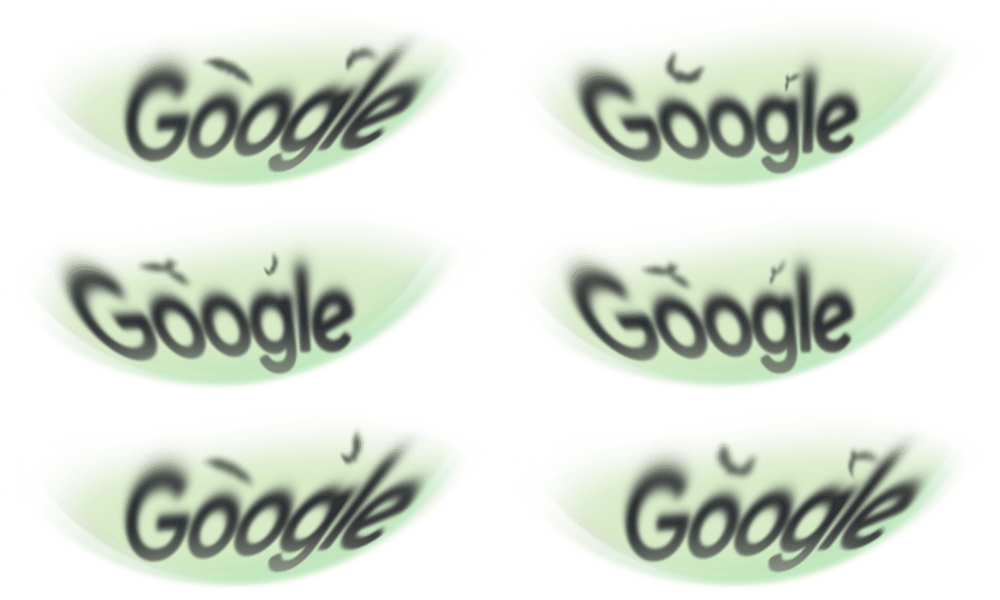
Google Halloween 2026 Doodle animation. Source: Google Doodles.
There is a useful lesson here for a small business, an ecommerce brand, a restaurant, or any organization that wants to acknowledge a holiday without redesigning an entire website. Seasonal design can be memorable without being loud.The goal is to make the experience feel timely, not to make people work harder to accomplish what they came to do.
What Google actually did for Halloween 2026
Let's start with the observation rather than the marketing theory. On October 31, 2026, Google displayed an animated Halloween Doodle on its homepage. In the screenshots and animation captured for this article, the recognizable Google letters appear in dark, fuzzy-edged silhouettes. A pale green wash illuminates the background. Bat shapes pass above the wordmark, and the light-and-shadow effect subtly shifts the letters' appearance.
It feels a little like a scene from a theatrical shadow show or a very old spooky movie. That's not an accidental association: Google's own explanation says the artwork draws playfully from shadow puppetry. The movement gives the composition depth without turning it into a game or requiring someone to interact with it.
The details are restrained. The letters remain legible as the name Google. The dark shapes do not cover the search field. The animation lives in the familiar logo area rather than interrupting the whole page. The rest of the interface retains its ordinary purpose.
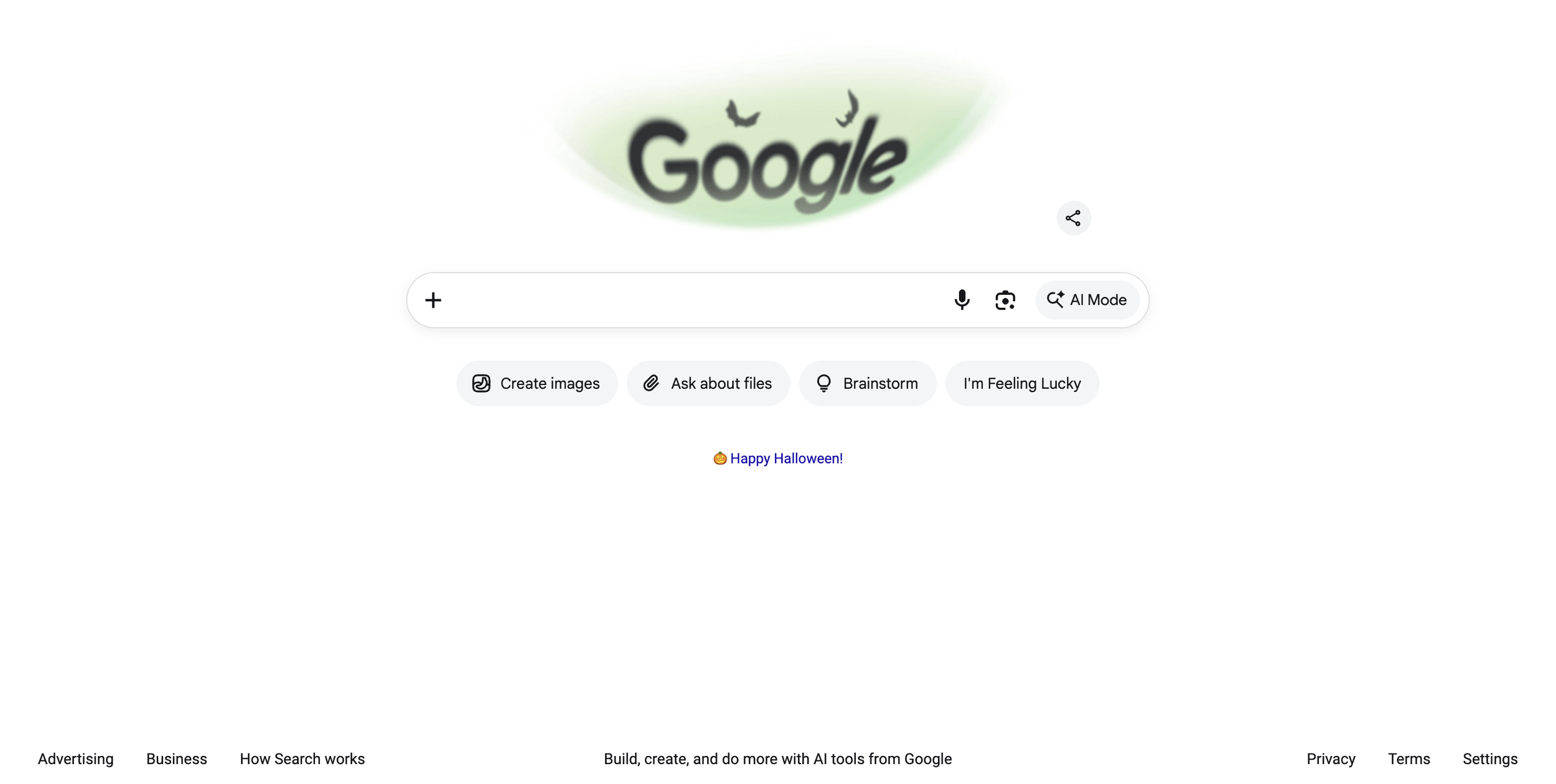
Google homepage screenshot, October 31, 2026. The search field remains in its familiar position beneath the Doodle.
That distinction is why the execution is interesting. Google could have built a full-screen Halloween takeover or another elaborate interactive experience. In 2026, it instead gave the homepage a short, contained piece of visual storytelling. You notice the holiday, smile at the idea, and keep searching.
It is also worth distinguishing what we can observe from what we cannot. We can describe the artwork, verify the publication date, and connect the design to Google's stated inspiration. We cannot conclude from a screenshot that every Google user saw the same version, that the Doodle increased session duration, or that it measurably improved brand sentiment. Google has not supplied those performance results on the Doodle page. The design is worth discussing without inventing them.
This isn't a new trick for Google. That's part of why it works.
A temporary change to Google's logo is now a recognizable product tradition. According to Google's history of Doodles, the first Doodle appeared in August 1998 as an informal out-of-office message connected to the founders' Burning Man trip. Over time, the company expanded the format into artwork celebrating holidays, cultural figures, scientific milestones, and events around the world.
Halloween has an especially interesting place in that history. Google's Doodle archive says the first animated Doodle premiered on Halloween in 2000. Its pumpkin-like O's used flashing light and a spider to bring a familiar static logo to life. More than two decades later, the 2026 Halloween design still uses animation and the Google letters to create a short holiday moment. The technology and artistic direction are different, but the underlying idea is remarkably consistent.
That kind of repetition creates expectations. People do not need a tutorial explaining why the logo changed. The brand has trained audiences over time to recognize these changes as temporary, intentional, and associated with a particular date or occasion. The design becomes part of the experience of visiting Google, not an unexplained interruption.
The archive also shows how flexible the format can be. Google's Halloween 2024 Doodle was an interactive installment of Magic Cat Academy, starring Momo the cat in a space-themed adventure. In contrast, the 2026 shadow-puppet treatment is a compact animation. One approach asks users to play; the other simply acknowledges the day.
Neither format is automatically superior. A game can generate deeper voluntary engagement when people have time and interest. A light animation works when a brand wants to add character without asking for attention or effort. The right choice depends on the user's goal, the context, and the cost of disrupting that goal.
For small businesses, there is a valuable takeaway: seasonal design does not have to become a larger production every year. A repeatable, recognizable convention may be more useful than constantly escalating the spectacle.
Why the shadow-puppet concept is a strong piece of visual storytelling
The 2026 Doodle works because its elements all belong to the same idea. The soft green backlight suggests a stage or screen. The letters read as cast shadows rather than conventional typography. The bats reinforce the Halloween atmosphere without needing to explain it. The motion suggests that a light source or cutout has shifted behind the scene.
A cohesive concept is different from a collection of decorations. Imagine adding a jack-o'-lantern emoji next to a site's menu, hanging digital cobwebs over the contact form, inserting orange banners into every paragraph, and changing every button to black. The site would certainly look seasonal. It might also look busy, inconsistent, and harder to use.
By choosing shadow puppetry as the visual organizing principle, Google's design uses a few well-related cues to evoke Halloween. It feels like a single illustration rather than a collage of holiday symbols.
This is an important branding principle: recognition often comes from a few specific signals used consistently, not from including every possible signal. A bakery might use a carefully photographed seasonal product and a small change in accent color. A bookstore could add a clever illustration around its logo. A landscaper could feature autumn project photography. A children's activity business might use an illustrated motif that fits its existing brand rather than a generic Halloween stock graphic.
The more distinctive the underlying brand, the less decoration it may need. Google can reinterpret its logo because the lettering and placement remain familiar. A smaller business should be more careful: if customers are still learning its name and identity, changing the logo beyond recognition can introduce confusion. Seasonal personality should reinforce the identity, not erase it.
The power of a small moment on a familiar screen
Think about how often people load the same websites and apps. After enough repetitions, the experience becomes almost invisible. You know where the search bar is, what the menu looks like, and which button to select. Familiarity is valuable because it reduces effort. But it also means the interface stops surprising you.
A thoughtful seasonal detail can briefly interrupt that invisibility in a positive way. The surprise is small and low-stakes. You're not learning a new navigation system. You're noticing that a product you use every day has acknowledged a day on the calendar.
That can communicate personality. It can make the interface feel made by people who paid attention to the occasion. It can create a screenshot someone sends to a friend or a short conversation about design. The Google Halloween Doodle is especially shareable because a static frame is recognizable and the animation is simple enough to explain in a sentence.
We should be careful not to treat that as measured evidence of loyalty or retention. The claim is more modest: the design creates an opportunity for delight and social sharing while maintaining the basic function of Search. Whether a particular audience appreciates an effect is an empirical question for that product.
A useful comparison is to a restaurant that adds a tasteful seasonal illustration to the menu but keeps the menu readable. Or a hotel that places a small holiday arrangement in the lobby without blocking check-in. The hospitality gesture is noticeable precisely because it does not interfere with the service.
Digital products have similar opportunities. Their interfaces are spaces people revisit. There is room for occasion, humor, and delight as long as the service stays clear.
Seasonal branding shouldn't require a full website takeover
A common mistake in seasonal marketing is treating every holiday like a campaign that must cover the entire website. Businesses update hero banners, pop-ups, colors, navigation labels, product grids, and email templates all at once. Sometimes that's justified: a retailer with a real seasonal collection may need an expansive holiday storefront. But a full takeover is not a prerequisite for acknowledging Halloween.
Google's 2026 Doodle illustrates a more economical approach. A small branded element can carry the theme. The search experience remains familiar, and the seasonal treatment is temporary by nature.
For service businesses, this is often the better model. A law office, home repair company, local dentist, or B2B consultancy probably should not look like a haunted house for two weeks. But a restrained seasonal accent in a newsletter, a thoughtful piece of content, or a playful but accessible graphic may humanize the brand.
The critical question is what the visitor came to accomplish. If someone arrives to book emergency plumbing repair, the phone number must be immediate and clear. A seasonal animation should never get between the visitor and that action. If someone visits an online store for Halloween decorations, a richer seasonal presentation may align more closely with the shopping task.
The lesson is not to minimize seasonal design in every situation. It is to match the amount of celebration to the context and the customer's urgency. Google's solution is compelling because the logo is a naturally expressive place inside a highly utilitarian page.
Google's design also illustrates why brand recognition is an asset
When a brand is widely recognized, its core identity can survive creative variation. Google's logo is unusual in that the company can replace or reinterpret the letters and most people still understand what they're looking at. That flexibility has been developed through years of consistent use and a long-running Doodle tradition.
Smaller brands can learn from the approach without assuming they have the same recognition. A newer ecommerce shop might need to preserve its primary logo and use a seasonal illustration beside it. A local business could keep the name and contact details completely unchanged while changing a decorative accent. A nonprofit may want to preserve institutional colors while incorporating relevant seasonal art.
Consistency matters because customers need cues that tell them they're in the right place. If your site looks drastically different during a holiday, a returning customer can wonder whether they've followed the wrong link. That concern is especially important in services that require trust, payments, or sensitive information.
A good seasonal design system therefore identifies the stable elements first: brand name, primary logo, navigation, color contrast, important calls to action, and overall visual hierarchy. Then it asks what can flex: an illustration, background motif, selected imagery, microcopy, or optional decorative motion.
Google's Halloween 2026 Doodle is a vivid example of the “stable core, flexible expression” idea. The logo may be rendered as shadows, but its position, role, and surrounding homepage remain familiar.
What Google Doodles tell us about planning for occasional delight
The finished Doodle can look effortless. Behind the scenes, it is a planned design project. Google's description of its Doodle creation process outlines idea selection, research, assembling artists and engineers, concept development, and iteration. The company says hundreds of Doodles launch around the world in a year, often in different locations at the same time.
The lesson for marketers is that even a small visual flourish benefits from a clear process. Someone must decide which occasion matters to the audience, what the treatment is supposed to communicate, and where it will appear. Designers and developers need to understand what must remain usable. The team needs to check that the seasonal element actually looks good on mobile, that it can be removed easily, and that the content remains accessible.
For a small business, the process can be proportionate. It might be a brief for one graphic, one website module, and one scheduled removal date. No committee is required. But a little planning prevents the familiar problems: a Christmas banner still showing in February, a Halloween pop-up obscuring the checkout button, or a holiday promotion that contradicts the site's current pricing.
There is another practical benefit to planning. It lets the business reuse a coherent concept over multiple channels. A seasonal motif might appear on the homepage, in an email header, and in a social graphic. That feels like a campaign. Three unrelated pieces of clip art can feel accidental.
Should every brand animate its logo for Halloween?
No. Animation is one technique, not a requirement. Movement attracts attention, but attention is not automatically beneficial. On a crowded checkout page, an unnecessary animation may make it harder to focus. On a landing page with an important safety message, a playful effect may be inappropriate. And on a site used repeatedly for work, a constantly looping flourish can become irritating.
The Nielsen Norman Group's guidance on animation for attention and comprehension recommends defining the goal of an animation and considering its frequency, speed, and impact on user attention. That is a useful filter for seasonal design. If the motion exists only because someone figured out how to animate a GIF, it may not be worth adding.
Google's 2026 Doodle is localized to the logo, with the search interface remaining central. That is a reasonable design pattern for a decorative flourish. It is not proof that any amount of motion is acceptable or that the implementation is perfect for every user.
For businesses considering a similar treatment, start with a static option. Ask whether the message still comes through without motion. If the animation adds a meaningful sense of shadow, sparkle, or transformation, keep it brief and modest. Avoid flashing, rapid zooms, or motion that follows scrolling in a way that can distract or disorient users.
The right result should be a pleasant addition, not something users need to endure to access content.
Accessibility matters even when a decoration is temporary
A Halloween overlay is still part of a real interface. People with motion sensitivities, low vision, cognitive disabilities, or screen-reader workflows should not have to navigate an entirely different quality of experience for the sake of a holiday.
The World Wide Web Consortium's guidance on animation from interactions explains why unnecessary motion can cause problems for some users. Google's web.dev documentation on prefers-reduced-motion shows how sites can respect a visitor's system preference by reducing or removing nonessential animation.
For a small business site, this can translate into practical choices. Provide a static fallback for animated imagery. Avoid auto-playing effects that cover meaningful text. Make sure the seasonal graphics don't reduce contrast on buttons or labels. Keep keyboard navigation intact. If the decoration conveys no unique information, it may be appropriate to mark it as decorative for assistive technology; if the graphic is the subject of an article like this one, use descriptive alternative text instead.
Accessibility is not the enemy of whimsy. It is part of making the whimsy hospitable. A design can be festive, recognizable, and friendly without assuming that every visitor experiences motion in the same way.
Does a festive logo help SEO?
Not directly in the way people sometimes imagine. There is no Google Search ranking bonus for adding Halloween bats to a website. Seasonal artwork does not substitute for useful content, crawlable pages, fast loading, or a clear business offering.
In fact, adding heavy images or scripts without care can make performance worse. Google Search Central recommends optimizing image size and quality, and its Core Web Vitals guidance emphasizes loading performance, responsiveness, and visual stability. A giant decorative animation that slows the homepage or shifts the layout is not a good marketing trade merely because it looks festive.
Seasonal content can still have search value when it answers a genuine search need. An event venue might publish useful details about a Halloween celebration. A local retailer might maintain a page for current seasonal stock. A restaurant might create a page with its holiday hours and reservations. Those pages deserve attention because they're helpful to visitors, not because they contain pumpkins.
A branded Doodle serves a different purpose. It reinforces personality and marks an occasion. The useful SEO lesson is mostly about doing that work without damaging the underlying site experience.
If you publish an article about an animation, it can help readers to include a clear still image, concise alt text, and a link to the original source. Google's image SEO documentation recommends descriptive text and appropriate image optimization. The goal is to make the content understandable even to a visitor who cannot or does not want to watch the animation.
The difference between a holiday design and a holiday promotion
Seasonal branding and seasonal selling overlap, but they're not identical. Google's Halloween 2026 Doodle is a brand experience. It doesn't ask the user to buy anything, register, or activate a limited-time discount. That freedom is part of what makes the moment pleasant. It is a gesture rather than a demand.
Businesses should distinguish between a design moment and a sales campaign. A seasonal decorative touch can acknowledge a holiday and express personality. A seasonal offer needs a clear value proposition, accurate terms, and a straightforward path to act. They can appear together, but they do not have to.
Consider an independent home goods store. It could publish a Halloween gift guide because people are actually buying decorations. Its site could also feature a small seasonal illustration. The guide supports a shopper's task; the illustration supports the brand's voice. Neither should be confused with the other.
For a local professional service business, there may be no meaningful Halloween promotion at all. A thoughtful seasonal email or homepage accent might be enough. Forcing every holiday into a discount can make a brand sound repetitive and train customers to wait for offers.
One of the best things about Google's execution is that it doesn't demand more from the user. The search box is still waiting patiently. The decoration gives something without asking something back.
Five ways small businesses can borrow the idea without copying Google
1. Choose one place for seasonal personality
A logo-adjacent illustration, a slim announcement area, or a small decorative header may be enough. Avoid scattering unrelated artwork throughout the site. Keep the navigation, booking flow, product details, and contact links in their established positions.
2. Connect the holiday treatment to your existing identity
A gardening business could use subtle autumn foliage. A creative studio might draw its own shadow motif. A coffee shop could photograph a seasonal drink in its normal visual style. The holiday cue should feel like something your brand would do, not like a generic template purchased by every business in town.
3. Let motion be optional
If an animation helps convey the concept, keep it lightweight and honor reduced-motion preferences. Use a still image where the same idea can work. Test mobile loading and check whether the animation distracts from forms or important text.
4. Give the seasonal treatment an end date
A Halloween effect should have a planned retirement. Use a calendar reminder or scheduled site update so it doesn't linger into an unrelated season. Keep a saved copy in your brand library if you want to reuse or evolve it next year.
5. Measure the right outcome, if you measure anything
For a purely decorative enhancement, there may be no business KPI worth optimizing. If you test a seasonal banner, measure whether it reduces or improves completion of the actual task: bookings, contact-form submissions, purchases, or email engagement where appropriate. Don't mistake extra clicks on a novelty for improved customer experience. And don't declare success based on a one-day traffic spike without context.
The point is not to turn every visual detail into a performance experiment. It's to know when you're making a brand gesture and when you're making a conversion change, because those are different decisions.
What the Google Doodle and ChatGPT's Halloween loading screen have in common
Halloween 2026 offered two interesting examples of seasonal design in familiar digital products. In our own screenshot of ChatGPT's image-generation waiting screen, the interface included orange dots, sketched spiderwebs, and a little spider. In Google's case, the homepage logo transformed into shadowy lettering and bats.
Both treatments worked within an existing product moment rather than replacing the product's purpose. ChatGPT's detail lived in a waiting experience; Google's lived in a branding moment above Search. They show different uses of the same broad design principle: make room for personality in a place the user already understands.
There are also important differences. A loading-state decoration appears while someone is waiting for a task to finish. A Doodle is an intentional, visible reinterpretation of brand identity. Those contexts have different demands. Waiting screens should provide clear feedback and avoid creating uncertainty. A homepage logo can be more expressive because the search input remains immediately accessible below it.
The lesson isn't that companies should decorate every screen for every holiday. It's that restrained, context-aware design can make a familiar digital experience feel less mechanical without creating a new task for the user.
A practical seasonal UX checklist for business owners
Before adding a Halloween design to your website, ask: Does the idea suit our brand and our customers? Is there one obvious place where it belongs? Does it preserve recognition and the primary call to action? Will people be able to use the page with a keyboard and on a small phone? Does it respect reduced-motion settings and avoid excessive animation? Will it load without hurting site speed or shifting the layout? Are the dates and any associated offer terms correct? Who is responsible for removing it?
Most of those questions have nothing to do with designing a bat or a pumpkin. They have to do with caring for the customer experience while expressing a little creativity.
A good test is to imagine a returning customer trying to complete the most important task on the website. If the customer notices the seasonal detail, enjoys it, and completes the task as easily as usual, the balance is probably right. If the customer must dismiss an overlay, search for a moved contact button, or wait through an animation, the design has become too important to itself.
This is why the Google Doodle example is useful beyond Google. The company has a natural place to show seasonal personality. Other brands need to find their own equivalent, at a scale that makes sense for their audience and resources.
The best Halloween detail is the one that doesn't get in the way
The 2026 Halloween Doodle is not Google's biggest or most elaborate seasonal production. Compared with interactive Halloween games from previous years, this year's shadow-puppet-inspired animation is deliberately simple. That's exactly why it's worth pausing over.
The logo looks haunted for a moment. The green glow makes the letters feel theatrical. The bats complete the joke. Then you return to searching for whatever you came to find.
We love this kind of holiday design because it respects the ordinary experience while adding just enough character to make it memorable. It is a reminder that playful branding doesn't require a full campaign, a flashy takeover, or a complicated interactive feature. Sometimes one well-executed idea in the right place is enough.
If you're considering seasonal website design for your own business, start with the same question the Google Doodle seems to answer so neatly: How can we make this moment feel special without making the product harder to use?
That is a more enduring design lesson than any one Halloween graphic.
Frequently asked questions
What was Google's Halloween Doodle in 2026?
Google's October 31, 2026 Doodle showed the Google wordmark as dark, shifting shadows against a pale green glow, with small bat silhouettes. Google's official description says it was inspired by traditional shadow puppetry. You can see the original on Google's Halloween 2026 Doodle page.
Was Google's Halloween 2026 Doodle a game?
The 2026 treatment documented here was an animation rather than an interactive game. Google has released interactive Halloween Doodles in other years, including the 2024 Magic Cat Academy installment. Not every Doodle is designed to be playable.
Why did Google choose shadow puppets?
Google's official description identifies classic shadow puppetry as the inspiration. It does not publicly explain every creative choice on the page, but the dark silhouettes, green illumination, and changing shadows visually support that theme.
When did Google start making Halloween Doodles?
Google has a long history of holiday Doodles. The company's Doodle history page identifies Halloween 2000 as the first animated Doodle, a milestone in the development of the format. Other Halloween themes and games have appeared over the years.
What is the difference between a Google Doodle and a temporary website theme?
A Google Doodle reinterprets the brand logo for a date or occasion while preserving the broader Search experience. A seasonal website theme can affect many parts of a site's visual design. Businesses can borrow the principle of a focused, temporary design treatment without copying Google's logo or artwork.
Can small businesses use seasonal branding effectively?
Yes, particularly when the design suits the business and does not interfere with the customer journey. A small accent, an original illustration, relevant product photography, or a thoughtful message can be enough. The best approach depends on the industry and the reason visitors use the site.
Does adding Halloween artwork help a website rank on Google?
There is no special ranking benefit from decorative Halloween graphics. Search visibility depends on broader factors such as useful content, technical accessibility, and page experience. Large or poorly implemented decorative files can even reduce loading performance.
Can animated seasonal graphics hurt website performance?
They can if files are too large, scripts are heavy, or animation causes layout movement. Compress assets, test on mobile, and monitor Core Web Vitals. Decorative effects should not make a page slower or less stable simply to look festive.
Should a Halloween animation automatically play?
That depends on context, but restraint is sensible. Animation can attract attention without being welcome. Respect reduced-motion preferences, avoid flashing effects, and provide a useful static version when possible. Keep key actions accessible at all times.
How long should a seasonal design stay live?
For a one-day observance like Halloween, a brief deployment may be appropriate. A broader autumn campaign might last longer. Set the publication and removal dates in advance, and ensure promotions, hours, and calls to action stay accurate.
Can holiday design improve conversion rates?
It might in some contexts, but it should not be assumed. A holiday graphic could improve perceived relevance for seasonal shoppers, or distract visitors from a task. Use appropriate experimentation and real business outcomes if a conversion claim matters. A pleasant design is not automatically a profitable one.
Should every website have a Halloween overlay?
No. The decision should follow the brand, audience, and customer task. A playful ecommerce store may have more room for elaborate seasonal creative than an urgent-care clinic or emergency contractor. Even on a festive site, users should be able to complete the primary task without extra friction.
How can businesses make holiday imagery accessible?
Use sufficient contrast, preserve keyboard access, keep informative text outside images, write meaningful alt text for informative visuals, mark purely decorative images appropriately, and provide reduced-motion alternatives. The W3C and web.dev provide practical guidance.
What is the biggest branding lesson from Google's 2026 Halloween Doodle?
The strongest lesson is that familiar brand elements can carry seasonal personality without a full redesign. A focused creative idea, placed where visitors expect it and designed not to interfere with their goals, can make an ordinary digital moment more enjoyable.
Sources and further reading
Google Doodles — Halloween 2026: official Doodle date, artwork and shadow-puppetry inspiration.
Google Doodles — The Story Behind Doodles: Doodle origins, Halloween 2000 animation milestone, and broader history.
Google Doodles — Creating a Doodle: how Google researches, designs, tests, and launches Doodles.
Google Doodles — Halloween 2024: interactive Magic Cat Academy example for comparison.
Nielsen Norman Group — Animation for Attention and Comprehension: usability principles for animation.
W3C — Animation from Interactions: motion accessibility guidance.
web.dev — prefers-reduced-motion: practical techniques for motion-sensitive interfaces.
Google Search Central — Core Web Vitals: page performance and stability.
Google Search Central — Image SEO Best Practices: descriptive images and performance-conscious publishing.
Want a Website That Feels More Like Your Brand?
The best seasonal design isn't about decorating every corner of a page. It's about knowing what makes your brand recognizable, understanding what visitors need, and adding personality where it genuinely helps the experience.
Ritner Digital helps businesses think through website design, content, SEO, and conversion improvements with those priorities in mind. Whether you're planning a seasonal refresh or evaluating a larger redesign, the goal is the same: create a site people can understand, trust, and use.
Explore Ritner Digital's website design services, or contact Ritner Digital to discuss your website and digital experience.