Hotjar's Heatmaps Used to Be Best-in-Class. Here's What Went Wrong — and What to Use Instead
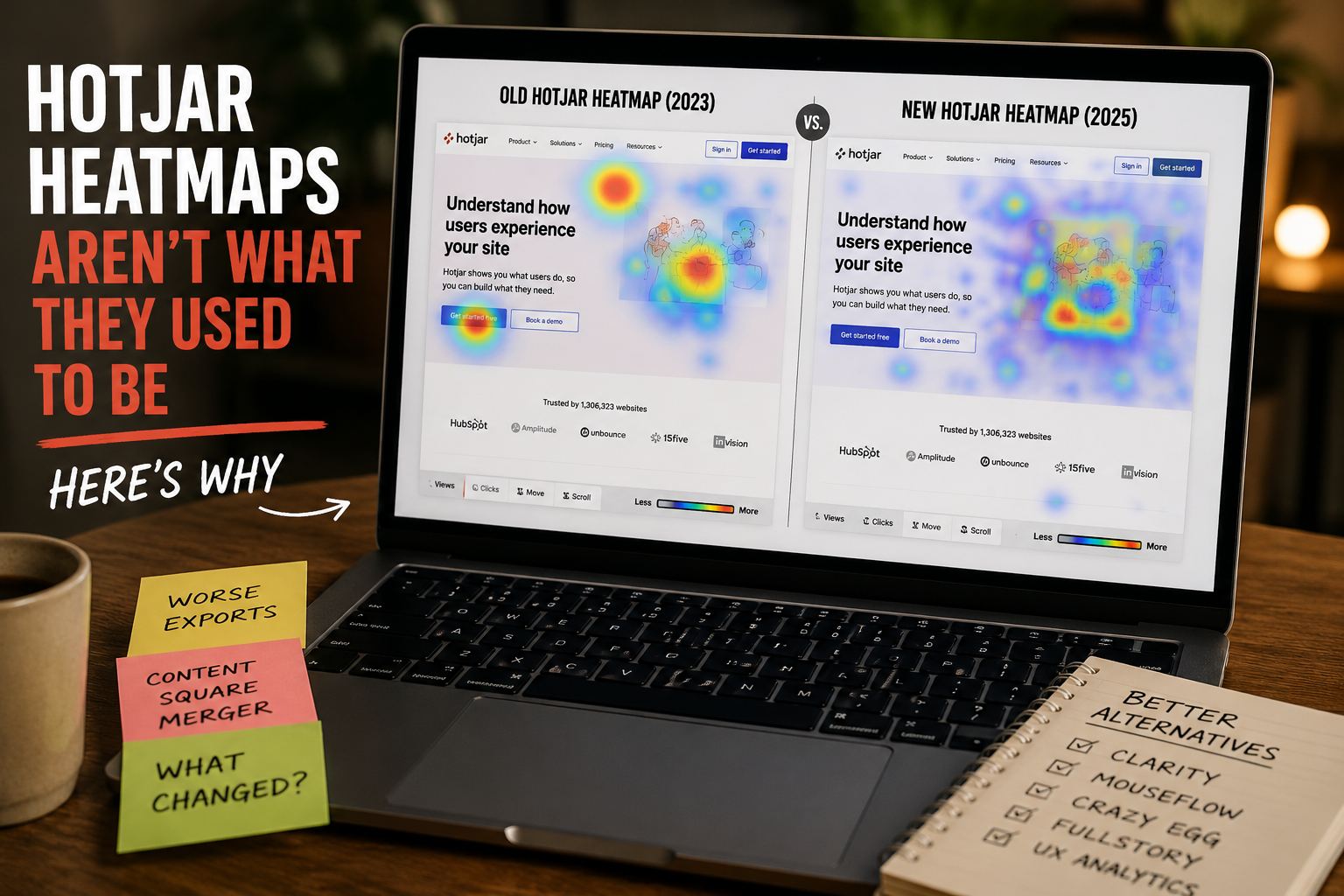
For the better part of a decade, if you asked anyone in conversion optimization which tool produced the cleanest, most presentation-ready heatmaps, the answer was Hotjar. The exports looked sharp. The click maps were crisp enough to drop straight into a client deck without touching them up. The scroll overlays read clearly at a glance, even to a stakeholder who'd never seen a heatmap before. Hotjar wasn't just a tool you used internally to inform decisions — it was a tool whose output you were proud to put in front of paying clients.
That reputation was earned, and it hasn't fully evaporated. Even critics still concede the core point: in a 2026 review, FullSession flatly states that Hotjar earned its place as the most recognized behavior analytics tool for a reason, and that the heatmaps are excellent. On G2, reviewers have long praised Hotjar for intuitive and insightful tools for understanding user behavior, particularly through its heatmaps and session recordings, and the platform still carries a 4.6 rating across 539 verified reviews on Capterra as of March 2026. FullSession + 2
So why are so many teams — agencies, in-house CRO specialists, freelance designers, and yes, us — finding that the heatmap reports coming out of Hotjar today feel uglier, flatter, and harder to work with than they did a few years ago? Why does the once-effortless "generate, export, present" workflow now come with more friction, more caveats, and more "well, let me explain what you're looking at" moments?
The short version: the product you remember isn't really the product you're using anymore. The longer version involves a quiet corporate restructuring, a forced platform migration, a pricing-model overhaul, and a shift in product philosophy that has slowly drained the polish out of the exports. Below, we'll walk through exactly what happened, why your reports look the way they do now, what the reviews actually say, and — most importantly — which alternatives are worth your time in 2026 depending on what you actually need.
A quick reminder of why Hotjar mattered in the first place
It's worth being precise about what made Hotjar special, because that's the yardstick against which everything since gets measured.
Hotjar's pitch was simplicity. You dropped one tracking snippet onto your site and immediately got heatmaps, session recordings, and feedback tools without standing up a data pipeline or hiring an analyst. The visuals did the heavy lifting. A heatmap turns invisible behavior into something anyone can read: hot colors like red and orange indicate high-activity areas while cool colors like blue and green indicate low activity, giving you an immediate, visual understanding of user behavior without reading spreadsheets. That visual clarity is exactly what made Hotjar reports so effective in client settings. Inspectlet
This matters because heatmaps aren't just a diagnostic tool — they're a communication tool. As one CRO platform puts it, the visual nature of heatmap data makes client presentations more compelling and actionable recommendations more obvious. When you're trying to convince a skeptical client that their hero CTA is being ignored, a clean click map showing every visitor's attention pooling somewhere else is worth a thousand words of analysis. Hotjar was, for years, the tool that produced that "thousand-word" image better than anyone. Heatmap, Inc.
Which is exactly why the degradation stings. The thing that made Hotjar valuable wasn't a back-end feature you could shrug off — it was the front-facing output, and that's precisely what's slipped.
The acquisition that quietly changed everything
The turning point wasn't a single bad update you could point to and complain about on launch day. It was a slow-motion corporate restructuring that most users never fully registered until they noticed their experience had changed.
Contentsquare — a French digital-experience analytics company founded in France in 2012 — acquired SMB analytics provider Hotjar in 2021, extending its offering to serve the market from SMB to enterprise. For a while, very little visibly changed. Hotjar kept its name, branding, pricing page, and familiar interface. If you were a customer in 2022, you might not have noticed anything at all. businesswirebusinesswire
Then the integration accelerated, in stages:
Contentsquare integrated all of Hotjar's tools and features into the Contentsquare platform in 2024, the same year it also absorbed product-analytics company Heap. Contentsquare
Per Hotjar's own documentation, starting October 7, 2024, a small number of new customers began accessing the new Contentsquare platform, expanding to all new customers by the end of the year. Hotjar
The company then began migrating all existing Hotjar customers to the new Contentsquare platform in 2025, informing account owners at least 30 days in advance. Hotjar
The final corporate step landed on July 1, 2025, when Hotjar Ltd. of Malta merged into the Contentsquare Group, meaning Hotjar customers are now invoiced by a Contentsquare entity. Hotjar
You can no longer even sign up for Hotjar as a standalone product — since you can't sign up for Hotjar anymore, everything people loved about it like heatmaps, recordings, surveys, and feedback widgets now lives inside Contentsquare, and the old Hotjar pricing page now redirects to Contentsquare. ContentsquareWiserReview
Here's the structural problem that creates. When a focused, beloved SMB tool gets absorbed into a sprawling enterprise suite, priorities inevitably shift. The polish that came from a small team obsessing over a single product gets diluted across a much larger roadmap, with enterprise clients, mobile analytics, error monitoring, product analytics, and AI features all competing for engineering attention. One reviewer who spent two months testing the post-merger product warned against staying on the platform by default because it has drifted away from what you originally bought. That drift is the backdrop against which every "my heatmaps look worse now" complaint suddenly makes sense. WiserReview
The simplicity tax: one tool became three modules
One of the most concrete — and least appreciated — consequences of the merger is what happened to Hotjar's structure. The whole appeal was that it was one simple thing. That's gone.
The post-merger product is now split across three modules — Experience Analytics, Voice of Customer, and Product Analytics — each with its own Free, Growth, Pro, and Enterprise tiers, and each billed separately. As that reviewer put it, for teams who picked Hotjar because it was simple, that's a problem. Heatmaps and session replay now live under Experience Analytics, alongside Session Replay, Heatmaps, and Journey Analysis, while feedback and surveys sit under Voice of Customer. WiserReview + 2
If your mental model of Hotjar is "log in, click Heatmaps, get a picture," the new reality — navigating an enterprise platform with separate modules, separate billing, and feature gates that vary by tier — is a meaningfully heavier experience. The tool optimized itself for enterprise buyers, and the small-team simplicity that made the exports feel so frictionless went with it.
Why the exports feel uglier and less usable
If your specific gripe is about how the reports look and export — not the underlying data, but the artifact you hand to a client — you're not imagining it. Several concrete changes contribute.
The shift from Manual to Continuous Heatmaps. Hotjar has been steadily pushing users away from manual snapshots toward Continuous Heatmaps, which are generated on-demand rather than tracking a pre-defined number of sessions, and therefore don't have a snapshot. The company frames this as delivering more relevant, higher-quality insights in less time. But there's a trade-off hiding in that framing. The older snapshot model produced a fixed, stable, deck-ready image — the same picture every time you opened it. The continuous, on-demand model renders dynamically against a live, changing page. For internal analysis that's fine. For a polished export that has to look identical in a PDF you sent a client last week and the dashboard they're viewing today, "dynamic and on-demand" isn't always what you want. HotjarHotjar
Screenshot-versus-data mismatches. Hotjar's own documentation acknowledges a genuinely confusing quirk that undermines trust in the visual export. The clicks and percentages on a heatmap only represent elements visible in the screenshot — a hover menu, for example, might not appear and wouldn't be counted in the side-panel total — while the CSV export includes all elements. As a result, the percentage of total clicks on the same element can vary between what's shown in the screenshot and the CSV export. When the pretty picture and the underlying numbers openly disagree, the report stops being something you can confidently hand over without a footnote. HotjarHotjar
Rendering and accuracy bugs. This isn't only anecdotal. A Capterra analysis of Hotjar reviews surfaced a recurring theme of technical and usability problems, with 66% of 35 reviews in that category being negative, citing bugs and issues such as CSS errors, limited tracking, and unreliable report accuracy that hinder usability. CSS rendering errors are exactly the kind of thing that turns a clean heatmap into an ugly, unstylized one: the overlay loads against a broken or half-rendered version of your page, and the export looks nothing like your actual site. capterra
The export experience itself signals low confidence. Tellingly, the standing advice to anyone leaving the platform is defensive. FullSession tells migrating users to export heatmap screenshots and survey response CSVs before closing their account, because you can't retrieve them afterward. When the prevailing wisdom is "grab your screenshots while you still can," it reflects how much faith people place in the platform's data portability. FullSession
Slower support when something does look wrong. If a heatmap renders badly and you open a ticket, FullSession notes that when something breaks, you're often waiting one to two business days for a ticket response. For an agency facing a client deadline, that lag turns a cosmetic rendering bug into a missed deliverable. FullSession
The longer-standing complaints that compound the problem
The export-quality issue doesn't exist in a vacuum. It sits on top of frustrations that predate the merger and that, taken together, make the case for re-evaluating your stack.
Data sampling. On Hotjar's legacy plans, the platform relied heavily on data sampling and didn't record all sessions, leaving users with gaps in data and half-baked insights. To Contentsquare's credit, the new usage-based pricing model removes sampling, allowing you to capture all sessions for greater accuracy — a real improvement, but one bundled into a pricing overhaul rather than handed out for free. UserpilotHotjar
Pricing complexity. The acquisition added pricing complexity. Under the usage-based model, each plan comes with a predefined number of sessions or responses that reset at the start of each month, data collection stops once you hit the limit until the next reset or an upgrade, and leftover sessions don't roll over. Combined with the three-module split, working out what you're actually paying for has gotten harder. On Capterra, Hotjar's value-for-money score sits at 4.4, its lowest sub-rating, and a reviewer in late 2025 complained that the freemium runs out pretty quickly, and it's hard to verify the qualitative data. FullSession + 3
Session-recording quality and noise. Reviewers report that session recordings can be incomplete, hard to filter, and occasionally miss key interactions, and that it's easy to get overwhelmed by not-relevant recordings where users just idle. capterraSoftware Advice
No native mobile app support. Hotjar offers mobile web only — no native iOS or Android SDK. In a mobile-first world, that's an increasingly costly gap. Omidsaffari
None of these is individually fatal. Hotjar — now Contentsquare — remains a capable, widely used platform with genuine strengths, and plenty of teams will be perfectly happy staying put. But if the specific thing you valued was beautiful, reliable, client-ready heatmap output, the cumulative drift is real, and it's reasonable to look around.
If you're unhappy with Hotjar, here are the best alternatives in 2026
The good news: the heatmap category has gotten more competitive since Hotjar's heyday, not less. The right move isn't to stay on Contentsquare by default because the migration feels heavy — two weeks of parallel testing with a tool that actually fits your team will save you months of fighting a platform that's drifted away from what you originally bought. Here are the strongest options, organized by what you actually need. WiserReview
Microsoft Clarity — best free option, full stop
If budget is any consideration at all, this is the first tool to try. Microsoft Clarity provides unlimited click and scroll heatmaps at no cost, and it's a genuine, production-grade tool, with no session caps, which is rare, and it's completely free. It runs on over 2 million sites globally and now ships AI session summaries and AI chat with your data, all included in the $0 tier. A reviewer who spent 30 days testing tools in May 2026 concluded that Microsoft Clarity, Hotjar (now Contentsquare), and PostHog are the three best AI heatmap and session-recording tools for most operators — with Clarity on top largely because it's free, uncapped, and AI-powered. Inspectlet + 3
The trade-offs: it's mobile web only, like Hotjar, and the cost of "free" is that Microsoft uses Clarity data to train its AI models. For most small-to-mid sites, that's an easy trade. OmidsaffariWiserReview
Best for: any team that wants world-class heatmaps without a budget line item and isn't handling sensitive data they'd rather keep out of Microsoft's models.
Mouseflow — most heatmap types and the best all-rounder
Mouseflow consistently outranks Hotjar on G2, sitting at 4.6 out of 5 versus Hotjar's 4.3, and it's described as the top-rated all-in-one behavior analytics platform on G2, ranked above Hotjar, FullStory, and Microsoft Clarity. Its standout feature is breadth: Mouseflow offers the most heatmap types of any platform — click, scroll, movement, attention, geo, interactive, and friction — all automatically generated for every tracked page without manual setup, where most other tools offer three to five and require manual configuration. g2 + 2
It also includes dedicated form analytics with field-level drop-off tracking, time-to-complete analysis, and abandoned-form replay — a rare feature that Hotjar, Microsoft Clarity, FullStory, Crazy Egg, and others don't offer. Its funnel-friction detection is class-leading, auto-flagging rage-clicks, dead-clicks, and frustration-clicks across a defined funnel and surfacing the highest-friction points. Its EU base also helps given that France's data protection authority opened a public consultation on session-replay tools in April 2026. Mouseflow + 2
Best for: teams who want the deepest behavioral toolkit in one platform, especially anyone optimizing forms or signup funnels.
Crazy Egg — best for clean click visuals and built-in testing
If your love for Hotjar was specifically about the visual — the immediately readable click map you could put in front of a client — Crazy Egg is the closest spiritual successor. One of the original heatmap tools, founded by Neil Patel and Hiten Shah, its differentiator is a built-in A/B testing engine connected directly to heatmap data. Its confetti view — every click as a colored dot, filterable by traffic source — remains the single best UI for diagnosing why a landing page underperforms, and its scroll-depth maps render faster than Hotjar's. Those confetti reports segment clicks by referral source, device, and time, which is genuinely useful for paid media teams trying to understand how different traffic sources behave on the same page. Guideflow + 2
Pricing starts at $29 per month on the Starter plan, billed annually. The honest trade-offs: session-recording quality is behind FullStory and Hotjar, and there are no survey or feedback features, plus no session recordings on the Basic plan and form analytics as a separate add-on. Plerdy + 2
Best for: marketers and agencies who want beautiful, deck-ready click visuals and a fast observe-hypothesize-test loop in one tool.
Other strong picks worth a look
Inspectlet and Lucky Orange offer the most comprehensive feature sets, where Hotjar and Crazy Egg cover fewer bases; Lucky Orange also offers one-click WordPress and Shopify installs. Inspectlet
Smartlook has the best-in-class mobile-app SDK if you need heatmaps inside iOS and Android apps, with native SDKs for iOS, Android, and React Native — the right pick when you need heatmaps inside an app, not just mobile web. GogochimpWiserReview
FullStory is the enterprise pick, with heatmaps bundled inside a full digital-experience suite, best when heatmapping is one piece of a much larger program. Gogochimp
PostHog rounds out the top tier of AI-capable tools alongside Clarity and Hotjar and fits product teams that want behavior analytics next to feature flags and product analytics. Omidsaffari
A note for agencies: don't overlook white-label reporting
If you're an agency, there's one more dimension worth weighing beyond raw heatmap quality: whose name is on the report. White-label reporting lets agencies present heatmap insights under their own branding, helping them maintain a professional image while leveraging powerful third-party analytics. And robust client reporting that generates professional, branded reports is treated as essential for showcasing an agency's value and keeping clients informed of CRO progress. Heatmap, Inc.Convert.com
The typical agency stack is a mess — one tool for heatmaps, another for A/B testing, a third for analytics, and a spreadsheet to tie it together, where every new client means four more scripts, four more logins, and four more invoices to justify. If that describes your situation, the question isn't just "what replaces Hotjar's heatmaps" but "what consolidates the most of my stack while still producing client-ready, branded output." That calculus often points toward a different tool than a solo marketer would pick. Humblytics
The bottom line
Hotjar didn't get bad. It got absorbed. The focused little tool that produced gorgeous, reliable, deck-ready heatmap exports is now one feature set — Experience Analytics — inside a large, three-module enterprise platform, billed in pieces, optimized for enterprise buyers, and pushing a more dynamic rendering model that trades the old snapshot polish for on-demand flexibility. For some teams, that's a fine or even welcome evolution. For others — especially agencies and CRO specialists whose output needs to look as good as it is accurate — it's a real loss, and the reviews bear out that the rough edges are showing.
The encouraging part is that the category has matured around it. Microsoft Clarity gives you world-class heatmaps for free, now with AI built in. Mouseflow gives you more heatmap types, deeper friction detection, and better G2 reviews. Crazy Egg gives you the clean, confetti-style visuals you may be missing, plus testing in the same tool. Smartlook covers native mobile. There's no longer a single obvious "best" tool — which means there's never been a better time to match the tool to how you actually work, rather than defaulting to the brand you've always used.
If your heatmaps used to spark "wow, that's clear" in client meetings and now spark "wait, why does that look like that," it's worth a serious afternoon of evaluation. The replacement that fits you is almost certainly out there.
Not sure which tool is right for your site?
Choosing the right behavior-analytics stack, configuring it correctly, and — most importantly — turning the data into changes that actually move conversions is exactly the kind of work we do every day. At Ritner Digital, we help businesses set up the right heatmapping and session-recording tools, build clean and trustworthy reports, and translate user behavior into real revenue.
If your current heatmaps aren't pulling their weight, let's fix that.
Talk to us about your site → ritnerdigital.com/#contact
Frequently Asked Questions
Is Hotjar going away?
Not exactly — but Hotjar as a standalone product is gone. On July 1, 2025, Hotjar Ltd. of Malta merged into the Contentsquare Group, and you can't sign up for Hotjar anymore, though everything people loved about it — heatmaps, recordings, surveys, and feedback widgets — now lives inside Contentsquare. Your existing installation keeps working; the brand and the standalone signup are what disappeared. HotjarContentsquare
Did Hotjar get worse, or is it just different?
Both, depending on what you care about. Some changes are genuine improvements — the new usage-based pricing removes sampling, allowing you to capture all sessions for greater accuracy. But if you valued simplicity and clean exports, it's a step back: the product is now split across three modules, each with its own tiers and each billed separately, and reviewers report recurring technical and usability problems including CSS errors, limited tracking, and unreliable report accuracy. Hotjar + 2
Why do my Hotjar heatmaps look broken or unstyled?
Usually one of two things. First, CSS rendering issues — the heatmap overlay loads against a broken or half-rendered version of your page, which reviewers flag as a recurring complaint. Second, the move toward Continuous Heatmaps: they're generated on-demand rather than from a fixed snapshot, so they render dynamically against your live page rather than producing the stable, identical image the old manual snapshots gave you. Hotjar
Why don't the numbers on my heatmap match the CSV export?
This is documented behavior, not a bug. The clicks and percentages on a heatmap only represent elements visible in the screenshot, while the CSV export includes all elements — so something like a hover menu that isn't visible in the image gets excluded from the on-screen total but still counted in the CSV. As a result, the percentage of total clicks on the same element can vary between the screenshot and the CSV export. HotjarHotjar
What's the best free alternative to Hotjar?
Microsoft Clarity, easily. It offers unlimited click and scroll heatmaps at no cost as a genuine, production-grade tool, with no session caps, and now includes AI session summaries and AI chat with your data, all in the $0 tier. The main catch is that Microsoft uses Clarity data to train its AI models. Inspectlet + 3
Which alternative produces the cleanest heatmaps for client presentations?
Crazy Egg is the closest match for Hotjar's old visual polish. Its confetti view — every click as a colored dot, filterable by traffic source — remains the single best UI for diagnosing why a landing page underperforms, and its scroll-depth maps render faster than Hotjar's. Agencies should also weigh white-label options, since presenting insights under your own branding helps maintain a professional image. GogochimpHeatmap, Inc.
Which tool has the most heatmap features overall?
Mouseflow. It offers the most heatmap types of any platform — click, scroll, movement, attention, geo, interactive, and friction — all automatically generated for every page without manual setup, plus dedicated form analytics that Hotjar, Clarity, and most others don't offer. It also outranks Hotjar on G2 at 4.6 versus 4.3. Mouseflow + 2
Do any of these tools support native mobile apps?
Most don't — Hotjar and Clarity are mobile web only. If you need heatmaps inside an iOS or Android app, Smartlook is the pick, with the best-in-class mobile-app SDK and native SDKs for iOS, Android, and React Native. Omidsaffari + 2
How much does Hotjar cost now?
It's harder to answer than it used to be. Pricing is usage-based, with each plan including a predefined number of sessions that reset monthly, no rollover of unused sessions, and data collection that stops once you hit your limit until the next reset or an upgrade. Because the product is split into three separately billed modules, your total depends on which modules and tiers you need. Hotjar
Should I switch, or just stay on Contentsquare?
Don't default to staying just because migrating feels like a hassle. The advice from people who've tested the alternatives: two weeks of parallel testing with a tool that actually fits your team will save you months of fighting a platform that's drifted away from what you originally bought — pick based on the job, not the brand. Run a free alternative like Clarity alongside Hotjar on one high-value page and compare the actual output before deciding. WiserReview