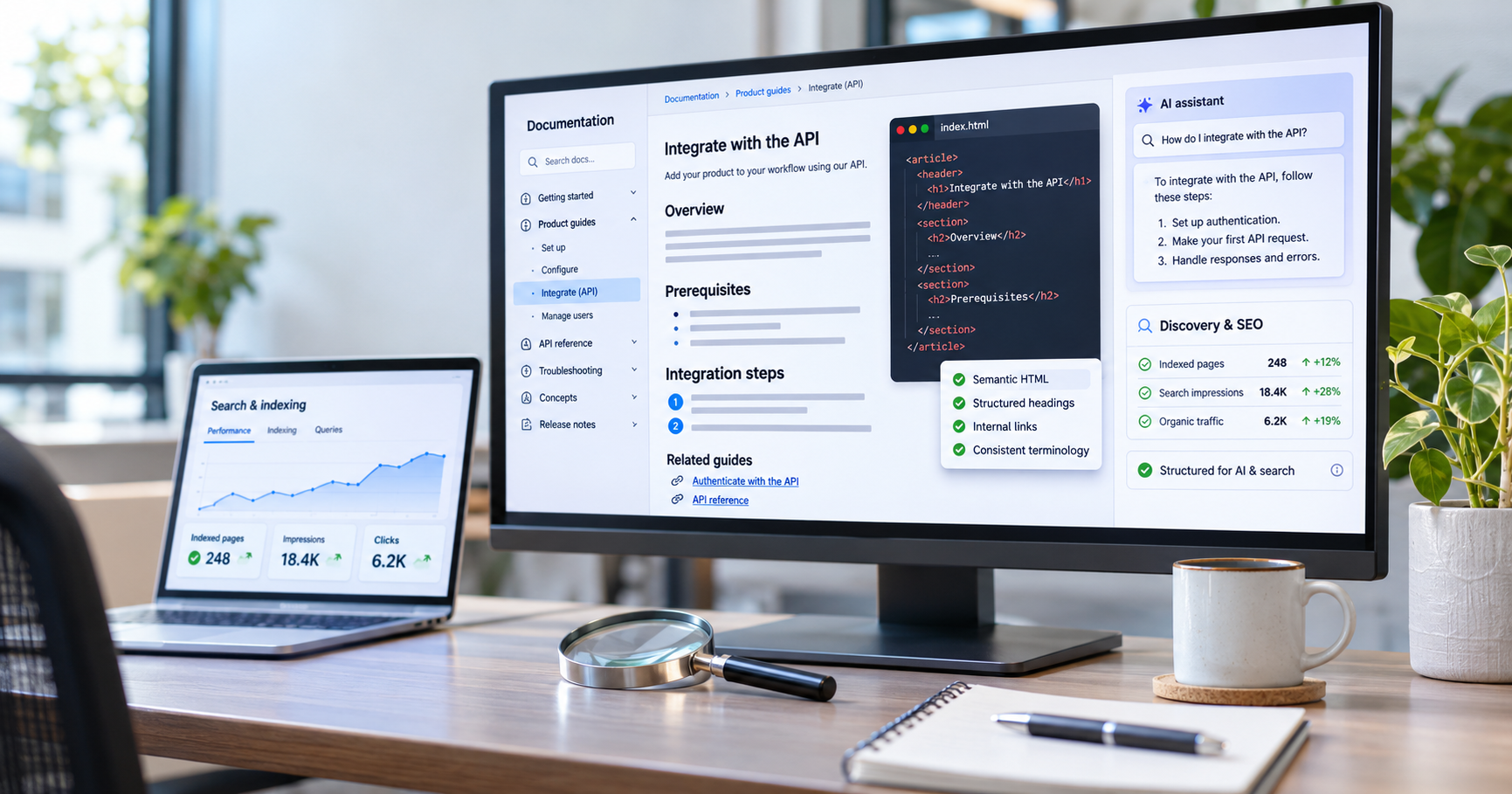
Searchable knowledge bases, clear headings, consistent product terminology, and accessible HTML documentation can help businesses make technical expertise easier to discover. Here's how documentation supports traditional SEO and AI-assisted search—and why visibility is never guaranteed.
Imagine two industrial equipment manufacturers selling similar types of specialized products.
Both companies employ knowledgeable engineers.
Both have experienced technical support teams.
Both have developed extensive documentation explaining their equipment, available configurations, and maintenance requirements.
But they've organized that information very differently.
The first manufacturer keeps most of its product documentation in downloadable PDFs.
Some are accessible through its website.
Others are buried several clicks into a support portal.
The manuals contain valuable information, but their file names are inconsistent. Several documents cover older product versions, and the company hasn't clearly explained which resources apply to current equipment.
Customers often call technical support to locate the right information.
Prospective buyers may struggle to find relevant specifications.
The second manufacturer has taken a different approach.
It maintains a public documentation library with individual HTML pages covering appropriate product information, common questions, and technical explanations.
Its resources are organized by product family.
Page titles clearly describe their subjects.
Important terminology is consistent.
Relevant guides link to supporting references.
Older product versions are identified.
The company still provides downloadable manuals where appropriate, but its public knowledge base also makes selected information easier to browse and search.
Now imagine a potential buyer researching a specialized equipment requirement.
Which company's information is easier to find?
Which website makes it easier to identify the relevant product?
And which documentation library gives search engines a clearer, publicly accessible collection of information to discover and process?
The second company may have a stronger foundation for search visibility.
But that doesn't mean it will automatically rank higher.
It doesn't guarantee its documentation will appear in an AI-generated answer.
And it doesn't establish that every technical claim is correct.
Those outcomes depend on additional factors.
Still, the comparison illustrates an important opportunity.
Technical documentation doesn't have to function only as a support resource. When appropriate information is published publicly and organized effectively, it can also become part of a company's SEO and AI search strategy.
For SaaS providers, manufacturers, engineering firms, equipment suppliers, and other specialized businesses, the documentation library may contain some of the most useful information the organization has to offer.
It can answer questions prospective customers ask before purchasing.
It can explain technical capabilities that ordinary marketing pages only summarize.
It can clarify terminology.
And it can help customers understand how products work.
The challenge is making that information accurate, appropriately accessible, well organized, and discoverable.
That requires cooperation between technical writers, subject-matter experts, SEO specialists, and website developers.
Here's how to approach it.
Why Technical Documentation Matters Beyond Customer Support
Most businesses create technical documentation because someone needs instructions.
A software company develops onboarding guides.
A manufacturer prepares equipment manuals.
An equipment supplier maintains product specifications.
An engineering firm creates technical reports.
A cybersecurity company documents its supported systems.
These resources help customers, employees, or partners understand specialized information.
But prospective buyers may also use technical documentation during their research.
A developer evaluating a SaaS platform may examine its API documentation before requesting a demonstration.
An equipment buyer might check product specifications before contacting sales.
An IT administrator may investigate authentication requirements.
A maintenance manager might review available service resources.
These activities can occur long before someone fills out a contact form.
Buyers Don't Always Begin on Your Homepage
A prospective customer may arrive through a highly specific search.
They might be looking for a supported integration, a product characteristic, or an explanation of a technical limitation.
A general marketing page may not provide enough detail.
A well-written documentation page might answer the question more directly.
That doesn't mean every document should become an SEO landing page.
It means businesses should recognize that useful public documentation can serve both existing customers and prospective buyers.
Technical Documentation Can Demonstrate Real Expertise
An ordinary marketing page may describe a company as innovative, reliable, or experienced.
Technical documentation can communicate something more specific.
It may explain verified product behavior, clarify important requirements, or describe actual supported capabilities.
That can help visitors understand what the business knows and offers.
Google's guidance on creating helpful, reliable, people-first content emphasizes useful information, original value, clear sourcing, and relevant expertise.
Accurate technical resources can contribute to that kind of website content.
But simply publishing detailed documentation doesn't guarantee search rankings.
The information still needs to be relevant, accessible, and useful to its intended audience.
1. Searchable Knowledge Bases Create a More Useful Information System
A knowledge base is a collection of information organized so users can find answers.
It may contain tutorials, how-to guides, product references, troubleshooting instructions, and explanations.
A public knowledge base can support customers who need help.
It may also help prospective buyers researching technical topics.
But there are two separate kinds of searchability to consider.
Internal Searchability
This concerns whether visitors can find information through the website's own navigation and search function.
For example, a customer might visit a software company's help center and search for an error message.
The knowledge base should return relevant information.
Its search experience should reflect the language customers actually use.
External Searchability
This concerns whether external search engines can discover and process appropriate public pages.
A company may have an excellent internal help-center search feature while its pages remain inaccessible to Google.
Conversely, pages may be indexable but difficult for customers to navigate once they arrive.
Both situations deserve attention.
A Searchable Knowledge Base Needs Structure
Imagine a SaaS company with 400 help articles.
The articles are technically accurate, but they have accumulated over several years.
Some use the old product terminology.
Others repeat information.
Several cover features that no longer exist.
There are no clear relationships between tutorials and reference material.
The company shouldn't assume the solution is to publish another hundred articles.
It may need a documentation audit and a stronger content architecture.
The Diátaxis documentation framework distinguishes tutorials, how-to guides, reference material, and explanations because readers use these resources for different purposes.
That distinction can help organize a knowledge base.
It also provides a useful foundation for public documentation pages that address distinct information needs.
2. Clear Document Architecture Helps People Find the Right Answer
Document architecture determines how information is organized.
It includes categories, page relationships, navigation, naming conventions, and content types.
For a technical business, architecture can be especially important because several documents may describe different aspects of the same product.
Imagine an equipment supplier with three product families.
Each family contains multiple models.
Each model has specifications, supporting guides, and version-specific information.
Without clear organization, customers may struggle to determine which resource applies to their equipment.
Organize Around Tasks and Product Relationships
A useful documentation library might distinguish between introductory information, product references, everyday tasks, and troubleshooting.
It may also organize resources by product family or version.
The appropriate structure depends on the audience.
A developer documentation portal may need a different architecture from an industrial equipment library.
Avoid Creating Unnecessary Duplicate Pages
Sometimes several documents describe the same concept.
If every page repeats the information independently, the organization may eventually publish conflicting versions.
A documentation strategy can identify where the authoritative explanation belongs.
Other pages can link to it when appropriate.
However, some repetition is necessary.
A safety-related instruction or essential prerequisite may need to appear in multiple appropriate contexts.
The goal isn't to remove every repeated sentence.
It's to manage information intentionally.
Navigation Should Match Reader Expectations
Customers don't always think in the same categories as the engineering department.
A user searching for a troubleshooting solution may not know which internal subsystem causes the problem.
A useful knowledge base should provide paths based on recognizable tasks and symptoms.
Clear architecture helps people navigate the information.
It can also support internal linking and page discovery when the content is published on a public website.
3. Structured Headings Improve Readability and Accessibility
Headings are among the simplest ways to improve technical documentation.
They help readers understand how a page is organized.
They make lengthy content easier to scan.
They separate different concepts and tasks.
And when implemented semantically, they help assistive technologies convey the page's structure.
The W3C's Web Accessibility Initiative guidance on headings explains how heading levels communicate the relationship between sections.
Headings Should Describe the Actual Content
Imagine a technical guide with headings such as:
"Overview"
"Important Information"
"Additional Details"
"More Information"
These labels may be too vague to help someone locate a specific answer.
A more useful guide might identify subjects directly:
"Supported Product Versions"
"Required Account Permissions"
"How to Configure the Integration"
"Troubleshooting Connection Errors"
The appropriate headings depend on the document.
But the principle is consistent.
A heading should help the reader anticipate the information that follows.
Use a Logical Hierarchy
The page title generally establishes the main subject.
Major sections should use appropriate heading levels.
Subsections should follow a meaningful hierarchy.
This is more useful than choosing heading levels solely because they look visually appealing.
The W3C's advice on writing for web accessibility explains that semantically marked headings help people navigate content, particularly when using assistive technology.
Don't Treat Headings as an AI Search Trick
A clear heading structure is valuable because it improves document organization and accessibility.
But Google does not say that publishers must divide content into tiny chunks to qualify for its AI search features.
In its guide to optimizing for generative AI features in Search, Google specifically advises against treating artificial content chunking as a required optimization tactic.
Its systems can interpret multiple topics within a page.
The best approach is to create sections that make sense for the reader.
Structure your documentation to help people understand it. Don't distort it to satisfy an unverified theory about AI citations.
4. Consistent Product Terminology Helps Reduce Confusion
Technical businesses often use specialized terminology.
A manufacturer may distinguish between related equipment configurations.
A SaaS company may have specific names for different account types.
A cybersecurity provider may use terms with precise meanings.
An equipment supplier may need to preserve approved component identifiers.
Terminology affects whether readers understand the information correctly.
Inconsistent Terms Create Ambiguity
Imagine a software company that calls one feature a workspace.
An older tutorial refers to it as an environment.
A support article calls it a project.
The interface uses workspace.
A customer searching for the correct instructions may not realize that the documents describe the same feature.
Or worse, the terms may actually refer to different functions.
This creates confusion for readers.
It can also make search-focused content harder to manage.
Use Approved Names Consistently
The Google Developer Documentation Style Guide provides examples of consistent terminology and technical writing conventions.
For businesses with multiple writers and product teams, an internal terminology glossary can help.
It may identify official product names, approved abbreviations, technical definitions, and deprecated terms.
The glossary should reflect authoritative product information.
Account for Customer Language
Customers may search for a concept using a phrase that differs from the official product name.
That doesn't mean the company should replace the correct term everywhere.
Instead, the documentation can introduce the familiar phrase and explain the approved terminology.
For example, an introductory resource might describe a common customer question before identifying the precise technical feature involved.
This can help readers connect their language with the company's terminology.
Avoid Keyword Stuffing
Some SEO approaches encourage repeating a target phrase throughout a page.
That can become particularly harmful in technical documentation.
Repeatedly replacing precise terminology with a popular keyword may alter the meaning.
The goal should be clear explanations, not maximum keyword frequency.
Search research can inform language choices.
Technical accuracy should determine which terms are correct.
5. Accessible HTML Documentation Can Support Public Discovery
Many companies publish technical documentation primarily as PDFs.
PDFs can be appropriate for certain purposes.
They may support consistent presentation, distribution, printing, or controlled records.
Google can index PDFs, as confirmed in its list of supported indexable file types.
But businesses should also consider when HTML documentation would provide a better web experience.
HTML Pages Can Offer Flexible Navigation
A public HTML documentation page can include descriptive headings, internal links, related resources, and navigation elements.
It may also integrate more naturally with the website's information architecture.
For example, a SaaS company might maintain an HTML tutorial for configuring a supported integration.
The guide can link to relevant authentication references and troubleshooting articles.
A prospective buyer can explore the related information without repeatedly downloading files.
HTML Isn't Automatically Better in Every Situation
A downloadable PDF may be necessary or preferable for some documents.
A manufacturer may need an approved manual in a specific format.
A controlled engineering document may have formal distribution requirements.
A technical report may be intended primarily as a complete standalone document.
The objective isn't to replace every PDF.
It's to choose the format appropriate to the content and intended reader.
Accessible Means More Than Publicly Available
A page may be public while still being difficult for some people to use.
Accessibility involves how the content works for readers with different needs.
Semantic headings, descriptive links, appropriate alternatives for meaningful images, and usable navigation can contribute to a more accessible experience.
The Web Content Accessibility Guidelines provide a recognized framework for web accessibility.
Search engine indexing and accessibility conformance are separate matters.
A page being indexable doesn't establish that it meets WCAG requirements.
HTML Can Still Have Technical SEO Problems
A documentation website may use JavaScript heavily.
Important content might be difficult for crawlers to access.
Navigation links may be implemented in ways that affect discovery.
Google's JavaScript SEO guidance explains why rendered content and crawlable links matter.
Technical writers and developers should coordinate when documentation is published through complex web systems.
The writing can be excellent while the delivery mechanism creates search accessibility problems.
6. Technical Documentation Needs Unique, Descriptive URLs
A documentation library becomes easier to manage when its public pages have clear, stable URLs.
Consider a software company publishing an article about configuring a particular integration.
A descriptive URL can help identify the subject and make the page easier to share.
But URLs don't need to be excessively long or filled with repeated keywords.
Stable URLs Help Preserve Useful References
Technical resources may be linked from other documentation pages, customer emails, support conversations, and third-party websites.
Changing the URL unnecessarily can break those references.
When a move is necessary, appropriate redirects and link updates may be needed.
Product Versions Need Careful Planning
A documentation portal may cover multiple product versions.
The company needs to decide whether to maintain separate pages, consolidate information, or identify version-specific details within the content.
The correct approach depends on the differences between versions.
An older instruction may remain important for existing customers.
It shouldn't be removed solely because the company wants fewer indexed pages.
Canonicalization Is a Separate Technical Decision
Search engines may encounter similar or duplicate content at several URLs.
Google's canonicalization guidance explains how site owners can indicate preferred representative URLs.
But canonical annotations are signals, not guarantees.
More importantly, genuinely different product versions shouldn't be treated as interchangeable simply because much of their text is similar.
The documentation team understands the content distinctions.
The SEO and development teams manage the appropriate technical signals.
7. Internal Links Connect Technical Explanations With Related Resources
Technical documentation rarely exists as one isolated article.
A getting-started tutorial may refer to a configuration requirement.
An equipment guide may rely on a separate product reference.
A troubleshooting article may point to an approved procedure.
Relevant internal links help readers move between related information.
Link to the Next Useful Resource
Imagine a developer reading an API authentication guide.
The article explains the basic requirement but refers to a separate permissions model.
A descriptive link can help the reader locate that information.
The link serves a clear purpose.
It isn't simply inserted because the business wants more internal links.
Use Descriptive Link Text
The W3C's web accessibility writing guidance recommends meaningful link text that describes the destination.
Instead of a vague instruction to "click here," a page can link to a named reference or guide.
That helps readers understand where the link leads.
Internal Links Can Support Discovery
Google's SEO Starter Guide recommends making important pages discoverable through appropriate links.
A well-connected documentation library can help search engines find relevant public resources.
But adding large numbers of unnecessary links won't automatically improve rankings.
Each link should have a useful purpose.
Avoid Dead Ends
A troubleshooting article may explain a symptom but fail to identify the appropriate next step.
A product reference may contain detailed information without linking to relevant setup guidance.
A documentation audit can identify these gaps.
The goal is to help readers continue their task without restarting their search unnecessarily.
8. Technical SEO Determines Whether Public Documentation Can Be Indexed
A well-written page doesn't automatically become eligible for every search experience.
Search engines have technical requirements.
They need to discover and access the content.
The page's server response and indexing settings matter.
The content must also be available in a form the search system can process.
Google's Search technical requirements explain foundational conditions for index eligibility.
Crawling and Indexing Are Different
Crawling involves discovering and requesting content.
Indexing involves processing content for potential inclusion in a search engine's index.
A page can be crawled without being indexed.
And an indexed page isn't guaranteed to appear prominently for a search.
Common Documentation Problems
A public documentation site may accidentally block important pages through crawler controls.
A page may contain a noindex directive.
A website migration may create broken links or incorrect redirects.
Important content could depend on problematic rendering behavior.
These issues require technical investigation.
Rewriting the documentation won't necessarily resolve them.
Sitemaps Can Support Discovery
An XML sitemap helps communicate relevant URLs to search engines.
Google's sitemap documentation explains how website owners can create and submit one.
But sitemap submission doesn't guarantee indexing or rankings.
A sitemap is a discovery aid.
It isn't a substitute for accurate content, accessible pages, or a sound website structure.
9. What Google Actually Says About Documentation and AI Search
As AI-assisted search becomes more prominent, businesses want to know whether their content can appear in generated answers.
Google provides official guidance on its AI search features, including AI Overviews and AI Mode.
Its AI features and your website guidance explains that a page must be indexed and eligible to appear in Search with a snippet to qualify as a supporting link.
Its 2026 guide to optimizing for generative AI features builds on conventional SEO principles.
The guidance emphasizes useful content, technical accessibility, and avoiding unproven optimization shortcuts.
Eligibility Isn't Selection
A documentation page can satisfy Google's technical requirements and still never appear as a supporting link in a particular AI-generated response.
The system may choose other sources.
The question may not require a link to that page.
The page may be relevant to one search but not another.
And search systems change over time.
Being eligible for AI search visibility is not the same as being guaranteed a citation.
Search Console Controls Matter
As of November 2026, Google's current generative AI search guide also describes site-level inclusion settings for generative AI features in Search Console.
Website owners should review current Search Console and content-sharing guidance when making decisions about participation.
The exact available features and reporting interfaces may evolve.
Google Doesn't Require Special AI Markup
Google's current guidance explicitly says that businesses don't need to create special machine-readable AI files, custom AI markup, or llms.txt files to appear in Google's generative AI search features.
Google also states that structured data isn't required specifically for AI search.
These tools may have separate uses in other systems or workflows.
But site owners shouldn't assume they are a universal solution for AI visibility.
Clear Documentation Remains Useful
A page explaining a real product capability with verified information may be valuable to readers.
It may also be suitable source material for relevant search experiences when publicly accessible.
But the content should be written for people.
Artificially dividing every paragraph into tiny fragments or repeating numerous keyword variations is not an official requirement for Google AI search.
10. ChatGPT Search Has Its Own Discovery Considerations
AI-assisted discovery isn't limited to Google.
Other services may use their own crawling, retrieval, and source-selection systems.
That means website owners should avoid treating the requirements of one platform as universal.
For example, OpenAI provides guidance on website eligibility for ChatGPT Search.
According to the OpenAI Help Center's ChatGPT Search documentation, publishers who want their sites eligible for inclusion should allow OAI-SearchBot access and ensure their hosting or content delivery systems permit the relevant crawler traffic.
OpenAI also notes that search result placement is not guaranteed.
Search Crawling and AI Training Are Different Matters
OpenAI's crawler documentation distinguishes between the roles of OAI-SearchBot and GPTBot.
It describes independent controls for search discovery and potential model-training crawling.
A website owner can make different choices for these purposes.
The distinctions matter for businesses evaluating how their public content is accessed.
Platform Rules Are Not Interchangeable
A setting relevant to one search provider may not produce the same outcome on another platform.
Likewise, an SEO tactic described by a third-party vendor may not reflect official platform requirements.
The most reliable approach is to consult the current documentation for the specific search or AI service.
AI Citations Can't Be Guaranteed
A vendor may claim that certain headings, schema markup, or file formats guarantee placement in ChatGPT responses.
Those promises should be treated skeptically.
Publicly accessible information can support eligibility for discovery.
But source selection depends on the platform, query, and other factors outside the publisher's direct control.
11. Structured Data Can Help Search Engines Understand Certain Pages
Structured data provides machine-readable information about webpage content.
It can help eligible pages qualify for particular search appearances.
For example, certain product information may have an applicable supported schema type.
Google's introduction to structured data explains how markup relates to search features.
But structured data is not a substitute for the information itself.
Markup Must Match the Real Content
A manufacturer shouldn't add product properties that don't reflect the actual offering.
An equipment supplier shouldn't use markup to invent compatibility claims.
A software provider shouldn't describe an unsupported capability merely because a schema field exists.
The visible page and structured information should be consistent.
Not Every Documentation Page Needs Structured Data
A technical tutorial may not have an applicable rich-result type.
A reference page may be most useful as ordinary structured HTML.
The business should use schema where it serves a legitimate, supported purpose.
Rich Results Aren't Guaranteed
Google's structured data policies state that valid markup doesn't guarantee an enhanced search appearance.
The same principle applies to AI search.
Adding schema is not a reliable method for forcing AI-generated answers to reference a document.
The first priority remains accurate, useful content.
12. Documentation Accuracy Is Essential to Search Value
Discoverability doesn't establish credibility.
A technical page can be indexed, appear in search, and still contain incorrect information.
That can be especially problematic when customers rely on specifications or instructions.
Imagine an equipment supplier publishing a public product reference.
The page is well structured.
Its headings are descriptive.
It has appropriate internal links.
But it contains a compatibility claim that hasn't been verified.
The page may be technically accessible.
That doesn't make the claim correct.
Technical Writers Need Authoritative Sources
Product specifications should come from approved information.
Software instructions should reflect supported behavior.
Engineering claims should be reviewed by qualified professionals.
Medical, financial, legal, safety, and other regulated information may require specialized approval.
Technical SEO cannot replace these responsibilities.
Preserve Important Qualifications
A performance figure may apply only under certain conditions.
An equipment configuration may have specific limitations.
A software feature may require a particular subscription or supported version.
Removing those qualifications to create a shorter answer can make the information misleading.
AI Retrieval May Repeat Errors
If an inaccurate technical claim appears publicly, it may be encountered by people and automated systems.
An AI-generated summary could also misrepresent the claim further.
That possibility makes authoritative sources and maintenance important.
It doesn't mean accurate documentation guarantees that an AI system will summarize it correctly.
The publisher controls the source content, not every subsequent interpretation.
13. Product Terminology Can Connect Marketing Pages With Documentation
One practical opportunity is to create consistent relationships between public marketing content and technical references.
A B2B product page may introduce a capability.
A technical guide may explain how it works.
A reference page may provide detailed specifications.
A troubleshooting resource may answer related customer questions.
When terminology is inconsistent, readers may struggle to connect these resources.
Establish a Shared Vocabulary
Marketing, product management, engineering, and technical writing teams can agree on approved names for products, features, and configurations.
The website should use those names appropriately.
Customer-facing explanations can clarify unfamiliar terms without inventing alternatives that create ambiguity.
Match Search Language Without Distorting Product Meaning
Search research can reveal how prospective customers describe a problem.
A technical writer can use that language in introductory explanations.
The article can then introduce the precise product terminology.
This makes content more accessible without sacrificing accuracy.
Build Relevant Connections
An educational article might link to the appropriate product page.
The product page may link to a public technical reference.
The reference can identify relevant documentation versions.
This creates a coherent path from discovery to technical evaluation.
The goal isn't to force every visitor through a sales funnel.
It's to make the necessary information easy to locate.
14. HTML and PDF Should Serve Different Purposes
Businesses sometimes ask whether they should convert every technical PDF into HTML to improve SEO.
The answer is usually more nuanced.
HTML offers advantages for web navigation and accessible structure when implemented well.
PDFs remain useful for certain document requirements.
The best choice depends on how readers need to use the information.
When HTML May Be Useful
HTML can work well for public knowledge bases, technical tutorials, developer references, and frequently updated help content.
Pages can be connected through internal links.
Navigation can be integrated into the broader website.
Content may be easier to revise in a documentation publishing system.
When PDF May Be Useful
A PDF may be appropriate for a formal technical report, downloadable manual, or other document requiring a consistent presentation.
Some documents also have controlled distribution or recordkeeping requirements.
Those requirements should guide the publication decision.
Sometimes Both Formats Make Sense
A business may provide a public HTML overview while offering an approved downloadable reference.
The HTML page can explain who the document is for and which product version it covers.
The PDF can remain available for readers who need that format.
However, publishing substantially duplicate content at several URLs can introduce additional search considerations.
The organization should coordinate with technical SEO specialists when determining canonical signals and document relationships.
Don't Sacrifice Document Control for Search Traffic
A regulated manual or controlled technical file shouldn't be modified casually to create a more search-friendly page.
The responsible professionals must establish which content can be published and how approved versions should be managed.
SEO is not a substitute for documentation governance.
15. Documentation Versioning Prevents Outdated Answers
One of the largest long-term challenges is maintenance.
A knowledge base may be accurate when it launches.
But products change.
Software releases modify features.
Equipment receives revisions.
Supported integrations evolve.
Procedures are updated.
If public documentation doesn't keep pace, search engines and users may continue encountering obsolete information.
Identify the Applicable Version
A guide may need to state which software release or product configuration it describes.
This helps readers determine whether the instructions apply to their situation.
A general product page may cover the current offering.
A separate technical reference might preserve information for older supported versions.
Connect Updates to Product Changes
Documentation maintenance should be part of the product change process.
When a relevant feature changes, the organization should identify the affected pages.
Qualified experts should review technical updates.
The website team may need to adjust links, navigation, or URLs.
Avoid Unnecessary Date Changes
Updating a publication date without meaningfully reviewing the content doesn't make the information more accurate.
Google's helpful content guidance cautions against changing dates merely to create the appearance of freshness.
Businesses should prioritize genuine updates.
Assign Ownership
Every important content area should have a responsible owner.
That person may coordinate with engineers, writers, developers, and support teams.
Without ownership, even a well-designed knowledge base can become outdated.
16. Not Every Technical Document Should Be Discoverable
A business shouldn't treat public indexing as the goal for every technical document.
Some information needs restricted access.
A manufacturer may maintain proprietary engineering designs.
A cybersecurity company may have sensitive infrastructure documentation.
A healthcare organization may handle protected information.
An engineering firm may have confidential client reports.
Internal procedures may be intended only for authorized employees.
These materials shouldn't become public merely because they contain potentially valuable search terms.
Public Content and Private Content Need Clear Boundaries
The organization should identify which documentation is suitable for public distribution.
Some resources may be appropriate for everyone.
Others may require customer authentication or internal access.
The classification should reflect confidentiality, security, contracts, and applicable requirements.
Robots.txt Isn't a Security Control
A robots.txt file can manage crawler access for compliant bots.
But it doesn't create reliable confidentiality protection.
Google's robots.txt guidance explains why crawler directives should not be confused with methods for keeping sensitive information private.
Restricted documents may need authentication and appropriate access controls.
Public Educational Content Can Still Be Useful
A company can explain a technical concept without publishing proprietary implementation details.
It may create an educational guide based on approved public information.
That allows the business to communicate expertise while preserving necessary boundaries.
The content should be accurate and appropriately reviewed.
17. How to Measure Documentation SEO Performance
A public documentation library can generate valuable website activity.
But measuring its contribution requires more than counting indexed pages.
A company should begin with the purpose of the content.
Is the goal to help customers solve problems?
Support prospective buyer evaluation?
Reduce repeated support questions?
Make technical information easier to discover?
Different objectives require different measures.
Search Performance
Google Search Console can provide information about relevant search impressions, clicks, indexing, and other metrics.
As of November 2026, Google's generative AI optimization guidance also describes a Generative AI performance report in Search Console.
Website owners should review the available reports and their definitions rather than assume all AI discovery is measured identically.
Documentation Usage
Businesses may examine which pages readers visit, which resources they search for, and whether they use related links.
These signals can help identify important content.
But a page view doesn't prove the reader completed their task.
Customer Support Outcomes
For a help center, support teams can identify whether particular documentation improvements address recurring questions.
However, fewer tickets don't automatically represent cash savings or successful self-service.
The company should consider whether customers actually resolved their problems.
Buyer Engagement
For B2B technical documentation, sales teams may report which resources are useful during product evaluation.
Prospective buyers may visit detailed specifications or integration references before contacting the company.
That can provide useful context.
But page visits alone don't establish purchasing intent.
AI Citation Tracking Has Limitations
AI search experiences may vary by query, platform, timing, and user context.
A page appearing in one answer doesn't guarantee future citations.
Third-party visibility tools may rely on samples rather than comprehensive access to platform systems.
Organizations should interpret those reports carefully.
A useful measurement strategy focuses on observed evidence rather than promising a precise, permanent AI ranking.
18. Common Mistakes That Limit Documentation Discoverability
One mistake is burying useful public information inside documents nobody can easily find.
Another is creating dozens of pages with vague titles and inconsistent terminology.
A third is assuming that HTML automatically guarantees indexing.
A page may still have technical problems or lack relevance.
Other businesses publish several versions of the same resource without explaining which one is current.
This can create confusion for customers and search engines.
Another mistake is using structured data or AI-specific files as a substitute for useful content.
No schema setting can make an inaccurate manual reliable.
Some organizations ignore accessibility, creating pages that are difficult for people to navigate.
Others publish sensitive information for the sake of SEO, overlooking important confidentiality requirements.
Finally, many businesses create a public knowledge base without establishing maintenance ownership.
The library becomes outdated as products change.
A successful documentation strategy addresses these issues together.
It doesn't rely on one optimization trick.
19. A Practical Example: Turning a Hidden Documentation Library Into a Useful Public Resource
Consider a fictional industrial technology supplier called Summit Control Systems.
The company sells specialized monitoring equipment.
Its engineers have prepared extensive technical references.
But much of the information is stored in disconnected PDF files.
Customers frequently ask which guide applies to their equipment.
Prospective buyers also request technical information that could be provided through appropriate public resources.
The company decides to improve its documentation system.
First, It Audits the Existing Content
The team identifies current and outdated materials.
It establishes which documents may be published publicly.
Technical personnel verify product references and supported configurations.
Sensitive or controlled materials remain appropriately restricted.
Next, It Defines the Knowledge Base Architecture
The company organizes public information by product family and reader task.
It separates introductory explanations from technical references and troubleshooting resources.
The terminology is standardized.
Then, It Publishes Selected HTML Resources
The company creates appropriate HTML pages for commonly requested public information.
Descriptive headings and relevant links make the resources easier to navigate.
Approved PDFs remain available where needed.
The Website Team Reviews Technical Accessibility
Developers and SEO specialists assess whether the public pages can be crawled and indexed appropriately.
They review URL structures, internal links, relevant metadata, and indexing controls.
The Company Establishes Maintenance
Each product documentation area receives an owner.
Changes to products trigger appropriate content review.
Engineering specialists verify technical revisions.
Finally, It Measures Relevant Outcomes
The company monitors search discovery, customer questions, and sales feedback.
It also tests whether intended readers can find the correct information.
This fictional example doesn't establish that search rankings or AI citations will increase.
It illustrates how a business can improve the underlying conditions for useful documentation and discoverability.
20. A 90-Day Plan to Improve Documentation SEO and AI Search Readiness
Businesses can begin with a focused project rather than rebuilding every document.
Days 1–30: Audit the Documentation Library
Inventory existing technical resources.
Identify which documents are public, restricted, or outdated.
Review recurring customer and buyer questions.
Evaluate how well readers can find the information.
Identify the public pages most relevant to SEO and customer education.
Check whether the website has obvious indexing or navigation issues.
Days 31–60: Improve Structure and Content
Develop a clear content architecture.
Standardize important terminology.
Improve descriptive page titles and headings.
Create or revise selected HTML resources.
Add relevant internal links.
Verify technical claims with qualified experts.
Preserve important product-version distinctions.
Coordinate with developers on crawlability and accessibility.
Days 61–90: Publish, Validate, and Maintain
Publish approved content.
Test links, navigation, and appropriate accessibility features.
Review indexing reports and relevant crawler controls.
Confirm that restricted content remains protected through suitable access mechanisms.
Monitor search and documentation usage.
Assign ongoing content ownership.
Establish review triggers for future product changes.
The objective isn't to guarantee AI citations within ninety days.
It's to improve the quality, accessibility, and maintainability of the information your business makes available.
Frequently Asked Questions
Can technical documentation improve SEO?
Yes. Accurate, useful, publicly accessible technical documentation can address relevant search questions and become part of a website's content strategy.
Clear architecture, descriptive pages, and appropriate technical SEO can support discovery.
However, no documentation format guarantees rankings or traffic.
Can technical documentation appear in AI search results?
Yes, eligible public documentation may be referenced or linked in AI-assisted search experiences.
But the platform decides which sources are relevant to a particular response.
Publishing documentation doesn't guarantee an AI citation.
Does Google use documentation in AI Overviews?
Google's official guidance says eligible indexed pages can appear as supporting links in AI Overviews and AI Mode.
The pages must meet relevant technical and snippet eligibility requirements.
Selection is not guaranteed.
Is HTML documentation better than PDF for SEO?
HTML can offer flexible web navigation, linking, and semantic structure.
PDFs can also be indexed by Google and may be appropriate for formal or downloadable documents.
The best choice depends on the content and reader needs.
Neither format automatically guarantees better rankings.
Can Google index PDF manuals?
Yes. Google supports indexing PDF content.
However, a PDF being technically indexable doesn't mean it will necessarily be indexed or appear prominently.
Content relevance, accessibility, and other factors still matter.
What makes a knowledge base searchable?
A searchable knowledge base has clear organization, descriptive titles, consistent terminology, useful navigation, and an effective way for visitors to locate information.
If external search discovery is also a goal, public pages need appropriate technical accessibility.
How should technical documentation be organized?
Organization should reflect the product, audience, and information needs.
Many documentation systems distinguish tutorials, how-to guides, technical references, and explanations.
Product versions and relevant configurations may require separate treatment.
Do structured headings help SEO?
Clear headings help readers understand and navigate content.
Semantic HTML headings also support accessibility.
They can contribute to understandable page structure, but using a particular heading pattern doesn't guarantee search rankings or AI citations.
Do AI search engines require short content chunks?
Not universally. Google's official guidance specifically says that dividing content into tiny chunks isn't required for its generative AI search features.
Content length and section structure should follow what the intended audience needs.
Does consistent product terminology improve discoverability?
Consistent terminology can make documentation easier to understand and search.
It can also help connect related product pages and technical references.
However, terminology consistency alone doesn't guarantee rankings.
Should technical documentation use SEO keywords?
Relevant search language can help readers identify the information they need.
But keyword usage should not change precise technical meanings.
Use official terminology consistently and explain familiar alternative phrases where appropriate.
Can internal knowledge bases support SEO?
Restricted internal knowledge bases generally aren't available for ordinary public search indexing.
They can still improve employee knowledge sharing and customer support.
Organizations may choose to publish selected, approved public resources separately.
Should companies publish all technical manuals publicly?
No. Some documentation contains proprietary, confidential, regulated, or safety-sensitive information.
The business should decide what is appropriate for public distribution.
SEO goals shouldn't override access controls or professional responsibilities.
Is robots.txt enough to keep confidential documents private?
No. Robots.txt is a crawler-control mechanism, not a reliable security boundary.
Confidential content may require authentication and other appropriate access restrictions.
Does submitting an XML sitemap guarantee indexing?
No. A sitemap can help search engines discover URLs, but it doesn't guarantee that every page will be crawled or indexed.
It also doesn't guarantee rankings.
How does JavaScript affect documentation SEO?
Search engines may need to render JavaScript to access certain content.
Problematic implementations can interfere with discovery or processing.
Developers and technical SEO specialists should ensure important public content and navigation are appropriately accessible.
Does structured data improve AI citations?
There is no universal guarantee. Google says special structured data isn't required for its generative AI search features.
Structured data can still serve supported traditional search features when implemented correctly.
Do businesses need an llms.txt file for AI search?
Google's official guidance states that it does not use llms.txt files for its Search features, including generative AI experiences.
Other services may have different practices.
A company shouldn't treat the file as a universal requirement for AI visibility.
How can documentation appear in ChatGPT Search?
OpenAI's guidance says publishers can make websites eligible for search inclusion by allowing OAI-SearchBot access and ensuring relevant crawler traffic isn't blocked.
Eligibility doesn't guarantee placement or citation.
Is allowing AI search crawling the same as allowing AI training?
Not necessarily. OpenAI documents separate crawler controls for search discovery and potential training use.
Website owners should review the specific platform's current policies and crawler documentation.
Can a technical writer handle documentation SEO?
A technical writer can improve clarity, terminology, headings, organization, and navigation.
Some technical writers also have SEO expertise.
But complicated crawling, indexing, or rendering issues may require a technical SEO specialist or developer.
How often should public technical documentation be updated?
Review it when relevant products, requirements, software versions, or technical evidence change.
Some content may need frequent updates.
Other resources may remain accurate longer.
Every important content area should have a responsible owner.
How do you measure AI search visibility for technical documentation?
Available platform reports, referral data, and carefully interpreted monitoring tools may provide evidence of discovery.
As of November 2026, Google documents a Generative AI performance report in Search Console.
However, AI source selection can vary, and no measurement system should be assumed to capture every appearance comprehensively.
What is the biggest mistake businesses make with documentation SEO?
One common mistake is assuming that publishing more technical pages automatically improves discoverability.
A successful strategy requires useful information, technical accuracy, accessible publishing, clear architecture, appropriate indexing controls, and maintenance.
What should a small business improve first?
Start with the public technical information customers and prospective buyers need most.
Determine whether it is accurate and easy to find.
Review relevant technical accessibility issues.
Improve a focused set of resources before expanding the documentation library.
The Goal Isn't Just to Make Documentation Indexable. It's to Make Expertise Accessible.
Many businesses have valuable technical knowledge that remains difficult to discover.
Engineers understand the products.
Support teams know the recurring questions.
Developers understand the systems.
Technical writers may have prepared detailed manuals and reference materials.
But the information is scattered across PDFs, internal folders, outdated pages, and disconnected help articles.
The organization may have the answers people need.
It simply hasn't made the appropriate information easy to find and understand.
That's where documentation strategy, technical writing, and SEO can work together.
A clear knowledge base helps readers locate information.
Structured headings make complex pages easier to navigate.
Consistent terminology helps connect related concepts and products.
Accessible HTML can support a useful web experience.
Internal links help people move between related resources.
Technical SEO addresses the conditions that influence whether public pages can be crawled and indexed.
And qualified expert review helps ensure that the information remains accurate.
These activities create a stronger foundation for traditional search and AI-assisted discovery.
But they don't eliminate uncertainty.
An indexed page isn't guaranteed to rank.
A well-structured guide isn't guaranteed an AI citation.
Structured data doesn't force a search engine to recommend a product.
And an AI-generated summary may still misunderstand even accurate source material.
The right objective is therefore broader than chasing a particular search appearance.
Build technical information that is accurate, appropriately accessible, easy to navigate, and genuinely useful to the people who need it.
That foundation can serve several purposes.
Existing customers can find relevant instructions.
Prospective buyers can evaluate verified capabilities.
Support teams can refer to reliable resources.
Search engines can discover suitable public information.
And AI-assisted search systems may be able to reference relevant content when their selection processes determine that it is useful.
The business also needs to know what not to publish.
Proprietary documents may require restricted access.
Safety-sensitive and regulated materials need appropriate review.
Older product versions must be identified correctly.
And technical claims should never be modified merely to fit a popular keyword or speculative AI optimization tactic.
For specialized B2B businesses, documentation is more than a collection of manuals.
It can be part of how the organization communicates expertise.
When the content is properly maintained and made available through the right channels, it helps people understand what the company actually offers.
That may be valuable before a sale, during implementation, and throughout the customer relationship.
And as search experiences continue to change, useful, verified technical information remains a sensible investment.
Not because every page will be featured.
But because businesses that communicate their expertise clearly give people a better opportunity to find, evaluate, and use it.
Make Your Technical Expertise Easier to Discover Through SEO and AI Search
Your business may already have the technical knowledge prospective customers are searching for.
The challenge is making appropriate information easy to find, understand, and connect with your products or services.
At Ritner Digital, I help businesses strengthen their digital presence through SEO, AI search optimization, content strategy, and digital marketing focused on clear, credible information.
Whether you're improving the discoverability of public technical resources, building educational content around customer questions, or connecting specialized product expertise with a stronger search strategy, I can help develop a more useful approach to online visibility.
Technical specifications, regulated documents, safety-sensitive procedures, and other specialized claims must still receive appropriate qualified professional review and approval.
Let's talk about making your business's expertise easier to find and understand.