How to Rank Higher on Google Maps in Cleveland, Ohio
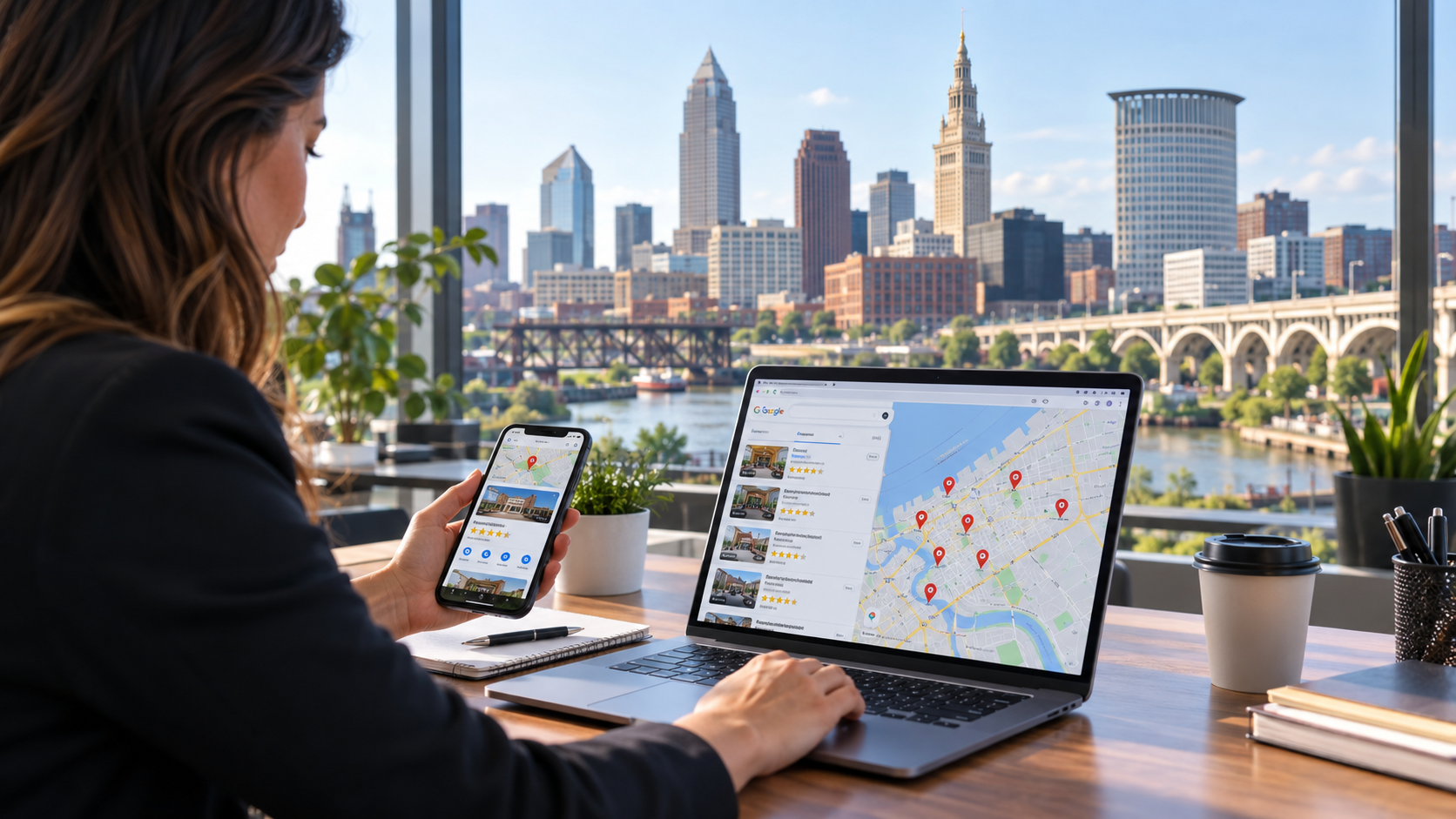
If your business serves customers in Cleveland, ranking on Google Maps can be one of the most valuable sources of leads you have.
When someone searches for a plumber, dentist, attorney, contractor, restaurant, marketing agency, HVAC company, med spa, or another local business, Google frequently displays map-based results prominently on the search results page. For high-intent searches, appearing in those results can put your business in front of potential customers at the exact moment they are looking for what you offer.
That is why Google Maps SEO in Cleveland deserves more attention than simply creating a Google Business Profile and hoping customers find it.
Businesses competing across Cleveland, Downtown Cleveland, Ohio City, Tremont, Cleveland Heights, Lakewood, Parma, Rocky River, Westlake, Shaker Heights, Strongsville, and other parts of Greater Cleveland are often fighting for visibility in an increasingly competitive local search environment.
The good news is that Google has provided considerable guidance about what influences local visibility.
According to Google, local search results are primarily determined by three concepts: relevance, distance, and prominence. Relevance measures how closely a business matches what someone searches for. Distance considers how far the business is from the searcher or the location used in the query. Prominence reflects how well-known and established the business appears to be.
You cannot completely control where the person searching happens to be.
You can, however, improve many of the signals Google uses to understand what your business does, where it operates, and whether it appears to be a legitimate and prominent choice.
Here is how.
What Is Google Maps SEO?
Google Maps SEO is the process of optimizing your business's presence across Google Maps, Google Search, your Google Business Profile, your website, and the broader web so that Google can more confidently display your business for relevant local searches.
For example, depending on your industry, a Cleveland business might want to appear for searches such as:
plumber Cleveland OH
Cleveland personal injury lawyer
HVAC company near me
Cleveland dentist
roofing contractor Cleveland
digital marketing agency Cleveland
Italian restaurant Cleveland
electrician near me
med spa Cleveland Ohio
Cleveland landscaping company
Searchers do not always include "Cleveland" in their query. Someone physically located in the area may simply search "roof repair near me" or "best dentist near me."
Google then uses location and other signals to determine which businesses to display.
Google's own research documentation explains that when someone searches for a business or place near their location, local results may appear in Google Search and Google Maps. Google then attempts to match the searcher with nearby businesses that fit the query.
For Cleveland businesses, this means successful local SEO is about much more than placing the phrase "Cleveland, Ohio" throughout a website.
Google needs a consistent collection of signals indicating:
What your business actually does.
Where your business is located or operates.
Which specific services you offer.
Whether your business information is accurate.
Whether customers interact positively with your business.
Whether your business is recognized elsewhere online.
Whether your website supports the information found on your Google Business Profile.
Getting these elements right creates a much stronger foundation for Google Maps visibility.
How Google Determines Local Rankings in Cleveland
Before optimizing a Google Business Profile, it helps to understand the three principles Google explicitly identifies.
1. Relevance
Relevance is the connection between the searcher's query and your business.
If someone searches for a "commercial electrician in Cleveland," Google needs to understand whether your business actually provides commercial electrical services.
Google states that complete and detailed business information helps it better understand a business and match its profile to relevant searches.
This is why categories, services, website content, business descriptions, and other profile information matter.
A vague profile creates ambiguity.
A complete profile gives Google considerably more context.
2. Distance
Distance is one of the most misunderstood parts of local SEO.
Google considers how far each potential result is from the location associated with the search. If the user does not explicitly specify a location, Google may calculate distance based on what it knows about the person's location.
That means a Cleveland business cannot expect to rank first across every part of Northeast Ohio simply because it optimized its profile well.
A contractor based near Downtown Cleveland may perform differently for someone searching in Lakewood than for someone making the same search in Strongsville.
This is why local rankings need to be evaluated geographically rather than by checking a single keyword from a single location.
3. Prominence
Prominence reflects how established or well-known Google believes a business to be.
Google says this can incorporate information it has about businesses from across the web. It specifically mentions signals such as links and reviews and states that more reviews and positive ratings can help a business's local ranking.
This is where your broader SEO strategy becomes important.
Your Google Business Profile does not exist in isolation.
Your website, backlinks, reviews, local citations, press mentions, community involvement, directories, and other online references can all contribute to the overall digital footprint surrounding your business.
1. Fully Optimize Your Google Business Profile
Your Google Business Profile is the foundation of Google Maps SEO.
If there are incomplete, outdated, inaccurate, or inconsistent details on the profile, fix those before pursuing more advanced local SEO tactics.
Google specifically recommends maintaining complete and accurate information because businesses with complete information are more likely to appear in relevant local search results.
Start with the basics:
Business name
Primary category
Additional categories
Address
Service areas when applicable
Phone number
Website
Business hours
Special or holiday hours
Services
Products when applicable
Business description
Photos
Videos
Other relevant profile attributes
Do not treat these fields as administrative paperwork.
They are data points that help Google and potential customers understand your business.
Use Your Real Business Name
One of the biggest temptations in Google Maps SEO is adding keywords to the business name.
For example, a company named:
Smith Plumbing
might be tempted to change its Google Business Profile name to:
Smith Plumbing – Best Cleveland Plumber & Emergency Plumbing
That may look appealing from an SEO perspective, but it can violate Google's guidelines if that is not how the business is actually represented in the real world.
Google says businesses should represent themselves consistently with their real-world branding, including signage, stationery, and other branding materials.
Use the legitimate business name.
If your actual company name naturally contains a service or location keyword, that is different. What you should avoid is artificially modifying the name simply to gain search visibility.
2. Choose the Right Primary Google Business Profile Category
Your primary category is extremely important because it tells Google what type of business you operate.
A plumber should not choose a vague category when a more specific plumbing category exists.
A personal injury firm should select categories that accurately reflect the practice rather than adding unrelated legal categories simply because they generate searches.
Google recommends choosing as few categories as necessary to describe the core business while selecting categories that are as specific as possible. It also explicitly says categories should not be used merely as keywords.
Industry research reinforces the importance of this field.
Whitespark's 2026 Local Search Ranking Factors survey placed the primary Google Business Profile category among the strongest perceived factors affecting Local Pack and Google Maps visibility. The same industry survey also highlighted proximity, physical location, business hours, ratings, and other profile signals. This is third-party expert research rather than an official disclosure of Google's algorithm, but it helps show why category selection receives so much attention from local SEO professionals.
Review your primary category periodically.
Google occasionally changes and expands available categories, and a more appropriate category may become available.
3. Add Relevant Secondary Categories
After selecting your primary category, choose additional categories only when they accurately describe substantial parts of your business.
Imagine a Cleveland contractor primarily operating as an HVAC company but also performing furnace repair and air-conditioning work.
Relevant secondary categories can provide Google with additional context.
However, adding every category that loosely relates to your industry is not a winning strategy.
Accuracy matters more than quantity.
Think of categories as a classification system rather than a place to stuff keywords.
4. Add Every Important Service You Actually Offer
Services provide another opportunity to make your profile more useful and relevant.
A Cleveland digital marketing agency, for example, might provide:
Local SEO
Search engine optimization
Google Business Profile optimization
Website design
PPC management
Google Ads management
Social media marketing
Content marketing
A Cleveland roofing contractor may instead list:
Roof replacement
Roof repair
Emergency roof repair
Commercial roofing
Residential roofing
Metal roofing
Flat roofing
Storm damage repair
Your service information should reflect reality.
Do not add services you cannot genuinely provide just because they have attractive search volume.
The goal is to make it easy for both Google and potential customers to understand your business.
5. Make Sure Your Address and Map Pin Are Accurate
For storefront businesses, your physical location matters.
Google recommends using a complete, precise address. Businesses can also adjust the map pin if Google's placement does not accurately represent the real location.
Double-check:
Street number
Street name
Suite or unit
ZIP code
Map pin
Entrance location when relevant
Small errors can create unnecessary problems.
The information should also match how the location is represented on your website and other major business listings.
6. Handle Service-Area Businesses Correctly
Service-area businesses are especially common in industries such as:
Plumbing
Roofing
HVAC
Electrical work
Landscaping
Cleaning
Pest control
Mobile services
Home remodeling
If customers do not visit your business address and you travel to customers instead, Google has specific requirements.
Google says a service-area business that does not serve customers at its address should remove the public-facing address from its profile and specify its service area instead. Businesses can currently select up to 20 service areas using cities, ZIP codes, or other supported geographic areas. Google also advises businesses to keep their overall service territory reasonably connected to where the company is actually based.
For a Cleveland-area service business, legitimate service areas might include communities the company genuinely serves, such as Cleveland, Lakewood, Parma, Westlake, Rocky River, Shaker Heights, Cleveland Heights, or Strongsville.
But adding these areas does not mean Google will automatically rank the company equally throughout all of them.
Remember the distance factor.
Service areas primarily tell customers where you operate. They do not eliminate Google's consideration of proximity.
Do Not Create Fake Cleveland Locations
This deserves particular attention.
Some businesses attempt to expand their Google Maps coverage by creating listings at:
Virtual offices
Mailboxes
P.O. boxes
Unstaffed office suites
Employees' homes
Temporary spaces
Addresses where the company does not genuinely operate
Google's Business Profile guidelines state that virtual offices are not eligible simply because a company rents a mailing address there. Co-working locations have additional requirements, including appropriate signage, customer access, and staffing by the business during stated hours.
One legitimate location is considerably safer than creating multiple questionable listings that put the entire local search presence at risk.
7. Build a Strong Review Strategy
Reviews influence both customer behavior and local SEO.
Google explicitly states that more reviews and positive ratings can help local rankings.
Reviews also influence whether someone chooses you after finding your listing.
BrightLocal's 2026 Local Consumer Review Survey found that review expectations remain important for local buyers and that consumers increasingly value fresh reviews. The study also found that 83% of consumers who had been asked to leave a review reported subsequently leaving one.
The practical lesson is simple:
Ask legitimate customers for reviews consistently.
Do not wait until you suddenly realize your closest Cleveland competitor has hundreds more reviews.
Instead, make review acquisition a normal part of your customer experience.
You might request a review:
After a completed service
In a thank-you email
In a follow-up text
Through a receipt
Through a post-service email sequence
Using a QR code in your physical location
Google officially provides businesses with a review link or QR code that can be shared with customers.
Never Buy or Incentivize Google Reviews
Do not offer discounts, gift cards, free products, cash, or another reward in exchange for reviews.
Do not purchase reviews.
Do not ask employees to create fake reviews.
Do not have friends review a business they have never used.
Do not selectively invite only customers you know will give five stars while discouraging dissatisfied customers from posting.
Google's Maps policy prohibits fake engagement, incentivized reviews, and attempts to manipulate ratings. Google's policy specifically allows businesses to encourage genuine customers to share genuine experiences, but not to pay for or improperly influence those reviews.
A sustainable Cleveland Google Maps SEO strategy needs legitimate reputation building—not artificial review manipulation.
8. Respond to Your Google Reviews
Respond to both positive and negative feedback.
Google encourages businesses to provide helpful responses to reviews and notes that replies demonstrate responsiveness to customers.
A good response should sound like it came from a human being.
Avoid posting the exact same response 100 times.
Instead of:
"Thanks for your review!"
consider a response that naturally acknowledges what the customer said.
If someone complimented your quick furnace repair during a Cleveland winter, acknowledge that experience.
If someone praised a specific employee, recognize the employee.
If the review is negative, respond calmly and professionally.
The response is not only for the reviewer. Future customers will also read it.
9. Add Real, High-Quality Photos
Google Business Profile photos help potential customers understand your business before they contact you.
Google recommends adding photos and videos that accurately represent the business. It specifically notes that exterior photos can help customers recognize a business when visiting it.
For a Cleveland business, useful photos may include:
Your storefront
Building exterior
Interior
Employees
Team members working
Products
Completed projects
Equipment
Before-and-after results where appropriate
Company vehicles
Customer areas
Events
Community involvement
Use real imagery whenever possible.
A roofing company will generally tell a stronger story with photos of genuine Northeast Ohio roofing projects than with generic stock photos of roofs from across the country.
Likewise, a restaurant should showcase its actual food and dining environment.
A dentist should show the actual practice.
A contractor should show completed work.
Your imagery should help establish that the business Google is displaying is a real organization operating in the real world.
10. Keep Your Business Hours Accurate
Hours are easy to overlook.
They are also one of the first pieces of information potential customers see.
Make sure your regular hours are correct and update special hours for:
Holidays
Temporary closures
Seasonal schedules
Special events
Unexpected changes
Google encourages businesses to maintain accurate operating information, and its profile tools allow regular and special hours to be updated.
If Google tells a potential customer your business is open and they discover it is closed, you have created a poor customer experience before that person has even spoken with you.
11. Use Google Business Profile Posts
Google Business Profile posts provide another way to keep your profile current.
Google says businesses can publish updates, offers, announcements, and events that may appear to customers on Search and Maps.
Ideas for Cleveland businesses include:
HVAC company:
"Preparing your furnace for a Cleveland winter."
Restaurant:
"New fall menu now available."
Roofing contractor:
"Storm damage inspections available throughout Greater Cleveland."
Law firm:
"New guide explaining Ohio personal injury claims."
Marketing agency:
"Five local SEO mistakes Cleveland businesses should avoid."
Posts should primarily be useful to customers.
Do not assume posting every day will magically push your business to the top of Google Maps.
Instead, use posts to demonstrate activity, communicate current information, and make your profile more useful to people who encounter it.
12. Build a Cleveland-Focused Website
Google Maps SEO and traditional website SEO work together.
A Google Business Profile tells Google a lot about your business.
Your website can provide significantly more detail.
If you are trying to rank for Cleveland searches, your website should clearly communicate your relationship to Cleveland.
For example, a local service page could naturally explain:
What service you offer
Who you serve
Your location
Areas you serve
Your process
Common local customer problems
Pricing considerations when appropriate
Frequently asked questions
Testimonials
Examples of completed work
Relevant licenses or qualifications
Contact information
Avoid creating thin pages where the only change is the city name.
A useful Cleveland page should contain information that genuinely helps someone in Cleveland make a decision about your service.
13. Create Dedicated Service Pages
One generic "Services" page may not be enough for a business offering several important services.
Suppose you own an HVAC company.
Instead of relying only on:
example.com/services
you might create genuinely useful pages for:
example.com/furnace-repair/
example.com/ac-repair/
example.com/furnace-installation/
example.com/air-conditioning-installation/
example.com/commercial-hvac/
These pages give search engines greater context about each service and provide potential customers with more focused information.
You can then connect relevant Google Business Profile services, website navigation, internal links, and content around the topics that matter most.
14. Create Location Content Without Building Doorway Pages
Businesses serving Greater Cleveland often want dedicated pages for individual cities or communities.
That can make sense when the pages provide genuine local value.
For example:
Cleveland
Lakewood
Parma
Westlake
Cleveland Heights
Shaker Heights
Rocky River
However, creating dozens of nearly identical pages and swapping the city name is not a strong long-term SEO strategy.
A legitimate local landing page should have unique substance.
That may include:
Services specifically available in that area
Projects completed there
Customer testimonials from the area
Location-specific FAQs
Relevant service considerations
Original photos
Driving or service information
Community-specific information
The point should be to help a customer—not simply to manufacture another page for another keyword.
15. Keep Your Business Information Consistent Across the Web
Your core business information should be consistent wherever your company has a legitimate online presence.
This commonly includes:
NAP:
Name
Address
Phone number
You may also have listings on:
Industry directories
Local chambers
Professional associations
Social platforms
Business directories
Supplier or partner websites
Local organizations
Minor formatting variations are usually not something to panic about.
"Street" versus "St." is not the kind of problem that deserves hours of manual work.
Instead, focus on material inconsistencies.
Examples include:
Old phone numbers
Previous addresses
Incorrect business names
Duplicate listings
Wrong websites
Incorrect hours
Accuracy reinforces trust for users and makes your overall local presence cleaner.
16. Earn Local Cleveland Backlinks and Mentions
Prominence is partly influenced by information Google finds across the web, including links.
That makes local link building an important component of a broader Cleveland SEO campaign.
Useful opportunities may come from:
Cleveland organizations
Local chambers of commerce
Trade associations
Sponsorships
Community events
Charities
Local publications
Suppliers
Strategic partners
Industry websites
Universities or educational organizations
Local business groups
The goal is not simply to accumulate as many links as possible.
One legitimate mention from a respected organization in your community can be far more meaningful than dozens of low-quality directory links created solely for SEO.
A good question to ask is:
Would this website reasonably mention our business if Google did not exist?
If the answer is yes, the opportunity is often worth considering.
17. Publish Locally Relevant Content
A strong website should answer the questions your Cleveland customers are already asking.
This is where blogging can support local SEO.
A roofing company might publish:
How Much Does a New Roof Cost in Cleveland?
When Should You Replace a Roof in Northeast Ohio?
How Cleveland Winters Affect Your Roof
What to Do After Storm Damage in Cleveland
An HVAC company might publish:
When Should Cleveland Homeowners Replace a Furnace?
How to Prepare Your HVAC System for an Ohio Winter
Why Is My Furnace Running but Not Heating?
A law firm might publish useful resources related to the legal issues it actually handles.
The goal is not to repeat "Cleveland" in every paragraph.
The goal is to become a useful source of information for people who may ultimately need your service.
18. Add LocalBusiness Structured Data
Structured data can help search engines better understand information on your website.
Google supports LocalBusiness structured data, which can communicate information including a business's:
Name
Address
Telephone number
Geographic coordinates
Opening hours
URL
Business type
Google recommends using the most specific applicable LocalBusiness subtype when possible.
Schema markup is not a magic Maps ranking button.
Adding JSON-LD to a weak website will not suddenly overcome an irrelevant profile, poor reputation, or major proximity disadvantage.
Think of structured data as another way to clearly communicate accurate information about your business to search engines.
19. Improve Your Website's Conversion Experience
Ranking is only half the battle.
Imagine moving from position seven to position three on Google Maps but sending users to a website that is:
Slow
Hard to navigate
Difficult to use on mobile
Missing phone numbers
Missing clear service information
Full of broken forms
Filled with generic stock content
Unclear about where the business operates
More visibility does not automatically create more revenue.
Make it easy for visitors to take the next step.
Your website should quickly answer:
What do you do?
Do you serve my area?
Why should I trust you?
How do I contact you?
What should I do next?
Those questions matter whether the customer comes from Google Maps, standard organic search, social media, an advertisement, or a referral.
20. Track Google Maps SEO Performance Correctly
Local SEO should be measured over time.
Google provides Business Profile performance data showing how customers discover and interact with your profile.
Depending on your profile and business type, available metrics can include:
Search terms
Profile views
Calls
Website clicks
Direction requests
Bookings
Other interactions
Google notes that verified Business Profile owners and managers can use performance reporting to evaluate views, searches, and customer actions on Search and Maps.
Do not obsess over one ranking screenshot.
Instead, monitor trends.
For example:
Are more people finding the profile?
Are relevant non-branded search terms increasing?
Are calls increasing?
Are direction requests increasing?
Are website visitors converting?
Are leads coming from the areas you want to serve?
Are Maps rankings improving across the parts of Greater Cleveland that matter commercially?
The objective is not merely to "rank number one."
The objective is to generate profitable customer activity.
How Long Does Google Maps SEO Take in Cleveland?
There is no universal timeline.
Results depend on factors including:
Competition
Industry
Physical location
Searcher proximity
Current profile quality
Review profile
Website strength
Existing authority
Backlinks
Local competition
Previous SEO work
Technical issues
A well-established Cleveland company with a strong website may respond to optimization differently from a new business entering a highly competitive category.
Remember that distance also creates natural variation.
You may be highly visible near your physical location but much less visible ten miles away.
That does not necessarily indicate something is "wrong" with the campaign.
Local rankings are inherently geographic.
Common Google Maps SEO Mistakes Cleveland Businesses Should Avoid
Several mistakes repeatedly hold businesses back.
Keyword Stuffing the Business Name
Do not add "Cleveland," "best," "near me," or service keywords to the Google Business Profile name unless those terms are genuinely part of the real-world business name.
Choosing the Wrong Category
An inaccurate primary category can make it harder for Google to understand what the company actually does.
Creating Fake Locations
Virtual offices, mailboxes, or other locations created primarily for Maps visibility can violate Business Profile guidelines.
Buying Reviews
Fake reviews create policy risk and undermine the credibility of the profile.
Offering Discounts for Five-Star Reviews
Google prohibits incentivized review manipulation.
Ignoring Negative Reviews
A professional response gives future customers useful context and shows that the business pays attention.
Creating Hundreds of Low-Quality Citations
Directory volume alone is not a substitute for relevance, reputation, a strong website, and genuine authority.
Publishing Thin City Pages
Changing "Cleveland" to "Lakewood" to "Parma" across otherwise identical pages provides little unique value.
Ignoring Your Website
The Business Profile and website should reinforce each other.
Expecting to Rank Everywhere
Even an extremely well-optimized business cannot completely eliminate Google's distance factor.
A Practical Google Maps SEO Checklist for Cleveland Businesses
Use this checklist when auditing your local presence:
Claim and verify the Google Business Profile.
Use the legitimate real-world business name.
Confirm the address or service-area setup.
Check the map pin.
Select the most accurate primary category.
Add legitimate secondary categories.
Complete all important services.
Add an accurate phone number.
Connect the correct website.
Update operating hours.
Set special holiday hours.
Write an accurate business description.
Upload genuine photos.
Continue adding useful new imagery.
Ask real customers for Google reviews.
Use Google's review link or QR code.
Respond to reviews.
Never buy or incentivize reviews.
Publish useful Business Profile updates.
Create detailed service pages.
Build useful Cleveland-area content.
Maintain consistent business information.
Earn legitimate local and industry backlinks.
Add appropriate LocalBusiness structured data.
Improve mobile usability and conversions.
Monitor Business Profile performance.
Track local rankings geographically.
Measure calls, leads, appointments, and revenue—not rankings alone.
Why Google Maps SEO Is Worth the Investment for Cleveland Businesses
Local search is valuable because the person searching often has an immediate need.
Someone searching "emergency plumber Cleveland" is not casually researching the history of plumbing.
Someone searching "personal injury lawyer near me" may actively need legal help.
Someone searching "dentist Cleveland" may be choosing a provider.
Someone searching "restaurant near me" may be deciding where to eat within minutes.
BrightLocal's 2025 consumer search research found that approximately one in five consumers reported conducting local searches directly within map platforms, while contact information and opening hours were important considerations for a large majority of consumers researching local businesses.
That makes Google Maps more than a directory.
For many companies, it functions as an important point of discovery between a potential customer and a local business.
The companies that perform best over the long term generally do not rely on one trick.
They build a complete local presence.
They maintain an accurate profile.
They collect genuine reviews.
They publish useful website content.
They build authority.
They earn local recognition.
They provide customers with a good experience.
And they continually improve their presence instead of treating local SEO as a one-time project.
Frequently Asked Questions
How do I rank higher on Google Maps in Cleveland?
Start by fully optimizing and verifying your Google Business Profile, choosing accurate categories, completing your services and business information, keeping your address and hours current, earning genuine reviews, building a strong website, and earning legitimate local links and mentions.
Google states that local rankings are primarily influenced by relevance, distance, and prominence.
Because distance varies from one searcher to another, a business can rank differently throughout Cleveland even for the exact same keyword.
What is Google Maps SEO?
Google Maps SEO is the process of improving the signals associated with your business so that it has a stronger chance of appearing in relevant local results on Google Search and Google Maps.
It commonly involves Google Business Profile optimization, reviews, website SEO, local content, business information consistency, backlinks, structured data, and reputation management.
What is the most important Google Maps ranking factor?
Google does not publish a numbered list ranking individual local factors by importance.
Instead, Google publicly describes its local ranking systems in terms of relevance, distance, and prominence.
Third-party studies may identify specific signals that local SEO professionals believe carry substantial weight, but those should be treated as industry research rather than an official map of Google's algorithm.
Does having more Google reviews improve Maps rankings?
Google says that review quantity and positive ratings can help local ranking.
Reviews also influence prospective customers evaluating your business.
Focus on earning reviews naturally from genuine customers rather than attempting to manipulate your rating.
Can I pay customers to leave Google reviews?
No. Google's policies prohibit reviews generated through incentives such as payments, discounts, free goods, or free services.
You can ask genuine customers to leave honest reviews, and Google provides an official review link and QR code to make the process easier.
Should I put keywords in my Google Business Profile name?
Only when those words are genuinely part of your business's real-world name.
Google's guidelines require businesses to use the name by which they are consistently represented in the real world. Artificially adding terms such as "Cleveland," "best," or a service keyword solely for rankings can violate those guidelines.
Does adding Cleveland as a service area make me rank throughout Cleveland?
Not necessarily.
Setting a service area helps customers understand where you provide services, but Google's local ranking systems still consider distance.
You should therefore not expect a service-area setting alone to make a business equally visible throughout every neighborhood and suburb.
Can I create Google Business Profiles in every Cleveland suburb?
Only create profiles for legitimate locations that meet Google's eligibility requirements.
Do not create listings using virtual offices or other locations where your business does not genuinely operate simply to increase geographic coverage. Google's guidelines contain specific requirements for physical and service-area business locations.
How many service areas can I add to my Google Business Profile?
Google currently allows service-area businesses to specify up to 20 service areas, which may be represented by cities, ZIP codes, or other supported areas.
Only add locations you genuinely serve.
How often should I add photos to my Google Business Profile?
Google does not provide a universal ranking formula saying that uploading a particular number of photos each week will produce a specific ranking increase.
Instead, maintain a useful collection of current, authentic images that accurately show your storefront, staff, services, products, projects, or customer environment. Google recommends high-quality imagery that represents reality.
Do Google Business Profile posts help SEO?
Google allows businesses to use posts for updates, offers, announcements, and events that customers may see through Search and Maps.
However, Google does not state that simply posting a certain number of times directly guarantees higher Maps rankings.
Use posts primarily to improve the usefulness and freshness of your profile for potential customers.
Does my website affect my Google Maps visibility?
Your website forms part of the broader online information surrounding your business.
Google explicitly says prominence can be based partly on information found across the web, including links.
A strong local website can also help Google understand your services, location, expertise, and connection to Cleveland while giving people a better experience after they click through from your profile.
Is LocalBusiness schema required to rank on Google Maps?
No.
LocalBusiness structured data is not a guaranteed Maps ranking boost.
However, Google supports LocalBusiness structured data as a standardized way of communicating business information such as addresses, hours, phone numbers, geographic information, and business type.
It can therefore be an appropriate part of a technically sound local SEO implementation.
How long does it take to rank in the Google 3-Pack?
There is no fixed timeframe.
A business's results depend on its location, competition, category, website, existing authority, reviews, local prominence, profile quality, and other factors.
Because Google also uses distance, rankings can improve in one portion of Cleveland while remaining different elsewhere.
Why does my Google Maps ranking change when I drive across Cleveland?
Because local rankings are location-dependent.
Google considers the distance between the business and the person conducting the search.
A business may therefore rank highly when the search is performed close to its location and lower when the same keyword is searched several miles away.
This is why local SEO performance should be evaluated geographically rather than using one ranking check.
Can a service-area business rank without displaying an address?
Yes. Google supports eligible service-area businesses that travel to customers rather than serving people at a storefront.
Google specifically instructs businesses that do not serve customers at their address to hide that address and configure service areas instead.
Visibility will still depend on Google's local ranking systems and the competitive environment.
What should I track besides Google Maps rankings?
Track business outcomes as well as positions.
Useful metrics can include:
Calls
Website clicks
Direction requests
Contact form submissions
Appointments
Bookings
Qualified leads
Revenue
Search terms
Profile views
Conversion rates
Google Business Profile performance reporting can provide several Search and Maps interaction metrics for verified profiles.
Ultimately, an SEO campaign that produces more qualified customers is more valuable than one that only produces attractive ranking reports.
Get More Visibility on Google Maps in Cleveland
Ranking higher on Google Maps in Cleveland is not about finding a single secret trick.
It requires building the strongest possible combination of relevance, local authority, accurate business information, genuine customer feedback, useful website content, and a well-managed Google Business Profile.
For Cleveland companies competing in crowded local markets, those details add up.
Ritner Digital helps businesses improve their online visibility with SEO strategies designed around the way customers actually search.
If your business is struggling to appear in Google Maps, the local 3-Pack, or organic search results, we can help identify what is holding your visibility back and build a strategy around your market, services, and growth goals.
Sources
Google Business Profile Help, Tips to Improve Your Local Ranking on Google. Google local ranking guidance
Google Business Profile Help, Guidelines for Representing Your Business on Google. Google Business Profile guidelines
Google Business Profile Help, Manage Your Service Areas for Service-Area & Hybrid Businesses. Google service-area guidance
Google Maps User Generated Content Policy, Prohibited & Restricted Content. Google Maps review and content policies
Google Business Profile Help, Create a Google Link or QR Code to Request Reviews. Google review request guidance
Google Business Profile Help, Manage Your Business Profile Photos & Videos. Google Business Profile photo guidance
Google Search Central, Local Business Structured Data. Google LocalBusiness structured data documentation
Google Business Profile Help, Understand Your Business Profile Performance & Insights. Google Business Profile performance documentation
BrightLocal, Local Consumer Review Survey 2026. BrightLocal Local Consumer Review Survey
BrightLocal, Consumer Search Behavior Research. BrightLocal consumer search research
Whitespark, 2026 Local Search Ranking Factors. Whitespark Local Search Ranking Factors