SEO for Cleveland Restaurants: Google Maps, Reviews and Local Search
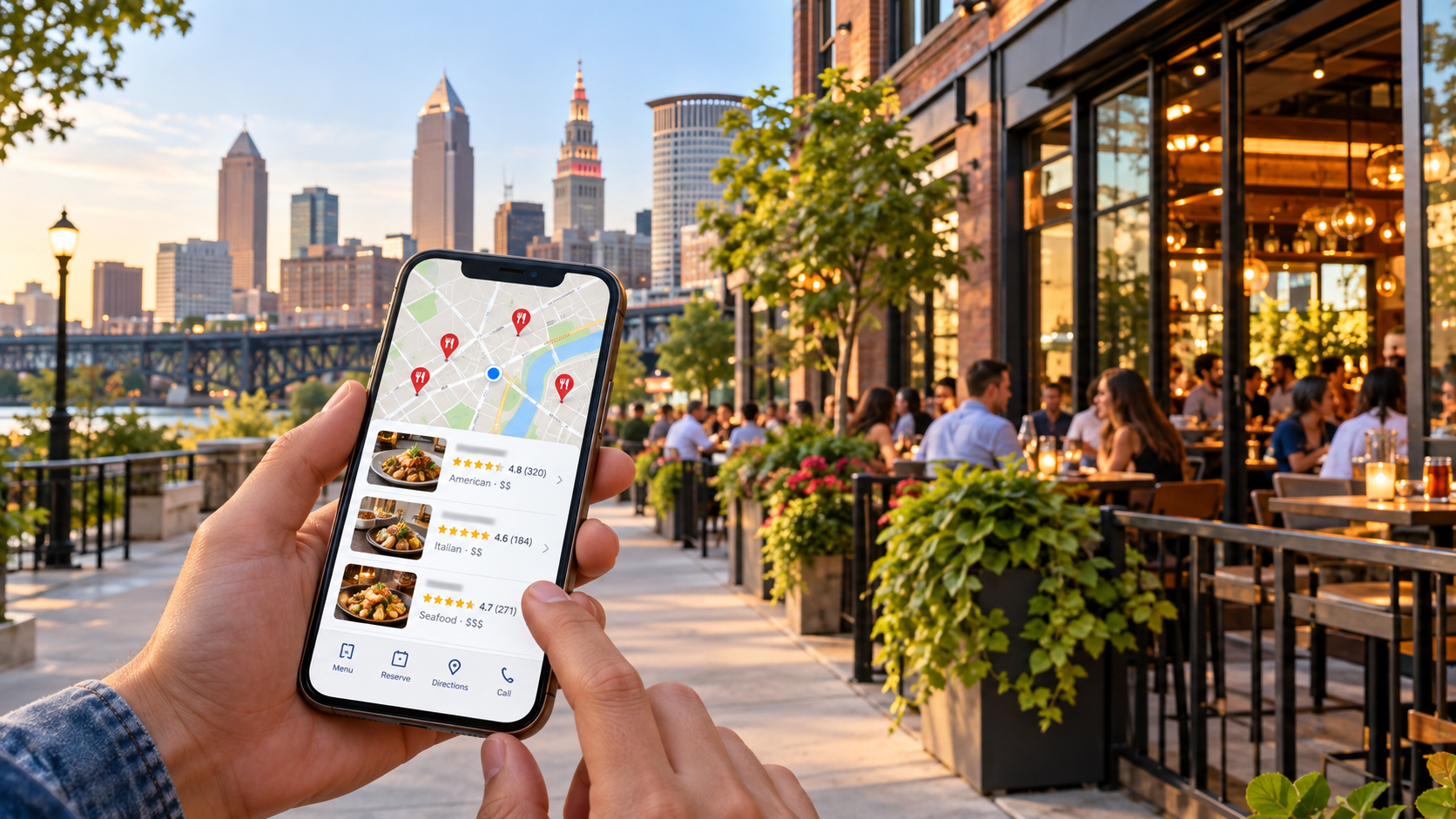
A hungry customer pulls out their phone.
They might search:
restaurants near me
best Italian restaurant Cleveland
brunch Cleveland Ohio
restaurants in Ohio City
steakhouse downtown Cleveland
pizza near me
Tremont restaurants
Cleveland restaurants open now
date night restaurants Cleveland
Or they may open Google Maps and simply browse what is nearby.
Within seconds, they can compare restaurants based on:
Distance
Star rating
Review count
Photos
Cuisine
Price
Menu
Hours
Reservations
Takeout
Delivery
Directions
That makes search visibility incredibly important for restaurants.
A restaurant may serve outstanding food, have an experienced chef, and provide excellent hospitality—but if nearby diners cannot find it when they search, many will choose another restaurant before ever discovering it.
That is where restaurant SEO in Cleveland comes in.
Restaurant SEO is not simply about ranking a website.
For most restaurants, the entire search experience matters:
Google Maps.
Google Business Profile.
Reviews.
Menus.
Photos.
Reservation links.
Online ordering.
Neighborhood relevance.
Mobile usability.
Traditional organic search.
And increasingly:
AI-powered local recommendations.
Cleveland also has an unusually diverse restaurant landscape.
Destination Cleveland highlights dining districts and culinary destinations across areas including Downtown, Ohio City, Tremont, AsiaTown, the Flats, and other Cleveland neighborhoods. Its current culinary materials describe Cleveland's mix of chef-driven restaurants, breweries, neighborhood institutions, international cuisine, and local dining destinations.
For restaurants competing in that environment, local search can directly affect:
Reservations
Walk-in traffic
Online orders
Takeout
Delivery
Phone calls
Private dining inquiries
Event bookings
A strong Cleveland restaurant SEO strategy helps put your restaurant in front of people who are already deciding where to eat.
What Is Restaurant SEO?
Restaurant SEO is the process of improving a restaurant's visibility across search engines and local discovery platforms when people search for food, dining experiences, cuisines, neighborhoods, reservations, and nearby restaurants.
For a Cleveland restaurant, relevant searches could include:
Cleveland Italian restaurant
steakhouse Cleveland
sushi Cleveland Ohio
brunch near me
restaurant downtown Cleveland
Ohio City restaurants
Tremont brunch
vegan restaurant Cleveland
family restaurant Cleveland
date night Cleveland
patio dining Cleveland
late-night food Cleveland
restaurant near Progressive Field
restaurant near Playhouse Square
Restaurant SEO is especially local.
A person searching for dinner usually does not want a restaurant 50 miles away.
They want somewhere nearby—or somewhere in a specific neighborhood they already plan to visit.
That means proximity plays an unusually important role.
Google states that local results are primarily based on relevance, distance, and prominence. Relevance reflects how well a business matches the search. Distance measures how far the business is from the searcher's location or the location specified in the query. Prominence reflects how well-known or established the business appears, including signals such as links and reviews.
Restaurants therefore need to maximize the factors they can control.
Why Google Maps Matters So Much for Restaurants
Restaurant searches are one of the clearest examples of local intent.
Google itself uses “Italian restaurant” as an example when explaining how local search works.
Imagine someone walking through Downtown Cleveland looking for dinner.
They search:
Italian restaurant near me
Google can immediately display local restaurant profiles with:
Ratings
Distance
Hours
Photos
Menu information
Directions
Reservations
The customer may never visit the restaurant's homepage before deciding.
That makes the Google Business Profile almost like a second website.
In some cases, it may be the first impression that matters most.
Restaurant SEO Starts With Relevance, Distance and Prominence
Understanding Google's local ranking principles helps restaurants focus their effort.
Relevance
Google needs to understand what kind of restaurant you operate.
Are you:
Italian?
Thai?
Mexican?
Mediterranean?
Steakhouse?
Coffee shop?
Bakery?
Sushi?
Fine dining?
Breakfast?
Fast casual?
Your Business Profile category, menu, website, reviews, content, and other information all help establish relevance.
Distance
Distance depends partly on the diner.
A restaurant in Ohio City may appear prominently for someone physically nearby but differently for someone searching from Beachwood.
You cannot optimize your restaurant into a different physical location.
That means neighborhood search visibility is naturally geographic.
Prominence
Prominence is the area where brand strength becomes especially important.
Google says prominence can incorporate information such as links, reviews, and general recognition. More reviews and positive ratings can help local ranking.
Restaurants can strengthen prominence through:
Customer reviews
Local media
Food publications
Neighborhood organizations
Tourism sites
Backlinks
Social visibility
Events
Awards
Community involvement
Brand searches
The restaurant that appears repeatedly around the local web gives Google and diners more evidence that the business matters.
1. Fully Optimize Your Google Business Profile
Restaurant SEO should usually begin with the Google Business Profile.
Google specifically recommends maintaining complete and accurate profile information because businesses with better information are more likely to match relevant local searches.
Review:
Restaurant name
Address
Phone number
Website
Primary category
Secondary categories
Regular hours
Special hours
Cuisine information
Menu
Reservation links
Online-ordering links
Takeout information
Delivery information
Photos
Business attributes
Restaurant profiles have several features ordinary businesses do not.
Google specifically allows restaurants to add links for:
Menus
Reservations
Food ordering
Restaurants can also add menu items directly to the profile.
Use those features.
Every extra click between discovery and ordering creates another opportunity for the customer to choose somewhere else.
2. Choose the Most Accurate Restaurant Category
Your primary Business Profile category is an important relevance signal.
Do not choose a broad category if a more accurate category exists.
For example, the best category may describe the business more specifically than simply:
Restaurant
Google tells businesses to use as few categories as needed and choose the categories that most specifically represent the core business. It also warns against using categories simply as keywords.
A restaurant should not add unrelated cuisine categories simply because those searches are popular.
If you operate an Italian restaurant, your profile should accurately represent that.
If you serve sushi as two appetizers but are primarily a modern American restaurant, that does not necessarily make Sushi Restaurant an appropriate category.
Accuracy matters.
3. Use Your Real Restaurant Name
Keyword stuffing in Business Profile names is common across local SEO.
Restaurants should avoid it.
If the actual name is:
Luna
do not rename the Google listing:
Luna Best Italian Restaurant Downtown Cleveland Ohio
unless that is genuinely the restaurant's real-world name.
Google's guidelines require businesses to represent themselves consistently with their real-world branding.
Build search relevance using legitimate profile fields, your menu, your website, and content.
Do not manipulate the business name.
4. Add and Maintain Your Menu on Google
A restaurant's menu is not merely a PDF people download after deciding where to eat.
It can influence whether they choose the restaurant in the first place.
Google allows food and drink businesses to add menu sections, item names, descriptions, prices, photos, and menu links directly through Business Profile.
That gives restaurants a significant opportunity.
Imagine someone searching for:
brunch Cleveland
They find your profile.
If the diner can immediately see:
Eggs Benedict
French toast
Breakfast sandwiches
Bloody Marys
Brunch pricing
they have more information with which to make a decision.
Keep menu information accurate.
If an entrée changed from $24 to $31 six months ago, your online menu should not still show $24.
Outdated pricing creates a bad experience before the guest even arrives.
5. Do Not Make a PDF Your Only Menu
Restaurant websites commonly rely entirely on downloadable PDF menus.
PDFs can be useful.
They should not necessarily be the only menu format.
An HTML menu gives customers information immediately without requiring a separate file download.
It also gives search engines crawlable text describing:
Dish names
Ingredients
Cuisine
Categories
Pricing
Dietary options
For example, an Italian restaurant might have sections for:
Antipasti
House-Made Pasta
Pizza
Secondi
Dessert
Those words provide context about what the restaurant offers.
You can still provide a printable PDF if guests want one.
But your core menu information should ideally be accessible directly on the site.
6. Add a Proper Menu URL to Google
Google Business Profile allows restaurants to specify a menu link.
Google's guidelines say the linked menu should represent the restaurant's actual available offerings rather than a small “popular items” sample. It also says a menu URL should not simply send users directly to a third-party ordering or delivery provider.
Point the menu link to your own useful menu page whenever possible.
That keeps the customer connected to your brand.
7. Set Up Reservation Links
If you accept reservations, make reserving a table easy.
Google Business Profile can display reservation links, and businesses can add multiple relevant links while selecting a preferred link.
Google also supports restaurant bookings through eligible Reserve with Google partners.
Review your listing periodically.
Restaurants sometimes discover that outdated reservation-provider links remain connected to their profile.
A diner should not click Reserve and end up on:
An inactive page
The wrong location
An old booking provider
A third party you no longer use
Test the reservation path yourself.
8. Optimize Online Ordering
Takeout and delivery can represent a substantial part of restaurant revenue.
Google allows restaurants in supported markets to display food-ordering options on their Business Profile and to manage third-party providers and custom ordering links. Restaurants can also designate a preferred ordering provider.
That gives you an opportunity to influence where customers order.
If direct ordering provides better margins than a third-party marketplace, consider whether your preferred Business Profile link should direct customers to your direct ordering experience when your setup supports it.
The ordering page should be:
Fast
Mobile-friendly
Accurate
Easy to navigate
Do not make people create an account before they can even view the menu unless there is a strong reason.
9. Verify Third-Party Ordering and Reservation Links
Google can automatically display certain third-party provider links when those providers indicate an authorized relationship with your business.
That makes periodic audits important.
Check:
Where does Order Online send people?
Where does Reservations send them?
Is the provider still authorized?
Is this the location the customer intended?
Is the menu current?
Are prices current?
Restaurant operators spend considerable effort controlling the guest experience inside the building.
Apply the same attention to the digital experience before the guest arrives.
10. Keep Restaurant Hours Accurate
Few local-business mistakes are more frustrating than inaccurate restaurant hours.
Someone drives across town for dinner.
Google says the restaurant is open.
They arrive to find the doors locked.
That guest may never return.
Google allows businesses to maintain standard hours and special hours for holidays, temporary changes, and events.
For restaurants, Google advises using hours when diners can sit down and dine as the main operating hours. When that is not applicable, takeout, drive-through, or delivery hours can be used according to its guidelines.
Check hours before:
Major holidays
Private events
Seasonal changes
Vacation closures
Renovations
Never assume Google automatically knows.
11. Use “More Hours” for Restaurant Services
A restaurant may have different operating times for:
Takeout
Delivery
Drive-through
Pickup
Happy hour
Google's Business Profile tools allow businesses to specify additional sets of hours for certain services.
That can reduce confusion.
If your dining room closes at 10 p.m. but takeout ends at 9 p.m., customers should be able to understand that difference.
12. Photos Can Determine Whether Someone Eats There
Restaurant selection is visual.
Customers want to see:
Food
Drinks
Interior
Patio
Bar
Atmosphere
Seating
Portion sizes
Presentation
Google specifically encourages restaurants to upload high-quality food and drink photography as part of their Business Profile. Its current guidance recommends realistic, well-lit images without heavy alteration or excessive filtering.
Google also suggests adding exterior and interior photos so customers can recognize the business and understand the environment.
Do not upload only your logo.
A potential diner cannot eat your logo.
Show the experience.
13. Use Real Food Photography
Beautiful food photography is valuable.
Misleading food photography is not.
If a burger arrives looking completely different from the promotional image, the short-term click may become a negative review.
Google's current photo guidelines specifically say imagery should represent reality.
Restaurants should create a repeatable photography process.
Whenever the menu changes:
Photograph important new dishes.
Capture several angles.
Photograph popular cocktails or non-alcoholic drinks where appropriate.
Capture the dining room.
Update Google.
Update your website.
Update social channels.
This turns menu development into a reusable digital-marketing asset.
14. Monitor Customer Photos
Customers can upload photographs directly to a restaurant's Google Business Profile.
Google notes that customer photo updates may show seasonal menus, products, or changes in the business.
You cannot control every customer photo.
You can make sure your own professional and accurate photography remains current.
If a customer uploads an old menu photo containing outdated prices, Google provides mechanisms for businesses to flag inappropriate or obsolete information where applicable and upload current menu imagery themselves.
Monitor the listing.
Your Google profile changes even when you do nothing.
15. Restaurant Reviews Are Part of Local SEO
Reviews can influence both rankings and diner decisions.
Google states that positive ratings and a greater number of reviews can help a business's local ranking.
Consumers rely heavily on them too.
BrightLocal's 2026 Local Consumer Review Survey found that 97% of surveyed U.S. consumers read reviews for local businesses, with 41% saying they always read reviews when browsing businesses.
Restaurants operate in one of the categories where review culture is particularly established.
People routinely compare:
4.7 stars with 900 reviews
against:
4.1 stars with 80 reviews
But star rating alone is not the entire picture.
Guests also read the actual comments.
They want to know about:
Service
Wait times
Food
Price
Portions
Ambiance
Dietary options
Parking
Reservations
Noise
Hospitality
That makes review management part of restaurant marketing.
16. Ask Customers for Reviews
One of the easiest ways to increase reviews is simply to ask.
BrightLocal's 2026 research found that 83% of consumers who had been asked to leave a review reported going on to leave one.
Google provides businesses with an official review link and QR code.
Google specifically suggests using that link or QR code on receipts, in thank-you communications, and in appropriate customer interactions.
Restaurants could incorporate a review request into:
Receipts
Takeout packaging
Email receipts
Loyalty communications
Post-reservation follow-up
Table signage
Do not pressure the guest.
Ask for an honest review.
17. Never Offer Free Food for a Google Review
This is worth addressing directly.
Do not say:
Leave us a five-star Google review and receive a free dessert.
Google prohibits reviews influenced by incentives including payments, discounts, free goods, or free services.
Google's policy is stricter than the FTC's general rule in some respects: Google prohibits incentivized reviews on Maps even where an incentive is not expressly conditioned on positive sentiment.
The FTC separately prohibits businesses from paying or incentivizing reviews conditioned on a particular positive or negative sentiment, and its Consumer Reviews and Testimonials Rule carries potential civil penalties for knowing violations.
The simplest restaurant policy is:
Do not pay customers for Google reviews.
Build reviews organically through good experiences and consistent requests.
18. Do Not Buy Fake Restaurant Reviews
Fake review packages are still sold to businesses.
Avoid them.
Google prohibits:
Paid fake reviews
Reviews not based on genuine experiences
Multiple manipulated accounts
Coordinated rating manipulation
The FTC's rule likewise prohibits businesses from buying fake or false consumer reviews when they knew or should have known they were fake.
A restaurant's reputation can take years to build.
Do not risk it for 40 suspicious five-star reviews posted in three days.
19. Respond to Restaurant Reviews
Responses show customers that somebody is listening.
Google specifically encourages businesses to respond to reviews and says helpful responses can make a business stand out.
For positive reviews, avoid replying:
Thanks!
to every customer.
When appropriate, acknowledge something specific.
If a diner loved the short rib, say you are glad they enjoyed it.
If they celebrated an anniversary, thank them for choosing the restaurant.
For negative reviews, do not start a public fight.
Respond calmly.
Invite the customer to continue the discussion through a private channel where appropriate.
The future diners reading the exchange may matter more than the original reviewer.
20. Review Recency Matters
A restaurant with hundreds of reviews but nothing recent can look inactive.
BrightLocal's 2026 research found that consumers increasingly expect fresh reviews, along with stronger average star ratings.
That reinforces the value of a consistent review process.
Do not run a giant review campaign once every two years.
Build a steady stream of authentic feedback.
21. Create a Restaurant Website That Actually Helps Diners
Restaurant websites often make simple information unnecessarily hard to find.
A diner generally wants answers quickly:
Where are you?
When are you open?
What is on the menu?
How much does it cost?
Can I reserve?
Can I order online?
Do you have parking?
Do you have vegetarian or gluten-conscious options?
What is the atmosphere like?
Can you accommodate groups?
These answers should not require detective work.
A useful restaurant website might contain:
Home page
Menu
Reservations
Online ordering
About
Location / Contact
Private dining
Events
Gift cards
Catering
FAQ
Not every restaurant needs all of them.
But every page should serve a purpose.
22. Make the Menu Mobile-Friendly
Most diners researching restaurants are not sitting in front of a desktop computer.
BrightLocal's 2026 local-search research found that the majority of local searches occur on mobile devices and that consumers commonly use multiple platforms during local discovery.
Your mobile menu should therefore be effortless to use.
Avoid:
Tiny PDF text
Slow-loading images
Menus requiring pinch-to-zoom
Ten-page PDFs
Buttons too small to tap
Menus hidden behind an account login
A guest should be able to scan:
Appetizers → Entrées → Dessert → Prices
without frustration.
23. Create Pages Around Important Dining Intent
Your homepage cannot target every type of dining search.
Some restaurants have legitimate secondary experiences worthy of dedicated pages.
Examples include:
Brunch
Private dining
Catering
Happy hour
Wedding rehearsal dinners
Corporate events
Outdoor dining
Weekend brunch
Takeout
If brunch is a major revenue category, you may benefit from a dedicated brunch page.
The page could include:
Brunch hours
Menu
Photos
Reservations
Location
FAQs
Now it can compete more naturally for searches such as:
brunch Cleveland
or:
brunch Ohio City
provided the restaurant genuinely serves that market.
24. Build Neighborhood Relevance
Restaurant search is unusually neighborhood-oriented.
Cleveland diners frequently decide where to eat partly based on where they are already going.
Destination Cleveland's current culinary and tourism materials highlight distinct restaurant areas such as Downtown, Ohio City, Tremont, AsiaTown, and the Flats.
For a restaurant, its neighborhood should be obvious.
If your restaurant is in Tremont, the website should naturally communicate that.
If it is in Ohio City, explain the location.
Useful information might include:
Cross streets
Nearby landmarks
Parking
Public transportation
Neighborhood attractions
Walking directions
Do not create fake location pages for neighborhoods where the restaurant does not exist.
The physical location is part of the experience.
25. Use Nearby Landmarks Naturally
Searchers sometimes look for restaurants near something else.
Examples might include restaurants near:
Progressive Field
Rocket Arena
Playhouse Square
West Side Market
University Circle
Cleveland Convention Center
If your restaurant is genuinely close to a major attraction, that can be useful information.
For example, a Downtown restaurant could have a page about pre-theater dining near Playhouse Square if the restaurant truly serves that need.
A restaurant near a stadium might publish information for game-day diners.
The goal is to help customers plan.
Do not create hundreds of artificial “near X” pages merely to capture traffic.
26. Optimize for “Open Now” Searches by Keeping Hours Accurate
Restaurants receive significant last-minute search activity.
Someone may search:
restaurants open now
late night food near me
brunch open Sunday
The profile's hours become extremely important.
Google uses business information such as operating hours to help customers understand whether a business is available.
If your hours change regularly, assign responsibility to someone.
Do not let “updating Google” become a task everyone assumes someone else handles.
27. Use Business Profile Posts
Google Business Profile allows businesses to publish updates, offers, and events.
Google says posts can appear in Search and Maps and help customers decide whether to visit a business.
Restaurant post ideas include:
New menu
Seasonal dishes
Brunch launch
Chef event
Live music
Holiday menu
Restaurant anniversary
Special dinner
For single-location food and drink businesses in supported countries, Google can also feature eligible posts directly within the mobile Business Profile experience.
Do not assume posting every day is a ranking trick.
Use posts because they give customers useful current information.
28. Create Event Pages
Events can generate their own search demand.
Examples include:
Valentine's Day dinner
Mother's Day brunch
New Year's Eve dinner
Wine dinner
Chef tasting menu
Restaurant week
Live music
Holiday brunch
Instead of announcing every event only through Instagram, consider creating a useful website page.
Include:
Date
Time
Menu
Price
Reservation link
Location
Availability information
That gives search engines and AI systems a crawlable source of information.
It also gives your social posts somewhere useful to link.
29. Optimize Private Dining and Catering
Private dining can be a high-value revenue stream.
People search specifically for:
private dining Cleveland
restaurant private room Cleveland
rehearsal dinner Cleveland
corporate dinner Cleveland
restaurant event space Cleveland
If your restaurant offers these services, create a dedicated page.
Include:
Capacity
Room photos
Food options
Minimums if appropriate
AV availability
Accessibility
Inquiry form
Do not bury private dining inside one sentence on the About page.
30. Add Restaurant Structured Data
Google supports LocalBusiness structured data and specifically identifies Restaurant as a useful subtype for restaurant websites.
Google's documentation shows restaurant markup containing fields such as:
Name
Address
Telephone
Images
Price range
Cuisine
Opening hours
Menu URL
Structured data does not guarantee rankings.
It helps search engines interpret information more consistently.
For a restaurant, make sure the markup matches what diners can actually see on the website.
Do not mark up fictional ratings, menu items, or hours.
31. Make Your Cuisine Explicit
Do not make Google or customers infer the cuisine from artistic branding language.
A homepage that says:
A culinary journey through imagination.
sounds interesting.
But what food do you serve?
Also say clearly:
Modern Mediterranean restaurant in Downtown Cleveland.
or:
Italian restaurant serving handmade pasta in Ohio City.
The exact wording should reflect reality.
Clarity is good marketing.
It is also good SEO.
32. Create an About Page With a Real Story
Restaurants are emotional businesses.
People remember:
Chefs
Family stories
Neighborhood history
Recipes
Traditions
Ingredients
Design
Hospitality
Use the About page to tell the real story.
Who opened the restaurant?
Why this cuisine?
Why Cleveland?
Why this neighborhood?
Who is the chef?
Where does the inspiration come from?
Destination Cleveland's own culinary materials frequently highlight restaurants through chef stories, neighborhood identity, and distinctive concepts—not merely menus.
Your website can do the same.
33. Earn Local Restaurant Backlinks
Local links can strengthen prominence and discovery.
Useful restaurant opportunities may include:
Tourism organizations
Neighborhood associations
Food publications
Local news
Event websites
Chambers
Hotel guides
Wedding websites
Theater and venue partners
Local attractions
The strongest links usually come from real relationships.
For example:
A theater may maintain nearby dining recommendations.
A hotel may list restaurants for guests.
A neighborhood organization may maintain a business directory.
A food publication may cover a new menu or chef.
These links can generate customers even without SEO.
That is usually a sign they are worth pursuing.
34. Maintain Profiles Beyond Google
Google is important, but customers use multiple discovery channels.
BrightLocal's 2026 research found that three-quarters of surveyed consumers used multiple channels during their most recent local-business search.
Restaurant discovery may involve:
Google
Apple Maps
Facebook
Instagram
TikTok
Tripadvisor
Yelp
OpenTable
Resy
Tourism sites
You do not need to dominate every platform.
But your core information should be accurate across the platforms that matter to your diners.
35. Social Media and SEO Work Together
Instagram does not replace your website.
Your website does not replace Instagram.
Restaurants benefit when both support each other.
A diner may discover a restaurant on Google and then visit Instagram to see current food and atmosphere.
Another diner may discover the restaurant through a social video and then Google it to check reviews, hours, and directions.
BrightLocal's review research found that consumers increasingly consult social and video platforms alongside traditional local-search channels.
Think of the customer journey as multi-platform.
36. Do Not Neglect Apple Maps
Google remains dominant, but not every customer navigates with Google Maps.
BrightLocal's 2026 review research reported significant growth in consumer use of Apple Maps as part of local-business discovery.
Restaurant owners should make sure their business information is accurate across important mapping platforms.
That includes:
Address
Phone
Hours
Website
Category
A customer's map app may be their final decision tool.
37. Make Parking Information Easy to Find
Parking can determine whether someone chooses a Cleveland restaurant.
This is particularly relevant in denser areas.
If your restaurant has:
Valet
Dedicated parking
Garage access
Street parking
Validated parking
explain it.
If the parking arrangement is complicated, add directions.
This content may not transform your rankings.
It can transform conversions.
A diner deciding between two restaurants may choose the one where they understand how they are going to park.
38. Add Accessibility Information
Customers may need to know:
Is the entrance wheelchair accessible?
Are there steps?
Is accessible parking available?
Can a wheelchair navigate the dining room?
Are restrooms accessible?
If the information is accurate and appropriate to publish, make it easy to find.
SEO should ultimately make useful business information discoverable.
39. Explain Dietary Options Accurately
Diet-related searches can be commercially valuable.
Examples:
vegan restaurant Cleveland
vegetarian restaurant Cleveland
gluten-free restaurant Cleveland
Only target these phrases when your restaurant genuinely accommodates the need.
Be particularly careful with allergy-related claims.
Do not casually advertise something as allergen-safe if cross-contact is possible.
Use language consistent with your kitchen practices and food-safety policies.
Marketing should never create a false sense of medical safety.
40. Build a Better Reservation Experience
Suppose your SEO works perfectly.
Someone finds your restaurant.
They like the menu.
They click Reserve.
The page loads slowly.
Then it asks them to create an account.
Then the selected restaurant location changes.
Then no availability appears.
The SEO generated the customer.
The booking experience lost them.
Periodically test your reservation experience on:
iPhone
Android
Desktop
Check:
Speed
Location selection
Party size
Date selection
Confirmation
SEO and conversion need to work together.
41. Track Reservations From Organic Search
Restaurant SEO should be measured with business outcomes.
Potential metrics include:
Organic website visits
Google Business Profile views
Direction requests
Calls
Reservation clicks
Completed reservations
Online orders
Private-event leads
Do not celebrate rankings while ignoring whether those rankings generate diners.
If possible, analyze the journey from:
Search → Restaurant → Reservation
or:
Search → Restaurant → Online Order
That makes SEO easier to evaluate financially.
42. Track Google Business Profile Performance
Google Business Profile provides performance data for verified businesses.
Restaurants can use it alongside website analytics and reservation-provider data to understand how customers interact with their listing.
Look for trends rather than obsessing over one day's numbers.
For example:
Did direction requests increase?
Did reservation activity increase?
Did website visits increase?
Did branded searches increase?
Then compare those trends to actual restaurant revenue and reservations.
43. Track Local Rankings Geographically
A Cleveland restaurant's Maps visibility varies by searcher location.
Because Google considers distance, someone searching from Tremont may see different restaurants than someone making the same query in Cleveland Heights.
Local rank-grid tracking can show how visibility changes around the restaurant.
That is much more informative than checking one keyword from the owner's laptop.
44. Know Which Searches Actually Generate Revenue
A restaurant might rank highly for:
Cleveland food
but receive little business from the phrase.
Meanwhile:
private dining Cleveland
could generate a $4,000 event.
Or:
brunch near me
could fill Sunday reservations.
Evaluate SEO based on the economics of your restaurant.
Not all searches are equally valuable.
45. Prepare for AI Restaurant Recommendations
People are increasingly asking AI systems for local recommendations.
BrightLocal's 2026 review survey found that 45% of respondents had used generative AI tools for local recommendations during the previous year, while its local search behavior research showed that people using AI often return to Google or other channels to verify businesses before deciding.
A diner might ask:
What are some romantic restaurants in Cleveland?
Then Google the suggestions.
That means AI visibility does not replace Google Maps.
The channels can reinforce each other.
Make your restaurant easy for search and AI systems to understand by maintaining:
Clear cuisine information
Accurate address
Current hours
Menu pages
Reviews
Reservation information
Local mentions
Descriptive website content
46. Use Descriptive Website Content
Restaurant websites sometimes prioritize atmosphere so heavily that they barely contain any text.
Beautiful design matters.
But search engines still need information.
Your homepage should naturally establish:
Restaurant name
Cuisine
Neighborhood
City
Dining style
For example:
Modern Italian dining in Cleveland's Ohio City neighborhood featuring handmade pasta, seasonal dishes, and weekend brunch.
That statement helps customers and search systems immediately understand the business.
It is more useful than:
Taste the unexpected.
You can use both.
Just do not sacrifice clarity for branding.
47. Optimize for Cleveland Neighborhood Searches
Neighborhood intent can be powerful for restaurants.
Depending on your real location, people may search for restaurants in:
Downtown Cleveland
Ohio City
Tremont
AsiaTown
The Flats
University Circle
Little Italy
Destination Cleveland's current dining materials explicitly market Cleveland through these kinds of neighborhood culinary identities.
If your restaurant is part of one of those neighborhoods, make that relationship obvious.
Do not target every neighborhood.
Own the one you are actually in.
48. Build Content Around the Dining Experience
Not every restaurant needs a traditional blog.
But restaurants do have stories worth publishing.
Examples include:
Meet the chef
How a signature dish was created
New seasonal menu
Ingredient sourcing
Restaurant anniversary
Neighborhood history
Private dining guide
Holiday menu
Behind the scenes
These pieces can support organic search, social media, email, and PR simultaneously.
Do not publish a generic 800-word article about “Why Food Is Important.”
Publish something only your restaurant can tell.
49. Use Your Chef as a Source of Authority
Chefs can provide original expertise.
A chef can explain:
Ingredients
Techniques
Regional cuisine
Menu inspiration
Seasonal changes
Sourcing
This gives your restaurant content authenticity.
It can also create opportunities for local media.
Restaurants have a built-in subject-matter expert many other local businesses do not.
Use that expertise.
50. Build PR Around Real Restaurant News
Restaurants naturally generate news:
Grand opening
New chef
Menu launch
Anniversary
Expansion
Renovation
Award
Special event
Charity partnership
New location
Local coverage can create:
Awareness
Links
Search visibility
Brand searches
Do not manufacture news.
But when something genuinely newsworthy happens, make sure relevant local outlets and community organizations know.
Common Cleveland Restaurant SEO Mistakes
Avoid these mistakes.
An Incomplete Google Business Profile
Complete the information customers actually need.
The Wrong Restaurant Category
Use the category that accurately describes your concept.
An Outdated Menu
Price and item changes need to be reflected online.
An Image-Only Menu
Give customers and search engines readable content.
Incorrect Hours
Few errors damage restaurant trust faster.
No Reservation Link
Remove unnecessary booking friction.
Wrong Third-Party Links
Audit provider links periodically.
Too Few Food Photos
Dining decisions are highly visual.
Buying Reviews
Google prohibits fake and incentivized reviews.
Offering Free Dessert for a Google Review
Google prohibits incentives in exchange for reviews.
Ignoring Negative Reviews
Respond professionally.
Starting Arguments With Reviewers
Future diners are watching.
Ignoring Mobile Users
Local restaurant search happens heavily on phones.
Making Parking Impossible to Understand
Remove unnecessary uncertainty.
Depending Entirely on Instagram
Your website, Maps presence, reviews, and other discovery channels still matter.
Treating Rankings as the Goal
Reservations, orders, and diners are the goal.
A Practical Cleveland Restaurant SEO Roadmap
A restaurant can approach local SEO in six phases.
Phase 1: Fix the Basics
Verify Google Business Profile
Correct address
Confirm phone number
Set hours
Select categories
Update website URL
Fix mobile issues
Configure analytics
Phase 2: Build the Restaurant Profile
Add menu
Add reservation links
Add ordering links
Upload food photography
Add interior photography
Add exterior photography
Configure additional service hours
Phase 3: Improve the Website
Create an HTML menu
Improve mobile navigation
Add reservation CTA
Add ordering CTA
Create location information
Add parking information
Create private dining pages where applicable
Phase 4: Build Reputation
Ask genuine guests for reviews
Use Google's review link or QR code
Respond to feedback
Never incentivize Google reviews
Monitor customer photos
Keep third-party profiles current
Phase 5: Expand Local Visibility
Build neighborhood relevance
Earn local links
Pursue appropriate food PR
Create event pages
Publish chef and menu content
Maintain tourism and local directory listings
Phase 6: Measure Revenue
Track:
Reservations
Online orders
Direction requests
Calls
Website visits
Private dining inquiries
Average order value where appropriate
Revenue influenced by organic search
SEO should ultimately help fill tables and generate orders.
Frequently Asked Questions
What is restaurant SEO?
Restaurant SEO is the process of improving a restaurant's visibility when people search online for places to eat.
It commonly includes Google Maps optimization, Google Business Profile management, reviews, menus, website SEO, local backlinks, photos, reservation links, and neighborhood relevance.
How do I get my Cleveland restaurant higher on Google Maps?
Start by verifying and fully completing your Google Business Profile.
Use the correct category, maintain accurate hours, add menu information, upload real photos, earn genuine reviews, and build a strong website and local online presence.
Google says local rankings are mainly determined by relevance, distance, and prominence.
Do Google reviews help restaurant rankings?
Google says more reviews and positive ratings can help local ranking.
Reviews also strongly influence consumers. BrightLocal's 2026 study found that 97% of surveyed consumers read reviews for local businesses.
How can restaurants get more Google reviews?
Ask genuine customers.
Google provides an official review link and QR code that businesses can place on receipts, in communications, or in-store.
Do not offer a discount, free dessert, or other incentive in exchange for a Google review.
Can a restaurant offer a free appetizer for a five-star review?
No.
Google prohibits incentives such as free products, discounts, or services in exchange for reviews.
The FTC also prohibits incentives conditioned on a review expressing a particular positive or negative sentiment.
Should restaurants respond to negative Google reviews?
Yes, when appropriate.
Keep responses calm and professional.
Avoid attacking the reviewer.
The response is being read by prospective diners as well as the original customer.
How important are photos for restaurant SEO?
Photos are extremely useful for conversion and profile quality.
Google specifically recommends restaurants add representative food and drink photos along with exterior and interior images.
Should my restaurant menu be a PDF?
You can offer a PDF, but it is generally useful to also have a mobile-friendly HTML menu on the website.
An HTML menu is easier for users to browse and provides crawlable information about dishes, pricing, and cuisine.
Can I add my restaurant menu directly to Google?
Yes.
Google Business Profile allows food and drink businesses to create menu sections and add dish names, descriptions, prices, and photos.
Can Google show reservation links?
Yes.
Restaurants can add reservation links to Business Profile, and eligible reservation providers can integrate with Google's booking experience.
Can Google show online ordering?
Yes.
Google allows restaurants to manage custom and third-party food-ordering links and choose a preferred ordering provider in supported markets.
Should restaurants use their own online ordering link?
If your direct-ordering experience is strong and your platform setup supports it, directing customers to your own ordering page can reduce friction and may help maintain a more direct customer relationship.
The best setup depends on the restaurant's technology and economics.
How important are restaurant hours on Google?
Very important.
People frequently search for restaurants immediately before deciding where to eat.
Google Business Profile supports regular hours, service-specific hours, and special holiday hours.
Should my restaurant target “near me” on its website?
You do not need to repeat the phrase “near me” throughout your website.
Google can understand the user's location.
Focus on clearly communicating your actual restaurant location, cuisine, neighborhood, address, and other relevant information.
Should a Cleveland restaurant create neighborhood pages?
A restaurant generally should focus on the neighborhood where it actually operates.
There is little reason for one Cleveland restaurant to create pages claiming relevance in 20 neighborhoods where it does not have a location.
Can a restaurant rank outside its immediate neighborhood?
Yes, but Maps visibility can vary because Google considers distance.
Strong prominence, reviews, website authority, and relevance can help, but proximity cannot be eliminated from local search.
Does a restaurant need a blog?
Not necessarily.
Restaurants may benefit more from useful content around:
Menus
Events
Chefs
Private dining
Catering
Neighborhood information
Seasonal experiences
Publish content when it gives diners something worth reading.
Is social media more important than SEO for restaurants?
Both can matter.
Social media is highly visual and can help generate awareness.
SEO and Google Maps capture diners who are actively looking for somewhere to eat.
BrightLocal's 2026 research shows consumers commonly use multiple channels during the local search journey.
The strongest strategy often uses the channels together.
Should restaurants care about Apple Maps?
Yes.
Not everyone uses Google Maps.
BrightLocal's 2026 review research found rising consumer usage of Apple Maps as a local discovery source.
Keep restaurant information accurate on major mapping platforms.
Does structured data help restaurant SEO?
Restaurant structured data can help search engines understand information such as the restaurant's address, cuisine, hours, menu, telephone number, and price range.
Google supports the Restaurant subtype within its LocalBusiness structured-data documentation.
Structured data does not guarantee higher rankings.
Can restaurants appear in ChatGPT recommendations?
Potentially.
Consumers are increasingly using AI tools for local recommendations, although results can vary and there is no guaranteed ChatGPT ranking.
A strong public digital footprint—including your website, reviews, cuisine information, local mentions, menu, and accurate business information—can support broader discovery.
Does restaurant SEO work for bars, bakeries and coffee shops?
Yes.
The strategy changes according to the concept.
A coffee shop may focus heavily on Maps, photos, breakfast, Wi-Fi, and nearby searches.
A bakery may target products, cakes, catering, and custom orders.
A bar may focus on events, late-night search, food, atmosphere, and neighborhood discovery.
Use the search behavior appropriate to the actual business.
How long does restaurant SEO take?
Some improvements can have relatively quick practical value.
Updating incorrect hours or adding a missing reservation link can immediately improve the customer experience.
Broader organic rankings, prominence, reviews, links, and local authority usually develop over time.
There is no guaranteed timeline.
How much does restaurant SEO cost in Cleveland?
Pricing depends on the restaurant's needs.
A single-location neighborhood restaurant may require a relatively focused local SEO campaign.
A restaurant group with multiple locations, separate concepts, reservation systems, online ordering, events, and extensive content may require considerably more work.
The appropriate investment should reflect the revenue opportunities associated with reservations, orders, events, and repeat customers.
What is the most important restaurant SEO metric?
There is no one universal metric.
Useful measures include:
Google Maps visibility
Reservations
Online orders
Calls
Directions
Website visits
Private-event inquiries
Branded searches
Ultimately, the goal is not rankings.
It is more profitable customer activity.
Turn More Cleveland Searches Into Reservations and Orders
Restaurant SEO works best when it connects discovery with action.
A customer searches Google.
They find your restaurant.
The photos look good.
The rating creates confidence.
The menu has something they want.
The prices are clear.
The restaurant is open.
Parking makes sense.
They click Reserve.
That entire journey may happen in less than two minutes.
Every missing or inaccurate piece of information creates another opportunity for the diner to leave.
That is why Cleveland restaurant SEO should not focus on one keyword in isolation.
It should strengthen the complete digital experience.
Your Google Business Profile should be accurate.
Your menu should be current.
Your photos should represent reality.
Your reviews should come from genuine customers.
Your website should work beautifully on mobile.
Reservations and orders should require as few unnecessary steps as possible.
And your local online presence should clearly connect the restaurant to the Cleveland neighborhood and dining experience it actually represents.
Do that well, and SEO becomes more than a traffic strategy.
It becomes part of how your restaurant fills tables.
Sources
Google Business Profile Help, Tips to Improve Your Local Ranking on Google. Google local ranking guidance
Google Business Profile Help, Get Started With a Business Profile for Your Restaurant. Google restaurant Business Profile guidance
Google Business Profile Help, About the Menu Editor. Google restaurant menu guidance
Google Business Profile Help, Manage Your Local Business Links. Google reservation, menu and ordering links guidance
Google Business Profile Help, Manage Online Ordering Options. Google food ordering guidance
Google Business Profile Help, Tips for Business-Specific Photos. Google restaurant photo guidance
Google Maps User Generated Content Policy, Prohibited and Restricted Content. Google review policy
Google Business Profile Help, Create a Google Link or QR Code to Request Reviews. Google review request guidance
Google Search Central, Local Business Structured Data. Google Restaurant structured-data guidance
Federal Trade Commission, Consumer Reviews and Testimonials Rule: Questions and Answers. FTC consumer review rule guidance
BrightLocal, Local Consumer Review Survey 2026. BrightLocal 2026 review research
BrightLocal, Where Are Your Customers Really Searching? BrightLocal 2026 local search behavior research
BrightLocal, What Makes Consumers Choose Your Business? BrightLocal 2026 consumer decision research
Destination Cleveland, Cleveland Culinary and Restaurant Guide. Destination Cleveland dining information
Get More Diners From Google
Ritner Digital helps restaurants improve local visibility across Google Search, Google Maps, reviews, menus, and the digital channels customers use when deciding where to eat.
If your Cleveland restaurant is struggling to rank in Maps, attract more local diners, generate reservations, increase online orders, or compete for high-value neighborhood and cuisine searches, we can help build a strategy around your restaurant and growth goals.