Google Business Profile Optimization for Cleveland Businesses
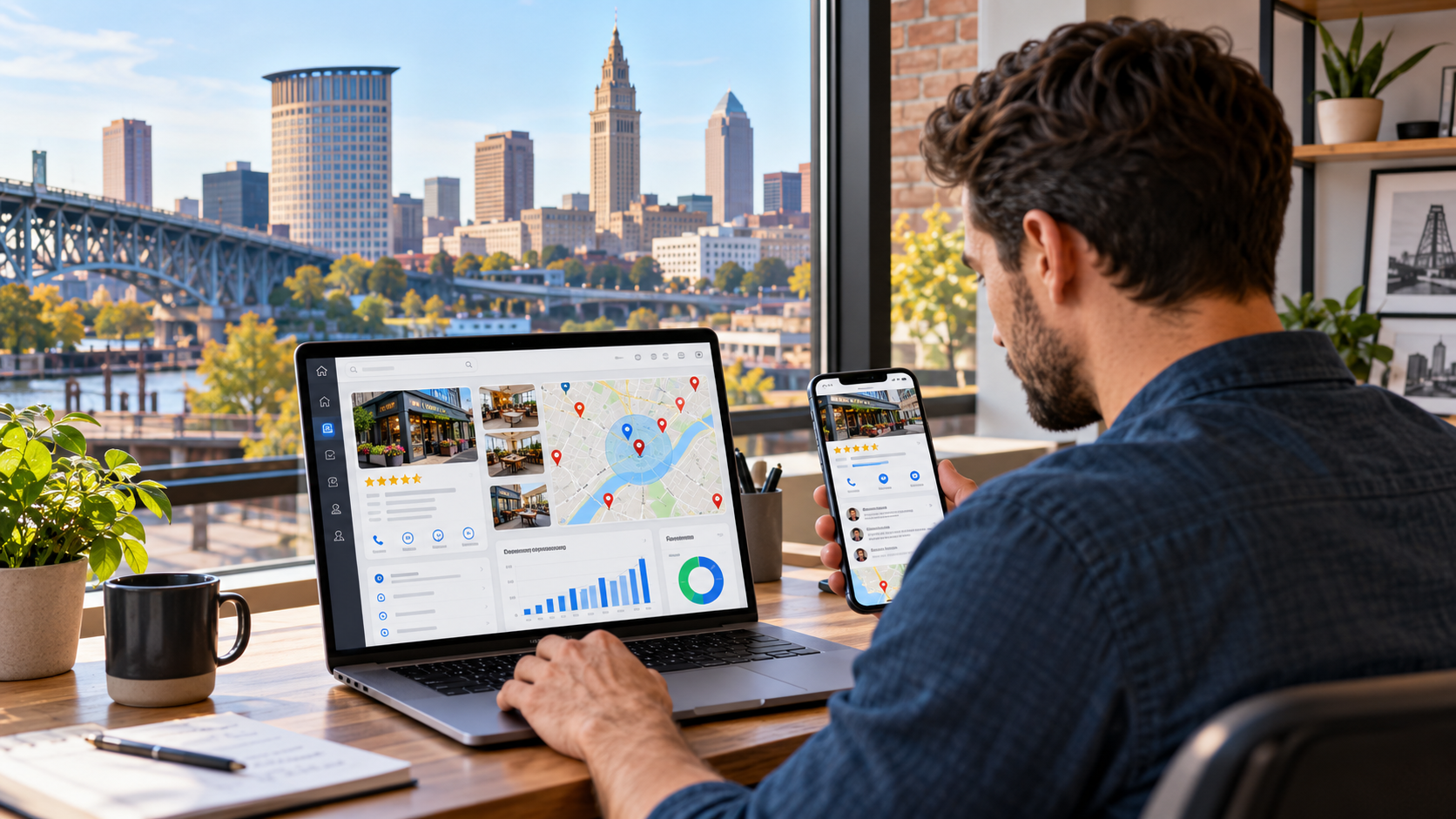
When someone searches Google for a business in Cleveland, they may never make it to the company's homepage.
Instead, they may see a Google Business Profile containing:
Business name
Star rating
Reviews
Photos
Hours
Address
Phone number
Services
Products
Directions
Appointment links
Website link
Within seconds, that customer can decide whether to call, visit, book an appointment, request directions, or choose a competitor.
That makes Google Business Profile optimization one of the most important parts of local SEO for Cleveland businesses.
Whether you operate a:
Contractor
Law firm
Medical practice
Restaurant
Retail store
Accounting firm
Dental office
Auto repair shop
HVAC company
Salon
Home-service business
Multi-location company
your Google Business Profile can directly influence how visible your business is when local customers search.
But simply creating a profile is not enough.
Google itself recommends that businesses verify their profiles, maintain complete and accurate information, respond to reviews, and add photos and videos. Google says local search results are mainly determined by relevance, distance, and prominence.
Understanding those three concepts is the foundation of Google Business Profile optimization in Cleveland.
What Is a Google Business Profile?
Google Business Profile is the listing that allows eligible businesses to manage how they appear across Google Search and Google Maps.
You may still hear people call it:
Google My Business
GMB
Google listing
Google Maps listing
Business Profile
GBP
Google renamed Google My Business to Google Business Profile, but many business owners still use the older terminology.
The profile can appear when someone searches directly for your company.
It can also appear for category-based searches such as:
plumber Cleveland
dentist near me
restaurant Cleveland
law firm Cleveland
roofing contractor near me
coffee shop Ohio City
physical therapy Cleveland
auto repair Lakewood
For local businesses, this makes Google Business Profile much more than a directory listing.
It is one of the primary ways customers discover and evaluate businesses.
Why Google Business Profile Matters for Cleveland Businesses
Cleveland customers have many choices.
A homeowner may compare several contractors.
A patient may evaluate multiple healthcare practices.
A diner may browse ten nearby restaurants.
A business owner may compare several attorneys or accountants.
Your Business Profile can influence whether your company enters that consideration set.
A well-optimized profile can help customers quickly understand:
What do you do?
Where are you located?
Do you serve my area?
Are you open?
What do customers think of you?
What does your business look like?
How do I contact you?
Those questions often get answered before the visitor reaches your website.
That means Google Business Profile optimization is both an SEO strategy and a conversion strategy.
How Google Determines Local Rankings
Google explains that local search results are mainly based on three factors:
Relevance
Distance
Prominence
Understanding each factor helps Cleveland businesses prioritize correctly.
Relevance
Relevance refers to how closely your Business Profile matches what someone is searching for.
If someone searches:
emergency plumber Cleveland
Google needs to understand whether your business is actually a plumbing company and whether emergency plumbing is something you provide.
Relevant information can include:
Primary business category
Additional categories
Services
Business description
Website content
Other profile information
Google recommends providing complete and detailed business information to help it better understand the company and match it to relevant searches.
The clearer your business information is, the easier it is for customers and Google to understand what you do.
Distance
Distance measures how far the business is from the person searching or from the geographic location specified in the query.
If someone searches:
dentist near me
from Downtown Cleveland, Google may return different businesses than if the same query is made from Westlake.
This is why Google Maps rankings vary significantly across Greater Cleveland.
You do not have one universal Maps ranking.
Your visibility might be strong around your physical location but gradually decline farther away.
No amount of optimization completely removes geography from local search.
That has major implications for Cleveland companies serving large territories.
Prominence
Prominence reflects how established or well-known a business appears.
Google says prominence can be influenced by information it has about the business from across the web, including links and reviews. Google specifically says that more reviews and positive ratings can help local ranking.
Prominence can therefore be strengthened through a broader local SEO strategy involving:
Reviews
Website authority
Local backlinks
Industry mentions
Business directories
Media coverage
Community involvement
Strong branded search presence
Your Google Business Profile does not exist in isolation.
The rest of your digital presence supports it.
1. Verify Your Google Business Profile
Verification should be one of the first steps.
Google says verification confirms that you are authorized to represent the business and makes the business more likely to appear in search results.
Verification methods can vary by business.
Google may offer methods such as:
Video verification
Phone
Email
Postcard
Live video
Other verification methods
depending on the business and circumstances.
Complete the method Google provides.
Do not attempt to create duplicate profiles merely because verification is inconvenient.
Duplicate profiles can create significantly larger problems later.
2. Use the Exact Real-World Business Name
Your Business Profile name should match the name customers see in the real world.
Google's guidelines say businesses should represent themselves consistently with their real-world signage, stationery, branding, and other materials.
Suppose your company is legally and publicly known as:
Lake Erie Plumbing
Do not change the Business Profile name to:
Lake Erie Plumbing | Best Cleveland Emergency Plumber & Drain Cleaning
simply because those keywords are valuable.
That practice is commonly called keyword stuffing.
Your business name field is for your business name.
Use other profile fields and your website to communicate your services.
3. Choose the Right Primary Category
The primary category is one of the most important decisions on the profile.
Google tells businesses to choose the category that best represents the main business and to use a specific category when one accurately fits. Businesses can also add additional categories where appropriate.
For example, depending on the company, relevant primary categories could include:
Roofing contractor
Personal injury attorney
Dentist
HVAC contractor
Italian restaurant
Physical therapy clinic
Accountant
Auto repair shop
Electrician
Choose the category that best describes what the company fundamentally is.
Not merely something it happens to offer.
4. Add Secondary Categories Carefully
Google allows businesses to select additional categories.
These can help communicate legitimate secondary functions.
For example, a contractor may have a primary category corresponding to its main business while adding accurate secondary categories covering other substantial services.
But do not select every vaguely related category.
More categories do not automatically mean better rankings.
They can make the listing less accurate.
Each category should answer:
Does this describe a meaningful part of our actual business?
If the answer is no, leave it off.
5. Add Every Important Service You Actually Provide
Businesses in eligible categories can add services directly to Google Business Profile.
Google says services may appear when local customers search for an offering a business provides. Businesses can select suggested services or create custom services, organize them into categories, and in some cases add descriptions and prices.
This is especially useful for Cleveland service businesses.
A plumbing company might include:
Drain cleaning
Water heater repair
Faucet installation
Sewer repair
Toilet repair
A law firm might include legitimate practice areas.
A medical practice might include relevant services.
A contractor could include:
Kitchen remodeling
Bathroom remodeling
Basement finishing
Home additions
Use normal customer language.
Do not turn every service name into a string of city keywords.
6. Write a Clear Business Description
Your Business Profile description should clearly explain:
What the company does
Who it serves
Where appropriate, where it operates
Important specialties or differentiators
Avoid vague descriptions such as:
We are committed to excellence and customer satisfaction.
Almost every business could say that.
Instead, communicate useful facts.
For example:
ABC Electric is a Cleveland electrical contractor serving homeowners and businesses throughout Greater Cleveland. Services include panel upgrades, lighting installation, electrical troubleshooting, EV charger installation, and residential rewiring.
The goal is clarity.
Customers should understand the business after reading one paragraph.
7. Enter the Correct Address
If customers visit your business, make sure the address is complete and accurate.
That can include:
Street number
Street name
Suite
City
State
ZIP code
Google's profile-editing guidance requires businesses to provide full and accurate address information.
Check the map pin as well.
The pin should point to the real business location.
This is especially important for businesses inside:
Office buildings
Shopping centers
Industrial facilities
Medical complexes
Multi-tenant buildings
A misplaced pin can create navigation problems for customers.
8. Know Whether You Are a Storefront, Service-Area or Hybrid Business
Google distinguishes between different business models.
A storefront business serves customers at its physical location.
A service-area business travels to customers but does not serve customers at its address.
A hybrid business serves customers at its location and also visits or delivers to customers.
Google states that service-area businesses should remove their address from the public profile when they do not serve customers there. Hybrid businesses can show both the storefront address and a service area when they meet the requirements.
Examples of common service-area businesses include:
Plumbers
Electricians
Roofers
Cleaning companies
Mobile service providers
Do not display a residential or administrative address merely because you want to rank there if customers are not served there.
9. Configure Service Areas Correctly
Service-area businesses can specify where they operate.
Google currently allows eligible businesses to add up to 20 service areas, typically using cities, ZIP codes, or other recognized geographic areas. Google also advises that the overall service area should generally remain within about two hours of driving time from the business's base.
A Greater Cleveland contractor might legitimately specify areas such as:
Cleveland
Lakewood
Parma
Rocky River
Westlake
Cleveland Heights
Shaker Heights
Beachwood
Strongsville
North Olmsted
depending on the company's actual territory.
Only list places you truly serve.
10. Understand What Service Areas Do Not Do
This is one of the biggest misconceptions in local SEO.
Adding Westlake as a service area does not move your business physically into Westlake.
Adding Beachwood does not automatically make you rank in Beachwood.
Adding Strongsville does not eliminate Google's distance factor.
Service areas primarily help communicate where the business provides service.
Google still uses distance when determining local search results.
For broader Greater Cleveland visibility, service-area businesses also need:
Strong service pages
Local website content
Reviews
Authority
Relevant backlinks
Geographic content where justified
11. Avoid Fake Offices and Virtual Locations
A business wanting to rank across Cleveland may be tempted to create additional listings using:
Virtual offices
Mailboxes
UPS stores
Coworking addresses
Employee homes
Unstaffed suites
That can violate Google's rules.
Google requires Business Profiles to accurately represent real-world businesses and places restrictions on virtual offices and other locations that do not meet its eligibility requirements.
If you genuinely operate multiple eligible business locations, create accurate location profiles.
If you have only one legitimate location, do not manufacture five more.
12. Keep Business Hours Accurate
Hours are one of the simplest Business Profile fields and one of the easiest to neglect.
Review:
Standard hours
Weekend hours
Holiday hours
Seasonal hours
Temporary changes
If your office closes for Independence Day, Thanksgiving, Christmas, or a company event, update the profile.
Google recommends keeping hours—including special hours—current so customers know when they can visit or contact the business.
Incorrect hours create real customer frustration.
13. Add Relevant Business Attributes
Business Profiles may support attributes depending on category and location.
These can communicate information such as:
Parking
Accessibility
Wi-Fi
Service options
Appointment requirements
Other category-specific features
Google specifically recommends providing relevant attributes because complete information helps customers understand the business.
Do not add attributes merely because they sound appealing.
They should reflect reality.
14. Upload a Strong Logo
Your logo helps establish consistent branding.
Use a high-quality version that remains legible at small sizes.
The logo should match the branding used on:
Website
Signage
Social profiles
Marketing materials
Consistency makes your business easier for customers to recognize across platforms.
15. Add a Strong Cover Photo
A cover image is another chance to communicate what the company does.
Depending on the business, that could be:
Completed remodeling project
Restaurant interior
Medical office
Professional team
Retail storefront
Service vehicle
Product display
Use a real image whenever possible.
Avoid cluttered graphics packed with phone numbers, slogans, and promotional text.
16. Upload Photos Regularly
Google recommends adding photos and videos to help customers understand what the business offers.
Google's current technical recommendations for Business Profile photos include JPG or PNG files, sizes between 10 KB and 5 MB, and a recommended resolution of 720 × 720 pixels. Google also recommends images that are well lit, in focus, and not heavily altered.
Useful photo categories vary by business.
A contractor can show:
Before-and-after projects
Crews
Equipment
Completed work
A medical practice can show:
Office exterior
Waiting room
Providers
Treatment spaces
A restaurant can show:
Food
Dining room
Patio
Exterior
A professional service firm can show:
Team
Office
Building
Events
Real photos help customers understand the experience.
17. Do Not Rely on Stock Photography Alone
Stock photos can support a website.
They do not prove your business exists.
Google Business Profile is especially valuable when it shows real-world evidence.
Real photography can establish:
Actual location
Actual staff
Actual projects
Actual products
Actual environment
That creates stronger customer confidence than generic stock photos.
18. Add Video Where It Helps
Videos can also appear on eligible profiles.
Examples include:
Office walkthrough
Restaurant interior
Project tour
Team introduction
Product demonstration
Facility overview
You do not need Hollywood production.
Useful, authentic video is enough.
19. Build a Consistent Review Acquisition Process
Reviews are among the most visible parts of your profile.
Google says reviews and positive ratings can contribute to local ranking.
Do not treat review generation as an emergency activity.
Build it into normal customer operations.
Potential moments to ask include:
After a completed project
After a successful appointment
After a purchase
After a positive support interaction
In a follow-up email
On a receipt
Google provides an official review link and QR code businesses can share with customers.
Use them.
20. Never Incentivize Google Reviews
Do not offer:
Discounts
Gift cards
Free services
Free products
Contest entries
Cash
in exchange for Google reviews.
Google explicitly states that offering incentives in exchange for reviews is prohibited fake engagement.
Google also prohibits selectively requesting only positive reviews or discouraging negative feedback.
Ask genuine customers for honest reviews.
Do not try to control what they say.
21. Do Not Buy Reviews
Buying reviews creates serious risk.
Google's policies prohibit reviews that are paid for or otherwise manipulated, as well as fake engagement from accounts that do not reflect genuine customer experiences.
Google can impose restrictions beyond simply deleting individual reviews.
Potential consequences for fake-engagement violations can include temporarily preventing new reviews, hiding existing reviews, or placing a warning on the profile that fake reviews were removed.
That can be far more damaging than simply having fewer reviews.
22. Respond to Reviews
Google recommends responding to customer reviews because it shows that the business values feedback.
Respond professionally.
For positive reviews:
Thank the customer
Mention something specific where appropriate
Keep the response natural
For negative reviews:
Stay calm
Avoid arguments
Move sensitive disputes to a private channel
Correct clear misinformation carefully
Do not disclose confidential customer information
Future customers read your response.
You are writing for them too.
23. Do Not Stuff Review Requests With Keywords
Avoid asking customers:
Please write a five-star review and mention “best roofing contractor Cleveland Ohio.”
Google prohibits businesses from requesting specific content in reviews.
The review should reflect the customer's own experience and language.
Natural reviews are more credible anyway.
24. Monitor Reviews for Spam
Businesses occasionally receive:
Fake reviews
Competitor reviews
Reviews from people who were never customers
Offensive content
Off-topic commentary
You can report reviews that violate Google's policies.
Do not assume Google will remove a review merely because it is negative.
The content generally needs to violate policy.
A genuine negative customer experience is not automatically removable.
25. Use Google Posts Strategically
Business Profile posts can appear across Search and Maps.
Google currently supports posts for:
Updates
Offers
Events
Posts can contain text, photos, videos, and action buttons linking to relevant pages.
Examples include:
New service
Business event
Seasonal promotion
Company announcement
New location
Educational resource
Limited-time offer
Use posts to communicate current information.
Do not assume posting every Tuesday automatically improves rankings.
Google does not claim that posting frequency itself guarantees higher local positions.
26. Link Posts to Useful Landing Pages
When possible, send users somewhere relevant.
If the post announces a new kitchen-remodeling service, link to the kitchen-remodeling page.
If you are promoting an event, link to the event details.
If you announce a new office, link to the location page.
Do not send every post to the homepage by default.
Match the destination to the user's intent.
27. Add Appointment, Booking or Ordering Links Where Available
Some Business Profile categories support action links.
Eligible businesses may be able to provide links that allow customers to:
Book appointments
Make reservations
Order food
Complete another category-specific action
Google has dedicated policies governing Business Profile action links.
For businesses where an appointment or booking is the primary conversion, these links can shorten the path from discovery to customer.
Test them periodically.
Broken action links waste high-intent traffic.
28. Optimize the Website Connected to Your Profile
Your Google Business Profile and website should reinforce one another.
The linked website should clearly communicate:
Business name
Address where appropriate
Phone number
Services
Location
Hours
Credentials
Contact options
A Cleveland contractor should link to a website that clearly shows contracting services.
A dentist should link to a website clearly showing dental services and providers.
A restaurant should link to a site where customers can find the menu and location.
Do not send users to an irrelevant corporate homepage when a more useful local landing page exists.
29. Keep Business Information Consistent
Customers may encounter your business on:
Google
Website
Apple Maps
Facebook
Yelp
Bing
Industry directories
Local directories
Professional organizations
Core information should generally remain consistent.
That includes:
Name
Address
Phone
often abbreviated as NAP.
This does not mean punctuation needs to be identical everywhere.
It means customers and platforms should not encounter conflicting real-world information.
30. Build Local Website Relevance
If you want the Business Profile to perform well for Cleveland searches, the website should reinforce that geographic relationship.
A Cleveland business can naturally communicate:
Cleveland office information
Areas served
Local projects
Cleveland customers
Relevant neighborhood information
Local case studies
Local testimonials
Do not force “Cleveland Ohio” into every sentence.
Create useful evidence that the business genuinely participates in the market.
31. Create Individual Location Pages for Real Locations
A multi-location business should generally provide useful pages for each real office or store.
For example:
/locations/cleveland/
/locations/westlake/
/locations/beachwood/
Each page can include:
Address
Phone
Hours
Services
Staff
Photos
Parking
Directions
Local information
The corresponding Business Profile can then link to the appropriate location page.
Do not send every listing to the same generic homepage when local pages exist.
32. Do Not Create Duplicate Profiles for One Business
A business should not create multiple profiles for the same eligible location simply to target more keywords.
For example:
ABC Plumbing Cleveland
ABC Drain Cleaning Cleveland
ABC Water Heater Cleveland
if these are all merely services of the same business operating from the same location.
Google's guidelines require profiles to represent real businesses rather than creating multiple listings for individual services.
Use service pages and service fields instead.
33. Be Careful With Practitioner Listings
Certain professions can have individual practitioner profiles when Google's requirements are satisfied.
Examples can include:
Doctors
Dentists
Lawyers
Real estate agents
Financial professionals
Profile structure matters when the organization and individual practitioners coexist.
A medical group with six doctors should not create profiles blindly.
A law firm with multiple attorneys should determine how practitioner listings interact with the primary firm listing.
Poor setup can create duplicates and internal competition.
34. Build Local Backlinks
Business Profile optimization does not stop inside Google.
Google says prominence can be influenced partly by how many websites link to a business.
Cleveland businesses can build relevant authority through:
Chambers
Local organizations
Industry associations
Suppliers
Business partnerships
Sponsorships
Local news
Community organizations
Professional directories
Events
The best local links typically come from legitimate relationships.
Avoid buying hundreds of random directory links.
35. Earn Local Media Mentions
Local publicity can help customers discover your brand and contribute to your broader web presence.
Potential stories include:
New location
Expansion
New hire
Community event
Charitable initiative
Product launch
Anniversary
Industry research
Major project
A Cleveland business repeatedly mentioned across credible local sources appears more established than a business almost absent from the web.
36. Use LocalBusiness Structured Data on the Website
Google supports LocalBusiness structured data for eligible websites.
Depending on the business, schema can describe information such as:
Name
Address
Telephone
Hours
Images
Business type
Structured data should match visible information.
Do not create fake ratings, locations, or services in schema.
Schema helps machines interpret information.
It does not replace a strong Business Profile.
37. Track Search Queries in Business Profile Performance
Google Business Profile provides performance information for verified profiles.
Businesses can see search terms customers used to find the profile, along with profile views and applicable interactions.
Review search terms periodically.
They can reveal whether Google associates the business with relevant queries.
For example, a contractor may discover it appears frequently for:
bathroom remodeling
but rarely for:
kitchen remodeling
That may indicate a relevance opportunity.
38. Track Calls
Business Profile Performance can report the number of times customers clicked the call button when a phone number is configured.
Calls are a much more meaningful metric than profile views for many businesses.
A profile receiving fewer views but more qualified calls may be outperforming one receiving large amounts of low-intent exposure.
39. Track Website Clicks
Google can report how many users click the website link from the Business Profile.
Combine that data with website analytics.
Ask:
Which landing page receives GBP traffic?
What percentage converts?
Which services do visitors view?
Do visitors call or submit forms?
The profile and website should function as one customer journey.
40. Track Direction Requests
For businesses customers physically visit, direction requests can be particularly valuable.
Google Business Profile Performance measures how many people request directions to the business.
Relevant businesses include:
Restaurants
Retail
Medical offices
Salons
Auto repair shops
Professional offices
Direction requests can be an important indicator of real-world intent.
41. Track Bookings and Other Applicable Actions
Depending on category and integrations, Business Profile Performance can also report metrics such as bookings, messages, and other interactions.
Do not focus exclusively on rankings.
Track the actions that have commercial value.
42. Connect Google Business Profile With Google Analytics
In June 2026, Google introduced a direct integration between Google Business Profile and Google Analytics.
Businesses can now link eligible Business Profiles to GA4 and bring profile metrics such as interactions, calls, bookings, directions, website clicks, messages, and menu interactions into Analytics reporting.
This is useful because local-search performance can be analyzed alongside website behavior.
A Cleveland business can more easily examine the journey from:
Google Search or Maps → Business Profile → Website → Conversion
For organizations managing multiple locations, this can also simplify reporting.
43. Track Rankings From Multiple Cleveland Locations
Do not evaluate Maps performance by standing inside your office and Googling yourself.
Because distance affects local ranking, search results can vary dramatically across Cleveland.
A business located Downtown might rank differently when the same search happens from:
Ohio City
Lakewood
Cleveland Heights
Shaker Heights
Parma
Beachwood
Westlake
Strongsville
Local rank-grid tools can visualize this geographic variation.
That gives you a much more accurate picture of your local presence.
44. Do Not Obsess Over Your Own Manual Searches
Manual searches are useful for spot checks.
They are not reliable enough to serve as your entire reporting system.
Results can vary because of:
Search location
Device
Search history
Query wording
Time
Competitive changes
Look at broader trends.
Combine:
Maps tracking
Business Profile Performance
GA4
Lead tracking
Revenue
SEO should ultimately produce business outcomes.
45. Know Which Leads Came From Google Maps
For many companies, Maps traffic gets mixed into general marketing.
That makes ROI difficult to evaluate.
Where appropriate, use:
Tagged website URLs
Call tracking
CRM source fields
Form attribution
GA4 reporting
to understand whether customers discovered the business through Search or Maps.
Do not stop measurement at:
Profile had 3,000 views.
Ask:
How many customers did those views produce?
46. Understand What Can Trigger Profile Problems
Google Business Profile suspensions can be disruptive.
Common risk areas include:
Inaccurate business names
Ineligible addresses
Fake offices
Duplicate profiles
Misrepresentation
Policy-violating content
Account-level issues
Google states that profiles may be suspended or disabled when they do not comply with Business Profile guidelines.
The best suspension strategy is prevention.
Keep the profile accurate.
47. Do Not Make High-Risk Edits Without Checking Accuracy
Business owners sometimes make dramatic profile changes casually.
Examples include:
Renaming the business
Changing the primary category
Changing the address
Switching business type
Creating additional locations
Some changes can trigger additional verification.
Google notes that changing a verified business name or moving to a new address can require reverification.
Make important edits because the business information actually changed—not because someone heard about a “ranking trick.”
48. What to Do If Your Google Business Profile Is Suspended
If Google suspends a profile, do not immediately create another listing.
Google specifically advises businesses not to create a new Business Profile for the same business while an appeal is under review.
Instead:
Review the violated policy.
Correct inaccurate information.
Gather business evidence.
Submit an appeal through Google's official appeals tool.
Google says supporting evidence may include:
Official business registration
Business license
Tax certificates
Utility bills
The name and address on submitted documents should match the profile.
Prepare documentation before opening an evidence form because Google currently gives businesses a limited submission window after the appeal flow begins.
49. Protect Ownership of the Profile
Your Business Profile is a major marketing asset.
Do not allow it to exist only under:
Former employee's personal account
Former marketing agency
Unknown freelancer
Employee who left years ago
The business should maintain appropriate ownership access.
Agencies and employees can be added as managers or owners as appropriate without surrendering control.
Periodically audit account access.
Remove people who no longer need it.
50. Create an Internal Google Business Profile Process
For larger businesses, assign responsibility.
Someone should own:
Hours
Reviews
Photos
Posts
Location changes
Services
Performance reporting
User access
Policy compliance
Otherwise, the profile becomes everyone's responsibility—which often means nobody manages it.
Create a simple monthly checklist.
Google Business Profile Checklist for Cleveland Businesses
A practical optimization checklist looks like this:
Business information
Verified profile
Correct real-world business name
Accurate address or service-area setup
Correct phone number
Correct website
Accurate hours
Special hours configured
Relevance
Strong primary category
Relevant secondary categories
Services listed
Clear business description
Relevant attributes
Media
Logo
Cover photo
Exterior photos
Interior photos
Team photos
Product/service photos
Current video where useful
Reputation
Review process
Official review link
No review incentives
Professional responses
Spam monitoring
Website
Accurate business information
Strong service pages
Local content
Location pages where appropriate
LocalBusiness structured data
Mobile usability
Authority
Local backlinks
Industry listings
Local organizations
Media coverage
Community visibility
Measurement
Search terms
Calls
Website clicks
Direction requests
Bookings
Local rank tracking
GA4 integration
Lead and revenue attribution
Common Google Business Profile Mistakes
Cleveland businesses repeatedly make the same mistakes.
Keyword Stuffing the Business Name
Use your actual business name.
Choosing Too Many Categories
Use categories that genuinely describe the business.
Ignoring Services
Add the products or services customers actually search for where the profile supports them.
Showing an Address Customers Cannot Visit
Service-area businesses should configure the profile correctly.
Creating Fake Locations
Do not use virtual offices solely for Maps rankings.
Adding Every Cleveland Suburb as a Service Area and Expecting Rankings
Service areas do not eliminate distance.
Buying Reviews
Google prohibits fake engagement.
Giving Discounts for Reviews
Google prohibits incentives for reviews.
Ignoring Negative Reviews
Respond professionally.
Using Only Stock Photos
Show the actual business.
Leaving Holiday Hours Wrong
Maintain special hours.
Forgetting Old Staff Have Account Access
Audit profile ownership.
Tracking Rankings but Not Customers
Measure calls, leads, appointments, orders, and revenue.
A Practical Google Business Profile Optimization Roadmap
Businesses can optimize their profiles in stages.
Phase 1: Accuracy
Start with:
Verification
Name
Address
Phone
Website
Hours
Map pin
Business type
No advanced SEO tactic compensates for incorrect basic information.
Phase 2: Relevance
Then optimize:
Primary category
Secondary categories
Services
Description
Attributes
Make it clear exactly what the business offers.
Phase 3: Conversion
Add:
Strong photos
Booking links
Appointment links
Ordering links
Calls to action through available features
Make contacting the business easy.
Phase 4: Reputation
Create a repeatable process to:
Ask genuine customers for reviews
Respond to feedback
Monitor spam
Avoid prohibited incentives
Phase 5: Prominence
Strengthen the broader local presence through:
Website SEO
Local links
Community visibility
Industry organizations
Public relations
Local content
Phase 6: Measurement
Track:
Search queries
Calls
Website clicks
Directions
Bookings
Leads
Sales
Then use the data to guide future optimization.
Frequently Asked Questions
What is Google Business Profile?
Google Business Profile is Google's platform for managing how eligible businesses appear across Google Search and Google Maps.
It was previously called Google My Business.
Is Google Business Profile free?
Yes.
Creating and managing an eligible Google Business Profile does not require paying Google.
Google also states that businesses cannot pay Google to receive better organic local rankings.
What determines Google Maps rankings?
Google says local results are mainly determined by:
Relevance
Distance
Prominence
No legitimate local SEO company can guarantee a specific permanent Maps position.
How do I optimize my Google Business Profile in Cleveland?
Start with complete and accurate information.
Verify the profile, use the correct business name and category, add services, maintain hours, upload photos, earn genuine reviews, respond to customers, strengthen the website, and build broader local authority.
What is the most important Google Business Profile field?
There is no single field responsible for all rankings.
However, the primary category is particularly important for relevance, while correct location information, reviews, website authority, and the searcher's distance can all materially affect visibility.
Can I add keywords to my Google Business Profile name?
Only if those words are genuinely part of the business's real-world name.
Google requires the name field to reflect how the business is consistently represented in the real world.
How many Google Business Profile categories can I use?
Google currently allows a primary category plus up to nine additional categories in the profile editor.
That does not mean every business should use all of them.
Only choose categories that accurately describe the business.
Do Google Business Profile services help SEO?
Services help Google and customers understand what a business offers.
Google says services may be highlighted when local customers search for an offering the business provides.
They should be accurate and supported by the company's actual services.
Does adding Cleveland suburbs to my service area make me rank there?
Not automatically.
Google still uses distance as a core local-ranking factor.
Service-area settings primarily communicate where the company operates.
How many service areas can I add?
Google currently allows eligible service-area businesses to specify up to 20 service areas.
Should I show my home address on Google if customers never visit?
Usually not if the business operates as a service-area business and does not serve customers at that address.
Google tells service-area businesses to remove addresses when they do not serve customers there.
Can I use a virtual office for Google Business Profile?
Simply renting a virtual office does not automatically make a location eligible.
Google requires profiles and locations to meet its Business Profile eligibility and representation guidelines.
Do reviews help Google Maps rankings?
Google says more reviews and positive ratings can help local rankings.
Reviews also strongly influence whether customers choose the business.
Can I give customers a discount for leaving a Google review?
No.
Google prohibits offering incentives such as discounts, payments, free goods, or services in exchange for reviews.
Can I ask customers for Google reviews?
Yes.
Google allows businesses to ask genuine customers for reviews and provides an official review link and QR code.
Do not pressure customers or attempt to influence the rating or content.
Should I respond to every Google review?
There is no requirement to respond to every review, but regular professional responses can demonstrate that your business values customer feedback.
Google recommends responding to reviews.
Do photos improve Google Business Profile rankings?
Google recommends adding relevant photos because they help customers understand the business and make the profile more attractive.
Google does not state that simply uploading a certain number of photos guarantees higher rankings.
Use photos primarily to improve profile completeness and customer confidence.
How often should I update photos?
There is no official ranking requirement.
Add new photos when they provide useful current information about the business.
For active businesses, maintaining current imagery is generally more helpful than leaving the profile unchanged for years.
Do Google Posts improve rankings?
Google Posts allow businesses to communicate updates, offers, and events to customers on Search and Maps.
Google does not promise that posting frequently will directly increase rankings.
Use posts to improve communication and conversion rather than treating them as a guaranteed ranking tactic.
Can competitors edit my Google Business Profile?
Google may accept information from multiple sources, and users can suggest edits to business information.
Business owners should therefore monitor profiles regularly and correct inaccurate changes when necessary.
Why did my Google Business Profile ranking suddenly change?
Local rankings can change because of:
Searcher location
Competitor changes
Review changes
Category changes
Website signals
Business information updates
Google's ranking systems
Check whether the profile itself changed before assuming a penalty occurred.
Why does my business rank from my office but not across Cleveland?
Distance.
Google considers how far the business is from the searcher.
A business can therefore appear strongly near its location but less prominently several miles away.
Should I create multiple profiles to rank across Greater Cleveland?
Only create profiles for legitimate, eligible business locations.
Do not manufacture extra listings for service areas or use fake addresses.
Build wider visibility through legitimate locations, strong website SEO, authority, reviews, and relevant local content.
What should I do if my Google Business Profile gets suspended?
Review Google's guidelines, correct any violations, gather evidence, and use Google's official appeals tool.
Google says supporting documents can include licenses, registrations, tax records, and utility bills that match the profile information.
Do not create a duplicate profile while the appeal is pending.
How can I measure Google Business Profile results?
Google Business Profile Performance can report metrics including:
Searches
Views
Calls
Website clicks
Direction requests
Bookings
Other applicable interactions
The most important metrics depend on the business model.
Can I connect Google Business Profile to Google Analytics?
Yes.
Google introduced direct Business Profile-to-GA4 integration in 2026, allowing businesses to analyze local profile metrics alongside website and app data.
How long does Google Business Profile optimization take?
Basic profile improvements can be completed relatively quickly.
Meaningful local visibility develops over time and depends on:
Competition
Location
Reviews
Website authority
Business prominence
Search demand
Geographic proximity
There is no legitimate guaranteed timeline for reaching a specific Maps position.
Can someone guarantee my company the number-one Maps ranking?
Be skeptical.
Google explicitly states that businesses cannot request or pay Google for better local organic rankings.
Local results are dynamically influenced by relevance, distance, and prominence.
Turn Your Google Business Profile Into a Lead-Generation Asset
A Google Business Profile should not be treated like a listing you create once and forget.
For many Cleveland businesses, it is one of the most visible parts of the company's digital presence.
Potential customers may use it to:
find you,
evaluate you,
call you,
book you,
visit you,
or:
choose someone else.
The strongest profiles start with accuracy.
Use your real business name.
Choose appropriate categories.
List actual services.
Maintain current hours.
Configure your location properly.
Upload real photos.
Ask genuine customers for reviews.
Respond professionally.
Then strengthen the profile with the rest of your local SEO strategy.
Build a useful website.
Create strong service and location pages.
Earn legitimate local links.
Establish prominence throughout Cleveland and your industry.
And measure whether the profile actually generates calls, appointments, directions, orders, and customers.
Google Maps visibility is not won through one secret setting.
It comes from making it extremely clear to both Google and customers:
what your business is,
where it operates,
what it offers,
and:
why it deserves consideration.
For Cleveland businesses competing for local customers, getting those fundamentals right can turn Google Business Profile from a basic directory listing into one of the company's most productive digital marketing assets.
Sources
Google Business Profile Help — Tips to Improve Your Local Ranking on Google. Official Google guidance on relevance, distance, prominence, reviews, photos, verification, and profile completeness.
Google Business Profile Help — Guidelines for Representing Your Business on Google. Official eligibility and quality rules for business names, addresses, locations, service-area businesses, virtual offices, and real-world representation.
Google Business Profile Help — Manage Your Service Areas. Current rules for service-area and hybrid businesses, including the 20-area limit and Google's general two-hour driving-area guidance.
Google Business Profile Help — Edit Your Business Profile. Current guidance for business names, categories, locations, service areas, and hours.
Google Business Profile Help — Manage Your Services. Official guidance for adding services, service categories, descriptions, and prices where supported.
Google Business Profile Help — Manage Photos and Videos. Current photo and video requirements and optimization recommendations.
Google Business Profile Help — Create and Manage Posts. Official guidance covering Business Profile updates, offers, events, and post visibility.
Google Business Profile Help — Create a Review Link or QR Code. Google's official process for requesting reviews and its prohibition against review incentives.
Google Business Profile Help — Prohibited and Restricted Content. Google's rules governing fake reviews, incentives, biased feedback, rating manipulation, and other prohibited content.
Google Business Profile Help — Business Profile Restrictions for Policy Violations. Current information about restrictions Google may apply for fake-engagement violations.
Google Business Profile Help — Understand Business Profile Performance. Google's explanation of search terms, profile views, calls, website clicks, directions, bookings, and other performance metrics.
Google Business Profile Help — Connect Your Business Profile to Google Analytics. Google's 2026 documentation for linking eligible Business Profiles with GA4.
Google Analytics Help — Google Business Profile Integration. June 2026 update detailing GBP metrics now available within Google Analytics reporting.
Google Business Profile Help — Fix Suspended or Disabled Profiles. Official appeal procedures and recommended supporting documentation.
Get More Local Customers From Google Maps
Ritner Digital helps Cleveland businesses optimize Google Business Profiles, improve local search visibility, strengthen Google Maps presence, earn more qualified traffic, and turn local searches into leads and customers.
If your Business Profile is incomplete, struggling to rank, attracting the wrong searches, or failing to generate enough calls and leads, we can help identify the gaps and build a local SEO strategy around your business and growth goals.