Why Your Cleveland Business Isn't Showing Up in the Google Map Pack
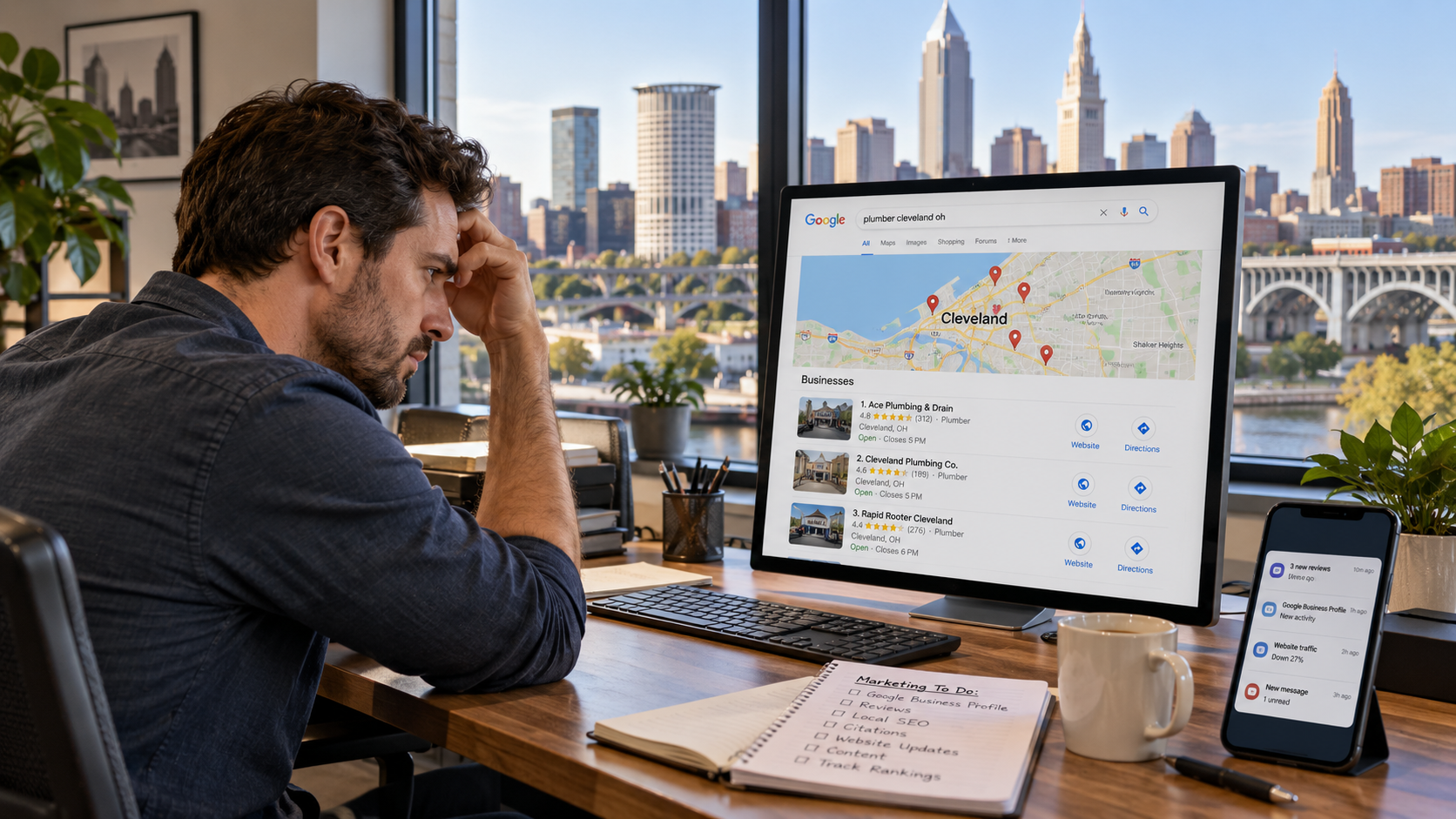
You search Google for the service your Cleveland business provides.
Your competitors appear in the Google Map Pack.
Your company does not.
So you try another search.
Nothing.
You add “Cleveland” to the query.
Still nothing.
Then you search your exact business name and finally see your Google Business Profile.
At that point, one question usually follows:
Why isn't my business showing up in the Google Map Pack?
The answer depends on what kind of problem you actually have.
Some businesses have a ranking problem.
Others have an eligibility problem.
Some have chosen the wrong category.
Some are too far from the person searching.
Some have duplicate profiles competing with or suppressing each other.
Others have been suspended, disabled, or left unverified.
And some businesses are technically appearing—but only in a much smaller geographic area than the owner realizes.
That is why effective map pack troubleshooting needs to be systematic.
Google officially says local results are mainly based on relevance, distance, and prominence. Google also recommends verifying your Business Profile and maintaining complete, accurate information because incomplete or inaccurate information can prevent a business from appearing for relevant searches.
Those three ranking concepts provide the framework for most Google Maps troubleshooting.
But before you begin changing categories, rewriting your website, or asking for more reviews, you need to determine what kind of visibility problem you actually have.
First: Are You Missing From Google or Just Missing From the Top Three?
This distinction matters.
There is a major difference between:
Your Google Business Profile does not appear at all
and:
Your Business Profile appears in Google Maps but does not rank in the first few local results
The first situation can indicate:
Verification problems
Suspension
Eligibility issues
Duplicate profiles
Incorrect business information
A recently created or recently changed profile
The second situation is more likely a ranking problem involving:
Relevance
Proximity
Categories
Reviews
Prominence
Website strength
Competition
Do not treat both problems the same way.
If your profile has been disabled, earning ten additional reviews is not the immediate solution.
If your profile is perfectly healthy but sits several miles outside the area where you want to rank, requesting reverification may accomplish nothing.
Good Google Map Pack troubleshooting starts by identifying the correct problem.
What Is the Google Map Pack?
The Google Map Pack—often called the local pack, 3-pack, or Google Maps results—is the group of geographically relevant businesses Google can display for searches with local intent.
Examples include:
plumber Cleveland
dentist near me
restaurants in Ohio City
personal injury lawyer Cleveland
HVAC contractor near me
physical therapy Cleveland
The exact presentation can vary by device, query, and Google interface.
What matters is that Google recognizes the search as having local intent and determines which nearby businesses are most relevant.
For Cleveland businesses, appearing prominently in these local results can generate:
Calls
Website visits
Driving directions
Appointment requests
Reservations
Store visits
Quote requests
Leads
That makes losing Map Pack visibility commercially important.
The Three Main Reasons Businesses Rank in Google Maps
Google's own explanation is the best place to start.
Local rankings are primarily based on:
Relevance
How well does your Business Profile match what the user wants?
Distance
How far is your business from the searcher—or the location Google believes the search is associated with?
Prominence
How established and well-known does your business appear?
Google says prominence incorporates information it has about businesses across the web, including links and reviews. It also says more reviews and positive ratings can help local rankings.
Most Map Pack problems ultimately connect to one or more of those three areas.
A Fast Google Map Pack Troubleshooting Checklist
Before making major changes, identify your symptom.
Now let's diagnose each problem in detail.
1. Search Your Exact Business Name First
Start with the easiest test.
Search:
Your Exact Business Name + Cleveland
Then search the exact business name in Google Maps.
If the profile appears for its own brand but not for service searches, you probably have a ranking or relevance issue, not a complete visibility failure.
If you cannot find the profile even by exact business name, investigate:
Verification
Suspension
Duplicate status
Eligibility
Recent major edits
Google says that after a business is successfully added, claimed, and verified, customers can find it in Search and Maps.
An exact-name search is therefore a useful first diagnostic.
2. Make Sure the Business Is Verified
An unverified profile can create serious visibility and management limitations.
Google explicitly recommends verification and says doing so tells Google that you are authorized to represent the business, making it more likely the profile will appear in search results.
Verification methods can vary.
You may be asked to verify through:
Video
Phone
Email
Postcard
Another available method
If your Business Profile dashboard says verification is required, complete that before trying to diagnose advanced SEO issues.
Also remember that Google can sometimes require reverification after substantial changes.
For example, Google's current guidance notes that changing certain important business information may trigger another verification process.
3. Confirm That Your Business Is Actually Eligible
Not every organization is eligible for a Google Business Profile.
Google currently requires most eligible businesses to make in-person contact with customers during their stated hours.
Examples of generally ineligible businesses include:
Online-only businesses
Lead-generation companies
Certain rental properties
Businesses operating from remote mailboxes
This matters because sometimes a company believes it has a ranking problem when the real issue is that its business model does not qualify for a local Business Profile.
For example, a Cleveland ecommerce company that ships nationwide but never meets customers face-to-face may have a strong website SEO opportunity but not qualify for a traditional local Google Business Profile.
Do not try to solve an eligibility issue by inventing a storefront.
4. Check Whether the Profile Was Suspended or Disabled
If your Business Profile suddenly vanished, check for suspension immediately.
Google may suspend or disable profiles that violate its guidelines.
When a profile is removed, the public cannot access it until the issue is resolved and the profile is reinstated.
Potential triggers can include:
Inaccurate business information
Ineligible locations
Virtual-office violations
Misrepresentation
Account-level policy issues
If your profile has been suspended, do not immediately create another listing for the same company.
Google specifically tells businesses not to create a new Business Profile while an appeal is under review.
Instead:
Review Google's policy explanation.
Correct inaccurate information.
Gather documentation.
Submit the official appeal.
Include evidence where appropriate.
Google says useful evidence can include:
Business registration
Business license
Tax documentation
Utility bills
The business name and address on documentation should match the profile being appealed.
5. Look for Duplicate Google Business Profiles
Duplicate profiles can create significant visibility problems.
Google's current guidance is explicit:
A business should generally have one Business Profile for each eligible business location.
If Google determines that another profile duplicates an existing business, the duplicate may not appear on Search or Maps.
Search Google Maps for:
Current business name
Old business name
Phone number
Address
Previous address
Owner's name where relevant
You may discover:
ABC Heating
and:
ABC Heating & Cooling
at the same address.
Or:
Smith Dental
and:
Dr. John Smith
where the profile structure was configured incorrectly.
Some practitioner profiles are legitimately eligible.
Some departments are eligible.
Some separately branded companies at the same building can also qualify.
But duplicates should be evaluated carefully rather than ignored.
6. Check Whether Your Business Was Accidentally Marked Closed
Search the public listing.
Does it show:
Temporarily closed
or:
Permanently closed?
Incorrect status can destroy local visibility.
Google receives business information from multiple sources and may sometimes update profile details based on reports or other publicly available information. Google states that suggested edits can be applied automatically in some circumstances.
Business owners should periodically monitor their profiles.
Do not assume information remains unchanged forever just because you originally entered it correctly.
7. Check Pending or Rejected Profile Edits
You changed your category.
You changed your address.
You updated your name.
Then you assumed the edit went live.
It may not have.
Google reviews Business Profile edits.
According to Google's current guidance, changes usually process quickly but can sometimes remain under review for up to 30 days.
Edits can appear as:
Accepted
Pending
Not approved
If your Map Pack visibility changed after a profile edit, check its actual status.
Do not repeatedly resubmit the same change without understanding what Google accepted.
8. Your Primary Category May Be Wrong
For ranking problems, the primary category should be one of the first things checked.
Google says categories help connect businesses with people searching for their products or services and explicitly states that the categories selected affect local ranking.
Google recommends choosing the most specific category that accurately describes the business.
If you operate a roofing company and your primary category is something overly broad or unrelated, Google may struggle to associate the profile with roofing searches.
Similarly, a law firm whose principal business is personal injury may need a different category strategy from a general-practice law office.
A restaurant's primary category should accurately communicate its main concept.
Do not select categories based solely on search volume.
The correct question is:
What category most accurately describes what this business fundamentally is?
9. Review Your Additional Categories
Additional categories can support secondary services.
They should still be accurate.
For example, an HVAC company could legitimately provide multiple related services.
But adding every category connected to home improvement does not automatically improve visibility.
Google's guidance says to use categories that describe the business rather than treating categories as keywords.
Third-party industry research also reinforces the importance of category selection.
Whitespark's 2026 Local Search Ranking Factors survey of local SEO professionals ranked primary Google Business Profile category as the highest-impact local-pack factor among those surveyed. This is expert opinion research rather than an official disclosure of Google's algorithm, but it illustrates how seriously local practitioners treat category selection.
10. You May Simply Be Too Far From the Searcher
This is one of the most common explanations.
You search:
plumber Cleveland
from inside your office and rank well.
A potential customer searches the exact phrase from Westlake and does not see you.
Another searches from Parma and sees a different set of businesses.
That is normal.
Google explicitly says distance is one of its core local ranking systems.
Your Google Maps ranking is therefore not one fixed number.
It is geographic.
A Downtown Cleveland business can have a different visibility footprint from a business in:
Lakewood
Parma
Cleveland Heights
Beachwood
Westlake
Strongsville
That is why checking a keyword once from one computer is insufficient.
11. A Service Area Does Not Move Your Business
This misconception causes enormous frustration for contractors and home-service businesses.
Suppose your company is based in Cleveland.
You add:
Westlake
Strongsville
Beachwood
Lakewood
Parma
Solon
to your service area.
You then expect to rank equally in all six cities.
Google does not say service areas override proximity.
Google explains that service areas tell customers where a business provides products or services. Eligible businesses can currently select up to 20 service areas, and Google advises keeping the overall area reasonably close to the business's base.
Distance still exists as a ranking factor.
Adding a city to your service area is not the equivalent of opening an office there.
12. You May Be Using the Wrong Business Model
A service-area business should not necessarily be configured as a storefront.
Google says businesses that visit customers but do not serve customers at their own address should generally hide that address and operate as service-area businesses.
Hybrid businesses can display an address and service area when they genuinely serve customers at the location and also travel to customers.
Examples of common service-area businesses include:
Plumbers
Roofers
Electricians
Cleaning companies
Mobile service providers
If customers do not visit your Cleveland address, do not display it solely because you think visible addresses rank better.
Profile compliance is more important than trying to manufacture an advantage.
13. Your Address May Be Ineligible
Virtual offices create another common problem.
A Cleveland-area company may rent:
A virtual suite
Mailbox
Coworking address
UPS mailbox
Executive office address
and then create a Business Profile there.
Google explicitly says virtual offices are not eligible simply because a company rents a mailing address.
For a coworking-space office to qualify, Google requires conditions such as appropriate signage, customer access during business hours, and staffing by the business's own team during those hours.
If your listing disappears and the underlying address cannot meet Google's requirements, the problem is not conventional SEO.
It is eligibility.
14. Check Your Map Pin
Google allows businesses to adjust their location pin when the normal address system does not accurately identify the location.
Check your public profile.
Is the map pin:
On the correct building?
Across the street?
In another shopping center?
In the wrong part of a large commercial complex?
A wildly inaccurate pin can create customer problems and potentially distort local relevance.
Third-party 2026 local-search research from BrightLocal and Whitespark also identifies proper pin placement among factors local SEO experts believe can influence local-pack performance.
Make sure your location is represented truthfully.
15. Your Website May Not Clearly Explain What You Do
Google Business Profile optimization is only part of local SEO.
The website connected to the profile matters too.
Imagine two Cleveland remodeling companies.
Company A has a homepage that says:
Creating possibilities for better living.
Company B has dedicated pages for:
Kitchen remodeling
Bathroom remodeling
Basement finishing
Home additions
Google and customers can understand Company B much more easily.
Whitespark's 2026 expert survey ranked dedicated service pages, geographic relevance, inbound links, and internal linking among the strongest perceived local-organic factors.
Your site should clearly explain:
Services
Locations
Business name
Contact information
Relevant expertise
If Google has weak evidence connecting the website to the search, your overall local relevance may be weaker.
16. One Generic Services Page May Not Be Enough
A company offering ten major services should rarely explain all of them in a few sentences.
Suppose an HVAC company wants to rank for:
Furnace repair
Furnace installation
AC repair
AC installation
Heat pumps
Boiler repair
Commercial HVAC
Dedicated pages allow the company to explain each service in meaningful detail.
A law firm can do the same with major practice areas.
A medical practice can build substantive treatment or service pages.
A contractor can separate remodeling categories.
This helps traditional organic search and creates a clearer relationship between your website and the Google Business Profile.
17. Your Profile May Not Clearly Describe Your Services
Google allows eligible businesses to add services to their profiles.
Google states that services may be highlighted when local customers search for offerings the business provides.
Review your service list.
Are the important services missing?
Are outdated services still listed?
Are you using language customers actually understand?
A contractor may call something a specialized industry term when customers use a simpler phrase.
Optimize for clarity first.
18. Your Competitors May Be More Prominent
Sometimes nothing is technically wrong with your profile.
Competitors simply have stronger local signals.
They may have:
More reviews
Better ratings
More recent reviews
Stronger backlinks
Better websites
More local press
Longer operating histories
More branded searches
Better community visibility
Google says prominence reflects how well-known a business is and can incorporate links, reviews, and other information available across the web.
This means Map Pack troubleshooting should include competitive analysis.
Do not evaluate your business in isolation.
Compare it with the companies actually ranking.
19. Your Review Profile May Be Weak
Google explicitly states that more reviews and positive ratings can help local ranking.
Third-party 2026 research also indicates growing importance around reviews.
Whitespark's 2026 survey reported increased expert weighting for review signals and listed high numerical ratings, reviews containing text, review recency, and steady review growth among significant perceived factors.
That does not mean you should chase reviews manipulatively.
It means businesses need a consistent system for earning genuine customer feedback.
Compare:
Your business: 4.2 stars, 19 reviews, newest review 14 months ago
with:
Competitor: 4.8 stars, 274 reviews, new reviews every week
Reviews may not be the only explanation, but the difference should not be ignored.
20. Do Not Try to Solve Reviews With Fake Reviews
If review weakness is part of the problem, do not buy reviews.
Google prohibits fake engagement and manipulated reviews.
The goal should be a steady stream of authentic feedback from real customers.
Build review requests into normal operations:
Project completion
Appointment follow-up
Purchase confirmation
Customer-success process
Post-service email
Good local SEO should reinforce a healthy business process—not replace it with manipulation.
21. Your Website May Lack Cleveland Relevance
For a Cleveland business, the website should establish where the company operates.
That does not mean repeating:
Cleveland Ohio
50 times.
It means providing real geographic context.
Examples include:
Cleveland office address
Areas served
Cleveland projects
Local testimonials
Location-specific information
Relevant case studies
Useful neighborhood or market content
A generic national-looking website connected to a Cleveland Business Profile may provide less local context than a site clearly rooted in the region.
22. Your Backlink Profile May Be Weak
Google says links contribute to its understanding of prominence.
For a Cleveland business, relevant link opportunities might include:
Local chambers
Professional organizations
Industry associations
Suppliers
Manufacturers
Community organizations
Sponsorships
Local publications
Business partners
Universities
Charities
You do not need thousands of links.
You need legitimate signs that your company exists within the real local and professional ecosystem.
23. Your Competitor May Have the Advantage of Physical Location
This is one of the hardest realities of local SEO.
Suppose your office is in Downtown Cleveland.
You want to dominate plumber Westlake.
A highly established plumbing company physically located in Westlake may have a geographic advantage for people searching there.
Google uses distance.
Third-party 2026 expert research also ranked searcher-to-business proximity among the most influential perceived Map Pack factors.
You can build stronger relevance and prominence.
You can create excellent service content.
You can earn reviews.
You can build links.
But you cannot optimize a Cleveland address into physically becoming a Westlake address.
Sometimes the best strategy is realistic market expansion—not endless attempts to overpower geography.
24. Your Business May Be Competing With Nearby Businesses at the Same Address
Multi-tenant buildings create interesting local-search challenges.
You may have:
Multiple attorneys
Multiple dentists
Multiple physicians
Multiple real estate agents
Multiple similar companies
operating from the same building.
Google permits separate profiles for distinct eligible businesses and qualifying individual practitioners, but each profile needs to meet the applicable requirements.
Third-party local SEO practitioners have also observed that businesses sharing addresses and categories can create difficult local competition.
Do not respond by inventing suite numbers or fake business identities.
Instead, confirm that each eligible profile accurately represents a real-world business or practitioner.
25. You Changed Your Business Name, Address or Category Recently
Major edits can create short-term disruption.
Google says profile edits are reviewed and may remain pending for up to 30 days in some cases.
Category changes may also trigger reverification.
Address changes can require verification again.
If rankings dropped immediately after a major edit, document:
What changed
When it changed
Whether Google accepted it
Whether reverification is required
Avoid making five additional changes every day because rankings moved.
You will make diagnosis harder.
26. Your Hours May Be Working Against You
Make sure your stated hours are accurate.
Google itself recommends keeping hours current as part of maintaining complete Business Profile information.
Third-party expert research has gone further.
Whitespark's 2026 Local Search Ranking Factors survey ranked business being open at the time of search among the stronger perceived local-pack factors. This is expert survey data, not an official Google confirmation of exact algorithm weight.
Even apart from ranking, incorrect hours hurt conversions.
Do not list a business as open when nobody can serve the customer.
27. Your Query May Not Trigger Local Results
Sometimes the problem is the keyword itself.
Not every Google search displays a Map Pack.
Google decides whether a query has sufficient local intent.
Compare:
how does a heat pump work
with:
heat pump installer Cleveland
The second query is much more likely to produce local businesses.
If Google does not show a local pack at all for your target search, you do not have a Google Business Profile ranking problem for that SERP.
You have an organic search opportunity.
Always examine the actual search-results page before defining your SEO strategy.
28. You May Be Testing the Wrong Keyword
Business owners often search the terminology used internally.
Customers may use something else.
For example, a company might describe itself as:
residential mechanical services
while customers search:
HVAC contractor
A legal practice might emphasize a technical specialty while consumers use a more common practice-area term.
Look at your Google Business Profile Performance data.
Google currently provides search-term information showing the queries people used when your Business Profile appeared.
That information can reveal the language Google already associates with your business.
29. You May Actually Be Ranking—Just Not Where You Are Checking
Manual searches can be misleading.
Local search changes based on geography.
A rank tracker that checks one point in the center of Cleveland is measuring visibility from that point—not averaging your rankings across the entire metro area.
BrightLocal's documentation describes this issue directly: local rank tracking depends on a defined search location, and results can vary according to that geographic point.
For meaningful Cleveland tracking, use a geographic grid.
For example, a contractor could track:
Downtown Cleveland
Ohio City
Tremont
Lakewood
Parma
Cleveland Heights
Shaker Heights
Beachwood
Westlake
Strongsville
This produces a visibility footprint instead of one misleading ranking number.
30. Stop Searching Your Own Business Every Day
Constant manual searching is not an effective measurement system.
Results can differ because of:
Location
Device
Search history
Time
Query wording
Competitive changes
Instead, combine:
Geographic rank tracking
Business Profile Performance
Search Console
Website analytics
Calls
Form submissions
Leads
Sales
Your true objective is not to watch a blue pin move from position four to position three.
It is to generate business.
How to Diagnose Map Pack Problems in the Right Order
A useful troubleshooting sequence looks like this.
Step 1: Confirm Profile Existence
Search the exact business name.
Can you find it?
Step 2: Check Verification
Is verification complete?
Step 3: Check Status
Is the profile:
Live
Suspended
Disabled
Duplicate
Pending verification
Step 4: Confirm Eligibility
Does the business genuinely qualify for a Business Profile?
Step 5: Review Location Setup
Is it correctly configured as:
Storefront
Service-area
Hybrid
Step 6: Inspect the Address and Map Pin
Are they accurate?
Step 7: Check Primary Category
Does it accurately describe the main business?
Step 8: Review Services and Secondary Categories
Are they complete and accurate?
Step 9: Evaluate Distance
Where is the search being performed compared with the business?
Step 10: Evaluate Competition
Compare:
Reviews
Categories
Websites
Links
Locations
Local prominence
Step 11: Evaluate the Website
Does it clearly support the targeted service and geographic market?
Step 12: Track a Geographic Grid
Find where your visibility actually drops.
That order prevents you from spending months improving content when the real problem was an unverified or duplicate listing.
A Cleveland Map Pack Troubleshooting Example
Imagine a remodeling company based in Cleveland.
The owner says:
“We don't show up for bathroom remodeling Westlake.”
The immediate reaction might be:
We need more reviews.
But that conclusion is premature.
A proper diagnosis would examine:
Profile health: Is the listing verified and active?
Category: Does the primary category accurately describe the business?
Services: Is bathroom remodeling clearly represented?
Website: Is there a substantive bathroom-remodeling page?
Location: How far is the company from Westlake searchers?
Competitors: Are the top-ranking businesses physically located closer to Westlake?
Reviews: How does the review profile compare?
Authority: Does the business have strong local and industry prominence?
Tracking: Does it rank in eastern parts of Westlake but disappear farther west?
The answer may be that the company is performing well for its physical location but proximity limits expansion.
That is a completely different situation from a broken Google Business Profile.
What Not to Do When You Disappear From the Map Pack
Panic often creates more problems.
Avoid these reactions.
Do Not Change the Business Name to Add Keywords
Unless your real-world name changed, leave it alone.
Do Not Change the Address to a Fake Location
Use the legitimate business location.
Do Not Add 20 Service Areas Expecting Instant Rankings
Service areas do not remove distance.
Do Not Create Duplicate Listings
Google may suppress duplicates.
Do Not Change Categories Repeatedly
Choose the correct categories based on the business.
Do Not Buy Reviews
Build genuine feedback.
Do Not Create a New Listing After Suspension
Google explicitly advises against this while an appeal is pending.
Do Not Make Ten Changes at Once
You will not know which change affected performance.
Diagnose systematically.
What You Can Control
You cannot control exactly where every customer searches from.
You cannot control every competitor.
You cannot force Google to rank your business first.
But you can control many important factors.
You can:
Maintain an eligible Business Profile
Verify the business
Use accurate information
Choose the correct primary category
List legitimate services
Use a valid address or service-area configuration
Keep hours current
Earn genuine reviews
Build strong service pages
Build local relevance
Earn authoritative links
Improve conversion
Track rankings geographically
Measure leads
That is where local SEO effort belongs.
When Google Map Pack Troubleshooting Becomes a Website SEO Problem
One of the biggest mistakes businesses make is separating Google Maps SEO completely from website SEO.
Your Google profile says you offer a service.
Your website barely mentions it.
That creates a weak overall signal.
Suppose a Cleveland law firm wants to rank for business litigation.
Its Business Profile contains an appropriate category.
But the website has no substantive business-litigation page.
Compare that with a competitor whose site includes:
Business litigation page
Contract disputes
Partnership disputes
Attorney biographies
Cleveland office information
Relevant case experience
The competitor is providing a much richer body of evidence.
Third-party 2026 expert research supports the connection between robust on-page relevance and broader local search performance.
Google Business Profile optimization and website SEO should support one another.
When the Problem Is Really Conversion, Not Ranking
There is another possibility.
You are ranking.
Customers simply are not choosing you.
BrightLocal's July 2026 consumer study found that only 6% of surveyed consumers said they simply clicked the first result when choosing a local business.
Consumers also evaluated factors including:
Proximity
Reviews
Ratings
Pricing information
Photos
Complete business information
That means ranking number one is not the end of the process.
A competitor ranking below you can still win the customer if its profile looks significantly better.
Ask:
Do we have enough reviews?
Are reviews recent?
Are our photos good?
Is the website professional?
Is our phone number obvious?
Are hours correct?
Is pricing information available where appropriate?
Can customers book or contact us easily?
Visibility creates opportunity.
Trust converts it.
Google Maps Visibility and AI Visibility Are Not the Same Thing
Local discovery is expanding beyond Maps.
Consumers increasingly use AI search tools to research local businesses.
BrightLocal's September 2026 study analyzed more than 200,000 localized AI searches and found that Google Maps visibility did not directly translate into identical AI visibility.
In the study, tracked businesses appeared in Google Maps more frequently than across the AI systems evaluated, while business websites represented 42% of the citations collected across the AI results.
That means a company struggling in the Map Pack should still strengthen its website.
Local SEO increasingly supports several discovery channels:
Google Maps
Traditional organic search
AI search
Brand searches
Directory discovery
Your Google Business Profile matters tremendously.
It should not be your only digital asset.
Frequently Asked Questions
Why is my Cleveland business not showing in the Google Map Pack?
Common causes include:
Weak relevance
Distance from the searcher
Incorrect primary category
Weak prominence
Too few reviews
Poor website relevance
Verification problems
Duplicate profiles
Suspension
Incorrect address configuration
Start by determining whether your profile is missing completely or simply ranking below the first local results.
What determines Google Map Pack rankings?
Google says local rankings are mainly determined by relevance, distance, and prominence.
Why does my business appear when I search the company name but not my service?
That usually indicates that Google knows the business exists but does not consider it one of the strongest local results for that service query.
Investigate:
Primary category
Additional categories
Services
Website content
Distance
Reviews
Prominence
Competition
Why do I rank near my office but disappear across Cleveland?
Distance is one of Google's official local-ranking factors.
Your visibility can therefore decline as the searcher moves farther from the business.
Does adding more Cleveland suburbs to my service area improve rankings there?
Not automatically.
Service areas tell customers where a company provides service, but they do not move your physical business location or eliminate Google's distance factor.
Why am I not ranking in Westlake even though Westlake is in my service area?
Your physical location may be too far from searchers compared with competitors based closer to Westlake.
Evaluate proximity along with relevance and prominence.
Does my primary Google Business Profile category matter?
Yes.
Google states that categories affect local rankings.
Choose the most specific category that accurately describes your core business.
Should I change my category frequently to test rankings?
Usually not.
Choose categories based on business accuracy rather than constant experimentation.
Google notes that changing categories can sometimes trigger reverification.
Can incorrect hours hurt my visibility?
Google recommends keeping operating hours accurate as part of maintaining a complete Business Profile.
Third-party local SEO research also indicates that whether a business is open at the time of search may influence local-pack performance, although Google does not publicly disclose the precise weighting.
Does having more reviews help?
Google states that more reviews and positive ratings can help local ranking.
The quality and recency of the overall review profile can also strongly influence whether customers choose the business.
Should I buy reviews if competitors have more?
No.
Use legitimate review acquisition from genuine customers.
Fake reviews can violate Google policies and create larger reputation problems.
Can duplicate Google profiles prevent me from showing?
Yes.
Google says duplicate profiles may not appear on Search or Maps.
Search for old, duplicate, and accidentally created listings.
Can I have multiple Google Business Profiles at one address?
Sometimes.
Distinct eligible businesses, qualifying departments, and individual practitioners may be able to maintain separate profiles when they meet Google's requirements.
Creating multiple profiles for different services of the same business is generally not permitted.
Can I create another Google profile for each Cleveland suburb?
Only if you have legitimate, separately eligible business locations in those suburbs.
Do not create fake profiles solely to manipulate Maps rankings.
Can I use a virtual office?
A rented virtual mailing address is not automatically eligible for Google Business Profile.
Google says a coworking office must satisfy specific requirements such as signage, customer access, and staffing by your business during operating hours.
Why did my listing disappear after I changed the address?
Address changes can require reverification.
Check your profile status before assuming the listing suffered an algorithmic ranking loss.
Why did my listing disappear after I changed my business name?
Check whether the edit is accepted, pending, or not approved.
Google says Business Profile edits can sometimes remain under review for up to 30 days.
Also make sure the new name matches your actual real-world branding.
Why was my Google Business Profile suspended?
Google may suspend or disable profiles that violate its policies.
Review the reason provided in Google's appeals tool, correct any inaccurate information, and submit appropriate supporting evidence.
Should I create a new profile if my old one is suspended?
No.
Google specifically says not to create another Business Profile for the same business while an appeal is under review.
How do I know which searches Google associates with my business?
Google Business Profile Performance provides search-term data showing the queries people used when your Business Profile appeared.
Use that data alongside Search Console and ranking tools.
Does my website affect Google Maps rankings?
Google does not publish an exact formula, but its official local-ranking guidance says prominence incorporates web information such as links.
Industry research also consistently identifies on-page relevance and website authority as important parts of local SEO.
Do I need separate service pages?
Dedicated pages are often useful when the business offers several substantial services.
They allow the website to answer specific customer questions and create stronger topical relevance.
Whitespark's 2026 expert survey ranked dedicated service pages as the strongest perceived local-organic factor in its survey.
How can I tell where I rank throughout Cleveland?
Use geographic local rank tracking.
Check visibility from multiple points across the city and suburbs rather than relying on one manual search.
Local results change according to the search location.
Can someone guarantee that I'll rank in the Google Map Pack?
Be skeptical of guarantees.
Google explicitly states that there is no way to request or pay Google for better organic local rankings.
A legitimate local SEO strategy can improve relevance, prominence, profile quality, website strength, and measurement—but cannot guarantee a permanent ranking at every geographic point.
How long does it take to fix Google Map Pack rankings?
It depends entirely on the cause.
A wrong category may have a different timeline from:
A suspension
Weak reviews
Poor website authority
Geographic distance
A new location
A duplicate profile
The first priority should be identifying the problem correctly.
What should I fix first?
Use this order:
Eligibility
Verification
Suspension or duplicate issues
Address and location setup
Primary category
Services
Distance
Reviews
Website relevance
Prominence
Geographic tracking
Conversion
That prevents you from optimizing the wrong thing.
Sources
Google Business Profile Help — Tips to Improve Your Local Ranking on Google. Google's official explanation of verification, complete business information, relevance, distance, prominence, links, and reviews. Google local ranking guidance
Google Business Profile Help — Guidelines for Representing Your Business on Google. Official requirements covering storefronts, service-area businesses, addresses, virtual offices, duplicate locations, and real-world representation. Google Business Profile guidelines
Google Business Profile Help — Business Eligibility and Ownership Guidelines. Google's current eligibility rules for local Business Profiles and examples of ineligible businesses. Business Profile eligibility guidelines
Google Business Profile Help — Manage Your Service Areas. Current guidance for service-area and hybrid businesses, including service-area configuration and Google's 20-area limit. Google service-area guidance
Google Business Profile Help — Resolve Duplicate Profiles and Ownership Issues. Official guidance explaining when profiles are considered duplicates and how duplicate status affects visibility. Google duplicate profile guidance
Google Business Profile Help — Manage Your Business Category. Google's explanation of primary and additional categories and confirmation that categories affect local rankings. Google Business Profile category guidance
Google Business Profile Help — Understand What Happens to Business Profile Edits. Google's documentation covering accepted, pending, and rejected edits and current review timeframes. Google Business Profile edit-status guidance
Google Business Profile Help — Fix Suspended or Disabled Profiles. Official suspension and appeal instructions, including evidence requirements. Google Business Profile suspension guidance
Google Business Profile Help — Understand Business Profile Performance. Google's documentation for profile searches, views, calls, clicks, and other customer interactions. Google Business Profile Performance guidance
Whitespark — 2026 Local Search Ranking Factors. Third-party expert survey examining perceived factors affecting Google Maps, local organic results, and AI visibility. Whitespark 2026 Local Search Ranking Factors
BrightLocal — Google's Local Algorithm and Local Ranking Factors. September 2026 analysis of Google's local-ranking system and the 2026 Local Search Ranking Factors research. BrightLocal local ranking factors guide
BrightLocal — What Makes Consumers Choose Your Business? July 2026 research into how consumers evaluate businesses after performing local searches. BrightLocal consumer decision research
BrightLocal — Local AI Visibility Study. September 2026 research analyzing more than 200,000 localized AI searches and approximately 1.9 million citations. BrightLocal local AI visibility research
Fix Your Google Maps Visibility
Ritner Digital helps Cleveland businesses diagnose local search problems, optimize Google Business Profiles, strengthen Google Maps visibility, and build local SEO strategies around the services and markets that generate real customers.
If your business has disappeared from the Map Pack, ranks only near your office, struggles against competitors, or simply isn't generating enough calls and leads from Google Maps, we can help identify what is holding it back and build a strategy around the actual problem.