The Google Business Profile Mistakes We See at Almost Every Gloucester County Business
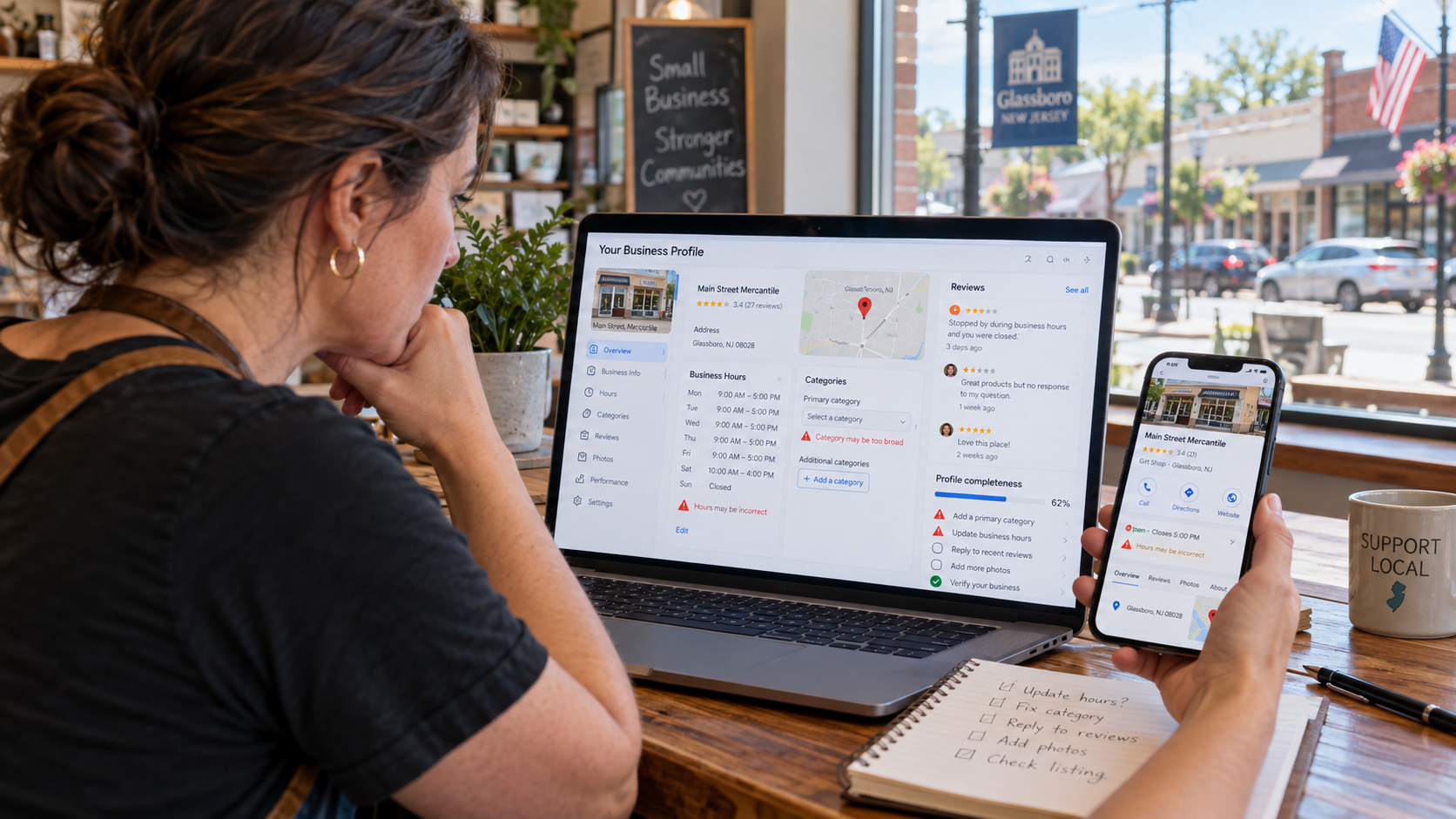
Search "plumber near me" from a parking lot in Washington Township, or "best pizza Mullica Hill" from a kitchen in Harrison, and Google decides in about a second which three businesses get the phone call. For most local businesses in Gloucester County, that decision happens on their Google Business Profile, not their website.
That is why it is so frustrating how often the profile is an afterthought. When we audit profiles for businesses in Glassboro, Deptford, Woodbury, Swedesboro, Williamstown and Pitman, we find the same handful of problems again and again. Wrong categories. A town name crammed into the business name. Holiday hours nobody updated. A review from 2023 still waiting for a reply. An owner who left the company two years ago and still holds the only admin login.
None of these are hard to fix. Most take minutes. But left alone, each one quietly costs calls, direction requests and walk-ins, and a few of them can get a profile suspended outright.
This guide walks through the nine Google Business Profile mistakes we see at almost every Gloucester County business, why each one matters according to Google's own guidelines and current consumer research, and exactly how to fix it. There is a 30-minute audit checklist at the end you can run today.
Why Your Google Business Profile Matters More Than You Think
Google is unusually direct about how local results work. Its help page on improving local ranking says results are based mainly on three things:
Relevance: how well your profile matches what someone searched for
Distance: how far you are from the searcher
Prominence: how well-known you are, including links to your business and how many reviews and ratings you have
Google also says plainly that there is no way to request or pay for a better local ranking. You cannot move your Glassboro office closer to a customer in Logan Township, but you control almost everything that shapes relevance and a good share of prominence. Most of that lives on your profile.
What the local search experts rank highest
Whitespark's 2026 Local Search Ranking Factors report, published November 2025, surveyed 47 local search experts who scored 187 possible factors. These are the ten they rated most important for the Google local pack and Maps:
Those rankings come from expert opinion, not from Google. Still, eight of the ten are things you set or influence directly on your profile.
Customers are judging your profile, too
Ranking is only half the job. Once someone sees your listing, the profile has to earn the click or call. BrightLocal's Local Consumer Review Survey 2026 found that 97% of consumers read reviews for local businesses, 71% use Google for them, and 31% will only choose a business rated 4.5 stars or higher. The same survey found use of ChatGPT and other AI tools for local recommendations jumped from 6% to 45% in a year, and those tools often lean on the same profile and review data.
In a county where people can reach a competitor in ten minutes down Route 55 or the Black Horse Pike, a sloppy profile is an easy reason to scroll past you.
Mistake 1: Wrong, Vague or Missing Categories
If we could fix only one thing on most profiles, it would be the categories. The primary category tells Google what your business is, and it decides which searches you are even eligible to show up for. Whitespark's experts ranked it the single most important local pack factor.
What we usually find
A generic primary category. Think of a family law firm listed only as "Law firm," a pediatric dental practice listed as "Dentist," or a bakery that mostly sells custom cakes listed as "Coffee shop" because it also sells coffee.
No additional categories at all, even when the business clearly has distinct lines like a restaurant that also caters or a hardware store with a key-cutting counter.
Categories that describe amenities, not the business. Google's own guidelines say categories should complete the sentence "This business IS a," not "This business HAS a." A motel with a pool is a motel, not a swimming pool.
Categories copied from a competitor or left over from years ago that no longer match what the business actually does.
How to fix it
Choose the most specific primary category that matches your main service. Google's category help page gives the example of choosing "Nail salon" instead of "Salon." Google automatically covers broader categories behind the scenes when you pick a specific one.
Add a few accurate additional categories for genuine departments or core services. The guideline is to use as few as possible to describe the core business, not one for every product.
Search the category list, don't guess. Type several variations into the category field. Google adds and renames categories over time, and there may be a better fit than the one you chose years ago.
Check what ranks. Search your main service from a phone near your location and look at the primary categories of the businesses that show up on top. It is a useful clue, but only copy a category if it truly describes your business.
Expect a possible re-verification. Google notes that editing categories can trigger a request to verify your business again. That is normal, so plan the change for a week you can respond quickly.
Mistake 2: Stuffing Keywords or Towns Into the Business Name
This one is tempting because it works, at least for a while. Whitespark's experts ranked keywords in the business name as the third most important local pack factor. So profiles appear with names like "Smith Plumbing | Emergency Plumber Glassboro, Pitman & Sewell" when the truck and the invoices just say "Smith Plumbing."
Why it backfires
Google's guidelines for representing your business say your name must match your real-world name as it appears on your storefront, website and stationery. They specifically list what can't be added, including:
Marketing taglines
Service or product descriptions
Location information
Phone numbers, website addresses or business hours
Legal terms like LLC or Inc., unless they consistently appear in your real-world branding
Google states that adding unnecessary information to your name can result in suspension of your profile. In practice, stuffed names are also easy targets for competitors, who can suggest an edit or report the listing. When Google corrects or suspends the profile, the business loses the rankings it borrowed and sometimes much more.
How to fix it
Match your signage exactly. If your sign, website header and invoices say "Smith Plumbing," that is your profile name.
Move the keywords where they belong. Put services in categories and the Services section, your towns in your service area and website, and your story in the business description.
If you genuinely want a keyword in your name, change the real name first. Some businesses do legitimately rebrand as, for example, "Smith Plumbing & Heating." If you go that route, update your signage, website, invoices and legal paperwork before touching the profile, since Google may ask for proof.
Don't retaliate blindly. If a Deptford competitor is stuffing keywords and outranking you, you can suggest an edit to their name in Google Maps or report the listing to Google. Stick to facts, and focus most of your energy on your own profile.
Mistake 3: Address and Service-Area Errors, Duplicates and Virtual Offices
Gloucester County has a lot of service-area businesses: landscapers in Franklin Township, HVAC companies in Mantua, cleaning services in West Deptford, contractors running crews out of a home office in Monroe. The address rules for these businesses trip people up constantly, and they are among the most common reasons for suspension.
The rules, in plain English
Google's guidelines draw a clear line:
Storefront businesses that serve customers at their location should show a precise street address and keep permanent signage with the business name at that address.
Service-area businesses that travel to customers should hide their address and set a service area instead. Google's own example: a plumber running the business from a home address should clear the address from the profile.
Hybrid businesses, like a repair shop that also does roadside calls, can show the address and set a service area, but only if the location is staffed and can receive customers during listed hours.
Virtual offices and mailbox addresses aren't eligible. A rented mailing address you don't operate from, a P.O. box, or a co-working desk without signage and staff during business hours does not qualify.
One profile per location. Duplicate profiles for the same business confuse Google and customers.
Keep the service area realistic. Google says the overall service area generally shouldn't extend beyond about two hours of driving time from your base.
What we usually find
A contractor showing their home address in Washington Township because they never realized it could be hidden
A "satellite office" in a virtual suite in Cherry Hill or Woodbury set up only to rank in another town
Two or three duplicate profiles created over the years by different employees, agencies or a previous owner
A map pin sitting on the wrong side of a shopping center or the wrong end of a long road like Delsea Drive
A service area set to the whole state of New Jersey plus Philadelphia and Delaware
How to fix it
Decide honestly which type you are. If customers come to you during posted hours, show the address. If you go to them, hide it and set service areas.
Check the pin. Open your profile in Google Maps and zoom in. If the pin isn't on your entrance, adjust it in your profile. Whitespark's experts ranked correct pin placement in the top ten factors.
Find duplicates. Search your business name, phone number and old addresses in Google Maps. For duplicates you own, ask Google to merge or remove them. For ones you don't, request ownership or report them.
Trim your service area to the towns and counties you actually serve regularly.
Don't create profiles for places you don't operate. It is the quickest route to a suspension, and reinstatement is slow.
Mistake 4: Wrong Hours and No Holiday Hours
Nothing earns a one-star review faster than a customer driving to a locked door because Google said you were open. Hours used to feel like housekeeping. Now they affect rankings directly.
Why hours matter more than they used to
In Whitespark's 2026 survey, "business is open at the time of search" debuted as the fifth most important local pack factor, and "proper hours set on GBP" jumped 64 spots to number 21. The report describes watching businesses slide down the local results as closing time approaches and get displaced by competitors that are still open.
That creates a temptation to fudge hours to look open longer. Don't. The same report warns that brick-and-mortar businesses should list only their real hours, because inflated hours frustrate customers, invite bad reviews and go against Google's guidelines.
What we usually find
Regular hours that were never updated after a staffing change or a move to shorter winter hours
No special hours for Thanksgiving, Christmas Eve, the Fourth of July or a snow day, so Google shows "Open" on a day the business is closed
Seasonal businesses, like farm markets, garden centers, ice cream stands and pool companies, that close for the winter but leave summer hours showing
One set of hours for a business that really has separate hours for different services
How to fix it
Audit your regular hours today against what the front door sign actually says.
Set special hours for every holiday a few weeks ahead. Google's guidelines specifically allow special hours for holidays and events, and Google often prompts you to confirm them.
Use "More hours" for things like pickup, delivery, drive-through, senior hours or a service department, so the main hours stay accurate. Google suggests these be a subset of your main hours.
Handle the off-season correctly. Google's guidance for seasonal businesses is to set regular hours while open and mark the profile temporarily closed during the off-season, then restore hours when you reopen. Don't delete the profile.
Put a recurring reminder on the calendar before each major holiday and any time your schedule changes.
Mistake 5: Mishandling Reviews
Most Gloucester County businesses we meet have good reputations offline and thin ones online. The customers are happy. They just were never asked. Meanwhile, the reviews that do exist sit unanswered, or get handled in ways that quietly break Google's rules.
What the numbers say
BrightLocal's Local Consumer Review Survey 2026 is blunt about what customers expect:
Whitespark's experts also placed review recency and a steady flow of reviews over time, rather than sudden bursts, in the top 15 local ranking factors.
What we usually find
A handful of reviews, the newest one more than a year old
No replies at all, or the same one-line "Thanks for the review!" pasted under every review
A defensive public argument with an unhappy customer
Review gating: a text survey that sends happy customers to Google and unhappy ones to a private form
Incentives such as a discount, raffle entry or free service in exchange for a review
Why the last two are dangerous
Google's prohibited and restricted content policy says businesses must not discourage negative reviews or selectively solicit positive ones. It also says businesses shouldn't pressure customers to leave reviews on the premises or ask them to include specific content. Reviews Google identifies as fake or incentivized can be removed. Separately, the FTC's rule on fake reviews bans buying fake reviews and offering incentives conditioned on a positive or negative review, with civil penalties for knowing violations.
How to fix it
Ask everyone, every time. Build the request into your process: a text or email with your direct review link after every completed job, visit or purchase. Same message for every customer.
Make it easy. Use the review link from your profile, add a QR code at checkout, and put the link in email signatures and on receipts.
Reply to every review within a few days, positive and negative. Use the customer's first name, mention something specific, and keep it human.
Handle negative reviews calmly. Acknowledge the experience, skip the argument, and invite them to call a named person to make it right. Future customers are reading your reply more than the complaint.
Flag reviews that break Google's rules, like spam, conflicts of interest or off-topic rants, through the profile's reporting tools. Don't expect Google to remove a review just because it is negative.
Mistake 6: A Thin, Stale Profile
A lot of profiles technically exist but say almost nothing. There is a logo, a phone number, three photos from opening week and an empty Services section. That hurts on two fronts: Google has less information to match you to searches, and customers have less reason to pick you.
Services: the most underused section
Google's services help page explains that businesses in service categories can choose from suggested services tailored to their business type, such as "Install faucet" or "Repair toilet" for a plumber, and add custom services with descriptions. When someone searches for one of those offerings, Google may highlight that service on your profile.
It matters for ranking, too. Whitespark's 2026 survey added "presence of GBP predefined services" as a new factor, and it landed at number 22. Keywords in services jumped about 75 places, into the mid-30s. Yet this is the section we most often find empty.
The description: helpful, not stuffed
Google's guidelines say the business description should explain your services, products, mission and history. It may not include links, and it shouldn't focus on promotions or prices. Whitespark's experts flagged keyword stuffing in the description as a negative factor and a suspension risk. Write it for a person in Woodbury deciding between you and two competitors, not for a search engine.
Photos and updates: proof you are real and active
Whitespark's list includes photo and video quality, photo recency, and photos relevant to your categories. It also flags AI-generated photos and videos on a profile as a negative factor. The easy wins:
Real photos of your storefront from the street, so people recognize it from the road
Your team, your work and your space, updated at least monthly
Short videos of a job, a dish or a walkthrough
No stock photos and no AI-generated images
Posts and updates are lower on the ranking list, but they show customers you are active and give them something current to read. A post about a seasonal special, a new service, a community event in Pitman or a team member's work takes five minutes.
Attributes and extras
Fill in every attribute that applies to you, such as wheelchair accessibility, free Wi-Fi, outdoor seating, online appointments or "Identifies as veteran-owned" or "women-owned." Add booking, menu or ordering links if your category supports them. Each detail answers a question a customer would otherwise have to call about.
Mistake 7: Lost Ownership and Unmonitored Edits
This is the mistake nobody notices until something goes wrong. The phone number on the profile suddenly changes, the business is marked "Permanently closed," or a new owner buys a shop in Swedesboro and discovers the only login belongs to the previous owner's personal Gmail.
Who actually controls your profile?
Google's owners and managers help page explains the roles:
Owners have full control, including adding or removing users and deleting the profile. A profile can have several owners but only one primary owner.
Managers can do almost everything else, like editing info, responding to reviews and posting, but can't add or remove users or delete the profile.
Each person should use their own Google Account, so nobody has to share a password.
What we commonly find: the profile is owned by a former employee, a web designer from years ago, or an agency the business no longer works with. Sometimes it is tied to an email address nobody can log into anymore. If that person leaves on bad terms, or simply stops answering emails, the business can lose control of its most important local listing.
Google and the public can change your profile
Google's page on Google updates to your Business Profile says it gathers information from sources like user reports and licensed content, and may update your profile if those sources say your information is wrong or outdated. In the profile editor, blue text shows information Google changed. Customers, competitors and bots can all suggest edits to your hours, phone number, website, category or even your status.
Most of these edits are harmless. Some aren't. A wrong phone number or a false "closed" label can cost a week of calls before anyone notices.
How to fix it
Log in and check "People and access" today. Make sure the business owner, not an employee or vendor, holds primary ownership using a company-controlled Google Account.
Give everyone else manager access, including your marketing agency. They get what they need to do the work without the ability to lock you out.
Remove people who have left. Google notes that removed users can no longer change business info.
If you can't get access, use Google's request ownership process. It takes time, so start before you need it.
Check your profile at least weekly, look for blue updated fields or notifications at the top of the editor, and accept or correct them.
Mistake 8: No Tracking, and Relying on Features Google Retired
Two related problems show up together. Businesses can't tell what their profile actually produces, and some are still counting on features Google has already switched off.
Flying blind
Most owners we talk to have never opened the Performance section of their profile. Google's performance and insights page shows how people found you and what they did: calls, direction requests, website clicks and the search terms that triggered your listing. That is the easiest way to see whether changes are working.
On your website, Google Analytics typically lumps profile visits in with ordinary organic search. The fix is simple: add UTM tracking parameters to the website link on your profile (for example ?utm_source=google&utm_medium=organic&utm_campaign=gbp) so profile traffic shows up as its own line. If you use call tracking, keep your real local number as the primary phone number and follow your provider's guidance for Google, since Google's guidelines require the number to connect directly to your business.
Features that no longer exist
Google has retired several Business Profile features in the last two years. If your marketing plan, or your agency's monthly report, still references them, it is out of date:
If your business ever used a free business.site website, check your profile's website field now. Google removed those addresses from profiles when it shut the sites down, which may have left the field empty, and any old business cards, signs or social bios pointing to that address now lead nowhere.
How to fix it
Open Performance monthly and note calls, direction requests and website clicks. Watch the trend, not a single month.
Add UTM parameters to your profile's website link and create a simple report in Google Analytics.
Check every link on the profile, including website, booking, menu and ordering links, and make sure each one loads.
Replace retired features. If you relied on chat, turn on text or WhatsApp if eligible, and make sure your website has click-to-call and a simple contact form. If you relied on Q&A, move those answers to an FAQ page on your website, since Google's AI tools read your site, profile and reviews to answer questions.
Mistake 9: Treating Google as the Only Map That Matters
Your Google profile is the most important listing you have, but it isn't the only one customers see. When your hours, phone number or address differ across platforms, customers get confused and search engines and AI tools lose confidence in which version is right.
The landscape is spreading out
BrightLocal's Local Consumer Review Survey 2026 found the average consumer now uses six different review sites when choosing a local business. Apple Maps nearly doubled as a source, from 14% in 2025 to 27%, and use of ChatGPT and similar AI tools for local recommendations jumped from 6% to 45%. Across South Jersey, plenty of customers search from an iPhone that opens Apple Maps by default.
Whitespark's 2026 report added AI search visibility to its survey for the first time and found that three of the top five AI visibility factors were citation factors, meaning consistent listings of your business across the web. It also listed consistency of your details across Google Maps, Bing Maps and Apple Maps among the top 30 local pack factors.
What we usually find
No claimed Apple Business Connect or Bing Places listing at all
An old address or phone number still showing on Yelp, Facebook, the chamber of commerce directory or an industry site
A different business name format everywhere, like "& Sons" on one site and "and Sons" on another
A website footer with a different phone number than the Google profile
How to fix it
Claim your listings on Apple Business Connect and Bing Places for Business. Bing lets you import details from your Google profile.
Standardize your name, address and phone number and use exactly the same format on your website, Google, Apple, Bing, Facebook, Yelp and industry directories.
Update the local directories people actually use, such as your chamber of commerce, Gloucester County business associations, trade groups and local "best of" lists.
Ask AI tools about yourself. Once a month, ask ChatGPT, Gemini and Copilot for the best business in your category in your town. Note whether you appear and whether the details are right, then fix the sources that are wrong.
Your 30-Minute Google Business Profile Audit
Grab a coffee, open your profile on a laptop and your phone, and work through this list. Anything you can't check off is on your fix list.
Frequently Asked Questions
Is a Google Business Profile free?
Yes. Creating, verifying and managing a Google Business Profile costs nothing. Google also states that there is no way to request or pay for a better local ranking. You can advertise separately with Google Ads, but that does not change your unpaid map ranking.
Can I put my town or services in my business name to rank higher?
Only if that is your real-world business name on your signage, website and paperwork. Google's guidelines prohibit adding keywords, locations, taglines or service descriptions to the name, and say doing so can get your profile suspended.
I run my business from home in Gloucester County. Should I show my address?
If customers don't come to your home during business hours, no. Google's guidelines say service-area businesses should hide their address and set a service area instead. Only show an address where you have permanent signage and can receive customers during your listed hours.
How many categories should I choose?
As few as it takes to describe your core business. Pick the most specific accurate primary category, then add a small number of additional categories for genuine departments or main services. Don't add a category for every product or amenity.
How often should I update my Google Business Profile?
Check it weekly for Google updates and new reviews, reply to reviews within a few days, add fresh photos or an update at least monthly, and set special hours before every holiday. A quick quarterly review of categories, services and your description keeps things accurate.
Is it okay to offer a discount for a Google review?
No. Google's policies prohibit incentivized reviews and selectively asking only happy customers. The FTC's rule on consumer reviews also bans incentives conditioned on a positive or negative review. You can and should ask every customer for an honest review, without any reward attached.
Why did my business disappear from Google Maps?
Common causes include a suspension for a guideline violation, a duplicate profile being merged or removed, a change in hours so you show as closed, a category change triggering re-verification, or someone suggesting an edit that marked you closed. Log in to your profile first. Google typically shows a notice if the profile is suspended or needs verification.
What happened to Questions & Answers on my profile?
Google shut down the Q&A API in November 2025 and has been replacing the public Q&A section with an AI-powered "Ask" feature in Google Maps. That feature draws on your profile, reviews and website, so the best move is to keep those accurate and publish a clear FAQ page on your site.
Do I need Apple Maps and Bing listings too?
Yes. Many iPhone users open Apple Maps by default, and BrightLocal found its use as a review source nearly doubled in a year. Consistent details across Google, Apple and Bing also help AI tools and search engines trust your information. Both listings are free to claim.
How long does it take to see results after fixing my profile?
Most edits appear within minutes, although Google says some can take up to 30 days. Ranking changes from category, services and review improvements usually build over several weeks. Track calls, direction requests and website clicks in your Performance report to measure progress.
Want a Second Set of Eyes on Your Profile?
Ritner Digital works with local businesses across Gloucester County and South Jersey to turn their Google Business Profile into a steady source of calls, direction requests and walk-ins. We will look at your profile the way Google and your customers do, flag what is holding it back, and help you fix it without risking a suspension.
Whether you run a shop in Woodbury, a practice in Sewell or a service company covering the whole county, let's make sure you show up when your neighbors search.
Talk to Ritner Digital about your Google Business Profile →
Sources
Google Business Profile Help, Tips to improve your local ranking on Google
Google Business Profile Help, Guidelines for representing your business on Google
Google Business Profile Help, Manage your business category
Google Business Profile Help, Manage your services on your Business Profile
Google Business Profile Help, Manage your Business Profile owners & managers
Google Business Profile Help, Request ownership of a Business Profile
Google Business Profile Help, Understand Google updates on your Business Profile
Google Business Profile Help, Understand your Business Profile performance & insights
Google Business Profile Help, Changes to Google Business Profile chat and call history
Google Maps User Contributed Content Policy, Prohibited & restricted content
Whitespark, 2026 Local Search Ranking Factors, November 6, 2025
BrightLocal, Local Consumer Review Survey 2026, February 11, 2026
Federal Trade Commission, Final Rule Banning Fake Reviews and Testimonials, August 2024
Search Engine Land, Google is shutting down websites made with Business Profiles, January 2024
Search Engine Roundtable, Google Changing Q&A Feature in Google Maps for Ask, December 2025
Apple, Apple Business Connect
Microsoft, Bing Places for Business