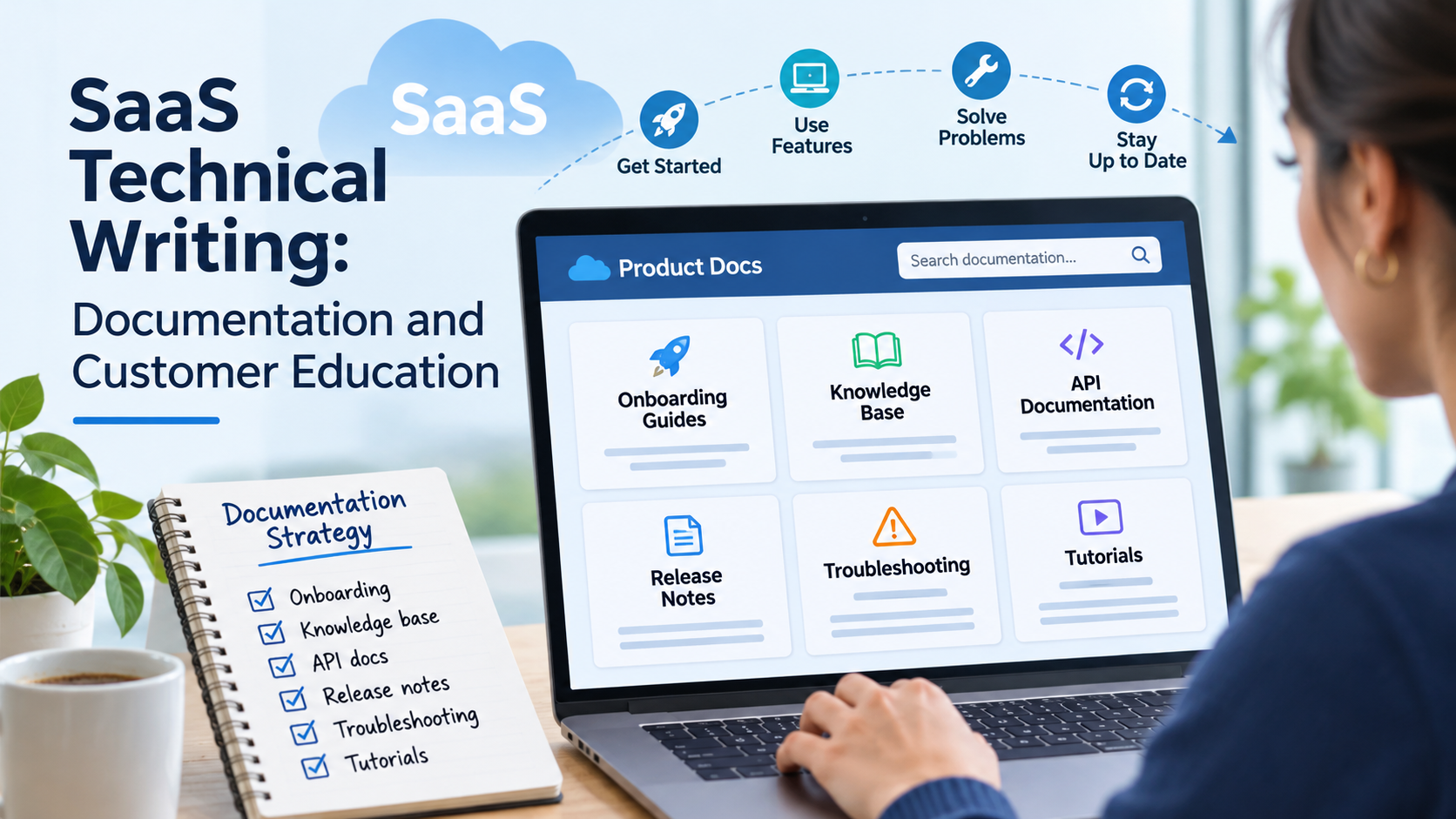
Why onboarding guides, knowledge bases, release notes, API documentation, troubleshooting resources, and product tutorials are essential to helping SaaS customers understand, adopt, and successfully use software.
Imagine signing up for a new software platform.
The website looks impressive. The product promises to simplify your workflow, automate repetitive tasks, and help your business operate more efficiently.
You've watched the product demonstration.
You've compared pricing plans.
You've entered your payment information.
Now you're ready to get started.
You log in for the first time.
And immediately, you're confronted with a dashboard full of unfamiliar features, menus, settings, and options.
You know what the software is supposed to accomplish.
But you don't know where to begin.
There's a help center, but the articles seem written for people who already understand the platform.
The onboarding guide explains how to create an account, something you've already done.
A tutorial references a button that no longer appears in the interface.
The knowledge base contains hundreds of articles, but searching for your problem doesn't produce a useful answer.
Eventually, you give up and contact customer support.
Or perhaps you close the application and decide to figure it out later.
For the SaaS company, this creates a problem.
The business successfully attracted a customer.
It communicated the value of its product.
It convinced someone to sign up.
But once the customer entered the platform, that promise became difficult to experience.
A SaaS company doesn't succeed simply because someone purchases a subscription. The customer needs to understand how to use the software well enough to accomplish something valuable.
That's where technical writing becomes an essential part of the customer experience.
Product documentation isn't just a collection of instructions.
It's how businesses help people understand features, complete tasks, resolve problems, adopt updates, and become more confident using a platform.
And for software-as-a-service companies, that responsibility extends far beyond the initial onboarding experience.
Customers need different kinds of information at different moments.
A first-time user needs help getting started.
An experienced customer may need instructions for a specific task.
An administrator might need documentation about permissions and configuration.
A developer integrating an API needs precise technical reference material.
Someone encountering an error needs troubleshooting guidance.
And existing customers need to understand what changes when the software is updated.
These needs require more than one generic help center.
They require a coordinated documentation and customer education strategy.
Why Technical Writing Matters So Much in SaaS
Software-as-a-service products are constantly evolving.
Unlike traditional software purchased once and installed indefinitely, many SaaS platforms receive ongoing improvements, feature updates, security changes, and interface adjustments.
Customers may encounter new functionality without installing an entirely new product.
That creates opportunities for innovation.
But it also creates communication challenges.
A feature that worked one way last month might behave differently after an update.
A new integration may require additional permissions.
An administrative setting might move to another location.
A familiar workflow may gain new options or lose older ones.
If documentation doesn't keep pace, customers can become confused even when the underlying product has improved.
This is one reason technical writing should be treated as an ongoing business function rather than a project completed when the software launches.
Documentation needs to evolve alongside the product.
It also needs to support multiple teams.
Customer support representatives rely on accurate troubleshooting resources.
Customer success teams use educational materials to help clients adopt features.
Sales teams may direct prospective customers toward technical information.
Developers need integration references.
Product managers need clear explanations of released functionality.
And customers need answers they can find without always asking another person for assistance.
When documentation works well, it supports all these interactions.
When it doesn't, uncertainty spreads across the customer experience.
Product Documentation and Customer Education Aren't Exactly the Same Thing
The terms product documentation and customer education are closely related, but they aren't interchangeable.
Product documentation generally explains how software works.
It describes features, procedures, requirements, settings, integrations, and other technical details.
Customer education focuses more broadly on helping people develop the knowledge and skills needed to use the product successfully.
A documentation article might explain how to create an automated workflow.
A customer education program might help someone understand when automation is useful, how different workflows fit together, and how to apply the feature to a real business problem.
Both can be valuable.
Documentation helps users find accurate information.
Education helps users develop understanding and confidence.
A strong SaaS content strategy connects the two.
The customer shouldn't have to navigate completely separate systems to find out what a feature does, learn how to use it, and solve problems when something goes wrong.
These resources should support one another.
The Diátaxis documentation framework offers a useful way to understand different information needs.
It distinguishes four types of technical documentation: tutorials, how-to guides, reference materials, and explanations.
Each serves a different purpose.
Tutorials help people learn through guided practice.
How-to guides help users complete specific tasks.
Reference materials provide precise technical information.
Explanations help readers understand how concepts and systems work.
This distinction is especially useful for SaaS companies because customers don't always approach documentation with the same goal.
Someone learning a platform for the first time needs a different experience from someone troubleshooting a failed API request.
The best documentation system doesn't simply contain information. It helps users find the right kind of information for the problem they're trying to solve.
1. Onboarding Guides: Helping Customers Reach Their First Meaningful Result
The onboarding experience often shapes a customer's earliest impressions of a SaaS product.
They've made a decision to try or purchase the software.
Now they need evidence that the product can deliver what they expected.
An onboarding guide should help them move from having an account to accomplishing a useful task.
That may sound straightforward.
But many SaaS platforms make onboarding unnecessarily complicated.
They introduce every feature at once.
They require customers to complete settings that aren't relevant to their immediate goals.
They explain the interface without showing how to accomplish anything meaningful.
Or they assume all customers have the same technical background.
A more effective approach begins with the customer's objective.
Start With What the Customer Wants to Accomplish
Imagine a SaaS platform designed for appointment scheduling.
A new customer may not care about every administrative feature.
Their immediate goal is probably something like:
"I want customers to book appointments online."
The onboarding experience should help them reach that outcome.
That may involve configuring availability, creating a booking page, selecting appropriate settings, and testing the customer-facing booking process.
The guide should make those steps understandable and identify any prerequisites.
It should also explain what successful completion looks like.
For example, the customer should know how to confirm that a booking page is available and functioning as intended.
This is more useful than simply introducing the software's menus.
The customer is learning the platform through a task that matters to them.
Different Users Need Different Onboarding Paths
SaaS products frequently serve multiple audiences.
An administrator may be responsible for configuring the account.
A team manager may need to establish workflows.
An individual employee may only need to understand the features they use during ordinary work.
A developer may be integrating the platform with another application.
These users shouldn't necessarily receive identical onboarding instructions.
Role-based documentation can reduce confusion by presenting relevant information.
For example, an administrator's onboarding guide might include account configuration, security settings, permissions, and integrations.
An end-user guide might focus on accessing the workspace, completing common tasks, and finding assistance.
A developer's onboarding experience might begin with authentication, sandbox access, and a working API request.
The product is the same.
But the information needs are different.
Avoid Overwhelming Customers With Everything at Once
One common onboarding mistake is explaining too much too early.
A company wants customers to appreciate the full product.
So it builds a lengthy walkthrough introducing every feature, menu, and option.
Unfortunately, users may not remember much of that information when they actually need it.
The Nielsen Norman Group's research article, Onboarding Tutorials vs. Contextual Help, explains the limitations of presenting too much information before it's relevant.
The article emphasizes contextual help that appears when users need assistance with a particular task.
This can include tooltips, guided workflows, and other forms of assistance that users can access at the appropriate moment.
For SaaS companies, the lesson is important.
A customer doesn't need to become an expert during the first login.
They need to understand enough to begin using the product successfully.
Additional education can be introduced as their needs develop.
Good Onboarding Documentation Should Be Tested
A writer may understand the application so well that instructions seem obvious.
But someone using the software for the first time may encounter unexpected questions.
Where should they click?
Do they need administrator permissions?
What happens if they haven't connected another service?
Can they skip a particular step?
How do they know whether setup is complete?
These questions should be tested with people who represent the intended audience.
A useful onboarding guide needs more than correct grammar.
Its steps should match the actual interface.
Prerequisites should be identified.
Screenshots should reflect the relevant product version.
The expected result should be clear.
And users should be able to recover if something goes wrong.
An onboarding guide is successful when it helps people accomplish the intended task, not merely when they finish reading it.
2. Knowledge Bases: Giving Customers Answers Without Making Them Contact Support
A knowledge base is one of the most important documentation resources a SaaS company can provide.
It gives customers a centralized location to find instructions, troubleshooting information, account guidance, and answers to common questions.
But simply publishing hundreds of articles doesn't guarantee that the knowledge base is useful.
Customers need to find relevant information quickly.
And that information needs to solve the problem they actually have.
A Knowledge Base Should Be Built Around Customer Questions
Consider a customer trying to change a user's permissions.
They may search for:
"How do I give someone admin access?"
But the knowledge base article might be titled:
"Configuring Role-Based Access Control Policies."
The article may be technically accurate.
However, the terminology doesn't match how the customer describes the task.
That can make the information harder to discover.
SaaS documentation needs to account for both technical terminology and the language customers use.
The article can introduce the official feature name while also answering the practical question.
A useful title might be:
"How to Change User Permissions and Administrator Access."
That phrasing is clearer about what the reader can accomplish.
Searchability Is Part of Documentation Quality
A knowledge base should be organized so customers can navigate it without already knowing the company's internal terminology.
Common categories might involve getting started, account settings, billing, integrations, troubleshooting, and administrative features.
However, the ideal structure depends on the product.
Some users prefer searching directly.
Others browse by category.
Customers may also arrive through search engines or links shared by support representatives.
The Atlassian guide to self-service knowledge bases emphasizes searchable, centralized documentation that enables customers and employees to resolve common problems.
Atlassian also recommends consistent article formats, regular content audits, plain language, and opportunities for readers to provide feedback.
These recommendations highlight that knowledge management is an ongoing activity.
A useful knowledge base isn't finished when the articles are uploaded.
It must be maintained.
Consistency Helps Customers Understand Instructions
Imagine reading five articles from the same SaaS help center.
One begins with a long explanation.
Another jumps directly into numbered steps.
A third uses screenshots without captions.
A fourth relies on terminology that isn't defined.
A fifth contains warnings buried beneath unrelated information.
The experience feels inconsistent.
Standardized content structures make documentation easier to navigate.
A task-oriented article might begin by explaining what the user will accomplish.
It can then identify prerequisites, provide the procedure, explain the expected result, and link to related troubleshooting information.
Not every article needs exactly the same sections.
But consistent conventions reduce the effort required to understand how the help center works.
Support Teams Should Help Shape the Knowledge Base
Customer support teams encounter documentation gaps every day.
They know which questions customers ask repeatedly.
They know which instructions create confusion.
They may discover that a particular feature produces the same misunderstanding across many accounts.
That information is valuable.
Rather than treating support tickets as isolated problems, SaaS companies can use recurring themes to improve their knowledge base.
Atlassian's discussion of knowledge-centered service describes how support teams can contribute to creating and maintaining documentation as part of their everyday work.
This creates a feedback loop.
Customer questions reveal missing information.
Support specialists help identify the issue.
Technical writers and subject matter experts develop or revise the documentation.
The updated resource becomes available to future customers.
The goal isn't to eliminate personal support.
It's to make routine problems easier to resolve while allowing support teams to focus on situations that require individualized assistance.
3. Release Notes: Explaining What Changed and Why It Matters
SaaS products change frequently.
New features appear.
Existing functions are improved.
Bugs are corrected.
Interfaces change.
Integrations are updated.
Security issues are addressed.
Some changes are immediately visible.
Others affect the product's behavior in ways customers may not notice until they attempt a particular task.
Release notes help communicate those changes.
But there's a difference between publishing a list of engineering accomplishments and explaining what customers need to know.
Release Notes Should Be Written for Their Audience
Imagine a SaaS company publishes the following update:
"Optimized workflow execution logic and refactored internal permission handlers."
That may accurately describe engineering work.
But it doesn't tell a typical customer what changed.
A more useful release note might explain that administrators can now manage a particular permission through a revised interface, if that's the actual user-facing result.
The message should focus on observable behavior.
What changed?
Who is affected?
Does the customer need to take action?
Will anything work differently?
Is the feature available to all accounts or only particular plans?
These questions are more important to most readers than implementation details.
Different Changes Need Different Levels of Explanation
Not every release requires a lengthy announcement.
A minor visual adjustment may need a short note.
A new feature may warrant a tutorial.
A change affecting permissions might require updated administrative instructions.
An API modification could require version-specific information and migration guidance.
A breaking change deserves particularly careful communication.
Customers should understand what may stop working, which versions are affected, what action is required, and the applicable deadline when one exists.
The GitHub Docs release-note content guide explains that release notes help administrators prepare for product upgrades and help end users understand changes in functionality.
It also describes collaboration between documentation writers, product owners, and engineers.
That's an important model.
Release notes shouldn't be created independently from the people responsible for the product changes.
They need verification.
Release Notes Should Connect to Updated Documentation
Imagine a release note announcing a new reporting feature.
The customer clicks through to learn how to use it.
But the linked guide describes the previous interface.
That creates confusion.
Release notes and product documentation should be coordinated.
When a feature changes, the organization should evaluate which onboarding guides, reference pages, tutorials, and troubleshooting resources are affected.
Publishing the announcement is only one part of the communication process.
The supporting documentation also needs to be current.
A release isn't fully documented just because the changelog has been updated.
4. API Documentation: Helping Developers Build Reliable Integrations
For many SaaS companies, API documentation is essential.
Customers may use an application programming interface to connect the platform with other software, automate processes, retrieve information, or build custom workflows.
Developers need precise details to accomplish those tasks.
And unlike general educational content, small technical inaccuracies can make an API integration fail.
An incorrect parameter name can prevent a request from working.
An outdated authentication example can block access.
A missing requirement can lead to repeated errors.
A code sample that doesn't match the current API version can waste development time.
API Documentation Needs More Than Endpoint Descriptions
A useful API reference may describe authentication, endpoints, request methods, parameters, data types, responses, error codes, rate limits, and version information.
The specific requirements depend on the API.
But reference information alone may not explain how to complete a real integration.
A developer also needs to know where to begin.
How do they obtain credentials?
Is there a test environment?
What is the first successful request?
How should errors be handled?
What are the relevant security practices?
How do multiple endpoints fit together into a complete workflow?
That's why SaaS API documentation often benefits from both precise reference material and practical tutorials.
Stripe Demonstrates the Importance of Structured Developer Guidance
The Stripe developer documentation provides a real-world example.
Its getting-started resources introduce account setup, development environments, API keys, integration quickstarts, and related topics.
This helps developers move from general understanding toward a practical implementation.
Stripe also maintains dedicated API versioning documentation.
Its versioning guidance explains its release process and the distinction between monthly updates and major releases that may include breaking changes.
This illustrates why version information belongs in developer documentation.
An integration may depend on behavior associated with a particular API version.
If the documentation doesn't identify that relationship, developers may follow instructions that don't match their environment.
Examples Need to Be Tested
Code examples are especially important because developers often use them as starting points.
But an example that looks realistic isn't necessarily functional.
A technical writer should not assume that code is valid simply because it was generated by a developer tool or AI system.
Examples should be verified using the appropriate environment and supported versions where feasible.
They should use safe placeholder credentials rather than exposing secrets.
Expected responses should reflect actual behavior.
Where examples differ across programming languages, each supported example needs appropriate validation.
The Google developer documentation style guide emphasizes clear, consistent technical communication for developers.
That consistency is especially important when code examples, commands, and written instructions must work together.
Error Documentation Deserves Its Own Attention
Developers need guidance when something fails.
A useful error reference can explain what an error means, common reasons it occurs, and appropriate next steps.
For example, a failed request could result from invalid credentials, missing permissions, unsupported parameters, or a service limitation.
The relevant explanation should be grounded in the actual API behavior.
Stripe provides dedicated error-handling guidance with language-specific resources for developers.
This illustrates why troubleshooting isn't an afterthought in API documentation.
Developers need information for both successful requests and unsuccessful ones.
Good technical writing anticipates both.
5. Troubleshooting Resources: Helping Customers Recover When Things Go Wrong
Troubleshooting documentation serves a different purpose from onboarding.
When customers search for troubleshooting information, they may already be frustrated.
Something isn't working.
They've received an error.
They can't access a feature.
An integration has failed.
A workflow isn't producing the expected result.
They usually don't want to read an extensive introduction to the product.
They want to identify the problem and understand what to do next.
Start With the Symptoms Customers Recognize
A troubleshooting article should begin with the problem as the user experiences it.
For example:
"Why Isn't My Data Syncing?"
This is likely more useful to a customer than an article titled:
"Synchronization Service Exception Management."
The technical explanation can still appear within the article.
But the title and introduction should help the user recognize that they've found the right resource.
A strong troubleshooting guide may explain the symptoms, possible causes, steps to investigate, expected results, and when to contact support.
It should distinguish between confirmed causes and possibilities.
Not every error has a single explanation.
Put Troubleshooting Steps in a Sensible Order
A customer experiencing a minor problem shouldn't necessarily begin with the most disruptive intervention.
Troubleshooting instructions should be developed and verified by qualified product experts.
Where appropriate, they may begin with basic checks before moving toward more complex actions.
However, the order must reflect the actual system.
A technical writer shouldn't independently assume which configuration changes are safe.
Some steps may affect shared workspaces, connected integrations, customer data, or production environments.
Instructions involving potentially destructive actions should contain appropriate warnings and verified recovery information.
Explain What Each Step Is Testing
A guide can become more useful when it explains why an action is relevant.
Instead of providing a disconnected series of instructions, it can help users understand what each check reveals.
For example, checking a user's permissions may help determine whether an access problem is related to the account's assigned role.
The guide should then explain what different results mean.
This can make troubleshooting more educational.
The customer isn't merely following commands.
They're developing a better understanding of how the system behaves.
Make Escalation Easy
Self-service documentation shouldn't become an obstacle to obtaining support.
Sometimes the problem is too complex.
The customer may lack the required permissions.
The issue could involve account-specific settings or a product defect.
There may not be an approved self-service resolution.
Atlassian's knowledge base guidance emphasizes making additional support accessible when self-service resources aren't enough.
This is important for SaaS companies.
A knowledge base should help people solve problems independently when possible.
It shouldn't force customers through endless articles when a qualified support representative is needed.
A good troubleshooting guide makes that transition clear.
6. Product Tutorials: Teaching Customers How to Get More Value From the Software
Product tutorials occupy an important space between documentation and customer education.
They don't simply describe what a feature does.
They help users practice accomplishing something.
Consider a SaaS platform that allows businesses to build automated workflows.
A reference article might define the available triggers and actions.
A tutorial could walk a customer through creating a simple automation that sends a notification when a particular condition is met.
The tutorial introduces the relevant concepts through a guided experience.
It helps the customer see how the pieces work together.
Tutorials Should Have a Clear Learning Outcome
A useful tutorial begins with a specific goal.
For example:
"Create Your First Automated Customer Follow-Up."
The reader should understand what they'll build or accomplish.
The tutorial should identify prerequisites and provide a manageable sequence of steps.
At the end, the customer should have a way to confirm the result.
This is different from a feature tour that simply points at menu items.
The customer is learning by doing.
Tutorials Need Realistic Examples
Generic examples can help introduce basic concepts.
But tutorials become more valuable when they reflect realistic use cases.
A project management platform might demonstrate how a team organizes a recurring project.
A customer relationship management tool could show how to create a simple contact-management workflow.
An analytics platform might explain how to build a report using sample data.
The examples should be accurate and appropriate to the software.
If sample data is provided, it should be safe to use and clearly identified.
Customers shouldn't need to enter sensitive production information merely to complete an introductory lesson.
Video Tutorials and Written Guides Should Support Each Other
Video can be useful for demonstrating complex interface actions.
A customer may find it easier to watch someone complete a workflow than interpret a series of screenshots.
But video isn't always the best format.
A user may need to locate one specific instruction quickly.
They may prefer text because they want to copy a command.
They might need accessible captions or a transcript.
A video can also become outdated when the interface changes.
A good SaaS education strategy considers which format best serves the task.
A short demonstration can complement a written guide.
But it shouldn't automatically replace searchable, accessible instructions.
7. Documentation Should Follow the Customer Journey
One reason SaaS documentation becomes confusing is that organizations arrange content around internal departments.
Product teams publish feature descriptions.
Support teams create troubleshooting articles.
Engineering teams maintain API references.
Customer success teams develop training materials.
Marketing teams produce educational blog posts.
Each department may create useful content.
But customers experience the software as one product.
They shouldn't need to understand the company's organizational structure to find information.
A better approach considers the customer journey.
Before Purchase: Understanding the Product
Prospective customers may need to understand technical requirements, available integrations, security capabilities, and supported use cases.
Some documentation can help them evaluate whether the product fits their needs.
However, public content should distinguish between available features and planned functionality.
First Use: Getting Started
Customers need clear setup instructions, appropriate onboarding paths, and help reaching their first meaningful outcome.
Too much information can create unnecessary complexity.
Too little information can leave important questions unanswered.
Everyday Use: Completing Tasks
Once customers begin using the software regularly, they need task-oriented guides.
These should answer practical questions and be easy to find.
Advanced Use: Customization and Integration
Experienced users may need more detailed reference information, administrative guidance, developer documentation, and advanced tutorials.
When Something Breaks: Troubleshooting
Customers need accurate problem descriptions, verified solutions, and clear escalation options.
When the Product Changes: Release Education
Existing customers need timely information about new functionality, modified workflows, deprecated features, and any required action.
The documentation system should support all these moments.
It shouldn't assume customer education ends after onboarding.
8. Documentation Version Control Is Essential for SaaS Companies
Software changes can make documentation outdated surprisingly quickly.
A feature is redesigned.
A setting moves.
A permission changes.
An endpoint is deprecated.
A new pricing tier introduces different functionality.
A tutorial references the previous interface.
Suddenly, customers are following instructions that no longer match what they see.
This problem is often called documentation drift.
And in SaaS environments, it can become a recurring operational challenge.
Documentation Should Be Part of the Release Process
Product teams should identify documentation impacts when changes are planned.
A new feature may require onboarding updates, a tutorial, reference changes, and a release note.
An interface change might affect dozens of screenshots.
A permission change could require updates to administrator instructions and troubleshooting guides.
Documentation shouldn't become an afterthought addressed only after customers begin reporting confusion.
Versioned Products Need Versioned Instructions
Some SaaS platforms support different environments, plans, deployment types, or API versions.
Instructions may vary depending on the customer's configuration.
The GitHub documentation versioning system demonstrates one approach to maintaining documentation across different product versions.
GitHub uses structured version information to help readers access material relevant to their software.
Not every SaaS company needs a system as sophisticated as GitHub's.
But every organization should understand where its documentation varies.
If an instruction applies only to certain plans or versions, that information should be clear.
Docs-as-Code Can Improve Collaboration
For technical SaaS products, docs-as-code workflows can connect documentation updates to software development.
Writers and developers can collaborate through repositories and pull requests.
Changes can be reviewed before publication.
Automated checks can help identify broken links, formatting problems, or other issues.
However, automation doesn't replace technical verification.
Someone still needs to confirm that the documented behavior matches the released product.
9. Accessibility and Inclusive Design Make Documentation More Useful
SaaS companies often serve customers with different levels of technical knowledge, different language backgrounds, and different accessibility needs.
Documentation should account for those differences.
A guide that depends entirely on screenshots may be difficult for someone using a screen reader.
A video without captions can exclude some viewers.
Instructions based only on color may be confusing.
Small text and poorly structured headings can make long documents harder to navigate.
The Google accessibility guidance for developer documentation explains practices for creating more accessible technical content.
These include meaningful structure, clear links, and accessible approaches to images and other media.
SaaS companies should also consider customers working in different languages and regions.
A product may use specialized terminology that is difficult to translate.
Idioms or culturally specific phrases may create confusion.
Consistent terminology and straightforward language can make documentation easier to localize.
Accessibility is not simply a finishing step.
It should influence how technical content is planned, written, and tested.
10. AI Can Support SaaS Documentation, but It Still Needs Verification
Generative AI can help SaaS companies produce and maintain documentation.
It can draft knowledge base articles from verified source material.
It can summarize approved release notes.
It can suggest clearer wording.
It may help identify repeated support questions.
More advanced systems can propose documentation changes based on product repositories or structured specifications.
These capabilities can save time.
But AI-generated documentation also introduces risks.
A system may invent a setting.
It might describe an outdated interface.
It could combine instructions from different product versions.
It may produce code examples that look correct but fail when executed.
It could recommend a troubleshooting step that isn't appropriate for the customer's environment.
For this reason, SaaS companies should establish review processes before publishing AI-generated technical content.
Subject matter experts need to verify product behavior.
Code examples should be tested where appropriate.
Release information should be checked against approved product changes.
Version-specific instructions should be validated.
And customer-facing content should reflect the actual audience's needs.
AI can accelerate writing.
It does not automatically establish technical accuracy.
The goal should be better documentation produced more efficiently—not simply more documentation produced faster.
How SaaS Companies Can Measure Documentation Effectiveness
One challenge in technical writing is proving that documentation creates value.
A company may know how many articles it publishes.
It may track page views or search traffic.
But those numbers don't necessarily reveal whether customers are succeeding.
A knowledge base article might receive thousands of visits because it answers a common question effectively.
Or it might receive thousands of visits because the product repeatedly creates a confusing experience.
Traffic alone can't distinguish between those situations.
SaaS companies need to evaluate documentation in context.
Measure Task Completion
For onboarding and tutorials, the most important question may be whether users can accomplish the intended task.
Can a new customer complete setup?
Can an administrator configure the appropriate permissions?
Can a developer make a successful API request?
Can a user complete a workflow after following the guide?
These outcomes can be tested directly.
Examine Support Trends
Support tickets can reveal recurring documentation gaps.
If customers frequently ask how to complete a particular task, the company should investigate whether the existing documentation is difficult to find, unclear, outdated, or incomplete.
A reduction in related support requests may be encouraging.
But it shouldn't automatically be attributed to documentation changes without considering product updates, customer volume, and other factors.
Monitor Search Behavior
Knowledge base searches can reveal what customers want to know.
Searches with no useful results may identify missing topics.
Repeated searches for the same issue may signal that existing content isn't meeting user expectations.
The language customers use can also guide article titles and terminology.
Ask Whether Articles Actually Helped
Simple feedback options can provide useful information.
But a positive rating doesn't necessarily prove that an instruction is technically correct.
And a negative rating may reflect dissatisfaction with the product rather than the explanation.
Feedback should be evaluated alongside task outcomes and other evidence.
Consider Customer Adoption and Retention Carefully
Documentation may support activation, feature adoption, customer satisfaction, and retention.
But these outcomes are affected by many variables.
Product quality, pricing, customer needs, support responsiveness, and market conditions can all influence behavior.
Documentation teams should avoid claiming that an increase in retention was caused by a new help center without appropriate evidence.
The objective is to establish meaningful connections between documentation quality and customer outcomes rather than simply choosing impressive metrics.
The Connection Between SaaS Documentation, SEO, and AI Search
Technical documentation can also contribute to a SaaS company's online visibility.
Prospective customers frequently research software through search engines.
They may look for integration requirements, setup instructions, compatibility information, or solutions to particular problems.
A clear public documentation page can help answer those questions.
It may also introduce the company to developers or businesses that haven't purchased the product.
Search-Friendly Documentation Starts With Useful Information
Google's guidance on creating helpful, reliable, people-first content emphasizes information designed to benefit users rather than content produced primarily to manipulate search rankings.
For SaaS documentation, that means answering genuine questions with accurate instructions.
A page explaining how to connect a specific integration should provide the actual prerequisites and steps.
A troubleshooting guide should explain a real error and its supported solutions.
An API reference should accurately describe the interface.
Keyword placement doesn't compensate for incorrect technical information.
Documentation Can Help Prospective Customers Evaluate a Product
Not every visitor to a SaaS documentation site is an existing customer.
Some are researching whether the product supports a particular integration.
Others want to understand implementation complexity.
A developer may be comparing APIs.
An IT administrator may need details about deployment or security.
Accurate public documentation can help these audiences make informed decisions.
However, organizations should determine which materials can be public and which require authentication.
Security, privacy, contractual obligations, and proprietary information may affect that decision.
AI Search Makes Source Accuracy Even More Important
AI-powered search and support tools may use accessible product documentation as source material.
That creates opportunities for customers to discover relevant information through conversational questions.
But it also increases the importance of maintaining accurate, version-aware content.
If an AI tool retrieves outdated instructions, it may repeat them.
If source pages contain conflicting information, generated answers may be confusing.
Organizations should therefore prioritize reliable content, consistent terminology, and clear distinctions between versions.
No documentation strategy can guarantee how an external AI system will represent a product.
But accurate, well-structured information gives people and retrieval systems better material to work with.
The Biggest SaaS Documentation Mistakes
SaaS companies often create documentation problems unintentionally.
One common mistake is writing primarily from the product team's perspective.
The content explains features but doesn't help customers accomplish tasks.
Another is treating onboarding as a single universal experience.
Different users may have different responsibilities, permissions, and goals.
A third mistake is publishing a knowledge base without maintaining it.
Outdated articles can be especially frustrating because they appear to offer solutions while describing an interface that no longer exists.
Another is creating release notes that explain engineering work instead of user-facing changes.
Developers and administrators need to understand what changed and whether they need to act.
SaaS companies also sometimes overlook troubleshooting.
They document successful workflows but provide little help when a process fails.
Finally, organizations may fail to assign documentation ownership.
When nobody is responsible for reviewing and maintaining content, documentation can become inconsistent across departments.
These problems aren't necessarily solved by hiring more writers or purchasing another documentation platform.
They require a coordinated content process.
A Practical 90-Day Plan for Improving SaaS Documentation
A SaaS company doesn't need to rebuild its entire help center immediately.
A focused improvement plan can begin with identifying the most important customer needs.
Days 1–30: Audit the Existing Documentation
Begin by reviewing the resources customers currently use.
Examine onboarding guides, knowledge base articles, release notes, API references, tutorials, and troubleshooting pages.
Identify outdated screenshots, broken links, inconsistent terminology, and missing instructions.
Review recurring support questions.
Consider whether customers can find the information they need.
Talk with customer support, product, engineering, and customer success teams.
Identify the highest-impact gaps.
The goal isn't to count how many articles exist.
It's to understand which documentation problems most affect the customer experience.
Days 31–60: Improve the Most Important Customer Journeys
Prioritize a manageable set of improvements.
This might include rewriting the primary onboarding guide, improving the most-used troubleshooting articles, or creating a clear getting-started path for developers.
Establish consistent article structures.
Assign reviewers for technical accuracy.
Verify instructions against the current product.
Test critical tasks with appropriate users where feasible.
Update related resources so customers aren't directed toward contradictory instructions.
At this stage, the emphasis should be on quality rather than quantity.
Days 61–90: Establish a Sustainable Documentation Process
Once the most important content is improved, create a repeatable maintenance workflow.
Determine who owns each documentation category.
Define when product changes trigger documentation review.
Establish approval responsibilities.
Create templates for release notes, troubleshooting articles, and tutorials.
Set up appropriate version control and review procedures.
Identify meaningful measures of documentation effectiveness.
Then continue refining based on customer feedback and product changes.
The objective is to make documentation part of normal SaaS operations rather than a cleanup project that happens once a year.
Frequently Asked Questions
What is technical writing for SaaS companies?
Technical writing for SaaS companies involves creating documentation that explains how cloud-based software works and how users can accomplish tasks with it.
Common examples include onboarding guides, knowledge bases, API references, release notes, troubleshooting articles, and product tutorials.
The goal is to help customers understand and use the software accurately and efficiently.
Why is technical documentation important for SaaS businesses?
Technical documentation helps users complete tasks, understand features, solve problems, and adapt to product changes.
It also supports customer service, onboarding, developer integrations, and internal teams.
Clear, accurate documentation can contribute to a more effective customer experience, although its commercial impact depends on the product and other factors.
What should a SaaS onboarding guide include?
A SaaS onboarding guide should explain the relevant prerequisites, initial setup steps, and how users can complete their first meaningful task.
It should reflect the intended audience's role, permissions, and experience level.
Good onboarding also provides clear indicators of successful completion and appropriate help when something goes wrong.
What's the difference between onboarding documentation and product tutorials?
Onboarding documentation helps new users begin using a product and complete essential initial tasks.
Product tutorials teach users specific concepts or workflows through guided practice.
Some tutorials may be part of onboarding, but others support more advanced learning after customers have become familiar with the platform.
What is a SaaS knowledge base?
A SaaS knowledge base is a centralized collection of information that helps users understand the software and resolve common questions.
It may include how-to articles, troubleshooting guides, account instructions, integration documentation, and frequently asked questions.
An effective knowledge base is searchable, organized, accurate, and maintained as the product changes.
How can SaaS companies improve their knowledge bases?
Companies can improve knowledge bases by analyzing support requests, organizing articles around user tasks, using consistent structures, updating outdated information, and providing clear search functionality.
Customer feedback can help identify missing or confusing content.
Organizations should also assign ownership so articles remain accurate over time.
What's the difference between API documentation and general product documentation?
API documentation provides technical information for developers integrating or extending software.
It may explain endpoints, authentication, parameters, responses, errors, and versions.
General product documentation often focuses on user-facing features, administrative tasks, and workflows.
Both require accuracy, but they serve different audiences and technical needs.
Why do SaaS companies need release notes?
Release notes explain changes to the software.
They help users understand new features, modified functionality, fixes, and any actions required after an update.
For administrators and developers, release notes can also support upgrade planning and integration maintenance.
They should describe verified changes rather than merely summarize internal engineering activity.
How often should SaaS documentation be updated?
Documentation should be reviewed whenever product changes affect existing instructions.
Some content may remain accurate for long periods.
Other pages may need updates with nearly every release.
The appropriate schedule depends on product complexity, change frequency, risk, and customer needs.
A release-triggered review process is often more useful than relying exclusively on periodic audits.
What makes a good SaaS troubleshooting article?
A useful troubleshooting article clearly describes recognizable symptoms, identifies verified possible causes, and provides appropriate steps for investigating or resolving the problem.
It should explain expected results and when to contact support.
Steps should be tested and should avoid recommending unsafe or unsupported actions.
Should SaaS companies provide video tutorials?
Video tutorials can help demonstrate complex workflows and unfamiliar interfaces.
However, videos should be accessible, maintained, and supplemented with other formats when appropriate.
Written guides can be easier to search, scan, translate, or use when copying technical information.
The best format depends on the task and audience.
Can AI write SaaS product documentation?
AI can assist with drafting, summarization, editing, content organization, and identifying possible gaps.
However, AI-generated material may contain incorrect or outdated product details.
Technical claims should be verified against authoritative sources and tested where appropriate.
AI should support documentation workflows rather than bypass quality review.
What is docs-as-code in SaaS documentation?
Docs-as-code involves managing documentation using development-style tools and practices, such as repositories, pull requests, version control, and automated checks.
It can help technical writers collaborate with engineers and coordinate documentation changes with software releases.
The approach is especially useful when documentation needs to remain synchronized with a frequently changing product.
How can SaaS documentation improve customer onboarding?
Documentation can make onboarding easier by providing task-focused instructions, role-specific guidance, clear prerequisites, and examples that reflect real customer goals.
The information should help users reach meaningful outcomes without requiring them to learn every feature immediately.
Testing onboarding materials with intended users can reveal confusing or missing steps.
How should SaaS companies measure documentation success?
SaaS companies can evaluate task completion, support trends, documentation feedback, knowledge base search behavior, and the accuracy of published instructions.
They may also examine relationships with onboarding, feature adoption, and customer retention.
However, business outcomes should not automatically be attributed to documentation without appropriate evidence.
Does SaaS technical documentation help SEO?
Public SaaS documentation can help people discover accurate answers to product questions through search engines.
It may also assist prospective customers researching integrations, features, and technical requirements.
SEO benefits depend on content quality, accessibility, technical implementation, and other factors.
Documentation should prioritize user needs rather than keyword repetition.
What is the difference between customer education and customer support?
Customer education helps users develop the knowledge and skills needed to use software effectively.
Customer support assists people when they have questions, problems, or account-specific needs.
The two functions overlap.
Strong documentation can support independent learning while allowing customers to obtain personal assistance when necessary.
Who should be responsible for SaaS documentation?
Responsibility often spans technical writers, product managers, engineers, customer support, and customer success teams.
The organization should establish clear content ownership and approval processes.
Technical experts should verify product behavior.
Writers help ensure information is clear, structured, and appropriate for its audience.
The exact workflow depends on the company's size and product complexity.
How do product tutorials help customers adopt advanced features?
Tutorials can introduce advanced functionality through realistic, guided tasks.
They help customers understand how features fit into practical workflows rather than simply describing available settings.
Useful tutorials identify prerequisites, provide clear instructions, and explain how to verify successful completion.
They should be updated as the product changes.
What's the biggest mistake SaaS companies make with documentation?
One of the biggest mistakes is treating documentation as something created after software development is complete.
When documentation isn't integrated into product planning and release processes, instructions can become outdated or incomplete.
Effective SaaS documentation requires ongoing collaboration, verification, maintenance, and attention to customer needs.
Great SaaS Documentation Doesn't Just Explain Software. It Helps Customers Succeed.
For SaaS companies, the customer relationship doesn't end when someone creates an account.
It's only beginning.
Customers still need to understand how the product works.
They need help completing meaningful tasks.
They need guidance when they encounter unfamiliar features.
They need accurate information when something goes wrong.
And they need to understand what changes as the platform evolves.
That's why technical writing should be viewed as part of the product experience rather than an administrative task.
An onboarding guide can help a new customer begin with confidence.
A knowledge base can make answers easier to find.
A release note can prevent confusion after an update.
An API reference can help developers build reliable integrations.
A troubleshooting article can make an unexpected problem easier to resolve.
A tutorial can introduce possibilities customers didn't previously understand.
Together, these resources create a more complete educational experience.
But their value depends on accuracy, usability, organization, and maintenance.
A beautiful help center filled with outdated instructions isn't useful.
An API reference with incorrect examples can slow development.
A tutorial that doesn't match the current interface can create frustration instead of confidence.
And a release note that omits important changes can leave customers unprepared.
The goal of SaaS documentation isn't to explain every feature. It's to help customers accomplish what they came to the product to do.
That requires technical expertise, clear communication, and a genuine understanding of the customer journey.
As SaaS platforms become more sophisticated and AI tools accelerate content creation, this responsibility becomes even more important.
Because generating information is only one part of customer education.
The real challenge is making sure that information is correct, useful, current, and available when people need it.
And when SaaS companies approach technical writing that way, documentation becomes more than a support resource.
It becomes an essential part of helping customers understand and use the product they've chosen.
Build SaaS Content That Helps Customers Find Answers and Get Results
SaaS companies need more than feature descriptions and promotional website copy.
They need accurate, useful content that helps people discover the product, understand its capabilities, and find information throughout the customer journey.
At Ritner Digital, I help businesses strengthen their digital presence through SEO, AI search optimization, content strategy, and digital marketing that prioritizes clarity, relevance, and useful information.
Whether you're improving the discoverability of existing documentation, developing educational content for SaaS customers, or connecting technical resources with a broader digital visibility strategy, thoughtful content can help people find and understand your business.
Let's talk about building a smarter SaaS content and digital visibility strategy.