The Best CRM Alternatives to HubSpot in 2026 (If You Actually Just Need Contacts, Companies, Deals, and Reporting)
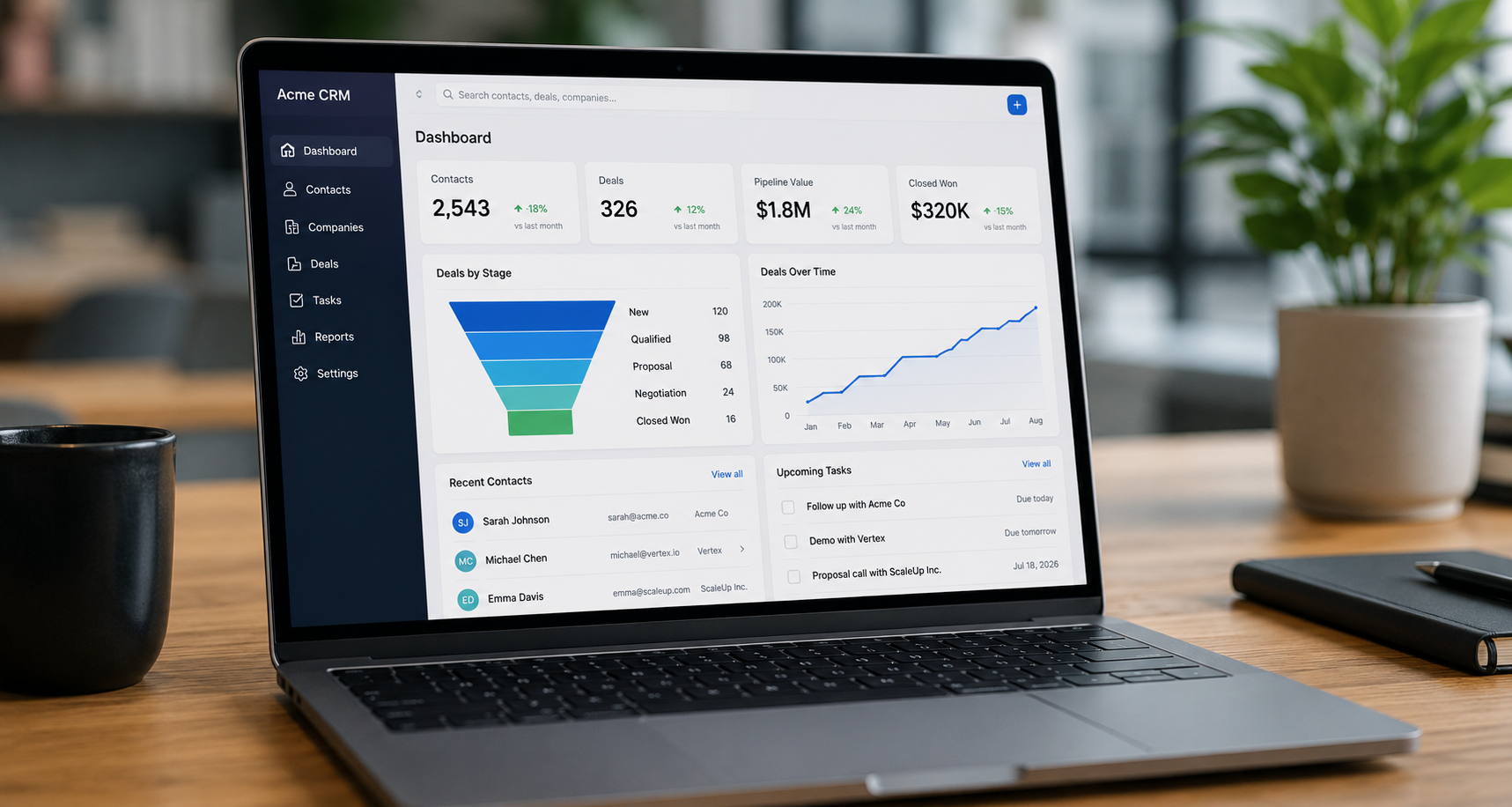
Here's a situation a lot of teams find themselves in: they signed up for HubSpot because the promise was a clean, all-in-one CRM. They wanted to track contacts, manage companies, move deals through a pipeline, and pull reports that actually made sense. Somewhere along the way, the platform became something much bigger — more complex, more expensive, and increasingly harder to navigate without a dedicated admin.
HubSpot tries to be everything to everyone, which means the interface can feel cluttered, and users report spending significant time learning where features live and how to configure them properly. For teams who just want the fundamentals done beautifully, that's a bad trade. La Growth Machine
The good news is that 2026 has some genuinely excellent alternatives — tools purpose-built for the core CRM workflow without the sprawl. And several of them have web design and interfaces that are, frankly, a pleasure to look at and use every day. That matters more than people admit. When your team actually enjoys opening their CRM, they use it. When they dread it, they don't.
This post is for teams who have a clear use case: track contacts, track companies, manage deal pipelines, and get reporting that helps you make decisions. No marketing automation suite. No content management. No service hub. Just CRM done right.
Here's what's worth your attention.
What to Look For Before You Switch
Before diving into the tools, it helps to be precise about what "CRM done right" actually means for this use case. You need:
Contact and company tracking that is fast to update, easy to search, and keeps full interaction history without requiring manual effort to maintain. Relationships between contacts and their companies should be obvious and navigable.
Deal pipeline management that gives you a clear visual of where every deal stands, what needs attention, and what's been sitting idle too long. Drag-and-drop stage movement is table stakes. The best tools go further with deal rotting alerts, activity tracking per deal, and flexible views.
Reporting that doesn't require a data analyst to configure. Revenue by stage, deal velocity, rep performance, win/loss rates — these should be accessible out of the box, with the ability to build custom reports when you need them.
An interface you actually want to use. This is not a soft requirement. CRM adoption fails when the tool feels like a chore. The best CRM is the one your team opens first thing in the morning without being asked.
With that framework in place, here are the tools that deliver.
Pipedrive — Best for Visual Pipeline Management and Sales-First Teams
If you want one word to describe Pipedrive's design philosophy, it's clarity. The tool was built by salespeople who were frustrated with the complexity of enterprise CRMs, and that origin story shows in every design decision.
Pipedrive's user interface is user-friendly, the navigation is straightforward, and the layout is uncluttered. The platform gives users a clear, broad view of the data they deem most important, and allows users to create favorite filters and pin them to the top of the deal view so they can access relevant data with a click. Business.com
The visual pipeline is genuinely one of the best in the category. Deals are displayed like cards inside a kanban board, and visual pipeline is Pipedrive's strongest first impression — you can see at a glance which deals need a call, which are waiting for a proposal, and which are close to signing. AffMaven
In 2026, that core experience is smoother than ever — the interface got a fresh polish, and the AI assistant quietly suggests follow-ups based on deal history, lead activity, and pipeline status. CRM.org
One standout feature that sounds small but changes daily behavior: deal rotting. You can activate "deal rotting" to flag cards that haven't been touched in a set number of days — a surprisingly helpful nudge that keeps pipelines from going stale. CRM.org
On the contact and company side, each contact has a full timeline with activities, notes, emails, and deal updates, so you always have context in one place. There's also support for bulk actions like sending emails to multiple contacts or adding activities to several people at once. The Business Dive
For reporting, Pipedrive ranked sixth on G2's Best Sales Software 2026 list with a 4.3/5 rating from 2,700+ reviews, with strengths that include an intuitive drag-and-drop pipeline scoring 8.9/10 for ease of use on G2. SyncGTM
What it costs: Pricing starts at $14/user/month billed annually, and all plans include unlimited contacts, deals, and custom pipelines — which is one of the things Pipedrive does better than competitors who gate contacts behind tier limits. Ecommerce Paradise
The honest caveat: Navigating between modules like Contacts, Deals, and Activities could be smoother — sometimes it takes two or three clicks to get where you want. And some advanced features like bulk editing and complex reporting require the desktop version rather than the mobile app. Hack'celeration
Best for: Small to mid-size sales teams that want an intuitive, visually strong CRM and don't need marketing automation baked in.
Attio — Best for Teams That Want Power and Beautiful, Flexible Design
Attio is the CRM that designers and founders tend to fall in love with first. It looks unlike anything else in the category — clean, modern, and built around a data model that's genuinely flexible in a way that older CRMs simply aren't.
Attio provides more structured relationship mapping between contacts and companies. Company profiles include advanced information sections for firmographics, deal history, and contact relationships. Historical relationship data preserves information when contacts change roles or companies — maintaining complete interaction histories while updating current associations so valuable context doesn't disappear during organizational changes. Zeeg
That last point is underrated. In most CRMs, when a contact moves from one company to another, you lose the thread. Attio was architected to handle this gracefully, which matters enormously for teams with long sales cycles or relationship-heavy businesses.
Attio lets you create any type of data structure — deals, projects, investors, whatever your business needs. It's built for team collaboration with views, permissions, assignments, and automations that support systematic processes. The assumption is that you want to design a CRM that exactly matches your processes. 5050 Growth
With a clean UI, strong automation engine, and AI-powered insights, it's ideal for teams who need to manage complex relationships and scale their workflows across departments. Folk
What it costs: Attio is free for up to three seats, with Plus at $34/user/month, Pro at $69/user/month, and Enterprise at $119/user/month. Higher tiers add private lists, advanced permissions, enrichment, reporting, and SSO. Folk
The honest caveat: Attio's flexibility is also its learning curve. Unlike tools that come pre-configured for a standard sales workflow, Attio rewards teams that invest time in setup. If you want to open it and immediately have a functional CRM without configuration work, this may not be your starting point.
Best for: Growth-stage teams, agencies, and GTM teams that want a fully flexible, beautifully designed CRM and are willing to invest in initial configuration.
Folk — Best for Relationship-First Teams and Small, Fast-Moving Businesses
Folk occupies a different position in the market from most CRMs. Where Pipedrive is built around deals and Attio is built around data flexibility, Folk is built around relationships. The distinction sounds subtle but changes how the tool feels to use day to day.
Instead of cramming leads into rigid sales stages, Folk lets you build a CRM around your actual workflow — whether you're managing clients, candidates, investors, or press contacts, you can structure everything with custom pipelines, shared views, and dynamic tags. The real-time contact enrichment and built-in email sequences help teams stay personal and consistent across channels like Gmail, LinkedIn, and WhatsApp. Folk
The interface is genuinely minimal in a way that feels intentional, not incomplete. Folk is optimized for ease — adding contacts is frictionless, the interface is minimal, and the learning curve is almost zero. 5050 Growth
Folk simplifies company management by focusing on essential information while maintaining clean, uncluttered profiles, making it easy to see all contacts associated with specific companies without complex navigation. Zeeg
The Chrome extension for LinkedIn contact import is a consistent fan favorite and meaningfully reduces the friction of keeping your CRM populated.
What it costs: Folk CRM's Standard plan costs $24/user/month billed annually, making it more affordable for small teams. Coffee Blog
The honest caveat: Teams should expect to outgrow Folk around 10–15 employees when they need custom objects, advanced automation, or multi-stakeholder tracking that Folk's architecture cannot support. Reporting is also simpler than what you'd get from Attio or Pipedrive. It's a tool that does a focused set of things with exceptional ease, not a platform that scales into enterprise complexity. Coffee Blog
Best for: Founders, agencies, small teams, and anyone managing relationship-heavy sales who wants a lightweight, beautiful CRM they can be productive in on day one.
Zoho CRM — Best for Teams That Need Power Without Enterprise Pricing
Zoho CRM occupies a different tier from the three tools above. Where Folk and Attio are modern and design-forward, and Pipedrive is clean and sales-focused, Zoho is comprehensive. It offers a level of customization and feature depth that approaches Salesforce at a fraction of the cost.
More than 250,000 companies use Zoho CRM, including global brands like Bose and Suzuki, to deliver personalized experiences and grow their businesses. Business News Daily
For the core use case of contacts, companies, and deals: the interface allows navigation between leads, contacts, pipeline, and activities without too much difficulty, and the ability to customize views, fields, and dashboards is very useful because it allows the CRM to be adapted to one's way of working. G2
Reporting is one of Zoho's genuine strengths at scale. Reporting on the Standard plan covers pre-built templates that you can filter and export as CSV, Excel, or PDF. Custom dashboards and advanced chart types require the Professional plan or higher. The Zia AI assistant, available on Enterprise, can predict deal close probability, suggest best times to contact leads, and detect anomalies in sales data. StartupOwl
The customization toolkit is deep. Zoho's Canvas is a no-code editor that changes how the CRM looks and works, and the platform integrates with over 1,000 other business apps — covering standard business workflows comprehensively. OnePageCRM
What it costs: Zoho offers a free plan for up to three users, with paid plans scaling from around $14 to $65/user/month depending on the tier.
The honest caveat: The interface feels dated with cluttered navigation, inconsistent iconography, and a module structure that requires three or four clicks to access common features like contact records or deal pipelines. Zoho gives you tremendous power, but it asks for patience in return. When you start customizing pipelines, fields, automations, reports, and integrations, an initial phase of careful setup is needed — if the CRM is not well-structured from the beginning, there is a risk of creating unclear workflows. Hack'celerationG2
Best for: Mid-market teams that need enterprise-grade CRM functionality, deep customization, and solid reporting without enterprise-grade pricing — and have someone to own the configuration work.
How to Choose: A Practical Framework
The right answer depends on three things — team size, workflow complexity, and how much you value interface quality.
If you have a small team and want to be up and running in an afternoon with a tool that's genuinely beautiful to use: Folk.
If you're a sales-focused team that wants the best visual pipeline in the market, fast setup, and a clean interface that doesn't require architectural decisions: Pipedrive.
If you're building a systematic GTM operation and want the flexibility to model your CRM exactly to your business with a design-forward interface: Attio.
If you need enterprise-level customization and reporting depth without Salesforce pricing, and you have someone to handle configuration: Zoho CRM.
What all four share is a tighter, more focused experience than HubSpot in its current form — and for teams who know exactly what they need from a CRM, that focus is a feature, not a limitation.
The Bottom Line
HubSpot built its reputation on ease and elegance. For teams whose needs fit cleanly into its ecosystem, it can still deliver. But for teams who want to track contacts, companies, and deals with clean reporting — and don't want to pay for or navigate around a platform that's grown far beyond that — 2026 has better options.
The CRM category has matured. The tools above prove you don't have to choose between power and usability, or between a beautiful interface and real functionality. The right one is out there. It just depends on knowing what you actually need.
If you're evaluating a CRM switch and want a second set of eyes on which platform fits your team's workflow, we're happy to think through it with you.
Ready to Simplify Your CRM Setup?
At Ritner Digital, we help teams cut through the noise and make technology decisions that actually serve their business — not the other way around.
Let's talk about what your team actually needs →
Whether you're evaluating a switch from HubSpot or starting fresh, we can help you find the right fit and get set up the right way.
Sources: Business.com Pipedrive Review 2026 · CRM.org Pipedrive Review 2026 · SyncGTM Pipedrive Review · Zeeg Attio vs Folk Comparison · Folk.app Attio CRM Review · 5050 Growth Attio vs Folk · G2 Zoho CRM Reviews 2026 · StartupOwl Zoho CRM Review 2026 · BizTechScout Zoho CRM Review 2026 · LaGrowthMachine HubSpot Review · tldv.io HubSpot Review 2026
Frequently Asked Questions
Do I need to fully replace HubSpot or can I just use one of these for CRM?
You don't have to go all-in on a full platform switch to benefit from a more focused CRM. Some teams run a dedicated CRM like Pipedrive or Attio alongside HubSpot — keeping HubSpot for marketing automation and email while moving contact, company, and deal tracking somewhere cleaner. It's not the tidiest setup, but it's a legitimate transition strategy if a hard cutover isn't realistic right now.
Which of these CRMs is the easiest to get started with?
Folk is the clear answer here. It's designed around minimal setup and near-zero learning curve. You can import contacts, build a pipeline, and have a working CRM in an afternoon. Pipedrive is a close second — the visual pipeline is intuitive enough that most sales teams are productive within a day or two. Attio and Zoho both reward investment in configuration, so they take longer to get right out of the gate.
Which one has the best reporting out of the box?
Pipedrive and Zoho are the strongest for reporting without heavy customization. Pipedrive's dashboards are clean and sales-focused — revenue forecasting, deal velocity, activity tracking — and they're accessible without building reports from scratch. Zoho goes deeper on custom reporting, especially on higher plans, and adds AI-driven forecasting via its Zia assistant on Enterprise. Attio's reporting is solid and flexible once you've configured your data model. Folk's reporting is the most limited of the four — good for small teams but not built for complex analysis.
Is Pipedrive really better designed than HubSpot right now?
For pure sales CRM use — contacts, companies, deals, pipeline — yes, many teams find Pipedrive's interface more focused and less cluttered than HubSpot's current experience. HubSpot's design started to drift as the platform expanded into marketing, service, CMS, and operations. Pipedrive made a deliberate choice to stay narrowly focused on sales, and that constraint shows up as a cleaner product. If you need the broader HubSpot ecosystem, that trade-off may not make sense. If you don't, Pipedrive's focus is a meaningful advantage.
What happens to my data if I switch from HubSpot?
All four tools listed here support CSV import, and most have dedicated HubSpot migration paths. Contacts, companies, deals, and activity history can generally be moved over without starting from scratch. Pipedrive is particularly noted for clean, portable data — export to CSV or Excel is straightforward and you're not locked into a proprietary format. The migration process itself has also gotten much easier across the category in 2026, with guided wizards that map your existing fields to the new platform's structure.
Is Attio worth it for a team that just wants contacts and deals — no complexity?
Probably not as your starting point. Attio's power comes from its flexibility, but that flexibility requires configuration work upfront. If you want contacts and deals without architectural decisions, Folk or Pipedrive will get you there faster and feel more immediately rewarding. Attio is the right choice when you have specific relationship modeling needs, want to define custom objects, or are building a CRM that needs to scale with a growing GTM team over time.
Can any of these replace HubSpot's free CRM for a very small team?
Attio and Folk both have free tiers or very low entry pricing that work well for small teams. Attio is free for up to three users with solid core functionality. Folk starts at $24/user/month with a 14-day trial. Zoho has a free plan for up to three users as well. If you're a solo founder or a two-person team that was using HubSpot's free CRM and finding it overwhelming, any of these will likely feel like a breath of fresh air.
How do I know if my team is ready to leave HubSpot?
The clearest signal is that you're paying for features you don't use and navigating around complexity that doesn't serve your workflow. If your team primarily needs contact tracking, company records, deal pipeline management, and basic to mid-level reporting — and you're not deeply dependent on HubSpot's marketing automation, sequences, or content tools — then you're a strong candidate for a more focused CRM. The second signal is adoption. If your team avoids logging into the CRM, that's not a people problem. It's usually a tool problem.
Where can I get help evaluating which CRM is right for my business?
That's exactly the kind of decision we help with at Ritner Digital. If you want someone to look at your actual workflow, team size, and growth plans and give you a straight answer on what fits — reach out here. No sales pitch, just a real conversation about what makes sense for your situation.