The SEO Agency Handoff Checklist: Everything You Need Before You Switch
Switching SEO agencies is one of those decisions that feels straightforward until you're in the middle of it. You've made the call, you've found someone new, and then reality sets in: where is everything? Who owns what? What was actually being done for the past 12 months?
Done poorly, an SEO agency transition can erase months of progress, tank rankings that took years to build, and leave your new agency spending the first 90 days just figuring out what they inherited. Done well, it's a clean handoff that protects your existing equity and gives your new team everything they need to hit the ground running.
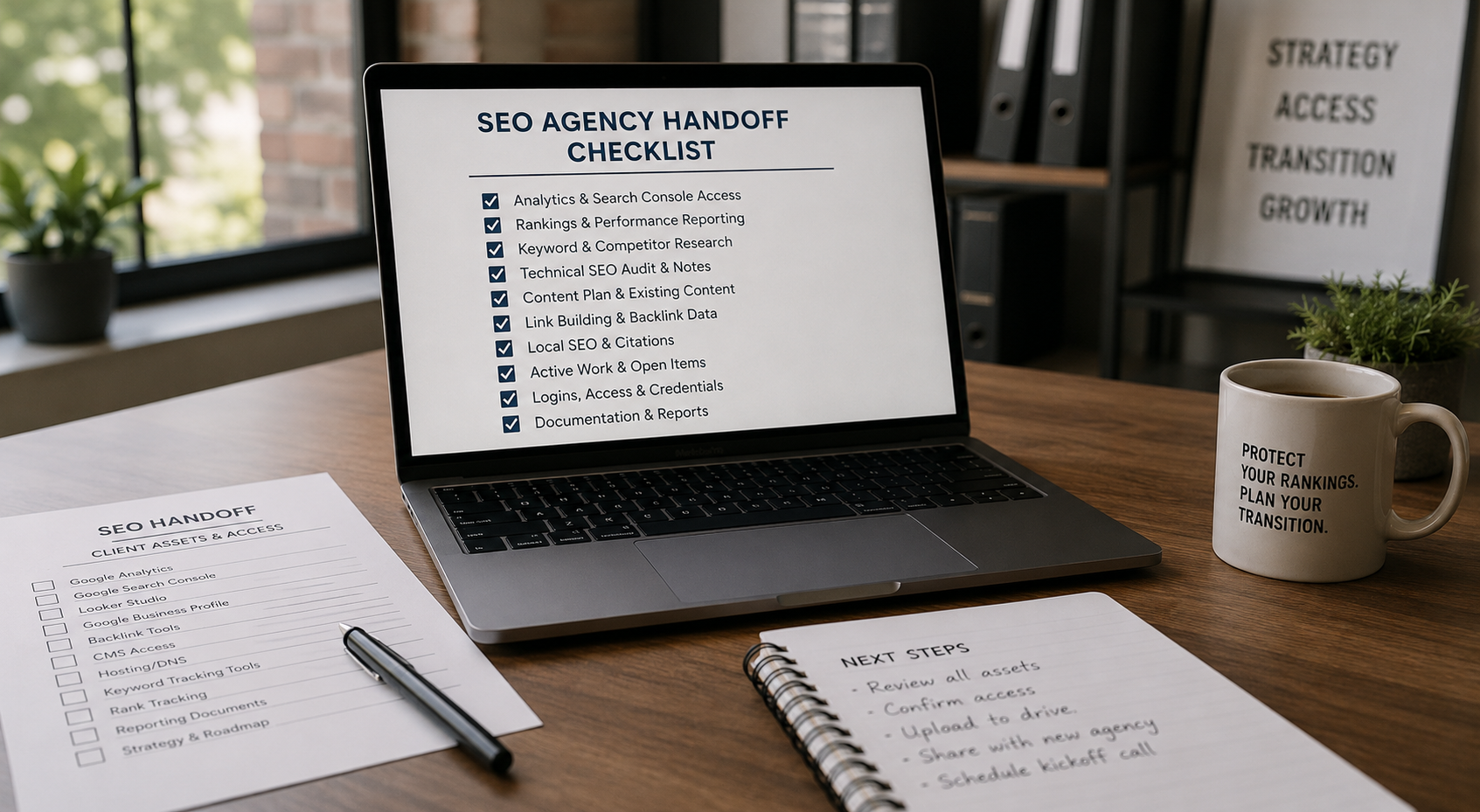
This checklist covers every asset, access, and piece of documentation you should have in hand before your old agency's last day. Save it. Use it. Send it to whoever is managing the transition on your end.
Why SEO Handoffs Go Wrong
Before the checklist, it's worth understanding the failure modes — because most handoff problems are predictable.
The most common issue is access. Agencies often hold logins, manage properties inside their own Google accounts, or own integrations that were set up under their agency credentials rather than yours. When they leave, so does the access — sometimes intentionally, sometimes just through oversight.
The second issue is documentation. If an agency never documented their strategy, their link building outreach, their technical decisions, or their keyword targeting rationale, that institutional knowledge walks out the door with them. Your new agency is starting blind.
The third issue is timing. SEO is not a switch you can flip off and on. If there's a gap between your old agency's last day and your new agency's first active week, work stops, monitoring stops, and problems can compound undetected.
A thorough handoff checklist addresses all three. Here's what it looks like.
Part 1: Account Access and Property Ownership
This is the most urgent category. Everything else can be reconstructed if necessary. Access that lives inside someone else's account cannot.
Google Search Console Confirm that your domain is verified under a Google account you own and control — not the agency's account. You should be listed as an owner, not just a user. If the agency added Search Console access under their own Google property, you need your own verified property set up before they offboard. Request full owner access if you don't have it, and confirm all verified domains and URL prefixes are included, not just the primary.
Google Analytics (GA4) You should have admin-level access to your GA4 property under your own Google account. Confirm the agency is listed as a user or editor — not the other way around. Check that the GA4 property is linked to your Google Ads account and Search Console correctly. Ask for confirmation that no custom dimensions, events, or conversions will be lost in the transition.
Google Tag Manager If GTM was used to deploy tracking scripts, confirm you have admin access to the GTM container. This is critical — if the agency owns the container and removes your access, you lose visibility into what tracking is firing on your site and may lose conversion tracking entirely.
Google Business Profile If local SEO was part of the scope, confirm you are the primary owner of your Google Business Profile. Agencies are often added as managers. Make sure you have owner-level access before the relationship ends.
Bing Webmaster Tools Often overlooked, but worth confirming. Request access or transfer ownership if the property lives under the agency's account.
Third-Party SEO Tool Accounts Any accounts created in your name — Ahrefs, Semrush, Moz, Screaming Frog, Surfer, or otherwise — should be under your email, not the agency's. If the agency used their own account seats to run your project, ask for an export of all historical data before access is revoked.
Part 2: Technical SEO Documentation
Your new agency needs to understand the current technical state of your site — what's been done, what's been deferred, and what decisions were made along the way.
Site Audit Reports Request the most recent full technical audit — ideally within the last six months. This should cover crawlability, indexability, page speed, Core Web Vitals, structured data, internal linking, and any outstanding issues flagged but not yet resolved.
Robots.txt and XML Sitemap Confirm the current robots.txt is not blocking any pages or directories that should be crawlable. Get a copy of the current sitemap and confirm it's submitted and accepted in Search Console. If there have been any recent changes to either file, get documentation of what changed and why.
Redirect Map This is non-negotiable. If the agency has managed any URL migrations, site restructures, or redirect implementations, you need a full record of every redirect in place — source URL, destination URL, redirect type, and the reason it was implemented. Losing this means your new agency could unknowingly break redirect chains during future work.
Canonical Tag Audit Request documentation of any canonical tag decisions — pages that have been canonicalized to alternatives, cross-domain canonicals, and any paginated content handling. These decisions are easy to misunderstand and easy to break.
Schema and Structured Data Get a record of all structured data implemented on the site — what types, on which pages, and through what method (hardcoded, plugin, GTM). If rich results were appearing in Search Console, document which they were and confirm they're still active before the handoff is complete.
Core Web Vitals Baseline Request a snapshot of your current Core Web Vitals performance — LCP, INP, and CLS — across both mobile and desktop. This gives your new agency a baseline to measure against and flags any performance regressions quickly.
Part 3: Keyword Strategy and Rankings
Target Keyword List Get the full keyword list the agency was actively targeting — primary keywords, secondary keywords, long-tail variations, and any keyword clusters organized by page or topic. This should include intent classification if the agency was doing this work properly.
Ranking History Request a ranking history export for your tracked keywords going back at least 12 months. Ahrefs, Semrush, and most enterprise tools allow CSV exports of position tracking data. This gives your new agency context on trends, seasonal patterns, and the impact of any major changes.
Keyword-to-Page Mapping Which keywords were being targeted on which pages? This mapping is the backbone of on-page strategy, and without it, your new agency risks optimizing pages for the wrong terms or creating content that cannibalizes existing rankings.
Competitor Tracking Who was being monitored as SEO competition? Get the list of tracked competitors and any competitive gap analyses that were produced. Understanding who you're competing against in search, not just in the market, is a meaningful head start.
Part 4: Content and On-Page Work
Content Calendar and Production Log If the agency was producing content, get a full record of what was published, when, and for what keyword target. This includes blog posts, landing pages, resource pages, and any content that was drafted but not yet published.
On-Page Optimization Log A record of every page that received on-page optimization — title tags, meta descriptions, H1s, internal linking additions, and any content updates made to existing pages. Without this, your new agency doesn't know what's already been touched and what still needs attention.
Content That Was In Progress If any content was in draft, in review, or in production at the time of offboarding, get all of it. Don't let half-finished work disappear because it lived in the agency's internal tools.
Internal Linking Map If the agency was managing an intentional internal linking strategy, get documentation of the structure — which pages are being treated as pillar pages, which pages link to them, and how link equity is being deliberately distributed across the site.
Part 5: Link Building Records
This section matters more than most clients realize. Link building work leaves a footprint, and your new agency needs to know exactly what that footprint looks like.
All Links Built During the Engagement Request a complete list of every link acquired during the engagement — the linking domain, the target page on your site, the anchor text used, the date it went live, and the method by which it was acquired (outreach, guest post, digital PR, directory submission, etc.).
Active Outreach Pipelines If any link building outreach was in progress — sites contacted, relationships being negotiated, guest post pitches pending — get the status of every open thread. These relationships have value and shouldn't go cold just because the agency is changing.
Disavow File If a disavow file exists, get it. This is a record of toxic or spammy links that have been flagged and disavowed in Google Search Console. It should be preserved and handed to your new agency immediately so they understand the link profile's history.
Guest Post and Partner Relationships Any ongoing relationships with publications, partners, or websites used for content placement should be documented with contact names, email addresses, and any agreements in place.
Part 6: Reporting and Performance Baselines
Last 12 Months of Reports Request all monthly or quarterly reports from the engagement. These give your new agency a narrative of what was tried, what worked, and what didn't — and they serve as accountability documentation if there are questions about performance.
Baseline Traffic Data Get a clean export of organic traffic data segmented by landing page, going back at least 12 months. This is your new agency's starting benchmark. Any significant fluctuations after the handoff will be measured against it.
Conversion Tracking Confirmation Before the old agency is fully offboarded, confirm that all conversion goals in GA4 are firing correctly. Goal tracking is one of the first things to break during a CRM, platform, or agency transition, and it's often not noticed until weeks later when reports show a sudden drop in conversions that was actually a tracking gap.
Search Console Performance Export Export the last 12–16 months of Search Console performance data — clicks, impressions, average position, and CTR — segmented by query and page. Search Console only retains 16 months of data, and once a property changes hands or access lapses, historical data can become inaccessible.
Part 7: Transition Timing and Overlap
The logistics of when things happen matter as much as what gets handed off.
Confirm a Hard Offboarding Date Agree on a specific date when the old agency's access will be revoked and their work ceases. Ambiguity here leads to situations where nobody is actively monitoring your site and nobody is accountable for what happens.
Build in an Overlap Window if Possible If your contract allows it, a two-to-four week overlap period where your new agency is active while the old agency is still available for questions is invaluable. Edge cases and undocumented decisions surface in the first few weeks, and having the outgoing team reachable accelerates resolution.
Notify Your CMS and Hosting Providers If the old agency had access to your CMS (WordPress, Webflow, etc.), your hosting provider, or your domain registrar, update or revoke those credentials as part of the formal offboarding. These are often forgotten and represent a real security exposure if left open.
Change All Shared Passwords Any credentials that were shared with the old agency — CMS logins, hosting panels, social accounts, email marketing tools — should be rotated before or immediately after the offboarding date.
Part 8: What to Send Your New Agency on Day One
Once you have everything above, your new agency should receive a structured onboarding package that includes:
A confirmed access list showing every tool and property they now have access to. The technical audit and any known outstanding issues. The keyword list and keyword-to-URL mapping. The full link profile export and any existing disavow file. The last 12 months of reporting and the traffic baseline. Any content in progress that needs to be picked up. Contact information for your web developer, hosting provider, and any other technical stakeholders they'll need to work with.
The cleaner this package is, the faster your new agency can move from orientation to actual work.
The Bottom Line
A clean SEO handoff doesn't happen by accident. It requires deliberate documentation requests, proactive access audits, and enough lead time to resolve issues before the relationship officially ends. The teams that handle this well protect their rankings, maintain their momentum, and give their new agency the context to do good work immediately. The teams that handle it poorly spend months recovering ground they never needed to lose.
If you're planning a switch and want to make sure nothing falls through the cracks, this checklist is your starting point. If you want help walking through it — or you're evaluating whether it's time to make a change — we're here for that conversation.
Thinking About Switching SEO Agencies?
At Ritner Digital, we've onboarded clients from every type of previous engagement — and we know exactly what a clean, professional handoff looks like from both sides of the table.
Let's talk about your transition →
We'll tell you honestly what we need, what to ask your current agency for, and how to make the switch without losing what you've built.
This post is part of Ritner Digital's series on switching SEO agencies safely.
Frequently Asked Questions
How much notice should I give my current SEO agency before switching?
Most SEO agency contracts require 30 to 60 days written notice, so start there. But beyond the contractual obligation, give yourself enough runway to complete this checklist before their last day. Rushing a handoff because you gave two weeks notice and your new agency starts in three is one of the most common and avoidable mistakes in an agency transition. 60 to 90 days of lead time is ideal if the relationship allows for it.
What if my current agency refuses to hand over data or access?
This is more common than it should be. Start by reviewing your contract — most agreements specify that work product, data, and access to your own properties belong to you. If the agency is holding access to Google Search Console, GA4, or other tools that are registered under your domain, they are legally obligated to transfer that access. If they refuse, escalate in writing and reference your contract terms. For properties that live inside the agency's own accounts rather than yours — like a Search Console property verified under their Google account — you can create a new verified property under your own account and request they remove theirs.
Will my rankings drop when I switch agencies?
They don't have to. Rankings typically drop during agency transitions when there's a gap in active work, when technical issues go unmonitored, or when the new agency makes aggressive changes before fully understanding the existing strategy. A thorough handoff minimizes all three risks. That said, there's usually a short settling period while your new agency gets oriented — the goal of this checklist is to make that period as short as possible.
How long does it take a new SEO agency to get up to speed?
With a complete handoff package — full access, documentation, keyword mapping, link history, and performance baselines — a good agency should be producing a strategy and taking meaningful action within 30 to 45 days. Without that documentation, the first 60 to 90 days can disappear into auditing and reverse engineering work that should have been handed over. The quality of the handoff directly determines how fast your new agency can move.
Should I do a full site audit before switching agencies?
Yes, and ideally before you sign with a new agency rather than after. A pre-switch audit gives you an independent view of where your site actually stands — separate from what your current agency has been reporting. It also gives your new agency a clean starting point that wasn't produced by the team they're replacing. At Ritner Digital, this is often where we start with prospective clients who are mid-transition.
What should I do if my agency owns my Google Search Console property?
Create a new Search Console property under your own Google account and verify it using one of the available methods — HTML file upload, DNS record, or Google Analytics. Once your property is verified, you have full owner-level access regardless of what the old agency's property shows. Notify your new agency immediately so they can begin working from your property rather than trying to get access to the agency's. Going forward, always ensure your properties are registered under an email address you own and control.
What's the biggest mistake people make when switching SEO agencies?
Not getting the link building records. Most clients focus on access and analytics — which are important — but overlook the full history of what links were built, how they were built, and what outreach is still active. That link profile is a major part of your domain's authority, and without a record of it, your new agency is managing it blind. They can't protect what they don't know exists, and they can't continue outreach relationships they don't know about.
Do I need to tell my current agency I'm switching before I start talking to new ones?
No. Shopping for a new agency before formally ending the current relationship is completely normal and advisable. You want to have your next partner identified before you trigger the notice period, not after. Just be mindful of any exclusivity or non-disclosure clauses in your current contract — some agreements restrict sharing proprietary work product with third parties during the active engagement.
How do I make sure conversion tracking doesn't break during the transition?
Test every conversion goal in GA4 before the old agency is fully offboarded. Have someone submit a test form, make a test call, or complete a test purchase for every conversion event you're tracking, and confirm the event fires in GA4 in real time. Do this again in the first week after your new agency takes over. Conversion tracking is the first thing to silently break during transitions and the last thing people notice — often only after a month of bad data has already been collected.
Can Ritner Digital help manage the transition from my current agency?
Yes — this is something we do regularly. Whether you need help auditing what your current agency should hand over, managing the access transfer process, or simply getting a clear picture of where your SEO stands before making a switch, we can walk through it with you. Start the conversation here →