The Lazy Marketer's Guide to AI-Generated Blog Content (That Actually Works)
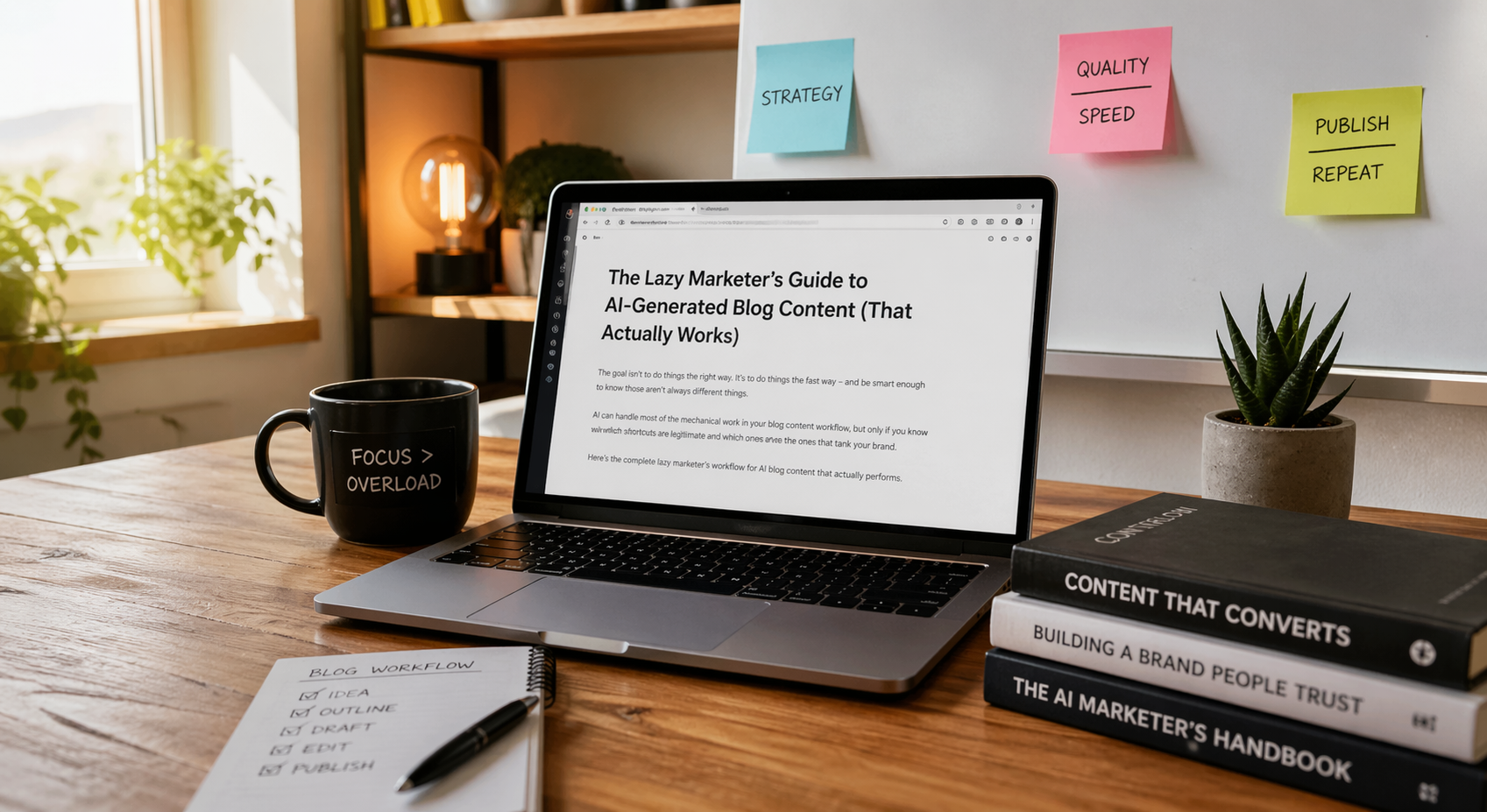
Let's be honest about something. Most guides about AI blog content are written for people who want to do things the right way. This one is written for people who want to do things the fast way — and who are smart enough to know those aren't always different things.
The title says "lazy marketer." What it really means is: someone who wants results without wasted effort. Someone who wants to produce good blog content consistently without it consuming their entire week. Someone who has figured out that AI can handle most of the mechanical work, and wants to know exactly how to make that happen without producing the kind of content that tanks their brand or gets ignored by Google.
That's a legitimate goal. Here's how to achieve it.
The One Rule You Can't Ignore (Even If You're Lazy)
Before the workflow, the one rule that determines whether any of this works.
The bar is no longer "Can this page exist?" The bar is "Does this page add something a thousand similar AI summaries do not?" Tukk Book
You can be lazy about research. You can be lazy about formatting. You can absolutely be lazy about first drafts. The one thing you cannot be lazy about is the differentiation check — the moment where you ask yourself whether your post contains something that justifies its existence beyond occupying a keyword.
Strong AI-assisted content uses AI as a tool, not as the whole product. AI can help outline, summarize research, suggest structure, or clean up language. Tukk Book What it cannot do is add the specific insight, firsthand experience, or original angle that makes your content worth reading over the AI summary a visitor could have gotten for free.
Keep that in mind throughout this guide. Every shortcut below is legitimate. The one non-negotiable is that every piece you publish has something worth publishing in it.
Step 1: Stop Starting From a Blank Page (This One Change Saves Hours)
The single biggest time waste in most content workflows isn't writing — it's the time spent staring at a blank document trying to decide what to say and how to say it.
AI eliminates the blank page problem entirely. Here's the fast workflow:
Pick your topic and give the AI a one-sentence brief: what the post is about, who it's for, and the one angle that makes it different from every other post on the same topic. That last part — the angle — is the only strategic work you're doing here, and it takes about two minutes if you know your audience.
Then ask AI for: the post title, a 10-point outline with one-sentence descriptions of each section, and the first paragraph. You now have enough structure to produce the entire post without ever facing the blank page problem again.
High-quality AI-generated first drafts typically require 20 to 40 minutes of human editing for a 2,000-word article — fact-checking statistics, adding proprietary examples, refining brand voice, and adjusting the opening and conclusion. The four to eight hours of human writing time is replaced with 30 minutes of human editing time. Enrichlabs
That's the core time-saving math. Your job is the 30 minutes of editing, not the four hours of writing.
Step 2: Write a Brief That Gets You a Usable Draft
The quality of your AI draft is directly proportional to the quality of your brief. A bad brief produces a generic draft that requires more editing than writing from scratch would have taken. A good brief produces a draft that needs 30 minutes of polish.
Here's what a good brief includes:
The target query. Not just a topic — the specific question a reader is typing when they're searching for this post. "AI blog content" is a topic. "How to create AI blog content that ranks without getting penalized by Google" is a query. The more specific the query, the more focused the draft.
The intended reader. One sentence describing who this is for and what they already know. "A marketing manager at a 50-person B2B company who has used AI tools before but hasn't built a systematic content workflow" is useful. "Marketers" is not.
The unique angle. What makes this post worth reading over the other posts on the same topic? This could be a specific framework, a contrarian take, a specific audience context, or original data you're going to inject. If you can't articulate this in one sentence, your post probably doesn't have one — and you need to develop it before briefing the AI.
The tone. Two or three words. "Direct and practical." "Conversational but authoritative." "No jargon, no hedging." The more specific, the less editing you'll need to correct tone drift.
Required elements. Any specific statistics, examples, or structural requirements the post must include — FAQ section, specific H2 questions, a CTA at the end.
That brief takes five minutes to write. It saves thirty minutes of editing. Every time.
Step 3: The Draft Is Your Raw Material, Not Your Final Product
This is where lazy marketers make the mistake that turns AI content into a liability rather than an asset.
The AI draft is raw material. It's the equivalent of a research assistant who has read everything on the internet about your topic and organized it into a structure you can work with. It is not finished content. Publishing it as-is — with a quick grammar pass and maybe a paragraph swapped — is what creates the generic, undifferentiated content that damages rankings and brand credibility.
AI handles research, first drafts, and optimization. Humans provide strategy, creativity, and final quality control. This balance maximizes efficiency while maintaining content quality and brand integrity. First Movers
Your 30-minute editing pass should do these five things and nothing else:
Rewrite the opening. AI openings are reliably bad. They start with setup rather than substance, and they use the same patterns readers have learned to recognize as AI-generated. Spend five minutes writing an opening that starts with something specific, surprising, or provocative. It will improve the entire piece's performance.
Inject one specific example or piece of firsthand experience. This is your differentiation injection — the thing only your organization can say. It doesn't need to be long. Two or three sentences of specific experience or a specific client outcome turns a generic post into a credible one.
Verify and upgrade the statistics. In 2026, AI content generation tools have become more reliable, but fact-checking remains essential. Always verify statistics, data points, and claims made in AI-generated content. Cross-reference information with reputable sources and update any outdated information. BlogHunter AI frequently invents plausible-sounding statistics or cites outdated data. Every number in your post needs a real, current source linked to it.
Fix the conclusion. AI conclusions are also reliably bad — they summarize the post you just read rather than leaving the reader with something to act on or think about. Replace the AI conclusion with one that ends on a specific, useful point or a clear call to action.
Trim the padding. AI drafts run long because AI doesn't have an editor's eye for what can be cut. Anything that doesn't add information or advance the argument can go. Leaner is almost always better.
Step 4: The Three AI Prompts That Do 80% of the Work
Once you have the workflow, these three prompts handle most of what you need:
The research prompt. "List the ten most important things a reader needs to understand about [topic], including the most common misconceptions and the questions they're most likely to have. Include specific statistics where you know them, and flag any that need verification."
This prompt gives you the raw material for your outline and identifies where you'll need to do your own fact-checking.
The outline-to-draft prompt. "Based on this outline, write a 2,000-word blog post for [target reader] with the tone [tone descriptor]. Lead each section with a direct, 50-word answer to the section heading question. Include a FAQ section at the end with five questions. Flag any statistics you're uncertain about with [VERIFY]."
The [VERIFY] flag instruction is one of the most practically useful additions to any AI blog prompt — it tells you exactly where to spend your fact-checking time rather than having to audit the entire post.
The cleanup prompt. "Read this draft and: identify the three sentences that sound most like generic AI writing, suggest replacements; identify any repeated phrases or clichés; and suggest three alternative opening paragraphs that are more direct and specific than the current one."
Running your copy through a generative AI tool to rephrase repetitive sections is the perfect remedy to the problem of AI content sounding repetitive. Since AI never runs out of ideas, it can come up with all sorts of ways to rephrase sentences. The HOTH Use AI to identify and fix AI patterns — it's genuinely effective at this.
Step 5: Build Your Brand Voice Once, Use It Every Time
The single biggest time-waster in ongoing AI content production is re-explaining your brand voice with every new piece. Build it once as a document and paste it into every brief.
Your brand voice document doesn't need to be long. One page covering: how you sound (three descriptive words), how you don't sound (three words you actively avoid), your typical sentence structure preference (short and punchy vs. longer and explanatory), words and phrases your brand uses frequently, words and phrases your brand never uses, and two or three examples of your best existing content.
Modern AI content generation tools can be trained on your existing content to learn and replicate your brand voice. Provide samples of your best-performing content and specific guidelines about your brand personality, values, and communication style. Regularly update the training data as your brand evolves. BlogHunter
If you use a dedicated AI writing tool like Jasper or Writer rather than general-purpose AI, you can train it on your brand voice so it applies automatically rather than requiring it in every prompt. This is the one setup investment that pays back in every subsequent piece you produce.
Step 6: Build the FAQ Section Last (And Use AI to Do It)
FAQ sections are one of the highest-leverage additions to any blog post, and they're almost entirely AI-generatable.
It has become best practice to add FAQ sections at the end of blog posts to capitalize on question-based queries from AI platforms like ChatGPT and Perplexity, and voice-generated search from platforms like Alexa and Siri. Just ask a tool like ChatGPT to provide commonly asked questions for the topic at hand, and you'll have an excellent starting point. The HOTH
After your draft is complete, prompt: "Based on this post, list ten questions a reader might still have after finishing it, phrased as they would ask them in a search engine or voice assistant. Then write concise 100-word answers to each."
Pick the five best questions and answers, verify any facts in the answers, lightly edit for brand voice, and add FAQPage schema markup. This step takes ten minutes and consistently produces the section of the post most likely to earn AI citations.
Step 7: Repurpose the Post Before You Move On
The lazy marketer's multiplier: every blog post you publish should generate at least four additional pieces of content before you move to the next post.
Ask AI: "Based on this 2,000-word blog post, create: three LinkedIn posts each highlighting a different key insight; five email subject lines for a newsletter linking to this post; one Twitter/X thread breaking down the main points; and a 150-word summary for my email newsletter."
This prompt takes one minute to write and produces a week's worth of social content and email copy from work you've already done. Implement batch content creation workflows where you generate related content pieces simultaneously, such as a blog post, social media updates, and email newsletter content. This approach ensures consistency across your content ecosystem and saves time in the content creation process. BlogHunter
The Quality Checklist Before You Hit Publish
This takes three minutes. Do it every time.
Does the opening start with something specific and engaging rather than a generic setup? Does every statistic have a real, linked source? Is there at least one piece of specific, firsthand experience or unique data in the post that couldn't have come from AI alone? Are all headings phrased as questions? Is there a FAQ section? Is there a named author with a bio? Does the conclusion end on something useful rather than a summary of what you just read?
If you can check every box, publish. If you can't, fix the ones you can't. The whole checklist takes three minutes. The SEO and brand protection value of those three minutes is significant.
What Lazy Actually Costs You
One last honest point. The "lazy" in this guide title refers to process efficiency, not quality standards. The marketers who are genuinely cutting corners — publishing AI drafts without meaningful human editing, skipping the differentiation injection, ignoring fact-checking — are not saving time. They're spending time on content that will underperform, eventually accumulate quality penalties, and require remediation that costs more than the original production would have.
Pages without E-E-A-T signals, original insights, or editorial polish dropped out of rankings within 90 days in a 16-month study tracking AI-generated pages. theStacc The laziness that costs you is the laziness that skips the 30 minutes of editing that turns a raw AI draft into something worth publishing.
The laziness that saves you is everything else in this guide — the efficient brief, the three-prompt workflow, the brand voice document, the batch repurposing. That's not cutting corners. That's building systems that produce good content consistently without requiring heroic effort every time.
That's the version of lazy that actually works.
Ready to Build an AI Content Program That Produces Real Results?
At Ritner Digital, we help businesses build systematic AI-assisted content workflows — strategy, briefs, quality gates, and distribution — so content production stops being the bottleneck in their marketing program.
If you want your blog to produce leads, earn AI citations, and build topical authority without consuming your team's time, let's talk about how to build the system.
Contact Ritner Digital today to schedule a free content strategy consultation and find out what a well-built AI content workflow looks like for your business.
Sources: Enrich Labs, theStacc, HOTH, Bloghunter, AI Content Quality Rules, First Movers AI, Viral Graphs
Frequently Asked Questions
Will Google penalize my blog posts if I use AI to write them?
No — Google does not penalize content for being AI-generated. Google's official position has been consistent: content is evaluated on whether it is helpful, original, and demonstrates expertise, not on the method of production. What Google does penalize is low-quality, undifferentiated content that adds no value beyond what already exists — and AI makes it very easy to produce that kind of content at scale if you skip the human editing step. The businesses that got penalized after ChatGPT launched weren't penalized because they used AI. They were penalized because they published AI drafts without meaningful human oversight, and the content was thin, repetitive, and offered nothing a reader couldn't get from a hundred other pages. High-quality AI-assisted content with genuine human editing passes the same quality bar as human-written content.
How much time should I actually spend editing an AI-generated blog post?
For a 2,000-word post, budget 20 to 40 minutes of focused editing — not light proofreading. In that time you should rewrite the opening, inject at least one specific example or firsthand insight that only your organization can provide, verify every statistic and add proper source links, fix the conclusion so it ends on something useful rather than a summary, and trim any padding or repeated phrases. This is the editing investment that separates content that performs from content that gets ignored. If you find yourself spending less than 20 minutes, you're probably approving rather than editing — and approving AI drafts without genuine improvement is the pattern that leads to declining performance over time.
What should I put in my brief to get a better AI draft?
The five elements that consistently improve AI draft quality are: the specific target query the post is answering rather than just a broad topic, a one-sentence description of who the reader is and what they already know, the unique angle that makes this post worth reading over similar posts, two or three tone descriptors, and any required structural elements like FAQ sections or specific headings. The unique angle is the most important and the most commonly omitted. If you can't articulate in one sentence what makes your post different from the other posts on the same topic, you need to develop that angle before briefing the AI — otherwise you're asking it to produce the exact generic content you're trying to avoid.
What is the most common mistake marketers make with AI blog content?
Publishing the draft with only light edits — changing a few words, fixing grammar, maybe swapping a paragraph — without doing the genuine differentiation work that makes the content worth publishing. The AI draft is structurally competent and factually plausible, which makes it feel more finished than it is. The sections that look fine on a quick read are often the ones that sound most like every other AI-generated post on the topic. The specific things most commonly skipped are the opening rewrite, the firsthand experience injection, and the statistics verification. All three are fast once you're in the habit, and all three have disproportionate impact on how the content performs in both traditional and AI search.
How do I stop my AI content from sounding like AI content?
Four specific interventions handle most of the problem. First, rewrite the opening from scratch — AI openings follow predictable patterns that readers recognize, and a genuinely written opening changes the register of the entire post. Second, add specific details that couldn't come from a generic source — the exact number from your own data, the specific client situation, the particular mistake you've seen repeatedly, the precise tool comparison from your own testing. Third, use the cleanup prompt to identify and replace the most AI-sounding sentences — AI is genuinely effective at recognizing its own patterns when asked to. Fourth, cut or rewrite any sentence that uses the phrases "in today's digital landscape," "it's worth noting," "in conclusion," "at the end of the day," or any variation of "X has never been more important than now" — these are the clearest markers of unedited AI output.
Should I use a dedicated AI writing tool or just ChatGPT?
It depends on your volume and how much you value workflow integration. General-purpose AI tools like ChatGPT and Claude are highly capable for blog drafting and require no additional cost if you're already paying for them, but they have no built-in SEO tools, no brand voice training that persists across sessions, and no workflow integrations with your CMS. Dedicated tools like Jasper, Writer, and Surfer SEO offer brand voice training that applies automatically, built-in SEO optimization features, team collaboration, and direct CMS publishing — which removes the copy-paste friction that adds up when you're producing content regularly. If you're producing fewer than four posts a month, general-purpose AI is probably sufficient. If you're building a systematic content program at higher volume, the workflow integrations of a dedicated tool pay for themselves quickly.
How do I repurpose a blog post into social content using AI?
After finishing your edited blog post, prompt your AI tool with: "Based on this post, create three LinkedIn posts each highlighting a different key insight, five email subject line options for a newsletter promoting this post, one Twitter thread of eight to ten posts breaking down the main points, and a 150-word newsletter summary." That single prompt, run after every post, produces a week's worth of social and email content from work you've already done. The social content will need light brand voice editing, but the structure and substance comes from the post you've already quality-controlled. This repurposing step takes about ten minutes and dramatically increases the return on every hour you invest in blog content production.
How often should I update existing blog posts versus writing new ones?
Content updated within 30 days receives 3.2 times more AI citations than older material, and pages that haven't been touched in six months or more are actively underperforming in AI search regardless of their original quality. A practical allocation for most content programs is roughly 60% of content time on new production and 40% on refreshing existing high-priority pages. For refresh work, AI is particularly efficient: it can identify outdated statistics, suggest new sections based on current search behavior, and generate updated examples in a fraction of the time manual refresh requires. Prioritize pages with rising impressions but declining clicks in Google Search Console — these are appearing in searches but losing the click to fresher competing sources, and a targeted refresh often produces faster results than any new piece you could publish.