Why Drupal XML Sitemaps Are Maddening (And Where to Actually Find All Your Links)
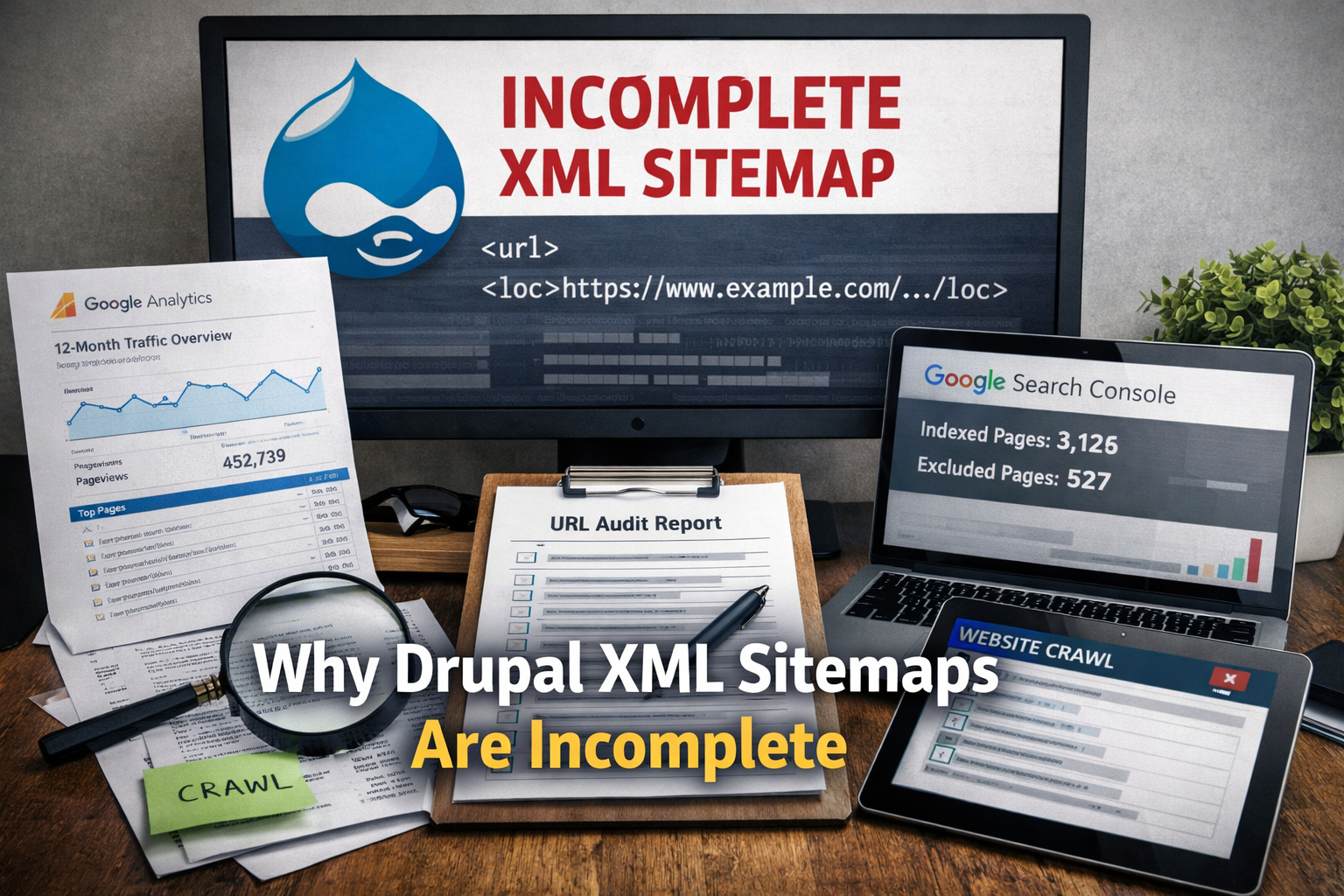
If you've ever done a technical SEO audit on a Drupal site and pulled the XML sitemap expecting a clean, complete inventory of every URL on the property — you've probably felt that specific, slow-burn frustration when the numbers just don't add up. Pages you know exist. Content you can navigate to manually. URLs that are actively ranking in Google. And yet: nowhere in the sitemap.
You refresh. You check the sitemap index. You verify the module is enabled. Everything looks fine on the surface. And still, you're staring at a URL count that's missing 30%, 40%, sometimes more than half of what's actually on the site.
This isn't a configuration error you made. It isn't a hosting issue. It's a fundamental limitation of how Drupal approaches sitemap generation — and it affects virtually every Drupal site in the wild to some degree, including ones that have had "sitemap setup" checked off on a project plan for years.
The Promise vs. The Reality of XML Sitemaps
Before getting into the Drupal-specific failures, it's worth stepping back to remember what an XML sitemap is actually supposed to do.
The sitemap protocol exists to help search engine crawlers discover URLs that might be hard to find through normal link-following. It's a manifest — a structured document that says "here are the pages on this site, here's when they were last updated, and here's how often they change." Google has been clear for years that sitemaps are a crawl hint, not a crawl guarantee, but for large sites with deep content, thin internal linking, or frequently updated pages, a well-maintained sitemap meaningfully improves how efficiently bots index your content.
The operative word is well-maintained. Because on most Drupal sites, the sitemap is anything but. It's a snapshot of the content the module knew about the last time cron ran successfully, filtered through years of configuration decisions made by developers who may no longer be on the project, limited by entity type toggles that nobody has audited since the initial launch, and silently missing entire categories of URLs that the CMS generates but the module never learned to track.
The gap between what's in the sitemap and what's actually on the site is, for most established Drupal properties, significant and consequential.
Why Drupal XML Sitemaps Are Almost Always Incomplete
Drupal's sitemap tooling — whether you're on the Simple XML Sitemap module, the older XML Sitemap contrib module, or something custom — shares a common architectural limitation: it only surfaces what it has been explicitly configured to include, and it relies on a cron-driven regeneration cycle to stay current. Both of those constraints, in practice, produce chronic incompleteness.
Here's a thorough breakdown of why URLs go missing:
1. Entity Types Must Be Opted In — And Most Aren't
This is the single most common source of sitemap gaps, and it catches almost every team at some point.
In Drupal's sitemap modules, you don't get all your content by default. You have to go into the module configuration and explicitly enable each entity type you want included: basic pages, articles, blog posts, landing pages, taxonomy terms, user profiles, media entities, product pages, event nodes — every content type is a separate toggle. Miss one, and every URL under that type is silently excluded from the output.
On a small site with two or three content types, this is manageable. On an enterprise Drupal site that's been built out over five or eight years — with dozens of content types, custom entities created for specific features, taxonomy vocabularies used for faceted navigation, and contributed modules that introduce their own entity types — the configuration surface is enormous. And the default state for anything new is almost always excluded.
This means every time a developer adds a new content type and populates it with pages, those pages simply don't make it into the sitemap until someone notices, goes into the config, and explicitly toggles that type on. Which often doesn't happen. Which means months of new content quietly sitting outside the sitemap while editors assume Google is finding it.
2. Per-Node Exclusion Settings Nobody Remembers Setting
Beyond the entity type level, most sitemap modules allow individual nodes to be excluded from the sitemap on a per-item basis. There's typically a field on the node edit form — something like "Include in sitemap: Yes / No / Use default" — that editors can toggle when publishing content.
The problem comes in two flavors.
First, content editors who don't fully understand what that field does. An editor sees a "No" option and thinks it means "don't feature this" or "don't promote this" — not "exclude this URL from search engine crawls." A few clicks of the wrong option over months of publishing activity and you have a scattered collection of otherwise-fine pages that Google is never being specifically directed to.
Second, and more damaging at scale: data migrations. If your Drupal site was migrated from an older version of Drupal, from another CMS, or from a flat-file structure, there's a good chance the migration scripts set a default value for the sitemap exclusion field — and depending on how that was handled, that default may have been "exclude." Run a migration of 3,000 nodes with the wrong default and you've just silently removed 3,000 pages from your sitemap without any error message, any warning, or any indication that anything went wrong.
3. Cron Failures and Regeneration Lag
Drupal's sitemap modules don't update in real time. They regenerate on a schedule — typically tied to Drupal's cron system, which may run every hour, every few hours, or on whatever interval your hosting environment is configured to use.
This creates two distinct problems.
The first is lag. Content published between cron runs simply isn't in the sitemap until the next regeneration. For high-volume publishing operations — news sites, e-commerce catalogs, event platforms — this can mean a meaningful window where new URLs are live and accessible but not yet in the sitemap. Usually this resolves itself, but it's worth knowing the sitemap is always a slightly delayed picture of reality.
The second problem is worse: silent cron failure. Drupal's cron system is notoriously prone to failing quietly. A PHP timeout, a memory limit hit, a database lock, a contrib module throwing an uncaught exception during the cron run — any of these can cause cron to stop mid-execution without generating a useful error log entry. If your sitemap regeneration task is part of a cron batch that fails partway through, you may get a partially regenerated sitemap, or no regeneration at all, with no indication that anything went wrong until someone goes looking.
Sites that haven't had active technical oversight for a period of time — which describes a lot of Drupal installations — often have cron in a degraded or fully broken state. The sitemap appears to exist (the old file is still there), but it hasn't been updated in months. New content from the last six months of publishing activity is simply absent.
4. Views, Custom Routes, and Non-Entity URLs Are Invisible
This is where the architectural limitation of sitemap modules becomes most apparent.
Drupal is an enormously flexible framework. A significant portion of the URLs on any sophisticated Drupal site aren't generated by content entities at all — they're generated by Views (Drupal's query-building and page-generation system), by custom routes defined in contributed or custom modules, by Rules-driven redirects, or by specialized modules for things like search, faceting, or content collections.
The sitemap modules integrate with Drupal's entity system. They know how to find nodes, taxonomy terms, users, and other content entities because those have well-defined APIs. But a View that generates a listing page at /services/enterprise, or a faceted search result at /products?category=hardware&material=steel, or a custom route at /tools/calculator — those don't exist as entities. They're routes. And unless the developer who built them explicitly implemented the sitemap module's hooks to include those routes, they're not in the sitemap.
This is an enormous source of missing URLs on content-heavy sites. Category landing pages generated by Views, paginated archive pages, filtered listing pages, search result pages worth indexing — all of it invisible to the sitemap module unless someone did the custom work to include it, which in most cases they didn't.
5. Multilingual Sites and the hreflang Nightmare
If your Drupal site supports multiple languages, the sitemap problem compounds significantly.
Properly implemented, a multilingual sitemap should include every language variant of every URL, with correct hreflang annotations indicating the relationship between language versions. The sitemap modules support this in theory. In practice, the configuration required to get it right — correctly mapped language prefixes or domain aliases, properly associated translations in the content authoring workflow, correct hreflang configuration in the module settings — is complex enough that something is almost always misconfigured.
Common failure modes include entire language variants being excluded because the translation content type wasn't enabled separately from the default language, hreflang tags pointing to URLs that don't exist or redirect, and sitemap files being generated for languages that no longer have active content because a language was deprecated but its configuration was never cleaned up.
For any multilingual Drupal site, assume the sitemap is incomplete across at least some language variants until proven otherwise.
6. The 50,000 URL Cap and Broken Sitemap Indexes
The XML sitemap protocol specifies a maximum of 50,000 URLs per sitemap file and a maximum uncompressed file size of 50MB. For larger sites, the answer is a sitemap index — a parent file that references multiple individual sitemap files, each capped at 50,000 URLs.
Drupal's sitemap modules handle this through sitemap index generation. But this introduces its own failure points.
Index files can be generated correctly while individual child sitemap files fail to write to disk — due to file system permission errors, disk space issues, or PHP execution time limits getting hit mid-generation on very large sites. The index file exists and looks valid, but one or more of the child files it references either doesn't exist or is incomplete. Crawlers following the index hit a 404 or get a truncated file and quietly skip those URLs.
For sites with hundreds of thousands of URLs, this is a real operational concern, not a theoretical one. And because it presents as a valid sitemap index to casual inspection, it often goes undetected for extended periods.
7. Module Version Conflicts and Configuration Drift
Drupal contrib modules get updated. Sometimes those updates introduce breaking changes to sitemap configuration. Sometimes a Drupal core update changes something that affects how the sitemap module hooks into the entity system. Sometimes a developer installs a new contrib module that conflicts with sitemap generation in a way that only manifests for certain content types.
Over the lifecycle of a Drupal site — which for many organizations spans five, seven, ten or more years — the accumulation of module updates, configuration changes, content architecture additions, and developer interventions creates an environment where the sitemap configuration that was set up correctly at launch may bear little resemblance to what's actually needed to capture the current site.
Configuration drift is real, and it's one of the reasons that sitemaps on mature Drupal sites tend to be worse than sitemaps on newer sites, even when the new site has more complexity.
The Bottom Line on Drupal Sitemaps
You should still have one. You should absolutely still submit it to Google Search Console and keep it as maintained as you reasonably can. A partial sitemap is better than no sitemap — it still helps crawlers discover content, it provides last-modified date signals that can influence crawl frequency, and it's a useful diagnostic tool when auditing what the CMS thinks should be indexed.
But you should never, under any circumstances, treat your Drupal XML sitemap as a complete or reliable inventory of the URLs that exist on your site. It is a CMS configuration artifact. It reflects what the module was told to include, at the time cron last ran successfully, filtered through years of decisions that may never have been audited. It is not the source of truth. It is a starting point.
Where to Actually Find Every URL on a Drupal Site
If the sitemap isn't the source of truth, what is? The answer is a combination of three data sources, each of which captures a different slice of your actual URL universe. The most important of these — the one that anchors the whole methodology — is Google Analytics, with at least twelve months of historical data.
Source 1: Google Analytics — 12 Full Months of Page Data
This is the single most valuable source of URL inventory data for an established site, and the reason comes down to one concept: actual observed behavior over time.
Every URL that received at least one session during your date range appears in GA's page-level reports. That includes pages that have no inbound links. Pages that exist only as direct bookmarks. Pages that are buried ten clicks deep in the site architecture. Pages that seasonal campaigns drove traffic to once and then went dormant. Pages that rank for low-volume long-tail queries and receive two or three visits a month. All of it surfaces in GA because real users — and real bots, in some cases — actually visited those URLs.
Why twelve months specifically, and not ninety days or six months?
Because content lifecycles don't respect your audit timeline.
A law firm that publishes an annual guide to year-end tax considerations every November. A tourism board whose state park landing pages get traffic in July and August and almost none in February. A healthcare client whose open enrollment content spikes every October. An e-commerce site with Christmas gift guide pages that are live from October through December and dormant the rest of the year. A university whose admissions pages get the bulk of their traffic between January and April application season.
All of those URLs exist year-round. All of them matter to SEO. All of them represent content investments that should be tracked, maintained, and understood. And all of them will show near-zero traffic in a 90-day window pulled at the wrong time of year, making them essentially invisible to an audit that relies on shorter date ranges.
Twelve months captures the full seasonal content footprint. It ensures that the audit inventory reflects what the site actually contains and what Google actually sees over a complete annual cycle, not just what happened to be receiving traffic during the three months before you started the audit.
How to pull this in GA4:
Navigate to Reports → Engagement → Pages and Screens. Set your date range to the last 365 days (or the last full calendar year if you want cleaner data). Increase the rows per page to the maximum and use the export function to pull the full dataset. If your site has more pages than GA4's export limit, you'll need to pull multiple exports filtered by traffic segments or use the GA4 Data API to retrieve the complete list.
What you get is every URL that received at least one pageview during that period, sorted by traffic volume. The high-traffic pages at the top are your known universe. The long tail at the bottom — URLs with one or two sessions over twelve months — are the ones your sitemap almost certainly missed and your team probably forgot existed.
A note on GA4 data quality: GA4 uses session-based sampling on higher-traffic properties and has some known gaps around how it handles URL parameters and canonical consolidation. For extremely high-traffic sites, supplement with BigQuery exports if you have them connected. But for the vast majority of sites, GA4's Pages and Screens report with a 12-month window gives you a workable, comprehensive starting point.
Universal Analytics historical data: If your site ran UA before the GA4 migration, and you have access to that historical data, pull it. UA's Behavior → Site Content → All Pages report with a multi-year date range gives you an even richer picture of the full URL universe, including pages that may have been retired or redirected in the last year or two. That historical inventory is useful for confirming redirect chains are resolving correctly and for identifying legacy content that might still be indexed.
Source 2: Google Search Console Coverage Data
GA tells you what got traffic. Search Console tells you what Google has seen.
These are different data sets with meaningful overlap but important gaps in each direction. There are URLs that appear in GA (because users visited them directly or via referral) that have never been crawled by Google. And there are URLs that appear in GSC's coverage reports (because Googlebot crawled them) that have never received a single organic click and therefore don't appear in GA's traffic data.
The GSC Coverage report, found under Indexing → Pages in the updated interface, breaks URLs into categories: Indexed, Not Indexed, Excluded, and Errors. Each of these is diagnostic gold.
The Indexed list gives you every URL Google currently has in its index for your property. Export this and it becomes the foundation of your "what Google knows about" list — which, again, may be quite different from what's in your sitemap.
The Not Indexed list is where things get interesting. This is where you find URLs that Google has seen — via crawling or sitemap submission — but chosen not to include in its index. The reasons vary: Crawled but currently not indexed (Google saw it but decided it wasn't worth indexing, often a quality signal), Discovered but currently not indexed (it's in a queue), Duplicate without canonical (Google found a dupe and chose a different version), and several others. Each of these tells you something specific about content quality, crawl budget allocation, or technical configuration that needs attention.
The Excluded list surfaces URLs with noindex tags, canonical tags pointing elsewhere, or other deliberate exclusions. Cross-referencing this against your GA traffic data occasionally surfaces alarming situations: pages that are actively receiving organic traffic despite having a noindex tag, usually the result of a developer adding a noindex to a staging environment and forgetting to remove it before launch, or a CMS configuration error that applied noindex site-wide to a content type.
Export all of these categories and merge them into your URL inventory. The union of GA sessions data and GSC coverage data is substantially more complete than either one alone.
Source 3: A Fresh Crawl
GA and GSC give you observed reality — what's been visited and what Google has seen. But there's a third category of URLs: pages that exist on the site, have never been visited by a real user, have never been crawled by Google, and therefore don't appear in either of those data sources. These are the dark matter of your URL universe.
A fresh crawl using Screaming Frog, Sitebulb, Ahrefs Site Audit, or a similar tool will spider your entire internal link structure and discover URLs that behavioral data can't find. This surfaces orphaned pages with no inbound links, content that was published but never linked from anywhere in the navigation or from other pages, old microsites or campaign landing pages that were abandoned but never removed, and duplicate content created by URL parameter proliferation (pagination, sorting, filtering) that your CMS is generating in the background.
Configure the crawl to follow all internal links, render JavaScript if your site uses it for navigation or content loading, and set the crawl depth deep enough to reach everything. On a large site this takes time, but the output is the crawl's discovered URL list — every URL reachable from your domain by following links.
Merge this with your GA and GSC data. Deduplicate. What you now have is the most comprehensive URL inventory available: everything that received traffic, everything Google has seen, and everything that's internally reachable. This is your audit foundation.
How to Use the Combined URL Inventory
Once you have that merged dataset — GA's 12-month page list, GSC's coverage exports, and your crawl output — the real diagnostic work begins.
Compare against the sitemap. Take your complete URL list and cross-reference it against every URL in the sitemap. The delta — URLs that exist across your other sources but are absent from the sitemap — is your sitemap gap. Categorize those missing URLs by content type, path structure, and whether they're indexed in GSC. This tells you which entity types are misconfigured in the sitemap module and which categories of content the module doesn't know how to handle.
Check indexation status for every URL. Use GSC's URL Inspection tool (or bulk inspection via the API for large inventories) to check the indexation status of URLs that appear in GA but are absent from GSC's indexed list. These are pages users have been visiting — sometimes for years — that Google hasn't indexed. Could be noindex tags, canonical issues, thin content signals, or simply crawl budget constraints meaning Google hasn't gotten around to them.
Audit crawl depth. For URLs that appear in GA but not in your crawl output — meaning users are finding them but they're not reachable by following internal links — you have an orphaned page problem. These pages are likely being accessed via direct traffic, old external links, or email campaigns, but they have no internal link equity and Google has to discover them through other means. These need to be integrated into the site architecture or deliberately deprecated.
Identify cleanup candidates. The long tail of your 12-month GA report — pages with one or two sessions over a full year — combined with GSC's "Crawled but not indexed" list is a productive place to start identifying content that should either be improved (if it serves a purpose), consolidated into stronger pages (if there's duplicate or thin content), or removed and redirected (if it has no ongoing value). This is where years of accumulated content entropy becomes visible and manageable.
Rebuild the sitemap correctly. With a full understanding of what's on the site, what's indexed, what's missing, and why — you can now go back into the Drupal sitemap module configuration and actually get it right. Enable the entity types that should be included. Fix the per-node exclusion fields that got set incorrectly in migrations. Add custom hooks for the Views-generated pages and custom routes that the module can't discover on its own. Set up monitoring so you know when cron fails before the sitemap goes stale for six months.
This Is What a Real Audit Looks Like
The frustration with Drupal sitemaps is real and well-earned. The module ecosystem is a collection of reasonable solutions to an unreasonably complex problem — Drupal's flexibility is precisely what makes any "automatically include everything" approach so difficult to implement reliably. Sites grow. Content types multiply. Developers come and go. Configuration drifts. And through all of it, the sitemap quietly falls further behind the reality of what's actually on the site.
The takeaway isn't to give up on Drupal sitemaps. It's to hold them correctly in your mental model: a useful crawl hint that should be maintained and submitted, but never the starting point for an audit and never a substitute for understanding what's actually on the site.
The starting point for understanding what's actually on the site is the data that captured real behavior over a full year, merged with what Google has actually seen, surfaced by a tool that followed every link it could find. That combination — GA, GSC, crawl — gives you a picture that no sitemap module, on any CMS, was ever designed to provide on its own.
If you're doing serious technical SEO on a Drupal property and you haven't gone through this exercise, the gap between what you think is on the site and what's actually there is almost certainly larger than you expect. And that gap matters — because every page missing from your understanding is a page you're not optimizing, not monitoring, and not making decisions about.
Ritner Digital does technical SEO audits the right way — starting with the data, not the assumptions. If your Drupal site has a sitemap problem, it's a good bet there are other things worth looking at too. Get in touch.
Frequently Asked Questions
Can you actually fix a Drupal XML sitemap to make it complete, or is incomplete just the nature of it?
You can get it significantly more complete, but "complete" in an absolute sense is difficult to achieve and harder to maintain. The practical fix involves several steps: audit every entity type in your sitemap module configuration and enable the ones that should be included, run a database query against your node table to identify any records where the sitemap exclusion field is set incorrectly, verify cron is running successfully and on an appropriate schedule, and implement custom hooks or sitemap plugins for any Views-generated pages or custom routes the module can't discover natively. After doing all of that, the sitemap will be materially better. But every time a new content type gets added, a new module gets installed, or a migration runs, the configuration has to be revisited. The gap between "fixed sitemap" and "broken sitemap" on a Drupal site is thinner than most teams realize, which is why ongoing monitoring matters as much as the initial fix.
When should I use Google Analytics over other tools like Screaming Frog or Ahrefs for building a URL inventory?
They answer different questions, so the framing of "instead of" is the wrong one — you want all three. That said, if you can only use one, GA's 12-month page data is the most operationally useful starting point for most sites because it reflects actual user behavior, which is the closest proxy to "URLs that matter." Screaming Frog and Ahrefs discover URLs by following links, which means they find everything internally reachable but miss orphaned pages that are only accessed via bookmarks, direct traffic, or external links that aren't in the crawl scope. They also can't tell you which pages have seasonal traffic patterns. GA captures all of that. Where crawl tools outperform GA is in discovering pages that have never received a session — unpublished drafts accidentally made public, duplicate parameter URLs being generated in the background, deep content with no traffic and no links. GSC fills the gap between the two by surfacing what Google has actually seen regardless of whether real users visited it. The right workflow is GA first for the traffic-validated universe, GSC for indexation status and crawl coverage, crawl tool for structural discovery. In that order.
How often should a URL audit like this be done on a Drupal site?
For most sites, a full URL inventory audit once per year is the minimum. Twelve months of GA data is the natural anchor for the methodology, so running it annually gives you a clean, non-overlapping view each cycle. For sites with high publishing volume — news, e-commerce, large content marketing operations — a lighter quarterly check makes sense: pull a rolling 90-day GA export, cross-reference against GSC's coverage report, and flag any significant changes in indexed page count. What you're watching for quarterly isn't necessarily a full audit but anomalies: a sudden drop in indexed pages, a spike in "Crawled but not indexed" URLs, or a content type whose page count in GA stops growing despite active publishing. Those are the signals that something has changed in the sitemap configuration, cron behavior, or indexation status that warrants a deeper look. The full annual audit is where you reconcile everything and rebuild your complete inventory from scratch.
Does an incomplete sitemap actually hurt SEO rankings, or is it just a crawl efficiency issue?
Both, depending on the site. For smaller sites where Google is already crawling everything regularly through internal link discovery, a broken sitemap is primarily a crawl efficiency issue — Googlebot will eventually find your pages with or without sitemap guidance, it just takes longer. For larger sites, the consequences are more direct. Googlebot operates under crawl budget constraints on large properties, meaning it makes decisions about how many pages to crawl and how often. If pages aren't in the sitemap and aren't well-linked internally, they may not be crawled frequently enough to reflect updates, or may not be crawled at all if they're buried deep in the site architecture. That translates to ranking impact: stale content that hasn't been re-crawled since an update, new pages that take months to get indexed, and thin or outdated pages that never get the quality signals from a fresh crawl that might push them up or prompt Google to reconsider their value. Seasonal content is particularly vulnerable — a page that needs to rank in October but wasn't in the sitemap and wasn't recently crawled may miss its window entirely. So for established, content-heavy Drupal sites: yes, sitemap gaps have measurable ranking consequences, particularly for new and time-sensitive content.
At what point does this become a job for an SEO professional rather than something an internal team can handle?
Internal teams can handle the GA and GSC data pulls without outside help — the methodology is straightforward once you know what you're looking for. Where it typically becomes worth bringing in outside expertise is at three points. First, when the Drupal sitemap module configuration needs fixing and the internal team doesn't have a developer comfortable with Drupal's hook system or contrib module internals — a misconfigured attempt to fix the sitemap can make things worse, and custom sitemap plugins for Views-generated routes require actual Drupal development work. Second, when the URL inventory reveals problems that go beyond the sitemap: canonical issues, widespread noindex misconfigurations, crawl budget problems on a large site, or a redirect chain audit across thousands of URLs. Those require someone who knows how to interpret the data and prioritize the fixes, not just pull the reports. Third, when the gap between the sitemap and the real URL universe is large enough that it requires a structured content audit — decisions about what to consolidate, what to deprecate, what to improve — that has strategic implications beyond the technical. That's where having a clear framework and outside perspective prevents the audit from turning into a months-long internal debate with no resolution.