Baseball Tournament and Sports Complex SEO
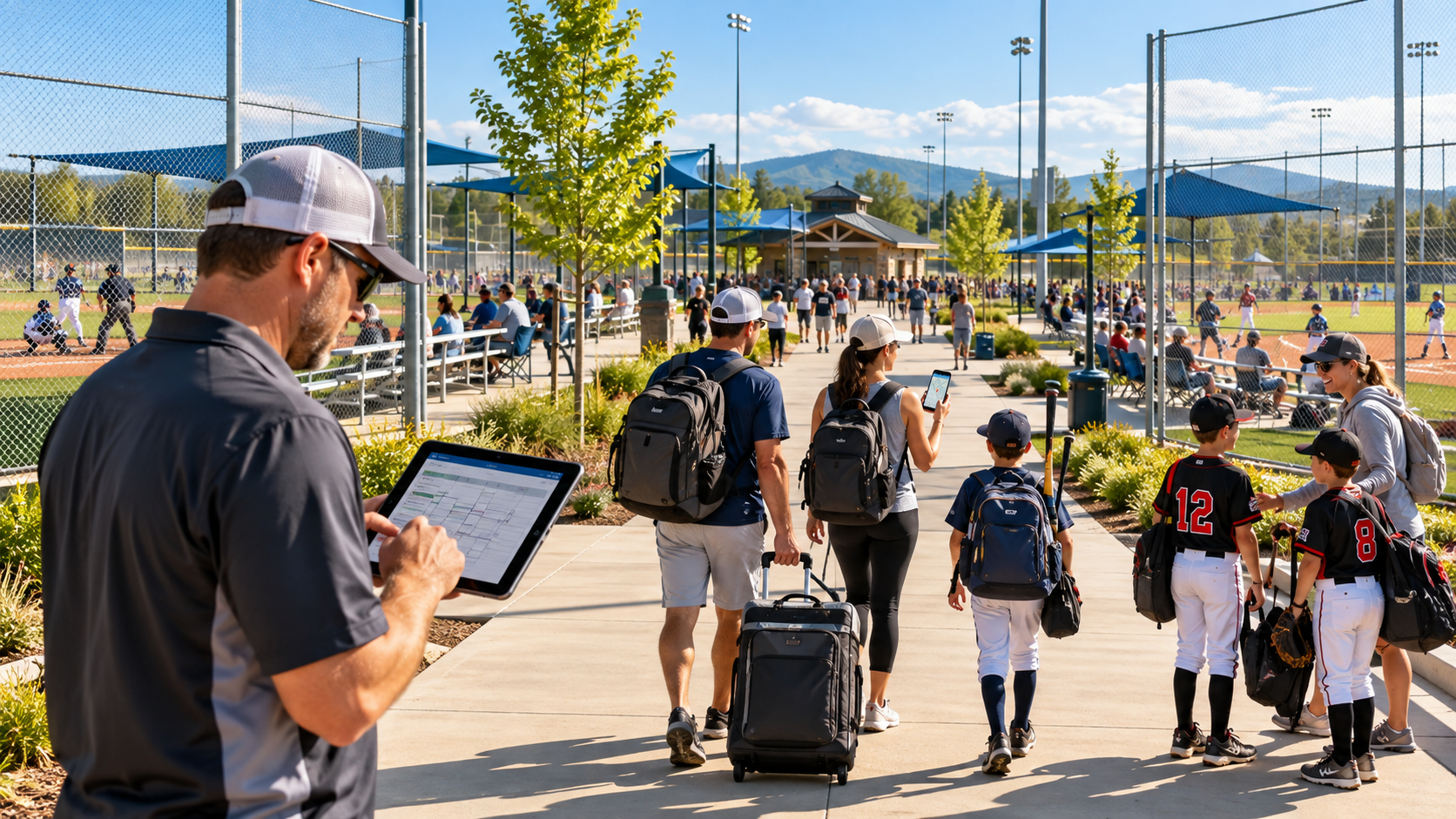
Running a baseball tournament complex means marketing to three very different groups at once. Team directors and travel coaches are comparing tournaments months ahead. Parents are driving in from two states away on a Friday night, trying to find the right entrance and a hotel near the fields. And the people who live ten minutes away want to know whether they can rent a field, join a men's league or sign up for a summer camp.
Each group searches differently, and most complex websites only serve one of them well, usually through a tournament calendar that lives inside a third-party registration platform Google can barely read.
This guide covers SEO for baseball tournament operators and multi-field sports complexes: how to structure the site, how to build tournament pages that rank and fill brackets, how to handle Google Business Profile for a big venue, how to serve traveling families, and how to earn the links that come naturally with hosting events. It also covers the local business that keeps a complex busy between tournament weekends.
Three audiences, three kinds of searches
Youth and amateur sports travel is now a bigger economic engine than spectator sports. A 2026 report by Tourism Economics for the Sports Events and Tourism Association found sports-related travel generated $274.5 billion in total economic impact in 2025, including 124.3 million hotel room nights. Participatory sports, the youth and amateur events complexes host, accounted for $60.1 billion in direct spending and 227.6 million travelers, more than spectator sports on both counts.
Families feel that spending directly. The Aspen Institute's parent survey found baseball was the most expensive of the three most-played youth sports, and named travel and lodging for non-local play among the drivers of rising costs.
For a complex, that money moves through three audiences:
The team director is who you sell to. The traveling family is who you have to take care of. And local players are who keep the lights on between tournament weekends. A site that serves only one of them leaves money and goodwill on the table.
Site structure: give each audience a front door
Most complex websites bury everything behind a "Tournaments" button that links straight to a registration platform. That platform may be great for bracket management, but its pages usually live on someone else's domain, change every season and say little that Google can use to rank you. Build the core pages on your own site, and link out to registration from them.
A structure that works for most complexes:
/tournaments/ is the hub: upcoming events by month, with age divisions and a link to each event page.
/tournaments/[event-name]/ is one evergreen page per recurring event, such as /tournaments/memorial-day-classic/. Update it every year.
/facility/ covers fields, dimensions, turf or grass, lights, scoreboards, bullpens, batting cages, concessions and accessibility.
/visit/ or /plan-your-trip/ covers directions, parking, entrances, hotels, food, weather policy and rules for spectators.
/stay-and-play/ covers hotel partners and room block details, if you use them.
/rentals/ covers field and cage rentals for local teams and leagues.
/leagues/, /camps/ and /lessons/ cover local programs, if you run them.
/contact/ covers the tournament director, facility office and emergency info.
Google's SEO Starter Guide recommends descriptive URLs and grouping similar pages in directories, and it notes that Google can learn how often different sections change. A /tournaments/ section that updates constantly and a /facility/ section that rarely changes is exactly the pattern it describes.
The key decision is recurring events. If you host the same tournament every Memorial Day, give it one permanent URL and update it each year, rather than creating a new page every season. That page builds history and links year after year, and team directors who bookmarked it will always land on the current version. Use 301 redirects, which Google explains in its redirects guide, to send old year-specific URLs to the evergreen page.
Tournament pages that rank and fill brackets
A team director deciding between three Memorial Day tournaments wants to compare them quickly. The event page that answers their questions without a phone call usually wins the registration.
Every tournament page should include:
Dates, times and location. Including check-in and the first pitch time on day one.
Age divisions and classifications. For example 9U through 14U, with the level of play for each and how age is determined for the event.
Format and game guarantee. Pool play plus bracket, number of guaranteed games, time limits, run rules.
Entry fee and what it includes. Umpires, baseballs, awards, gate fees for spectators. Families will ask about gate fees, so answer it here.
Sanctioning and rules. Which organization sanctions the event, which rulebook applies, bat rules and pitching limits.
Field details. Dimensions by age group, surface, lights, dugouts, where each division plays.
Registration deadline and team cap. Plus current availability by division. "12U: 3 spots left" drives action.
Stay-and-play requirements. If you require teams to book through a hotel partner, say so plainly with the details.
Schedule and results links. Where brackets and scores will be posted during the event.
Contact. A named tournament director with a direct email and phone.
Write the title the way coaches search: "Memorial Day Classic | 9U–14U Baseball Tournament | [Town, State]" does much more work than "Event #4417." Put the key facts in plain text on the page itself, not only in a PDF flyer or an image, so both Google and AI tools can read them.
Arm care is also worth addressing directly. Many parents and coaches care about pitching limits, and a clear policy on pitch counts or innings, with a link to MLB and USA Baseball's Pitch Smart guidelines, shows that your event takes player health seriously.
Finally, keep the page current during registration season. Update divisions that are filling or full at least weekly. Google's guidance on helpful content warns against changing dates to look fresh without real updates, and real availability updates are the kind of change that matters.
Event structured data, and handling changes
Tournaments are dated events at a real place, which is exactly what Google's Event structured data describes. The required properties are a name, a start date with a time zone, and a location with a full address. Google also recommends an end date, a description, images, pricing through offers, the organizer, and an event status.
Schema.org has a more specific type, SportsEvent, that fits a tournament. A simplified example:
A few rules from Google's guide matter for complexes:
One event per tournament. Don't mark up discounts or promotions as events, and don't mark up your regular business hours.
Cancelled events stay marked up. Change eventStatus to cancelled and keep the original date and location, rather than deleting the page or the markup.
Rescheduled events get new dates. Update the start and end dates, set the status to rescheduled, and optionally add the previous start date.
Postponed events keep their original date with a postponed status until a new date is set.
Google also lists events that require prior membership or invitation as ineligible. Tournaments are usually open to spectators, which is what makes them public events, but check the guidelines if your event is closed. Validate every page with the Rich Results Test before publishing.
When the weekend is over, don't take the page down. Post results and photos, switch the markup to next year's dates once they're set, and let the evergreen URL keep its history.
Google Business Profile for a big venue
On tournament weekends, hundreds of families will type your complex's name into Google Maps. Many will never visit your website at all. Your Business Profile is the page they actually use, so it has to be accurate down to the entrance.
Get the pin and the address right. Large complexes often have several entrances, and the one Google sends people to may not be the one you want. Check the pin location, and make sure the address leads to the main entrance or the right parking lot. Google says complete and accurate information helps local ranking. It also saves a lot of confused families at 7 a.m.
Hours that reflect tournament days. Set regular hours for normal operations, and use special hours for tournament weekends when gates open early and close late. A family that sees "Closed" on a Saturday morning will call your office, and nobody will answer.
Photos that help people find their way. Upload photos of the main entrance, each parking area, field signage, concessions, restrooms and the view from the stands. Add an aerial or field map image if you have one. These answer practical questions before they're asked.
Posts for every major event. Registration opening for the spring series, schedule posted, weather updates on game day, results and photos afterward. Posts show on your profile, and they tell Google the business is active.
Services and attributes. List tournaments, field rentals, leagues, camps and cage rentals as services. Add attributes for wheelchair accessibility, restrooms and parking. Google's Ask Maps draws on profile details like these when people ask questions such as "Is there parking at [complex]?"
One profile per real business. If an independent training academy operates inside your complex with its own staff, hours and entrance, it may qualify for its own profile. But don't create separate profiles for each field or tournament. Google's Business Profile guidelines require each profile to represent a real business at its location, and duplicates can get profiles suspended.
Reviews from visiting families. Tournaments bring hundreds of families in one weekend, which is a big chance to collect reviews. Send every participating team's families the same simple post-event message with your review link, whether their weekend went well or not. Don't offer anything in exchange, don't ask only the champions, and don't steer what they write.
The traveling family: build a "Plan your trip" page
The traveling family isn't your customer on paper. The team registered, not them. But they're the ones who decide whether your tournament gets a good reputation in the parent group chat, and whether their team comes back next year. They're also searching for your complex by name, which makes those searches some of the easiest traffic you'll ever get.
A single, thorough "Plan your trip" page can answer nearly every question they'll have:
Address and directions. The exact address to put in a GPS, which entrance to use, and any road construction or turns that confuse first-timers.
Parking. Where to park, whether it costs anything, overflow lots, and drop-off rules.
Gate fees and what's allowed in. Admission prices, whether coolers, chairs, pop-up tents and pets are allowed, and whether it's cash or card.
Field map. A simple map showing field numbers, restrooms, concessions, first aid and the tournament headquarters.
Weather policy. Lightning and rain delay rules, and where updates will be posted on game day.
Hotels. Partner hotels or stay-and-play details, distance to the complex, and how to book the team rate.
Food. Concessions hours and menu, plus nearby restaurants for team dinners.
Things to do nearby. For families with siblings or long gaps between games.
Contact on game day. A number that actually gets answered during the event.
This page also gives you a clean way to handle stay-and-play policies. If teams must book through designated hotels, explain the policy and the reason plainly on this page. Families researching costs will appreciate the honesty more than discovering it after registration.
Make sure it works well on a phone, since that's where families will open it, often in a car. Google recommends good Core Web Vitals, such as main content loading within 2.5 seconds. Compress the field map image, and avoid PDFs that have to be downloaded and zoomed.
Link this page from every tournament page, from your Business Profile, and from the confirmation email teams receive. Coaches will forward it to families, which saves your staff a hundred phone calls.
Links from sanctioning bodies, tourism bureaus, hotels and media
Tournament complexes have a natural advantage in link building: hosting events creates reasons for other organizations to mention you. Google's local ranking guidance says prominence is partly based on how many websites link to your business, and a busy complex can earn relevant links from sources most local businesses never touch.
Where those links come from:
Sanctioning bodies and tournament organizations. Event listings on the sites of the organizations that sanction or run your tournaments. Make sure your complex name matches and the listing links to your event page, not just a registration platform.
Convention and visitors bureaus and sports commissions. Many regions have a tourism office or sports commission that promotes venues and events because they fill hotel rooms. Ask to be listed as a venue and to have your major events on their calendar.
Partner hotels. Stay-and-play hotels often list nearby venues on their websites. Ask for a link to your "Plan your trip" page.
Participating teams. Travel teams often post their tournament schedules on their sites. A clear, linkable event page makes that easy.
Local media. Economic-impact stories ("tournament brings 120 teams to town"), championship results and facility upgrades get covered. The Sports ETA and Tourism Economics numbers on room nights and spending give reporters useful context for those stories.
Local government and chamber sites. If your complex is a public-private partnership or a notable local employer, town and chamber pages may list it.
Avoid shortcuts. Paid link schemes can violate Google's spam policies, and they add nothing a tourism bureau listing doesn't do better.
The simplest habit that helps the most: every time you send an event listing to anyone, include the link to the evergreen event page on your own site. Over a few seasons, those links add up.
Year-round local revenue: rentals, leagues, lessons and camps
Tournament weekends are the headline, but a complex also has weeknights, off-season months and weekends without events to fill. That business comes from people who live nearby, and they search very differently from team directors.
Local searches a complex can win:
Field rentals: "baseball field rental [town]," "turf field rental near me," "rent a field for team practice"
Adult leagues: "adult baseball league [area]," "men's senior baseball league near me," "adult softball league [town]"
Youth programs: "summer baseball camp [town]," "fall baseball league [county]"
Cages and lessons: "batting cages near me," "pitching lessons [town]"
Events: "company softball tournament venue," "field rental for birthday party"
Each of those needs its own page, with the same approach we recommend for any facility. List prices, availability, what's included and how to book. A rentals page that says "Contact us for pricing" will lose to one that shows an hourly rate and a booking calendar.
The team rentals page matters most. Travel teams and high school programs looking for practice space in the weeks before a season are often the same teams that later register for your tournaments. Treat them as a pipeline, not a side business.
If you run camps or leagues, the seasonal timing rules apply here too. Publish on one evergreen URL for each program, update the dates every year, and get the page live well before families start planning. Summer camp pages need to be ranking by winter, not when registration opens.
Finally, make sure local programs appear in your Business Profile services and in regular posts. The same profile that tournament families see is also what a local parent sees when they search "baseball near me" on a Tuesday in January.
AI search and Ask Maps for tournament venues
All three audiences are starting to ask AI. BrightLocal's 2026 survey found use of ChatGPT and similar tools for local recommendations rose from 6% to 45% in a year. The questions look different for each group:
Team directors: "12U baseball tournaments in New Jersey in June with a four-game guarantee"
Traveling families: "Where do I park at [complex]?" or "Hotels near [complex] with a pool"
Locals: "Where can I rent a baseball field in [town] on weeknights?"
Google's Ask Maps answers questions about specific places, and BrightLocal reports that it draws first on your Business Profile, your reviews and your website, then turns to third-party sources. If your parking details live only in a PDF, Maps may pull an answer from an old forum post instead.
Google's own guide to generative AI search says its AI features rely on its core search systems, so standard SEO is the foundation. It says Business Profiles help local businesses show up in AI responses, and that you don't need special files like llms.txt. For a complex, that means:
Tournament details in plain text on each event page: dates, divisions, guarantees, fees, location
A complete "Plan your trip" page covering parking, entrances, gate fees, hotels and weather policy
A complete Business Profile with accurate hours, services and entrance photos
Consistent listings on tournament, tourism and hotel sites, so AI tools see the same facts everywhere
Before each major tournament, ask ChatGPT, Gemini and Google's AI Mode the questions families and coaches ask, and check Ask Maps on a phone. If the answers are wrong about parking, gate fees or dates, find the source they cite and fix it at the source.
Measuring what matters: teams, room nights and local bookings
A complex has three audiences, so it needs three scoreboards. Traffic alone won't tell you whether SEO is working.
Google's Business Profile performance report shows calls, direction requests and website clicks from your profile. Tournament weekends should show up clearly in those numbers. Google's free Search Console shows which searches bring people to each page, including your event pages and rentals.
If you work with a tourism bureau or partner hotels, ask for room night data from your events. It's the number civic partners care about, and it's a strong story for local media and future sponsors.
Two tips for clean measurement:
Tag your registration links. If registration happens on a third-party platform, add UTM tags to the links on your event pages so you can see which registrations came from your site versus direct links shared by coaches.
Compare event to event, year over year. The Memorial Day Classic this year against the Memorial Day Classic last year tells you far more than month-to-month traffic swings driven by the schedule.
Give changes a full season to prove themselves. Google's SEO Starter Guide notes that some changes take effect within hours and others take several months. Evergreen event pages usually get stronger each year they stay live.
Want to know how your complex shows up?
Many complexes are easy to find by name and hard to find for everything else. Coaches searching for tournaments in your state may never see your events, and locals may not know you rent fields at all.
We'll run a free visibility check on your complex. You'll get a plain-English read on how you show up in Google, Google Maps and AI tools like ChatGPT for all three audiences: team directors, traveling families and local players. You'll also get what we'd fix first before your next tournament season. Whether or not you hire us, you'll know exactly where you stand.
Get your free visibility check →
A real reply from the founder within one business day. No pressure, no pitch deck.
Frequently asked questions
What is sports complex SEO?
It's the work of getting a sports complex found by the people who use it: team directors looking for tournaments, traveling families looking for directions and hotels, and local players looking for rentals, leagues and camps. It covers your website, Google Business Profile, event listings, reviews, links and AI search.
Should tournament pages live on our site or our registration platform?
Both, with the core page on your own site. Build an evergreen page for each recurring event with all the key details, and link out to the registration platform for sign-ups. Your own page builds rankings and links year after year. A registration platform's pages usually don't.
Should we create a new page for each year's tournament?
No. Use one permanent URL per recurring event and update it each year. Redirect any old year-specific pages to it so their links and history carry over.
Can we use Event structured data for tournaments?
Yes. Google's Event guidelines require a name, start date and location, and recommend an end date, description, organizer and status. Schema.org's SportsEvent type fits tournaments well. Update the status if an event is cancelled, postponed or rescheduled rather than deleting the markup.
Should each field have its own Google Business Profile?
No. Google requires each profile to represent a real business at its location. One profile for the complex is right in most cases. A separately operated business inside the complex, with its own staff and hours, may qualify for its own profile.
How do we help families find the right entrance and parking?
Check your Business Profile pin and address, upload photos of the entrance and parking areas, and publish a "Plan your trip" page with directions, parking, a field map and gate details. Link it from every event page and team confirmation email.
How can a tournament complex get more Google reviews?
Send the same simple post-event message with your review link to families from every participating team, not just the winners. Don't offer anything in exchange or suggest what to write. Reply to every review, especially the ones about parking, schedules or facilities.
Where can a complex earn links?
From sanctioning bodies and tournament organizers, your regional tourism bureau or sports commission, partner hotels, participating teams, local media and local government or chamber sites. Always point those links to your evergreen event pages.
How do we fill the complex between tournaments?
Build separate pages for field rentals, cage rentals, adult and youth leagues, lessons and camps, with prices and booking. Add them as services on your Business Profile and post about them regularly for local searchers.
How do we measure SEO results for a complex?
Track team registrations by event, returning teams, searches and direction requests for your complex name, calls and reviews on event weekends, and local rental and program bookings. Compare each event to the same event last year.
Sources
SportsTravel, Report: Sports-related travel fuels a $274.5 billion economy (Tourism Economics for Sports ETA, April 2026)
Aspen Institute Project Play, Family spending on youth sports rises 46% over five years (March 2025)
Google Business Profile Help, Tips to improve your local ranking on Google
Google Business Profile Help, Set special hours
Google Business Profile Help, Guidelines for representing your business on Google
Google Business Profile Help, Business Profile performance and insights
BrightLocal, Goodbye Google Q&A: It's time to Ask Maps (April 2026)
BrightLocal, Local Consumer Review Survey 2026 (February 2026)
Google Search Central, SEO Starter Guide
Google Search Central, Redirects and Google Search
Google Search Central, Event structured data
Google Search Central, Creating helpful, reliable, people-first content
Google Search Central, Understanding Core Web Vitals
Google Search Central, Spam policies for Google web search
Google Search Central, Optimizing your website for generative AI features on Google Search (updated July 2026)
MLB and USA Baseball, Pitch Smart
Google, Search Console