How Baseball Academies Can Get More Google Reviews Without Breaking the Rules
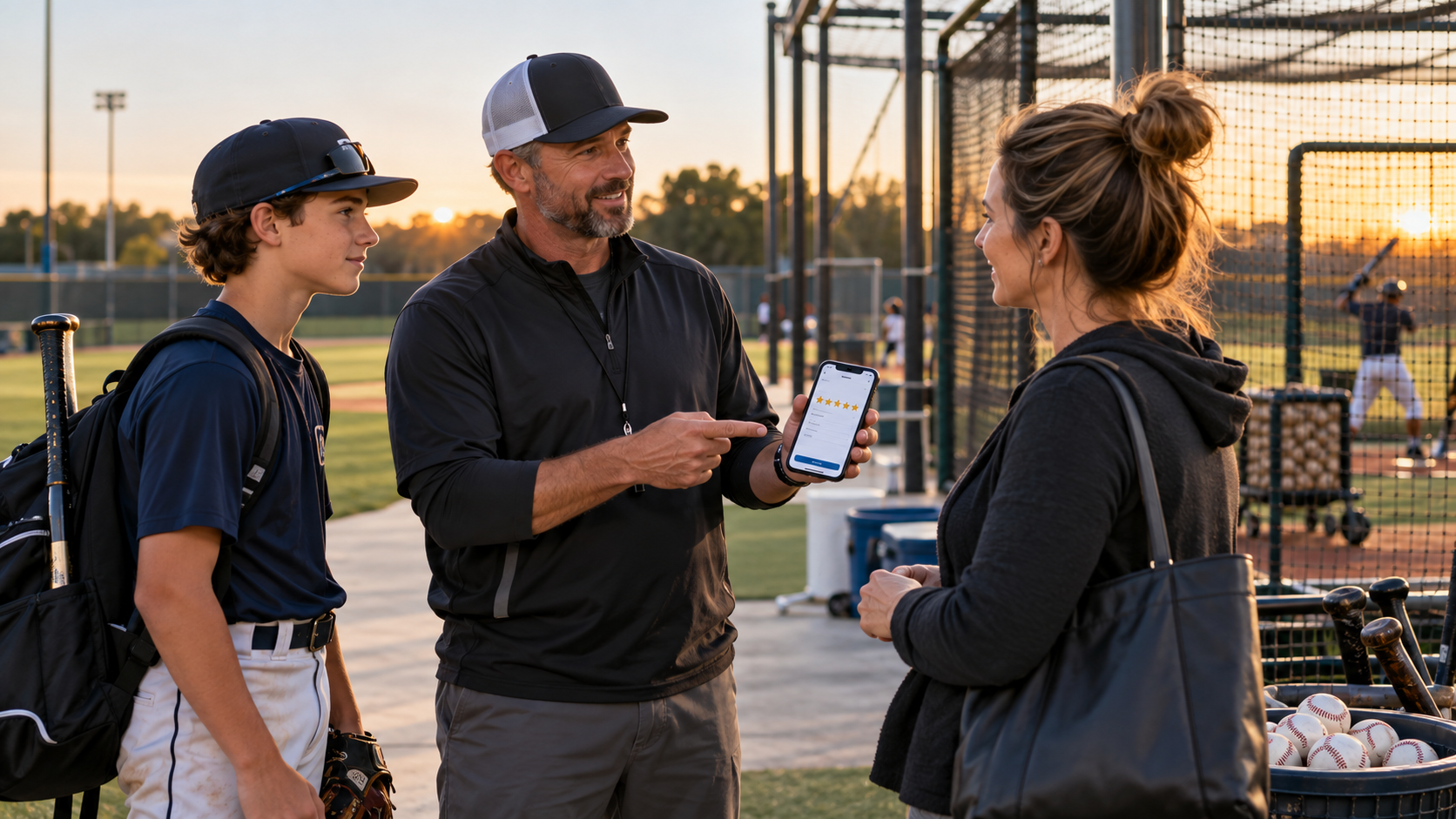
Ask any baseball academy owner how they feel about Google reviews and you'll hear the same thing. They know reviews matter. They know their best families love them. And they still have 23 reviews, the most recent from eight months ago.
Most owners aren't short on happy customers. They're short on a system for asking. And the owners who do try to speed things up sometimes reach for tactics that can backfire badly: a free lesson for a five-star review, a front-desk tablet, or a staff contest to see who can collect the most.
Those shortcuts are riskier than ever. Google now spells out specific review practices it prohibits, and it can penalize a profile it catches. The Federal Trade Commission's rule on fake reviews allows civil penalties. This guide walks through the rules in plain English, then shows how to build a review routine that fits a baseball facility and stays well inside the lines.
Why reviews matter so much for a baseball academy
Parents are trusting you with their kid's development, their arm health and a real chunk of money. Reviews are how they check you out before they ever call.
BrightLocal's Local Consumer Review Survey 2026, a panel of 1,002 U.S. adults, shows how much weight reviews carry:
97% of consumers read reviews for local businesses
47% won't use a business with fewer than 20 reviews
74% only care about reviews from the last three months
68% will only use a business rated four stars or higher, up from 55% a year earlier
89% expect the business to respond to reviews
Reviews also help you rank. Google's own local ranking guidance says prominence is partly based on how many reviews a business has, and that more reviews and positive ratings can help local ranking.
And they now shape AI answers. Google replaced its Business Profile Q&A section with Ask Maps, a Gemini-powered feature. BrightLocal reports that Ask Maps reads reviews and cites them in its answers. When a parent asks Maps whether your academy is good for young pitchers, your reviews help write the answer.
The good news is in the same survey: 83% of people who were asked to leave a review went on to leave one. The families are willing. The job is asking consistently, at the right moments, in a way that follows the rules.
The rules: Google's policies and the FTC
Two sets of rules apply to reviews: Google's, which decide what stays on your profile, and the Federal Trade Commission's, which are federal law. Neither is complicated, but a few details trip up a lot of well-meaning owners.
Google's review policies. Google's Maps user-generated content policy says businesses may encourage reviews that reflect a genuine experience, as long as they don't offer incentives or try to influence the rating or the content. Among the practices it prohibits:
Offering payment, discounts, or free goods or services in exchange for reviews
Asking only happy customers for reviews, or discouraging negative ones
Requiring or pressuring customers to leave reviews while they're on the premises
Reviews from owners, employees, or anyone with a professional or personal conflict of interest
Directing staff to solicit a certain number of reviews
Directing staff to request reviews that include specific content, including content that identifies a staff member
Those last two catch a lot of sports facilities by surprise. Review contests between coaches, monthly review quotas for the front desk, and scripts like "If you mention Coach Dave by name, it really helps him" all fall on the wrong side of Google's policy. Google's help page on getting more reviews calls incentives "strictly prohibited."
The consequences are real. Google's page on Business Profile restrictions says a profile that violates its fake engagement policy can be blocked from receiving new reviews for a period of time, have existing reviews unpublished, and show a warning telling consumers that fake reviews were removed.
The FTC rule. In August 2024, the FTC announced a final rule banning fake reviews and testimonials. It bans fake reviews, including AI-generated ones, and paying or rewarding people for reviews that express a particular sentiment. It also bans undisclosed reviews from a company's own officers, managers and employees, and using threats or intimidation to get negative reviews removed. It lets the FTC seek civil penalties against people who knowingly violate it.
This isn't legal advice, and if you have a specific situation you should talk to a lawyer. But the practical rule is simple: ask every customer, let them say whatever they honestly think, and never trade anything for a review.
Allowed vs. not allowed: a quick reference
Here's how common review tactics at baseball facilities line up against Google's policies and the FTC rule. Print it for your front desk and your coaching staff.
If you're ever unsure, ask one question: am I trading something for a review, or steering the rating, what they say, or who gets asked? Asking everyone to share an honest experience is fine. Anything that steers the rating, the content or who gets asked is not.
The best moments to ask in a baseball academy
Timing is everything with reviews, but there's a rule-shaped catch. If you only ask after a kid hits a new radar-gun high, you're effectively asking only your happiest customers, and selective solicitation is against Google's policy. The fix is to build the ask into moments every family reaches, whether their week went great or not.
Natural, universal moments at a baseball facility:
The end of a lesson package. Every family finishes one. Send the ask with the renewal reminder.
The last day of a camp or clinic week. Every camper's family gets the same message that afternoon.
The end of a winter training program or team rental season. Coaches and parents both get asked.
A family's first month. New families have fresh impressions and are often the most detailed reviewers.
Membership anniversaries or renewals. A natural check-in point.
The benefit of a fixed schedule is consistency. BrightLocal found 74% of consumers focus on reviews from the last three months, and 18% are only swayed by reviews from the last week. A steady stream from lesson packages, camps and programs keeps your profile fresh all year, instead of a February spike followed by eight quiet months.
One more thing about timing: ask soon. A parent who gets the message the afternoon camp ends is more likely to write something than one who gets it two weeks later, after the moment has passed.
How to ask: links, QR codes and scripts
Google makes the mechanics easy. Its help page on getting more reviews recommends asking customers to use a Google review link or scan a QR code, and your Business Profile can generate both. Get the link once and use it everywhere.
Notice what the scripts don't do. They don't ask for five stars, they don't suggest what to write, they don't name a coach, and they don't offer anything in return. They go to every family, not just the happy ones. That's what keeps them within Google's policy.
A few practical tips:
Send from a real person's phone number or email when you can. A note from the owner or head coach feels more personal than a no-reply address.
Ask once, with one gentle reminder at most. Repeated nagging starts to feel like pressure.
Make it mobile-first. Most parents will open the link on a phone, so test it yourself before you send it.
Don't make coaches responsible for review numbers. They can mention reviews to families, but Google prohibits directing staff to collect a set number.
Minors, parents and privacy
Most of the people you train are kids. That changes who you ask and how you respond.
Ask the parents, not the players. Parents are the customers. They booked, paid and watched the progress. Send review requests to parents' phone numbers and emails, never directly to young players. Google requires users in the U.S. to be at least 13 to manage their own Google Account, and many of your players are younger. Even for older teens, asking the parent is the cleaner, more respectful approach.
Older players can speak for themselves, through normal channels. A 17-year-old who trained with you all winter may want to leave their own review. That's their choice. Just don't make a point of chasing teenagers for reviews.
Protect players in your replies. Parents sometimes mention their child's name, age, school or team in a review. Don't repeat those details in your reply. "Thanks for the kind words, it was a great winter working with your son" is warm without adding anything identifying.
Get permission before reusing reviews. Reviews are public, but if you want to feature one on your website or social media, and it mentions a child, ask the parent first. It's a small step that builds a lot of trust.
Never share private information when responding to a complaint. If a parent complains about playing time on your academy team or a billing issue, respond briefly and take it offline. Don't discuss a child's ability, attendance or behavior in a public reply, even to set the record straight.
Responding to every review, including the bad ones
Your replies are read by every parent who checks your profile, not just the person who wrote the review. BrightLocal's 2026 survey found 80% of consumers are likely to use a business that responds to all of its reviews, and 81% expect a response within a week. It also found that templated, generic replies put off half of consumers.
Google's own guidance on replying says the same thing: be genuine rather than sending everyone the same thank-you, keep replies helpful and conversational rather than promotional, and treat negative reviews as a chance to follow up.
For positive reviews, reply with something specific to what they wrote:
Thanks, Jen. It was a lot of fun watching his changeup come along this winter. See you at spring clinic.
For mixed or negative reviews, stay calm and take the details offline:
Thanks for the honest feedback, Mark. You're right that our Saturday cages were overbooked in February, and we've added a second machine and capped bookings since. I'd like to hear more. Please call me directly at [number]. – [Owner name]
A few rules for tough reviews:
Wait an hour before replying. Especially if the review is about playing time or a coach.
Acknowledge, don't argue. Other parents judge how you handle criticism more than the criticism itself.
Say what you changed, if the complaint was fair. That turns a bad review into proof that you listen.
Never reveal private details about the family or the player to defend yourself.
Don't ask them to delete it. If you resolve the problem, you can let them know. Google notes a good follow-up may encourage someone to update their review. Offering anything in exchange for a change breaks Google's policy.
And reply to every review, not only the negative ones. A profile where only complaints get responses looks defensive. One where every family hears back looks like a place that pays attention.
Fake reviews, review attacks and what to do about them
Sooner or later, most local businesses see a review that doesn't make sense: a one-star rating from someone who never trained with you, a burst of negative reviews in one afternoon, or a message demanding money to take reviews down. Here's how to handle each without making things worse.
A review that breaks Google's rules. If a review is spam, off-topic, hateful, or clearly from someone with a conflict of interest, such as a rival facility, report it. Google's help page on reporting reviews explains two routes: report it directly from your Business Profile, or use the Reviews Management Tool to track the report. Google says evaluation typically takes several days. If the review stays up, you get one appeal through the same tool.
A negative review from a real customer. Real criticism isn't a policy violation, even if it's unfair. Don't report it just because you disagree. Reply calmly, share your side briefly, and move the conversation offline, as covered above.
A sudden wave of fake negative reviews. Report each one, document everything with screenshots and dates, and keep replying calmly to real reviews. Don't respond by posting fake positive reviews to balance things out. That is exactly the fake engagement Google penalizes.
An extortion attempt. Some businesses receive messages threatening a flood of bad reviews unless they pay. Don't pay and don't negotiate. Google notes that extortion scams involving reviews should be reported as an incident rather than review by review, and its reporting help page explains where to do that.
Suspicious positive reviews on a competitor's profile. If a competitor appears to be buying reviews, you can report reviews that clearly violate policy. But focus most of your energy on your own profile. A steady stream of real reviews beats any competitor's shortcut over time, especially since Google can restrict profiles it catches.
Above all, never fight fire with fire. Google's Business Profile restrictions for fake engagement can block new reviews, unpublish existing ones and put a warning on your listing. That's far worse for a baseball academy than a handful of unfair one-star reviews.
Putting your reviews to work on your site and in AI search
Reviews shouldn't only live on Google. Used well, they help sell lessons on your website and shape how AI tools describe your academy.
On your website. Feature a few recent reviews on the pages they relate to: pitching-lesson reviews on the pitching lessons page, camp reviews on the camp page. Quote them word for word, don't edit them to sound better, and ask permission if a review mentions a child. Link to your Google profile so parents can read the rest.
One technical note: don't expect star ratings in search results from marking up reviews of your own business on your own site. Google's review snippet guidelines don't allow self-serving reviews for local businesses and organizations. The reviews still help parents on the page. They just won't produce stars in Google.
In AI answers. Reviews are one of the main ways AI tools learn what you're like. BrightLocal found 82% of consumers read AI-generated review summaries, and 23% would decide from the summary alone. It also found use of ChatGPT and similar tools for local recommendations rose from 6% to 45% in a year. Inside Google Maps, Ask Maps draws on your reviews when it answers questions about your business.
You can't script what families write, and under Google's policies you shouldn't try. But you can influence what they have to talk about. If your pitching program has a real arm-care plan, your hitting lessons use video, and your camp has a low coach-to-player ratio, honest reviews will mention those things on their own. AI tools will then repeat them. The way to get better reviews is to run the kind of academy people want to describe.
Once a month, ask ChatGPT, Gemini and Google's AI Mode what they know about your academy. If the summary leans on an old complaint you've since fixed, that's a sign you need more recent reviews, and a clear note on your website about what changed.
Tracking review health month to month
A quick monthly check keeps your review routine honest and shows whether it's working. It takes about 15 minutes with your Business Profile open.
The consumer figures in the table come from BrightLocal's Local Consumer Review Survey 2026. The targets are sensible starting points, not rules. Adjust them to your size.
Also check Google's Business Profile performance report for calls, website clicks and direction requests. If your review count and recency improve over a few months, those actions should start to climb too.
Watch for warning signs:
A long gap with no new reviews. Usually a sign the asking stopped. Check the routine, not the families.
The same complaint in several reviews. That's operations feedback, not a marketing problem. Fix it, then say so in your replies.
A sudden spike or drop you didn't cause. Look for fake reviews or a review attack, and report anything that breaks Google's policy.
Keep the numbers to yourself and your leadership. Don't turn them into targets for coaches or front-desk staff, because Google's policy specifically prohibits directing staff to solicit a set number of reviews.
Want to know where your reviews stand?
Most baseball academies have more happy families than their Google profile shows. The gap is usually a missing routine, not missing fans.
We'll run a free visibility check on your academy. You'll get a plain-English read on how your reviews, profile and website show up in Google, Google Maps and AI tools like ChatGPT when parents search for training in your area, plus what we'd fix first. Whether or not you hire us, you'll know exactly where you stand, and every recommendation will stay inside Google's rules.
Get your free visibility check →
A real reply from the founder within one business day. No pressure, no pitch deck.
Frequently asked questions
Is it okay to ask customers for Google reviews?
Yes. Google allows businesses to encourage reviews that reflect a genuine experience, and it recommends sharing a review link or QR code. What's not allowed is offering incentives, asking only happy customers, pressuring people on site, or steering what they write.
Can I offer a free lesson or discount for a review?
No. Google calls incentives for reviews strictly prohibited, even if you don't ask for a positive one. The FTC rule also bans rewards tied to positive or negative sentiment.
Can I ask parents to mention a specific coach in their review?
No. Google's policy prohibits directing staff to request reviews that include specific content, including content that identifies a staff member. Ask for an honest review and let families write what they want. Many will mention coaches on their own.
Can we run a review contest among our coaches?
No. Google prohibits directing staff to solicit a certain number of reviews, which rules out quotas and contests. Coaches can mention reviews to families, but review counts shouldn't be anyone's target.
Can I send a satisfaction survey first and only ask happy families for reviews?
No. That's selective solicitation, sometimes called review gating, and Google's policy prohibits it. Ask every family for a review, or none.
Can my coaches or staff leave reviews?
No. Reviews from employees, owners and their relatives are a conflict of interest under Google's policy, and undisclosed insider reviews also break the FTC rule.
Should kids leave reviews for our academy?
Ask parents, not players. Google requires users in the U.S. to be at least 13 to manage their own account, and parents are your customers. Older teens may choose to review on their own, but don't chase them for it.
Can I get a negative review removed?
Only if it violates Google's policies, such as spam, off-topic content or a conflict of interest. Report it through your Business Profile or the Reviews Management Tool. A real customer's criticism usually stays up, so reply calmly and take it offline.
What happens if Google catches fake reviews on my profile?
Google can block new reviews for a period, unpublish existing reviews, and show a warning to consumers that fake reviews were removed. The FTC can also seek civil penalties against people who knowingly break its fake review rule.
How many Google reviews does a baseball academy need?
There's no magic number, but BrightLocal found 47% of consumers won't use a business with fewer than 20 reviews, and 74% focus on reviews from the last three months. Aim for a steady flow every month rather than a one-time push.
Sources
Google, Maps user-generated content policy: prohibited and restricted content
Google Business Profile Help, Tips to get more reviews
Google Business Profile Help, Business Profile restrictions for policy violations
Google Business Profile Help, Report inappropriate reviews on your Business Profile
Google Business Profile Help, Tips to improve your local ranking on Google
Google Business Profile Help, Business Profile performance and insights
Google Account Help, Age requirements on Google Accounts
Google Search Central, Review snippet structured data
Federal Trade Commission, FTC announces final rule banning fake reviews and testimonials (August 14, 2024)
BrightLocal, Local Consumer Review Survey 2026 (February 2026)
BrightLocal, Goodbye Google Q&A: It's time to Ask Maps (April 2026)
Launchcodex, Google Business Profile review policy update (April 2026) (background on the staff-solicitation additions)