The Baseball Camp SEO Calendar: When to Publish So Your Summer Camp Sells Out
Here's how summer camp marketing goes at a lot of baseball facilities. Sometime in March or April, someone finally has the dates locked in. They make a flyer, post it on Facebook, update the website, and wait. Registrations trickle in, the June weeks fill, the August weeks don't, and next year they do it all again.
The problem isn't the camp. It's the timing. By the time most camp pages go live, many families have already made plans. And a brand-new page published in April has almost no chance of ranking for "baseball camp [town]" by June.
This guide lays out a month-by-month SEO calendar for baseball camps, starting in the fall. It covers when to publish, what to update, what a camp page needs to convert, and how to get found on Google and AI tools. It works for facilities, travel organizations, private coaches and high school or college programs that run youth camps.
When parents actually plan summer camp
Summer camp is a real line item in a family budget, and parents plan it that way. A 2025 Boys & Girls Clubs of America survey of 1,041 U.S. parents found families spent an average of $1,263 on summer camps in 2024 and budgeted $1,648 for 2025, a 30% jump. The same survey found 57% of parents always or usually send their kids to camp, and three in four said high cost is an obstacle.
Baseball families spend more than most. The Aspen Institute's parent survey found baseball parents spent more on camps and athletic schools than parents in soccer or basketball, the other two most-played youth sports.
When families are budgeting that much, they compare options and plan ahead. Working parents need summer coverage figured out long before school ends, and popular camps fill up. Many families start researching in winter and book in late winter or early spring. The exact timing varies by region and family, so check Google Trends for "baseball camp" and "summer camps" in your state to see when interest rises where you are.
For SEO, that timing creates a simple rule: your camp page has to be ranking before families start searching, not when you're ready to sell. Search results take time to settle. Google's SEO Starter Guide notes that some changes show up within hours while others take several months. A camp page that has been live and improving since fall will outrank one published the week registration opens.
The month-by-month baseball camp SEO calendar
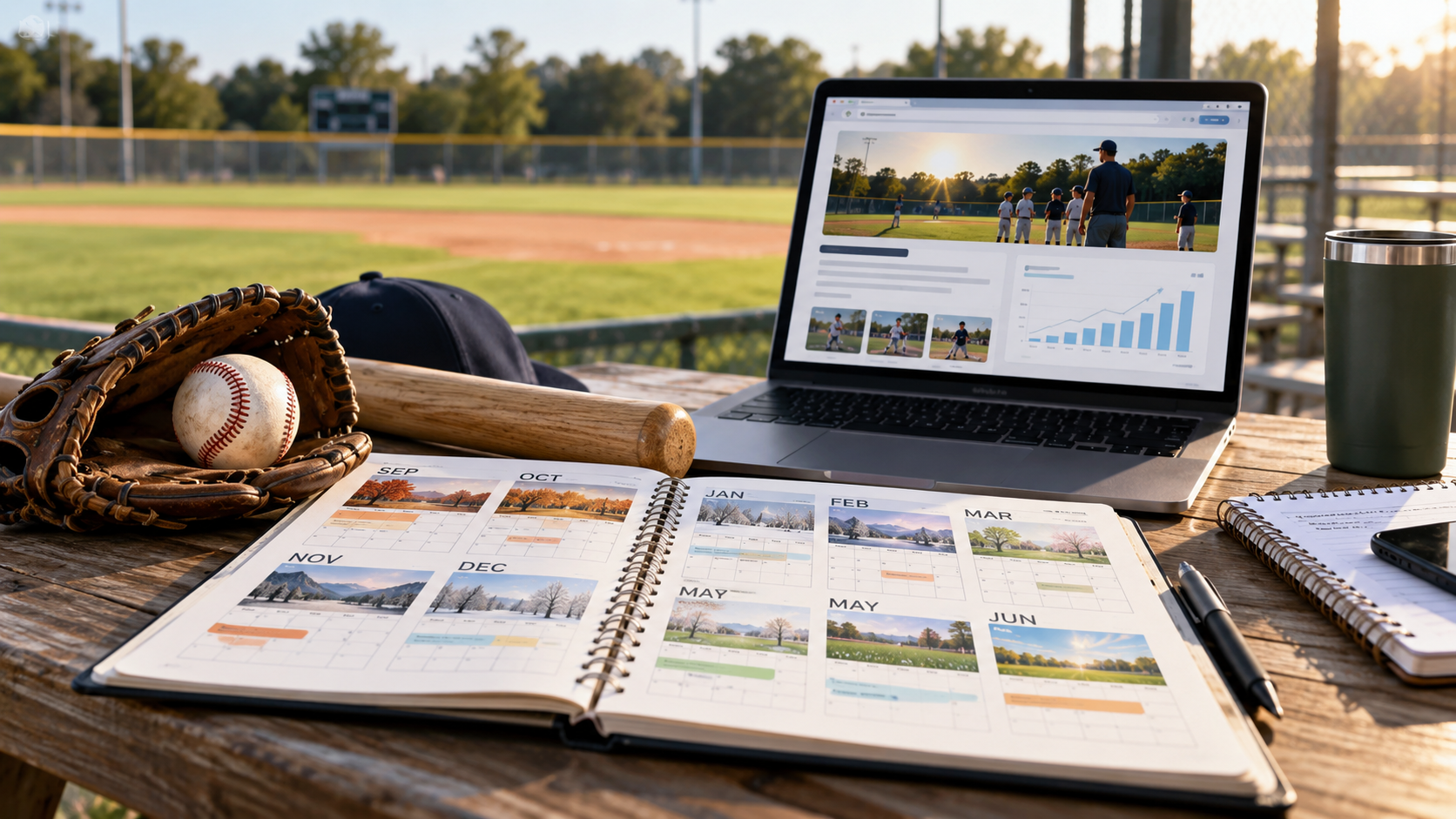
This calendar assumes a summer camp that runs in June, July and August, with registration opening in winter. Shift it earlier or later to match your area and your own registration history.
Notice that the calendar starts in September, not spring. The most valuable work happens while everyone else has stopped thinking about camp: reviewing results, updating the page, and getting next year's dates in front of families before they start searching.
The calendar also keeps one page working all year. The camp page is never "down" for the off-season. It always shows either this summer's registration, a waitlist, or next summer's early-interest list.
One evergreen camp URL, updated every year
The single biggest camp SEO mistake is creating a new page every year: /summer-camp-2025/, then /summer-camp-2026/, then /summer-camp-2027/. Each new page starts from zero. The old ones collect dust, still rank for last year, and send parents to outdated dates.
Use one permanent URL instead, such as /summer-baseball-camp/, and update it every season. Google's SEO Starter Guide recommends keeping each piece of content at a single URL and redirecting duplicates to the preferred version. A camp page that has existed for five years has five years of links, visits and history behind it. A new page has none.
How to run an evergreen camp page through the year:
During registration (Jan–May): full details, live registration, availability by week.
During camp (Jun–Aug): "Now in session" with remaining open weeks and a waitlist.
After camp (Aug–Oct): a recap with photos, "Next summer's dates coming soon," and an interest signup.
Before registration (Nov–Dec): next summer's dates, early-bird pricing preview and the interest signup.
If you run several camps, give each type its own evergreen page: /summer-baseball-camp/, /pitching-camp/, /holiday-baseball-camp/, /spring-break-camp/. Link them from one /camps/ hub page.
Already have a pile of old year-specific pages? Pick the strongest one, or create the new evergreen URL, and redirect the old pages to it with 301 redirects. Google explains how in its redirects guide. Parents who find an old link will land on the current page instead of last year's dates.
One honest note on dates: when you update the page, change the content for real. Google's guidance on helpful contentwarns against changing a page's date to make it look fresh when the content hasn't substantially changed.
What a camp page needs to sell out
Ranking gets parents to the page. The page itself has to close the sale. A parent comparing three camps is looking for reasons to trust one of them and for any missing detail that makes them hesitate.
Put these on the page, in roughly this order:
Dates and sessions. A clear table: week, dates, ages, times, spots left. Update availability weekly once registration opens.
Ages and skill levels. Who each session is for, and whether you group players by age or ability.
Price, all in. Per-week price, early-bird and sibling discounts, what's included (T-shirt, lunch, snacks) and what isn't. The Boys & Girls Clubs survey found cost is the most common obstacle for parents, so hiding it only adds friction.
A sample day. Drop-off, warm-up, stations, games, lunch, pickup. Parents want to picture it.
Who's coaching. Names, photos and short backgrounds for the lead coaches, linked to full profiles. Include your player-to-coach ratio.
Safety. Background checks for staff, first aid and emergency plans, a heat and weather policy, and pickup rules. For pitching camps, explain how you limit throwing and link to MLB and USA Baseball's Pitch Smart guidelines.
What to bring. Glove, bat, helmet, cleats, water bottle, sunscreen, lunch if not provided.
Location and logistics. Address, parking, drop-off and pickup windows, rain plan, before- and after-care if you offer it.
Reviews and photos. Recent quotes from camp parents and real photos from last summer, used with permission.
Registration and refund policy. A clear button, and a plain-English cancellation and refund policy.
The page also has to work well on a phone, since that's where many parents will find it. Keep the registration button near the top, compress photos, and aim for the main content to load within 2.5 seconds, which is Google's target for good Core Web Vitals.
Write the page title the way parents search: "Summer Baseball Camp in [Town] | Ages 6–14 | [Your Facility]" will do much more work than "Summer Fun 2027!"
Event structured data and your Business Profile
Two technical steps help Google understand your camp as a dated event in a real place: Event structured data on your website, and camp updates on your Google Business Profile.
Event structured data. Google's Event structured data guide requires a name, a start date with a time zone, and a location with a full address. It recommends an end date, description, images, price information through offers, the organizer, and an event status. Add one event per camp session. Here's a simplified example:
A few rules from Google's guide worth knowing. Don't mark up promotions or discounts as events. Events that require prior membership or invitation aren't eligible, and neither are student events held on school premises, which matters if a high school program runs the camp at its own school. If a session is cancelled or moved, keep the markup and update its status rather than deleting it. Validate everything with the Rich Results Test.
Google Business Profile. If you have a profile, use it throughout the calendar. Post when dates are announced, when registration opens, before the early-bird deadline, and when weeks are nearly full. List "summer baseball camp" and your other camps as services. Add camp photos from last year. Google recommends keeping profile information complete and accurate, and posts give parents a reason to click through to your camp page.
Early-bird deadlines, sibling pricing and waitlists
The offers around your camp shape when families register, and each one gives you a reason to publish and post at the right time.
Early-bird pricing pulls registrations forward into January and February, when you want them. Put the deadline and savings right on the camp page ("Save $40 per week through March 1"), and post a reminder on your Business Profile and social channels a week before it ends. Keep it on the main camp page rather than creating a separate early-bird page. A thin page that only exists to announce a discount adds little for parents, and Google's Event guidelines say not to mark up discounts as events.
Sibling and multi-week discounts matter to cost-conscious families. With three in four parents in the Boys & Girls Clubs survey saying cost is an obstacle, a clearly stated "$25 off each additional sibling" or "Book three weeks, get 10% off" can decide between you and another camp.
Waitlists protect the weeks that sell out. When a week fills, don't remove it from the page. Mark it "Full, join the waitlist" and collect names. Parents see that your camp is in demand, and you can offer cancellations to the waitlist, or open an extra session if demand is high.
Gift options in November and December let grandparents and relatives give camp as a present. A short "Give summer camp" section or gift card page makes it easy and gives you a timely holiday post.
Financial help, if you can offer it. A few scholarship spots or a payment plan, stated clearly on the page, widens your pool of families. It also answers the cost question honestly instead of leaving families to guess.
Whatever offers you run, keep the details identical everywhere: website, Business Profile posts, emails and flyers. Mismatched deadlines confuse parents and create customer service headaches in March.
Supporting content that feeds the camp page
One camp page can rank for "baseball camp [town]." But parents type plenty of other questions while they plan, and each one is a chance to bring them to your site and walk them to registration. Publish a few supporting pieces between December and March, and link each one to the camp page.
Ideas that match what baseball parents actually wonder about:
How to choose a baseball camp for your child. Ages, coach-to-player ratio, skill focus, cost, safety. Be fair about it. Parents trust a guide that isn't just an ad.
What a day at baseball camp looks like. Walk through a real schedule with photos from last summer.
Is my child ready for baseball camp? Age, experience, and what to expect for first-timers.
Day camp vs. specialty camp. When a general skills camp makes sense and when a pitching or hitting camp is worth it.
What to pack for baseball camp. A simple checklist. It's a common search and easy to share.
How pitching camps protect young arms. Explain your throwing limits and link to Pitch Smart.
Google's guide to generative AI search says content with a unique, first-hand point of view does better than generic content anyone could write. Your advantage is that you've run this camp before. Use real schedules, real photos, real coaching decisions and real questions parents have asked you. "Here's how we handle a 7-year-old who's nervous on day one" beats "10 tips for camp."
Keep it manageable. Three or four solid articles, refreshed each year, will do more than a new blog post every week. Link each one to the camp page with clear anchor text, such as "see this summer's camp dates," and link the camp page back to them in a "Questions parents ask" section.
Links and listings: schools, leagues, directories and local media
Summer camps are one of the easiest things in youth sports to get listed and linked, because so many local organizations publish camp roundups each winter and spring. Google's local ranking guidance says prominence is partly based on how many websites link to a business, so each listing helps twice: it reaches parents directly and strengthens your search presence.
Where to get your camp listed, roughly in calendar order:
Local parenting sites and camp guides (Dec–Feb). Many towns have a parenting blog, magazine or patch-style site that publishes an annual summer camp guide. Find last year's guide and email the editor in December with your dates and a link.
School newsletters and PTA pages (Jan–Mar). Elementary and middle school newsletters often share community camp options. Ask how to submit.
Little League and rec league sites (Jan–Apr). Leagues often promote camps to their families, especially if you offer a league discount or run a free clinic for their coaches.
Town recreation department (Jan–Mar). Some parks and recreation departments list private camps alongside their own programs.
Local news (May–Aug). A camp with a notable guest coach, a scholarship program, or a community angle is a story. So is a recap with great photos.
Camp directories. Regional and national camp directories can bring registrations. Keep listings consistent with your site and link back to your evergreen camp page.
Always link to the evergreen URL, never a year-specific page or a registration software page that changes. Every link then keeps working for years.
Skip anything that looks like paying for links. Google's spam policies cover link schemes, and a listing in a real local camp guide is worth far more than dozens of links from sites nobody reads.
AI search: getting named when parents ask for summer camps
Camp planning is exactly the kind of multi-question research people now hand to AI. BrightLocal's 2026 survey found use of ChatGPT and similar tools for local recommendations rose from 6% to 45% in a year. A parent might ask:
"Baseball camps for 9-year-olds near Cherry Hill this summer"
"Half-day baseball camps in South Jersey under $300 a week"
"Which baseball camps near me have pitching instruction and aftercare?"
AI tools answer questions like these by pulling facts from pages they can find. If your camp page lists ages, dates, hours, price, location and what's included in plain text, you give the AI everything it needs to recommend you. If those details live in a PDF flyer or an image, the AI may not see them at all.
Google's guide to generative AI search says its AI features rely on its core search systems, and that Business Profiles help local businesses appear in AI responses. It also says you don't need special AI files such as llms.txt. So the same work from earlier sections applies:
Put every key camp detail in text on your evergreen camp page
Keep your Business Profile services and posts current for camp season
Collect reviews that mention camp specifically: "My son loved the pitching station at summer camp"
Get listed in local camp guides, which are the kind of sources AI tools can draw from
In January and again in April, ask ChatGPT, Gemini, Perplexity and Google's AI Mode the questions your parents would ask. If you're missing or the details are wrong, check which sources the tools cite. Then fix your page or get onto those sources.
After camp: reviews, recaps and next year's head start
The weeks right after camp are the most overlooked part of the calendar, and one of the most valuable. Families are happy, photos are fresh, and you have months before anyone searches again.
Ask for reviews at the end of each week. A short text on Friday afternoon with a direct review link, sent while kids are still talking about camp. BrightLocal's 2026 survey found 83% of people asked to leave a review went on to leave one, and 74% of consumers care mostly about reviews from the last three months. Summer reviews posted in July will still look recent to parents searching in fall. By the time your big registration push comes, you'll want new ones too, which is why a steady flow beats a one-time blitz.
Publish a recap. A short post or a section on the camp page: how many campers, what they worked on, a few photos and a quote or two from parents, all with permission. It gives next year's families a real picture, and it's the kind of first-hand content Google's helpful content guidance describes.
Survey families. Two or three questions: what they liked, what they'd change, and how they found you. The last one tells you whether search, referrals or school newsletters drove registrations, so you know where to focus next year.
Open next year's interest list immediately. Switch the evergreen page to "Thanks for a great summer. Get first notice of next year's dates," with a signup form. Returning families are your cheapest registrations. Give them first access and a returning-camper discount.
Review the numbers in September. Which weeks sold out and when? Which age groups lagged? Did the early-bird deadline move registrations earlier? Those answers set next year's calendar, and the cycle starts again.
Want your camp to sell out earlier?
If your camp page goes live in the spring and registrations trickle in, the fix usually isn't a better flyer. It's getting found by the right families months earlier.
We'll run a free visibility check on your camp. You'll get a plain-English read on how your camp shows up in Google, Google Maps and AI tools like ChatGPT when parents search for summer baseball camps in your area, plus what we'd fix first for next summer. Whether or not you hire us, you'll know exactly where you stand, and there's still time to get ahead of the next registration season.
Get your free visibility check →
A real reply from the founder within one business day. No pressure, no pitch deck.
Frequently asked questions
When should I publish my summer baseball camp page?
Ideally the page never comes down. Keep one evergreen camp page and update it with next summer's dates in November, or as soon as they're set. That gives Google months to rank it before families start searching in winter.
When should summer camp registration open?
Many camps open in January with early-bird pricing that runs through late February or March. Check your own registration history and Google Trends for your state, then open a few weeks before interest typically rises.
Should I make a new camp page every year?
No. Use one permanent URL, such as /summer-baseball-camp/, and update it each year. A new page starts from zero, while an evergreen page keeps its history and links. Redirect any old year-specific pages to it.
What should a baseball camp page include?
Dates and sessions, ages and skill levels, full pricing and discounts, a sample daily schedule, coaches and ratios, safety policies, what to bring, location and logistics, recent reviews and photos, and a clear registration and refund policy.
Should I add Event structured data to my camp page?
Yes, one event per session, with the name, dates, location and price. Follow Google's Event guidelines and test with the Rich Results Test. Note that Google doesn't allow event markup for student events held on school premises.
Is it worth listing prices publicly?
Yes. Cost is one of the biggest concerns for camp families. Clear pricing, plus early-bird, sibling and multi-week discounts, helps parents decide faster and builds trust.
How do I fill the camp weeks that don't sell out?
Look at why. It may be timing, such as late August competing with vacations, or an age group you don't promote enough. Promote those weeks specifically in April and May, consider a themed session like pitching or hitting, and offer a multi-week discount.
How do I get my camp into local summer camp guides?
Find last year's guides from local parenting sites, newspapers, school newsletters and your town's recreation department. Contact the editors in December or January with your dates, ages, price and a link to your evergreen camp page.
How can I get my camp recommended by ChatGPT?
Put every key detail in plain text on your camp page, keep your Business Profile current, collect reviews that mention camp, and get listed in local camp guides. Test the AI tools in January and April and fix what's missing.
What should I do right after camp ends?
Ask for reviews at the end of each week, publish a short recap with photos, survey families, switch the camp page to next year's interest list, and review which weeks sold out and why.
Sources
Boys & Girls Clubs of America, Summer Camps 2025 Survey executive summary (survey of 1,041 U.S. parents, March 2025)
Aspen Institute Project Play, Family spending on youth sports rises 46% over five years (March 2025)
BrightLocal, Local Consumer Review Survey 2026 (February 2026)
Google Business Profile Help, Tips to improve your local ranking on Google
Google Search Central, SEO Starter Guide
Google Search Central, Get started with Google Trends
Google Search Central, Redirects and Google Search
Google Search Central, Creating helpful, reliable, people-first content
Google Search Central, Event structured data
Google Search Central, Understanding Core Web Vitals
Google Search Central, Spam policies for Google web search
Google Search Central, Optimizing your website for generative AI features on Google Search (updated July 2026)
MLB and USA Baseball, Pitch Smart