Does Your Cleveland Business Need Location Pages? Here's When They Work
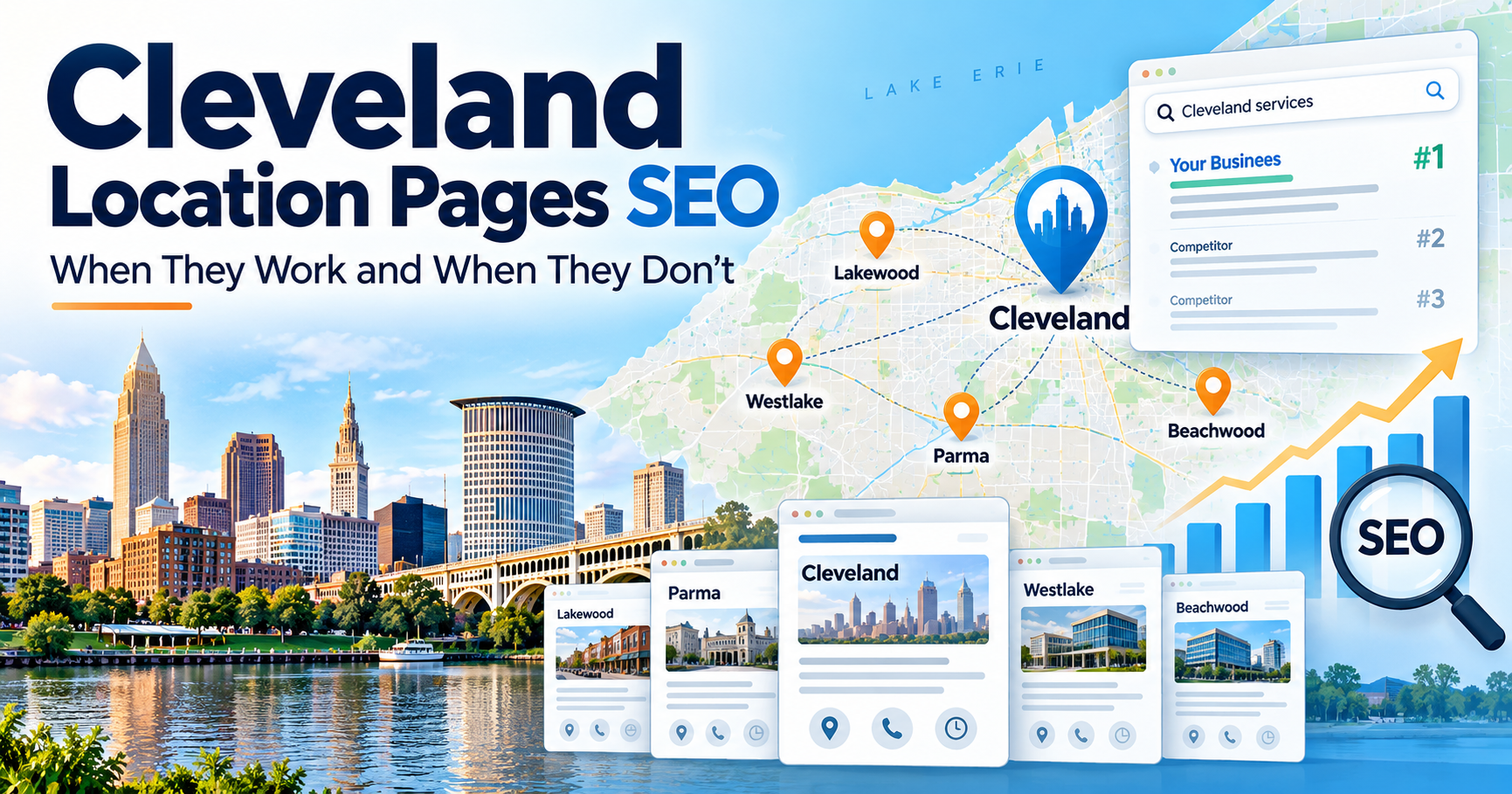
A Cleveland business that wants to grow beyond its immediate neighborhood eventually faces an important SEO question:
Do we need a separate website page for every suburb we serve?
Should a contractor create pages for:
Cleveland
Lakewood
Parma
Westlake
Strongsville
Beachwood
Cleveland Heights
Rocky River
North Olmsted
Solon
Or can one strong Cleveland page rank across the entire region?
The answer is:
Location pages can be extremely useful—but only when each page has a legitimate reason to exist.
A well-built Lakewood page can help a company reach customers searching specifically for services in Lakewood.
A useful Westlake page can explain what the company offers there, showcase local projects, answer geographic questions, and provide a clear conversion path.
But creating 40 pages where the only meaningful difference is replacing:
Cleveland
with:
Parma
Westlake
or:
Strongsville
is not a strong local SEO strategy.
Google's current spam policies specifically identify doorway abuse, including multiple pages aimed at specific cities or regions that funnel visitors toward essentially the same destination. Google also warns against substantially similar pages created primarily to capture variations of search queries.
At the same time, Google's people-first content guidance encourages websites to publish substantial, useful content that helps their real audience accomplish a goal.
That creates a straightforward principle for Cleveland location-page SEO:
Create geographic pages when they genuinely help customers—not simply because a keyword tool produced another city name.
What Is a Location Page?
A location page is a website page focused on serving customers in a specific geographic market.
For a Cleveland-area company, examples might include:
/locations/cleveland/
/locations/lakewood/
/locations/parma/
/locations/westlake/
/locations/beachwood/
A location page is different from a service page.
A service page explains:
What does the company provide?
A location page explains:
Where does the company provide it?
For example, a plumbing company's site might include service pages for:
Drain cleaning
Emergency plumbing
Sewer repair
Water heaters
and geographic pages for:
Cleveland
Lakewood
Parma
Westlake
Those two structures can support each other.
Why Location Pages Can Work for Local SEO
A customer searching:
plumber Cleveland
is expressing geographic intent.
Someone searching:
plumber Westlake
is expressing a different geographic preference.
They may care about:
Whether the company serves Westlake
How quickly technicians can reach them
Whether the company already works nearby
Whether customers in the area recommend them
Which services are available
Whether travel charges apply
Whether emergency service is available
A strong Westlake page can answer those questions directly.
That is why location pages can be valuable.
They allow a business to create a search destination tailored to a specific market.
Location Pages Are Primarily an Organic SEO Strategy
It is important to separate website location pages from Google Maps rankings.
Google says local results are primarily based on:
Relevance
Distance
Prominence
Distance refers to how far a business is from the person performing the search.
That means publishing:
Plumbing Services in Westlake
does not physically move your Cleveland business into Westlake.
The page may help with organic search visibility.
It does not create a new Google Business Profile location.
It does not eliminate proximity.
It does not make one physical office equally competitive in every suburb.
Location Pages Do Not Create Google Maps Locations
Suppose your roofing company has one legitimate office in Cleveland.
You create pages for:
Lakewood
Parma
Westlake
Strongsville
You still have one physical business location.
Google's guidelines say service-area businesses generally have one Business Profile for their central office or location. Separate profiles are appropriate only when a business actually operates qualifying distinct locations with separate staff and service areas.
This distinction matters.
Website pages can represent markets you serve.
Google Business Profiles represent legitimate business locations or qualifying service-area operations.
Do not confuse the two.
Who Should Consider Creating Location Pages?
Location pages tend to make the most sense for businesses that legitimately serve multiple geographic markets.
Common examples include:
Plumbers
HVAC companies
Roofers
Electricians
Basement waterproofing companies
Remodelers
Landscapers
Pest-control companies
Restoration businesses
Cleaning companies
Law firms
Medical groups
Home-care providers
Commercial contractors
Manufacturers serving regional buyers
A Cleveland-area contractor may routinely perform work throughout Cuyahoga County and surrounding communities.
That creates a legitimate geographic footprint.
If customers in those communities search specifically by suburb, location pages may help connect that demand with the business.
Who May Not Need Many Location Pages?
Not every Cleveland business needs ten or twenty suburb pages.
A neighborhood coffee shop primarily serving foot traffic may not need pages for communities 20 miles away.
A small medical practice may find that most patients prefer a relatively tight radius around its physical office.
A restaurant typically depends heavily on proximity.
A business with no realistic ability or desire to serve distant markets does not need to target them simply because search volume exists.
BrightLocal's July 2026 consumer research found that proximity remains a major factor in how people evaluate local businesses, with 44% of surveyed consumers saying the address or how nearby a business is mattered during the research stage.
Your SEO geography should reflect your actual business model.
The First Question: Do You Actually Serve the Location?
This sounds obvious.
It is often ignored.
Before creating:
HVAC Company in Strongsville
ask:
Do we actually send technicians to Strongsville?
If the answer is no, do not build the page.
If the company technically can serve Strongsville but does not really want jobs there because of travel time, that matters too.
SEO should attract business you actually want.
The Second Question: Is the Market Valuable?
A suburb should not receive its own page simply because it exists.
Evaluate its business value.
For example:
Location-page decisions should combine SEO data with operational reality.
The Third Question: Is the Search Intent Meaningfully Geographic?
Some services naturally produce strong city-modified searches.
Examples include:
plumber Parma
roofer Westlake
HVAC repair Lakewood
basement waterproofing Strongsville
Those searches clearly suggest the customer wants a provider serving that community.
In those cases, a dedicated location page may make sense.
Other businesses may see less geographic variation.
Do not force a city-page strategy when customers do not actually search that way.
The Fourth Question: Can You Create a Useful Page?
This is where many location-page projects fail.
Imagine a company wants pages for ten suburbs.
The writer receives instructions:
Copy the Cleveland page and change the city name.
That creates pages such as:
Cleveland
We proudly serve Cleveland with high-quality roofing services.
Lakewood
We proudly serve Lakewood with high-quality roofing services.
Parma
We proudly serve Parma with high-quality roofing services.
The content is technically different by a few words.
It is not meaningfully different.
Google's spam policies call out doorway abuse involving pages targeted at specific cities or regions that ultimately funnel users toward the same destination, as well as substantially similar pages positioned close to search results instead of a useful site hierarchy.
A location page needs more substance than a city-name swap.
What Makes a Cleveland Location Page Useful?
A strong location page should help a customer answer:
Do you serve me?
Can you solve my problem?
Have you worked in my area before?
Why should I choose you?
What happens when I contact you?
Useful elements can include:
Services offered in that market
Genuine project examples
Customer reviews
Local service logistics
Photos from nearby jobs
Frequently asked questions
Response-area information
Pricing considerations
Local case studies
Calls to action
The page should have a job beyond ranking.
A Good Location Page Starts With Clear Geographic Intent
The page heading should immediately tell customers what they found.
Examples:
Plumbing Services in Lakewood, Ohio
Roofing Company Serving Westlake, Ohio
HVAC Repair in Parma, Ohio
Basement Waterproofing in Strongsville, Ohio
Avoid vague headings such as:
Welcome
or:
Our Locations
on the individual location page.
Google recommends descriptive, concise page titles that clearly communicate the page's topic, rather than vague or repetitive boilerplate titles.
The visible heading and title tag should accurately match what the page provides.
Explain Which Services Are Available in the Location
Do not assume every visitor knows your capabilities.
A Lakewood plumbing page might summarize:
Emergency plumbing
Drain cleaning
Water heaters
Sewer services
Leak repair
Then link to detailed service pages.
That creates a clean relationship between:
location intent
and:
service intent.
Use Internal Links to Connect Location and Service Pages
Google says internal links help people and Google understand a site and discover important pages. It recommends linking to pages you care about from other relevant pages using useful anchor text.
For example:
Lakewood Plumbing page
could link to:
Drain Cleaning
Emergency Plumbing
Water Heater Repair
Meanwhile:
Drain Cleaning page
could say:
We provide drain cleaning throughout Cleveland and surrounding communities, including Lakewood and Parma.
and link naturally to those location pages where useful.
The goal is not to create a giant web of keyword links.
The goal is logical navigation.
Real Projects Can Make Location Pages Much Stronger
One of the best ways to differentiate a geographic page is through actual work.
Imagine a roofing page for Westlake.
It might reference:
A completed roof replacement
A storm-damage inspection
A commercial roof project
Before-and-after photos
This is far more meaningful than adding generic paragraphs about how “Westlake homeowners value quality.”
Real proof demonstrates:
The company actually works there
The team understands the service area
Customers have trusted the business
The page contains information unavailable on every competitor site
Google's people-first guidance asks whether content demonstrates first-hand expertise and provides original, substantial information.
Real projects do exactly that.
Use Reviews From the Market When Appropriate
If customers in the suburb have genuinely reviewed your company, location-specific testimonials can strengthen the page.
For example:
A Lakewood page might display a legitimate review from a Lakewood customer.
A Strongsville page could highlight feedback from a homeowner whose basement the company waterproofed.
Do not fabricate local testimonials.
Do not rewrite customer reviews to insert city keywords.
Use authentic feedback.
Reviews matter not only for visibility but for conversion. BrightLocal's 2026 local consumer research found star ratings, review quantity, complete information, pricing, and proximity all played meaningful roles in customer decisions.
Include Useful Geographic Information
A location page can answer questions specific to service logistics.
For example:
Does the company provide emergency service here?
Are estimates available in the suburb?
Are all primary services offered here?
Does the company serve surrounding neighborhoods?
Are there scheduling differences?
Is the market within the regular service area?
This is information a real customer may want.
That is much more valuable than filling the page with a history lesson copied from Wikipedia.
Avoid Irrelevant “Local Facts” Written Only for Word Count
Some location pages contain paragraphs such as:
Lakewood was incorporated in 1911 and is known for...
unless the business has a meaningful reason to discuss the city's history.
A customer looking for emergency plumbing probably does not need a five-paragraph municipal history lesson.
Local content should support the customer's decision.
Do not confuse:
geographic relevance
with:
random geographic trivia.
Location Pages Should Be Built for Mobile Customers
BrightLocal reported in July 2026 that 73% of respondents began their most recent local-business search on a mobile phone.
That means your suburb pages should make the essentials immediately accessible on smaller screens.
A visitor should quickly find:
What service you provide
Whether you serve the area
Reviews
Phone number
Quote or appointment CTA
Primary service links
Do not bury the conversion action beneath 2,000 words of introductory copy.
One Location Page Does Not Need to Target Every Service Keyword
Suppose a Cleveland HVAC company creates:
/locations/westlake/
That page can explain the company's HVAC services in Westlake.
It does not necessarily need to be the primary ranking page for:
furnace repair Westlake
AC repair Westlake
heat pump installation Westlake
HVAC maintenance Westlake
all at once.
The main service pages can still target service-specific searches.
Website architecture should separate intents where appropriate.
When Should You Create Service + Location Pages?
This is where location-page SEO can become complicated.
Suppose the company has:
5 services
and:
10 suburbs.
Creating every combination means:
50 service-location pages.
That may be appropriate for some large, sophisticated sites.
For many small and midsize local businesses, it creates unnecessary complexity.
Before launching:
/westlake-furnace-repair/
ask whether it provides additional value beyond:
/furnace-repair/
and:
/locations/westlake/
If not, do not create it simply because the keyword exists.
A Practical Page Architecture
A Cleveland HVAC company could begin with:
Core Pages
Homepage
About
Contact
Service Pages
Furnace repair
Furnace replacement
AC repair
AC installation
Heat pumps
Maintenance
Location Pages
Cleveland
Lakewood
Parma
Westlake
Strongsville
That gives the site a clear separation between:
what
and:
where.
Only later should it add highly specific service-location combinations when data justifies them.
When a Service + City Page May Be Worth It
A page like:
Roof Replacement Westlake
may deserve its own URL when several conditions are present:
Meaningful search demand
High revenue potential
Strong company experience there
Significant project examples
Distinct customer questions
Competitive search results
Existing impressions or leads
Enough unique content
The page should be able to stand on its own.
When a Service + City Page Is Probably Too Thin
It may not deserve its own URL when:
Search demand is negligible
Content would duplicate another page
The business has no local experience
No meaningful information differs
The page would contain only a few generic paragraphs
The page exists solely to capture an exact-match keyword
In those cases, strengthening the primary service or location page is often a better use of resources.
Location Pages Can Reduce Homepage Keyword Overload
Without dedicated geographic pages, businesses often try to make the homepage rank for everything.
A contractor's homepage might attempt to target:
Cleveland roofer
Lakewood roofer
Parma roofer
Westlake roofing company
Strongsville roof repair
Beachwood roofer
This quickly becomes awkward.
The homepage should explain:
Who the company is
What it does
Primary market
Broader service area
Why customers choose it
Location pages can handle deeper geographic intent.
Should Cleveland Have Its Own Location Page?
Possibly.
If the homepage already strongly represents:
Cleveland
a separate /locations/cleveland/ page may create overlapping intent.
Ask:
What would the Cleveland location page do that the homepage does not?
If the answer is unclear, you may not need both.
If the company operates across Northeast Ohio and the homepage targets the broader brand while a Cleveland page provides detailed Cleveland-specific information, separate pages may make sense.
Avoid creating overlapping pages merely to add another URL.
Location Pages and Google Business Profile Should Be Consistent
If your site says:
We serve Lakewood
but your actual business operations never go to Lakewood, that creates a poor customer experience.
Likewise, a Google Business Profile should accurately represent the business's real service area.
Google currently allows eligible service-area and hybrid businesses to specify up to 20 service areas and recommends keeping those areas accurate.
Service areas can include cities, postal codes, or other defined areas.
But remember:
Adding a city as a service area is not the same as opening a location there.
Service-Area Settings Do Not Replace Location Pages
Your Google Business Profile might list:
Cleveland
Lakewood
Parma
Westlake
Strongsville
That information lives inside Google's ecosystem.
Your website location pages can provide substantially more context.
They can include:
Detailed service information
Photos
Project examples
Reviews
FAQs
Internal links
Calls to action
The two assets serve different purposes.
Location Pages Do Not Override Google Maps Distance
This is one of the biggest misconceptions in local SEO.
Suppose your business is based in Cleveland.
You build a beautiful Westlake location page.
That does not guarantee strong Maps rankings from a searcher physically located in Westlake.
Google explicitly includes distance in its local-ranking framework.
Organic SEO may provide more geographic flexibility.
Maps visibility remains tied partly to physical geography.
Do Not Open Fake Google Business Profiles for Every Location Page
Another common mistake is:
Create a Parma page.
Rent a mailbox.
Create a Parma Business Profile.
Repeat across suburbs.
Google's guidelines state that service-area businesses generally have one profile for the central office or location. Virtual offices are not eligible unless they meet Google's requirements, and legitimate additional locations need genuine business operations and staffing.
A location page does not entitle the business to a separate Business Profile.
Doorway Pages vs. Useful Location Pages
This distinction deserves special attention.
Google defines doorway abuse as pages or sites created to rank for similar, specific queries while acting as intermediate pages that are less useful than the final destination. Examples include city- or region-targeted pages that funnel visitors toward one page.
So what separates a legitimate location page from a doorway page?
The difference is not merely word count.
It is usefulness.
Do Not Mass-Generate Hundreds of City Pages
Automation makes it easy to create:
50 cities
× 10 services
= 500 pages
That does not make it a good strategy.
Google's helpful-content guidance warns against producing large amounts of content primarily in hopes of attracting search traffic and against automation used primarily for ranking manipulation.
Google's spam policies also address scaled content created primarily to manipulate rankings.
Use automation to improve workflow.
Do not use it to manufacture pages with no independent value.
How Many Location Pages Should a Cleveland Business Have?
There is no ideal number.
A small company may need:
3–5 strong pages.
A larger regional company may legitimately need:
20 or more.
A multi-location organization may require a page for every actual office.
The correct number depends on:
Service footprint
Customer demand
Revenue
Search behavior
Local differentiation
Available proof
Ability to maintain the content
Quality and strategic value matter more than page count.
Start With Your Existing Customer Data
Before opening an SEO tool, look at your actual business.
Pull:
CRM records
Customer addresses
ZIP codes
Leads by city
Sales by city
Average job value
Close rate
You may discover your best expansion opportunities are already visible.
For example:
A market with fewer leads may have a much stronger closing rate.
SEO should follow profitable opportunity.
Search Console Can Reveal Geographic Opportunities
Search Console may show that an existing service page receives impressions for:
roof replacement Westlake
even though there is no Westlake page.
That is valuable information.
You can investigate:
How many impressions?
What position?
Which page currently ranks?
Is the query growing?
Does Westlake already generate customers?
Would a dedicated page better satisfy that intent?
Location-page creation should be driven by evidence where possible.
Existing Rankings Can Tell You Which Markets Have Momentum
Suppose your homepage already ranks:
#8 for plumber Lakewood
but:
#46 for plumber Strongsville.
If both markets are equally valuable, Lakewood may represent a faster opportunity.
You already have some relevance.
Build where momentum and business value overlap.
Competitor Search Results Matter Too
Search each target suburb.
Look at what Google is already ranking.
Does the organic result set contain:
Local businesses physically in the suburb?
Regional service-area companies?
Location pages?
Homepages?
Directories?
Service pages?
The existing search results provide clues about what Google currently considers relevant.
Do not copy competitors.
Study the search landscape.
Location Pages Can Have Different Conversion Potential
Do not assume all suburb traffic behaves the same.
Imagine:
Westlake may have less traffic but stronger commercial performance.
That insight can influence:
SEO investment
Ad spend
Content
Staffing
Territory expansion
Measure Location Pages Beyond Rankings
For each page, track:
Impressions
Organic clicks
Rankings
Calls
Forms
Appointments
Qualified leads
Sold jobs
Revenue
Eventually the question should become:
Does this location page generate profitable business?
not merely:
Does it rank?
Location Pages Should Have Unique Titles
Google recommends descriptive, concise title text and warns against repeated boilerplate titles that vary only minimally.
Good examples:
Plumbing Services in Lakewood, OH | ABC Plumbing
HVAC Company Serving Westlake, OH | ABC Heating
Roofing Services in Parma, OH | ABC Roofing
But the title must reflect the page.
Do not create unique titles on top of identical content and assume the problem is solved.
Meta Descriptions Should Match the Market
A useful description might say:
Need plumbing service in Lakewood, Ohio? Explore drain cleaning, water heater repair, emergency plumbing, reviews, service information, and scheduling options.
Again, do not mechanically swap city names across dozens of identical templates.
Use descriptions that reflect what is genuinely on the page.
Internal Linking Matters
Location pages should not be orphaned.
Google says every important page should have a link from at least one other page on the site and that useful internal anchor text helps people and Google understand page relationships.
Potential links include:
Homepage → Locations hub
Locations hub → Lakewood
Lakewood → Drain Cleaning
Drain Cleaning → Lakewood
Case Study → Lakewood page
Keep the architecture understandable.
Create a Locations Hub
For businesses serving many communities, consider a central page such as:
/locations/
It could organize:
West Side
Lakewood
Rocky River
Westlake
North Olmsted
South / Southwest
Parma
Strongsville
Independence
East Side
Cleveland Heights
Beachwood
Solon
That gives users a clear way to browse your service footprint.
It also creates a clean internal-link structure.
Keep URLs Simple
A location structure could use:
/locations/lakewood/
/locations/parma/
/locations/westlake/
Keep URL architecture clear and crawlable.
Google recommends using URL structures that search systems can efficiently crawl.
Do not create unnecessarily complex parameter-based geographic URLs.
Location Pages Need to Be Crawlable
A beautifully written location page cannot perform organically if search engines cannot discover it.
Make sure pages:
Use normal URLs
Have crawlable links
Are not accidentally noindexed
Are included in relevant navigation
Return correct status codes
Are included in the sitemap where appropriate
Google says new pages are primarily discovered through links from pages it already knows and recommends standard crawlable links.
Do Not Publish 30 Pages and Forget Them
Location pages require maintenance.
Over time:
Services change
Phone numbers change
Offers change
Team members change
Project examples improve
Reviews accumulate
Markets become more or less valuable
An outdated page can hurt conversion even if it still ranks.
Update Pages With Real Local Proof
As the business completes work in different communities, improve the page.
Add:
Recent project examples
New photos
Customer stories
Updated FAQs
Service changes
That is a much more sustainable approach than publishing static city templates once and never touching them.
How Reviews Fit Into Location-Page SEO
Reviews do not need to live only on your Google Business Profile.
Relevant testimonials can improve website conversion.
BrightLocal's 2026 review research found consumers increasingly pay attention to:
Ratings
Review recency
Business responses
when evaluating local businesses.
If a location page receives search traffic, strong proof can help turn that visibility into inquiries.
Location Pages and AI Search
Local discovery increasingly extends beyond traditional blue links.
Consumers now use:
Google Search
Google Maps
AI tools
Social media
Review sites
Other search engines
BrightLocal's July 2026 research found that three-quarters of surveyed consumers used more than one channel during their most recent local-business search.
Clear location pages can help establish:
Where you operate
What you provide
Who you serve
What customers say
What proof exists
That information is useful regardless of which discovery interface the customer begins with.
Whitespark's 2026 Local SEO Research and Geographic Relevance
Whitespark's 2026 Local Search Ranking Factors survey asked local-search practitioners which factors they believed most influenced local visibility.
For local organic rankings, contributors ranked:
geographic city/neighborhood relevance of content
among the highest perceived factors, alongside dedicated service pages, inbound-link authority, and internal linking.
For Maps, its contributors ranked proximity and having a physical address in the city of search very highly.
That survey is expert opinion—not Google's official algorithm.
But it reinforces an important distinction:
Website content can strengthen geographic organic relevance.
Maps remains highly sensitive to physical location.
Location Pages Cannot Fix Every Geographic Problem
A business 25 miles away from a searcher may still struggle in Google Maps.
A location page will not eliminate:
Distance
Stronger local competitors
Weak reviews
Poor website authority
Missing service pages
Low brand prominence
Location pages are one part of the strategy.
When Location Pages Usually Work Best
Location pages tend to work best when:
The business genuinely serves the market.
Customers search geographically.
The market produces valuable work.
The business has real local experience.
The page contains unique useful information.
The site's service pages are already strong.
Internal linking supports the page.
The company has authority and reviews.
The page has a clear conversion goal.
Performance is measured.
That combination creates a real asset.
When Location Pages Usually Fail
Location-page programs often fail when:
Hundreds are published at once.
Every page uses the same copy.
Only the city name changes.
The business barely serves the market.
There is no local proof.
The site has weak core service pages.
Pages are orphaned.
There is no conversion tracking.
The campaign focuses only on rankings.
Nobody updates the pages.
More URLs do not automatically create more visibility.
A Simple Location-Page Decision Framework
Before creating a page, score it.
High scores indicate stronger candidates.
This is better than creating pages alphabetically by suburb.
A Practical Cleveland Rollout
Suppose a contractor currently serves Greater Cleveland.
Instead of launching 25 pages immediately:
Phase 1: Build the Core
Create excellent pages for:
Primary services
Cleveland
Contact
About
Ensure tracking works.
Phase 2: Identify Top Expansion Markets
Use customer and search data.
You might choose:
Lakewood
Parma
Westlake
Phase 3: Build Three Excellent Location Pages
Include:
Services
Projects
Reviews
FAQs
Photos
CTAs
Phase 4: Measure
Track:
Impressions
Rankings
Traffic
Leads
Sales
Phase 5: Expand
If the model works, add:
Strongsville
Beachwood
Cleveland Heights
based on actual opportunity.
That controlled approach makes quality much easier to maintain.
Frequently Asked Questions
What is a location page in SEO?
A location page is a website page focused on customers in a specific geographic area.
For example:
Plumbing Services in Lakewood, Ohio
or:
Roofing Company Serving Westlake, Ohio.
Do Cleveland businesses need location pages?
Not every business does.
They are most useful when a company legitimately serves multiple markets and customers search by city or suburb.
Do location pages help local SEO?
Yes, useful location pages can support organic visibility for geographically specific searches.
They do not guarantee Google Maps rankings.
Can one business rank for several Cleveland suburbs?
Yes.
One website can build organic visibility across multiple legitimate service areas.
Maps visibility will often vary because Google uses distance in local ranking.
Should I make a page for every suburb?
No.
Create pages only for markets that are operationally relevant and where you can offer useful, unique content.
Are city pages considered doorway pages?
Not automatically.
A genuinely useful location page is not inherently spam.
The risk arises when substantially similar city pages are created primarily to capture search traffic and funnel visitors toward the same destination. Google's spam policies specifically address this pattern.
Can I use the same content on every location page?
That is usually a poor strategy.
Each page should contain information relevant to the specific market.
Some company information will naturally overlap, but the page should provide enough independent value to justify its URL.
How unique should location pages be?
There is no published percentage requirement.
Do not focus on reaching an arbitrary “80% unique” score.
Focus on whether the page meaningfully helps someone in that location.
How many words should a location page have?
There is no universal minimum.
Write enough to satisfy the customer's needs.
Some markets may require 700 words.
Others may warrant 1,500 or more.
Word count is not the objective.
Usefulness is.
Should location pages include city history?
Only when it is genuinely relevant.
A roofer does not need several paragraphs about a suburb's founding date simply to appear geographically relevant.
Should location pages include reviews?
Relevant, legitimate reviews can improve trust and conversion.
Location-specific testimonials can be particularly useful when available.
Should location pages include project photos?
Yes, when you have real projects from the area.
Local project photography is one of the strongest ways to make a page genuinely specific.
Should I create a separate page for Cleveland if my homepage already targets Cleveland?
Maybe.
If both pages would target essentially the same intent, you may create cannibalization or unnecessary duplication.
Define a distinct purpose before creating both.
Should I create separate pages for Lakewood and Westlake?
If both markets are strategically valuable and you can create genuinely useful pages for each, yes.
If one market has no customers, no demand, and no unique content, wait.
Should every service have a separate page in every suburb?
No.
Start with core service pages and core location pages.
Add service-location combinations selectively when search demand and unique content justify them.
Do Google Business Profile service areas replace location pages?
No.
Service-area settings communicate where a qualifying business serves customers within Google.
Location pages provide detailed website content for specific markets.
Google currently allows eligible service-area and hybrid businesses to specify up to 20 service areas.
Does adding a city to my service area help me rank there?
Adding a city tells Google and customers that you serve that market.
It does not create a physical location or remove distance from Google's local-ranking system.
Can I create another Google Business Profile for every location page?
No.
Separate profiles require qualifying real-world business locations or eligible separately staffed service-business locations.
Should my location pages be in the navigation?
Important location pages should be discoverable through normal site navigation or internal links.
Google recommends that pages you care about receive links from other relevant pages on your site.
Should I have a Locations page?
If you serve several geographic markets, a central Locations hub can improve navigation and website organization.
Should location pages link to service pages?
Yes, when relevant.
A Parma HVAC page should naturally link to furnace repair, AC repair, heat pumps, and other services genuinely available there.
Should service pages link to locations?
They can.
Natural internal links between service and location content help customers navigate the site.
How long do location pages take to rank?
There is no universal timeline.
Performance depends on:
Competition
Website authority
Content quality
Internal links
Existing visibility
Search demand
Local relevance
Google also notes that new pages typically take time to be discovered and crawled rather than appearing instantly.
How should I measure location-page performance?
Track:
Search impressions
Rankings
Organic clicks
Calls
Forms
Appointments
Qualified leads
Sales
Revenue
The closer your measurement gets to revenue, the more useful it becomes.
What if a location page gets traffic but no leads?
Investigate:
Search intent
CTA clarity
Reviews
Pricing information
Service fit
Mobile experience
Page speed
Form friction
Do not automatically assume you need more traffic.
Can location pages help with AI search?
Clear geographic pages can make it easier to understand where a company operates and what it provides.
As consumers increasingly use multiple search and discovery channels, consistent, helpful location information becomes more valuable. BrightLocal's 2026 research found that 75% of surveyed local consumers used multiple channels during their most recent search.
Location Pages Work When Geography Represents Real Business
The purpose of a location page is not to trick Google into believing your business has offices everywhere.
It is to help customers in markets you genuinely serve understand:
Yes, this company serves my area.
Yes, it provides the service I need.
Yes, it has experience nearby.
Yes, other customers trust it.
Yes, I can contact it easily.
That is why the best Cleveland location-page strategies start with real business data.
Look at where your customers already come from.
Look at where revenue is strongest.
Look at where your service teams can operate efficiently.
Look at which suburbs produce high-quality leads.
Then build useful pages around those markets.
For one company, that may mean:
Cleveland + Lakewood + Parma.
For another:
Cleveland + Westlake + Rocky River + North Olmsted.
For another:
Cleveland Heights + Beachwood + Solon.
There is no universal suburb list.
The right geographic footprint follows the business.
Build strong service pages first.
Add location pages where customers genuinely need them.
Use real local proof.
Connect the pages through clear internal links.
Avoid duplicate city templates.
Track leads and revenue.
Then expand where the data justifies expansion.
That is how location pages become an SEO asset rather than a collection of city-name URLs.
Sources
Google Search Central — Spam Policies for Google Web Search. Google's current policies covering doorway abuse, substantially similar city or region pages, scaled content abuse, and other practices intended primarily to manipulate search visibility.
Google Search Central — Creating Helpful, Reliable, People-First Content. Google's guidance emphasizing useful, original, substantial content built primarily for an actual audience rather than search-engine manipulation.
Google Business Profile Help — Tips to Improve Your Local Ranking. Google's official explanation of relevance, distance, prominence, reviews, business information, and how local visibility works.
Google Business Profile Help — Manage Your Service Areas. Current guidance for service-area and hybrid businesses, including Google's limit of up to 20 service areas and recommendations for accurate geographic coverage.
Google Business Profile Help — Guidelines for Representing Your Business. Official requirements for storefronts, service-area businesses, additional locations, virtual offices, staffing, and Business Profile eligibility.
Google Search Central — Link Best Practices. Google's guidance on crawlable links, internal linking, descriptive anchor text, and ensuring important pages can be discovered from other pages on a website.
Google Search Central — Influencing Title Links. Google's current recommendations for descriptive, concise, page-specific titles and avoiding repetitive boilerplate title text.
Google Search Central — Crawling Guidance. Google's documentation on discovery of new URLs, crawlable links, indexing expectations, and helping search engines find valuable website pages.
Google Search Central — URL Structure Best Practices. Official guidance for maintaining clear, crawlable website URL structures.
Whitespark — 2026 Local Search Ranking Factors. Third-party expert survey examining perceived local-organic and Maps ranking factors, including geographic relevance, service pages, links, internal linking, proximity, and physical location. The findings represent practitioner opinions rather than Google's published ranking formula.
BrightLocal — Consumer Search Behavior 2026. July 2026 consumer research examining mobile local search, multiple discovery channels, Google, AI tools, and customer behavior.
BrightLocal — Local Business Decision Research 2026. July 2026 research examining proximity, ratings, review quantity, complete business information, pricing, and other factors consumers evaluate while choosing local businesses.
BrightLocal — Local Consumer Review Survey 2026. Current research examining review ratings, recency, responses, customer trust, and local purchasing decisions.
Build Location Pages Around Markets That Actually Matter
Ritner Digital helps Cleveland businesses decide which geographic markets deserve dedicated SEO pages, how those pages should fit alongside service pages and Google Business Profile strategy, and how to measure whether suburban visibility is producing qualified leads and revenue.
If you are considering pages for Lakewood, Parma, Westlake, Cleveland Heights, Beachwood, Strongsville, or other Northeast Ohio communities, we can help identify where location pages make business sense—and where another SEO strategy would be more effective.