How to Prepare Your Website for the iPhone Duo
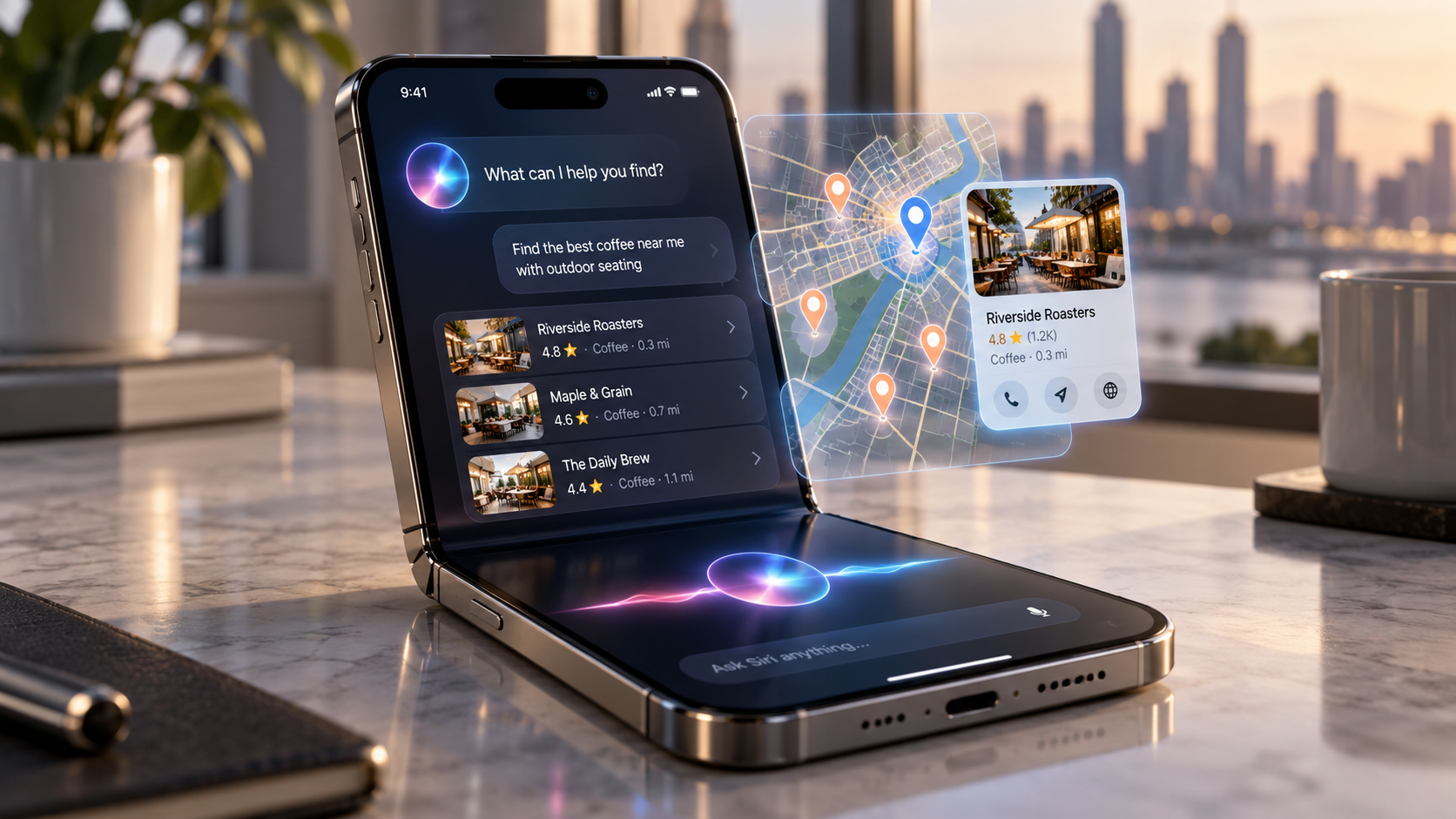
The foldable is the headline. The Siri that ships with it is the real search event.
Apple's first foldable iPhone goes on preorder October 16 and lands in stores October 23. Every marketing inbox will get a "Is your site ready for the iPhone Duo?" pitch between now and then. Most of that pitch will be about screens. The screen matters a little. What matters more is the software underneath it: iOS 27 and a rebuilt Siri that answers questions from the web instead of sending people to it.
Here's what's actually launching, what it changes for search and AI visibility, and the short list of things worth doing before October 23.
What's actually launching
Apple unveiled the iPhone Duo on September 9, 2026, alongside the iPhone 18 Pro and Pro Max. Here's what's confirmed, from Apple's announcement, its spec sheet and launch coverage:
Two of those rows are about hardware. The last three are about how people will find, read and act on your website. That's the order of importance for this post, too.
Part 1: The Duo is niche. iOS 27 is not.
Start with some honest math. The iPhone Duo costs $1,999. Reports ahead of launch put production at a slow ramp, with Apple ordering about 10 million units in total. That is a lot of phones for a foldable and a small slice of the iPhone base. For the next year, the share of your visitors holding one will be a rounding error for most businesses.
The software is a different story. The rebuilt Siri is rolling out, labeled beta, with iOS 27, which reached compatible iPhones in mid-September. It isn't a Duo feature. The Duo is simply the device Apple is using to show it off.
That's the frame for everything below. Screen work is worth an afternoon. The Siri shift is worth a strategy, because it changes where a large share of iPhone questions get answered: inside Apple's own answer, with your website as a possible source rather than the destination.
We've been measuring exactly that shift for months. In our 30-prompt AI visibility audits, the pattern is always the same. AI engines don't form opinions about a business. They repeat whatever the most available third-party record says. A Siri that answers from the web inherits that behavior. If your record is thin, stale or wrong, the new Siri will be thin, stale or wrong about you, and it will say so from inside the phone itself.
Part 2: What the foldable screen changes on your site
The Duo gives your website three new ways to be seen on one phone:
The unfolded screen is where sites break. It's wider than a phone and narrower than most tablets, and its shape is much closer to square than either. Many templates only have two layouts — phone and desktop — with nothing designed for the space in between. On a screen like this they tend to show a stretched phone layout with huge images and short lines of text, or cram a desktop layout into too little room.
None of this is new. Android foldables have had the same shape for years. The difference is that Duo buyers are, by price alone, some of the most valuable visitors your site will get. A $1,999 phone buyer comparing $30,000 side-by-sides or booking a $4,000 procedure should not see a broken layout.
What to check, in about an afternoon:
Test the in-between width. Open your site in a browser's responsive mode and drag the width slowly from phone to tablet. Anywhere the layout jumps, stretches or overlaps is where the Duo will land. Pay particular attention to the homepage, your top landing pages, and anything with a form.
Check Split View. Test your key pages at roughly half a tablet's width. Sticky headers, chat widgets and cookie banners that are fine on a phone can cover most of a narrow column.
Keep the phone behaviors. An unfolded Duo is still a phone. Click-to-call, tap-to-text and map links should stay visible and working at every width, not disappear because the screen looks like a tablet.
Serve sharp, right-sized images. The inner display is dense. Responsive images that pick the right file for the screen keep photos crisp without shipping desktop-sized files over cellular.
Watch speed on the big screen. A layout that loads more content at wider widths loads more over the same mobile connection. Core Web Vitals still apply.
That's the whole screen story. Fix what's broken, then spend the rest of your time on Part 3.
Part 3: The new Siri answers from the web. Here's what's confirmed.
In January, Apple confirmed that Google's Gemini models would underpin its foundation models, including the new Siri. In iOS 27, Siri can pull current information from the web on almost any topic and write the answer itself. It can also see what's on your screen and act on it, and it is expanding into Spotlight on iPad and Mac.
For a business, the key question is whether those answers send anyone to your website. Apple's only public statement is on its Applebot support page, updated September 4: web-based answers in Siri and Search "may include links to sources and websites." May. As Search Engine Journal pointed out, that is not a commitment.
The unknowns will get answered by watching real behavior over the next few months. The decisions below don't need to wait.
Decision 1: Don't block Applebot
Applebot is the crawler behind Siri, Spotlight and Safari suggestions. Blocking it removes you from the answers, not just from training. Check your robots.txt, your firewall and any bot-protection service, like Cloudflare, to make sure Applebot isn't being turned away by accident. We find blocked or challenged crawlers on small-business sites more often than you'd expect.
Decision 2: Choose on Applebot-Extended
Apple separates answering from training. Disallowing Applebot-Extended in robots.txt keeps your content out of Apple's model training without removing you from search features. Apple also honors the nosnippet meta tag, which keeps a page's content out of AI-generated answers, and paywalled content marked as not free is excluded from training.
For most local and service businesses, our default is to allow both. You want the model to know what you sell and where you are. Publishers and anyone whose content is the product should make a deliberate choice. Use nosnippet sparingly: on a page you want Siri to cite, it works against you.
Decision 3: Make your pages easy to quote
A model that writes its own answer lifts facts from whatever sources it trusts. Make the facts on your site easy to find and hard to misread. That means:
Put your business name, locations, phone numbers, hours, brands and services in plain text, not only in images or PDFs.
Answer the questions buyers actually ask, one question per section, with the answer in the first sentence.
Keep structured data (LocalBusiness, Product, FAQ) accurate and current.
None of this is Siri-specific, which is the point. It's the same work that gets you described accurately by ChatGPT, Gemini and Google's AI Overviews.
Decision 4: Fix what the rest of the web says about you
This is the part most "Siri SEO" advice skips. When the model looks past your site, it reads directories, review platforms, manufacturer pages and local listings. In our River Rat Motorsports audit, one outdated paragraph copied across half a dozen directories was still describing brands the dealer no longer carried. Google filed the business as a Truck Dealer, and the city's own tourism site pinned the store 26 miles away. Every AI engine we tested repeated some version of that record. A Gemini-based Siri will read the same web.
Part 4: Local businesses — Apple has its own map of you
Most local SEO work is aimed at Google. On an iPhone, a lot of "near me" behavior runs through Apple's own stack: Apple Maps, Siri and Spotlight. A Siri that can see your screen and point your camera at the world makes that stack more important.
Apple Maps listings are managed through Apple Business Connect, Apple's free equivalent of Google Business Profile. Many businesses have never claimed theirs, so what Apple shows comes from third-party data providers and review partners, which is exactly the stale-record problem from Part 3.
Before October 23:
Claim Apple Business Connect for every location. Match your name, address, phone and hours to your Google Business Profile exactly.
Set the category correctly. It's the same lesson as Google: if Apple thinks you're a truck dealer, Siri will too.
Add real photos, a logo and your actions (call, website, directions, booking). These are what show when someone taps your listing from a Siri answer.
Check the review sources Apple Maps displays. Apple leans on partner platforms for ratings. If the rating shown for your business there is thin or old, that's what a Siri user sees first.
Clean up the directories anyway. Apple, Google and the AI engines all cross-check the same aggregators. A single canonical description, used everywhere, does more than any platform-specific trick.
One feature deserves a note. Visual Intelligence, which answers questions about whatever the camera sees, expands in iOS 27 across iPhone, iPad and Mac. Pointed at a storefront, a sign or a product on your lot, it has to identify you from what's already published about you: your listings, your site and your signage. Businesses with accurate listings and clear signage will be identified cleanly. Businesses without them will be guessed at.
Part 5: Ecommerce and dealers — Safari will watch your prices for shoppers
The quietest feature on the list may matter most for anyone who sells online. Safari's new Notify Me lets a shopper ask Safari to watch a page and alert them when the price drops or the item comes back in stock.
Apple hasn't published how Notify Me reads a page. The safe assumption is that it reads what any machine reads: the price and availability shown on the page, and the structured data behind it. That's also how Google Shopping and the AI engines read your inventory, so the work pays off three ways.
Show price and availability in plain text on every product and vehicle page. "Call for price" and prices baked into images give a watcher nothing to watch.
Keep Product and Offer structured data accurate, including price, currency and availability. Update it in the same deploy as the visible price, so the two never disagree.
Keep product URLs stable. A watched page that moves or turns into a 404 can't notify anyone. Restocked items and re-listed units should come back at the same address.
Handle sold and out-of-stock pages on purpose. For dealers, a sold unit's page should say it's sold and point to similar inventory rather than disappear. For retailers, an out-of-stock page is exactly the page a shopper wants watched, so keep it live and accurate.
Make price drops real. Notify Me turns every markdown into a push alert to someone who already wanted the item. It's worth planning your promotions around that.
For dealers in particular, this lines up with a problem we see in almost every audit: inventory feeds that change prices on the marketplaces but not on the dealer's own site, or the other way around. Once the phone is watching, every mismatch shows.
Part 6: How to measure it
The hard truth about AI answers is that most of their influence never shows up as a referral. Someone asks Siri, gets your name, and calls you, visits you, or searches your name later. Here's how to catch as much of it as you can:
Annotate your analytics. Mark September 14 (iOS 27) and October 23 (Duo in stores). Any shift in iOS or Safari traffic after those dates is worth a closer look.
Watch branded search. In Google Search Console, track clicks and impressions on your business name. When AI answers mention you more, branded search tends to rise even when referrals don't.
Watch direct and unattributed traffic from iOS. If Siri's links don't pass referral data, those visits will land as "direct." A rise in direct iOS visits to deep pages, not just the homepage, is a signal.
Check your server logs for Applebot. If Applebot isn't crawling your key pages regularly, nothing else in this post matters.
Run the questions yourself. Once a quarter, ask Siri the ten questions your buyers would ask. Log who gets named, in what order, and how they're described. It's the same method we use for ChatGPT, Claude and Gemini, and the order matters as much as the mention.
The pre-launch checklist
Everything worth doing before October 23, in order of payoff:
What we would not do
No "iPhone Duo" landing pages. Nobody searches for your business by the phone they're holding.
No Siri-specific keyword hacks. There is no Siri ranking factor anyone outside Apple can see. Accurate facts, stated plainly and corroborated elsewhere, work across every engine.
No blocking Apple's crawlers out of caution. Opting out of training is reasonable. Opting out of answers is invisibility.
No redesign for a device with a small user base. Fix what breaks at the in-between widths and move on.
No panic about lost clicks yet. Apple hasn't said how often answers will link out. Measure first, then decide.
The short version
The iPhone Duo is a $1,999 foldable with a small audience and a big screen. Give your site an afternoon of testing at the widths it uses, and make sure nothing important breaks.
The new Siri is the real change. It's built on Gemini, reads the web through Applebot, and answers on its own screen before anyone reaches yours. It will describe your business the way the web describes it. Unblock the crawler, claim Apple Business Connect, fix the record everywhere, put your facts and prices in plain text, and start measuring. That's the same work that gets you named correctly by ChatGPT, Gemini and Google, now with one more engine reading it.
Frequently Asked Questions
When does the iPhone Duo come out?
Preorders open October 16, 2026, and it goes on sale October 23 in about 70 countries, with more markets on October 30. It starts at $1,999.
Do I need to redesign my website for the iPhone Duo?
No. You need to test it. The unfolded 7.6-inch screen sits between phone and tablet sizes, and Split View shows your site in a narrow column. Check your key pages at those widths, fix anything that breaks, and keep call and directions buttons visible. That's usually an afternoon, not a redesign.
Is the new Siri only on the iPhone Duo?
No. The rebuilt Siri comes with iOS 27, which reached compatible iPhones in September. It's still labeled beta. The Duo ships with iOS 27.1 and is Apple's showcase for it, but the search impact comes from every iPhone running the new software.
Does the new Siri use Google?
Apple confirmed in January that its foundation models, including the new Siri, are built on Google's Gemini models. Apple still crawls the web with its own crawler, Applebot, and runs its own custom model, so doing well in Gemini doesn't automatically mean doing well in Siri.
Will Siri send traffic to my website?
Maybe. Apple says web-based answers "may" include links to sources, and hasn't said how often. Plan for Siri to influence people who never click: they'll hear your name, then call, visit or search for you. Branded search and direct traffic are where you'll see it.
Should I block Applebot-Extended?
Only if keeping your content out of Apple's model training matters more to you than having the model understand your business. Blocking Applebot-Extended doesn't remove you from Siri or Spotlight answers. Blocking Applebot itself does, and we'd never recommend that for a business that wants to be found.
What's Apple Business Connect and do I need it?
It's Apple's free tool for managing how your business appears in Apple Maps, Siri and other Apple apps, much like Google Business Profile. If you serve local customers, yes. Claim it, match your details to Google exactly, and set the right category.
What is Safari Notify Me?
A new Safari feature that lets a shopper watch a webpage for price drops or restocks. It makes accurate, visible prices and stable product URLs more valuable, because every change you make can become an alert to someone who already wanted to buy.
What's the single most important thing to do before October 23?
Confirm Applebot can reach your site. Then fix what the rest of the web says about you. Every AI engine we've tested, and now Siri, describes businesses from the most available record. If that record is wrong, nothing on your own site fully corrects it.
Want to know how Siri, ChatGPT and Gemini describe your business?
That's our free visibility check: ten questions your buyers would ask, run through the major AI engines, with unedited transcripts, plus a read on what the web says about you and the first three things we'd fix. Real reply from the founder within one business day.
Get your free visibility check →
Sources
Apple Support — About Applebot (published September 4, 2026)
Search Engine Journal — What Apple's Gemini-Powered Siri Means For SEO Strategy