Squarespace Is Winning and WordPress Should Be Worried
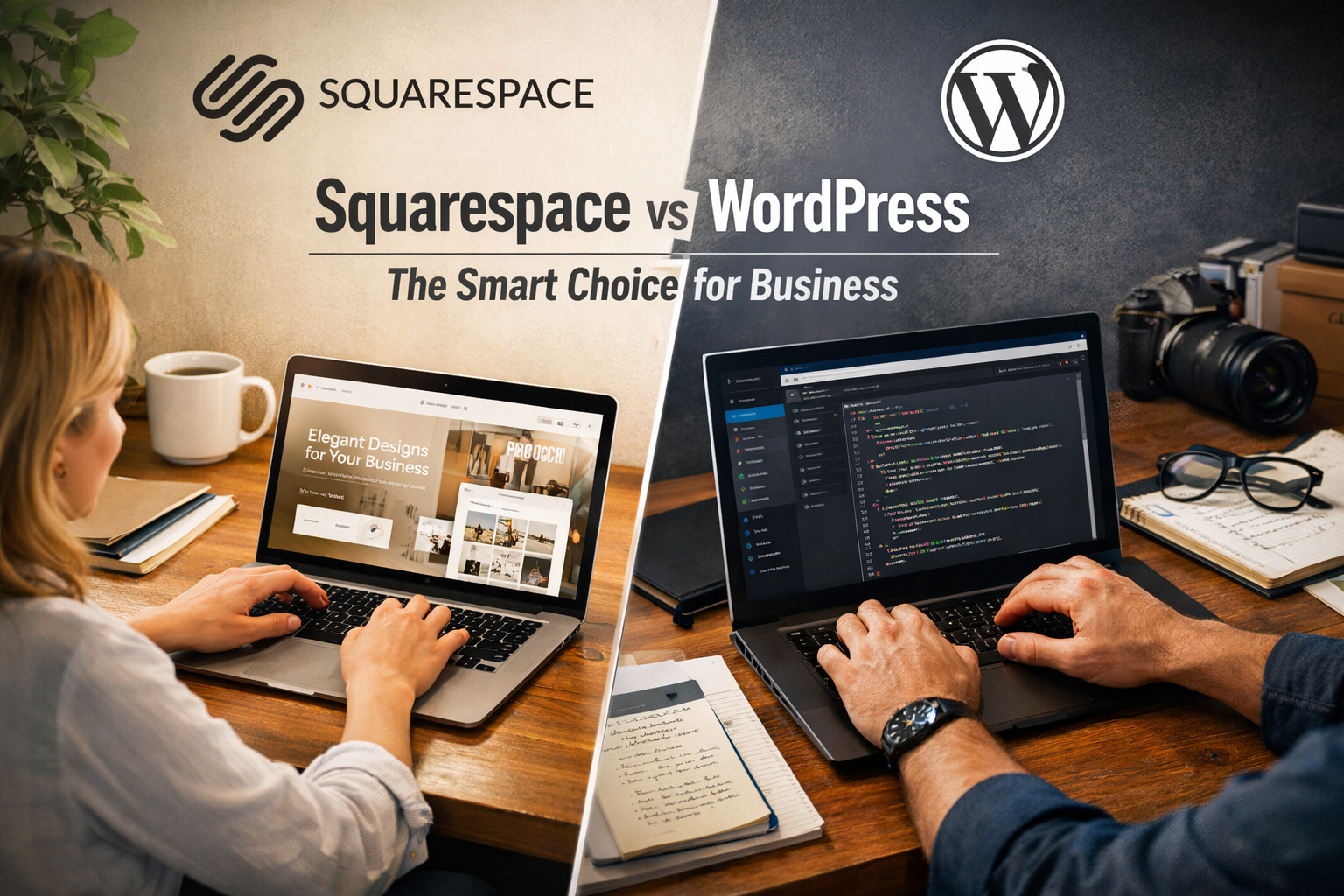
For years, the conventional wisdom in web design went something like this: serious businesses use WordPress. Squarespace is for photographers, lifestyle bloggers, and hobbyists who don't know any better. If you wanted to be taken seriously online, you built on WordPress. Everything else was amateur hour.
That narrative is aging badly. And the businesses quietly migrating away from WordPress aren't doing it out of ignorance. They're doing it because they've finally done the full accounting on what WordPress actually costs them — in time, in money, in stress, in technical debt — and Squarespace is winning that comparison in almost every category that matters to a real business owner trying to run a real company.
This isn't a post about which platform has more features. WordPress wins that argument and probably always will. This is a post about which platform actually serves the overwhelming majority of businesses better in 2026 — and why the gap is widening, not closing.
First, Let's Be Honest About What WordPress Actually Is
WordPress powers somewhere around 40% of the internet. That statistic gets cited constantly as evidence of WordPress's dominance, and it is dominant. But that number obscures something important: a huge portion of those WordPress installations are neglected, broken, outdated, or actively insecure. The barrier to starting a WordPress site is low. The barrier to maintaining one well is not.
WordPress is open source software. That means it's free to use, free to modify, and maintained by a global community of developers rather than a single company with a unified product vision. For developers, this is a feature. For business owners, it is frequently a liability.
Open source means nobody owns the problem when something breaks. It means the plugin that handles your contact forms is maintained by a developer in another timezone who may or may not prioritize the update that fixes your compatibility issue. It means the security of your site depends on how quickly you apply updates, how well your hosting provider is configured, and whether every plugin in your stack is actively maintained. It means there is no support line you can call when your site goes down at 9pm on a Tuesday before a big campaign launch.
This is the reality of WordPress that the platform's advocates tend to gloss over. The ceiling is high. The floor is low. And most businesses live much closer to the floor than they'd like to admit.
The True Cost of WordPress Nobody Calculates Upfront
Let's talk about money, because this is where the WordPress mythology really starts to fall apart.
WordPress itself is free. But here's what a properly functioning WordPress site for a real business actually costs:
Hosting — Not shared hosting, which is where security vulnerabilities and slow load times live. Real managed WordPress hosting from providers like WP Engine, Kinsta, or Flywheel runs anywhere from $30 to $200+ per month depending on your traffic and needs. Basic shared hosting is cheaper but you get what you pay for, and for a business website you are paying for it in page speed and uptime reliability.
Premium theme — A quality theme from a reputable developer runs $50 to $200 as a one-time purchase, often with annual renewal fees for continued updates and support. Free themes exist and most of them are fine until they aren't, which is usually at the worst possible moment.
Essential plugins — Here is where the costs start to compound invisibly. A professionally configured WordPress site typically needs:
An SEO plugin (Yoast or Rank Math, free tiers exist but premium features matter)
A security plugin (Wordfence, Sucuri, iThemes Security)
A caching and performance plugin (WP Rocket, W3 Total Cache)
A backup plugin (UpdraftPlus, BackupBuddy)
A forms plugin (Gravity Forms, WPForms — both have annual license fees)
An image optimization plugin
Potentially a page builder (Elementor, Divi, Beaver Builder) if your theme doesn't give you the flexibility you need
Add those up across their premium tiers and you're looking at $300 to $800 per year in plugin subscriptions alone, on top of your hosting. And each of those plugins has an update cycle. And those update cycles don't always play nicely with each other, or with WordPress core updates, or with your theme.
Developer time — The hidden cost nobody budgets for at the start. Every time a plugin conflict breaks something. Every time a WordPress update creates a visual glitch. Every time you want to change something in your site that isn't covered by your theme's settings. Every time your site gets hacked because a plugin had a vulnerability and you didn't update it fast enough. Someone has to fix these things, and that someone charges by the hour.
Your own time — The most undervalued cost in the entire equation. How many hours per year do you spend dealing with WordPress problems? How many times have you gone to update your site and fallen into a rabbit hole of troubleshooting? How many times has a simple content update taken three times longer than it should have because something about the editor wasn't cooperating?
Add all of this together for a real business running a real WordPress site, and you are frequently looking at $3,000 to $8,000 per year in hard costs plus an enormous amount of soft costs in time and frustration. Squarespace's business plans run $200 to $600 per year. The delta is significant.
The Plugin Economy Is a House of Cards
This deserves its own section because it is the single biggest structural problem with WordPress and the one that bites businesses hardest.
Your WordPress site's functionality depends entirely on the ecosystem of third-party plugins you've installed. And that ecosystem has some serious systemic vulnerabilities that don't get talked about enough.
Plugin abandonment is rampant. The WordPress plugin directory contains tens of thousands of plugins. A significant portion of them haven't been updated in years. When you install a plugin that hasn't been maintained, you're installing technical debt. It may work fine today. It will create problems eventually, either through incompatibility with future WordPress versions or through security vulnerabilities that never get patched.
Plugin conflicts are inevitable. When you have fifteen plugins installed — which is not unusual for a well-featured WordPress site — the potential for conflicts between them grows exponentially. Plugin A updates and breaks something Plugin B was doing. Plugin C conflicts with Plugin D in a way that only manifests when a user is on a specific browser. These conflicts are genuinely difficult to diagnose because they're not always obvious, and fixing them often requires a developer who can dig into the code.
Security vulnerabilities are a constant. WordPress is the most popular CMS in the world, which makes it the most popular target for hackers. Most WordPress attacks don't target WordPress core — they target vulnerable plugins. A plugin with a known security flaw that hasn't been patched is an open door. And because WordPress sites often run dozens of plugins from dozens of different developers with dozens of different update schedules, keeping everything current is a genuine ongoing operational burden.
You're dependent on decisions you don't control. When a plugin developer decides to change their pricing model, discontinue their product, or simply stop responding to support requests, you inherit that problem. We've seen this happen with major plugins that thousands of sites depended on. When it happens to you, you're rebuilding functionality on a timeline you didn't choose.
Squarespace doesn't have this problem because Squarespace doesn't have plugins. Everything the platform does, it does natively. The ecommerce is built in. The SEO tools are built in. The analytics are built in. The scheduling, the email marketing, the member areas — all built in, all maintained by the same team, all updated on the same schedule, all tested against each other before release. The surface area for something to break is dramatically smaller.
Squarespace's Support Is a Genuine Competitive Advantage
Let's talk about something that rarely comes up in platform comparison articles but matters enormously to actual business owners: what happens when something goes wrong.
With WordPress, your support options are:
The WordPress.org support forums, which are helpful if your problem is common and you have time to search through threads
The plugin developer's support forum, which varies wildly in quality and response time
YouTube tutorials, which may or may not match your specific theme and plugin combination
The freelancer or agency that built your site, who may or may not be responsive, may or may not remember the specifics of your setup, and who will charge you for their time
Your hosting provider, who will help you with hosting-related issues and redirect you elsewhere for everything else
Stack Overflow, God help you
There is no WordPress support. There is a constellation of partially overlapping support resources, none of which owns your problem end to end.
Squarespace has a real, unified support team. Live chat during business hours. Email support around the clock. A help center that is genuinely well-organized and current. When you have a problem with your Squarespace site, you contact Squarespace. One company. One support channel. People who have access to your account, can see what you're seeing, and have the authority and ability to actually fix it.
For a business owner who doesn't have a technical team, this is transformative. Problems get solved the same day instead of sitting in a queue waiting for the right freelancer to have availability. Questions get answered by people who know the platform intimately rather than by forum responses from strangers who may have a slightly different setup than yours.
We have seen this play out with clients repeatedly. A business that was spending hours every month dealing with WordPress support issues — plugin conflicts, hosting questions, theme glitches — moves to Squarespace and those hours essentially disappear. The platform just works. And when it doesn't, help is a chat window away.
The Editing Experience: Where Squarespace Has Lapped the Field
WordPress's editing story is complicated and worth understanding because it explains a lot about why so many business owners find the platform frustrating to manage themselves.
WordPress launched the Gutenberg block editor in 2018 as a replacement for the classic TinyMCE editor. Gutenberg was a significant improvement. It made it possible to build more visually interesting layouts without a separate page builder plugin. But it also introduced a learning curve, created compatibility issues with themes and plugins that were built for the classic editor, and still doesn't give most non-technical users the visual, intuitive editing experience they're looking for.
So many WordPress sites run page builders — Elementor, Divi, Beaver Builder — on top of Gutenberg. Which means you're running a page builder on top of an editor on top of a CMS, each of which has its own interface, its own settings, its own update cycle, and its own potential to conflict with the others. This is a coherent development environment for someone who knows what they're doing. It is a nightmare for a business owner trying to change the headline on their homepage.
Squarespace's editing experience is genuinely intuitive. Click on what you want to change. Change it. See it change in real time. The section-based layout system is logical and predictable. Adding pages follows a clear workflow. Blog publishing is clean and straightforward. The mobile preview actually works and accurately represents how your site will look on a phone.
We have handed Squarespace sites to clients with zero web experience and watched them successfully update their own content within minutes. We have watched experienced business owners struggle with their own WordPress sites for hours trying to accomplish the same thing. The difference in baseline usability is not subtle.
This matters for a specific reason that goes beyond convenience: sites that are easy to update actually get updated. WordPress sites that are hard to manage tend to become static, outdated, and eventually abandoned. An outdated website signals to your visitors — and to Google — that your business isn't paying attention. A Squarespace site that a non-technical business owner can keep current is worth more than a more powerful WordPress site that never gets touched after launch.
The Design Quality Floor Is Higher on Squarespace
Here's something that used to be more true than it is now but still matters: Squarespace's templates are genuinely beautiful out of the box. The design sensibility that runs through the platform's template library is consistent, modern, and professional in a way that WordPress themes — even premium ones — frequently aren't.
WordPress has extraordinary themes. There are WordPress themes that are as beautiful and well-crafted as anything on any platform. But WordPress also has thousands of themes that look dated, feel generic, or require significant customization to look professional. The quality range is enormous because anyone can publish a WordPress theme.
Squarespace curates its template library. Every template goes through the same design review process. Every template is built to the same technical standards. Every template works with the same editor in the same predictable way. The floor of design quality on Squarespace is significantly higher than the floor on WordPress, which matters a great deal when a business owner is choosing a template without design expertise to guide them.
The customization ceiling on WordPress is higher — there's almost nothing you can't do with WordPress given enough development time and budget. But for the business that needs a professional, conversion-ready website without a significant custom development investment, Squarespace gets you there faster and more reliably.
Squarespace's Ecosystem Has Matured Into Something Genuinely Comprehensive
One of the oldest criticisms of Squarespace was that it was a website builder and nothing more — that once you needed ecommerce, scheduling, email marketing, or any kind of advanced functionality, you'd hit a wall. That criticism is no longer accurate.
Squarespace has spent the last several years building and acquiring the surrounding infrastructure that turns a website into a full business platform:
Ecommerce — Squarespace Commerce is a genuinely capable ecommerce platform for small to mid-sized retail operations. Inventory management, product variants, abandoned cart recovery, discount codes, subscription products, digital downloads — the core functionality is all there and it's all integrated natively into the platform. You don't need WooCommerce. You don't need a separate payment processor setup. You connect Stripe or PayPal and you're selling.
Scheduling — Squarespace acquired Acuity Scheduling, one of the best appointment scheduling tools in the market, and integrated it natively into the platform. For service businesses — healthcare providers, consultants, fitness studios, salons — this is significant. Scheduling is often the most important conversion mechanism on a service business website, and having it built into the platform rather than embedded from a third party makes for a cleaner, faster, more reliable experience.
Email Marketing — Squarespace Email Campaigns is basic compared to dedicated email marketing platforms, but for a business that needs to send regular newsletters and announcements to its list, it works, it's integrated with the website natively, and it doesn't require a separate subscription or a plugin integration that might break.
Member Areas — Squarespace's member areas product lets you build gated content, courses, and membership sites without a third-party plugin. For businesses moving toward content monetization or community building, this is a meaningful native feature.
Analytics — Squarespace's built-in analytics give you the data a business owner actually needs without requiring a separate Google Analytics setup, tag manager configuration, or technical implementation. Traffic sources, popular content, store performance, form submissions — it's all there in the dashboard.
None of these individual features necessarily beats the best dedicated tool in its category. Klaviyo beats Squarespace Email Campaigns. Calendly and Acuity are roughly comparable. Shopify beats Squarespace Commerce for serious ecommerce operations. But the integration and coherence of having all of these tools working together natively, maintained by the same company, updated on the same schedule, is worth something that product comparisons on individual features tend to undervalue.
The SEO Reality Check
WordPress advocates often cite SEO as a reason to stay on the platform. WordPress with Yoast or Rank Math gives you granular control over meta titles, descriptions, schema markup, canonical tags, robots directives — all of the technical SEO levers you'd want to pull.
This is true. WordPress SEO tooling is excellent, particularly if you have someone who knows how to use it.
But here's what gets left out of that conversation: Squarespace's built-in SEO tools cover the vast majority of what most businesses actually need. Clean URL structures, automatic sitemap generation, meta title and description editing, alt text on images, 301 redirect management, SSL out of the box, structured data for products and local businesses — all of this is built in and works correctly without configuration.
The SEO gap between a well-optimized Squarespace site and a well-optimized WordPress site is much smaller than the WordPress community suggests. The real gap is between a well-optimized Squarespace site and a poorly-maintained WordPress site with outdated plugins, slow page speeds from plugin bloat, and security vulnerabilities that have triggered Google warnings. That gap favors Squarespace.
Page speed is worth addressing specifically. WordPress sites are frequently slow. Plugin bloat, unoptimized images, inadequate caching, shared hosting — all of these contribute to load times that hurt both user experience and search rankings. Squarespace sites, running on Squarespace's infrastructure with built-in optimization, tend to perform well on core web vitals without requiring a developer to tune the server configuration.
Who Should Actually Stay on WordPress
Intellectual honesty requires acknowledging where WordPress still wins, because it does still win in specific contexts.
Large ecommerce operations — If you're running thousands of SKUs, need complex custom checkout flows, require specific third-party inventory integrations, or are doing the kind of volume where the transaction fees on Squarespace Commerce become significant, WooCommerce on WordPress is probably still the right answer. The flexibility and ecosystem depth of WooCommerce for serious ecommerce is genuine.
Highly custom web applications — If your website is really a web application that happens to have content — complex user roles, custom database queries, application-specific functionality — WordPress's flexibility as a development framework is legitimately valuable. This isn't really a website builder use case and it shouldn't be evaluated as one.
Enterprise content operations — If you're publishing hundreds of pieces of content per month, need complex editorial workflows, require granular user permissions across a large team, or need to integrate with enterprise content management systems, WordPress's content management capabilities are deeper.
Businesses with dedicated development resources — If you have a developer or development team maintaining your site on an ongoing basis, the WordPress ceiling is higher and the pain points are largely mitigated by having someone who can handle them. The platform choice looks very different when you have in-house technical expertise.
For everyone else — and everyone else is the vast majority of small and mid-sized businesses — the honest recommendation is increasingly Squarespace.
Why the Migration Is Just Getting Started
WordPress holds roughly 40% of the CMS market. Squarespace holds somewhere around 3-4%. On those numbers alone, WordPress looks unassailable.
But market share is a lagging indicator. It tells you where people have been, not where they're going. And the dynamics driving platform choice are shifting in ways that favor Squarespace.
The business owner who built their first website on WordPress in 2012 is now running a company and doesn't have time to manage plugin updates. The marketing manager who inherited a WordPress site is spending half their time troubleshooting instead of marketing. The entrepreneur launching a new business is choosing between a platform that will have her up and running in a weekend and one that will require a developer before it looks professional. The small business owner who got their WordPress site hacked and spent three weeks recovering is not going back.
These are the conversations happening in real businesses right now. And they are trending toward Squarespace in a way that the aggregate market share numbers don't yet fully reflect.
Squarespace has also gotten significantly better at the enterprise and mid-market level. The platform that used to be dismissed as too limited for serious business use has grown into something that genuinely serves companies with real revenue, real traffic, and real operational demands. As that capability becomes better understood, the migration pool expands.
The platform war between WordPress and Squarespace isn't really a war between equals competing for the same customers. It's a war between a platform built for developers that business owners have been using out of necessity, and a platform built for business owners that is becoming capable enough that developers don't have to apologize for recommending it. That's a structural shift. And structural shifts in software tend to move slowly until they don't.
WordPress isn't going anywhere. It's too entrenched, too powerful in the right contexts, and too deeply embedded in the developer community to disappear. But its grip on the small and mid-sized business market is loosening. Squarespace is the primary beneficiary. And the businesses figuring that out now are the ones who will spend the next several years running their websites instead of managing them.
Ritner Digital builds on Squarespace, WordPress, Webflow, Drupal, and everything in between. If you're evaluating a platform migration or starting fresh and aren't sure which direction makes sense for your business, we're happy to walk through it with you.
Frequently Asked Questions
Is Squarespace really better than WordPress for small businesses?
For most small businesses, yes. WordPress has a higher ceiling in terms of raw capability and customization, but that ceiling is only relevant if you have the technical resources to reach it. For a small business owner who needs a professional website that stays working, looks great, and can be updated without a developer on call, Squarespace delivers a better day-to-day experience in almost every way that matters. The support is better, the editing experience is more intuitive, the platform maintenance burden is essentially zero, and the total cost of ownership is frequently lower than a properly configured WordPress setup.
How much does WordPress actually cost compared to Squarespace?
This is where a lot of businesses get surprised. WordPress the software is free, but running a real business website on WordPress is not. When you add managed hosting ($30–$200/month), a premium theme ($50–$200/year), essential plugins for SEO, security, caching, backups, and forms ($300–$800/year), and periodic developer time for maintenance and troubleshooting, a properly maintained WordPress site often runs $3,000–$8,000 per year or more. Squarespace business plans run $200–$600 per year all in. The gap is significant and most people don't calculate it until they're already frustrated.
Does Squarespace limit what I can do with my website?
It does have limits, and being honest about that matters. If you need highly custom functionality, complex ecommerce with thousands of SKUs and custom checkout flows, or deep integration with enterprise-level systems, you will eventually feel those limits. But for the overwhelming majority of small and mid-sized businesses — professional services, healthcare, home services, retail, hospitality, education — Squarespace has everything you need and then some. Most businesses that think they need WordPress's flexibility don't actually use it.
Is Squarespace good for SEO?
Yes, and the gap between Squarespace and WordPress for SEO is much smaller than the WordPress community suggests. Squarespace handles the fundamentals well out of the box: clean URL structures, automatic XML sitemaps, editable meta titles and descriptions, image alt text, 301 redirects, SSL, and structured data for products and local businesses. What WordPress offers beyond this — granular technical SEO controls through plugins like Yoast or Rank Math — matters more at the enterprise level than it does for most small business websites. A well-optimized Squarespace site will outperform a neglected WordPress site with slow load times and outdated plugins every single time.
How does Squarespace handle page speed compared to WordPress?
Squarespace tends to perform well on page speed and core web vitals without requiring any technical configuration, because Squarespace controls the infrastructure. WordPress page speed is highly variable and often problematic — plugin bloat, unoptimized images, inadequate caching, and shared hosting all contribute to load times that hurt both user experience and search rankings. Getting a WordPress site to perform well on page speed often requires a developer to configure caching, optimize the database, and tune the server environment. On Squarespace that work has already been done for you.
What happens when something breaks on my Squarespace site?
You contact Squarespace support. Live chat during business hours, email support around the clock, a well-organized help center. One company, one support channel, people who have access to your account and the authority to fix what's wrong. This sounds basic but it's genuinely different from the WordPress experience, where your support options are fragmented across your hosting provider, individual plugin developers, community forums, and whoever built your site originally. None of them own your problem end to end. Squarespace does.
What happens when something breaks on my WordPress site?
This depends entirely on who built it, how it's hosted, and which plugins are involved. If you have a developer or agency on retainer, they handle it. If you don't, you're navigating a fragmented support landscape: your host handles server issues, the plugin developer handles plugin issues (if they're responsive), the theme developer handles theme issues (if they still support it), and everything in between falls into a gap that nobody officially owns. This is the structural support problem with WordPress and it's why so many business owners end up with sites that have nagging unresolved issues they've learned to live with.
Is Squarespace good for ecommerce?
For small to mid-sized retail operations, yes. Squarespace Commerce handles inventory management, product variants, digital downloads, subscription products, abandoned cart recovery, discount codes, and most of what a growing retail business needs. It's not the right answer for a large operation with thousands of SKUs, complex B2B pricing structures, or deep third-party inventory integrations — that's where WooCommerce or Shopify pull ahead. But for a business doing under a few million dollars in online revenue that wants a clean, integrated shopping experience without a separate ecommerce platform to manage, Squarespace is a genuinely strong option.
Can I run a blog on Squarespace?
Yes, and it works well. The blog editor is clean and intuitive, post scheduling works reliably, categories and tags function properly, and the RSS feed generates automatically. You're not going to hit the limits of Squarespace's blogging functionality unless you're running a very high-volume editorial operation with complex multi-author workflows and granular permission requirements. For a business blog publishing a few times per week, Squarespace handles it without issue.
How does Squarespace handle email marketing?
Squarespace Email Campaigns is a native email marketing tool built into the platform. It's straightforward: you design campaigns using the same block-based editor as the website, send to your subscriber list, and review basic performance metrics. It's not Klaviyo or Mailchimp in terms of depth — advanced segmentation, complex automation flows, and sophisticated behavioral triggers are limited. But for a business that needs to send regular newsletters and announcements to its audience without managing a separate email platform and integration, it works and the native connection to your site is genuinely useful.
What about scheduling and appointments? Does Squarespace handle that?
Yes. Squarespace owns Acuity Scheduling, which is one of the better appointment scheduling tools on the market, and it integrates natively into Squarespace sites. For service businesses — healthcare providers, consultants, coaches, salons, fitness studios — this is significant. Scheduling is often the most important conversion action on a service business website, and having it built into the platform rather than embedded from a third party makes for a cleaner, more reliable experience for both the business and the customer.
Is Squarespace harder to hack than WordPress?
Practically speaking, yes. Not because Squarespace's security is necessarily superior in every technical dimension, but because the attack surface is fundamentally different. Most WordPress sites get compromised through vulnerable plugins, not through WordPress core itself. Squarespace doesn't have third-party plugins, which eliminates the largest single category of WordPress security risk. Squarespace also handles server security, software updates, and infrastructure maintenance on their end, so there's no scenario where your site gets hacked because you fell behind on updates. For a business owner without a dedicated security team, this is a meaningful practical advantage.
Can I migrate my WordPress site to Squarespace?
Yes, though the migration process requires some attention. Squarespace has built-in tools to import WordPress content including posts, pages, images, and basic metadata. The structural elements of your site — layouts, custom functionality, plugin-dependent features — will need to be rebuilt in Squarespace's native framework. For most business websites this is straightforward. For sites with significant custom development or complex plugin-dependent functionality, the migration requires more planning. The SEO implications of a migration also need to be managed carefully: 301 redirects, maintaining URL structures where possible, and monitoring search performance post-launch. Done properly, a migration to Squarespace should not cause long-term SEO harm and often results in performance improvements from better page speed and cleaner site architecture.
Will Squarespace keep getting better or is it plateauing?
The trajectory suggests continued growth and improvement. Squarespace has been methodically expanding its platform capabilities for years — acquiring Acuity, building out commerce features, launching member areas, developing email marketing tools, improving its SEO infrastructure. The company went public in 2021 and has the resources and incentive to continue investing in the platform. The competitive pressure from Webflow at the professional end and from AI-powered website builders at the entry level will push Squarespace to keep innovating. The platform you're on today is materially better than the Squarespace of five years ago, and that trajectory is likely to continue.
Who should actually stay on WordPress?
Businesses with dedicated development resources who are actively using WordPress's flexibility. Large ecommerce operations that need WooCommerce's depth and customization. Publishers running complex multi-author editorial operations. Companies building web applications that use WordPress as a development framework rather than a website platform. If you have a developer on staff or retainer and you're actually using the capabilities that require one, WordPress is the right tool. If you're running a business website and spending more time managing your platform than running your business, it probably isn't.
What's the honest bottom line on Squarespace vs. WordPress?
WordPress is the more powerful platform. Squarespace is the better platform for most businesses. Those two statements can both be true simultaneously, and understanding that distinction is the whole game. Power you can't access because you don't have the technical resources to use it isn't really power — it's overhead. Squarespace has crossed the threshold of being capable enough for the vast majority of business use cases while remaining genuinely easier to use, easier to maintain, better supported, and more predictably priced than WordPress. For a business owner who wants their website to work without becoming a part-time IT project, that's the right trade.