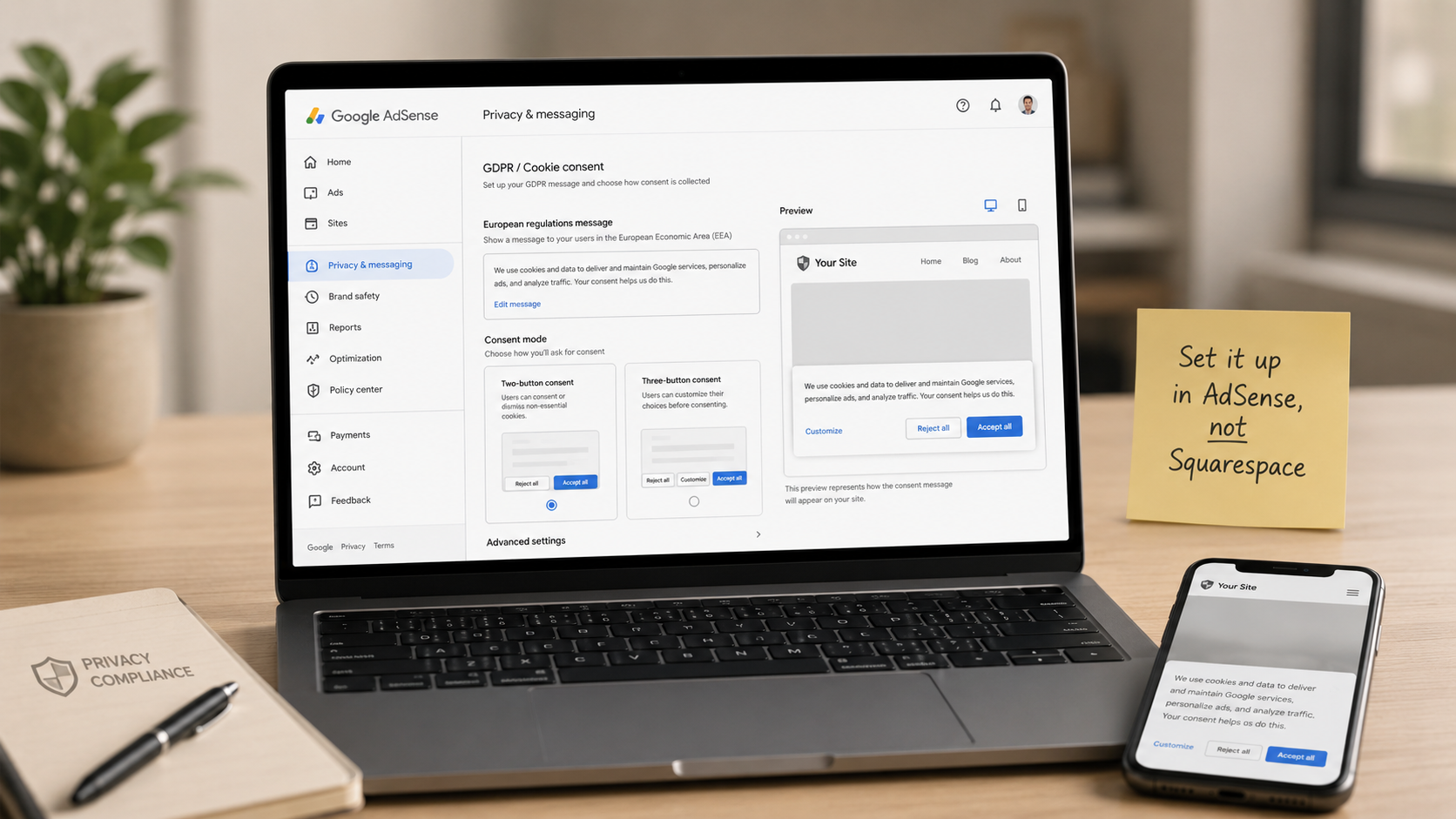
Where Do You Actually Set Up the AdSense Cookie Consent Banner? A For-Dummies Walkthrough (Squarespace Edition)
You know you need a Google-certified cookie consent banner to run AdSense — but where do you actually go to turn it on? Not Squarespace. The banner lives inside your AdSense account, in a sidebar menu called Privacy & messaging that most publishers have never clicked. This for-dummies walkthrough covers every step: creating the European regulations (GDPR) message, choosing between the two-button and three-button consent setup, enabling the US states message while you're there, testing it with a VPN (spoiler: you can't see the banner from New Jersey — that's by design), and what to do about Squarespace's built-in cookie banner so your European visitors don't get prompted twice. No code, no cost, about 20 minutes.
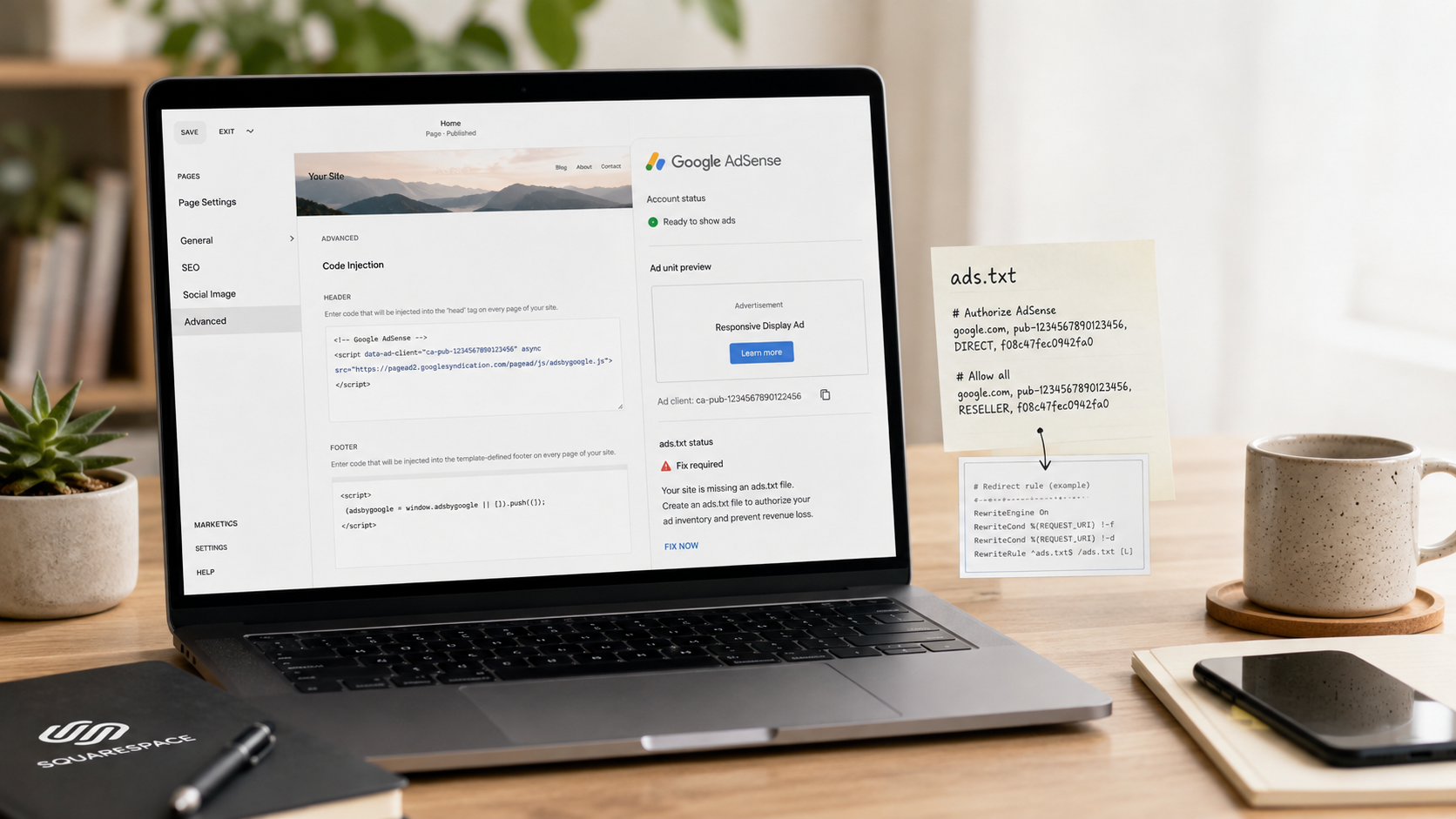
How to Set Up Google AdSense on Squarespace: The Complete Step-by-Step Guide (Including the ads.txt Fix)
Squarespace has no built-in AdSense integration, but you can absolutely run ads on your site — if you know the workarounds. This step-by-step guide walks through the entire setup: which Squarespace plan you need, where to paste the verification code in Code Injection, why you should turn Auto ads off in favor of manual ad units, and the full fix for the ads.txt problem that triggers the dreaded "Earnings at risk" warning. Includes the exact URL-mapping redirect that gets your ads.txt verified, the "Script Disabled" editor quirk that confuses everyone, and the troubleshooting checklist for ads that won't show.