The Indianapolis Website Audit: 20 SEO Problems That Cost Local Businesses Leads
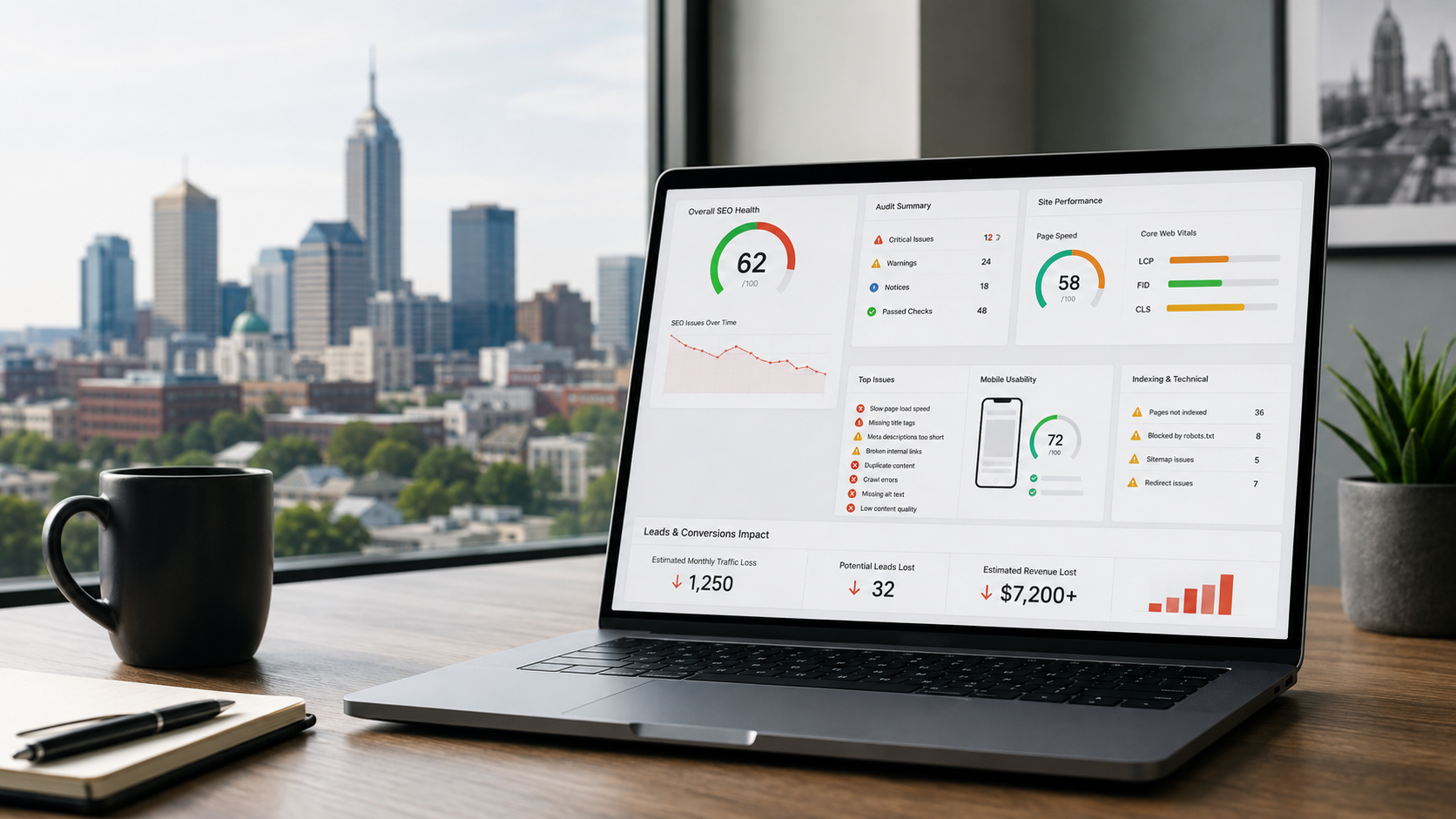
Your Indianapolis business website can look completely fine and still be losing leads every day.
The homepage loads.
The logo is there.
Your services are listed.
The contact form technically works.
Someone on your team may even search the company name on Google, see the website appear, and assume everything is working.
But that's not what an SEO audit asks.
A real website audit asks harder questions:
Can Google consistently find and index the pages that matter?
Does Google understand what each page should rank for?
Does your website clearly establish that you serve Indianapolis and the surrounding market?
Can someone using a phone quickly understand what you do and contact you?
Are multiple pages accidentally competing against one another?
Are broken links, redirects, canonical tags, or noindex directives undermining pages you expect to rank?
Are Indianapolis customers landing on pages that actually persuade them to call?
Those are very different questions.
And for a local business, the consequences aren't limited to “SEO traffic.”
Someone searching for an Indianapolis plumber, attorney, HVAC contractor, dentist, roofer, dealership, accountant, or other local provider is often looking for a company to contact.
If your website fails somewhere between the search and the conversion, that failure can become a lost lead.
Google's own SEO documentation frames search optimization around helping search engines understand content while helping users find your site and decide whether they should visit it. Google also separates crawling, indexing, search appearance, structured data, mobile experience, and other technical areas because each can affect how effectively a site participates in Search. (Google Search Central)
For an Indianapolis company, there's another layer: local relevance.
Google says local results are mainly based on relevance, distance, and prominence, and information from a business's website and broader web presence contributes to that ecosystem. (Google Business Profile Help)
That's why a website audit needs to go beyond checking whether you “have keywords.”
You need to determine whether your website is actually helping Google understand the business, helping customers trust the business, and helping interested visitors become leads.
Below are 20 problems we'd look for.
If Google Maps visibility is the bigger problem you're trying to solve first, start with our companion guide: Local SEO in Indianapolis: How to Rank Higher on Google Maps in 2026.
What Is an SEO Website Audit?
An SEO website audit is a structured review of the issues helping or preventing a website from earning organic search visibility and turning that visibility into business results.
That typically includes several layers:
Technical SEO
Crawlability
Indexation
Site architecture
On-page SEO
Content quality
Internal linking
Mobile experience
Page performance
Structured data
Local SEO signals
Backlinks and authority
Conversion paths
Analytics and measurement
A good audit doesn't simply produce a 97-page PDF containing every warning an SEO tool can generate.
It prioritizes.
A missing image alt attribute on a forgotten 2019 blog post does not deserve the same urgency as your primary Indianapolis service page accidentally being set to noindex.
A redirect chain on an obscure attachment page does not deserve the same priority as a broken contact form.
A weak title tag on a page receiving 10 impressions a year doesn't deserve the same attention as a high-intent service page sitting in position 11 with thousands of impressions and no clicks.
The purpose of the audit is to answer:
What problems are costing this business the most visibility, leads, or future growth—and what should be fixed first?
That's the approach behind Ritner Digital's SEO services and technical audits: find the obstacles, rank them by impact, fix the foundation, and measure what happens afterward.
20 SEO Problems That Can Cost Indianapolis Businesses Leads
1. Your Most Important Pages Aren't Indexed
You can build the greatest Indianapolis service page ever written.
If it isn't indexed, it has almost no chance of generating organic Google traffic.
Indexing means Google has processed a page and made it eligible to appear in its search index.
One of the first things to examine during an SEO audit is whether important URLs are actually indexed.
That includes pages such as:
Homepage
Major service pages
Indianapolis location page
Important service-area pages
High-intent landing pages
Major blog resources
Contact page where applicable
Google Search Console's indexing tools can help identify URLs Google has discovered but hasn't indexed, pages blocked by directives, duplicate pages, errors, and other indexing conditions.
Why This Costs Leads
Imagine spending money creating an Indianapolis commercial roofing page intended to generate project inquiries.
The page is beautifully designed.
Your sales team loves it.
Your competitors rank for the search.
But your page isn't indexed.
The result?
The page exists for people who already know its URL.
It doesn't meaningfully participate in organic discovery.
That's why an audit should never begin with “What blog should we write next?” before determining whether Google can properly access and index what already exists.
2. Important Pages Are Accidentally Set to Noindex
One small line of code can remove a page from Google Search.
The noindex directive tells compatible search engines not to include a page in search results.
That's useful when intentional.
You may legitimately want to keep certain pages out of search.
The problem is when noindex ends up on pages you expect to generate customers.
Google's documentation is direct: when Googlebot crawls a page and sees a valid noindex directive, Google drops that page from Search results. (Google Search Central)
This can happen after:
A website redesign
A staging-site migration
CMS setting changes
Developer mistakes
Plugin configuration changes
Page duplication
Template changes
What to Audit
Check important URLs for:
noindex
X-Robots-Tag headers
CMS search visibility settings
Template-level directives
Pay particular attention after a redesign or migration.
One checkbox copied from staging to production can create a very expensive problem.
Why This Costs Leads
If your highest-converting Indianapolis service page disappears from Search, rankings and leads can disappear with it.
And because the page may still load perfectly for normal visitors, nobody on the business side realizes what happened.
That is exactly the type of invisible problem a technical audit exists to catch.
3. Your Robots.txt File Is Blocking Content Google Needs
Your robots.txt file tells crawlers which areas of a website they're allowed to request.
Used correctly, that's useful.
Used incorrectly, it can interfere with crawling.
Google's crawling documentation distinguishes between controlling crawling with robots.txt and controlling indexing with noindex. A robots.txt block does not automatically guarantee that a URL will remain out of Google's index. (Google Search Central)
Common mistakes include accidentally blocking:
Service directories
CSS or JavaScript resources
Blog directories
Important content after a site migration
Entire sections copied from a staging configuration
Why This Costs Leads
Search engines need access to your content to properly understand it.
If your robots rules prevent Google from seeing important website areas, you're creating unnecessary friction between your content and the search engine you're asking to rank it.
Your customers will never see “robots.txt error” printed on the homepage.
They'll just see your competitors instead.
4. Your XML Sitemap Is Missing, Outdated, or Full of Bad URLs
An XML sitemap gives search engines a structured list of URLs you consider important.
Google describes sitemaps as a way to tell it about pages that are new or updated. (Google Search Central)
But simply having a sitemap isn't enough.
Audit whether the sitemap contains:
Live canonical pages
Important service pages
Important location pages
Blog content you want indexed
And whether it excludes:
Broken URLs
Redirects
noindex pages
Duplicate versions
Test pages
Old URLs that should no longer exist
An XML sitemap filled with obsolete pages isn't a clean map.
It's a list of mixed instructions.
Don't Forget Internal Discovery
A sitemap also isn't a replacement for good website architecture.
Your important pages should still be accessible through logical internal links.
Ritner Digital has written specifically about the relationship between crawlability and site structure in Why Your Sitemap Belongs in Your Footer.
The larger point is simple:
Make important content easy to find.
For humans and crawlers.
5. Broken Internal Links Are Sending Customers to 404 Pages
You click:
Indianapolis HVAC Services
and get:
Page Not Found.
That's a bad experience.
It's also surprisingly common.
Broken internal links accumulate after:
URLs change
Services are renamed
Blog posts are deleted
Navigation is redesigned
Websites migrate
Employees manually paste outdated links
Old campaigns are removed
A few broken links won't automatically destroy a website.
But a site containing widespread broken navigation and dead conversion paths creates unnecessary friction for users and crawlers.
Which Broken Links Matter Most?
Prioritize links from:
Homepage
Navigation
Footer
Top organic landing pages
High-traffic blog posts
Service pages
Location pages
Calls to action
A broken link buried inside a decade-old post receiving zero traffic is a lower priority.
A broken “Request a Quote” link on your highest-traffic page is an emergency.
Why This Costs Leads
Someone clicking a service link is telling you what they want.
Sending that person into a 404 page wastes the intent you already earned.
6. Old URLs Aren't Redirecting to the Right New Pages
Businesses redesign websites all the time.
URLs change.
For example:
/services/heating-repair
becomes:
/hvac/furnace-repair
That's fine—if the migration is handled properly.
When an old valuable URL moves permanently, a proper server-side redirect can help users and search engines reach the replacement.
Google recommends permanent redirects when deprecating duplicate or replaced URLs and uses redirects as one signal during canonicalization. (Google Search Central)
Problems arise when:
Old URLs simply become 404s
Everything redirects to the homepage
Redirects point to irrelevant pages
Multiple redirects are chained together
Redirect loops occur
Why This Costs Leads
Old URLs may already have:
Backlinks
Rankings
Search history
Bookmarks
Citations
Referral traffic
Deleting them without a migration plan can throw away digital equity your business spent years building.
For a 20-year-old Indianapolis company, this can be especially costly because the domain may contain years of historical links and references nobody remembers exist.
7. Canonical Tags Are Sending Conflicting Signals
Many websites create multiple URLs containing identical or nearly identical content.
Google then needs to decide which version should be treated as the canonical—or primary—URL.
Google recommends several canonicalization methods and explains that canonical signals help consolidate signals associated with duplicate URLs. (Google Search Central)
Problems can occur when:
A page canonicals to the wrong URL
Important pages canonical to the homepage
HTTP and HTTPS versions conflict
Parameter pages multiply
Internal links point to noncanonical URLs
Sitemap URLs don't match canonical URLs
Similar service pages send contradictory signals
Example
Suppose an Indianapolis law firm has:
/personal-injury
and:
/services/personal-injury
Both contain almost identical content.
Internal links point to both.
The sitemap contains one.
The canonical points to the other.
That's unnecessary ambiguity.
Why This Costs Leads
Instead of reinforcing one strong page, the site can scatter signals across competing URLs.
Clean canonicalization makes the preferred version clearer.
8. Your Website Is Too Slow for Real Customers
Website speed discussions often become overly technical.
Let's make it simpler.
Someone needs a plumber.
They search on a phone.
They click your result.
The page spends several seconds loading an enormous hero image, multiple scripts, tracking tools, chat widgets, animations, and video.
The visitor leaves.
You technically earned the click.
You lost the lead.
Google's Core Web Vitals measure real-world loading performance, responsiveness, and visual stability. Google's current guidance recommends aiming for an LCP within 2.5 seconds and INP under 200 milliseconds for a good user experience. (Google Search Central)
Google also emphasizes that good Core Web Vitals align with the experience its ranking systems seek to reward, while noting that perfect scores alone don't guarantee rankings.
Common Speed Problems
Look for:
Oversized images
Unnecessary video backgrounds
Excessive third-party scripts
Heavy plugins
Poor font loading
Unoptimized JavaScript
Bloated themes
Large tracking stacks
Unnecessary animations
Slow server response
Why This Costs Leads
Speed affects more than SEO.
It affects patience.
The closer a search is to an urgent purchase, the less patience the user may have.
9. Your Mobile Website Is Difficult to Use
Your desktop website may look incredible on a 27-inch monitor.
Your customer may be viewing it with one hand on an iPhone.
That's a different experience.
Google's mobile-first indexing guidance makes mobile content and accessibility especially important because Google primarily uses the mobile version of content for indexing. (Google Search Central)
Audit your website on an actual phone.
Not only inside a desktop browser emulator.
Try to:
Understand what the company does
Find a service
Read the page
Call the business
Submit the form
Find the address
Schedule an appointment
Navigate back
Common Mobile Lead Killers
Tiny buttons
Overlapping text
Intrusive pop-ups
Menus that don't work
Phone numbers that aren't clickable
Forms with too many fields
Giant images
Chat widgets covering CTAs
Horizontal scrolling
Important content missing from mobile
Why This Costs Leads
The user already did the difficult part.
They found you.
Don't make contacting you harder than contacting the competitor.
10. Your Title Tags Don't Explain Why the Page Matters
The title link is often one of the first things a searcher sees in Google's results.
Google itself describes title links as critical for helping users quickly understand what a result contains and why it's relevant. (Google Search Central)
Yet websites routinely use titles like:
Home
Services
Welcome
Service Page | Company
Those titles waste an opportunity.
A stronger title gives both the user and Google context.
For example:
Commercial Roofing Indianapolis | Company Name
is clearer than:
Roofing | Company Name
assuming the page genuinely targets commercial roofing in Indianapolis.
What to Audit
Check for:
Missing titles
Duplicate titles
Titles that are too generic
Titles unrelated to search intent
Excessive keyword stuffing
Multiple pages targeting the same query
Titles inconsistent with the visible H1
Google may generate a different title link when it believes another representation better fits the page, so titles should align with the actual content rather than act as keyword containers. (Google Search Central)
11. Your Meta Descriptions Aren't Giving Searchers a Reason to Click
A meta description isn't a magic ranking lever.
But that doesn't make it useless.
Google sometimes uses a page's meta description when it believes the description accurately summarizes the page, while other times it generates snippets from the page content based on the query. (Google Search Central)
The job of your description is therefore not:
Stuff every keyword into 160 characters.
It's:
Give the searcher a concise reason this page is relevant.
Compare:
Home | Smith Plumbing
with:
Need plumbing repair in Indianapolis? Smith Plumbing handles water heaters, drains, leaks and emergency repairs. Request service today.
The second one communicates:
Service
Location
Relevance
Action
What to Audit
Look for:
Missing descriptions
Duplicate descriptions
Keyword lists
Generic descriptions
Outdated offers
Descriptions unrelated to page content
Google recommends unique descriptions for important pages. (Google Search Central)
12. Your Heading Structure Is Confusing
Headings should help readers scan a page and understand its structure.
They also give search engines contextual clues about sections and hierarchy.
A common audit finding is a page where the visual design and heading structure have almost nothing to do with one another.
You might see:
No clear H1
Five H1s
Decorative text using heading tags
Major sections without headings
Generic headings like “Learn More”
Every heading containing the same exact keyword
You don't need to obsess over creating a mathematically perfect heading tree.
You do need a logical page.
A strong service page could look like:
H1: Emergency Plumbing in Indianapolis
H2: Indianapolis Emergency Plumbing Services
H3: Burst Pipes
H3: Sewer Backups
H3: Water Heater Failures
H2: Why Indianapolis Homeowners Call Us
H2: Frequently Asked Questions
The reader immediately understands the page.
That's the goal.
13. Your Service Pages Are Too Thin to Answer the Buyer's Questions
One of the most common problems we see is a company trying to rank a 250-word service page against competitors that actually explain the service.
A typical thin page says:
We are proud to offer quality commercial roofing services. Our experienced team provides excellent customer service. Contact us today.
That could describe 10,000 companies.
It answers almost nothing.
A stronger service page can address:
What the service includes
Who needs it
Common problems
Process
Pricing factors
Timing
Geographic coverage
Credentials
FAQs
Proof
Next steps
Google's SEO guidance emphasizes content made primarily for people and content that helps users understand the subject. (Google Search Central)
Why Thin Content Costs Leads
Even if the page ranks, it may not persuade anyone.
A customer comparing three Indianapolis contractors wants reasons to trust one of them.
“We provide quality service” isn't evidence.
Show the expertise.
14. Multiple Pages Are Competing for the Same Search
This is commonly called keyword cannibalization.
Imagine your website has:
/seo
/seo-services
/search-engine-optimization
/digital-marketing/seo
And every page is trying to rank for:
SEO services Indianapolis
Which one is the primary page?
If you can't answer easily, search engines may face the same ambiguity.
Not every instance of multiple pages ranking for similar queries is bad.
But duplication becomes a problem when several weak pages are attempting to fulfill essentially the same intent.
Audit for:
Similar page titles
Similar H1s
Nearly identical content
Same target keyword
Similar search intent
Internal links split across competing URLs
Solutions can include:
Consolidation
Repositioning pages
Stronger differentiation
Canonicalization where appropriate
Redirects
Internal-link cleanup
Ritner Digital's SEO audit framework specifically examines situations where several pages compete for the same intent instead of concentrating relevance on the strongest URL.
15. Your Internal Linking Is Weak—or Your Best Pages Are Orphans
An orphan page is a page with no meaningful internal links pointing to it.
You created it.
You published it.
Then you left it on an island.
Strong internal linking helps:
Users discover related pages
Crawlers discover URLs
Search engines understand relationships
Authority flow through a website
Important commercial pages receive support from informational content
Google's SEO Starter Guide recommends using links naturally and writing descriptive anchor text that helps people and Google understand the destination. (Google Search Central)
Indianapolis Example
You publish:
How Much Does HVAC Replacement Cost in Indianapolis?
That article should naturally link to:
HVAC replacement
Financing
Indianapolis HVAC services
Contact or estimate page
Then the commercial pages can link back to supporting resources where useful.
This is how content becomes a system rather than a pile of blog posts.
Your newly published Indianapolis Local SEO guide is an example of a supporting resource that should be connected to related Indianapolis and local-search content as the cluster grows.
16. Your Website Barely Proves You Serve Indianapolis
A business owner says:
“Of course we serve Indianapolis.”
Then you look at the website.
Indianapolis appears once in the footer.
There are no local projects.
No location page.
No service-area information.
No Indianapolis testimonials.
No local FAQs.
No city-specific content.
No local proof.
Search engines and customers don't know what the owner knows internally.
They know what's published.
Google's local-ranking documentation says relevance reflects how well a Business Profile matches what someone searches for, while prominence draws on information including links and reviews. (Google Business Profile Help)
Your website is part of the broader evidence surrounding the business.
Build Real Local Relevance
Where accurate, include:
Indianapolis service page
Indianapolis-specific projects
Local customer testimonials
Indiana credentials
Service-area explanations
Local case studies
Locally relevant FAQs
Useful Indianapolis content
Do not fake an Indianapolis address.
Do not claim locations you don't have.
Build proof around the market you actually serve.
Ritner Digital takes the same transparent approach on its Indiana AI Search & SEO Agency page, explicitly explaining its location while presenting the Indiana work and proof behind its relevance to the market.
17. Your Business Information Is Inconsistent
Your website says:
123 Main Street
Google Business Profile says:
125 Main St.
Facebook has your previous phone number.
An old directory points to your previous domain.
A chamber listing has your old business name.
Businesses accumulate inconsistencies over time.
Especially established ones.
Audit important business information across:
Website
Google Business Profile
Apple Maps
Bing
Facebook
Industry directories
Chambers
Associations
Major local citations
Focus on core details such as:
Name
Address
Phone
Website
Hours
Consistency reduces confusion for customers and makes your digital footprint easier to interpret.
Why This Costs Leads
Forget algorithms for a second.
A customer calls an old phone number.
Nobody answers.
That's a lost lead.
A customer drives to an outdated address.
That's a lost customer and potentially a bad review.
Data accuracy is conversion optimization too.
18. You're Missing Useful Structured Data
Structured data gives search engines explicit machine-readable information about entities and page content.
Google says it uses structured data to understand content and, for supported formats, potentially make pages eligible for richer search appearances. (Google Search Central)
For local businesses, relevant markup may include:
Organization
LocalBusiness
BreadcrumbList
Article
Product where applicable
Other supported types relevant to the business
Google also maintains specific documentation for LocalBusiness structured data.
What Structured Data Does Not Do
Schema does not mean:
“Install this code and rank #1 in Indianapolis.”
That's not how it works.
Structured data is a clarity layer.
It helps machines understand what the page and business represent.
What to Audit
Check:
Whether relevant schema exists
Whether it validates
Whether details match visible page content
Whether old business information remains in markup
Whether duplicate/conflicting entities exist
Whether markup violates Google's structured-data guidelines
As search expands into AI-assisted experiences, clear entity information becomes increasingly worth getting right.
Ritner Digital incorporates entity signals and structured data into its broader SEO and AI search approach.
19. Your Website Has Traffic but Weak Conversion Paths
This one is easy to overlook because traditional SEO audits often stop at traffic.
But your company doesn't deposit organic sessions into its bank account.
It needs actions.
Imagine your Indianapolis service page ranks well and receives 1,000 qualified visits.
But:
Phone number is hidden
Contact button appears only in the footer
Form requires 16 fields
No service-area information is provided
No testimonials appear
No proof appears
No pricing context exists
CTA says “Learn More”
Mobile form breaks
That isn't only a conversion-rate problem.
It's an SEO ROI problem.
Audit the Journey
For each major landing page, ask:
What does the visitor want?
Then:
What do we want them to do next?
Possible actions:
Call
Request quote
Schedule
Book
Visit
Submit form
Get directions
Ask for consultation
Make that next action visible.
Trust Before the CTA
A stronger lead-generation page may also show:
Reviews
Testimonials
Certifications
Project examples
Years in business
Service guarantees
Relevant case studies
Team credentials
Clear geographic coverage
Traffic creates opportunity.
The page still has to close the gap.
20. You Aren't Measuring Which Organic Traffic Becomes Leads
This may be the most expensive audit problem of all.
Because if you don't measure conversions, you can't reliably distinguish between:
SEO that creates business
and:
SEO that creates charts.
Google Search Console can show search performance metrics such as:
Clicks
Impressions
Queries
Pages
Average position
Analytics tools can help reveal what happens after people arrive.
Call tracking and CRM data can help connect search visibility to actual inquiries and sales.
Ritner Digital uses monthly benchmark reporting for exactly this reason. Its July 2026 SEO Benchmark Report compares clicks, impressions, CTR, rankings, device performance, and client results over time rather than evaluating isolated screenshots.
What Indianapolis Businesses Should Track
At minimum, consider:
Organic clicks
Organic landing pages
High-intent query visibility
Form submissions
Phone calls
Appointment requests
Quote requests
Organic conversion rate
Google Business Profile actions
Qualified leads
Closed revenue when possible
Then segment intelligently.
A blog post generating 5,000 visitors who never become customers may be less valuable than an Indianapolis service page generating 150 visits and 12 qualified leads.
SEO Reporting Should Answer a Business Question
Don't only ask:
“Did traffic increase?”
Ask:
“Did more of the right people find us and take action?”
That's the metric that keeps SEO grounded in reality.
How to Prioritize the Problems You Find
An audit can uncover dozens—or hundreds—of issues.
Don't panic.
Not all problems are equal.
A simple prioritization model is:
Priority 1: Issues Preventing Visibility
Fix problems such as:
Important pages not indexed
Accidental noindex
Major crawl blocks
Broken migrations
Bad canonicals
Important URLs returning errors
If Google can't properly access or index the page, redesigning its button color is irrelevant.
Priority 2: Issues Affecting High-Intent Pages
Next focus on pages directly tied to revenue.
Examples:
Indianapolis service pages
Core service pages
Location pages
Product pages
Appointment pages
Quote pages
Improve:
Search intent alignment
Content
Titles
headings
Internal links
Conversion paths
Local proof
Priority 3: Sitewide Experience Problems
Then address problems affecting large portions of the site:
Slow mobile experience
Navigation problems
Sitewide broken links
Structured-data errors
Duplicate templates
Poor mobile forms
These improvements can benefit many URLs simultaneously.
Priority 4: Authority and Content Gaps
Once the foundation is healthy, build the site's ability to compete.
That may mean:
New service pages
Indianapolis content clusters
Case studies
Original research
Backlinks
Local citations
Digital PR
Reviews
Technical perfection cannot replace authority.
Authority cannot rescue a technically inaccessible website.
You need both.
A Simple Indianapolis Website Audit Checklist
If you're auditing your own site, start here.
Crawl and Indexation
Are important pages indexed?
Are any valuable pages accidentally noindexed?
Is robots.txt blocking important resources?
Is the XML sitemap accurate?
Do old URLs redirect properly?
Are canonical tags correct?
Website Performance
Does the site load quickly on mobile?
Are Core Web Vitals reasonable?
Do forms work on phones?
Is navigation usable?
Are intrusive pop-ups getting in the way?
On-Page SEO
Does every major page have a clear purpose?
Are titles unique and descriptive?
Are meta descriptions useful?
Is there a clear H1?
Do headings logically organize the page?
Does content actually answer buyer questions?
Are multiple pages targeting identical intent?
Internal Linking
Can users reach major pages easily?
Do relevant blogs link to services?
Do service pages link to helpful resources?
Are important pages orphaned?
Are broken internal links present?
Local SEO
Is Indianapolis clearly represented where accurate?
Does the site contain local proof?
Does business information match major listings?
Is the Google Business Profile connected to the correct page?
Are location pages genuinely unique?
Technical Clarity
Is structured data implemented correctly?
Are duplicate URLs controlled?
Are redirects clean?
Are old staging or test pages indexed?
Can Google render important content?
Conversion
Is the phone number easy to find?
Is the main CTA obvious?
Do forms work?
Does the site establish trust?
Are conversions tracked?
Can you connect organic traffic to leads?
If you cannot confidently answer those questions, you don't necessarily need a new website.
You need to understand the one you already have.
What Tools Should You Use for an SEO Website Audit?
You don't need 17 subscriptions to begin.
A serious audit can start with:
Google Search Console
Use it to investigate:
Queries
Pages
Impressions
Clicks
Average position
Indexing
Sitemaps
Page experience information
Search Console is one of the most important sources because it's Google's own data about how your site interacts with Google Search.
Google Analytics
Use analytics to understand what happens after users land on the website.
Depending on your setup, that can include:
Sessions
Landing pages
Engagement
Conversions
Traffic sources
User paths
PageSpeed Insights
Use it to examine page performance and Core Web Vitals information.
Don't obsess over chasing a perfect score purely for the screenshot.
Focus on real performance problems affecting users.
A Website Crawler
SEO crawling tools can reveal issues across many URLs at once, including:
Status codes
Titles
Meta descriptions
Canonicals
Internal links
Redirects
Heading structures
Indexability
Tools accelerate diagnosis.
They don't replace judgment.
A crawler can tell you a title is 73 characters.
It can't necessarily tell you whether that title matches what an Indianapolis customer actually wants.
Why an Indianapolis SEO Audit Should Include Google Maps
Your website audit should not stop at the website.
If your business depends on local customers, Google Business Profile and Maps visibility belong in the broader assessment.
Google says local results are primarily determined by:
Relevance
Distance
Prominence
(Google Business Profile Help)
That means we'd also review:
Primary category
Additional categories
Business information
Address
Service areas
Website URL
Reviews
Review responses
Photos
Landing-page alignment
Local ranking patterns
Your website and Business Profile should tell the same story.
If Google Business Profile says:
Emergency Plumber
but the website barely discusses emergency plumbing, that's weak alignment.
If your profile links to a generic homepage while a stronger Indianapolis service page exists, that deserves examination.
For the complete Maps side of the process, read Local SEO in Indianapolis: How to Rank Higher on Google Maps in 2026.
An SEO Audit Should Produce a Roadmap—Not Just a Score
Automated audit tools love scores.
63/100.
B-.
72% technical health.
Fine.
What should you actually do Monday morning?
That's what matters.
A useful audit should produce something closer to:
Immediate
Remove accidental noindex from Indianapolis service page
Repair broken quote form
Correct canonical on roofing page
Fix homepage mobile navigation
Next 30 Days
Rewrite five major service page titles
Expand thin HVAC service pages
Improve internal linking
Clean high-value redirects
Implement LocalBusiness schema
Next 60 Days
Build Indianapolis service hub
Publish three high-intent local guides
Improve review integration
Create two local case studies
Next 90 Days
Begin local authority campaign
Earn industry links
Expand service-area content
Track geographic Maps visibility
Compare lead volume against baseline
That's an audit becoming strategy.
Anything else is just a list of errors.
Frequently Asked Questions
What Is an SEO Website Audit?
An SEO website audit is a review of the technical, content, structural, local, authority, and conversion issues that can affect how a website performs in organic search.
A thorough audit may examine crawlability, indexing, titles, content, internal links, site speed, mobile experience, canonicalization, structured data, local signals, backlinks, analytics, and conversion paths.
The goal should be to identify and prioritize the problems most likely to affect visibility and business outcomes.
How Do I Know If My Indianapolis Business Needs an SEO Audit?
An audit is particularly useful if:
Organic traffic is declining
Rankings dropped
Leads slowed down
You redesigned the website
You migrated domains
Important pages aren't appearing on Google
Competitors consistently outrank you
Google Maps visibility is weak
You publish content but get little traffic
Your website hasn't been reviewed technically in years
You're preparing to invest heavily in SEO
You don't need to wait until traffic collapses.
Audits can also identify opportunities before they become major problems.
How Often Should a Website Be Audited for SEO?
There isn't one required schedule for every company.
A small local website may not require a massive technical audit every month.
However, important areas should be monitored continuously, and deeper audits are particularly valuable after major site changes, redesigns, migrations, traffic drops, new service expansions, or significant changes in organic performance.
The more often your website changes, the more frequently technical problems can appear.
Can a Website Look Good and Still Have Bad SEO?
Absolutely.
A website can look excellent to a visitor while containing technical issues beneath the surface.
Examples include:
noindex directives
Wrong canonical tags
Poor titles
Duplicate content
Broken internal links
Indexing issues
Incorrect redirects
Missing structured data
JavaScript rendering problems
Design quality and search accessibility overlap, but they're not the same discipline.
Why Is My Website Not Showing Up on Google?
There are many possible reasons.
The page may:
Not be indexed
Be too new
Contain a noindex directive
Be blocked or difficult to crawl
Canonicalize somewhere else
Lack relevance
Have weak authority
Face stronger competition
Target unclear search intent
Be difficult for Google to understand
The correct response is diagnosis—not immediately publishing more content.
Google Search Console is often the best starting point for determining whether Google discovered and indexed the URL.
What Does Noindex Mean?
noindex is a directive telling compatible search engines not to include a page in their search index.
Google states that when it crawls a page and sees a valid noindex directive, that page is dropped from Google Search results. (Google Search Central)
It's useful when intentional and extremely damaging when accidentally applied to an important service page.
What's the Difference Between Robots.txt and Noindex?
They perform different jobs.
robots.txt controls crawler access to URLs or resources.
noindex tells a search engine not to include a page in its index after it can access and process the directive.
Google specifically warns that blocking a page in robots.txt is not the same as using noindex, because Google may still know about blocked URLs through links. (Google Search Central)
What Is a Canonical Tag?
A canonical tag helps indicate the preferred URL when multiple URLs contain duplicate or very similar content.
Google uses canonicalization signals to determine which version should be represented in Search and recommends consistent signals, including linking internally to your canonical URLs. (Google Search Central)
Canonical tags become especially important on websites that generate multiple versions of similar pages.
Are Broken Links Bad for SEO?
A small number of isolated broken links won't automatically destroy a website's rankings.
But broken links can create poor user experiences, prevent visitors from reaching valuable content, and make site maintenance and crawling messier.
Broken links attached to important service pages, navigation, or CTAs deserve high priority because they can directly interfere with conversions.
Does Website Speed Affect SEO?
Page experience is one part of Google's broader search systems, and Google recommends achieving good Core Web Vitals for both Search success and user experience.
Current Core Web Vitals include loading performance, responsiveness, and visual stability. Google recommends an LCP within 2.5 seconds and INP under 200 milliseconds for a good experience. (Google Search Central)
A fast website also matters because potential customers may abandon slow pages before contacting you.
What Are Core Web Vitals?
Core Web Vitals are metrics Google uses to evaluate aspects of real-world page experience.
They currently include:
Largest Contentful Paint (LCP): loading performance
Interaction to Next Paint (INP): responsiveness
Cumulative Layout Shift (CLS): visual stability
They should be treated as user-experience metrics—not a standalone strategy that replaces content, relevance, links, or authority. (Google Search Central)
Are Meta Descriptions a Google Ranking Factor?
Meta descriptions are primarily useful for describing pages to searchers and potentially influencing how appealing a result looks.
Google says snippets are usually generated from page content but may use the meta description when it provides a better summary. (Google Search Central)
That makes meta descriptions worth optimizing even though they shouldn't be treated as a magic ranking lever.
How Important Are Title Tags?
Titles are important because they help communicate page meaning and can influence the title link displayed in Google Search.
Google describes title links as a critical piece of information users often rely on when deciding which result to click. (Google Search Central)
Important pages should therefore have descriptive, accurate, non-spammy titles that align with the page's real content.
What Is Keyword Cannibalization?
Keyword cannibalization occurs when multiple pages on the same website compete for substantially the same search intent.
For example, an Indianapolis business might have three nearly identical pages all attempting to rank for “Indianapolis HVAC repair.”
The solution may involve consolidating pages, changing targeting, improving differentiation, redirecting obsolete pages, or restructuring internal links.
The goal is to make it clear which page is the strongest answer for each important intent.
How Many Service Pages Should an Indianapolis Business Have?
There is no ideal universal number.
Create separate service pages when customers genuinely search for those services independently and when you can provide substantial, useful information about each one.
An HVAC business may legitimately need pages for furnace repair, air conditioning repair, heat pumps, commercial HVAC, and maintenance.
Avoid creating dozens of nearly identical pages simply to increase page count.
Does Internal Linking Really Help SEO?
Internal links help users and crawlers discover related pages and understand how content fits together.
Google recommends crawlable links and descriptive anchor text that helps people and search engines understand linked pages. (Google Search Central)
Internal linking is particularly important for connecting informational blog content with high-value service and location pages.
Should My Website Have an Indianapolis Page?
If Indianapolis is genuinely an important market for your business, a dedicated page can be useful.
The page should contain meaningful information—not simply the city name repeated throughout generic copy.
Useful local elements can include:
Services
Service-area details
Indianapolis projects
Local testimonials
FAQs
Relevant case studies
Geographic context
Calls to action
If you operate across the broader state, compare that structure with Ritner Digital's Indiana SEO and AI Search page.
Does My Website Affect Google Maps Rankings?
Your website can support the relevance and prominence surrounding your business, while Google Business Profile remains a central component of Maps visibility.
Google says local ranking is primarily determined by relevance, distance, and prominence and specifically notes that links and reviews can contribute to prominence. (Google Business Profile Help)
Your website helps provide deeper information about services, expertise, geographic relevance, and authority.
For a complete Maps strategy, see our 2026 Indianapolis Local SEO guide.
Do Indianapolis Businesses Need Schema Markup?
Not every possible structured-data type applies to every business, but appropriate structured data can provide search engines with more explicit information about entities and content.
Google supports LocalBusiness and other structured-data formats and says structured data helps it understand page content. (Google Search Central)
Schema should complement a healthy website rather than replace technical SEO, useful content, or authority.
How Do I Know Whether SEO Is Actually Generating Leads?
You need conversion tracking.
At minimum, connect organic performance with actions such as:
Phone calls
Form submissions
Appointment requests
Quote requests
Ecommerce transactions where applicable
Then compare organic landing pages, queries, and traffic with qualified leads and revenue where your tracking stack allows it.
Ritner Digital's July 2026 SEO Benchmark Report demonstrates why trend data matters more than looking at a single month or isolated ranking.
Can I Do an SEO Audit Myself?
You can absolutely identify many issues yourself using Google Search Console, analytics, PageSpeed Insights, and crawling tools.
The harder part isn't finding warnings.
It's prioritizing them.
A professional audit becomes useful when you need to determine:
Which problems actually matter
Which pages deserve priority
How issues interact
What should be fixed first
What requires development
Which content opportunities are worth pursuing
How SEO improvements connect to lead generation
Finding 500 errors isn't necessarily valuable.
Knowing the 10 changes most likely to grow the business is.
Sources
This guide was researched and updated for August 2026. Google documentation is used as the primary source for claims about Google crawling, indexing, Search appearance, Core Web Vitals, structured data, and local ranking.
Google Search Central — SEO Starter Guide. Google's current overview of helping search engines understand website content and helping users discover pages through Search.
View source
Google Search Central — Crawling and Indexing. Google's documentation covering robots.txt, indexing, sitemaps, redirects, canonicalization, JavaScript, mobile sites, and crawler management.
View source
Google Search Central — Block Search Indexing With Noindex. Google's documentation explaining how noindexprevents URLs from appearing in Google Search.
View source
Google Search Central — Canonical URLs. Google's documentation covering canonicalization, duplicate pages, redirects, sitemaps, and canonical signals.
View source
Google Search Central — Core Web Vitals. Current Google guidance covering LCP, INP, CLS, page experience, and recommended performance thresholds.
View source
Google Search Central — Mobile-First Indexing. Google's guidance for making website content accessible and equivalent for mobile crawling and indexing.
View source
Google Search Central — Influencing Title Links. Google's current best practices for page titles and how title links can be generated in Search.
View source
Google Search Central — Search Snippets and Meta Descriptions. Google's guidance on snippets, unique meta descriptions, and how descriptions may be used in Search.
View source
Google Search Central — Introduction to Structured Data. Google's explanation of structured data and how it helps search systems understand page content.
View source
Google Business Profile Help — Tips to Improve Your Local Ranking on Google. Google's official documentation on relevance, distance, prominence, reviews, links, and local search visibility.
View source
Ritner Digital — Local SEO in Indianapolis: How to Rank Higher on Google Maps in 2026. Ritner Digital's Indianapolis guide covering Google Business Profile optimization, reviews, website relevance, authority, and Maps visibility.
Read the Indianapolis Local SEO guide
Ritner Digital — Indiana AI Search & SEO Agency. Ritner Digital's Indiana market page and published Indiana search work.
View Indiana SEO services
Ritner Digital — July 2026 SEO Benchmark Report. Published Search Console and analytics benchmark data used to demonstrate measurement and month-over-month SEO reporting.
Read the July benchmark report
Your Indianapolis Website Should Be Generating Leads—Not Hiding Problems
A website doesn't have to look broken to be broken where it matters.
The pages can load while Google struggles to index them.
Your service pages can exist while targeting the wrong searches.
Your company can serve Indianapolis while the website barely communicates that fact.
You can rank and still lose the customer because your mobile experience, trust signals, or contact process makes choosing you difficult.
And you can generate organic traffic every month without knowing whether any of it becomes revenue.
That's why the best SEO audits aren't built around producing the largest possible list of errors.
They're built around finding the problems standing between your business and the next customer.
For one Indianapolis company, that might be indexation.
For another, it's weak service pages.
For another, it's Google Maps relevance.
For another, it's speed.
For another, it's the fact that five pages are fighting for the same keyword.
For another, the rankings are already there—the website simply isn't converting them.
The first job is figuring out which problem you actually have.
Want Ritner Digital to Audit Your Website?
Ritner Digital helps businesses identify and fix the technical, on-page, local, content, authority, and conversion problems limiting their search growth.
That includes:
Technical SEO audits
Crawl and indexation analysis
Google Search Console analysis
On-page SEO
Local SEO
Google Business Profile strategy
Internal linking
Structured data
Content strategy
Authority building
AI search optimization
Conversion-focused SEO
Performance measurement
If your Indianapolis business isn't getting enough visibility—or you're getting traffic without enough calls and leads—we'll help identify where the breakdown is.
Contact Ritner Digital today and tell us what you're seeing.
We'll look at what's working, what's getting in the way, and which SEO problems are worth fixing first.