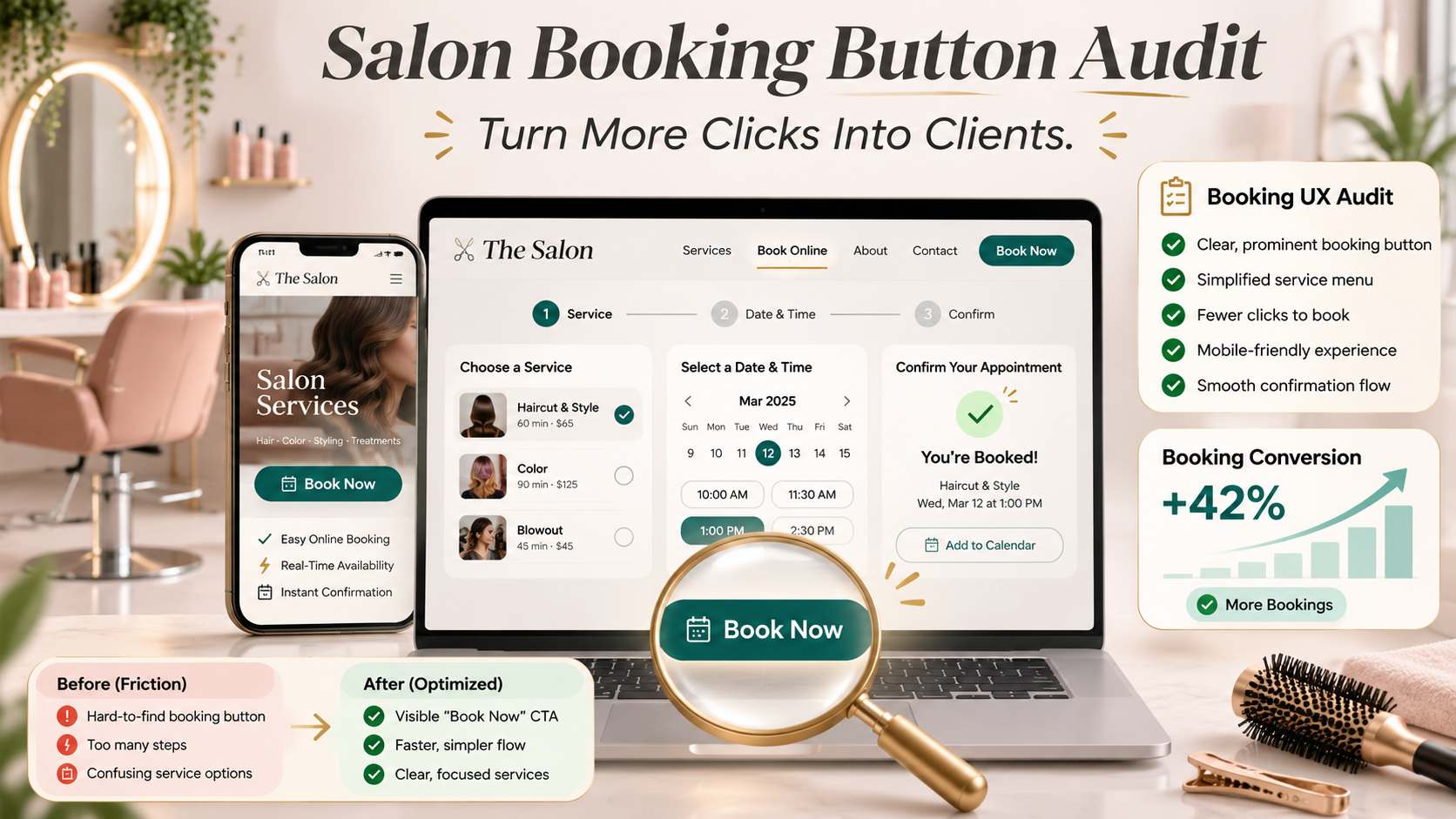
Your salon website looks beautiful.
The photography is professional. Your services are clearly presented. Your branding reflects the atmosphere you've worked hard to create, and your stylist profiles showcase the talent behind your business.
A potential client finds your salon through Google, explores your website, and decides they're ready to make an appointment.
They click “Book Now.”
And that's where things start getting complicated.
First, they're redirected to a booking platform they've never seen before. Then they're asked to select a location, even though your salon only has one. Next, they need to choose a service from a long list of unfamiliar names.
They select a stylist, choose a date, and discover that the appointment isn't available.
After starting over, they finally find a time that works.
But before they can finish, they're asked to create an account, verify their email address, enter personal information, and provide payment details without a clear explanation of the deposit policy.
What started as a simple decision has become a frustrating process.
The client closes the tab.
You never receive the booking, and you might never know that someone was interested in becoming your customer.
This is the problem with treating your booking button as a minor website feature rather than a critical part of your sales process.
Your salon website doesn't convert someone into a customer when they click “Book Now.” It converts them when they successfully complete the appointment process.
Everything that happens between those two moments matters.
According to Zenoti's 2025 consumer research on salon booking trends, 71% of surveyed salon regulars reported deciding not to book an appointment because reaching someone or booking online was too difficult.
That finding comes from research published by a salon technology provider, so it should be interpreted within the context of its surveyed audience. Still, it highlights a problem salon owners cannot afford to ignore.
Convenience influences the customer experience before anyone walks through the door.
If your website makes booking harder than it needs to be, your marketing may be attracting potential clients who never complete the final step.
And the solution isn't necessarily more advertising, a larger social media following, or a complete website redesign.
Sometimes, the most valuable question you can ask is surprisingly simple:
How many steps does someone have to take to become your customer?
Your Booking Button Is More Than a Button. It's the Beginning of a Conversion Funnel.
A conversion happens when a website visitor completes a meaningful action you want them to take.
For a salon, that might mean booking an appointment, requesting a consultation, purchasing a gift card, or submitting an inquiry about a specialized service.
When the primary goal is appointment scheduling, the booking process is one of the website's most important conversion pathways.
A visitor might arrive through organic search, social media, paid advertising, or a referral.
They explore your services, compare stylists, read reviews, and decide whether your salon is right for them.
The booking button is the bridge between that interest and a scheduled appointment.
But a button alone doesn't guarantee anything.
If the process that follows is confusing, slow, or difficult to complete, the visitor may abandon it.
That's why conversion rate optimization, commonly called CRO, looks beyond how attractive a website appears.
It examines what people are trying to accomplish, what obstacles stand in their way, and how the experience can be improved.
At Ritner Digital, that distinction is central to the approach behind conversion optimization: understanding how visitors interact with a website and identifying opportunities to turn more of that interest into meaningful business results.
For salons, this means evaluating the entire appointment journey rather than focusing exclusively on the homepage.
A successful booking experience should make it easy for a client to understand what they're booking, choose an appropriate professional, find an available time, review important policies, and receive confirmation.
Every interaction should help them move toward that goal.
Why Booking Friction Matters More Than Salon Owners May Realize
Salon owners understand the importance of making clients feel comfortable during an appointment.
You create a welcoming environment, train your team to communicate professionally, and develop service standards that support a positive experience.
But the digital booking process is often designed around the salon's internal operations rather than the customer's decision-making needs.
Services might be organized according to staff scheduling categories.
Policies might appear only after someone enters payment information.
Availability might be difficult to understand.
And appointment software may introduce additional steps that the salon owner doesn't regularly experience.
Over time, these small frustrations can become normal because the team already knows how the system works.
New clients don't have that advantage.
They may not understand the difference between a partial highlight and a full highlight. They might not know whether a consultation is required for extensions or corrective color.
They may not even know which stylist to choose.
A booking system that assumes everyone already understands these details creates unnecessary cognitive work.
The Difference Between Necessary Steps and Unnecessary Friction
Not every step is bad.
Choosing a service, selecting a stylist, and reviewing an available time can be important parts of booking.
The goal isn't to eliminate necessary decisions.
It's to eliminate unnecessary effort.
Research from the Baymard Institute on checkout usability found that the number of form fields users need to consider can affect usability more than the raw number of checkout steps.
Baymard's research examines ecommerce purchasing, not salon appointments specifically. However, the distinction is useful when evaluating any multi-step digital process.
A booking journey with five clear, logical stages may be easier than a three-stage journey that overwhelms visitors with dozens of confusing options.
The important question isn't simply how many screens exist.
It's how much effort someone must invest before completing the appointment.
A shorter booking process isn't automatically a better booking process. A clearer, less demanding process is.
The Salon Booking Button Audit: Start by Becoming Your Own Customer
Before making changes, experience your website from a new customer's perspective.
Don't begin while logged into your booking software.
Don't use a saved client profile or a browser that remembers your previous selections.
Instead, open a private browsing window on your phone.
Imagine you're someone who has never visited your salon.
You want a specific service, you have a preferred appointment day, and you need to know what the service will cost.
Begin on the page where a new customer is most likely to find you.
That might be your homepage, a service page, or an individual stylist profile.
Then work through the appointment process.
Record each required interaction, the information you must provide, and any moment where you feel uncertain.
What Actually Counts as a Booking Step?
For this audit, count a step whenever the customer must make a selection, submit information, navigate to another stage, or complete an action to continue.
You can track separate categories for clicks, form fields, screens, and points of confusion.
For example, selecting a service is one meaningful decision.
Choosing a stylist is another.
Selecting a date and time may involve several interactions, depending on the software.
Creating an account introduces additional actions.
Entering a payment method may involve multiple fields.
Don't count the result as an official industry benchmark. This is a practical audit method for understanding your own customer experience.
Also record where the process causes visitors to repeat previous work.
A customer who chooses a stylist and later has to reselect that person has encountered friction even if the total click count seems reasonable.
An Example of a Complicated Booking Journey
Imagine this fictional appointment experience:
Click “Book Now” on the salon homepage.
Select the salon's only location.
Choose a broad service category.
Choose a specific service from a long menu.
Select a stylist.
Choose a date.
Discover that no appointment times are available.
Return to the calendar and select another date.
Create an account.
Verify an email address.
Enter personal information.
Enter payment details.
Accept salon policies.
Submit the appointment request.
Open an email to determine whether the booking was confirmed.
Not all of those steps are unnecessary.
But several deserve investigation.
Why is the customer choosing a location when only one exists? Could the system show available appointments before requiring an account? Could service categories be clearer? Could it preserve the stylist selection when a date doesn't work?
And why is the final confirmation ambiguous?
The purpose of the audit is to find those questions before a potential client silently leaves.
Audit Point 1: Can Visitors Find Your Booking Button Immediately?
The first obstacle often appears before the booking process even begins.
A visitor shouldn't need to search through your navigation, scroll to the bottom of several pages, or visit your contact page simply to find an appointment link.
Your primary call to action should be easy to recognize.
For many salons, that means including a clearly labeled booking button in the main navigation.
On mobile, it may also make sense to provide a prominent booking action that remains conveniently accessible without covering important content.
The exact placement depends on the website's layout and the visitor's needs.
Make the Button Look Clickable
Color, contrast, spacing, and typography influence how easily people notice interactive elements.
Your booking button should visually stand out from surrounding text.
That doesn't mean it needs to be oversized, animated, or brightly colored.
It needs to be recognizable as an action.
A sophisticated salon website can maintain its visual identity while making the booking option clear.
Use Language That Describes the Action
“Book an Appointment” is generally more specific than “Discover More.”
“Request a Color Consultation” clearly communicates a different next step.
The label should match what actually happens when someone selects it.
If the button opens a consultation request form, don't imply that the customer is immediately reserving an appointment.
If it leads to direct scheduling, use language that reflects that experience.
Accurate expectations support trust.
Audit Point 2: Does the Booking Button Lead to the Right Destination?
A booking button can be visible and still create unnecessary friction.
One common problem occurs when every booking link sends visitors to the same generic starting page.
Imagine someone reading a stylist biography for a color specialist.
They click “Book With Morgan,” expecting to see that stylist's services and availability.
Instead, they land on a general booking homepage and must search for Morgan again.
The previous page helped them make a decision.
The next page ignores it.
Preserve the Customer's Context
When your booking platform allows it, use links that preserve relevant selections.
A service page might link directly to that service category.
A stylist profile might open the scheduling process with the stylist already selected.
A consultation page might lead to the appropriate consultation request.
This is known as maintaining context across the customer journey.
It reduces repeated decisions and makes the experience feel more connected.
Test Every Booking Link
Don't assume a button is working simply because it opens a page.
Verify that the destination loads, presents the expected options, and allows visitors to continue.
Check buttons on the homepage, navigation, individual service pages, stylist profiles, and mobile layouts.
A broken or misleading booking link can interrupt an otherwise successful customer journey at the most important moment.
Audit Point 3: Is Your Service Menu Written for Customers or Salon Professionals?
One of the biggest sources of booking confusion is the service menu.
Salon teams use professional terminology every day.
Clients may not.
A booking system might display categories such as “Toner Refresh,” “Partial Foil,” “Gloss Add-On,” or “Corrective Service.”
Those names may be accurate internally, but new customers may need additional context to make the correct selection.
Someone who wants a brighter blonde might not understand which option they need.
Another client might choose the least expensive service without realizing it doesn't include the work they're expecting.
Explain Services in Everyday Language
Provide short descriptions that help clients understand what each appointment includes.
Explain the intended outcome, approximate appointment duration, and important limitations when applicable.
If a service requires an initial consultation, make that clear.
Don't rely on clients knowing professional terminology.
For example, instead of displaying only “Partial Highlight,” explain that the service focuses on selected sections of the hair rather than a full-head highlighting application.
The description should reflect your salon's actual process.
Reduce Overwhelming Choices
A menu with dozens of options may be necessary for scheduling, but it doesn't need to feel like an endless list.
Group related services logically.
Separate consultations from standard appointments.
Identify common starting points for first-time clients.
If several services are intended only as add-ons, label them accordingly.
The Nielsen Norman Group's research on recognition versus recall explains that interfaces become easier to use when people can recognize relevant options instead of having to remember information.
For salon booking, that means displaying clear service descriptions and helpful distinctions at the point where the customer makes a choice.
Audit Point 4: Can New Clients Choose a Stylist Without Guessing?
Choosing a stylist is one of the most personal parts of a salon appointment.
Some customers arrive knowing exactly who they want.
Others know only the service they're interested in.
Your booking experience should support both.
A customer looking for dimensional blonde color shouldn't necessarily have to evaluate every stylist in the salon if only certain team members provide that service.
Likewise, someone who is flexible about the professional might prefer to see all available appointment times.
Connect Stylist Profiles to Scheduling
Your website should make it easy to learn about individual stylists before choosing.
Useful profiles can explain specialties, experience, consultation approaches, and relevant services.
Once someone selects a stylist, the booking process should preserve that choice whenever possible.
Offer Flexibility When Appropriate
If your system supports it, an “Any Available Stylist” option can help visitors who care more about appointment availability than selecting a specific person.
For services requiring specialized training, however, don't sacrifice suitability for convenience.
The goal is to guide each client toward an appropriate professional.
A well-designed booking system should support the salon's quality standards while reducing unnecessary decisions.
Audit Point 5: How Difficult Is It to Find an Available Appointment?
The appointment calendar can become a major source of friction.
Someone may select a stylist, choose a preferred date, and discover that no times are available.
That's normal.
The problem arises when the system makes it difficult to recover.
Does the client need to return to the beginning?
Can they view nearby dates?
Can they choose another qualified stylist?
Does the calendar clearly distinguish available times from unavailable ones?
Make Availability Easy to Understand
A useful calendar should communicate real availability without requiring unnecessary trial and error.
Where supported, display the next available appointment or nearby alternatives.
Help clients understand how changing a stylist or service might affect availability.
Avoid creating the impression that a time is available when the booking cannot actually be completed.
Consider What Happens When Nothing Is Available
A dead end can be particularly frustrating.
If a client cannot find a suitable appointment, provide a helpful next step.
That might involve checking another qualified stylist, selecting a different date, joining a waitlist, or contacting the salon for assistance.
Don't promise that a waitlist guarantees an appointment.
Explain how it actually works.
The important principle is to avoid leaving interested customers without a reasonable option.
Audit Point 6: Are You Forcing New Clients to Create an Account Too Early?
Account creation can be useful.
Returning clients may appreciate saved preferences, appointment history, and convenient rebooking.
But a new visitor may not want to create a password simply to see whether your salon has an appointment available.
Requiring an account before displaying basic information can feel like an unnecessary commitment.
In ecommerce research, the Baymard Institute has documented account creation as a source of checkout abandonment.
That evidence applies to online shopping rather than salon appointments, so the exact abandonment figures shouldn't be transferred to salons.
The underlying usability question is still worth asking:
Does the customer need an account to accomplish this task, or does the business simply prefer them to have one?
Allow Guest Booking When Practical
If your scheduling software supports guest booking, consider making it available.
Customers can provide the information necessary to confirm an appointment without being required to establish a permanent login first.
Account creation can be offered later when it provides a clear benefit.
Some salons may require accounts because of specific operational or booking-system constraints.
In that case, make the requirement clear, keep registration straightforward, and avoid collecting unrelated details.
The objective is not to eliminate customer records.
It's to avoid introducing unnecessary obstacles before an appointment is confirmed.
Audit Point 7: How Many Form Fields Must Someone Complete?
Every form field asks for attention.
A booking system may need a customer's name, contact information, service selection, and other appointment-specific details.
But some forms ask for more information than the booking requires.
A customer may encounter separate fields for multiple phone numbers, addresses, marketing preferences, and personal details unrelated to scheduling.
The longer the form feels, the more effort the process demands.
The World Wide Web Consortium's accessible forms guidance recommends asking only for information necessary to complete the relevant process and emphasizes clear, understandable forms.
Separate Required Information From Optional Information
Review every field.
Ask why it exists and when the salon actually needs that information.
If a detail isn't necessary to reserve an appointment, consider whether it can be collected later.
For example, a color history questionnaire may be appropriate before a corrective color consultation.
But requiring every haircut client to complete the same extensive questionnaire may not be necessary.
Make Forms Easy to Complete on a Phone
Use descriptive field labels.
Support appropriate autofill features.
Display the correct keyboard for email addresses and phone numbers.
Explain required fields and acceptable input formats.
Avoid clearing completed information when a customer makes a mistake.
The W3C's form validation guidance emphasizes identifying required information and communicating errors accessibly.
A customer who enters an incorrect phone number should be able to correct that field without starting the appointment process again.
Audit Point 8: Are Prices, Deposits, and Policies Clear Before Checkout?
Unexpected information creates hesitation.
Imagine a client choosing a haircut listed at a starting price of $65.
After completing most of the booking process, they discover a required deposit, a different pricing tier for their selected stylist, and a cancellation policy they haven't previously seen.
Those details may be completely reasonable.
But presenting them late can make the experience feel less transparent.
Explain What the Client Is Agreeing To
Your booking process should make relevant pricing and policies easy to review before a customer confirms.
For services with variable pricing, explain why the amount may change.
For deposits, clarify whether the payment is applied toward the final service balance and under what conditions it may be retained or refunded.
If a consultation is necessary before an accurate quote can be provided, communicate that clearly.
Don't promise a fixed price when the actual service depends on factors that haven't been assessed.
Make Important Policies Accessible
Cancellation windows, rescheduling requirements, and no-show policies should be presented in understandable language.
Clients shouldn't need to search several pages to find information relevant to their appointment.
A clear policy doesn't have to be harsh or overly complicated.
It should communicate expectations fairly and accurately.
This helps customers make informed decisions and can reduce misunderstandings later.
Audit Point 9: Does Your Booking Experience Work on Mobile?
A salon website may look excellent on a desktop computer and still create serious frustration on a phone.
Buttons might be too small.
Service descriptions might be difficult to read.
Calendar selections might require precise tapping.
Pop-up windows might cover important information.
And the booking software might not adapt properly to narrower screens.
These issues matter because mobile convenience is increasingly important to salon customers.
Zenoti's 2025 beauty and wellness industry reporting cites consumer research indicating that 80% of salon and spa guests want mobile appointment booking.
That figure describes a stated preference in the surveyed population, not the share of all appointments actually completed on mobile devices.
Nevertheless, mobile usability deserves attention throughout the booking process.
Test More Than the Homepage
Many website owners test the mobile design of their homepage but never complete a full appointment using their phone.
The booking platform may use a completely different interface.
Test the service menu, stylist selection, calendar, customer information form, deposit screen, and confirmation process.
Try the journey on different screen sizes.
Pay attention to whether the user needs to zoom, scroll horizontally, or repeatedly correct accidental taps.
Make Interactive Elements Easy to Tap
The WCAG 2.2 Target Size guidance establishes a minimum target-size criterion of 24 by 24 CSS pixels, subject to specific exceptions, at Level AA.
For important booking controls, larger targets may be easier to use.
The goal is to support people using touchscreens, assistive technology, or input methods requiring more precision.
Accessibility isn't separate from conversion optimization.
A booking process that is difficult to operate can exclude potential customers before they ever reach the salon.
Audit Point 10: Is Your Booking Software Slowing Everything Down?
Even a beautifully designed booking interface becomes frustrating when it doesn't respond promptly.
A visitor clicks the appointment button and waits.
The booking calendar appears slowly.
The service menu freezes.
An available time disappears after selection.
The customer isn't necessarily going to identify a technical issue.
They simply experience the website as difficult.
Measure Performance Where It Matters
Google's Core Web Vitals documentation identifies three important user-experience metrics:
Largest Contentful Paint (LCP) measures loading performance, with a recommended target of 2.5 seconds or less.
Interaction to Next Paint (INP) measures responsiveness, with a good threshold of 200 milliseconds or less.
Cumulative Layout Shift (CLS) measures visual stability, with a good threshold of 0.1 or less.
These are general web performance standards, not guaranteed booking-conversion thresholds.
They provide a useful way to assess whether pages load and respond reliably.
Don't Ignore Third-Party Booking Platforms
Your main website may perform well while the scheduling experience remains slow.
If the booking system operates on another domain, test that experience separately.
A performance audit should evaluate the entire customer journey, not just the pages your website developer directly controls.
Google's PageSpeed Insights can help assess publicly accessible pages and identify performance issues.
If a third-party system creates problems, document them and review which fixes your provider supports.
Sometimes an integration adjustment is enough.
Other times, the platform itself becomes part of the decision about improving the customer experience.
Audit Point 11: Does the Booking System Explain What Happens Next?
Customers need feedback.
When someone clicks a button, they should understand whether the action was successful.
A booking process that changes screens without explanation can create uncertainty.
Did the time get reserved?
Is the appointment still pending?
Was the deposit processed?
Does the salon need to approve the request?
A system that leaves these questions unanswered creates unnecessary anxiety.
Use Clear Progress Indicators
For longer appointment flows, a progress indicator can help visitors understand where they are in the process.
For example, the interface might show service selection, appointment availability, contact information, and confirmation as distinct stages.
The Nielsen Norman Group's research on progress indicators explains how meaningful progress feedback helps users understand a system's status.
A booking process doesn't need to display a progress indicator if the experience is already simple.
But when several stages are required, clear status information can make the process easier to follow.
Distinguish Requests From Confirmed Appointments
Some salons accept direct online reservations.
Others require approval, particularly for specialized services.
Both approaches can work.
The important point is to communicate the difference.
If the customer has submitted a consultation request, don't display messaging that suggests the appointment has already been confirmed.
If the appointment is confirmed, clearly identify the date, time, location, service, and stylist.
Your website should never make someone guess whether they successfully booked.
Audit Point 12: What Happens After the Customer Clicks “Confirm”?
The final click isn't always the end of the booking journey.
A customer may need confirmation that the appointment exists and that their information was received.
A strong confirmation experience communicates the essential details clearly.
That may include the appointment date and time, stylist name, selected service, salon address, relevant preparation instructions, and information about rescheduling.
The information should match the booking system's actual records.
Make Confirmation Immediate and Understandable
If the appointment is confirmed, display a clear success message.
If approval is required, explain that the request is pending and how the customer will be notified.
If confirmation is sent by email or text, set an accurate expectation.
Don't rely exclusively on an email that could be delayed or filtered.
Make Rescheduling and Cancellation Understandable
Clients occasionally need to adjust appointments.
Providing a clear, appropriate way to manage a booking can reduce confusion and unnecessary administrative work.
Zenoti's salon booking trends research reported that 35% of surveyed salon regulars needed to manage appointments outside normal business hours.
Supporting convenient appointment management can therefore be relevant to both new bookings and long-term customer relationships.
Your customer experience continues after the initial reservation.
Audit Point 13: Does the Booking Process Feel Like Part of Your Salon Brand?
A potential client might spend several minutes exploring a refined, welcoming salon website.
Then they click the booking button and arrive at a completely different visual experience.
The typography changes.
The colors are unfamiliar.
The language becomes generic.
The service names don't match what appeared on the website.
A separate booking system doesn't automatically damage trust, and many reputable businesses use third-party software.
But an abrupt transition can create uncertainty, especially when payment information is required.
Create a Consistent Experience
Where your booking platform allows customization, align the visual elements with your salon's branding.
Use a recognizable business name.
Maintain consistent service terminology.
Ensure that links and confirmation messages clearly identify the salon.
Most importantly, make the booking process feel like a natural continuation of the website rather than an unrelated destination.
Brand consistency should also extend to tone.
A friendly, approachable salon shouldn't suddenly communicate in confusing, overly technical language during scheduling.
The experience should feel connected from the first website visit to the appointment confirmation.
Audit Point 14: Can Visitors Get Help Without Abandoning the Process?
Not every potential client is ready to book independently.
Someone considering extensions might have questions about pricing and maintenance.
A customer with previous color treatments may need advice before selecting a service.
Another visitor might have an accessibility need or encounter a technical problem.
A booking experience should make room for these situations.
Offer an Appropriate Alternative
Depending on your salon, that might be a consultation request, phone number, contact form, or another supported communication channel.
The alternative should be easy to find when it's relevant.
For example, a corrective color booking page could explain that clients should request a consultation before scheduling the full service.
That guidance is more useful than leaving them to guess which option to select.
Avoid Creating a False Choice
A button labeled “Chat With Us” isn't helpful if nobody monitors the channel or if the service cannot answer booking questions.
Only offer communication options your business can reasonably support.
If a response won't be immediate, say so.
A clear expectation is better than an impressive feature that doesn't work reliably.
Audit Point 15: Are You Measuring Completed Bookings or Just Button Clicks?
This may be the most important part of the entire audit.
A salon owner might know how many visitors reach the website.
They may know how many people click the booking button.
But do they know how many actually complete an appointment?
Those numbers are different.
Someone clicking “Book Now” has expressed interest.
Someone receiving a confirmed appointment has completed a meaningful conversion.
If your analytics treats every booking-button click as a successful appointment, you may be overestimating website performance.
Track the Customer Journey
A practical measurement plan can distinguish between visitors who view a relevant page, visitors who begin booking, and visitors who complete the process.
Depending on your website and scheduling platform, it may be possible to track service selections, booking starts, form submissions, and confirmed appointments.
Google Analytics 4 supports automatically collected, enhanced-measurement, recommended, and custom events.
Its event documentation explains how different interactions can be measured.
For booking systems hosted on a separate domain, Google's outbound-click measurement guidance can help identify visits that leave your website for another destination.
However, an outbound click is not proof of a completed appointment.
Understand Third-Party Tracking Limitations
If your scheduling platform operates on another domain, tracking completed bookings may require an integration supported by that provider.
Google also provides cross-domain measurement guidance for situations where activity spans multiple domains.
Whether this approach is possible depends on the platform, technical access, and implementation.
Don't assume you can track customer activity inside every third-party booking system.
And don't collect sensitive client information unnecessarily through analytics.
The goal is to understand the performance of the booking journey, not to capture private appointment details.
How to Calculate Your Salon Booking Conversion Rate
Once you can distinguish booking interest from completed appointments, you can begin evaluating performance more meaningfully.
A straightforward booking conversion rate is:
Booking conversion rate = (Completed bookings ÷ Relevant website visitors) × 100
The denominator must be clearly defined.
For example, if 500 people visit a service page and 25 complete an appointment attributable to that journey, the page-to-booking conversion rate is 5%.
That's an illustrative calculation, not an industry benchmark.
You may also want to measure the percentage of people who finish booking after entering the scheduling process.
That metric uses booking starts rather than general website visitors as the denominator.
Both can be valuable, but they answer different questions.
Example: A Salon With a Booking Completion Problem
Imagine a fictional salon receives 1,000 relevant website visits during a month.
Of those visitors, 200 click the booking button.
Forty complete a confirmed appointment.
In that example, the website has a 20% booking-button click-through rate among those visitors, but only a 4% visitor-to-booking conversion rate.
The booking-start-to-completion rate is 20% if all 200 clicks represent distinct booking starts.
These numbers are hypothetical and simplified.
They demonstrate why counting clicks alone can create a misleading impression.
The salon attracted interest.
But relatively few interested visitors completed the final action.
That doesn't automatically mean the booking interface is responsible for every incomplete reservation.
Some people may be checking prices, exploring future availability, or deciding they're not ready.
The next step is to investigate where people leave and whether preventable obstacles are contributing.
What the Research Says About Booking Convenience
Online booking isn't simply a technical feature.
It's part of how customers experience a service business.
Zenoti's 2025 salon booking survey reporting found that 48% of surveyed hair and beauty salon clients said they would be much more likely to return to a salon that allowed them to book or change appointments at any hour.
The same research reported that 75% of salon regulars said easier booking and communication would make them more likely to remain loyal.
These findings come from stated preferences and intentions, not controlled experiments demonstrating that a particular website change produces a specific revenue increase.
But they offer useful context.
Convenience can influence how clients perceive the business beyond the quality of the service itself.
Digital Booking Is Also an Operational Opportunity
Zenoti's 2026 salon benchmark reporting provides another perspective.
Using aggregated, anonymized 2025 performance data from North American businesses on its platform, the report identified a median online booking rate of 26% for the salon category and 28% for full-service salons.
Businesses performing at the 90th percentile in those categories recorded substantially higher online booking rates.
Those numbers are platform-specific benchmarks, not representative measures of every salon in the industry.
They also don't establish that online booking by itself causes higher revenue.
What they do show is that meaningful differences in digital booking adoption exist among salons using the platform.
For business owners, that's a reason to examine the booking experience as an operational process as well as a marketing conversion.
The Booking Experience Before and After an Audit
Consider two fictional salons offering the same haircut service.
Salon A: The Complicated Experience
A customer arrives on the homepage and searches for an appointment button.
They click through to a generic scheduling platform.
The service menu contains several similar haircut options without explanations.
After choosing a service, they're asked to select a stylist they haven't learned anything about.
They find a suitable appointment time, but the system requires account creation before proceeding.
Once they create an account, the booking form asks for additional details.
A deposit requirement appears near the end.
The customer hesitates, returns to review the service, and loses their previous selections.
They decide to call the salon later.
They may never do so.
Salon B: The More Thoughtful Experience
A customer arrives on the haircut service page.
They see a clear explanation of the service, starting pricing, relevant stylists, and the booking action.
They click “Book a Haircut.”
The scheduling system already displays the appropriate service category.
They select an available stylist, choose a time, and enter the necessary contact information.
Before confirming, they see the appointment details and relevant payment or cancellation terms.
They complete the reservation and receive an understandable confirmation.
This second experience isn't necessarily shorter in every technical sense.
But it avoids unnecessary repetition and makes each important decision easier.
That's the goal of conversion optimization.
Not to rush people into bookings, but to make it easier for customers who are ready to schedule.
The Most Common Booking Conversion Mistakes Salons Make
After reviewing the full customer journey, several recurring problems are worth checking.
Mistake 1: Sending Every Visitor to the Same Generic Booking Page
A customer who already chose a stylist or service shouldn't have to repeat that decision unnecessarily.
Use contextual booking links where your platform supports them.
Mistake 2: Hiding Important Information Until the Final Screen
Pricing expectations, deposit requirements, and relevant policies should be accessible before customers submit their appointments.
Mistake 3: Designing the Website Without Testing the Booking Platform
Your booking software is part of the customer experience, even when it's managed by a separate provider.
Test the complete journey.
Mistake 4: Making Mobile Visitors Work Harder
Tiny calendar controls, difficult forms, and confusing navigation can turn a simple appointment into an exhausting task.
Prioritize usability across devices.
Mistake 5: Measuring Interest as If It Were Revenue
A booking-button click is not the same as a confirmed appointment.
Use meaningful conversion definitions.
Mistake 6: Removing Useful Information Just to Reduce Clicks
Fewer screens aren't always better.
Don't eliminate service descriptions, price explanations, or necessary policies simply to shorten the process.
Mistake 7: Never Testing the Experience as a First-Time Customer
Salon owners and staff are familiar with their own systems.
A new client isn't.
Regularly test with fresh eyes.
How to Prioritize Booking Improvements Without Redesigning Everything
A booking audit can uncover many opportunities.
That doesn't mean you need to change everything simultaneously.
Start with problems that prevent customers from completing the process.
Broken booking links, unavailable buttons, forms that won't submit, and misleading confirmation messages deserve immediate attention.
Next, address unnecessary confusion.
Review unclear service categories, repeated selections, poorly communicated policies, and difficult mobile interactions.
Then evaluate larger improvements.
Those might involve new stylist-specific booking links, a redesigned service menu, a different scheduling integration, or a more comprehensive website update.
Separate Technical Problems From Design Opportunities
A technical issue prevents the system from working as intended.
A design issue may allow the process to function while making it unnecessarily difficult to use.
Both matter, but they often require different solutions.
For example, a calendar that won't load needs technical investigation.
A calendar that loads but offers confusing navigation needs a usability improvement.
Understanding the difference helps salon owners invest in the right fixes.
Use Real Customer Feedback
Ask new clients whether booking was straightforward.
Pay attention to frequently asked questions and appointment mistakes.
If the front desk regularly receives calls from people who selected the wrong service, investigate the digital menu.
If visitors frequently ask whether a deposit is refundable, review how the policy is presented.
If people regularly call because they cannot find available appointments online, test the calendar experience.
These patterns can provide useful clues about where the booking process needs attention.
Should You A/B Test Your Salon Booking Button?
A/B testing compares two versions of a website element or experience to evaluate which performs better against a defined outcome.
For example, a salon might compare two booking-button labels or different placements on a service page.
But meaningful testing requires enough relevant traffic and conversions to interpret the results.
A small salon website may not have the volume necessary to reach a reliable conclusion quickly.
That doesn't mean optimization is impossible.
It means some improvements should begin with usability testing, technical fixes, and customer feedback rather than formal split testing.
Start With a Clear Hypothesis
Instead of changing button colors because a different shade looks more attractive, identify the customer problem you're trying to solve.
For example:
“Visitors on stylist profile pages may abandon the booking process because they need to search for the stylist again after entering the scheduling platform.”
A corresponding improvement might be a direct stylist-specific booking link.
Then evaluate whether the experience becomes easier and whether relevant conversion measures improve.
If your traffic supports a controlled test, use an appropriate testing design.
If it doesn't, document the change and monitor results carefully without claiming proof of causation.
Conversion optimization works best when observations lead to thoughtful hypotheses rather than assumptions.
A Practical 30-Day Salon Booking Optimization Plan
Improving your booking experience can be approached in manageable stages.
Week 1: Map the Entire Appointment Journey
Begin with a first-time customer test.
Visit your website on mobile and desktop.
Follow booking links from your homepage, service pages, and stylist profiles.
Record required interactions, form fields, unclear choices, loading problems, and points where the process becomes frustrating.
Complete test bookings using an appropriate test environment or authorized test procedure so that you don't accidentally occupy real appointment slots.
Document how confirmation and cancellation work.
Week 2: Identify the Biggest Sources of Friction
Review the findings and organize them by severity.
Prioritize errors that prevent booking, followed by unnecessary repetition, confusing service descriptions, and unclear pricing or policy information.
Gather input from your front desk and stylists.
They may already know which questions clients frequently ask.
Identify which changes can be made in your website and which require support from your booking provider.
Week 3: Improve the Experience
Update booking-button labels and placement.
Improve service descriptions and contextual links.
Remove unnecessary form fields where possible.
Clarify booking policies.
Fix broken navigation and mobile usability problems.
Ensure confirmation messaging accurately describes the appointment status.
Don't remove important steps that protect clients, support scheduling accuracy, or communicate legitimate business requirements.
Week 4: Test and Establish a Baseline
Repeat the full customer journey after changes have been made.
Check whether previously identified problems are resolved.
Confirm that analytics and booking reports are configured to measure meaningful outcomes.
Record your baseline performance and monitor how the experience behaves over time.
A booking audit shouldn't be a one-time exercise.
Revisit the process when you change scheduling software, introduce new services, update pricing, or modify your website.
Why Booking Optimization Is Also a Branding Decision
Salon branding is often associated with logos, color palettes, photography, and visual design.
Those things matter.
But your brand is also expressed through the experience people have when interacting with your business.
If your salon positions itself as modern, welcoming, and convenient, a confusing booking process creates a disconnect.
If your messaging emphasizes personalized service, a generic scheduling experience that disregards customer preferences may feel inconsistent.
If your business promises thoughtful attention to detail, customers may reasonably expect that care to extend to appointment scheduling.
The booking journey communicates something about your salon before the service begins.
Convenience Can Reinforce Professionalism
A clear booking experience can make a salon feel organized and prepared.
Accurate service descriptions communicate attention to detail.
Transparent policies establish expectations.
Reliable confirmations reduce uncertainty.
A website that helps clients complete tasks efficiently demonstrates respect for their time.
These elements don't replace excellent service.
They support the experience surrounding it.
Your Website Should Work as Hard as Your Marketing
Many salons invest considerable resources into social media, photography, search visibility, and advertising.
Those channels create awareness and interest.
But if the final booking experience is difficult, some of that interest never becomes an appointment.
This is why conversion optimization should be considered alongside customer acquisition.
Before focusing exclusively on attracting more visitors, examine whether the visitors you already have can accomplish the action they're trying to take.
Sometimes the opportunity isn't more traffic.
It's making the existing customer journey work better.
Frequently Asked Questions
1. How many clicks should it take to book a salon appointment?
There is no universally correct number. The ideal process depends on the salon's services, staffing, policies, and booking requirements. Instead of focusing only on clicks, evaluate whether each step serves a clear purpose. A five-step process with straightforward choices can be easier than a three-step process filled with confusing fields. The goal is to reduce unnecessary effort while preserving important information.
2. What is a salon booking button audit?
A salon booking button audit evaluates the complete experience from clicking a booking link to receiving appointment confirmation. It examines button visibility, link destinations, service menus, stylist selection, calendar usability, required forms, pricing transparency, mobile performance, technical problems, and conversion tracking. The purpose is to identify preventable obstacles that make scheduling harder than necessary.
3. Why do customers abandon online salon bookings?
Customers may leave for many reasons, including unavailable appointment times, unclear service options, unexpected costs, account requirements, technical errors, or simply deciding they aren't ready to book. Not every abandoned booking represents a website failure. However, reviewing the customer journey can reveal preventable sources of friction that deserve attention.
4. Where should the Book Now button appear on a salon website?
The booking action should be easy to find wherever visitors are likely to make an appointment decision. Common placements include the main navigation, homepage, service pages, and stylist profiles. Mobile layouts may benefit from especially prominent access. The exact placement should fit the site's design and customer behavior rather than follow a rigid formula.
5. Should salons require customers to create accounts before booking?
Account creation may be necessary for some scheduling systems, but it can create additional effort for first-time customers. When practical, guest booking or delayed account creation may offer a more convenient experience. If registration is required, explain the purpose and keep the process straightforward. Avoid requesting unrelated personal information.
6. Does a shorter booking process always improve conversions?
No. Removing useful information or necessary choices can increase confusion and appointment mistakes. The objective is to simplify the experience, not eliminate every step. Clear service descriptions, transparent policies, and accurate appointment summaries may improve the process even when they add information the customer needs to review.
7. How can salon owners improve mobile booking?
Test the complete appointment journey on multiple phones. Make buttons easy to tap, ensure forms are readable, simplify calendar navigation, and check that the interface works without horizontal scrolling. Confirm that booking pages load reliably and that important information remains accessible. Mobile optimization should include the scheduling platform, not just the main website.
8. What is a good salon website booking conversion rate?
There isn't one universal benchmark that applies to every salon. Results vary based on visitor intent, marketing channels, service pricing, location, booking availability, and the way conversions are measured. Establish a reliable baseline for your own website, distinguish booking starts from completed appointments, and evaluate changes over time.
9. Can Google Analytics track salon appointments?
Google Analytics 4 can measure website interactions and certain conversion-related events. However, tracking completed appointments inside third-party scheduling platforms may require additional integration or provider support. Clicking an external booking link is not the same as confirming an appointment. Use the booking provider's records when necessary to validate completed reservations.
10. Should salons show prices before customers book?
Where practical, salons should provide clear pricing information before customers commit. For services with variable pricing, starting prices and explanations of factors that affect cost may be useful. When a consultation is necessary to provide a reliable estimate, say so. Important deposit and cancellation terms should also be accessible before confirmation.
11. What should happen if a client can't find an available appointment?
Provide an appropriate next step rather than a dead end. Depending on the salon's operations, customers might explore nearby dates, choose another qualified stylist, join a waitlist, or request assistance. Be transparent about what each option means and avoid promising availability that isn't confirmed.
12. Does salon booking software affect SEO?
Booking software generally affects the customer experience and conversion process more directly than organic search visibility. However, page performance, mobile usability, and website structure can also relate to broader website quality. A slow or confusing booking system may create business problems even when the main website ranks well. SEO and conversion optimization should be evaluated together without assuming that scheduling software alone determines search rankings.
13. Can booking optimization reduce missed appointments?
Clear appointment details, accurate scheduling, transparent policies, and understandable reminders may help reduce confusion that contributes to missed appointments. However, reducing booking friction doesn't automatically lower no-show rates. Salons should measure booking completion, cancellations, and no-shows separately to understand the effect of changes.
14. How often should a salon audit its booking experience?
Review the complete process periodically and whenever meaningful changes occur. Updates to scheduling software, service menus, pricing, stylist availability, deposits, or website design can introduce new friction. Regular testing helps identify issues before they become ongoing customer complaints.
15. Does a salon need a new website to improve online booking?
Not necessarily. Many improvements can be made through clearer call-to-action buttons, better service descriptions, direct booking links, mobile fixes, or scheduling-platform configuration. A redesign may be appropriate if the overall website structure prevents customers from navigating effectively, but an audit should identify the actual problems before recommending a larger investment.
The Most Important Click Isn't “Book Now.” It's the One That Confirms the Appointment.
A beautiful salon website can make a strong first impression.
Your branding can communicate professionalism. Your photography can showcase your work. Your stylist profiles can help visitors feel confident about the people behind your services.
But all of that effort needs to lead somewhere.
When someone decides they're ready to book, the experience should support that decision.
They shouldn't need to navigate confusing menus, repeat the same choices, guess which service they need, or wonder whether their appointment was confirmed.
Your booking journey should feel clear, reliable, and consistent with the salon experience you're promising.
That doesn't mean removing every step.
It means making sure every step has a purpose.
A salon booking button audit gives you a practical way to identify where customers encounter unnecessary effort and where your website can become more effective.
It also helps you ask better questions about marketing performance.
Are visitors finding the booking button?
Are they reaching the scheduling system?
Can they easily choose the right service?
Are they completing their appointments?
And if they aren't, do you understand why?
Your website isn't finished doing its job when someone clicks “Book Now.” Its job is to help that person confidently complete the appointment.
Ready to Turn More Website Visitors Into Salon Appointments?
At Ritner Digital, we approach website design and conversion optimization with a focus on what happens after someone arrives on your website.
A strong digital experience should make your business easy to understand, your services easy to explore, and your next steps easy to complete.
Whether your salon needs clearer booking buttons, a more effective website layout, improved mobile usability, or a deeper look at its conversion journey, the goal is the same: remove unnecessary obstacles between customer interest and meaningful action.
Your salon may already be attracting the right people.
The opportunity could be making it easier for them to become customers.
Contact Ritner Digital to discuss a more conversion-focused website and booking experience that works for your salon and the clients you're trying to reach.