What a WCAG 2.1 AA Audit Actually Looks Like for a Small New Jersey Municipality
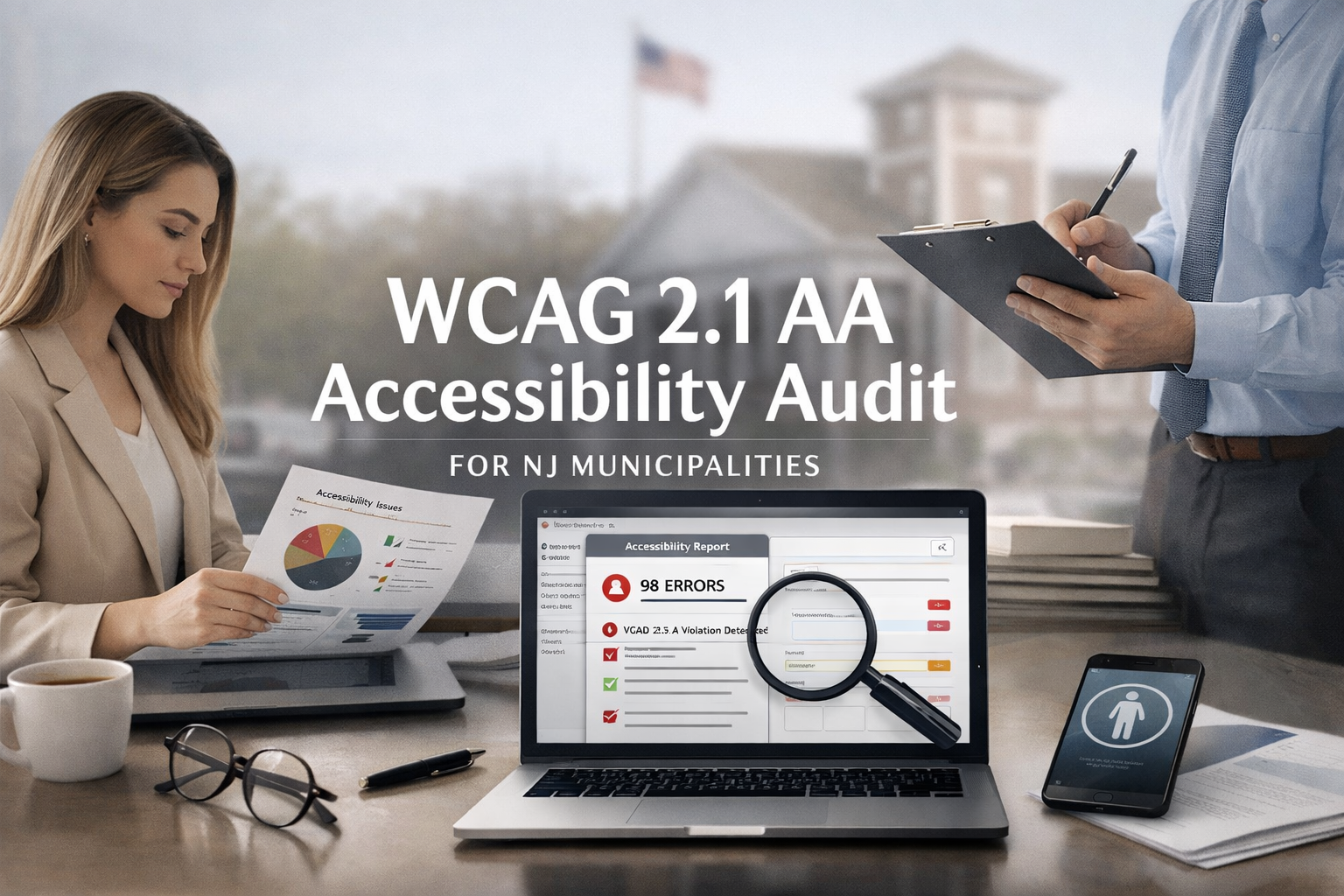
There's a good chance someone in your municipal building has mentioned the phrase "WCAG 2.1 AA" in the last six months. Maybe it came up at a council meeting. Maybe your web vendor said something vague about accessibility. Maybe you saw an article about the DOJ's Title II rule and the April 2027 deadline and thought "we should probably look into that."
And then nothing happened. Because nobody in the building knows what a WCAG audit actually involves, how long it takes, what it costs, or what you're supposed to do with the results. The whole thing feels technical and intimidating and expensive — and when you're running a small municipality with a lean staff and a tight budget, that combination is usually enough to push something to the bottom of the priority list indefinitely.
This blog is here to change that. We're going to walk through exactly what a WCAG 2.1 AA accessibility audit looks like for a small New Jersey municipality — the kind of borough or township with a population under 50,000, a website that's a few years old, and a staff that has a hundred other things to worry about. No jargon. No scare tactics. Just a clear, honest explanation of the process from start to finish so you can make an informed decision about how to move forward.
First, a Quick Refresher on Why This Matters Right Now
In April 2024, the Department of Justice published a final rule under Title II of the Americans with Disabilities Act that requires all state and local government websites to meet WCAG 2.1 Level AA standards. This isn't a suggestion or a best practice. It's a legal requirement.
For municipalities with populations under 50,000 — which includes the vast majority of boroughs and townships in New Jersey — the compliance deadline is April 26, 2027. That's roughly fourteen months from now.
The rule applies to your website, your mobile apps if you have them, your online forms, your PDFs, your payment portals, and essentially any digital content you provide or make available to the public. Non-compliance exposes your municipality to federal penalties of up to $150,000 per violation, ADA complaints, and private lawsuits — the volume of which has been increasing steadily across the country.
An audit is the first step toward compliance. You can't fix what you can't see, and right now, most small municipalities have no idea how many accessibility barriers exist on their websites or how severe they are.
What Is a WCAG 2.1 AA Audit, Exactly?
A WCAG 2.1 AA audit is a systematic evaluation of your website against the 50 success criteria that make up WCAG 2.1 Levels A and AA. Those 50 criteria cover everything from whether your images have proper alt text to whether your forms can be completed using only a keyboard to whether your color contrast ratios meet the required minimums.
The audit identifies every instance where your site fails to meet one of those criteria, categorizes the failures by type and severity, and provides guidance on what needs to be fixed and how. Think of it like a building inspection, but for your website — and instead of checking for code violations related to fire safety and structural integrity, you're checking for barriers that prevent people with disabilities from using your site.
A proper audit has two components, and this is important to understand because a lot of municipalities get sold on tools or services that only deliver one half of the picture.
Automated Testing
Automated testing uses software tools to scan your website and flag issues that can be detected programmatically. These tools crawl through your pages and check for things like missing alt text on images, empty links, missing form labels, insufficient color contrast, empty heading tags, and other issues that have clear, machine-readable criteria.
Automated testing is fast, relatively inexpensive, and good at catching a certain category of problems. But here's the critical caveat: automated tools typically catch only 30 to 40 percent of real-world accessibility barriers. They can tell you that an image is missing alt text, but they can't tell you whether the alt text that does exist actually describes the image accurately. They can identify that a form field has a label, but they can't tell you whether the label makes sense to someone using a screen reader. They can flag a color contrast failure on a static element, but they can't evaluate the accessibility of a dynamic interaction or a complex navigation pattern.
Any vendor or tool that tells you an automated scan is sufficient for compliance is either misinformed or being dishonest with you. It's a starting point, not an endpoint.
Manual Testing
Manual testing is where a trained accessibility evaluator goes through your site page by page, using assistive technologies — screen readers like JAWS or NVDA, keyboard-only navigation, voice control software, screen magnification — to experience your site the way a person with a disability would experience it. This is where the other 60 to 70 percent of accessibility issues get found.
A manual tester will navigate your menus using only the Tab key and Enter key to see if everything is reachable and operable. They'll use a screen reader to listen to how your pages are announced and whether the reading order makes sense. They'll try to complete your most important tasks — paying a bill, finding a phone number, downloading a form, submitting a service request — using only assistive technology. They'll evaluate whether your heading structure creates a logical outline of each page. They'll check whether your error messages are helpful and whether your interactive elements communicate their state to assistive technology.
This is the part of the audit that actually tells you whether your site works for people with disabilities — not just whether it checks a box on a technical checklist.
What the Process Looks Like Step by Step
Every audit firm has its own workflow, but the process for a small municipal site generally follows the same basic sequence. Here's what to expect.
Step 1: Scoping and Page Selection
Your auditor will start by understanding the size and structure of your site. A typical small municipality website might have anywhere from 30 to 150 pages, plus a collection of PDFs, a payment portal, and possibly a few embedded third-party tools like a calendar or a mapping widget.
Not every page needs to be individually audited. The standard approach is to select a representative sample that covers all the major templates, page types, and functionality on the site. For a municipal website, that sample usually includes the homepage, the main navigation and any mega menus or dropdown menus, a standard content page (like a department page or an "about" page), a page with a form (contact form, service request, permit application), your online payment portal or the page that links to it, a page with embedded documents or PDFs, a page with images or media, your events calendar or meeting schedule, your search functionality if you have one, and any interactive elements like maps, accordions, tabs, or modal dialogs.
The auditor may also review a sample of your most commonly accessed PDFs — meeting minutes, ordinances, permit applications, public notices — since these are covered by the DOJ rule and are one of the most common points of failure on municipal sites.
The scoping phase typically involves a brief conversation or questionnaire so the auditor understands what your site is built on (WordPress, CivicPlus, Squarespace, a custom build), what third-party integrations you use, and what the highest-priority resident-facing functions are.
Step 2: Automated Scanning
The auditor runs your site through one or more automated testing tools. Common tools in the industry include axe, WAVE, Lighthouse, Tenon, and SortSite, among others. Some firms use proprietary scanning platforms. The automated scan produces a raw list of issues — potentially hundreds or thousands of individual findings across the entire site.
The auditor then filters and deduplicates these results. Many automated findings are repeated across every page (for example, if your site header has a contrast issue, that same issue will show up on every single page). The auditor consolidates these into a manageable set of unique issues rather than presenting you with a 200-page list of the same five problems repeated over and over.
This phase is usually fast — a day or less for a small municipal site.
Step 3: Manual Evaluation
This is the core of the audit and where the most time is spent. A trained evaluator works through the selected pages using assistive technology and manual inspection techniques, testing against each of the 50 WCAG 2.1 A and AA success criteria.
For a small municipal site, the manual evaluation typically takes a few days to a week of evaluator time, depending on the complexity of the site and the number of unique page templates and interactive elements.
The evaluator documents each finding with a description of the issue, which WCAG success criterion it violates, the severity of the impact, the location on the site where the issue occurs, and a recommendation for how to fix it. Good auditors also include screenshots or screen recordings showing the issue in context so your team or your web vendor can understand exactly what needs to change.
Step 4: PDF and Document Review
If your audit includes a review of posted documents — and it should — the evaluator will check a sample of your most important PDFs for accessibility. This means checking whether the PDFs have a proper tag structure, a logical reading order, alt text on images, bookmarks for navigation in longer documents, a defined document language, and proper table markup if the document contains tables.
This step often reveals some of the most significant accessibility failures on municipal sites, because most municipal PDFs are either scanned images (completely unreadable by screen readers) or were created without any accessibility structure at all. Meeting minutes, ordinances, budget documents, and permit applications are frequent offenders.
Step 5: The Audit Report
The final deliverable is a written report that consolidates everything the auditor found. A good audit report for a municipal client includes an executive summary that explains the overall state of accessibility in plain language, suitable for sharing with elected officials and administrators who aren't technical, a summary of findings by category and severity, detailed individual findings with WCAG criterion references, locations, screenshots, and remediation guidance, a prioritized remediation roadmap that tells you what to fix first, and a breakdown of which issues are systemic (affecting the whole site due to template or platform problems) versus which are page-specific or content-specific.
The best audit reports distinguish between issues that require a developer to fix (code-level changes), issues that require content updates (alt text, document remediation, heading structure), and issues that require platform or vendor changes (CMS configuration, third-party widget accessibility). This distinction matters because it tells you who needs to act on each finding.
How Long Does the Whole Thing Take?
For a typical small municipal site — let's say 50 to 100 pages, a handful of forms, a payment portal link, and a collection of PDFs — you should expect the audit process to take roughly two to four weeks from kickoff to delivery of the final report. That breaks down roughly as a few days for scoping and automated scanning, one to two weeks for manual evaluation and document review, and a few days to a week for report writing and quality review.
Some firms can deliver faster, and some take longer depending on their backlog and the complexity of the site. But two to four weeks is a reasonable expectation for a thorough audit of a small municipal website.
What Does It Cost?
This is the question every municipal administrator asks first, and the answer depends on the scope of the audit, the size of the site, and who's doing the work. But here are realistic ranges for a small New Jersey municipality.
Automated-only scan with a basic report: $500 to $2,000. This will give you a starting point and flag the most obvious issues, but as discussed above, it misses the majority of real accessibility barriers. It's better than nothing, but it is not sufficient for compliance and should not be presented to council or the public as a full audit.
Comprehensive audit (automated plus manual testing) of a small municipal site: $3,000 to $10,000. This is the range for a thorough evaluation that combines automated scanning with manual testing by a trained accessibility specialist. The exact price depends on the number of pages and templates being evaluated, whether PDF review is included, and the depth of the remediation guidance in the report. For most small boroughs and townships in New Jersey, the cost will fall in the $4,000 to $7,000 range.
Comprehensive audit plus remediation support: $8,000 to $25,000 or more. Some firms offer packages that include not just the audit but also hands-on help fixing the issues — recoding templates, remediating PDFs, rewriting alt text, restructuring content. This can be cost-effective if your internal team or web vendor doesn't have accessibility expertise, but make sure you understand what's included before signing a contract.
To put those numbers in context: the federal penalty for a single ADA violation can reach $150,000. A single accessibility lawsuit, even if settled early, typically costs a municipality $10,000 to $50,000 or more in legal fees alone, plus the cost of remediation under a consent decree. The audit isn't cheap, but the cost of not knowing where you stand is significantly higher.
What Happens After the Audit?
The audit report tells you what's wrong. What you do next determines whether you actually get to compliance.
Remediation
Most audit findings fall into a few common categories that apply across nearly every municipal site. Template-level issues — problems in the header, footer, navigation, or page layout that repeat across every page — are usually the highest priority because fixing them once fixes them everywhere. Content-level issues — missing alt text, improperly structured headings, inaccessible PDFs — need to be addressed page by page and document by document. Third-party issues — problems with embedded payment portals, calendars, or mapping tools — may require you to contact your vendor and request accessibility improvements or, in some cases, switch to a more accessible alternative.
The remediation phase takes longer than the audit itself. For a small municipal site, a realistic timeline for addressing the majority of critical and high-priority issues is two to six months, depending on your team's capacity, your vendor's responsiveness, and the severity of the findings.
Retest
After remediation is complete, you should have the auditor retest the site — or at least the areas where the most significant issues were found — to verify that the fixes were implemented correctly and didn't introduce new problems. A retest is typically much less expensive than the initial audit because the scope is narrower.
Ongoing Monitoring
Accessibility isn't a one-time project. Every new page you publish, every PDF you upload, every form you create needs to meet the same standards. Many firms offer ongoing monitoring services that include periodic automated scans, spot-check manual evaluations, and training for your staff on how to create and maintain accessible content. The cost for ongoing monitoring for a small municipal site is typically $100 to $500 per month, depending on the level of service.
Common Objections We Hear — And Why They Don't Hold Up
"Our web vendor said the site is accessible."
Maybe it is. But unless your vendor has provided you with a detailed VPAT (Voluntary Product Accessibility Template) or a third-party audit report specifically evaluating your site against WCAG 2.1 AA, that claim is unverified. Many vendors build on platforms that have some accessibility features but don't ensure that the content, configuration, and customizations on your specific site meet the standard. Platform accessibility and site accessibility are not the same thing.
"We installed an accessibility widget."
Accessibility overlays — the toolbar widgets from companies like accessiBe, UserWay, and AudioEye that claim to make your site compliant — are not recognized as a valid compliance solution by the DOJ. They do not fix underlying code issues, they often interfere with real assistive technology, and they have been the subject of numerous lawsuits and complaints from the disability community. If your municipality is relying on an overlay, you are not compliant, and you may actually be making the experience worse for the residents you're trying to help.
"We can't afford an audit right now."
You can't afford not to know where you stand. The April 2027 deadline doesn't move because your budget is tight, and the legal exposure doesn't go away because you weren't aware of the problem. A basic audit that gives you a clear picture of your most critical issues is less than most municipalities spend on a single piece of equipment or a single professional services contract. If the cost of a comprehensive audit is genuinely prohibitive, start with a smaller-scope evaluation focused on your highest-traffic pages and most critical services. Something is better than nothing, and having a documented plan demonstrates good faith.
"Nobody has complained, so it must be fine."
The absence of complaints is not evidence of accessibility. People with disabilities who can't use your website don't usually file a formal complaint — they just give up, call the office, or ask someone else to do it for them. The burden falls on them quietly, and you never hear about it. The DOJ rule doesn't require someone to complain before you're obligated to comply. Accessibility is required proactively, not reactively.
Where to Start
If you're a municipal administrator, clerk, or elected official in New Jersey and you've been putting this off, here's the simplest possible next step: get an audit. Not a sales pitch from a widget company. Not an automated scan from a free online tool (though running your homepage through WAVE at wave.webaim.org will give you a sobering preview). A real, professional audit from a firm or consultant that specializes in WCAG evaluation and understands municipal websites.
When you're evaluating auditors, ask them whether they perform manual testing with actual assistive technology — not just automated scanning. Ask them whether the report will include prioritized remediation guidance. Ask them whether they have experience with municipal or government websites. And ask them whether they can explain their findings in language your council and your staff will understand — because the best audit in the world is useless if nobody acts on it.
The deadline is April 2027. The clock is already running. And the first step is knowing exactly where you stand.
Frequently Asked Questions
Do We Need to Audit Every Single Page on Our Website?
No. A well-designed audit uses a representative sample that covers every unique page template, interactive element, and content type on your site. For a typical small municipal website, that sample might include 15 to 30 pages plus a selection of PDFs and forms. Because most accessibility issues are template-driven — meaning the same problem appears on every page that uses that template — auditing a representative sample will capture the vast majority of issues across the entire site.
Can We Do the Audit Ourselves?
Technically, anyone can run an automated scan using free tools like WAVE or Google Lighthouse. That's a reasonable starting point, and your staff should absolutely do it to get a sense of the most obvious issues. But a credible audit that will hold up under legal scrutiny requires manual testing by someone trained in WCAG evaluation and experienced with assistive technology. This is a specialized skill set, and for the purposes of demonstrating compliance, a third-party evaluation carries significantly more weight than a self-assessment.
Is a VPAT the Same Thing as an Audit?
Not exactly. A VPAT (Voluntary Product Accessibility Template) is a document typically produced by a software or platform vendor that describes how their product conforms to accessibility standards. If your website is on a platform like CivicPlus, WordPress, or Squarespace, the vendor may have a VPAT for the platform itself. But a VPAT for the platform doesn't cover the content, configuration, and customizations specific to your site. You need a site-level audit that evaluates your actual website as residents experience it — not just the underlying platform it's built on.
What If Our Website Is So Outdated That Fixing It Isn't Worth the Cost?
That's a real possibility, and a good audit will tell you. If the audit reveals that your site is built on a platform or codebase that fundamentally can't support accessibility — because of outdated architecture, deprecated code, or a CMS that doesn't produce accessible output — then remediation may be more expensive and less effective than starting fresh. In that case, the audit becomes the justification for a redesign, which can be built on accessibility from the ground up. The audit findings give you concrete evidence to present to council when making the case for investment.
How Often Should We Audit After the Initial Assessment?
Best practice is to conduct a full audit every one to two years, with automated monitoring on a continuous or monthly basis in between. You should also reaudit whenever you make significant changes to the site — a redesign, a platform migration, a new payment portal, or a major content overhaul. Accessibility is an ongoing practice, not a one-time fix, and regular evaluation is the only way to make sure you stay compliant as your site evolves.
Can We Share the Cost With Other Municipalities?
Potentially, yes. If multiple municipalities in your county use the same web platform or face the same set of challenges, there may be an opportunity to negotiate a group rate with an audit firm or to share the cost of accessibility training. Some counties in New Jersey have pursued shared services agreements for IT and web management, and accessibility auditing could fit into that model. It's worth raising the conversation at the county level — especially in Gloucester County, where nearly every municipality is facing the same deadline with the same resource constraints.