Who Owns Your Google Ads Account? (And Why the Answer Matters More Than You Think)
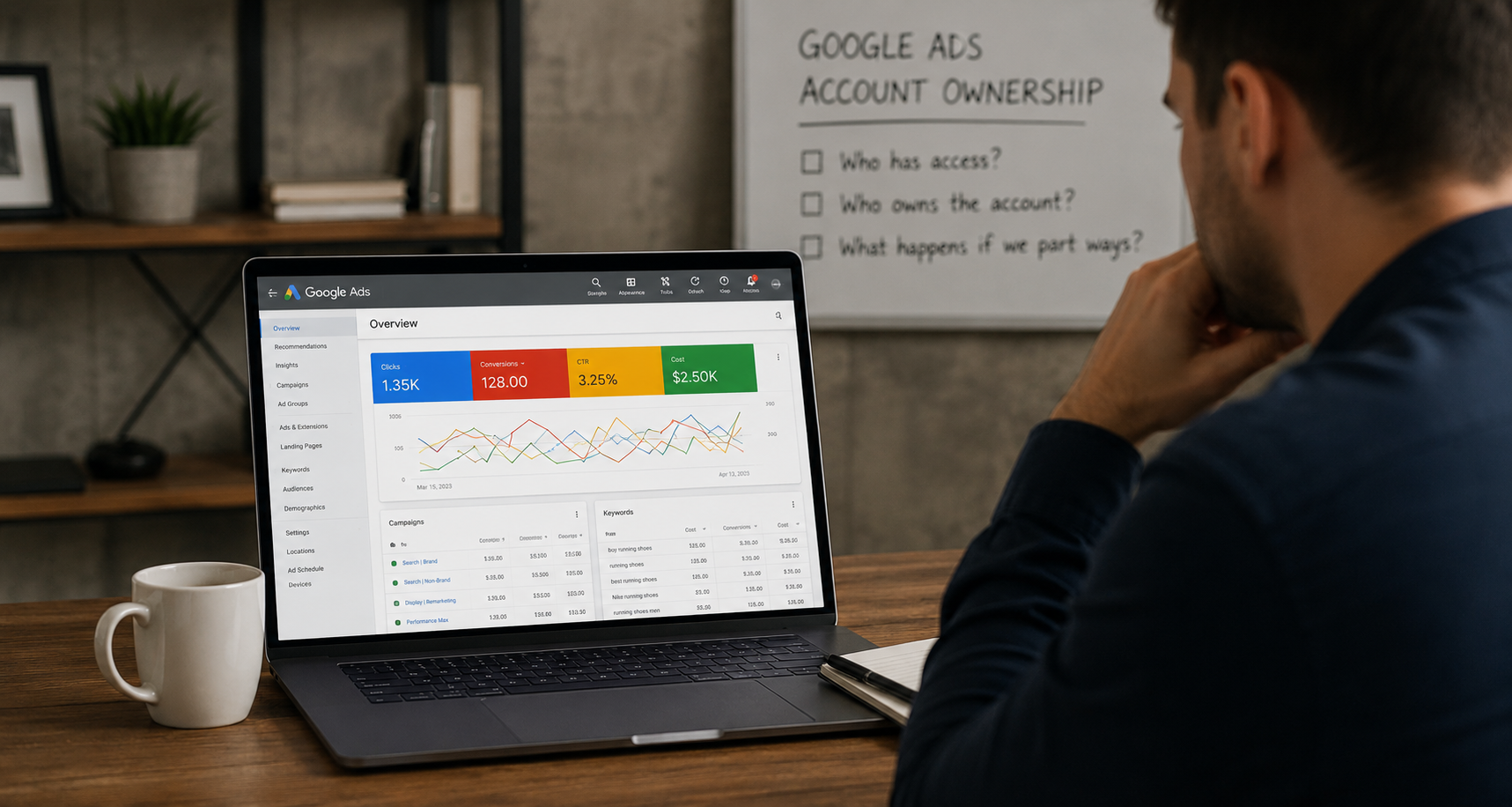
It's one of the most overlooked questions in digital marketing, and it only becomes urgent when something goes wrong. You part ways with an agency, or an employee leaves, or you decide to bring your paid search in-house — and suddenly you're asking a question you should have asked on day one: who actually owns our Google Ads account?
The answer isn't always what clients expect. And when it's the wrong answer, the consequences range from inconvenient to genuinely damaging — lost campaign history, lost conversion data, lost audience lists, and in some cases, lost ad accounts that took years to build trust with Google's systems.
This post explains exactly how Google Ads account ownership works, why it matters, how to check your current situation, and what to do if you discover the account you've been paying to run doesn't actually belong to you.
How Google Ads Account Ownership Actually Works
Google Ads uses a hierarchical access structure that confuses a lot of people who haven't worked inside it directly. Understanding it is the first step to knowing where you stand.
The Account Level At the most basic level, a Google Ads account is tied to a Google account — an email address. Whoever created the Google Ads account using their Google login is the original owner. That person, or that agency, controls the account at the highest level.
Manager Accounts (MCC) Most agencies manage their clients' Google Ads through what Google calls a Manager Account — formerly known as an MCC, or My Client Center. A Manager Account allows an agency to link multiple client accounts under one umbrella and manage them all from a single login. This is standard practice and completely legitimate.
The critical distinction is whether your Google Ads account exists independently and has simply been linked to the agency's Manager Account — or whether your campaigns live inside an account that was created by and belongs to the agency. These look identical from the inside. They are completely different in terms of what happens when the relationship ends.
Access Levels Within a Google Ads account, there are several levels of user access: admin, standard, read-only, and email-only. Admin access allows full control including adding and removing other users. Standard access allows campaign management but not user management. If you don't have admin access to your own account, you can't manage who else has access — which means you can't fully control what happens to the account.
The Two Scenarios: Yours vs. Theirs
When a business works with a Google Ads agency, there are two fundamentally different ways the account relationship can be structured. Most clients don't know which one they're in until they try to leave.
Scenario One: The Account Is Yours
In this scenario, the Google Ads account was created under your business's Google login, or was handed to you at the start of the engagement with admin access. The agency linked it to their Manager Account so they could manage it on your behalf — but the account itself is yours. Your billing is attached directly to your payment method. Your campaigns, history, audiences, and conversion data all live in an account you control.
When the agency relationship ends, you remove their Manager Account link and their user access. The account stays intact. Your campaigns pause or continue based on your instructions. Your history is preserved. Your audience lists are intact. Nothing is lost.
This is how it should work. It's not always how it does.
Scenario Two: The Account Is Theirs
In this scenario, the agency created a Google Ads account under their own Google login or inside their own Manager Account structure. Your campaigns were built inside that account. Your billing may have been routed through the agency, who then charged you as part of their retainer or billed you for ad spend separately.
When the relationship ends, the agency owns the account. They may offer to transfer it — or they may not. If they don't, or if the relationship ends badly, you lose everything inside it: campaign history, quality scores, conversion tracking data, remarketing audiences, and the account's performance record with Google.
Starting a new account from scratch isn't catastrophic, but it means your new campaigns are starting cold. Google's systems learn from account history. New accounts don't have that history, which typically means higher CPCs and lower Quality Scores in the early weeks while the algorithm adjusts. You also lose any remarketing audiences — website visitors, customer match lists, video viewers — that were built inside the old account.
Why Account History Matters More Than People Realize
The reason losing an agency-owned account hurts isn't just about data. It's about how Google's systems work.
Google Ads uses machine learning to optimize campaign performance over time. Smart Bidding strategies — Target CPA, Target ROAS, Maximize Conversions — learn from conversion history. The longer an account has been running with clean conversion data, the better the algorithm performs. An account with two years of conversion history and a well-established Quality Score baseline is genuinely more efficient than a brand new account running the same campaigns.
Quality Score is assigned at the keyword level and reflects expected click-through rate, ad relevance, and landing page experience. It directly impacts your cost per click and your ad rank. A keyword with a Quality Score of eight pays less and ranks higher than the same keyword with a Quality Score of four, all else being equal. Quality Scores are account-specific. They don't transfer.
Remarketing audiences are also account-specific. If your agency built a 30-day website visitor audience inside their account, and that audience contains 50,000 people, that list disappears with the account. Your new account starts with an empty audience and has to rebuild from scratch — which takes time and means your remarketing campaigns won't perform at full capacity until the list repopulates.
None of this is insurmountable. Plenty of businesses have rebuilt Google Ads from scratch and come out fine. But it's a cost — in time, in performance, and in money — that's entirely avoidable if the account structure is right from the start.
How to Check Who Owns Your Account Right Now
If you're not sure which scenario you're in, here's how to find out.
Step One: Check Your Billing Log into your Google Ads account and navigate to Billing. If your billing information shows your business's payment method — your credit card, your bank account — that's a good sign the account is yours. If billing is handled entirely by the agency and you've never had visibility into it directly within Google Ads, that warrants a closer look.
Step Two: Check for a Manager Account Link In Google Ads, go to Tools and Settings, then Access and Security, then Managers. This shows which Manager Accounts are linked to your account. If your agency's Manager Account appears here, that's normal — it means they're managing your account from their MCC. What you're confirming is that you have your own admin access independent of that link.
Step Three: Check Your Own Access Level In the same Access and Security section, look at the Users tab. Find your own email address and confirm that your access level is Admin. If you're listed as Standard or Read-Only — or if you're not listed at all — that's a significant problem. An agency that controls admin access to your account controls everything about it.
Step Four: Check the Account Creation History This is harder to verify directly, but you can ask the agency directly: was this account created under your business's Google login, or under the agency's? A straightforward agency will answer this question without hesitation. Evasiveness is informative.
Step Five: Try Removing the Agency's Access You don't have to actually do this — but if you have admin access, you should theoretically be able to navigate to the Manager Accounts section and see the option to unlink the agency's Manager Account. If you can see and use that option, the account is yours. If you don't have admin access and can't manage who has access, you don't fully own the account.
What Agencies Should Be Doing (And What Good Ones Do)
A professional, client-first agency structures Google Ads access correctly from day one. That means:
The account is created under the client's Google login or formally transferred to client ownership at the start of the engagement. The agency requests access by linking their Manager Account and being added as an admin user — not by building everything inside their own account. Billing is connected to the client's payment method directly, or handled with full transparency. The client always has admin access regardless of what level of day-to-day involvement they have. At the end of the engagement, the agency removes their Manager Account link and their user access cleanly, and the client's account continues uninterrupted.
This is not a high bar. It's the standard that any reputable agency should meet. The reason it sometimes doesn't happen is a combination of factors — agencies defaulting to what's operationally convenient for them, clients not knowing to ask, and account structures that were set up years ago without anyone thinking carefully about the long-term implications.
At Ritner Digital, every client we work with owns their own Google Ads account. We link our Manager Account for management purposes, we are transparent about access levels, and our offboarding process is clean by design. That's what you should expect from any agency you work with.
What to Do If You Don't Own Your Account
If you've done the checks above and discovered that you don't own your Google Ads account — or that you don't have admin access — here's how to handle it.
If the Relationship Is Still Active
Have a direct conversation with your agency and request that admin access be transferred to you immediately. Frame it as standard business practice — you want to ensure your business controls its own assets regardless of the agency relationship. A trustworthy agency will do this without complaint. If there's resistance, that resistance tells you something important about the relationship.
Ask specifically: was this account created under your business credentials, or the agency's? If it's theirs, request a formal account transfer. Google allows account transfers in some circumstances — the agency can initiate this process if they're willing to.
If the Relationship Is Ending
As soon as you give or receive notice, make account ownership your first priority. Do not wait until the final day of the engagement. Request admin access or account transfer immediately, in writing, with a clear timeline. If the agency refuses to transfer an account that was built with your budget for your business, document the refusal and consult with a business attorney about your options.
If the Relationship Has Already Ended Badly
If access has already been revoked and the agency is unresponsive, you have limited recourse for the old account directly. What you can do is contact Google Ads support and explain the situation — they can sometimes assist with ownership disputes, particularly if you can demonstrate that the billing, the business, and the campaigns were yours. Success here varies significantly based on the specifics.
In parallel, begin setting up a new account under your own Google login. This is frustrating but often the fastest path forward. Your new agency can help you rebuild efficiently, using whatever historical data you can reconstruct from other sources — analytics, Search Console, any campaign exports you have access to.
Protecting Yourself Going Forward
Whether you're starting a new agency relationship or continuing an existing one, establish these as non-negotiable terms: the Google Ads account is created under or transferred to your business's Google login, you have permanent admin access, billing is connected to your payment method, and at the end of any engagement the agency removes their access cleanly. Put this in the contract. Don't rely on a verbal agreement or an assumption that it goes without saying.
The Broader Pattern: It's Not Just Google Ads
While this post focuses on Google Ads, the same ownership question applies across your entire digital marketing stack. Google Analytics. Search Console. Meta Business Manager. LinkedIn Campaign Manager. Your tag management system. Your marketing automation platform.
In each case, the right structure is the same: the account belongs to you, the agency has access granted by you, and that access can be revoked by you at any time without losing anything. If any of your accounts don't fit that structure, it's worth auditing and correcting now — before an agency transition forces the conversation under pressure.
The businesses that handle this well are the ones that treat their digital infrastructure as an owned asset from the start — not something managed on their behalf inside someone else's systems. The distinction is subtle until you need to make a change. Then it's everything.
The Bottom Line
Who owns your Google Ads account is not a technicality. It's a question about whether your business controls one of its most important marketing assets — an account that may contain years of performance history, audience data, conversion tracking, and optimized campaigns that your competitors don't have.
The answer should always be you. If it isn't, fix it now. And if you're starting a new agency relationship, make ownership the first conversation — not an afterthought you only think about on the way out.
Want a Second Set of Eyes on Your Account Setup?
At Ritner Digital, we audit Google Ads account structures as part of every new client onboarding. If you want to know whether your current setup protects your assets — or you're thinking about making a change and want to do it right — let's talk.
We'll tell you exactly where you stand and what, if anything, needs to change.
This post is part of Ritner Digital's series on switching SEO agencies safely.
Frequently Asked Questions
Can an agency legally keep my Google Ads account when we part ways?
If the account was created under the agency's Google login or inside their Manager Account structure, they technically own it — and yes, they can keep it. This is one of the most painful lessons clients learn, and it's entirely avoidable with the right account structure from the start. If the account was created under your business credentials and the agency was simply granted access, it's yours and they cannot retain it. This is why knowing which scenario you're in before a relationship ends — not after — is so important.
What exactly do I lose if I have to start a new Google Ads account from scratch?
Quite a bit. You lose your campaign history, which Google's Smart Bidding algorithms use to optimize performance over time. You lose keyword Quality Scores, which directly affect what you pay per click and where your ads rank. You lose all remarketing audiences — website visitor lists, customer match lists, video viewer audiences — that were built inside the old account. And you lose the account's overall performance record with Google, which means higher CPCs and lower efficiency in the early weeks while the new account learns. None of it is unrecoverable, but all of it costs time and money to rebuild.
What is a Manager Account and is it a red flag if my agency uses one?
No — a Manager Account, sometimes called an MCC, is standard practice and completely legitimate. It allows agencies to manage multiple client accounts from a single login, which is operationally sensible. The question isn't whether your agency uses a Manager Account. The question is whether your Google Ads account exists independently and has been linked to the agency's Manager Account — or whether your campaigns live inside an account the agency created and owns. The former is fine. The latter is a problem.
How do I know if my billing is set up correctly?
Log into Google Ads and go to Billing. If you can see your own payment method attached to the account — your business credit card or bank account — that's a good sign. If billing is entirely invisible to you within Google Ads and you only see invoices from the agency, that suggests your ad spend is being routed through the agency's billing rather than directly through your account. That's not always a red flag — some agencies handle billing transparently as a convenience — but it's worth understanding exactly how money is flowing and ensuring you have direct access to your own billing information.
My agency has admin access. Does that mean they own the account?
Not necessarily. Admin access and account ownership are different things. An agency can have admin access to an account that you own — that's the correct setup for an agency managing your campaigns. What you need to confirm is that you also have admin access, that your business controls the account login, and that the agency's access can be removed by you without losing the account itself. If you have admin access and they have admin access, and the account is under your credentials, you're in good shape.
What should I do right now if I'm not sure who owns my account?
Log into Google Ads — or ask someone who has access to log in — and check three things. First, go to Billing and confirm your payment method is attached. Second, go to Tools and Settings, then Access and Security, then Managers, and see which Manager Accounts are linked. Third, check the Users tab in the same section and confirm your email address is listed with Admin access. If you can't access any of this, or if you're not listed as an admin, contact your agency today and ask directly — in writing — who owns the account and what access level you have.
Can Google help me recover an account I've lost access to?
Sometimes. Google Ads support can assist with ownership disputes in certain circumstances, particularly if you can demonstrate that the business, the billing, and the campaigns were yours even if the account was under the agency's login. Success varies significantly based on the specifics of the situation and how cooperative the agency is. It's worth contacting Google support and explaining the situation, but don't count on it as a guaranteed path to recovery. Building a new account under your own credentials is often faster.
Should I be worried if my agency won't give me admin access?
Yes. There is no legitimate operational reason for an agency to deny you admin access to your own Google Ads account. Admin access doesn't mean you'll be making daily changes or interfering with their work — it means you control the asset your money is building. An agency that resists this request is either operating out of habit without thinking through the implications, or is deliberately maintaining leverage over you. Neither is acceptable. Push for admin access and treat ongoing resistance as a serious warning sign.
Does the same ownership issue apply to Meta and LinkedIn ads?
Absolutely. Meta Business Manager and LinkedIn Campaign Manager both have account structures where ownership and access are distinct, and where campaigns built inside an agency's business account rather than yours can disappear when the relationship ends. The same principle applies: your ad accounts should be created under your business credentials, with agency access granted from there. For Meta specifically, confirm that your business owns the Ad Account and the Pixel — both are valuable assets that take time to build meaningful data inside.
We're about to hire a new Google Ads agency. What should we put in the contract?
Several things. State explicitly that the Google Ads account will be created under your business's Google login or transferred to your ownership before campaign launch. State that you will hold permanent admin access for the duration of the engagement. State that billing will be connected to your payment method directly, or handled with full documented transparency. State that at the end of the engagement the agency will remove their Manager Account link and user access within a specified number of days. And state that all campaign assets — audiences, conversion actions, campaign structures — remain your property. Getting this in writing before the relationship starts costs nothing and protects everything.