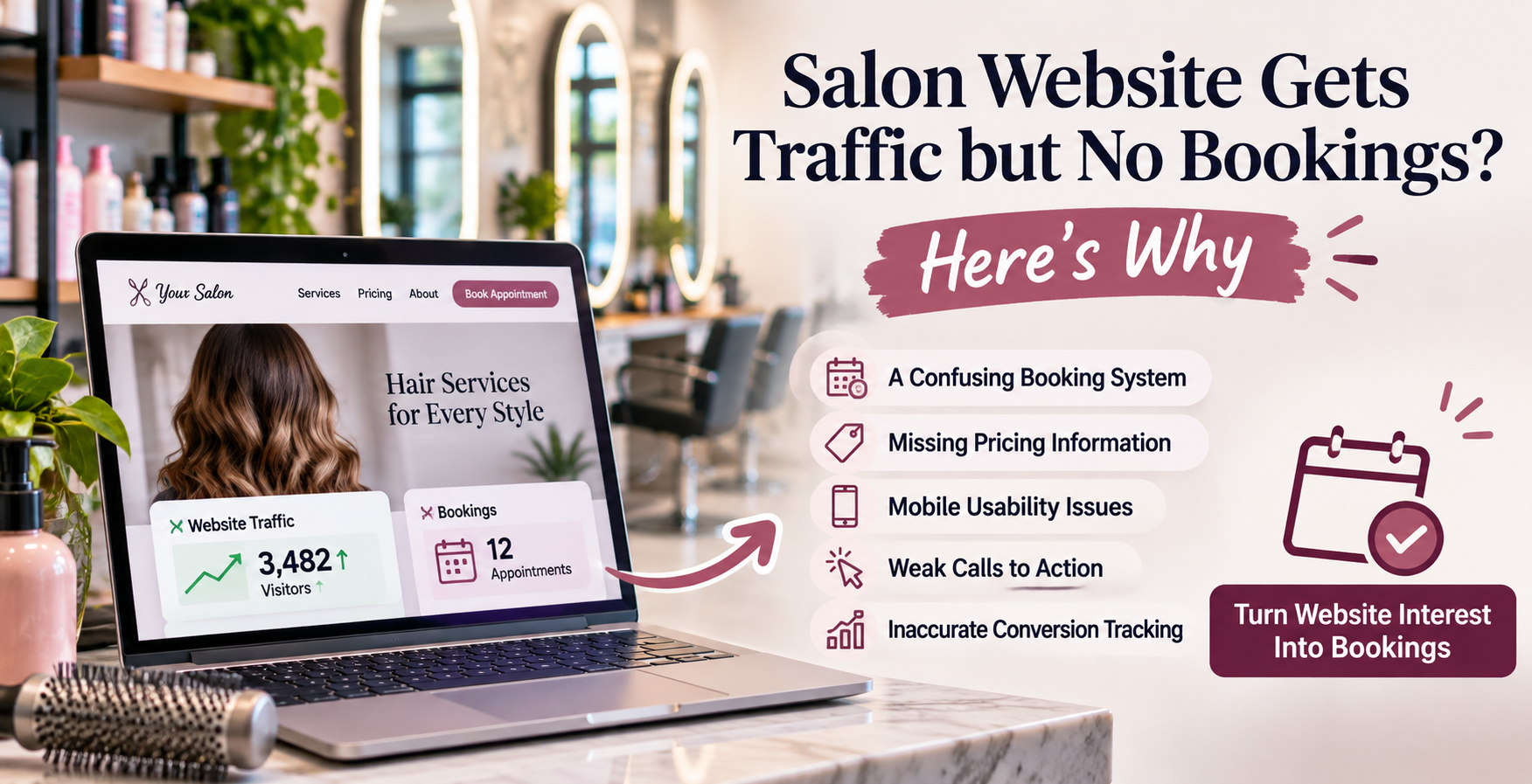
Your salon might be getting discovered on Google, attracting visitors from social media, and generating website traffic every month. But if those visitors aren't becoming booked appointments, something between the first click and the booking confirmation may need attention.
Imagine opening your salon's website analytics and seeing what looks like good news.
Website traffic is increasing.
People are finding your salon through Google.
Your Instagram posts are sending visitors to your website.
Your balayage portfolio is getting attention, and your service pages are receiving views.
On paper, your digital marketing appears to be working.
But when you check the appointment calendar, the results tell a different story.
You still have openings you'd like to fill.
You're not receiving many new-client inquiries.
Your booking system isn't showing the increase in appointments you expected.
And you're wondering what all those website visitors are actually doing.
Maybe your hair salon in Turnersville is appearing for local searches. Perhaps you're attracting visitors from Sewell, Glassboro, Williamstown, or other nearby South Jersey communities.
But those visitors aren't turning into paying clients.
It's tempting to conclude that you need more website traffic.
Maybe you need to improve your Google rankings, publish more blog posts, post on Instagram more frequently, or spend additional money on advertising.
Those strategies may have a role in your marketing plan.
However, more traffic won't automatically fix a website that makes it difficult for interested customers to book appointments.
Your salon could already be attracting people who are considering your services.
The problem might be what happens after they arrive.
A confusing booking menu, missing pricing information, slow mobile website, unclear service descriptions, or broken appointment link can create unnecessary obstacles.
Sometimes the problem isn't the website design at all.
Your booking software may be recording appointments correctly while your website analytics fails to recognize them.
Or your visitors may simply be looking for services you don't offer.
The only way to know is to examine the complete customer journey.
In this guide, we'll explore what South Jersey salon owners should check when website traffic is growing but appointments aren't, how to identify possible conversion problems, and what improvements may help turn more interested visitors into real bookings.
First, Understand the Difference Between Website Traffic and Salon Appointments
Before trying to improve your results, you need to understand what your current numbers actually represent.
Website traffic tells you that someone reached your website.
It doesn't necessarily tell you why they visited.
It doesn't prove they were interested in becoming a customer.
And it certainly doesn't confirm that they scheduled an appointment.
Someone might visit your salon's website to find your telephone number, check your opening hours, look at your stylists' work, or research a service they aren't ready to book.
An existing client could visit to reschedule.
A potential employee might be looking for career information.
A competitor might be researching your prices.
All those visits can appear in website reports, but they don't represent the same business opportunity.
What Counts as a Website Conversion for a Hair Salon?
A website conversion is a meaningful action that supports your business goals.
For a salon, that action could be submitting a new-client consultation request, scheduling a haircut, booking a color appointment, or contacting the salon about an available service.
However, there are important distinctions.
A booking-button click means someone expressed interest in accessing your scheduling process.
A booking started means someone entered part of that process.
A completed appointment request means the customer submitted the required information, although the salon may still need to approve the appointment.
A confirmed booking means an appointment has been successfully scheduled.
An attended appointment means the customer actually arrived and received the service.
A paying new client represents the business outcome you're ultimately trying to generate.
These events shouldn't all be reported as though they're equivalent.
Google Analytics 4 supports measuring important actions as key events, while its recommended lead-generation events can represent different stages of the customer journey.
Google explains this in its documentation on recommended Analytics events and key events.
Your salon should decide which activities are meaningful and develop a measurement process that reflects actual appointment outcomes.
1. Check Whether You're Attracting the Right Website Visitors
The first problem might occur before anyone reaches your website.
Traffic volume can increase even when visitor quality doesn't improve.
Imagine your salon specializes in premium color services and hair extensions.
Your website starts getting traffic from a blog article about inexpensive at-home hair dye.
The article may be helpful, and readers may genuinely appreciate the information.
But many of those visitors could be researching DIY products rather than planning to schedule a professional appointment.
The website is attracting attention without necessarily attracting the type of customer your salon wants.
Look at the Searches Bringing People to Your Website
Google Search Console can help you identify search queries that lead people to your pages.
According to Google's Search Console documentation, the platform provides information about search performance, indexing, and how people discover website pages through Google Search.
Review the queries associated with your important landing pages.
Are people finding your website through searches such as "balayage near me," "hair extensions South Jersey," or "hair salon Turnersville NJ"?
Or are most of your visits coming from broad informational searches that aren't closely connected to booking professional services?
Neither type of traffic is inherently bad.
But they represent different customer intentions.
Separate Research Traffic From Appointment Intent
A person searching "What is balayage?" may be early in the research process.
Someone searching "balayage consultation Sewell NJ" may be closer to contacting a salon.
That doesn't mean every person using the second phrase will book.
But understanding search intent helps you determine whether your content matches your business goals.
If most visits come from broad informational articles, improving booking buttons alone may not produce dramatic changes.
You may also need service-focused content that reaches people actively evaluating salons.
What to check: Compare your most visited pages with the pages generating consultation requests and confirmed bookings. Look for gaps between the audience you're attracting and the services you're trying to sell.
2. Make Sure Your Website Immediately Explains What Your Salon Offers
Imagine someone searching for hair extensions in South Jersey.
They click your website.
The homepage opens with a large photograph and a headline:
"Where Beauty Meets Confidence."
It sounds appealing.
But the visitor still doesn't know whether you offer hair extensions.
They may need to scroll, open the menu, and search through several pages before finding an answer.
That's unnecessary work for someone who already knows what service they want.
Replace Vague Messaging With Useful Information
A strong salon homepage should quickly communicate your primary services, location, and what customers can do next.
For example, a hypothetical salon might say:
"Dimensional Color, Balayage, and Hair Extensions in Washington Township, NJ."
That headline tells visitors much more about the business.
It identifies important services and gives geographic context.
A supporting sentence could explain the salon's approach, specialties, or consultation process.
The goal isn't to fill the homepage with keywords.
It's to help first-time visitors recognize whether they're in the right place.
Don't Make Customers Guess Who You Serve
Your website should also clarify the types of appointments available.
Do you accept new color clients?
Do all extension appointments require consultations?
Do you offer bridal styling?
Can guests book haircuts directly online?
These details help visitors understand what your salon can provide.
Google's SEO Starter Guide emphasizes clear, helpful content written for users.
That principle applies just as much to conversion optimization as it does to search visibility.
3. Make Your Book Appointment Button Impossible to Miss
A surprisingly basic problem can stop website visitors from booking.
They can't easily find the appointment button.
Perhaps your website has a beautiful homepage with large photographs, elaborate animations, and several sections about your brand.
But the booking link appears only at the bottom of the page.
Or the navigation uses a vague label such as "Connect."
Someone interested in booking a haircut shouldn't need to interpret your website's creative language to find the appointment process.
Use Clear Call-to-Action Language
A call to action tells visitors what to do next.
For salons, appropriate language might include "Book an Appointment," "Schedule a Consultation," or "View Availability."
The wording should match the action.
Don't use "Book Now" if the button only opens a general inquiry form that doesn't permit booking.
If a color consultation is required before a service can be scheduled, use language that communicates that process accurately.
Give Visitors a Booking Option When They're Ready
A primary booking link may belong in the website's main navigation.
It can also appear near the top of the homepage and after important service information.
A customer reading about extensions might benefit from a direct consultation link at the end of that page.
Someone browsing a stylist's portfolio may be ready to view that stylist's availability.
Avoid overwhelming every section with repeated buttons.
Instead, provide a clear next step at points where a visitor might reasonably decide to act.
What to check: Open your salon website as though you're a first-time customer. Without searching through multiple pages, can you find the correct way to book your intended service?
4. Test the Entire Booking Process, Not Just the Booking Button
One of the most important checks involves the appointment system itself.
Your website may look completely functional while the booking process has serious problems.
Imagine a customer finds your balayage page.
They love the results in your portfolio.
They click "Book Now."
The scheduling software opens.
But instead of showing a relevant balayage option, it presents a long list of services.
Full highlights.
Partial highlights.
Root touch-up.
Toner.
Gloss.
Balayage.
Creative color.
Color correction.
New-client color consultation.
The customer isn't sure what to select.
They may worry about booking the wrong service or choosing an appointment that won't allow enough time for the result they want.
Rather than risk making a mistake, they leave.
Match the Booking Experience to the Service
Your website should explain how clients book each major service.
For example, if new balayage guests must schedule a consultation first, say so.
If existing clients can book maintenance appointments directly, make that distinction clear.
For extensions, explain whether customers need a consultation before installation.
A customer shouldn't be expected to understand your salon's internal scheduling terminology.
Check Whether the Booking System Works on Mobile
Test the entire booking experience from a phone.
Select a service.
Choose a stylist if required.
Review available appointments.
Complete the requested information using an authorized test process.
Confirm whether the submission reaches your booking platform.
If your software supports a test environment, use it. Otherwise, coordinate a safe test appointment with staff and cancel it properly.
Check Availability and Restrictions
Sometimes the booking system is technically functional but offers no practical appointments.
Perhaps only one stylist is assigned to the service.
Maybe new clients aren't eligible for online booking.
Or available times are hidden behind restrictive booking settings.
Those restrictions may be intentional.
But customers need clear instructions about what to do when online availability isn't offered.
A booking system should reflect how your salon actually operates.
5. Review Your Service Pages for Missing Information
A visitor interested in a major hair service may need more information before committing.
Consider hair extensions.
A customer may want to understand which methods you offer, whether the extensions are suitable for their hair, what maintenance involves, and how pricing works.
If your website provides only a photograph and a "Book Now" button, that visitor may not feel ready.
Build Pages Around Real Customer Questions
Each important service page should explain what the service involves, who it may be suitable for, how your salon approaches it, and what a prospective client should expect.
A balayage page may discuss consultation requirements and maintenance expectations.
A color-correction page may explain why the process often requires an individual assessment.
An extensions page could describe the methods your salon genuinely offers.
These pages should use salon-specific information rather than generic text copied from a service description elsewhere.
Connect the Content to a Relevant Next Step
If a service requires a consultation, link to that consultation process.
If it's directly bookable, provide an appropriate appointment link.
If pricing depends on several factors, explain how customers can receive an accurate estimate.
The goal is to answer enough questions that interested visitors feel prepared to take the next step.
For more on how service information affects salon discovery, see Ritner Digital's article Why Your Turnersville Hair Salon Isn't Showing Up for "Balayage Near Me".
6. Check Whether Your Pricing Information Creates Uncertainty
Pricing is often a significant part of the salon booking decision.
A visitor might love your work but have no idea whether your services fit their budget.
If your website doesn't provide any pricing information, they may hesitate to inquire.
Of course, not every salon service can be priced with a single fixed number.
Hair color and extensions can vary based on length, density, desired outcome, product requirements, and the amount of work involved.
You don't need to publish an exact price for a service that requires individualized assessment.
But you can reduce uncertainty.
Be Transparent About How Pricing Works
Where appropriate, your website might provide starting prices, price ranges, consultation fees, or explanations of what influences the final cost.
For example:
"Hair extension pricing is determined during a consultation based on the method, length, and amount of hair required."
That doesn't provide a final quote.
But it tells customers how pricing is established.
If a consultation is paid, refundable, or credited toward a service, explain the actual policy.
Avoid Surprises Late in the Booking Process
A visitor may become frustrated if they reach the final booking step and discover a deposit, cancellation policy, or additional requirement that wasn't previously mentioned.
Make material booking conditions accessible before customers commit.
This can reduce confusion and help attract clients who understand your salon's process.
7. Make Your Website Work Properly on a Phone
A salon website can look fantastic on a desktop computer and still be difficult to use on mobile devices.
Large images may look elegant on a wide screen.
But on a phone, they can push important information far down the page.
Navigation menus may become difficult to use.
Text may appear too small.
A floating booking button could cover important content.
Or an embedded scheduling system might not fit comfortably on the screen.
These are practical usability issues that can interfere with appointments.
Test the Website Like a Real Customer
Use your phone to visit the homepage.
Find an important service.
Read the details.
View the portfolio.
Open the booking system.
Try completing the appointment process.
Also check whether the website works in different mobile browsers.
You don't need a technical background to notice that a scheduling button is difficult to tap or a form is awkward to complete.
Mobile Design Should Support the Entire Journey
A mobile-friendly homepage isn't enough if the external booking system fails on a smaller screen.
The transition between your website and booking software should feel understandable and trustworthy.
Google provides additional guidance about website usability through its page experience documentation.
The objective isn't simply to pass a technical test.
It's to make the website usable for people trying to become customers.
8. Check Whether Website Speed Is Creating Friction
Your website may be slowing down the customer journey.
Hair salons frequently use image-heavy websites.
That makes sense.
Clients want to see beautiful examples of your work.
But large unoptimized photographs, excessive video, complicated effects, and unnecessary scripts can affect loading performance.
A visitor may open your website and encounter a long delay before the main content appears.
Or the page may load while buttons remain unresponsive.
These issues deserve investigation.
Understand Core Web Vitals
Google's Core Web Vitals focus on three aspects of website performance:
Largest Contentful Paint (LCP) measures loading performance.
Interaction to Next Paint (INP) measures responsiveness.
Cumulative Layout Shift (CLS) measures visual stability.
Google's published thresholds describe good performance as an LCP of 2.5 seconds or less, an INP of 200 milliseconds or less, and a CLS of 0.1 or less, measured using the recommended real-user evaluation approach.
You can review the details in Google's Core Web Vitals documentation.
Check Your Important Pages
Use Google PageSpeed Insights to review the homepage and high-value service pages.
Google explains that PageSpeed Insights uses both laboratory tests and available real-world data to assess page performance.
Review its official documentation for details.
Technical scores should help identify issues, not become the only goal.
A faster website won't automatically turn every visitor into a customer.
But improving unnecessary delays and unresponsive interactions can remove obstacles from the booking journey.
9. Make Sure Contact Forms Actually Work
Not every salon appointment begins with online booking.
Some services require an inquiry first.
A prospective extension client may need a consultation.
A bride might need to discuss a wedding date and party requirements.
A client considering corrective color may need to share information about previous treatments.
If your salon uses inquiry forms, test them regularly.
A Form Can Look Successful Without Delivering the Inquiry
A customer may complete the form and see a success message.
But the notification might go to an outdated email address.
A spam filter might block the message.
A website integration could be disconnected.
Or the inquiry could enter a system that no one is checking.
The visitor believes they contacted the salon.
The salon never sees the request.
That's a conversion problem that may not be obvious from the website's appearance.
Review Every Step of Form Delivery
Submit a test inquiry.
Confirm that the form provides a clear acknowledgment.
Verify the inquiry reaches the correct inbox or customer-management system.
Check that staff members responsible for responding actually receive notifications.
Then confirm the process for answering the inquiry.
For technical and usability guidance, the World Wide Web Consortium provides an accessible forms tutorial that addresses labels, instructions, and form design.
Don't Ask for More Information Than Necessary
A new-client inquiry form may need a name, preferred contact method, requested service, and brief description.
A bridal inquiry could reasonably require event details.
But a simple haircut inquiry shouldn't necessarily require an extensive questionnaire.
Ask for information that helps you handle the request.
Avoid collecting sensitive personal details unless they're genuinely necessary, and manage any information collected appropriately.
Clear, accessible forms make the inquiry process easier for more visitors.
10. Check Your Form Errors and Confirmation Messages
A working form can still frustrate customers.
Maybe the visitor enters a phone number with spaces, but your form only accepts numbers without formatting.
Perhaps a required field isn't visibly marked.
Or someone accidentally misses a question and receives a vague message saying "Submission failed."
Now they have to figure out what went wrong.
Explain Errors Clearly
The World Wide Web Consortium recommends understandable validation and feedback.
Its form validation guidance encourages clear instructions, accessible error information, and accommodating reasonable input formats.
For salon websites, that means customers should understand exactly what needs attention.
Don't make them reenter information unnecessarily.
Confirm What Happens Next
After someone submits a consultation request, provide a meaningful confirmation.
For example:
"Thank you for contacting our salon. We've received your consultation request. Our team will review it and respond during business hours."
Only promise a response timeline if your salon can reliably meet it.
A clear confirmation helps visitors understand that their inquiry was received and whether they need to take any additional action.
11. Review Your Stylist Profiles and Real Work Photographs
A hair salon sells professional services, but the customer's decision often involves trusting a particular stylist.
Someone considering a major hair transformation may want to know who will perform the service.
If your website has no stylist profiles or authentic work examples, it may be difficult for visitors to evaluate that fit.
Introduce Your Team
Consider including each stylist's genuine specialties, relevant experience, training, and appointment options.
If someone specializes in lived-in blonde color, explain that.
If another stylist focuses on extensions, describe the actual services offered.
Use accurate information and avoid unsupported claims about qualifications.
Show Relevant Work
A strong portfolio should help customers understand the kinds of results your team can achieve.
For example, visitors interested in balayage should be able to find examples of balayage.
Extension clients may appreciate seeing different lengths or application outcomes.
Use real salon work with appropriate permission.
Don't rely on stock photographs that imply your stylists performed services they didn't.
Connect Portfolios to Booking
If your scheduling system supports choosing a particular stylist, make that process clear.
A prospective client who loves a stylist's work shouldn't have to guess how to book with that person.
This is one way your website can turn interest into a practical next step.
12. Use Genuine Reviews to Address Trust Concerns
A new client may be unfamiliar with your salon.
They might be comparing several businesses in Turnersville, Sewell, Glassboro, or elsewhere in South Jersey.
Before booking, they may want reassurance that your salon is legitimate and provides the services advertised.
Authentic customer reviews can help provide context.
Put Reviews Where They're Relevant
You don't have to confine every testimonial to a single review page.
Where appropriate and permitted, a genuine review about a color consultation could support a color service page.
A review about extensions might be relevant on an extensions page.
But reviews should be accurately represented.
Don't invent testimonials, remove essential context that changes their meaning, or present a review about one service as proof of a different service.
Follow Review and Testimonial Rules
The Federal Trade Commission's consumer reviews and testimonials guidance discusses deceptive practices involving fake reviews, misleading testimonials, and undisclosed relationships.
The FTC's consumer review rule became effective October 21, 2024.
Your salon should use genuine customer feedback and avoid false or misleading representations.
Honest reviews support informed decisions.
They shouldn't be manufactured to create artificial trust.
13. Make Your Actual Location Easy to Find
Geography can affect whether a visitor is willing to book.
A prospective client might discover your salon through a search for balayage in Sewell.
They open the website and find a service they like.
But they can't tell where the salon is physically located.
The site mentions South Jersey repeatedly, yet the address is buried on a contact page.
The customer may not know whether the salon is close enough to visit.
Explain Your Location Clearly
Provide the legitimate street address, local geographic context, and practical directions where helpful.
If your salon is in Washington Township and uses a Sewell mailing address, you can accurately explain that relationship.
If you're near a recognizable shopping area or road, provide that context where appropriate.
Don't imply you have additional locations simply because you serve customers from nearby towns.
Help Visitors Make a Travel Decision
Someone traveling for a specialty service may be willing to drive farther than they would for a routine appointment.
But the location still needs to be clear.
Make it easy for visitors to find directions, parking information, and the salon's contact details.
Location transparency is especially useful when your marketing reaches customers beyond your immediate neighborhood.
14. Check What Happens After Someone Requests an Appointment
Sometimes the website has done its job.
A qualified visitor completed a consultation form.
They selected a service.
They provided their contact information.
And they expressed genuine interest.
But the appointment never happened.
Why?
Perhaps nobody responded to the inquiry promptly.
Maybe the reply went to spam.
Or the customer received a generic response without a clear next step.
Review Your Inquiry Follow-Up Process
Your salon should have a defined way to handle incoming requests.
Determine who receives the inquiry, who is responsible for responding, and how customers are informed about appointment availability.
For services requiring consultations, explain what happens after the initial request.
If staff members handle inquiries between appointments, consider whether your notification and scheduling procedures are realistic.
Don't Confuse an Inquiry With a Confirmed Booking
A consultation request may be a valuable lead, but it isn't the same as a confirmed appointment.
Similarly, a booking request that remains pending approval may not represent a finalized appointment.
Your tracking should distinguish these outcomes.
If you regularly receive inquiries that never become bookings, investigate the follow-up process before assuming you need more website traffic.
15. Verify Your Google Business Profile Booking Links
Many local customers discover salons through Google Search and Google Maps.
Depending on the available features and business eligibility, a Google Business Profile can display appointment links.
That means part of your booking journey may begin before someone reaches the website.
Google's business link guidance explains that appointment links should lead customers to appropriate pages where they can complete the intended action.
Check Where the Booking Link Goes
Open your salon's Business Profile.
Review the appointment link customers see.
Does it lead to your current booking system?
Does it show the right salon location?
Can customers complete the intended booking action?
Has a previous booking-provider link remained active after you've changed systems?
Google also provides instructions for managing local business links.
A working website booking button won't solve a separate broken link on your Business Profile.
Both pathways deserve attention.
16. Make Sure Your Website Is Measuring Real Conversions
Now comes one of the most important parts of the audit.
Your salon may actually be receiving bookings from the website but failing to measure them correctly.
This can happen when the appointment process uses third-party scheduling software.
For example, a visitor reaches your website, clicks the appointment button, and completes the booking on another domain.
Your website analytics may record the initial visit and button click.
But unless appropriate measurement has been configured, the completed appointment may not be visible in the same reporting system.
Identify What You're Currently Tracking
Google Analytics 4 can record website interactions as events.
Google's lead-generation measurement guidance explains how page views, form interactions, and submissions can help businesses evaluate an inquiry process.
The platform may collect some form events through enhanced measurement when supported and configured, but you should verify that events are actually recorded for your specific forms and booking setup.
Don't assume all website forms or third-party booking platforms are tracked automatically.
Build a Measurement Process That Reflects Salon Operations
Consider tracking meaningful stages such as appointment-link interactions, consultation submissions, and verified completed bookings where technically feasible.
Use your scheduling software as a source for confirmed appointments.
Your analytics implementation should avoid sending personally identifiable customer information into Google Analytics.
Google's recommended event framework supports different lead stages, but you'll need an appropriate implementation to connect those stages to your salon's real systems.
Ritner Digital discusses the distinction between website activity and genuine business opportunities in Your Website Needs a Conversion Measurement Plan Before You Spend Another Dollar on Advertising.
Calculate a Meaningful Conversion Rate
Once you can reliably measure completed actions, you can calculate conversion rates.
For example:
Confirmed website bookings ÷ eligible website sessions × 100 = session-based booking conversion rate.
Be consistent about which sessions qualify.
If you use visitors rather than sessions as the denominator, label the metric accordingly.
Don't compare different definitions as though they represent the same number.
You may also want to measure consultation-request rates, confirmed booking rates from inquiries, and attendance rates.
These answer different business questions.
There isn't one universal conversion rate that proves every salon website is performing well.
Your service mix, traffic sources, scheduling rules, and customer behavior all affect the results.
17. Check Whether Your Advertising and Social Traffic Match the Landing Page
A visitor's experience starts before they reach the website.
Suppose you run a promotion for new-client extensions consultations.
A customer clicks the Instagram advertisement.
But instead of arriving on your extension consultation page, they land on the generic homepage.
Now they have to find the service again.
Or imagine you're advertising balayage appointments in Sewell.
The ad promises information about color consultations.
The landing page contains only a generic service menu.
That mismatch can create confusion.
Match the Message to the Destination
An advertisement about a specific service should generally lead to a page that explains that service.
A social media post featuring a stylist's specialty may benefit from a link to relevant appointment information.
A Google search visitor looking for hair color correction should be able to find the consultation process easily.
This doesn't mean every campaign needs a separate landing page.
It means the destination should support the visitor's original intention.
Avoid Promising Something the Booking System Can't Deliver
If an advertisement says "Book a Color Consultation," make sure the destination allows customers to request or schedule the consultation.
Don't promise immediate appointment availability if every booking requires approval.
Clear expectations support better inquiries and reduce unnecessary frustration.
18. Review Whether Your Salon Has Enough Appointment Availability
A salon can have a functional website, excellent service pages, and interested customers while still struggling to increase bookings.
Sometimes the obstacle is scheduling capacity.
Imagine someone wants a Saturday appointment for highlights.
Your booking system shows no Saturday availability for the next several weeks.
That person might leave without scheduling.
The website hasn't necessarily failed.
It may have accurately represented your current availability.
Look Beyond the Website
Review whether the services you're promoting have appointment openings.
Are new clients allowed to schedule with the relevant stylists?
Do appointment durations prevent certain time slots from being used?
Are consultations available when your target audience is likely to schedule?
Do you have a process for people who want to be contacted when a suitable appointment becomes available?
Any waitlist or notification system should operate with the customer's consent and according to your actual scheduling capabilities.
Match Marketing to Capacity
If one stylist is fully booked for extensions, driving additional extension traffic may create more inquiries without increasing completed appointments.
Perhaps another service or stylist has availability.
The right response may involve improving appointment options or adjusting your marketing priorities.
Not every conversion problem can be solved by redesigning a page.
19. Check for Hidden Friction in Your Salon's Policies
Deposits, cancellation policies, consultation requirements, and new-client procedures can all influence the booking experience.
These rules may serve legitimate operational needs.
A salon may require a deposit for certain lengthy services.
A color specialist may need to evaluate a client's hair before providing a quote.
A bridal appointment may require an inquiry and confirmation before a date can be reserved.
The problem arises when customers discover those requirements too late or don't understand them.
Explain Important Requirements Before the Final Step
If a deposit is required, communicate the terms accurately.
If an appointment must be approved, explain that the initial request isn't confirmation.
If consultations are necessary for extensions or corrective color, tell visitors before they enter the booking process.
Make your policies easy to find and understand.
The goal isn't to remove legitimate business requirements.
It's to help interested customers know what to expect.
20. Don't Assume a Complete Website Redesign Is the Answer
When a salon website isn't producing enough appointments, the immediate reaction may be to redesign everything.
A new layout.
New photography.
New colors.
New animations.
A completely different booking experience.
Sometimes a redesign is justified.
But a redesign isn't automatically the best first step.
Your existing website may already have useful content, strong service pages, and a recognizable brand.
Perhaps the primary problem is a broken booking link.
Or your extension consultation form may be asking unnecessary questions.
Maybe the most important service page lacks a clear appointment button.
These issues could potentially be addressed without rebuilding the entire site.
Diagnose Before Investing
Review your existing performance and test the customer journey.
Identify where customers encounter obstacles.
Prioritize changes based on business impact and available evidence.
Then determine whether focused improvements or a larger redesign are appropriate.
Ritner Digital explores the relationship between website design, psychology, trust, and conversion in Ritner Digital Website Redesign: How I Built a Homepage Around Psychology, Trust, and Conversion.
The goal should be a website that supports customer decisions, not simply one that looks different.
A Practical 30-Day Salon Website Conversion Audit
If your salon gets website traffic but few appointments, a structured audit can help you find the most important issues.
You don't need to change every element of your site at once.
Week One: Test the Customer Experience
Start with the website itself.
Open your homepage and important service pages on a phone and desktop computer.
Locate the appointment buttons.
Follow the booking process.
Check whether your services, location, pricing approach, and consultation requirements are clear.
Test contact forms and verify that inquiries are delivered correctly.
Make note of genuine problems rather than assuming every design preference is a conversion issue.
Week Two: Review Traffic and Booking Data
Review Google Search Console and Google Analytics where configured.
Identify your most visited pages and the search themes associated with them.
Compare those findings with information from your actual booking platform.
Determine whether customers are clicking booking links, submitting inquiries, or confirming appointments.
Look for measurement gaps.
If your analytics reports say nobody books while your scheduling system shows completed website appointments, fix the reporting problem before drawing conclusions.
Week Three: Improve High-Priority Pages
Focus on pages connected to the services you most want to grow.
Clarify the headline and service description.
Improve access to relevant portfolio examples.
Explain consultation requirements and pricing policies.
Make booking links easy to find.
Resolve confirmed mobile usability issues.
Avoid making multiple major changes simultaneously when you need to determine which adjustment affected results.
Week Four: Review Follow-Up and Measurement
Make sure inquiry notifications work and responsibilities are clear.
Check whether appointment requests are receiving responses.
Verify that booking-related events are being recorded accurately.
Compare your findings with the beginning of the audit.
Document improvements and remaining issues.
Thirty days may be enough to identify and correct some important obstacles, but it doesn't guarantee an immediate increase in appointments.
Conversion performance should be evaluated over time and connected to actual salon outcomes.
What a Better Salon Website Should Accomplish
A successful salon website doesn't need to convince every visitor to schedule an appointment.
Some people are conducting research.
Others are checking hours or looking for an address.
Some may not be a good fit for your services.
And some might need more time before deciding.
The objective is to make the experience clear and convenient for people who genuinely want what your salon offers.
They should understand your location.
They should recognize your specialties.
They should be able to evaluate authentic examples of your work.
They should understand important appointment requirements.
And they should have a reliable way to contact the salon or complete a booking.
Your website should also provide enough useful information for visitors to decide whether your business is right for them.
That can improve the quality of inquiries, not just the quantity.
Frequently Asked Questions
1. Why does my hair salon website get visitors but no appointments?
Possible reasons include low-intent traffic, confusing service descriptions, weak booking calls to action, broken appointment links, poor mobile usability, missing pricing guidance, limited availability, or ineffective inquiry follow-up. It's also possible that appointments are happening but aren't being measured properly. The best first step is to audit the complete journey from website visit to confirmed booking.
2. What is a good conversion rate for a hair salon website?
There isn't one universal benchmark suitable for every salon. Conversion rates depend on the services offered, traffic sources, booking process, visitor intent, and how conversions are defined. A website measuring booking-button clicks will report a different rate from one measuring confirmed appointments. Start with accurate internal data and evaluate trends over time.
3. Should every hair salon website have online booking?
Online booking can be useful, but it isn't necessarily appropriate for every service or salon. Some complex appointments may require consultations or manual scheduling. The important thing is making the appointment process clear and accessible. If clients need to call or submit an inquiry, explain that and ensure the process works reliably.
4. Can a slow website cause salon customers to leave?
Slow loading, poor responsiveness, and unstable page layouts can create usability problems. Google provides tools such as PageSpeed Insights to help identify issues. However, there is no guarantee that achieving a particular performance score will produce a specific increase in appointments. Evaluate speed alongside the overall booking experience.
5. Should my salon publish prices on its website?
Providing appropriate pricing guidance can help customers determine whether a service fits their needs and budget. Exact prices may not be possible for complex services. Starting prices, ranges, consultation fees, or explanations of how pricing is determined can still be helpful. The information should reflect your actual policies.
6. Why do people click Book Now but never finish scheduling?
Potential causes include confusing service options, limited appointment availability, unexpected deposits, technical problems, restrictive booking requirements, or customers who aren't ready to commit. Review the actual booking flow and, where possible, compare booking starts with confirmed appointments. Don't assume every abandoned attempt has the same cause.
7. Should I shorten my salon consultation form?
Possibly. Forms should ask for information that's genuinely necessary. A bridal consultation may require more details than a routine haircut inquiry. Review whether fields help staff handle the request and whether visitors can complete them comfortably. Clear labels, accessible validation, and reliable delivery are just as important as form length.
8. Can Google Analytics tell me how many salon appointments I booked?
Google Analytics can measure important interactions when appropriate events are configured. However, it doesn't automatically know every completed appointment in an external scheduling platform. Confirmed bookings should be verified against your booking system. Additional integration may be necessary to connect completed appointments with website activity.
9. Are Google Business Profile booking clicks the same as appointments?
No. Clicking a booking link demonstrates an interaction, but it doesn't prove that the customer successfully scheduled. A person may open the booking system and leave. Review actual booking-platform records for confirmed appointments, and avoid treating every click as a paying customer.
10. Will adding more testimonials increase my salon bookings?
Authentic testimonials may help visitors evaluate your salon and feel more confident about a service. However, adding reviews doesn't guarantee a conversion increase. Testimonials should be genuine, relevant, and accurately represented. The rest of the website still needs to provide a clear and functional appointment experience.
11. Do I need a separate landing page for balayage and hair extensions?
Dedicated service pages can be helpful when the services involve different customer questions, consultations, prices, and booking procedures. A strong balayage page should explain balayage, while an extensions page should explain extensions. Both should include relevant information and a clear next step. Avoid creating unnecessary pages that simply duplicate one another.
12. Why isn't my Instagram traffic turning into appointments?
Visitors from social media may be interested in inspiration or research rather than immediately booking. There may also be a mismatch between the content that attracted them and the landing page they reach. Review whether your links lead to relevant services, whether booking is convenient on mobile, and whether the campaign attracts people who are likely to become clients.
13. Could a salon's appointment availability affect website conversions?
Yes. If customers can't find suitable appointment times, they may leave without booking. Review staff schedules, new-client eligibility, service duration settings, and the booking rules applied to each service. Some website traffic problems may actually be scheduling-capacity problems.
14. How can I tell whether my booking form is broken?
Test it through the full customer journey. Submit an authorized test inquiry or booking, confirm the success message, and verify the information reaches the intended system. Review staff notifications and any connected integrations. A working button alone doesn't establish that the booking or inquiry was successfully recorded.
15. Is it better to increase traffic or improve website conversions first?
That depends on the current problem. If your website already attracts relevant visitors but has broken booking functions or confusing service information, fixing those obstacles may be a higher priority. If the booking experience works but visitor volume is extremely low, additional traffic generation may be appropriate. Often the most effective strategy combines qualified traffic with a usable booking journey.
16. Can a website redesign fix low appointment conversions?
A redesign can address structural or usability problems when those are genuine obstacles. However, it won't automatically solve irrelevant traffic, limited appointment capacity, poor follow-up, or inaccurate conversion tracking. Diagnose the underlying issues before investing in a complete redesign.
17. Should my salon track inquiries and confirmed appointments separately?
Yes. An inquiry, consultation request, booking-button click, confirmed appointment, and completed service represent different stages. Tracking them separately can help identify whether the problem occurs on the website, inside the booking system, or after the customer makes contact.
18. How can a South Jersey salon get more appointments from its website?
Start by reviewing traffic quality, clarifying services, testing the booking process, improving important service pages, checking mobile usability, showing authentic work, making pricing and policies understandable, and measuring confirmed appointments. The right improvements depend on the actual obstacles identified during the audit.
Your Salon Doesn't Necessarily Need More Visitors. It Needs a Better Path to Booking.
If your hair salon already receives website visitors, that's an opportunity worth investigating.
People are reaching your business online.
Some may be researching your specialties.
Others may be comparing your salon with local competitors.
And some may be ready to schedule an appointment.
But traffic alone can't tell you whether the website is supporting those decisions.
A beautiful design doesn't guarantee a functional booking system.
Strong Google rankings don't guarantee that visitors understand your services.
A collection of excellent reviews doesn't eliminate confusing appointment requirements.
And an analytics report showing hundreds of conversions doesn't necessarily mean hundreds of clients booked.
What matters is the complete experience.
Can a potential customer find the service they need?
Can they evaluate your salon's work?
Do they understand how pricing and consultations operate?
Can they schedule an appointment or contact your team without unnecessary obstacles?
And can your business accurately measure what happens afterward?
Those questions are more useful than simply asking how to increase website traffic.
Because the objective isn't to make your salon website busier.
It's to help more of the right visitors become actual salon clients.
Your Website Is Getting Attention. Is It Generating Appointments?
At Ritner Digital, we help businesses evaluate how their websites support discovery, trust, inquiries, and customer action.
If your salon is based in Turnersville, Sewell, Washington Township, Glassboro, or another South Jersey community, your website may have opportunities to convert more of its existing traffic into meaningful appointment inquiries.
A focused website and conversion review can help identify problems with service messaging, calls to action, booking pathways, mobile usability, and conversion measurement.
The goal isn't to promise that every visitor will book.
It's to understand where interested customers may be encountering obstacles and develop a practical strategy to improve the experience.
Getting traffic but not enough appointments?
Contact Ritner Digital to discuss your salon's website conversion and appointment inquiry strategy.
Sources and Further Reading
Google Analytics Help: How to Generate More Leads on Your Website — Explains measuring form views, interactions, and submissions.
Google Analytics Help: Recommended Events — Documents recommended lead-generation events, including inquiry and qualified-lead actions.
Google Analytics Help: Mark Events as Key Events — Guidance on identifying meaningful business actions in Analytics.
Google Search Central: Get Started With Search Console — Official guidance on examining search performance and website discovery.
Google Search Central: SEO Starter Guide — Recommendations for clear, useful, accessible website content.
Google for Developers: Core Web Vitals — Defines loading, responsiveness, and visual stability metrics.
Google for Developers: About PageSpeed Insights — Explains technical performance measurements and optimization diagnostics.
World Wide Web Consortium: Forms Tutorial — Best practices for accessible website forms.
World Wide Web Consortium: Validating Input — Guidance on form errors, instructions, and input validation.
Google Business Profile Help: Business Links Policies and Guidelines — Official rules concerning appointment links and action completion.
Google Business Profile Help: Manage Your Local Business Links — Instructions for managing appointment and other business links.
Federal Trade Commission: The Consumer Reviews and Testimonials Rule: Questions and Answers — Guidance on genuine testimonials, fake reviews, and misleading endorsements.
Google Search Central: Understanding Page Experience in Google Search Results — Guidance on evaluating user experience and website usability.
Editorial note: The salon examples throughout this article are hypothetical. They illustrate possible website and booking problems rather than findings from a live salon audit. Actual causes and results depend on each salon's website, traffic, scheduling software, and operations. No particular increase in bookings is guaranteed.