Databox vs. AgencyAnalytics: Which Reporting Tool Is Right for Your Team?
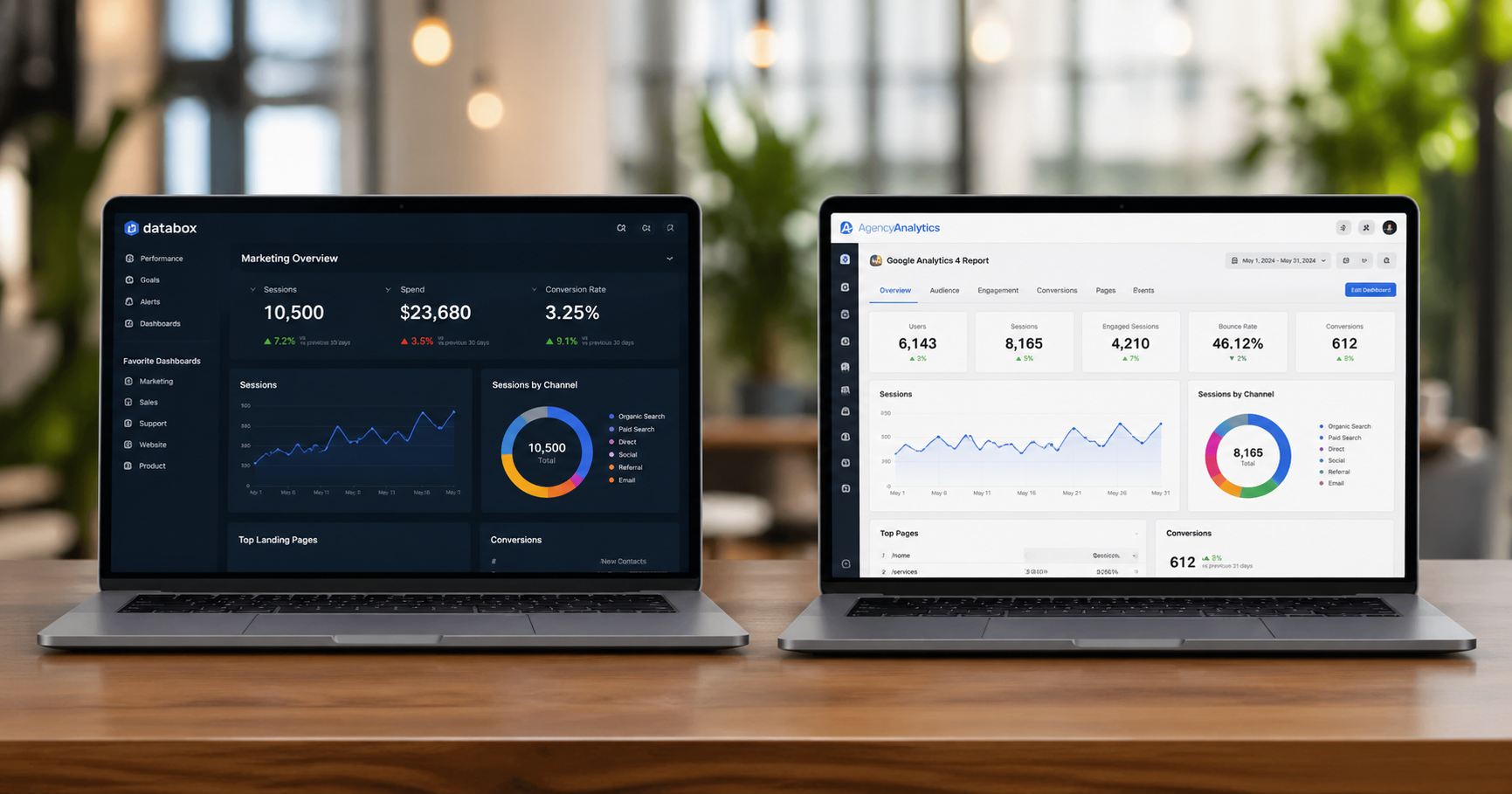
If you're running a marketing agency or an in-house marketing team that reports to clients or stakeholders, you've probably landed on one of two tools in your research: Databox or AgencyAnalytics.
Both pull data from your marketing platforms. Both build dashboards. Both automate reporting. On the surface they look like they're solving the same problem.
They're not — or at least not for the same person. The difference is meaningful, and choosing the wrong one creates friction that compounds over time. Here's an honest look at what each tool actually is, what it does well, and who it's built for.
What Databox Actually Is
Databox is a business intelligence and analytics platform. The core product is built around centralizing data from across your entire tech stack — ad platforms, CRMs, ecommerce tools, databases, data warehouses — and making that data accessible through dashboards, reports, goal tracking, and now an AI analyst layer called Genie that lets you ask questions about your data in plain language.
It connects to over 130 integrations including HubSpot, Google Ads, Shopify, Salesforce, Stripe, Facebook Ads, and data warehouses like BigQuery, Snowflake, and PostgreSQL. That last category matters — Databox isn't just for marketing data. It can pull in finance data, sales data, product data, and anything you can push via API, which makes it a genuine cross-functional BI tool, not just a marketing dashboard.
The platform is built around a few core use cases: tracking KPIs and metrics in real time, building dashboards that any team member can read without needing to be a data analyst, automating reports for stakeholders and executives, and setting goals and OKRs with performance tracking built in.
The new Genie AI analyst feature lets users ask natural language questions — "why did our CAC increase last month?" or "which channel drove the most new customers this quarter?" — and get contextual answers without writing SQL or building a custom dashboard.
What AgencyAnalytics Actually Is
AgencyAnalytics is a client reporting platform built specifically for marketing agencies. The distinction matters from the first click — the entire product experience is designed around the agency-client relationship, not around internal analytics.
The core value proposition is eliminating the manual work of building client reports. Agencies connect their clients' ad accounts, SEO tools, social platforms, and analytics into AgencyAnalytics, and the platform automatically pulls that data into branded, client-ready dashboards and reports that can be scheduled, automated, and shared with a white-labeled client portal.
It powers over 7,000 marketing agencies and the product is built around the specific operational pain points of agency life: onboarding new clients fast, proving ROI in monthly reporting calls, giving clients self-serve access to their own data without fielding constant "how are things going?" emails, and catching performance issues before clients do.
The AI layer in AgencyAnalytics — called Ask AI — is oriented toward the same workflow: surfacing insights, spotting anomalies, and generating language for reports so account managers spend less time writing and more time advising.
The Core Difference
Databox is built for teams that need a unified view of business performance across multiple data sources and departments. AgencyAnalytics is built for agencies that need to report marketing performance to clients efficiently and at scale.
That's not a subtle distinction. It shapes everything about how each tool works, what it costs, and whether it fits your situation.
If you are an agency managing 20, 50, or 150 client accounts and your biggest operational drain is building and delivering monthly reports, AgencyAnalytics was designed for you specifically. The client management layer, the white-label portal, the automated report scheduling, the anomaly detection that alerts you before a client notices a drop — all of that exists because the product was built around the agency workflow.
If you are an in-house marketing team, a SaaS company, or a brand that needs to consolidate data across marketing, sales, and finance into a single source of truth for internal decision-making, Databox is the more natural fit. It isn't built around client relationships — it's built around organizational performance visibility.
Pros and Cons: Databox
Pros
Wide integration breadth. Connecting to databases and data warehouses like Snowflake and BigQuery makes Databox useful for teams that need more than just marketing platform data in their dashboards.
Genuinely cross-functional. Finance, sales, product, and marketing data can live in the same platform with consistent definitions. For in-house teams reporting to executives across functions, this is significant.
Genie AI analyst. The ability to ask plain-language questions about performance and get contextual answers — rather than building a custom dashboard for every new question — reduces the analytics bottleneck meaningfully.
Goal and OKR tracking. Built-in goal and OKR management tied directly to live data makes it useful for team alignment beyond just reporting.
Flexible dashboard building. Highly customizable dashboards that work for a range of audiences — from detailed analyst views to executive summaries.
Cons
Not built for client-facing reporting at scale. If you need to manage reporting across dozens of client accounts with white-labeling, branded portals, and client-specific access controls, Databox requires significantly more configuration than AgencyAnalytics to get there.
Steeper setup for non-technical users. Getting the most out of Databox — especially with custom metrics, data preparation, and warehouse connections — requires more technical comfort than the average account manager has.
Less opinionated about marketing specifically. The flexibility that makes Databox powerful for cross-functional use also means it doesn't arrive with the pre-built marketing report templates and agency-specific workflows that AgencyAnalytics does out of the box.
Pricing scales with data sources and users. For agencies managing many client accounts, the cost structure can add up quickly depending on how integrations are counted.
Pros and Cons: AgencyAnalytics
Pros
Built entirely around the agency workflow. Client onboarding, reporting automation, white-label portals, anomaly detection, and account-level visibility — all designed specifically for how agencies operate. There's no translation required.
Fast time to value. An agency can onboard a new client and have a branded dashboard live in a fraction of the time it would take to configure the equivalent in a general-purpose BI tool.
Client portal that reduces low-value communication. Giving clients 24/7 access to their own data in a branded portal reduces the volume of status-check emails and calls that drain agency time.
Pre-built templates for common agency deliverables. SEO reports, PPC reports, social media reports — templated and ready to customize rather than built from scratch.
Anomaly detection and alerts. Getting flagged before a client notices a performance drop is the kind of proactive capability that protects client relationships and agency retention.
AI-powered reporting assistance. The Ask AI feature helps account managers surface insights and write report narrative faster — which compounds across a large client portfolio.
Cons
Not designed for internal analytics or cross-functional reporting. If you need to pull in finance data, sales pipeline data, or anything beyond marketing performance, AgencyAnalytics isn't built for that conversation.
Client-centric by design — which limits internal use cases. An in-house marketing team reporting to internal stakeholders rather than external clients will find the product oriented around problems they don't have.
Less depth for advanced analytics. For teams that want to ask custom questions, build complex attribution models, or do analysis that goes beyond pre-built report formats, the ceiling is lower than a more flexible BI tool.
Pricing is per client campaign. The per-campaign pricing model works well for agencies with consistent client volume but can feel limiting during growth phases or for agencies with highly variable account sizes.
Who Should Use Which
Use AgencyAnalytics if you run a marketing agency, client services team, or consultancy where the primary output is client-facing reporting. If you're spending meaningful hours every month building reports manually, onboarding new clients to dashboards, or fielding "how did we do?" calls that a self-serve portal could eliminate — this tool was built for exactly that problem.
Use Databox if you're an in-house marketing team, a SaaS company, or any organization that needs a unified view of performance across multiple departments and data sources. If your stakeholders are internal, your data lives across marketing and non-marketing platforms, and you want a BI layer that can answer questions beyond marketing channel performance, Databox fits the brief better.
Consider running both if you're an agency that also wants sophisticated internal analytics — tracking your own business performance, not just your clients'. Some agencies use AgencyAnalytics for client delivery and Databox for internal team performance and business health monitoring. The overlap is real but the use cases are different enough that both can earn their place.
The Question Worth Asking First
Before comparing features, the more clarifying question is: who is this reporting for and what decisions does it need to drive?
If the answer is clients — and the job is to prove the value of your agency's work clearly and efficiently at scale — AgencyAnalytics is the more direct solution. If the answer is internal stakeholders — and the job is to give your team and leadership a real-time view of business performance across functions — Databox is the better foundation.
Both are good tools. Neither is the right tool for every situation. Knowing which problem you're actually solving is the fastest way to the right answer.
Not sure which reporting stack makes sense for where you are?
We help marketing teams and agencies audit their current tools, identify what's missing, and build reporting infrastructure that actually supports better decisions.
→ Let's talk about your analytics stack
Frequently Asked Questions
What is the main difference between Databox and AgencyAnalytics?
The core difference is who the reporting is for. AgencyAnalytics is built around the agency-client relationship — its entire product experience is designed to help agencies deliver branded, automated reports to external clients efficiently. Databox is built around internal business intelligence — centralizing data across departments and giving teams a unified view of performance for internal decision-making. If your audience is clients, AgencyAnalytics is the more natural fit. If your audience is internal stakeholders across marketing, sales, and finance, Databox makes more sense.
Can Databox be used by marketing agencies?
Yes, but it requires more configuration to get there. Databox can absolutely produce client-facing dashboards and reports — the flexibility is there. The difference is that AgencyAnalytics arrives pre-built for that workflow: white-label portals, per-client account management, automated report scheduling, and agency-specific templates are all baked in. With Databox you can build toward the same output, but you're doing more of that work yourself. For agencies with high client volume and standardized reporting needs, that extra configuration time adds up.
Does AgencyAnalytics work for in-house marketing teams?
It can, but it's not what the product was designed for. If you're an in-house team reporting to internal stakeholders — a CMO, a CEO, a board — AgencyAnalytics will feel like it's solving problems you don't have. The client portal, the white-labeling, the per-client account structure — all of that is oriented around external client relationships. An in-house team is better served by a tool like Databox that's built around internal visibility and cross-functional reporting rather than client delivery.
How does the AI work in each platform?
Databox has an AI analyst called Genie that lets you ask plain-language questions about your data — think "why did CAC increase last month?" or "which channel drove the most revenue this quarter?" — and get contextual answers without building a custom dashboard or writing SQL. AgencyAnalytics has a feature called Ask AI that's oriented more toward the reporting workflow — surfacing insights, flagging anomalies, and helping account managers generate report narrative faster. Both are useful but they're solving different problems: Databox's AI is about answering analytical questions, AgencyAnalytics's AI is about making client reporting faster.
How does pricing work for each tool?
Databox pricing is generally structured around the number of data source connections and users, with tiers based on feature access and data freshness. AgencyAnalytics pricing is structured around the number of client campaigns, which works well for agencies with stable client volume but can feel limiting during growth periods. For agencies managing a large number of accounts, it's worth modeling out both tools against your actual client count and data source needs before committing — the cost difference can be meaningful at scale.
Can either tool replace a data warehouse?
No, and it's worth being clear about this. Both Databox and AgencyAnalytics are reporting and visualization layers — they pull data from your existing platforms and present it in dashboards and reports. They don't store or transform your data in the way a warehouse like Snowflake or BigQuery does. Databox can connect to a warehouse as a data source, which makes it a useful BI layer on top of existing infrastructure. But neither tool is a substitute for a warehouse if you need to store raw data, run complex transformations, or build custom data models from scratch.
What integrations do each support?
Databox supports over 130 integrations including HubSpot, Google Ads, Facebook Ads, Shopify, Salesforce, Stripe, and data warehouses like Snowflake, BigQuery, PostgreSQL, and MySQL. It also supports custom API integrations for pushing data from any source. AgencyAnalytics is focused on the integrations marketing agencies actually need — Google Analytics, Google Ads, Facebook Ads, Instagram, LinkedIn, SEO tools like SEMrush and Ahrefs, and the core platforms that show up across most client accounts. The breadth isn't as wide as Databox, but the coverage for typical agency use cases is strong.
We're an agency but we also want better internal analytics. Do we need both tools?
Possibly. Some agencies run AgencyAnalytics for client delivery and a separate tool like Databox for internal business performance — tracking their own revenue, pipeline, team utilization, and operational metrics. The use cases are different enough that both can earn their place without significant overlap. Whether that's worth the combined cost depends on how seriously you're investing in your own internal analytics versus treating it as secondary to client work. If internal analytics is an afterthought, one tool is probably enough. If it's a real priority, the separation makes sense.