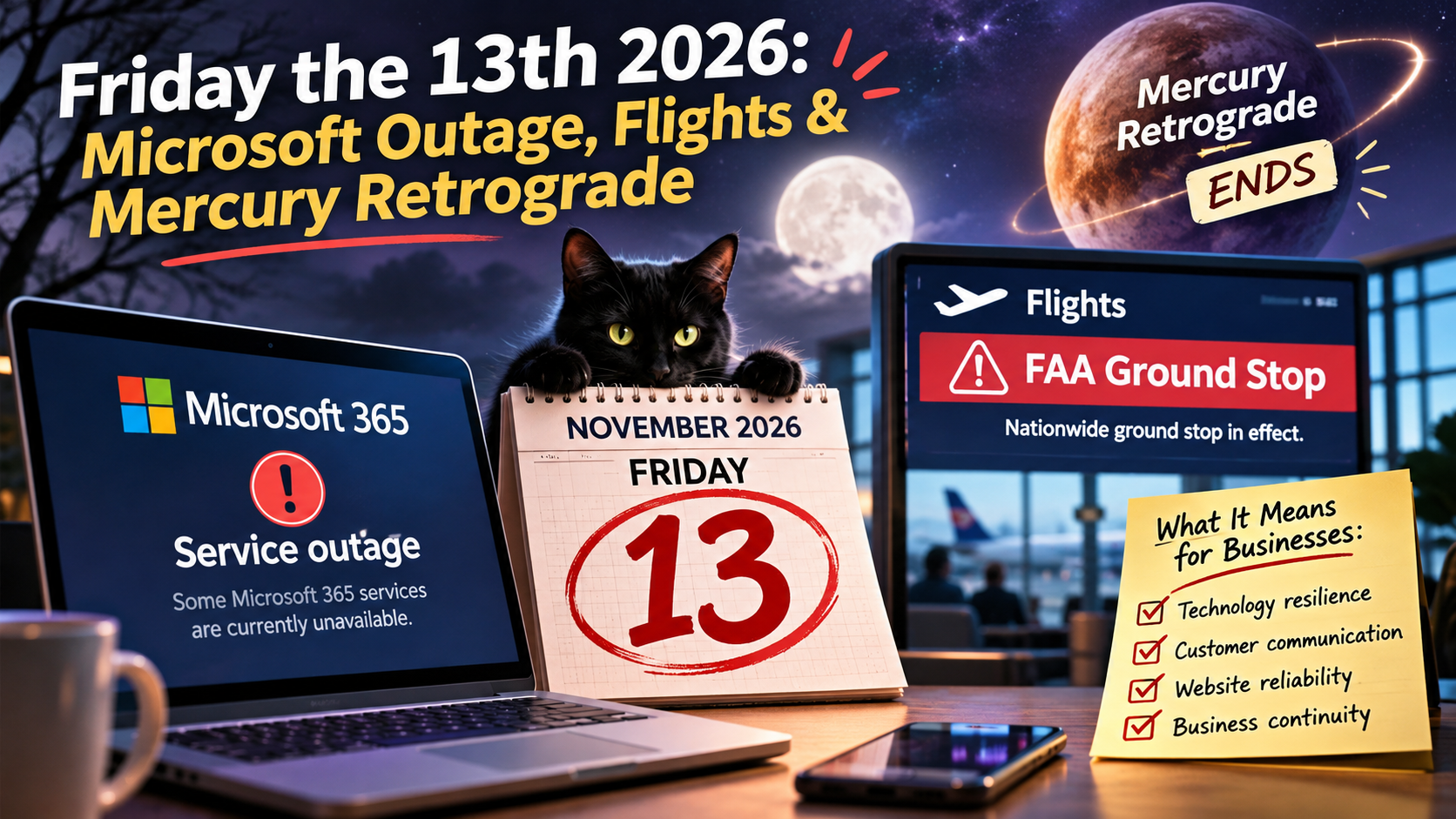
On November 13, 2026, Microsoft 365 was struggling, the FAA temporarily grounded flights nationwide, and Mercury retrograde was officially ending. The internet had jokes. Businesses had problems. And somewhere, an IT department was reconsidering its career choices.
Friday the 13th already has a reputation.
Black cats.
Broken mirrors.
Suspicious coincidences.
The general feeling that maybe today isn't the day to make any major decisions.
But Friday, November 13, 2026, apparently decided that ordinary superstition wasn't enough.
Microsoft 365 had a major outage.
Outlook wasn't cooperating.
Teams and other connected services experienced disruptions.
And the Federal Aviation Administration ordered a rare nationwide ground stop after air traffic control communications problems.
All while Mercury retrograde was reaching its final day.
You genuinely could not write a more aggressively Mercury-retrograde-coded headline.
People couldn't reliably access their email.
Travelers were stuck at airports.
Technology professionals were trying to restore services.
Social media was doing what social media does best: making jokes while refreshing the status page.
And the astrology community?
The astrology community had been waiting for a moment like this.
Because if there's one thing Mercury retrograde is famous for in popular astrology, it's communication problems, travel disruptions, misunderstandings, and technology behaving like it has unresolved personal issues.
To be clear, there is no scientific evidence that Mercury retrograde caused these incidents.
And officials have not established a connection between Microsoft's outage and the FAA's separate communications failure.
But the timing? Comedically devastating.
Sometimes the universe doesn't need to send a message.
Sometimes it just needs to make Outlook stop working on Friday the 13th.
And for business owners, marketers, travelers, and anyone whose entire existence is organized through cloud software, the day offered an unexpectedly useful lesson:
Your digital systems are incredibly convenient—right up until the moment they're not.
First, Can We Appreciate the Timing?
Mercury retrograde ran from October 24 through November 13, 2026, according to the astrology calendar published by Cafe Astrology.
That means Friday the 13th was the day Mercury stationed direct.
In astrology, Mercury is traditionally associated with communication, information, travel, and technology.
Naturally, the internet immediately connected the dots.
Was it science?
No.
Was it a spectacular opportunity for a meme?
Absolutely.
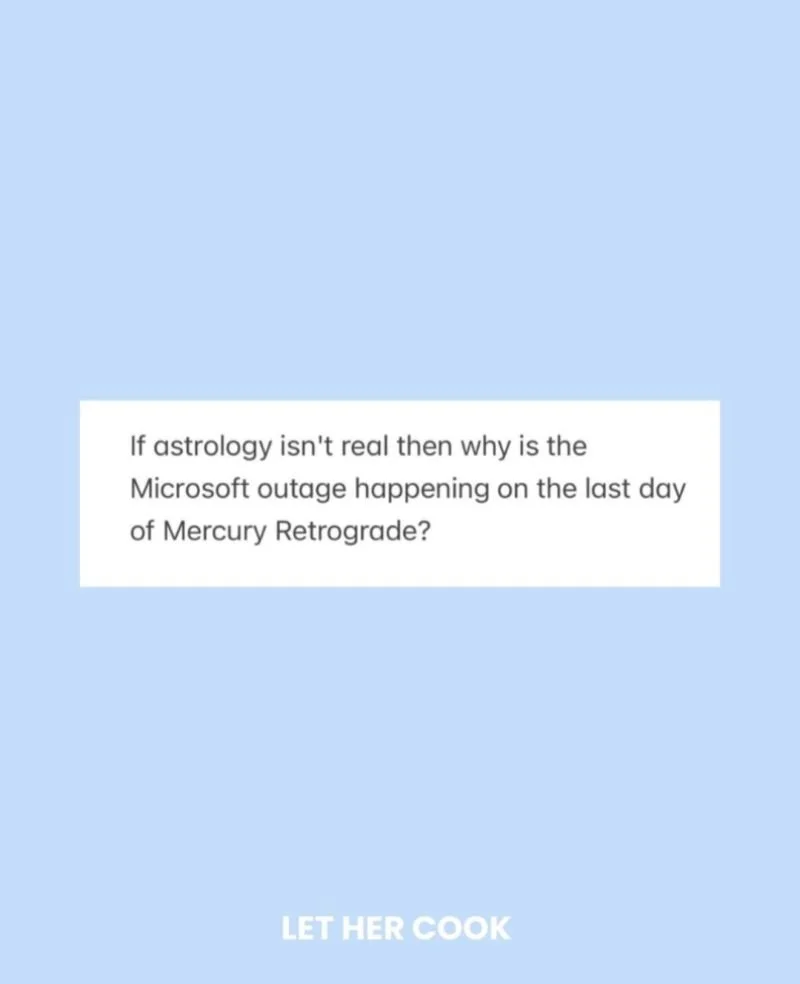
Mercury retrograde really said, “I'm leaving, but first, one final performance.”
The meme works because the coincidence is so specific.
A major communication platform experiences a worldwide disruption.
A separate aviation communications issue temporarily stops departures across the United States.
It's Friday the 13th.
And the astrological calendar says Mercury is finishing a retrograde cycle.
The storyline practically writes itself.
The important distinction is that astrology supplies the joke, not the technical explanation.
We can appreciate the cosmic comedy without claiming planetary motion is responsible for server infrastructure or aviation communications.
And after a day like this, a little humor is understandable.
Especially if you've been staring at an email client that refuses to load.
What Actually Happened to Microsoft?
The Microsoft disruption began on Thursday, November 12, 2026, and continued affecting users into Friday.
According to Reuters' reporting, the incident affected Microsoft 365 services and disrupted communication for users around the world.
Outlook and Exchange Online were central to the problems.
Some users could not access mailboxes.
Others experienced delayed email delivery.
Various Microsoft 365 features and services dependent on the affected infrastructure also experienced problems.
That meant the disruption extended beyond one person's inbox.
Organizations rely on Microsoft products for communication, scheduling, file access, and numerous operational tasks.
Schools, businesses, government agencies, and other institutions reported difficulties.
Microsoft's service-health updates described efforts to restore affected infrastructure and stabilize availability.
The company said it had no evidence of malicious activity associated with the incident.
As of November 13, recovery was progressing, although some customers could still experience intermittent problems and delayed messages.
A final incident analysis was not yet available.
So no, it wasn't your imagination if Outlook behaved strangely.
And no, repeatedly clicking Send wasn't necessarily going to make the email leave any faster.
Somewhere in the world, a very important message was probably sitting in a queue next to 14 follow-up emails asking whether the original message had been received.
And Then the FAA Grounded Flights
As if widespread email problems weren't enough, Friday brought a separate major disruption.
On November 13, the FAA ordered a nationwide ground stop after communications issues affected air traffic control operations.
Departures from U.S. airports were temporarily halted.
Flights already in the air continued under safety procedures.
The ground stop was subsequently lifted, but delays and cancellations continued to affect passengers and airlines.
Associated Press and Reuters reported on the scale of the disruption and the investigation into the aviation communications failure.
Officials said they had not found evidence connecting it to Microsoft's outage.
This is worth emphasizing because two major technology failures occurring close together can easily create speculation.
The Microsoft outage did not become an established cause of the FAA ground stop simply because both events happened on the same day.
The FAA situation involved aviation safety and serious operational consequences.
Travelers were delayed.
Flights were disrupted.
Crews and airlines faced complicated recovery operations.
Those impacts deserve to be treated seriously.
The humor here is about the absurd timing of separate failures—not the consequences for people who were affected.
Still, the broader sequence was extraordinary.
Email wasn't working properly.
Flights weren't departing.
And Friday the 13th was sitting in the corner looking a little too pleased with itself.
The Internet, Naturally, Had Something to Say
When major technology fails, the internet reacts in stages.
First comes confusion.
"Is it just me?"
Then confirmation.
"Nope. It's everyone."
Then frustration.
"Does this mean I still have to work?"
And finally, memes.
Because modern internet culture has developed a remarkable talent for turning inconvenience into a group comedy experience.
Which brings us to the second image.

Outlook has officially submitted its request for a mental health day.
It's funny because it gives a massive technology company the emotional energy of a person who has finally reached their limit.
Microsoft didn't literally decide it was overwhelmed and needed to lie down.
The disruption was technical.
But the anthropomorphism is relatable.
For a lot of people, Friday already feels like the end of a long week.
Then a global communication platform effectively says:
"Actually, no."
The meme doesn't explain anything about infrastructure.
It does, however, capture the collective mood.
And that reveals something interesting about the way people experience technology problems.
A broken system can be frustrating.
A shared joke can make the frustration easier to talk about.
The internet doesn't always solve the problem.
Sometimes it just makes the problem feel slightly less lonely.
The Serious Part: We Have Built Entire Businesses on Systems We Don't Control
Here's where this stops being only a funny story.
Most modern businesses depend on technology they don't own.
Email.
Calendars.
Cloud storage.
Website hosting.
Customer relationship management platforms.
Social media accounts.
Reservation systems.
Payment processors.
Advertising dashboards.
Project management tools.
Online forms.
Analytics platforms.
Automated workflows.
The list goes on.
These systems are useful because they make work faster and more connected.
A small business can operate with capabilities that once required substantial infrastructure.
A marketing agency can collaborate with clients remotely.
A hotel can manage reservations online.
A contractor can receive project inquiries while working off-site.
A restaurant can coordinate bookings through a digital platform.
An interior design studio can share plans, schedules, and documents across teams.
That's a real advantage.
But it also creates dependencies.
If an email service becomes unavailable, a business may lose access to important communication.
If a booking platform has problems, reservations may become harder to manage.
If a website goes offline, customers may struggle to find information or make inquiries.
If a cloud service fails, teams may discover that important workflows depended on one connection working perfectly.
The lesson isn't to abandon technology.
It's to understand where your business is vulnerable.
Convenience is wonderful. A backup plan is better.
1. Your Marketing Technology Stack Needs a Reality Check
Business owners often think about marketing platforms individually.
The website.
The email system.
The social accounts.
The CRM.
The booking software.
But customers experience them as one connected journey.
Someone finds a business through Google.
Visits the website.
Completes a form.
An automated email confirms the request.
The inquiry enters a CRM.
A team member receives a notification.
A consultation is scheduled.
And follow-up messages keep the process moving.
When everything works, it's seamless.
But what happens if one important connection fails?
Consider a hypothetical service business
A prospective customer submits a request for a project consultation.
The website form works.
But the notification email is delayed during an outage.
The business owner doesn't see the inquiry.
The customer waits.
Then contacts another provider.
The website didn't necessarily fail.
The marketing campaign didn't necessarily fail.
But part of the workflow became unreliable.
That's why businesses should understand their systems end to end.
What generates an inquiry?
Where is it stored?
How does the team know it arrived?
Can someone retrieve it if email notifications are unavailable?
And how will customers receive an update if there's a service disruption?
These are practical questions.
They matter whether Mercury is retrograde or not.
2. Your Contact Form Shouldn't Depend Entirely on One Email Notification
Many small-business websites are configured so that contact forms send an email to the owner.
That's a reasonable starting point.
But what if the email doesn't arrive?
A better system may retain submissions securely in an appropriate place, allow authorized staff to review them, and provide monitoring for delivery problems.
The exact configuration depends on the website platform and the sensitivity of the information.
Businesses should not casually store private customer details in unprotected spreadsheets or personal accounts.
But they should know what happens when notifications are delayed.
Questions worth asking
Does the website store form submissions securely?
Who can access them?
Can authorized staff see whether a request was submitted?
Is there a way to detect notification failures?
Are customer records backed up appropriately?
What happens if the usual inbox is temporarily unavailable?
For a small business, a missed inquiry may be significant.
For a larger company, the problem can affect many customer interactions.
The solution is not necessarily a complicated new software subscription.
It's making sure the existing system has a reliable process for handling exceptions.
3. Social Media Is Useful—But It Shouldn't Be Your Only Communication Channel
When one communication service has a problem, people often turn to another.
That can be useful.
A business may post an operational update on an established social account.
Customers may check its website.
Employees may use a previously approved alternative communication method.
But relying entirely on one social platform creates another dependency.
What happens if that platform experiences its own outage?
Or if the business loses access to the account?
Or if important customers don't use it?
A resilient communication strategy doesn't require being active on every platform.
It requires knowing which channels are important and what alternatives are available.
A practical approach
Maintain accurate contact information on the business website.
Keep appropriate business profiles updated.
Establish approved communication methods for staff.
And create a simple procedure for telling customers about an interruption.
When possible, preserve a way for customers to find important information without relying on the service currently experiencing problems.
No system can guarantee perfect availability.
But a business can reduce confusion by planning for interruptions.
4. An Outage Is Not the Time to Become Vague With Customers
Consider two hypothetical customer updates.
The first says:
"We are currently experiencing technical difficulties. Thank you for your patience."
That's not necessarily wrong.
But it leaves several questions unanswered.
The second says:
"We're experiencing delays receiving and sending email through our usual provider. If you've sent us a time-sensitive request, please contact us through our published phone number. We'll share another update when we have confirmed information."
The second message is more useful—assuming the phone line is actually available and staffed.
It tells customers what is happening.
What may be affected.
And what they can do.
Good outage communication should answer:
What service is affected?
What is the customer impact?
Is there a safe, functioning alternative?
When or where will the next update appear?
What information is still unknown?
Businesses should avoid guessing about causes or promising restoration times they cannot verify.
If the company doesn't know when a service will return, it should say so.
A clear update is better than an invented deadline.
Customers can often handle inconvenience better than uncertainty.
5. This Is Why Your Website Should Be More Than a Pretty Homepage
For Ritner Digital, one of the clearest takeaways is that a website should function as a reliable source of business information.
Not merely a visual presentation.
The website should explain what the company does.
How customers can contact it.
What services are available.
And where important updates can be found.
For a restaurant, that may include hours and reservation information.
For a hotel, booking details and guest support contacts.
For a contractor, services and a consultation process.
For a professional services firm, the correct contact and inquiry arrangements.
During a disruption, some of those functions may remain available even when email isn't.
Of course, a website can experience an outage too.
That's why monitoring, backups, vendor support, and hosting decisions matter.
The business should also understand which website features rely on outside platforms.
A booking widget may stop functioning while the rest of the site remains available.
A form may submit but fail to notify the owner.
A map or embedded service may become unavailable.
Good website design considers these dependencies.
A beautiful homepage is a bonus.
A useful, maintainable customer experience is the foundation.
6. Does a Website Outage Hurt SEO?
This is a reasonable concern for business owners.
If a website becomes unavailable, search engines may also be unable to access it.
But a short, temporary interruption doesn't automatically mean the website loses all its rankings.
Google's technical guidance on temporary site availability explains that properly handled temporary errors can communicate that a site is unavailable rather than permanently removed.
For certain temporary server problems, the HTTP 503 Service Unavailable response code can be appropriate.
The implementation matters.
A temporary outage should not be represented as a permanent deletion.
Businesses shouldn't respond to a short interruption by adding noindex tags across the entire website or deleting important pages.
And extended unavailability can have more serious search consequences.
Google also recommends using Search Console to investigate crawling and availability problems.
The important SEO lesson
Don't panic because your site experienced a brief interruption.
Do investigate the cause.
Make sure the technical response is appropriate.
Restore service.
And monitor for continuing issues.
The right action depends on the type and duration of outage.
A website administrator or technical specialist should evaluate the configuration.
Your search strategy needs stable infrastructure, but one bad afternoon is not automatically an SEO apocalypse.
7. Backups Are Not the Same Thing as Business Continuity
Businesses sometimes say:
"We're covered. Everything is backed up."
That's good.
Backups can help recover data after certain failures.
But they don't automatically solve every kind of outage.
If an email platform is temporarily unavailable, a backup of files doesn't necessarily restore access to the email service.
If a reservation system is unreachable, the business may still need an approved operational fallback.
If a CRM is inaccessible, staff may require a secure alternative way to manage urgent customer needs.
The Cybersecurity and Infrastructure Security Agency recommends maintaining appropriate copies of important data, including the widely used 3-2-1 backup approach.
But operational continuity involves more than copies.
It also involves people, processes, permissions, and alternative communication methods.
Ask the questions that matter
Which systems are essential to opening the business tomorrow?
Which customer activities cannot wait?
Who has authority to make decisions during an outage?
What information must remain available?
Where can staff find the approved contingency procedure?
And how will the business know when normal operations can resume?
A useful plan should fit the scale of the organization.
A boutique studio doesn't need the same infrastructure as an airline.
But it still needs to understand its dependencies.
8. Don't Confuse an Outage With a Cyberattack
When technology fails on a large scale, speculation can move faster than verified information.
That's especially true when several major incidents happen close together.
But outages can have different causes.
Software changes.
Infrastructure failures.
Configuration problems.
Communications disruptions.
Capacity issues.
Human error.
Security incidents.
And other technical or operational problems.
A cyberattack is one possible category.
It isn't the explanation for every disruption.
In the November 2026 Microsoft incident, the company said it had no evidence of malicious activity associated with the outage.
Officials also reported no established link between the Microsoft issue and the FAA communications failure.
The investigation into the aviation incident was separate.
Businesses should avoid repeating dramatic claims before they're verified.
Be careful with fake support messages
During well-publicized outages, scammers may try to take advantage of confusion.
The FTC's phishing guidance recommends verifying unexpected requests and avoiding suspicious links or messages that claim an account needs immediate action.
An employee who sees a message promising to "restore Microsoft access immediately" should verify it through established company and provider channels.
Don't enter passwords into an unfamiliar recovery website.
Don't share authentication codes with unsolicited contacts.
And don't install software from an unverified support message.
A stressful outage isn't the time to suspend basic security judgment.
9. Your Brand's Crisis Response Is Still Marketing
Marketing is often associated with promotion.
Campaigns.
Content.
Advertising.
Search rankings.
Beautiful photographs.
But marketing also influences how customers experience the business when something goes wrong.
Imagine a company that advertises responsiveness and exceptional service.
Then its communication systems experience problems.
Customers can't get an update.
Nobody explains what is happening.
And the business disappears until everything starts working again.
That experience can undermine the promise made by the marketing.
Now imagine a business that communicates clearly.
It acknowledges the disruption.
Provides verified information.
Offers a realistic alternative where possible.
And follows up when service returns.
The outage may still be frustrating.
But the company's response can demonstrate professionalism.
You don't need to pretend everything is fine
Customers generally don't need a theatrical statement about how the company is committed to excellence despite unprecedented circumstances.
They need useful information.
An acknowledgment.
An explanation of what's affected.
And an appropriate next step.
That's a form of brand communication.
Often more meaningful than the tagline on the homepage.
A brand is not only what you say when everything works. It's also how you behave when something breaks.
10. Can Brands Joke About a Major Outage?
Yes, sometimes.
But context matters.
A funny post about Microsoft deciding to take Friday off is different from joking about people stranded by flight disruptions or critical services being affected.
The target of the humor matters.
The audience matters.
The timing matters.
And the brand's role matters.
Humor works when it creates shared recognition
A meme about Outlook refusing to cooperate may resonate with employees, freelancers, and business owners who experienced the problem.
It can be lighthearted without dismissing serious consequences.
Humor fails when it minimizes harm
A business should avoid making stranded travelers, patients, or other affected people the punchline.
It should also avoid spreading false explanations merely because they make a funnier headline.
The strongest social posts preserve the facts
It's possible to say:
"Mercury retrograde really chose the most dramatic possible exit."
While also acknowledging:
"The Microsoft and FAA incidents were separate, with no established causal connection."
One statement is a joke.
The other is factual context.
Both can coexist.
A little personality doesn't have to come at the expense of credibility.
11. Should Your Business Jump on Every Trending Topic?
No.
Not every news event needs a branded response.
A company that sells landscaping services doesn't necessarily need to post about Microsoft.
A restaurant may have no useful reason to discuss FAA technology.
And an interior design studio shouldn't feel obligated to produce a reaction to every trend circulating online.
But a broader business lesson can sometimes make a topic relevant.
For a digital marketing agency, a widespread technology outage directly connects to websites, communication systems, lead management, and online operations.
That gives Ritner Digital a legitimate perspective.
The meme adds personality.
The practical guidance provides value.
Ask three questions before posting
Does the topic genuinely connect to our expertise?
Can we add something useful beyond repeating the news?
Is the tone appropriate for the people affected?
If the answer is yes, the content may be worth publishing.
If the answer is no, it's fine to let the trend pass.
Chasing every headline can make a brand feel scattered.
Thoughtful commentary can make it more recognizable.
12. Build a Simple Plan for the Next Technology Meltdown
You don't need to predict the next global outage.
You need to know how your business would respond if an important platform became temporarily unavailable.
Start with the systems that matter most.
Identify your critical tools
Email, booking systems, websites, customer records, payment processing, and internal communications may all be relevant.
Different businesses will have different priorities.
Document dependencies
Which workflows stop when a particular service fails?
What other tools depend on that same service?
Establish approved alternatives
Identify safe, authorized fallback processes for critical communication and operations.
An alternative is useful only if the team knows how to access it and it doesn't create a larger security problem.
Review backup and recovery arrangements
Know which data is backed up, where it is stored, and how restoration would work.
Prepare customer communications
Draft a simple, adaptable outage message.
Keep claims factual.
Don't promise unverified restoration times.
Test the process
A plan nobody has ever reviewed may be difficult to use under pressure.
Check the contact information, permissions, and responsibilities periodically.
The objective isn't to build a complicated disaster recovery program for every small company.
It's to avoid discovering during an outage that nobody knows what to do.
Plan B shouldn't be: "Refresh Outlook and hope Mercury changes its mind."
13. The Small-Business Version of Digital Resilience
Not every business has an IT department.
Some have an owner, a laptop, a website, and approximately 47 things that need attention before lunch.
That's why a realistic plan should begin with essentials.
For a small service business, that may mean knowing how to retrieve customer inquiries if email alerts fail.
For a restaurant, it might involve an approved procedure for confirming reservations if the normal platform is unavailable.
For a hotel, it could involve coordination with the booking system provider and established guest support procedures.
For a creative studio, it may include secure access to relevant project files and an approved alternative communication channel.
For a marketing agency, it can involve access to client deliverables, documented deadlines, and ways to communicate operational problems accurately.
The details will vary.
But the principle is consistent.
Understand what the business needs to keep functioning.
Then reduce unnecessary dependence on one point of failure where practical.
This doesn't mean duplicating every piece of software.
It means making informed choices about continuity.
14. The Other Lesson: The Internet Is Not Your Entire Business
There's a certain irony in depending on digital marketing systems to grow a business while knowing those systems can occasionally become unavailable.
But the solution isn't to stop using them.
It's to recognize that your company is more than its accounts.
Your customer relationships matter.
Your reputation matters.
Your work matters.
Your communication practices matter.
The website is an important tool.
Email is an important tool.
Social media can be valuable.
But they exist to support the business.
They aren't the business itself.
When a major platform fails, that distinction becomes obvious.
The most resilient organizations maintain useful systems, practical processes, and relationships that don't disappear because one application stops responding.
And perhaps that's the most appropriate business lesson from a day when both email and aviation experienced serious problems.
Technology is powerful.
But it still requires planning, maintenance, and human judgment.
Frequently Asked Questions
1. What happened to Microsoft on Friday, November 13, 2026?
Microsoft experienced a major Microsoft 365 disruption beginning November 12 and continuing into November 13. The incident affected Outlook and Exchange Online, along with various related Microsoft 365 features and services. Microsoft reported recovery progress but warned that some customers could still experience intermittent issues or delayed messages.
2. Was Microsoft Outlook down worldwide?
The disruption affected users across multiple regions, with widespread reports of email access and delivery problems. The impact varied by service, location, and user. It would be inaccurate to say that every Microsoft product and every user was completely offline at the same time.
3. Did Microsoft cause the FAA to ground flights?
Officials reported no established connection between the Microsoft 365 outage and the separate FAA communications failure. The events occurred close together, but their timing alone does not establish a shared cause.
4. Why were U.S. flights grounded on November 13, 2026?
The FAA ordered a nationwide ground stop following communications problems involving air traffic control systems. The stop was subsequently lifted, but delays and cancellations continued. The aviation incident was being investigated, and early official statements did not establish a connection to Microsoft.
5. Was the Microsoft outage caused by a cyberattack?
Microsoft said it had no evidence of malicious activity associated with the incident. Technical investigation and recovery work were ongoing during November 13, and a final post-incident report had not yet been published.
6. Did Mercury retrograde end on Friday the 13th?
Yes. In popular astrological calendars, Mercury retrograde ran from October 24 to November 13, 2026. November 13 was the date Mercury stationed direct. That timing is the basis of the viral joke, not evidence that astrology caused technology failures.
7. Can Mercury retrograde actually cause technology outages?
There is no established scientific evidence that Mercury's apparent retrograde motion causes communication or technology failures. In astronomy, retrograde motion refers to how a planet appears to move against the background sky from Earth's perspective. The meme is a humorous coincidence, not a technical explanation.
8. Why did Microsoft outage memes go viral?
The disruption affected familiar services used for work, making the frustration relatable. The coincidence with Friday the 13th and Mercury retrograde supplied an additional cultural joke. Shared experiences and recognizable humor often give people a way to react to widespread inconvenience.
9. What should small businesses do when Microsoft 365 is unavailable?
Verify the service status through official channels, identify affected workflows, use approved alternate communication methods where available, protect sensitive information, and provide accurate updates to customers. Avoid speculative explanations or unverified support links.
10. Can a Microsoft outage affect website leads?
Yes, depending on the website and notification systems. A contact form may still accept submissions while email notifications are delayed. Businesses should understand where inquiries are stored and how authorized staff can retrieve them if email delivery is disrupted.
11. Does a temporary website outage hurt Google rankings?
A short outage doesn't automatically erase a site's search rankings. However, prolonged or poorly handled availability problems can affect crawling and indexing. Google provides guidance for temporary unavailability, including appropriate use of the 503 Service Unavailable response code in relevant circumstances.
12. Should businesses communicate outages on social media?
Social media may be useful when it is an established, functioning channel for reaching affected customers. But the message should be accurate, concise, and relevant. Businesses should avoid relying on one platform as their only backup communication method.
13. What should an outage message to customers say?
A useful message identifies the affected service, explains the known customer impact, provides a legitimate alternative if one exists, and states where future updates will appear. Avoid guaranteeing restoration times unless the information has been confirmed.
14. Is it appropriate for a business to joke about Microsoft being down?
It can be, depending on tone and context. Humor about shared technology frustration may be appropriate. Jokes that minimize aviation safety issues, critical service disruptions, or the experiences of stranded travelers are less appropriate. The joke should not introduce misinformation.
15. How can small businesses become less dependent on one digital platform?
Identify critical workflows, document approved alternatives, maintain appropriate backups, review third-party integrations, and periodically test recovery processes. The goal isn't to eliminate technology dependence but to understand and manage important failure points.
16. Can Ritner Digital help businesses improve website and marketing resilience?
Ritner Digital offers website design, technical SEO, content strategy, and related digital marketing services. Businesses can review their website structure, contact pathways, marketing systems, and technical visibility to determine where practical improvements may be appropriate. Specialized infrastructure recovery and cybersecurity work may require dedicated IT or security providers.
The Universe Can Keep the Memes. Your Business Should Keep a Backup Plan.
Friday, November 13, 2026, was a day for the books.
Microsoft experienced a major communication outage.
The FAA temporarily halted flights nationwide following a separate communications disruption.
Mercury retrograde was ending.
And the internet responded with the kind of humor that only appears when millions of people collectively decide their technology has had enough.
Was it a cosmic sign?
There's no evidence of that.
Was it an almost impossibly funny coincidence?
Absolutely.
But beneath the jokes is a real reminder.
Our businesses depend on systems that can fail.
Sometimes temporarily.
Sometimes unexpectedly.
Sometimes on the most dramatically appropriate date imaginable.
That doesn't mean we should abandon digital tools.
It means we should build digital experiences with reliability, communication, and customer trust in mind.
A website should be useful.
Inquiry systems should be monitored.
Critical information should be protected.
Customers should know how to reach a business when something goes wrong.
And the company's identity should be stronger than any single platform it relies upon.
At Ritner Digital, we help businesses think beyond how their digital presence looks and consider how it actually works.
That includes websites, technical SEO, content, customer pathways, and the connections that help people discover and contact a business.
Because in a world where even the biggest technology providers can experience major outages, thoughtful digital infrastructure isn't an unnecessary luxury.
It's part of operating responsibly.
And as for Mercury?
We hope it enjoys moving direct again.
Perhaps Outlook can follow its example.
Your business doesn't need to control the universe. It just needs a better plan for when the universe appears to have other ideas.
Contact Ritner Digital to discuss your website, SEO, and digital marketing systems.
Sources and Further Reading
This article was prepared on November 13, 2026, during a developing news event. The Microsoft and FAA disruptions were separate incidents, and no causal connection was established in the reporting available at the time. The astrology references and memes are intended as humor, not scientific explanations.
Reuters — Microsoft Outlook and Teams Outage, November 12–13, 2026. Reporting on the worldwide Microsoft 365 disruption and recovery efforts. Read the report.
The Guardian — Microsoft Scrambles to Fix Global Outage. Reporting on the effect on Outlook, Teams, institutions, and Microsoft's recovery efforts. Read the coverage.
Associated Press — FAA Nationwide Ground Stop, November 13, 2026. Reporting on the aviation communications failure, grounded departures, subsequent resumption, and continuing disruption. Read the report.
Reuters — FAA Ground Stop and Air Traffic Communications Failure. Coverage of the nationwide stop, aviation impacts, and investigation. Read the report.
GeekWire — Officials See No Microsoft Connection to FAA Ground Stop. Reporting on statements from DHS and Microsoft regarding the lack of an identified link. Read the report.
Cafe Astrology — 2026 Mercury Retrograde Dates. The astrological calendar identifying October 24 through November 13 as a Mercury retrograde period. View the calendar.
Google Search Central — Temporarily Pause or Disable a Website. Guidance on temporary unavailability and appropriate technical handling. Read the documentation.
Google Search Central — Troubleshoot Crawling Errors. Guidance on site availability, crawling problems, and server response issues. Read the documentation.
CISA / US-CERT — Data Backup Options. Official guidance on backup practices and recovering important information. Read the guidance.
FTC — Don't Take the Bait on Phishing Scams. Guidance on verifying unexpected account warnings and avoiding fraudulent support messages. Read the guidance.
Ritner Digital — Website Design. Information about purposeful business websites, usability, and customer pathways. Explore web design.
Ritner Digital — SEO Services. Information about technical website health, search visibility, and digital strategy. Explore SEO services.
Ritner Digital — Contact. Direct inquiry page for website, SEO, and digital marketing discussions. Contact Ritner Digital.