In Defense of Prezi: The Most Underrated Presentation Builder Nobody Talks About Anymore
Let's take a moment to talk about Prezi.
Not to eulogize it. Not to reminisce about it the way you reminisce about something that had its moment and faded. But to actually make the case that Prezi is genuinely excellent, still very much alive, and one of the most underrated tools in the presentation builder category — a category that, frankly, has gotten so dominated by the PowerPoint-and-Google-Slides duopoly that most people have stopped asking whether there's a better way to present ideas.
There is. And for certain kinds of presentations, certain kinds of ideas, and certain kinds of presenters, Prezi is it.
Here's the case.
What Prezi Actually Is — And Why It's Different
For anyone who hasn't used it or hasn't used it recently, a quick orientation.
Prezi is a presentation tool built around a completely different structural metaphor than slide-based software. PowerPoint, Keynote, Google Slides — all of these are built around the slide deck model. You have a sequence of slides. You move through them in order. The logic of the presentation is linear, one slide after another, like pages in a book.
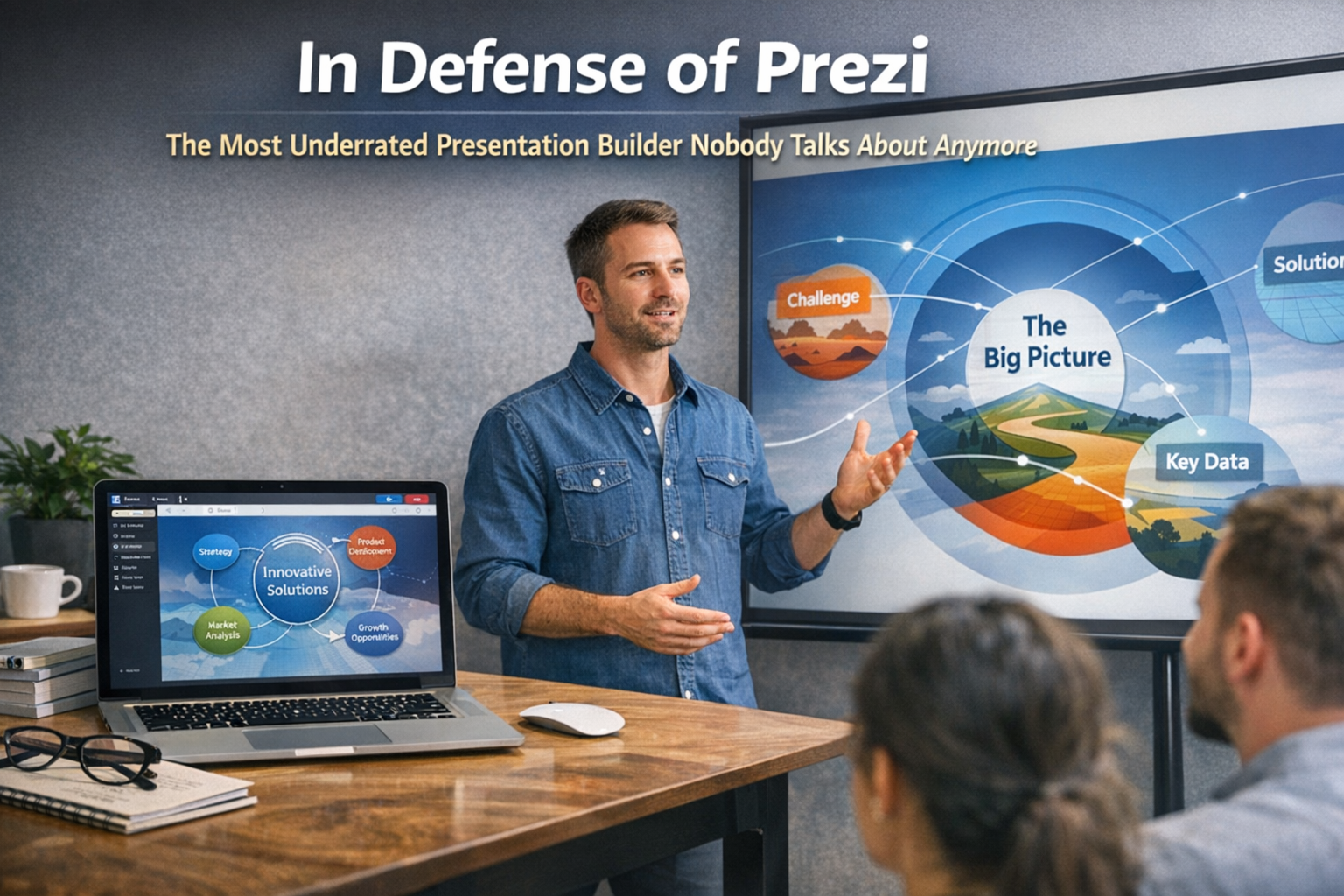
Prezi works differently. Instead of a sequence of slides, you have a canvas — a single, expansive visual space where all of your content exists simultaneously. Your presentation is a journey across that canvas. You zoom in on specific areas, zoom out to show the big picture, pan across relationships between ideas, and move through the material in a way that reflects the actual structure of the thinking rather than forcing it into a sequential slide format.
This isn't just a cosmetic difference. It's a fundamentally different philosophy about how ideas should be presented and how audiences should experience them.
The slide deck model presents information as a sequence. One thing, then another thing, then another thing. The implicit message is: here are the steps, here is the order, here is the conclusion. It works well for certain kinds of content — sequential processes, step-by-step instructions, linear arguments with a clear beginning middle and end.
The Prezi model presents information as a landscape. Here is the territory. Here is where we are in it. Here is how these things relate to each other. Here is the whole picture before we zoom into the details. Here is how the details connect back to the whole. It works exceptionally well for complex topics where relationships and context matter as much as the individual pieces of information.
That distinction — sequence versus landscape — is at the heart of why Prezi is genuinely excellent and why it's genuinely different from everything else in the category.
The Moment Prezi Arrived and Why It Caused a Stir
When Prezi launched in 2009 and started gaining traction in the early 2010s, it caused a genuine stir in certain communities. Here was a presentation tool that felt like it was built for how ideas actually work — interconnected, layered, contextual — rather than for the limitations of a projector showing one slide at a time.
The zooming interface was visually striking in a way that slide software simply wasn't. Watching a Prezi presentation for the first time, when you weren't expecting it, was genuinely arresting. The sense of moving through a space of ideas rather than flipping through pages created an immersive quality that slide presentations rarely achieve.
It spread quickly through certain communities. Students. Academics. Educators. Conference presenters working with complex material. People who had always felt vaguely constrained by the slide format and recognized immediately that Prezi was offering them something different.
And then — for reasons worth examining carefully — it didn't quite achieve the mainstream business adoption that its early momentum seemed to predict.
Why Prezi Took Off in Academia and Education
The academic and educational adoption of Prezi makes complete sense once you understand what the tool is actually good at.
Academia deals in complex, interconnected ideas. A research presentation isn't just a sequence of findings — it's an argument about how things relate to each other, how evidence supports conclusions, how the specific connects to the general and the general illuminates the specific. The ability to show the whole landscape of an argument and then zoom into specific areas while maintaining the audience's sense of where they are in the larger picture is genuinely useful for that kind of content.
Educators teaching complex subjects — systems thinking, historical causality, scientific processes, theoretical frameworks — benefit enormously from the ability to show students where a specific concept sits within a larger conceptual landscape. Prezi makes it natural to zoom out and say "remember the big picture" before zooming back in to the specific element being examined. That pedagogical move is harder and less visually clear in a slide-based format.
Students writing thesis presentations, research proposals, and academic papers found in Prezi a tool that matched the layered, interconnected nature of academic argumentation better than any slide software. The canvas format encouraged thinking about structure as a spatial relationship rather than a sequence, which often produced better-organized thinking as a byproduct of the tool's constraints.
Prezi also had a genuine coolness factor in the early 2010s academic environment. Using it signaled that you were ahead of the curve, that you thought differently about how to communicate ideas, that you weren't just doing the default PowerPoint thing. In academic circles where intellectual distinctiveness matters, that wasn't a minor thing.
Why Business Adoption Was More Complicated
Here's where the story gets interesting — because Prezi's relative underperformance in mainstream B2B and business contexts isn't really a story about the tool being bad at business presentations. It's a story about organizational inertia, tool standardization, and the specific ways that business presentation culture resists innovation.
The PowerPoint Standard Is Deeply Entrenched
In most business organizations, PowerPoint isn't just a tool. It's a format. A cultural standard. A shared language for business communication that has been institutionalized over decades. When someone says "send me the deck," they mean a PowerPoint file. When someone says "put together a presentation," the assumed output is slides.
That standardization is incredibly hard to displace — not because PowerPoint is better than the alternatives, but because switching costs in organizational communication are high. People know how to review a PowerPoint. They know how to edit it. They know how to share it as a file, open it in a meeting, hand it off to a colleague for refinement. The entire workflow of business presentation is built around the slide deck format.
Prezi disrupted that workflow in ways that created friction even when the presentations it produced were better. Early Prezi files weren't easily portable in the way PowerPoint files were. Collaborating on a Prezi required everyone to be working within the Prezi ecosystem. Editing someone else's Prezi required understanding a completely different interface. All of those friction points accumulated into organizational resistance that had nothing to do with the quality of the output.
Motion Sickness and The Backlash
This one is real and worth acknowledging honestly.
Early versions of Prezi had a default tendency toward dramatic zooming and spinning that some presenters used with abandon — rotating through content, zooming in and out at high speed, creating transitions that were visually dynamic but physically uncomfortable for a portion of the audience.
The motion sickness complaints were real. They generated a backlash that was somewhat unfair to the tool itself — because Prezi's zooming capability, used thoughtfully, doesn't require the kind of vertiginous movement that caused the problem. But the association stuck. For a period, "Prezi" became shorthand in some business circles for "that thing that makes people nauseous," which is obviously not a reputation that helps enterprise adoption.
Prezi has addressed this significantly in its modern iterations — the tool is far more controlled in its motion defaults, and the interface has matured substantially. But first impressions in organizational culture are sticky.
Business Presentations Often Prioritize Portability Over Experience
There's a specific characteristic of business presentation culture that works against Prezi adoption: the deck that is presented is often also the document that gets circulated, referenced, and filed.
A business proposal deck serves double duty. It's the presentation that gets shown in the room — or on the Zoom call — and it's the document that gets emailed to stakeholders who weren't in the room, printed and reviewed, referenced in follow-up conversations, and filed in the system for future reference. The slide format serves both functions adequately if not elegantly.
A Prezi presentation is optimized for the experience of being presented. It's less well-suited as a static document that someone pages through asynchronously on their own. The zooming, the spatial relationships, the sense of movement through a conceptual landscape — all of these are experiential qualities that require a presenter guiding the journey. Without the presenter, the canvas can feel disorienting rather than illuminating.
This dual-use requirement — presentation as experience and presentation as document — pushed business users toward formats that served both functions, even if they served neither particularly well.
The Sales Deck Culture Is Inherently Sequential
Much of the B2B presentation context that matters commercially — sales decks, investor pitches, board presentations, client proposals — is inherently sequential in its logic. Problem, solution, evidence, ask. Here's the situation, here's what we propose, here's why it works, here's what we need from you. That sequential argumentative structure maps naturally onto the slide format.
Prezi's canvas model is better suited to presentations where relationships and context are as important as sequence. Many business presentations don't prioritize that — they prioritize a clear, linear argument that moves a specific audience toward a specific decision. For those presentations, slides work fine and Prezi's advantages are less relevant.
What Prezi Is Genuinely Better At Than Anything Else
Despite all of the above, there are specific presentation contexts where Prezi is not just good — it's demonstrably better than slide-based alternatives. And these contexts come up in business more than people think.
Strategic overviews and landscape presentations. When the goal is to give an audience a comprehensive view of a situation — a competitive landscape, a market overview, an organizational strategy — before drilling into specific elements, Prezi's ability to show the whole picture and zoom into components is genuinely powerful. The audience never loses their sense of where they are in the larger picture, which is a significant advantage in complex strategic presentations.
Training and educational content. Any business context that involves teaching something — onboarding new employees, training teams on complex processes, explaining a new system or framework — benefits from Prezi's pedagogical strengths. The ability to show how pieces fit into a whole while examining them in detail is exactly what good training material does.
Conference and keynote presentations. Large audience, single presenter, high visual production value — this is a context where Prezi's immersive, cinematic quality works exceptionally well. The best Prezi presentations in large-format conference settings are genuinely more visually compelling and memorable than slide-based alternatives.
Complex proposal or consultative presentations. When presenting a complex recommendation that involves multiple interconnected components — a digital marketing strategy, an organizational redesign, a multi-phase project plan — the ability to show how the pieces relate to each other spatially, before and after diving into each one, adds clarity that a linear slide sequence often doesn't achieve.
Storytelling and narrative presentations. Content that follows a non-linear logic — where the impact comes from revealing connections between seemingly disparate ideas — is often better served by Prezi's canvas than by slides. The spatial metaphor allows the presenter to hold multiple threads simultaneously and show the moment when they converge.
The Modern Prezi Is Better Than You Remember
If your mental image of Prezi is frozen in 2013 — the spinning, zooming, occasionally nauseating presentations of the early adoption era — the modern product is worth a fresh look.
Prezi has matured significantly. The interface is cleaner. The motion is more controlled and more tasteful by default. The collaboration features have improved. The template library is more sophisticated. Video integration, analytics, and the ability to present asynchronously have all been added in ways that address the portability problems that limited earlier business adoption.
Prezi Video — which allows presenters to appear within their presentation content, overlaid on the visual — is a genuinely innovative feature that no slide software has replicated well. In a world where so much presentation happens remotely, the ability to be visually present within the content rather than separate from it changes the dynamic of virtual presentations in meaningful ways.
The company is still investing in the product. It hasn't become abandonware. It hasn't been swallowed by a larger software company and left to stagnate. It is genuinely being developed by people who care about the presentation experience and who have a specific, differentiated point of view about how ideas should be communicated.
The Case For Giving Prezi A Real Chance In 2026
Here's the honest bottom line.
Most people in business are using PowerPoint or Google Slides by default — not because they made a considered decision that those are the best tools for their specific presentation needs, but because those are the tools everyone else uses and switching requires deliberate effort. That default is costing some of those people the opportunity to give genuinely better presentations.
Prezi isn't right for every presentation. The sequential argument of a sales deck or an investor pitch is probably still best served by slides. The deck that needs to double as a shareable document is probably still best in PowerPoint format.
But the strategic overview that needs to show relationships and context before diving into details? Prezi. The training program that needs to show how pieces fit into a whole? Prezi. The conference keynote that deserves to be more visually compelling and memorable than the average slide presentation? Prezi.
The tool earned its reputation in academia because academics were the first to recognize that it matched how complex ideas actually work. Business communicators dealing with genuinely complex ideas — strategy, systems, interconnected recommendations — have the same need. The ones who've figured that out and added Prezi to their toolkit are giving better presentations than the ones who haven't.
It deserves more credit than it gets. It deserves more use than it sees. And the next time you're building a presentation that feels like it's fighting the slide format — like the linear sequence isn't capturing the real structure of what you're trying to say — it's worth asking whether the canvas is the answer.
It might be.
Want help building the kind of digital presence and content strategy that actually communicates what your business is and what makes it distinctive?
Ritner Digital works with businesses to build marketing that reflects the real quality of their thinking — not just the default formats everyone else is using. If you want a partner who thinks carefully about how ideas get communicated and how that translates into business results, let's talk.
👉🏼 Get in Touch at ritnerdigital.com
Frequently Asked Questions
What is Prezi and how is it different from PowerPoint or Google Slides?
Prezi is a presentation tool built around a canvas model rather than a slide deck model. PowerPoint and Google Slides present information as a sequence of individual slides — one after another in a linear order. Prezi presents information as a single expansive visual space where all content exists simultaneously, and the presentation is a journey across that canvas — zooming in on specific areas, zooming out to show the big picture, and moving through material in a way that reflects the actual structure of the ideas rather than forcing them into a linear sequence. It's not just a visual difference. It's a fundamentally different philosophy about how ideas should be organized and communicated.
Is Prezi still being actively developed or is it a dying product?
Prezi is very much still active and being developed. The company has continued investing in the product significantly — adding features like Prezi Video, improving collaboration tools, expanding the template library, and refining the motion and transition experience that caused some of the early criticism. It has not been acquired and left to stagnate. It has not become abandonware. If your mental image of Prezi is based on the spinning, occasionally disorienting presentations of the early 2010s, the modern product is substantially more mature, more controlled, and more capable than that era suggested.
Why did Prezi take off in academia but struggle to achieve the same adoption in business?
Several converging reasons. Academic content — complex arguments, interconnected ideas, theoretical frameworks — maps naturally onto Prezi's canvas model in a way that much business content doesn't. Business presentation culture is also deeply standardized around PowerPoint, creating organizational inertia that's hard to displace regardless of tool quality. Early Prezi had portability issues that created friction in business workflows where decks need to be shared, edited, and filed as documents. The motion sickness backlash — driven by early users who overused dramatic zooming — created a reputation problem in business circles that stuck longer than it deserved to. And much commercial B2B presentation — sales decks, pitches, proposals — follows a sequential argumentative logic that slide formats serve adequately.
What kinds of presentations is Prezi genuinely better at than slide software?
Any presentation where relationships, context, and the connection between the big picture and the details matter as much as sequential order. Strategic overviews and competitive landscape presentations where the audience needs to understand how things relate before diving into specifics. Training and educational content where showing how pieces fit into a whole is part of the learning. Conference and keynote presentations where visual impact and memorability are priorities. Complex consultative presentations — strategy recommendations, multi-phase project plans, integrated proposals — where the interconnected nature of the recommendation gets lost in a linear slide sequence. Narrative presentations where the impact comes from revealing unexpected connections between ideas.
What is Prezi Video and why is it significant?
Prezi Video is a feature that allows presenters to appear within their presentation content — overlaid on the visual material rather than in a separate camera window alongside it. In a standard video call or recorded presentation, the presenter is usually in a small box in the corner while the content takes up most of the screen, creating a visual separation between the person and the material. Prezi Video integrates the two — the presenter appears within the content, gesturing toward and interacting with the visual elements. In a world where so much presentation happens remotely, this creates a significantly more engaging and visually present experience than the conventional screenshare-and-webcam format. No major slide software has replicated this feature effectively.
Did Prezi actually cause motion sickness and is that still a problem?
Early Prezi presentations, in the hands of users who were excited by the zooming capability and used it liberally, did produce discomfort for some audience members — particularly rapid spinning and dramatic multi-level zooming in quick succession. The complaints were real and the backlash was real. The modern Prezi is significantly more controlled in its motion defaults, and thoughtful use of the zooming capability — which doesn't require rapid or dramatic movement — doesn't produce the same effect. The motion sickness association was always somewhat unfair to the tool itself, since it was a consequence of how some people used it rather than an inherent characteristic of the platform. But first impressions in organizational culture are hard to shake, and this one lingered in business circles longer than it deserved to.
Is Prezi better for in-person presentations or remote ones?
Both — but for different reasons. In-person, particularly in large-format conference or keynote settings, Prezi's visual dynamism and the sense of moving through a conceptual landscape creates a more immersive and memorable experience than slide presentations typically achieve. The spatial quality of the canvas translates well to a large screen with an audience. Remotely, Prezi Video becomes the standout advantage — the ability to appear within the content rather than beside it creates a fundamentally more engaging virtual presentation experience. The two strongest use cases for Prezi happen to map onto the two dominant presentation formats, which is actually a significant practical advantage.
Should businesses replace PowerPoint with Prezi entirely?
Probably not — and that's not really the case being made here. PowerPoint and Google Slides serve specific functions well — particularly the dual-use requirement of a presentation that also needs to circulate as a document, sequential arguments that follow a clear linear logic, and contexts where file portability and universal editability are priorities. The more useful framing is adding Prezi to the toolkit as the right tool for specific presentation contexts rather than replacing the tools that handle other contexts adequately. The mistake most business communicators make is using slides for everything by default rather than asking which tool actually serves the specific presentation need. Prezi is the right answer more often than most business professionals realize — but not universally.
How hard is Prezi to learn for someone who has only used PowerPoint?
The learning curve is real but manageable — and most people find that the core functionality clicks within a few hours of use. The conceptual shift from slide-by-slide to canvas-based thinking is the primary adjustment, and it requires unlearning the habit of organizing content as a sequence before it can be reorganized as a spatial landscape. The interface itself is intuitive enough that basic presentations come together relatively quickly. Advanced features — custom path creation, sophisticated template customization, Prezi Video setup — take more time to master. Most people who give the tool a genuine try over two or three presentations report that the initial friction was worth it for the quality of the output.
Why does Prezi deserve more credit than it currently gets?
Because it solved a real problem — the limitation of the linear slide format for communicating genuinely complex, interconnected ideas — in a way that no other mainstream presentation tool has matched. It earned its early reputation through genuine innovation, not marketing. It has continued to develop and mature while most of the conversation about presentation tools has moved on without it. The business world's failure to more broadly adopt it is more a story about organizational inertia, workflow friction, and a reputation problem driven by early misuse than a story about the tool being inadequate. For the specific presentation contexts where it excels, it remains the best option available — and the presenters who know that and use it accordingly are giving better presentations than the ones who default to slides for everything.
Where can I try Prezi if I want to see what it actually looks like in 2026?
Prezi offers a free tier that allows you to build and present basic presentations without any financial commitment — enough to get a genuine feel for the canvas model and whether it works for your specific use case. The paid tiers unlock additional features, privacy controls, and the full Prezi Video capability. The best way to form an accurate opinion of the modern product is to build something in it — not to watch someone else's presentation or rely on a memory of what it looked like in 2013. The experience of actually organizing your own content on a canvas, rather than into slides, is what makes the difference between the tool clicking and not clicking. Give it a real project, not a test. That's when it shows what it can actually do.