Is Your DC Business Website Ready for 2026? A Practical Checklist
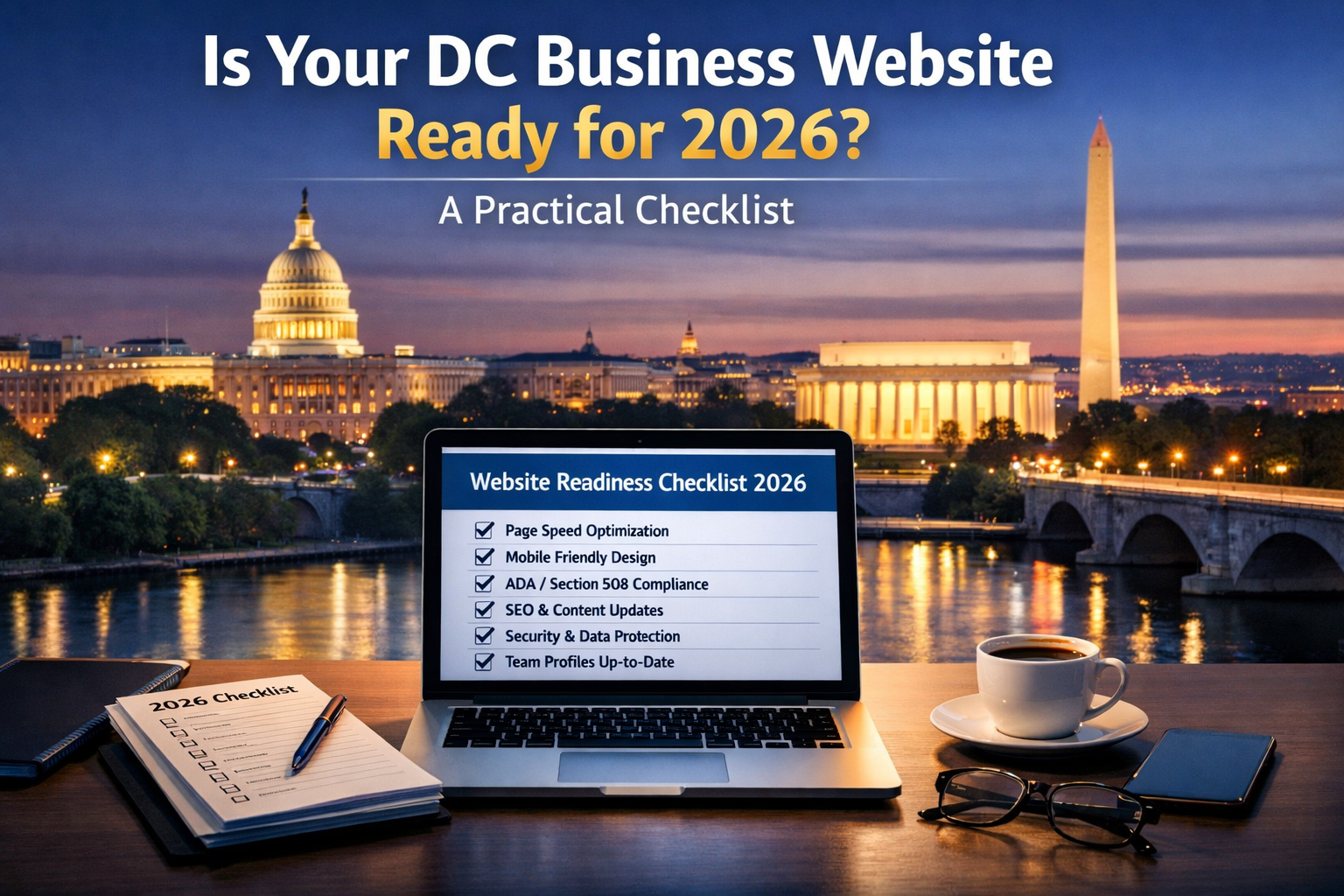
Your Website Is Working For You or Against You — There Is No Middle Ground
In a market as competitive and credential-driven as Washington DC, a website that is merely adequate is not neutral. It is actively costing you. Every time a potential client, government contact, foundation officer, or procurement reviewer lands on a page that loads slowly, looks outdated, breaks on mobile, or fails to clearly communicate what your organization does and why it matters, you lose ground you may never know you lost.
The good news is that most of the issues that hold DC business websites back in 2026 are identifiable, fixable, and not as expensive to address as organizations assume. The challenge is knowing what to look for.
This checklist is built specifically for DC-area businesses, contractors, nonprofits, law firms, associations, and professional services organizations. It covers the technical, design, content, accessibility, and strategic dimensions of website readiness — and gives you a clear picture of where your site stands heading into the rest of 2026.
Section One: Performance and Technical Health
A website that performs poorly technically undermines everything else — no matter how strong your content or how credible your organization. Technical health is the foundation everything else is built on.
Page Load Speed
Does your website load in under three seconds on both desktop and mobile?
Google's research consistently shows that the majority of users abandon a website that takes longer than three seconds to load. For a DC professional audience that expects efficiency, a slow website communicates disorganization before a visitor has read a single word of your content.
Test your current load speed using Google PageSpeed Insights or GTmetrix. Pay particular attention to your Core Web Vitals scores — Largest Contentful Paint, Cumulative Layout Shift, and Interaction to Next Paint — which Google uses as ranking signals in search results. If your scores are in the red or orange ranges, speed optimization should be a priority.
Common causes of slow load times on DC organization websites include unoptimized images, bloated plugin stacks on WordPress sites, cheap shared hosting that can't handle traffic spikes, and legacy code that hasn't been updated in years.
Hosting Quality
Is your website hosted on a reliable, performant hosting environment?
Hosting quality has a direct impact on speed, uptime, and security. Many DC organizations — particularly smaller nonprofits and associations — are running on entry-level shared hosting that made sense when their website was first built but is no longer adequate for their current traffic and content needs.
For organizations with government relationships or security-sensitive audiences, hosting environment also carries compliance implications. A website hosted on a poorly maintained shared server with no security hardening sends a subtle but real signal to security-conscious government and enterprise visitors.
SSL and HTTPS
Does your website run on HTTPS with a current SSL certificate?
If your website still loads on HTTP rather than HTTPS, browsers will display a security warning to visitors — a conversion-killing problem in any market, but particularly damaging in a DC environment full of security-conscious government and legal professionals. HTTPS is also a Google ranking factor. Every DC organization website should be running on HTTPS without exception.
Uptime Monitoring
Do you know when your website goes down?
Many organizations discover their website has been down for hours — or days — only when a client or contact mentions it. Uptime monitoring tools send an alert the moment your website becomes unavailable, allowing you to respond quickly rather than discovering the problem after the fact. This is a simple, low-cost addition to your website maintenance process that protects your credibility with the contacts who matter most.
Section Two: Mobile Performance
DC professionals are constantly on the move. Between Hill offices, agency meetings, association events, and courthouse appearances, a significant portion of your most important website visitors are arriving on mobile devices — often in contexts where they are quickly checking your credentials or looking up a contact before walking into a room.
Mobile Responsiveness
Does your website display and function correctly on all screen sizes?
A website that looks fine on a desktop but breaks, overlaps, or becomes difficult to navigate on a smartphone is failing a significant portion of your audience. Responsive design — where the layout adapts fluidly to different screen sizes — has been standard practice for years, but many DC organizations are still running websites built before mobile responsiveness was a priority.
Test your website on multiple devices and screen sizes, not just your own phone. Pay particular attention to navigation menus, forms, tables, and any interactive elements that are common failure points on smaller screens.
Mobile Page Speed
Does your website load quickly specifically on mobile connections?
Mobile load speed and desktop load speed are different measurements, and a site that performs well on a fast office connection may load unacceptably slowly on a mobile network. Google's PageSpeed Insights provides separate mobile and desktop scores. For a DC audience that is frequently checking websites on cellular connections while in transit, mobile speed is as important as desktop speed.
Tap Target Sizing
Are buttons and links large enough to tap accurately on a touchscreen?
WCAG and Google both recommend that interactive elements — buttons, navigation links, form fields — be large enough to tap without accidentally activating adjacent elements. Small tap targets are a common mobile usability failure that creates friction for users and signals a lack of attention to mobile experience.
Section Three: Accessibility and Section 508 Compliance
For DC-area organizations with any federal relationship — contractors, grantees, vendors, and agencies — Section 508 compliance is a legal and contractual requirement. For every organization in the DC market, accessibility is a best practice that expands your audience, reduces legal risk, and improves the experience for all users.
WCAG 2.0 AA Conformance
Has your website been tested against WCAG 2.0 AA accessibility standards?
If you have never conducted a formal accessibility audit of your website, the honest answer is that you almost certainly have accessibility failures — most websites do without proactive testing and remediation. An accessibility audit combining automated scanning with manual testing is the only way to know where your site actually stands.
Color Contrast
Does all text on your website meet minimum contrast ratio requirements?
WCAG 2.0 AA requires a contrast ratio of at least 4.5:1 for normal text and 3:1 for large text. Light gray body text, pale colored buttons, and text overlaid on images or gradients are common contrast failures on otherwise professionally designed websites. Run your color combinations through a contrast checker to verify compliance.
Keyboard Navigation
Can all functionality on your website be accessed using a keyboard alone?
Try navigating your website using only the Tab, Enter, and arrow keys — no mouse. Can you access and activate every navigation item, open and close every dropdown, submit every form, and interact with every interactive element? If not, you have keyboard navigation failures that affect users who rely on keyboard access and assistive technologies.
Image Alt Text
Do all meaningful images on your website have descriptive alt text?
Every image that conveys meaningful information needs a text alternative. This includes photos, charts, infographics, logos used as links, and any other non-decorative visual content. Decorative images should be marked with empty alt attributes so screen readers skip them. Alt text failures are among the most common and most easily fixed accessibility issues on DC organization websites.
Form Accessibility
Are all form fields properly labeled for screen reader users?
Every field in every form on your website — contact forms, membership applications, event registration, newsletter sign-up — needs a properly associated label element. Placeholder text inside a field does not substitute for a label. Form accessibility failures lock out screen reader users from one of the most important conversion points on your website.
PDF Accessibility
Are downloadable documents on your website accessible?
If your website includes capability statements, annual reports, white papers, program guides, or any other downloadable documents, those documents need to be accessibility remediated to be Section 508 compliant. An untagged PDF is essentially invisible to a screen reader. PDF remediation is a required step for any DC organization whose website includes document downloads.
Section Four: Search Engine Optimization
A website that no one can find is not working for your organization regardless of how well it is designed. For DC-area organizations targeting local professional and government audiences, search visibility is a genuine business development asset.
Google Search Console
Is your website connected to Google Search Console?
Google Search Console is a free tool that shows you which search queries are driving visitors to your website, which pages are indexed, and whether Google has identified any technical issues with your site. If your website is not connected to Search Console, you are operating without basic visibility into how your site is performing in search results.
Title Tags and Meta Descriptions
Does every page on your website have a unique, descriptive title tag and meta description?
Title tags and meta descriptions are the text that appears in search engine results. A page with a vague or missing title tag — or one that simply repeats your organization name across every page — is a missed opportunity to communicate relevance to both search engines and the humans who decide whether to click your result. Every significant page on your website should have a unique title tag that describes the specific content of that page and includes relevant keywords your target audience is searching for.
Heading Structure
Does your website use a logical heading hierarchy throughout its pages?
Proper heading structure — a single H1 per page, followed by H2 section headings and H3 subsection headings in logical order — helps both search engines understand the structure of your content and screen reader users navigate pages efficiently. Headings should describe the content that follows them, not be chosen for visual styling purposes.
Local SEO Signals
Does your website include consistent local SEO signals for the DC market?
For DC-area organizations targeting local clients and contacts, local SEO signals matter. These include your organization's name, address, and phone number displayed consistently across your website and matching your Google Business Profile, location-specific page content that references the DC metro area and the specific audiences you serve, and local schema markup that helps search engines understand your geographic relevance. A generic website with no DC-specific content signals is competing at a disadvantage against organizations whose digital presence is clearly anchored in the market.
Content Freshness
Is your website content current and regularly updated?
Search engines favor websites with regularly updated, relevant content. More importantly, a DC professional audience doing due diligence on your organization will notice if your news section hasn't been updated in two years, your team page lists people who left the organization, or your capability descriptions reference outdated programs and contracts. Content freshness is both an SEO signal and a credibility signal.
Section Five: Content and Messaging
Even a technically perfect website fails if its content doesn't speak clearly and credibly to the DC audiences it's trying to reach.
Clear Value Proposition
Can a first-time visitor immediately understand what your organization does and who it serves?
Within five seconds of landing on your homepage, a visitor should be able to answer three questions: What does this organization do? Who does it do it for? Why should I trust them to do it? If your homepage leads with a vague tagline, an abstract mission statement, or a hero image that looks impressive but says nothing, you are failing this test with every new visitor.
Audience-Specific Messaging
Does your website speak directly to the specific decision-makers you are trying to reach?
Generic messaging that could apply to any organization in any market does not resonate with a DC professional audience. Your website should speak directly to the specific challenges, priorities, and vocabulary of your target audience — whether that's federal contracting officers, foundation program managers, association members, or K Street clients. The more specifically your content reflects the real concerns of your actual audience, the more effectively it builds the confidence that drives inbound inquiries.
Credentials and Track Record
Does your website clearly display the credentials and accomplishments that matter to your audience?
In DC, credibility requires evidence. Your website should make it easy for a visitor doing due diligence to find the specific credentials, past performance, publications, affiliations, and accomplishments that establish your organization's authority in its field. Burying this information in dense paragraph text or omitting it entirely in favor of vague positioning language is a common and costly mistake.
Team and Leadership Profiles
Are your leadership and team profiles substantive and current?
In service-based DC organizations, people are the product. Leadership profiles should feature professional headshots, substantive bios with real credentials, and where appropriate links to published work, testimony, speaking engagements, and media appearances. Generic one-paragraph bios and outdated headshots undermine the credibility of an otherwise strong website.
Calls to Action
Does every key page on your website have a clear, relevant next step?
Every page a visitor might land on — a practice area page, a program description, a team profile, a thought leadership article — should have a clear and relevant call to action that moves an interested visitor toward engagement. That call to action doesn't need to be aggressive or transactional. For a DC audience, low-friction options like "schedule a conversation," "download our capability statement," or "subscribe to our policy updates" often outperform hard sells.
Section Six: Security and Maintenance
A website that is not actively maintained is a website that is gradually becoming a liability.
Software Updates
Is your CMS, theme, and plugin stack current and actively maintained?
Outdated software is the most common source of website security vulnerabilities. WordPress sites with outdated plugins, Drupal sites running end-of-life versions, and custom sites built on deprecated frameworks are all security risks that become more serious over time. For organizations with government relationships, a compromised website is not just an embarrassment — it can jeopardize contracts and create legal exposure.
Backup System
Does your website have an automated backup system with off-site storage?
If your website were to be compromised, hacked, or accidentally broken by a software update tomorrow, how quickly could you restore it and from what point in time? An automated daily backup stored in a separate location from your hosting environment is a basic but essential protection that many DC organizations neglect until they need it.
Spam and Malware Monitoring
Is your website actively monitored for malware and unauthorized changes?
Website malware and unauthorized code injections can persist undetected for weeks or months, serving malicious content to your visitors or quietly redirecting traffic. For a DC organization whose website is a primary credibility asset, active malware monitoring is a reasonable and relatively inexpensive operational practice.
Section Seven: Analytics and Measurement
If you are not measuring your website's performance, you cannot improve it intentionally.
Analytics Platform
Does your website have a properly configured analytics platform?
Google Analytics 4 is the current standard for website analytics and is free. Without analytics, you have no visibility into how many people are visiting your website, where they are coming from, which pages they are reading, how long they are staying, or what actions they are taking. For DC organizations that invest in business development, event marketing, and thought leadership content, analytics data is essential for understanding what is working and what is not.
Goal Tracking
Are your key conversion actions tracked as goals in your analytics platform?
Page views and session counts are interesting but not sufficient. The metrics that matter are the ones that represent real business outcomes — contact form submissions, capability statement downloads, membership inquiries, event registrations, newsletter sign-ups. Setting up goal tracking in your analytics platform turns your website data from a vanity metric into a genuine business intelligence tool.
Regular Reporting
Does someone in your organization review website performance data on a regular basis?
Analytics data is only valuable if someone is looking at it and acting on it. A monthly review of key performance metrics — traffic, traffic sources, top pages, conversion actions, search query data from Google Search Console — creates the feedback loop that enables continuous improvement. For smaller organizations without dedicated digital staff, a quarterly review is a reasonable minimum.
Your 2026 Website Readiness Score
Work through the checklist above and note how many items your website currently satisfies. Here is a rough guide to interpreting your results.
Mostly Green — Strong Foundation
Your website is in good shape on the fundamentals. Focus your energy on content freshness, thought leadership development, and incremental performance improvements. Consider a deeper accessibility audit if you have not conducted one recently.
Mixed Results — Attention Needed
Your website has meaningful gaps that are likely costing you with your target audience. Prioritize the technical and accessibility items first — these have the most direct impact on credibility and compliance — then address content and messaging weaknesses.
Mostly Red — Strategic Priority
Your website needs significant attention and should be treated as a strategic priority rather than a maintenance task. A comprehensive website audit followed by a structured remediation plan — or potentially a full redesign — is the right next step. The cost of inaction in the DC market is real and ongoing.
Ready to Find Out Where Your Website Actually Stands?
Ritner Digital offers comprehensive website audits for DC-area businesses, contractors, nonprofits, and associations. We assess technical performance, accessibility compliance, content effectiveness, SEO health, and security posture — and deliver a clear, prioritized roadmap for getting your website where it needs to be.
Get in touch with the Ritner Digital team to schedule your website audit.
Frequently Asked Questions
Why does this checklist focus specifically on DC-area organizations?
Washington DC has a uniquely demanding professional audience. Decision-makers at law firms, government agencies, contractors, associations, and nonprofits evaluate websites the same way they evaluate any professional credential — looking for evidence of competence, credibility, and attention to detail. The stakes of a underperforming website are higher here than in most markets because the audience is more sophisticated, the procurement processes are more rigorous, and the competitive environment is more intense. This checklist is calibrated to those specific pressures rather than generic small business website advice.
How do I know if my website needs a full redesign or just targeted improvements?
A full redesign is warranted when the underlying structure, design system, or CMS is so outdated or poorly built that incremental improvements can't meaningfully close the gap. Signs that point toward a redesign include a website that is not mobile responsive, a CMS that is end-of-life or no longer supported, a visual design that is more than five years old and no longer reflects your organization's positioning, or a content architecture that no longer maps to how your organization actually works. If your website has a solid technical foundation but gaps in content, performance, or accessibility, targeted improvements are often the more cost-effective path.
How often should a DC organization review its website against a checklist like this?
A thorough review against all dimensions of this checklist — technical performance, accessibility, SEO, content, security, and analytics — is worth doing at least once a year. Individual components deserve more frequent attention. Security updates and software patches should be applied as they are released. Content should be reviewed and updated quarterly at minimum. Analytics should be reviewed monthly. Accessibility should be formally audited any time significant changes are made to the website's design or functionality.
What is a website audit and is it different from this checklist?
This checklist is a self-assessment tool designed to give you a high-level picture of where your website stands. A professional website audit goes deeper — it uses specialized tools and expert analysis to evaluate each dimension in detail, identify specific issues and their root causes, assess their relative impact, and produce a prioritized remediation roadmap. A professional audit is the right next step if your self-assessment reveals significant gaps or if you want an objective, expert evaluation rather than an internal review.
What are Core Web Vitals and why do they matter for my DC organization website?
Core Web Vitals are a set of performance metrics that Google uses to evaluate the page experience your website delivers to visitors. The three current Core Web Vitals are Largest Contentful Paint — how quickly the main content of a page loads — Cumulative Layout Shift — how stable the page layout is as it loads — and Interaction to Next Paint — how quickly the page responds to user interactions. Google uses Core Web Vitals as ranking signals in search results, meaning poor scores can directly suppress your search visibility. For a DC professional audience that expects speed and efficiency, strong Core Web Vitals scores also correlate with a better user experience.
What is a realistic page load time target for my website?
Google recommends that pages load within two to three seconds for a good user experience, with under two seconds being the target for competitive search performance. Realistically, many DC organization websites — particularly older ones running on shared hosting with unoptimized images and bloated plugin stacks — load in five to eight seconds or longer. Even moving from six seconds to three seconds can meaningfully reduce bounce rates and improve search rankings. Google PageSpeed Insights and GTmetrix are free tools that give you your current load time and specific recommendations for improvement.
My website is on WordPress. What are the most common performance issues I should look for?
WordPress performance problems on DC organization websites most commonly come from four sources. First, unoptimized images — large image files that have never been compressed or converted to modern formats like WebP. Second, plugin bloat — too many plugins, outdated plugins, or poorly coded plugins that add unnecessary database queries and scripts to every page load. Third, inadequate hosting — entry-level shared hosting that cannot deliver consistent performance under real traffic conditions. Fourth, no caching — without a caching layer, WordPress rebuilds every page from scratch on every visit, which is slow and resource-intensive. Addressing these four areas alone can dramatically improve WordPress performance.
What hosting environment do you recommend for DC contractor and nonprofit websites?
The right hosting environment depends on your organization's size, traffic, security requirements, and budget. For most small to mid-sized DC organizations, a quality managed WordPress or Drupal hosting provider — Pantheon, WP Engine, Kinsta, or Acquia — offers a significant performance and security upgrade over generic shared hosting at a reasonable cost. For organizations with elevated security requirements or federal relationships, a FedRAMP-authorized cloud hosting environment may be appropriate. The most important factors are reliability, security posture, support quality, and performance — not the lowest possible monthly cost.
What percentage of my website visitors are likely on mobile?
It varies by organization type and audience, but most DC organization websites see between 40 and 60 percent of their traffic arriving on mobile devices. For organizations that publish thought leadership content that gets shared on social media, mobile percentages tend to be higher. For organizations whose primary audience is government procurement professionals working at desktops, the split may be closer to even. Your Google Analytics data will show you the exact breakdown for your specific website — and that number should inform how much priority you give to mobile optimization.
My website is technically responsive but feels awkward on mobile. What does that mean?
Responsive design means the layout adapts to different screen sizes — but responsiveness is a baseline, not a complete mobile experience. A website can be technically responsive while still being difficult to use on mobile due to small tap targets, navigation that requires multiple taps to access key pages, text that is too small to read comfortably, forms that are difficult to complete on a touchscreen, or content that is organized for desktop reading rather than mobile browsing. True mobile optimization requires designing the mobile experience intentionally, not just ensuring the desktop layout doesn't break on a small screen.
My organization doesn't have any federal contracts right now. Do I still need to worry about accessibility?
Yes, for several reasons beyond Section 508. ADA Title III lawsuits targeting inaccessible websites have increased significantly in recent years and extend to professional services firms, associations, and nonprofits — not just consumer brands. An accessible website serves a broader audience, including the approximately 26 percent of US adults who live with some form of disability. Accessibility best practices overlap significantly with SEO best practices, so an accessible website is typically a more search-friendly website. And for DC organizations that may pursue federal relationships in the future, building an accessible website now is far more cost-effective than retrofitting one later.
What is the quickest accessibility win I can implement on my website today?
If you are looking for a single high-impact, low-effort starting point, audit your image alt text. Go through your website's images and verify that every meaningful image has a descriptive alt text attribute, and that decorative images are marked with empty alt attributes. This is one of the most common accessibility failures, one of the easiest to fix, and one that directly affects screen reader users' ability to understand your content. Most CMS platforms make adding or editing alt text straightforward for non-technical users.
Can I test my own website for accessibility issues without hiring a specialist?
Yes — automated tools can give you a useful starting point at no cost. The WebAIM WAVE tool and the Axe browser extension are both free and widely used for automated accessibility scanning. Run your key pages through these tools and review the reported errors and alerts. Keep in mind that automated tools catch only 30 to 40 percent of accessibility issues — the remainder require manual testing and expert judgment to identify. Automated scanning is a useful first step and triage tool, but it is not a substitute for a professional accessibility audit if Section 508 compliance is a requirement for your organization.
What local SEO signals matter most for a DC-area organization?
The most impactful local SEO signals for DC organizations are a complete and verified Google Business Profile with accurate name, address, phone number, and category information; consistent NAP — name, address, phone — information across your website and all online directory listings; location-specific content on your website that references the DC metro area and the specific audiences and industries you serve; and local schema markup that helps search engines understand your geographic relevance. For organizations serving multiple DMV submarkets — DC proper, Northern Virginia, Maryland suburbs — location-specific landing pages or content can capture more granular local search traffic.
How does thought leadership content help with SEO for DC organizations?
Thought leadership content — policy analysis, regulatory updates, practice area insights, industry commentary — targets the specific search queries that your most valuable audience uses when researching issues in your field. A federal contractor that publishes substantive content on procurement policy, a law firm that publishes detailed analysis of regulatory developments, or a trade association that covers legislative activity in its industry will organically appear in search results when decision-makers are actively researching those topics. Over time this creates a compounding SEO asset — a library of relevant, authoritative content that drives consistent inbound traffic from exactly the audience you want to reach.
My organization ranks well for our name but not for anything else. Is that a problem?
Yes. Ranking well for your organization's name means that people who already know you can find you — but it does nothing to help people who don't know you yet discover you when they're searching for the services, expertise, or capabilities you offer. For DC organizations focused on business development, the most valuable search traffic comes from queries like "government affairs firm Washington DC," "Section 508 compliance consultant," or "federal procurement attorney DC" — people actively searching for what you do before they know who you are. Expanding your search visibility beyond branded queries requires a deliberate content and SEO strategy built around the terms your target audience actually uses.
How long does it take to see results from SEO improvements?
SEO improvements fall into two categories with different timelines. Technical fixes — correcting crawl errors, improving page speed, fixing broken links, adding missing title tags — can produce measurable improvements in search visibility within weeks as Google recrawls and reindexes your pages. Content-driven SEO — building topical authority through thought leadership, optimizing existing pages for target keywords, earning inbound links from relevant sources — operates on a longer timeline of three to six months or more before significant ranking improvements become visible. The most effective approach combines both: fix technical issues for quick wins while building content assets for sustainable long-term search growth.
How do I write a value proposition that works for a DC professional audience?
A strong value proposition for a DC professional audience is specific, evidence-backed, and audience-focused. It answers three questions directly: what do you do, for whom, and with what demonstrated results. Avoid abstract language — "driving impact," "delivering solutions," "empowering organizations" — that could describe anyone. Instead, be concrete: "We represent technology companies in federal procurement disputes before the GAO and Court of Federal Claims" or "We help DC-area nonprofits build Section 508 compliant websites that satisfy federal grant requirements." The more specifically your value proposition reflects the real situation of your target audience, the more effectively it builds the confidence that drives inbound inquiries.
How much content is enough for a DC organization website?
Depth matters more than volume. A DC professional audience doing due diligence wants substantive content on your capabilities, your team, and your track record — not a lot of pages with thin, generic descriptions. Priority pages that deserve real depth include your practice area or service pages, your leadership and team profiles, your about page, and your thought leadership archive. Start by making those pages genuinely substantive before worrying about adding more pages. A website with ten well-written, specific, credible pages will outperform one with fifty thin pages every time with a sophisticated DC audience.
How often should my website software be updated?
Security updates should be applied as soon as they are released — ideally within days, not weeks. For WordPress sites, this means core updates, theme updates, and plugin updates on a rolling basis. For Drupal sites, security releases follow a predictable monthly schedule with emergency patches for critical issues. Delaying security updates is the single most common cause of website compromises. For DC organizations that cannot dedicate internal resources to active update management, a website maintenance retainer with a qualified development partner is a worthwhile investment.
What should a website maintenance plan include for a DC organization?
A comprehensive website maintenance plan for a DC-area organization should cover regular software updates and security patches, automated daily backups with off-site storage, uptime monitoring with alert notifications, malware scanning and removal, periodic performance monitoring and optimization, accessibility monitoring for new content, and an annual review of the full website against the checklist dimensions covered in this post. The cost of a maintenance plan is a fraction of the cost of recovering from a security incident, a compliance failure, or a significant performance degradation that goes undetected for months.
Have questions about your website's readiness or want to schedule a professional audit? Reach out to the Ritner Digital team — we're happy to help.