Section 508 Compliance & Your Website — What DC-Area Businesses and Government Contractors Need to Know
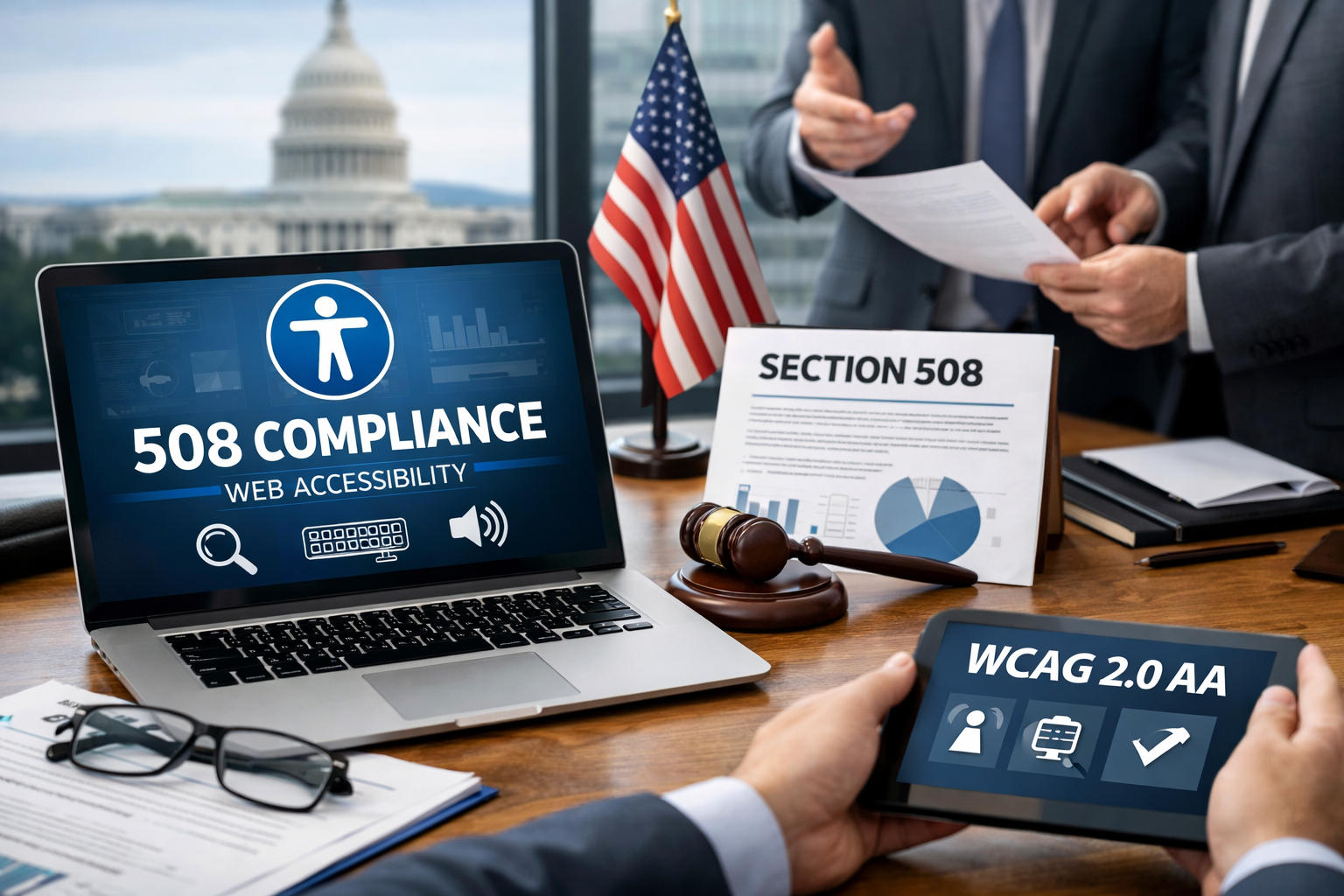
If You Do Business With the Federal Government, This Applies to You
Most DC-area businesses assume Section 508 compliance is something federal agencies worry about internally. It's not. If your organization contracts with a federal agency, receives federal funding, or sells digital products or services to the government, Section 508 compliance requirements extend directly to you — and your website is almost certainly part of what needs to meet the standard.
The Washington DC metro area has one of the highest concentrations of federal contractors, government-adjacent nonprofits, and professional services firms in the country. That means Section 508 compliance is not a niche concern here. It's a mainstream business requirement that a surprising number of organizations are either unaware of, behind on, or actively ignoring at real risk to their contracts and procurement opportunities.
This guide covers everything DC-area businesses and government contractors need to know about Section 508 — what it is, who it applies to, what compliance actually requires, and how to get your website where it needs to be.
What Is Section 508?
Section 508 is an amendment to the Rehabilitation Act of 1973. Congress added it in 1998 to address the rapid growth of digital technology and ensure that people with disabilities have equal access to electronic information and technology in the federal government ecosystem.
In plain terms, Section 508 requires that any information and communication technology — referred to as ICT — created, purchased, used, or maintained by federal agencies must be accessible to people with disabilities. That includes websites, software applications, electronic documents, mobile apps, multimedia content, and any other digital asset that falls under an agency's purview.
The law was significantly updated in 2018 when the US Access Board refreshed the Section 508 standards to align with the Web Content Accessibility Guidelines — WCAG — version 2.0 Level AA. That update brought Section 508 in line with international accessibility standards and clarified the specific technical requirements organizations need to meet.
Who Does Section 508 Apply To?
This is where many DC-area businesses get caught off guard. Section 508 applies more broadly than most people realize.
Federal Agencies
Every US federal agency is covered by Section 508 without exception. All public-facing websites, internal systems, employee-facing software, digital documents, and any other ICT the agency develops, procures, or uses must meet the standard.
Government Contractors and Vendors
Any private organization that contracts with a federal agency to provide digital products or services must ensure those products and services are Section 508 compliant. This includes web development firms building agency websites, software companies selling applications to government buyers, IT service providers supporting agency infrastructure, and any contractor whose deliverables include a digital component.
If you are delivering a website, a software application, a digital document library, a training portal, or any other ICT as part of a federal contract, Section 508 compliance is a contractual requirement — not optional.
Nonprofits Receiving Federal Funding
Nonprofits that receive federal grants or operate programs funded by federal dollars are also expected to ensure their digital properties meet Section 508 standards. For many DC-area nonprofits that rely heavily on government funding, this is a compliance obligation that is frequently overlooked until it becomes a problem during a grant renewal or audit process.
Organizations Pursuing Federal Contracts
Even if your organization doesn't currently hold a federal contract, demonstrating Section 508 compliance positions you more competitively for procurement opportunities. Federal agencies are required to verify that the ICT they procure is compliant before awarding contracts. Coming to the table with a compliant website and a completed VPAT removes a barrier that trips up many competitors.
What Is WCAG 2.0 AA and What Does It Actually Require?
Section 508 compliance for websites means meeting the Web Content Accessibility Guidelines version 2.0 at the Level AA conformance threshold. WCAG is developed and maintained by the World Wide Web Consortium — W3C — and represents the international standard for digital accessibility.
WCAG 2.0 is organized around four core principles, often summarized by the acronym POUR.
Perceivable
All content and interface elements must be presentable to users in ways they can perceive — regardless of sensory ability.
In practice this means providing text alternatives for all non-text content including images, providing captions and transcripts for audio and video content, ensuring content can be presented in different ways without losing meaning, and making it easy for users to see and hear content by providing sufficient color contrast and not relying solely on color to convey information.
Operable
All interface components and navigation must be operable by all users — including those who cannot use a mouse.
In practice this means ensuring all functionality is accessible via keyboard alone, giving users enough time to read and interact with content, avoiding content that flashes or strobes in ways that could trigger seizures, and providing clear navigation aids including descriptive page titles, meaningful link text, and logical heading structures.
Understandable
Content and interface operation must be understandable to all users.
In practice this means writing content in plain language where possible, making web pages behave in predictable ways, identifying the language of the page in the code so screen readers can pronounce content correctly, and providing clear error messages and input assistance in forms.
Robust
Content must be robust enough to be interpreted reliably by a wide range of assistive technologies including current and future user agents.
In practice this means writing clean, valid HTML and ARIA code that assistive technologies like screen readers can parse accurately, ensuring name, role, and value information is programmatically available for all interface components, and avoiding techniques that break compatibility with assistive technology.
The Most Common Section 508 Failures on DC Contractor Websites
Understanding the specific requirements is one thing. Knowing where most organizations fall short is equally important. These are the most common Section 508 failures we encounter on DC-area contractor and nonprofit websites.
Missing or Inadequate Image Alt Text
Every meaningful image on your website needs a text alternative that conveys the same information the image provides visually. Decorative images should be marked as such so screen readers skip them. Alt text that simply repeats the filename, says "image," or is missing entirely is one of the most prevalent and easily fixed accessibility failures.
Inaccessible PDF Documents
PDFs are ubiquitous in the DC government and contractor world — reports, capability statements, white papers, contract deliverables. An untagged PDF is essentially invisible to a screen reader. PDF remediation — adding proper tagging, reading order, alt text for images, and document structure — is a required step for any organization whose digital presence includes document downloads.
Poor Color Contrast
WCAG 2.0 AA requires a minimum contrast ratio of 4.5:1 between text and its background for normal-sized text, and 3:1 for large text. Many professionally designed websites fail this requirement because designers prioritize aesthetic choices — light gray text on white backgrounds, pale colored buttons — over accessibility. Contrast failures are easy to identify with automated testing tools and equally easy to fix in most cases.
Forms Without Proper Labels
Contact forms, application forms, membership sign-up forms, and RFP intake forms are common on contractor and association websites. Every form field must have a programmatically associated label that a screen reader can announce. Placeholder text inside a field does not count as a label — it disappears when the user starts typing and is not reliably announced by all screen readers.
Videos Without Captions
Any video content on your website that conveys meaningful information requires accurate captions. Auto-generated captions from YouTube or other platforms are not sufficient on their own — they frequently contain errors that render them inaccurate and non-compliant. Captions must be accurate, synchronized, and complete.
Keyboard Navigation Failures
Every function on your website — navigation menus, dropdown selectors, modal windows, carousels, interactive maps, file upload fields — must be fully operable using a keyboard alone, without requiring a mouse. This is one of the most technically complex areas of accessibility compliance and one of the most commonly failed in custom or heavily customized websites.
Missing Skip Navigation Links
Users who navigate by keyboard or screen reader must tab through every navigation link on a page before reaching the main content — on every page load — unless a skip navigation link is provided. A simple "skip to main content" link at the top of each page is a small addition that makes a significant difference for keyboard and screen reader users.
What Is a VPAT and Do You Need One?
A VPAT — Voluntary Product Accessibility Template — is a standardized document that describes how a digital product or service conforms to Section 508 and WCAG accessibility standards. The completed document is called an Accessibility Conformance Report, or ACR.
Federal agencies are required to verify that any ICT they procure is Section 508 compliant. In practice, this verification typically takes the form of requesting a VPAT from the vendor. If you cannot provide one, you may be disqualified from the procurement process entirely.
When Do You Need a VPAT?
You need a VPAT if you are selling or delivering digital products or services to a federal agency, if you are responding to a federal RFP or solicitation that includes ICT, or if you are renewing a federal contract that includes digital deliverables. Many DC-area contractors are surprised to discover that a VPAT request appears late in a procurement process they were otherwise well-positioned to win.
What Goes Into a VPAT?
A VPAT documents your product's conformance — or non-conformance — against each relevant WCAG success criterion and Section 508 standard. It is not a pass/fail document. It describes the level of support your product provides for each criterion: supports, partially supports, does not support, or not applicable. Honest, detailed VPAT documentation that acknowledges partial conformance and describes remediation plans is more credible to experienced federal procurement officers than a document that claims full conformance across every criterion.
Who Should Complete a VPAT?
A VPAT should be completed by someone with genuine technical expertise in accessibility testing and WCAG standards — either an internal accessibility specialist or an experienced external partner. A VPAT completed without proper testing is both inaccurate and potentially a liability. Federal agencies have the right to conduct independent testing to validate vendor VPAT claims, and discrepancies can jeopardize existing contracts.
How to Get Your Website Section 508 Compliant
Getting to compliance is a process, not a single action. Here is a realistic framework for DC-area organizations approaching Section 508 compliance for the first time or addressing gaps in existing sites.
Step One: Conduct an Accessibility Audit
Start with a comprehensive audit of your current website against WCAG 2.0 AA criteria. A thorough audit combines automated scanning tools — which catch roughly 30 to 40 percent of accessibility issues — with manual testing by an experienced accessibility specialist, and ideally functional testing with actual screen reader users. The audit produces a prioritized list of failures and remediation recommendations.
Step Two: Prioritize and Remediate
Not all accessibility failures are equal. Critical failures — those that completely block a user from accessing key content or functionality — should be addressed first. High-impact, low-effort fixes like missing alt text, color contrast failures, and form label issues can often be resolved quickly. More complex issues like keyboard navigation failures in custom interactive components may require more significant development work.
Step Three: Address Your PDF Library
If your website includes downloadable documents — and most DC contractor and nonprofit sites do — your PDF remediation backlog is likely significant. Prioritize your most frequently accessed documents and any that are part of active contract deliverables. PDF remediation is a specialized skill and is often more efficiently handled by a partner with dedicated document accessibility expertise.
Step Four: Implement Ongoing Monitoring
Accessibility compliance is not a one-time project. Every time new content is published, a new page is added, or a website update is deployed, new accessibility issues can be introduced. Ongoing monitoring — a combination of automated scanning and periodic manual reviews — is essential to maintaining compliance over time. This is particularly important for organizations with large content teams where multiple people are publishing content regularly.
Step Five: Train Your Content Team
Many accessibility failures originate not in the code but in the content. Images published without alt text, PDFs uploaded without remediation, videos posted without captions, and headings used for visual styling rather than document structure are all content-level failures that no amount of technical remediation will permanently fix without addressing the source. Training your content editors on accessible content creation practices is a high-leverage investment in long-term compliance.
Step Six: Complete Your VPAT
Once your remediation work is sufficiently advanced, work with a qualified accessibility specialist to complete your VPAT documentation. The VPAT should accurately reflect your current conformance level, note any areas of partial support, and where relevant describe your remediation roadmap for outstanding issues.
The Business Case Beyond Compliance
For DC-area organizations that don't currently have a federal contract relationship, it's worth understanding that Section 508 compliance — and accessibility more broadly — carries real business value beyond the compliance checkbox.
A Larger Audience
Approximately 26 percent of US adults live with some form of disability. An accessible website serves this audience fully, expanding your effective reach and demonstrating an organizational commitment to inclusion that resonates with both government and foundation funders.
Better SEO
Many of the technical practices required for WCAG compliance — proper heading structure, meaningful link text, descriptive image alt text, fast load times, clean semantic HTML — are also best practices for search engine optimization. An accessible website is typically a more search-friendly website.
Reduced Legal Risk
ADA Title III lawsuits targeting inaccessible websites have increased significantly in recent years and are not limited to consumer brands. B2B organizations including professional services firms, associations, and nonprofits have faced legal action over inaccessible digital properties. Building to WCAG 2.0 AA significantly reduces this exposure.
Competitive Differentiation
In a market full of DC-area contractors competing for the same federal opportunities, demonstrating proactive Section 508 compliance — with a completed VPAT and a genuinely accessible website — is a meaningful differentiator that signals organizational maturity and attention to detail to government procurement officers.
How Ritner Digital Helps DC Organizations With Section 508 Compliance
Ritner Digital works with DC-area contractors, nonprofits, and enterprise organizations to assess, remediate, and maintain Section 508 compliant websites. Our work includes comprehensive accessibility audits against WCAG 2.0 AA criteria, hands-on remediation of code and content-level issues, PDF accessibility remediation, VPAT documentation support, content team training, and ongoing compliance monitoring.
Whether you're preparing for a federal procurement, addressing compliance gaps on an existing site, or building a new website with Section 508 requirements baked in from the start, we can help.
Get in touch with the Ritner Digital team to discuss your accessibility compliance needs.
Frequently Asked Questions
What is Section 508 compliance?
Section 508 is an amendment to the Rehabilitation Act of 1973 that requires federal agencies and their contractors to ensure their digital products and services are accessible to people with disabilities. Compliance means meeting the Web Content Accessibility Guidelines — WCAG — version 2.0 at the Level AA conformance threshold. This covers websites, software applications, electronic documents, mobile apps, multimedia content, and any other digital asset that falls within the scope of a federal agency or its contractors.
Is Section 508 the same as ADA compliance?
They are related but distinct. Section 508 applies specifically to federal agencies and organizations that contract with or receive funding from the federal government. The Americans with Disabilities Act — ADA — applies more broadly to public accommodations and private businesses. Both laws reference WCAG as the technical standard for digital accessibility, so meeting WCAG 2.0 AA goes a long way toward satisfying both. However, the legal obligations, enforcement mechanisms, and who they apply to are different. If your organization has federal relationships, Section 508 is your primary compliance framework. If not, ADA Title III is the more relevant consideration.
Who enforces Section 508 compliance?
For federal agencies, the US Access Board sets the technical standards and the General Services Administration provides guidance and tools. Individual agencies are responsible for their own compliance and can be sued for non-compliance — the Department of Homeland Security, the Department of Education, and the Social Security Administration have all faced legal action over accessibility failures. For contractors and vendors, compliance is enforced through the contracting process — agencies are required to verify that ICT they procure meets Section 508 standards before awarding contracts and can require remediation or withhold acceptance of non-compliant deliverables.
Has Section 508 been updated recently?
The most significant update was the 2018 refresh by the US Access Board, which aligned Section 508 standards with WCAG 2.0 Level AA and modernized the requirements to reflect current digital technology. More recently, WCAG itself has been updated — WCAG 2.1 and WCAG 2.2 have been published since the 2018 Section 508 refresh, adding new success criteria. While Section 508 currently references WCAG 2.0 AA as its baseline, organizations that want to stay ahead of future updates and demonstrate a strong accessibility posture are well served by working toward WCAG 2.1 AA conformance.
Does Section 508 apply to my organization's social media accounts?
Section 508 applies to ICT that federal agencies and contractors develop, procure, maintain, or use. Social media platforms themselves are not under the direct control of your organization, but the content you publish on those platforms — images, videos, documents — should still follow accessibility best practices. Alt text for images, captions for videos, and accessible document formats apply regardless of the platform. For federal agencies specifically, digital communications guidance extends to social media content.
I'm a small government contractor. Does Section 508 really apply to me?
Yes. Section 508 applies to any contractor — regardless of size — that delivers digital products or services to a federal agency. There is no small business exemption. If your contract includes a website, a software application, a digital document, or any other ICT deliverable, that deliverable must meet Section 508 standards. The size of the contract doesn't change the obligation. What varies is the scope of what needs to be compliant — a small contractor delivering a single web application has a narrower compliance footprint than a large systems integrator, but the standard itself applies equally.
My nonprofit receives a federal grant. Does that mean our website needs to be Section 508 compliant?
Yes. Nonprofits that receive federal funding are expected to ensure their digital properties meet Section 508 standards. This is a compliance obligation that many DC-area nonprofits overlook until it surfaces during a grant renewal, an audit, or a new funding application. Building and maintaining a Section 508 compliant website is far less disruptive and costly when approached proactively than when addressed under deadline pressure during a funding review.
We don't currently have any federal contracts but are pursuing them. Should we get compliant now?
Absolutely. Federal agencies are required to verify Section 508 compliance before awarding contracts that include ICT. Coming to a procurement process with a compliant website and a completed VPAT removes a barrier that trips up many otherwise competitive bidders. It also signals organizational maturity and attention to detail that resonates with government procurement officers. Getting compliant before you need it is far less stressful and more cost-effective than scrambling to remediate during an active procurement.
Does Section 508 apply to our organization's internal tools and intranet, or just our public website?
Both. Section 508 applies to all ICT that federal agencies and contractors develop, procure, maintain, or use — including internal systems, employee-facing software, intranets, and any other digital tools used in the course of performing a federal contract. For many contractors, internal project management tools, reporting systems, and collaboration platforms delivered as part of a contract are subject to the same accessibility requirements as public-facing websites.
We build websites for other organizations. Do we need to worry about Section 508?
Yes, if any of your clients are federal agencies or government contractors. If you are delivering a website to a federal agency or building a digital product that a contractor will deliver to the government, Section 508 compliance is your responsibility as the developer. Many web development firms in the DC area have lost contracts or faced remediation costs because Section 508 compliance was not built into their development process from the start. Building accessible websites by default protects both your clients and your own business relationships.
What is the difference between WCAG 2.0 Level A, Level AA, and Level AAA?
WCAG success criteria are organized into three conformance levels. Level A covers the most basic accessibility requirements — the minimum threshold below which a website is essentially unusable for many people with disabilities. Level AA adds a second layer of requirements that address the most significant barriers for most users with disabilities — this is the level required by Section 508 and most legal standards globally. Level AAA is the highest conformance level and includes requirements that are not feasible to meet for all content — it is aspirational rather than a general compliance target. For Section 508 purposes, WCAG 2.0 Level AA is the required standard.
What is the minimum color contrast ratio required for Section 508 compliance?
WCAG 2.0 AA requires a contrast ratio of at least 4.5:1 between normal-sized text and its background, and at least 3:1 for large text — defined as 18 point or 14 point bold. These ratios apply to text overlaid on images or gradients as well as flat backgrounds. Decorative text that conveys no information and text that is part of inactive interface components are exempt. Free tools like the WebAIM Contrast Checker make it straightforward to test any color combination against the required threshold.
Do auto-generated captions on YouTube satisfy Section 508 requirements for video content?
No. Auto-generated captions are not sufficient for Section 508 compliance because they are frequently inaccurate — particularly for specialized terminology, proper names, and accented speech that are common in government and policy content. Captions must be accurate, synchronized with the audio, and complete — including speaker identification where relevant and descriptions of meaningful non-speech audio. Human-reviewed captions are required. Many organizations use a combination of auto-generated captions as a starting point and human review to correct errors before publishing.
What is an accessibility audit and what does it involve?
An accessibility audit is a systematic evaluation of your website or digital product against WCAG success criteria. A thorough audit combines three components: automated scanning using tools like Axe or WAVE, which can identify roughly 30 to 40 percent of accessibility issues; manual testing by an experienced accessibility specialist who evaluates the remaining issues that automated tools cannot detect; and functional testing using actual assistive technologies — primarily screen readers like NVDA, JAWS, and VoiceOver — to verify the real-world experience of users with disabilities. The output is a prioritized list of failures and remediation recommendations.
What assistive technologies does my website need to support?
Section 508 requires that your website be compatible with assistive technologies that users with disabilities rely on. The primary categories are screen readers — software that reads page content aloud for users who are blind or have low vision, with JAWS, NVDA, and VoiceOver being the most widely used — keyboard navigation for users who cannot use a mouse, screen magnification software for users with low vision, and voice recognition software for users with motor disabilities. Testing against the most commonly used screen reader and browser combinations is a standard part of thorough Section 508 compliance testing.
How do I make PDFs Section 508 compliant?
PDF accessibility — sometimes called PDF remediation — involves adding the structural elements that make a document readable by assistive technologies. This includes adding document tags that define headings, paragraphs, lists, tables, and other content structures; setting a logical reading order; adding alt text for images; ensuring form fields are properly labeled if the document includes a form; setting the document language; and adding a descriptive document title. Scanned PDFs — essentially images of pages — require optical character recognition before tagging can be applied. Adobe Acrobat Pro includes tools for PDF accessibility checking and remediation, though complex documents often benefit from specialist remediation support.
What exactly is a VPAT?
A VPAT — Voluntary Product Accessibility Template — is a standardized document published by the Information Technology Industry Council that organizations use to describe how their digital product or service conforms to Section 508 and WCAG accessibility standards. The completed document is called an Accessibility Conformance Report or ACR. Federal agencies use VPATs to evaluate the accessibility of ICT they are considering procuring. There are several versions of the VPAT template — for Section 508 specifically, use the VPAT 2.4 or later with the Section 508 edition.
Does a VPAT need to claim perfect compliance to be useful?
No — and a VPAT that claims perfect conformance across every criterion is often less credible than one that honestly documents partial conformance and outstanding issues. Federal procurement officers with accessibility expertise know that full conformance across every WCAG criterion is extremely rare in practice. A VPAT that accurately describes where your product fully supports the standard, where it partially supports it, and where gaps exist — along with a remediation roadmap for those gaps — demonstrates organizational integrity and a genuine understanding of accessibility requirements. Honesty in VPAT documentation protects both your organization and your government clients.
How long does it take to complete a VPAT?
Timeline depends on the complexity of the product being evaluated and the current state of accessibility testing. For a moderately complex website with no prior accessibility testing, a thorough audit followed by VPAT documentation typically takes two to four weeks. For larger products with extensive functionality — enterprise software, large web applications, complex portals — the process can take longer. Organizations that maintain ongoing accessibility testing and documentation can update their VPAT more quickly because the underlying conformance data is already current.
How often should a VPAT be updated?
A VPAT should be updated whenever significant changes are made to the product — new features, major design updates, content management system upgrades, or any other change that could affect the accessibility of the product. As a general rule, reviewing and updating your VPAT at least annually is good practice. For products under active development with frequent releases, more frequent updates may be appropriate. Federal agencies may request an updated VPAT at contract renewal or when evaluating a significantly updated version of a product.
How long does it take to get a website Section 508 compliant?
Timeline varies significantly based on the current state of your website and the scope of issues identified in an audit. A smaller organization website with relatively contained accessibility issues might achieve solid WCAG 2.0 AA conformance in six to ten weeks of focused remediation work. A larger, more complex website with significant structural issues, a large PDF library, and extensive video content requiring captions could take several months. The most important factor is getting a comprehensive audit done first — without knowing the scope of what needs to be fixed, timeline and cost estimates are speculative.
What does Section 508 remediation typically cost?
Cost depends on the scope of issues identified and the complexity of the fixes required. Simple content-level fixes — alt text, color contrast, form labels — are relatively inexpensive. Structural code issues, keyboard navigation failures in custom components, and large PDF remediation backlogs add cost. For a mid-sized DC contractor or nonprofit website, a realistic budget for a comprehensive audit plus remediation of identified issues typically starts in the range of $5,000 to $15,000 depending on scope. Ongoing monitoring and maintenance adds a recurring cost that is far more manageable than periodic large remediation projects.
Can I use an accessibility overlay tool to achieve Section 508 compliance?
No. Accessibility overlay tools — third-party JavaScript widgets that claim to automatically fix accessibility issues on your website — do not achieve Section 508 compliance and are widely rejected by the accessibility community and disability advocacy organizations. These tools address a narrow subset of detectable issues while leaving the underlying code inaccessible, and they frequently interfere with the assistive technologies that users with disabilities actually rely on. Federal agencies and experienced procurement officers are aware of overlay tools and do not accept them as evidence of compliance. Genuine Section 508 compliance requires fixing the underlying code and content.
What is the risk of ignoring Section 508 compliance as a DC government contractor?
The risks are real and escalating. In the immediate term, non-compliance can disqualify your organization from federal procurement opportunities or delay contract awards while remediation is required. For existing contracts, non-compliant deliverables can be rejected, triggering costly rework at your expense. Beyond the procurement risk, ADA Title III lawsuits targeting inaccessible websites have increased significantly and are not limited to consumer-facing organizations — B2B professional services firms, associations, and nonprofits have all faced legal action. In the DC market specifically, where federal relationships define so much of the business landscape, treating Section 508 compliance as optional is an unnecessary and avoidable risk.
Have more questions about Section 508 compliance or need help getting your website compliant? Reach out to the Ritner Digital team — we're happy to help.