You Didn't Write That
You shared a post on Facebook. Maybe it was a reel you liked, a piece of industry news, a promotional update for your business. You hit share, added nothing — or maybe added your own caption — and moved on.
Then you looked at what actually published.
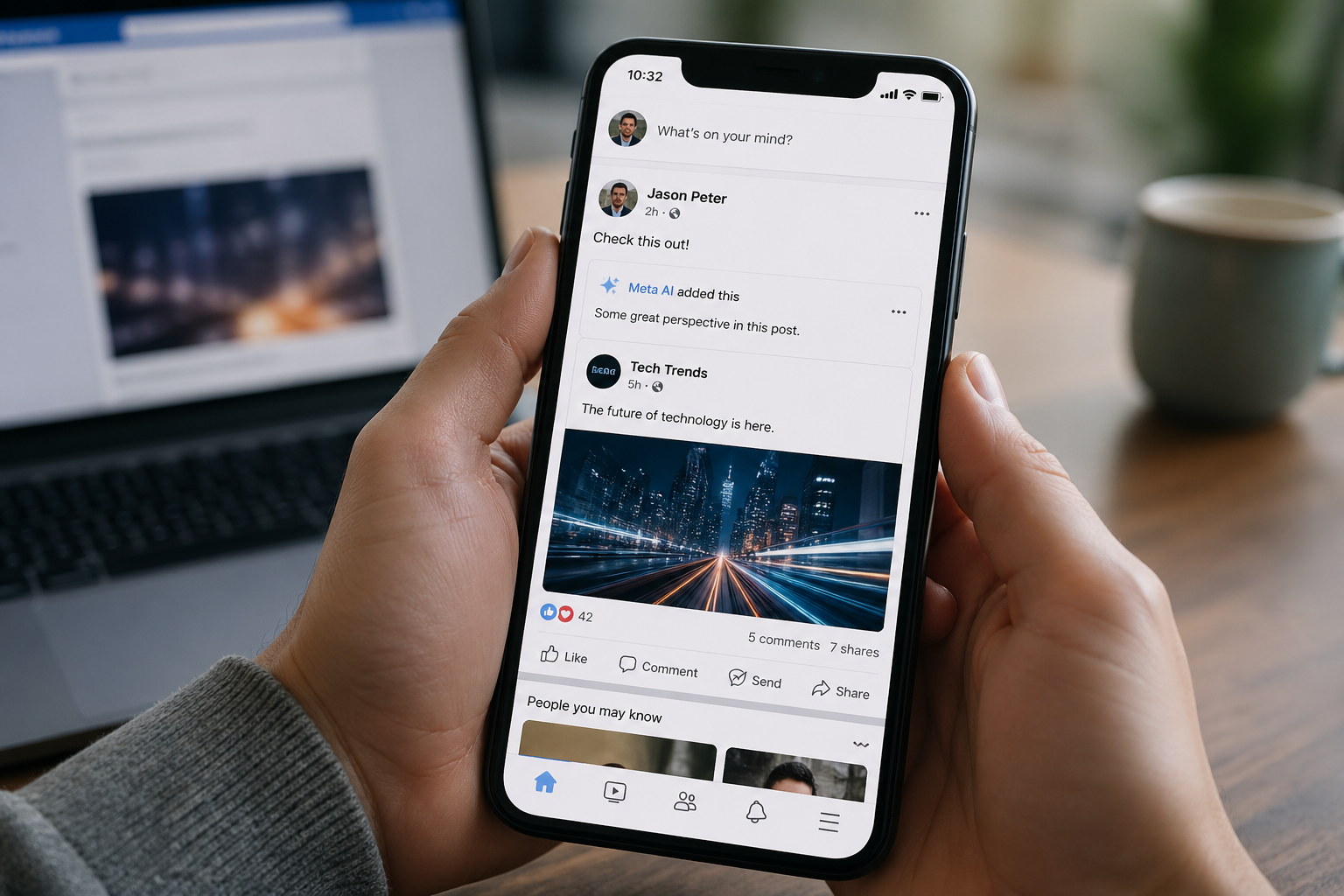
There was text you did not write. A phrase attached to your reshare that sounded like AI-generated filler — something like "The details here are absolutely fascinating" or a generated summary of the original content. You did not type it. You did not approve it. Meta AI added it automatically, on your behalf, to your post.
This is not a glitch that a handful of users stumbled into. Reports are surfacing across Reddit, Facebook groups, and creator communities confirming a consistent pattern: Meta is automatically appending AI-generated text to reshared posts on Facebook and Instagram, often without explicit user consent, and often with no clear way to turn it off.
For individual users, it is annoying. For businesses and brands managing their online presence, it is something more serious — a direct threat to brand voice, content authenticity, and audience trust.
Here is what is happening, why it matters, and what you can do about it right now.
Part I: What Meta Is Actually Doing
To understand the scope of what users are experiencing, it helps to separate the different AI writing features Meta has deployed — because there are several, and they overlap in ways that create confusion.
Auto-Generated Captions on Reshares
The most immediately disruptive feature for everyday users is what appears to be Meta AI automatically generating and appending text to reshared posts. Users in Reddit threads and Facebook groups report sharing posts and noticing AI-generated phrases attached to their reshare — phrases they never wrote, in a voice that is not theirs. The feature appears to be toggled on by default, and many users have reported difficulty finding a reliable way to disable it.
AI Comment Summaries on Your Posts
Separately, Meta has been rolling out AI-generated comment summaries that appear on posts — a digest of what people are saying in the comment section, generated and displayed without the post author's opt-in. This feature can be turned off, but only if you know where to look: Settings & Privacy → Settings → Audience and Visibility → Posts → toggle off "Show comment summaries on posts."
"Made with AI" and "AI Info" Labels
A third layer of Meta's AI visibility push involves labeling content that it detects was created or edited with AI tools. In 2026, Meta has doubled down on these labels due to global regulatory pressure, making them more persistent and harder to remove than ever before. Meta's detection system relies on a global standard called C2PA — Coalition for Content Provenance and Authenticity — and automatically applies labels when it detects AI-generated ingredients in a file's metadata, even when the human-made content far outweighs any AI assistance. Izoate
For photographers and visual creators, this has been particularly frustrating: images edited in modern versions of Adobe Photoshop or Lightroom can be automatically labeled as AI-generated, even if the edits were entirely manual, simply because the software embeds metadata signatures that Meta's scanner flags.
AI Caption Suggestions Built Into the Posting Flow
Meta AI can also suggest captions for your Stories on Facebook and Instagram. When resharing a photo from feed to Instagram Story, Meta AI's backgrounds feature can analyze your photo, understand what is in the image, and generate a background for the story. FB These are opt-in features — but the line between "suggested" and "auto-applied" is becoming increasingly blurry for users who share quickly without reviewing every detail of the posting interface.
Part II: Why This Is a Real Problem for Businesses and Creators
The user frustration expressed in community forums is understandable, but for businesses and content creators, the stakes are higher than annoyance.
Your Brand Voice Is Not Negotiable
Every piece of content your business publishes carries your brand. The words attached to a reshare — even a third-party reshare — reflect your voice, your judgment, and your standards. When Meta AI appends generic, AI-generated text to your post without your knowledge, it publishes content in your name that you did not review, did not approve, and may actively disagree with. For a brand that has spent years carefully cultivating a distinct voice and tone, that is not a minor inconvenience. It is a brand integrity issue.
AI-Generated Text Is Identifiable — and Audiences Notice
The text Meta AI generates tends to have a specific character: vague, enthusiastic, and hollow. Phrases like "The details here are absolutely fascinating" or generic summary sentences do not sound like a real person with a point of view. Your audience, particularly if they are sophisticated, will notice. And what they notice is not just that the text sounds odd — it is that your brand sounds like it is running on autopilot.
"Made with AI" Labels Can Undermine Credibility
For businesses that rely on authentic visual content — photography, video, behind-the-scenes imagery — the automatic "AI Info" or "Made with AI" label is a credibility problem. Facebook's algorithm caches the AI status of a post, so simply editing it will not remove the label once it is applied. The only reliable fix is to delete the post entirely and re-upload a file with stripped metadata. Izoate For businesses that do not know this, they may simply watch a legitimate piece of content sit under an AI label with no understanding of why or how to fix it.
The Opt-Out Experience Is Deliberately Difficult
Currently, there is no off switch for Meta AI on Facebook, WhatsApp, or Instagram. While you can delete chats or submit opt-out requests, the assistant remains embedded in search bars and messaging screens. Proton
Meta AI is now so deeply integrated into Meta's software ecosystem that it is virtually impossible to turn it off or block it in any meaningful way. Attempting to go through the existing opt-out process redirects users to information about ad preferences, and there is no option to restrict what data the AI can use outside of making your account private. Yahoo!
This is not an accidental design outcome. Platforms build friction into opt-out flows deliberately. The harder it is to turn something off, the more data Meta collects, the more AI features get used, and the more Meta's AI systems improve. Users and businesses are the training data.
Part III: The Bigger Picture — Meta's AI Integration Is Not Slowing Down
What is happening with auto-generated reshare text is not an isolated experiment. It is one visible symptom of a much larger and more deliberate platform strategy.
Meta recently claimed that Meta AI had more than 1 billion monthly users and is being continuously improved to surface more relevant recommendations based on what users are discussing with the AI. Metricool The platform is not testing whether to integrate AI into its core experience. That decision is made. It is now determining how deep, how fast, and how visible that integration will be.
As of December 2025, Meta is using your AI chat data to personalize ads across Facebook, Instagram, and WhatsApp, and there is no way to opt out except in regions protected by stricter privacy laws like the EU, UK, and South Korea. Proton
For US-based businesses and users, the practical reality is this: Meta AI is in your feed, in your DMs, in your posting flow, in your comment sections, and potentially in the text attached to content you share — and the company's approach to consent is opt-out by default, with opt-out paths that are buried, limited, or non-functional for most users.
Meanwhile, on the content moderation side, Facebook says that accounts found to be improperly reusing someone else's videos, photos, or text posts repeatedly will lose access to Facebook monetization programs and will also see reduced distribution on everything they share. Social Media Today Meta is simultaneously penalizing low-effort resharing while deploying AI that generates low-effort text on top of reshared content. The tension between these two policies has not been publicly addressed.
Part IV: What You Can Do Right Now
You cannot fully opt out of Meta AI. But you can take specific steps to minimize its footprint on your business content and protect your brand voice as much as the platform currently allows.
Turn Off AI Comment Summaries
Go to Settings & Privacy → Settings → Audience and Visibility → Posts and toggle off "Show comment summaries on posts." This removes AI-generated summaries from the comment sections of your posts. It is one of the few Meta AI features with a genuine, accessible off switch.
Review Every Reshare Before Publishing
This is the most immediately actionable change for businesses: slow down the reshare flow. Before hitting publish on any reshared content, review the full post text that will go live. If Meta AI has pre-populated text you did not write, delete it and replace it with your own language — or remove it entirely. Do not let AI-generated filler publish under your brand's name.
Disable Advantage+ AI Features for Ads
If you run Facebook or Instagram ads, go into your ad settings and disable Advantage+ creative features. These allow Meta AI to automatically alter your ad copy, imagery, and creative elements to optimize performance — often without notifying you that changes were made. For businesses with carefully controlled brand standards, this is a non-negotiable setting to review.
Manage Your AI Data Settings
Go to Settings & Privacy → Privacy Center → AI at Meta and submit an objection request to limit how your data is used in AI training. The effectiveness of this varies significantly by region, and US users have fewer formal protections than EU users — but registering the objection is better than not doing so.
Strip Metadata From Images Before Uploading
If you are a photographer, visual creator, or business that relies on authentic imagery, verify your image files before uploading at contentcredentials.org/verify. If it returns "No Content Credentials found," you are safe from the metadata-based AI label. Avoid using the built-in AI filters provided by Facebook or Instagram camera apps, as these trigger automatic AI labels that are effectively impossible to remove later. Izoate
Add Your Own Text to Every Reshare
The single most effective way to prevent AI-generated text from appearing on your reshares is to add your own text first. When you write something — even a single sentence of genuine commentary — the platform has less reason to auto-populate filler. More importantly, your voice is on the post before any AI has a chance to be. This is also better content strategy: a reshare with your own perspective is more valuable to your audience than a reshare with no context, and it aligns with Meta's own stated preference for content that adds meaningful commentary.
Part V: What This Means for Your Social Media Strategy Going Forward
The trend Meta is following is not unique to Meta. Every major platform is integrating AI more deeply into the content creation and distribution experience. What Meta is doing more aggressively than most is defaulting users into AI features rather than letting them opt in.
For businesses managing social media presence, the operating assumption going forward has to be: platforms will use AI on your content unless you actively prevent it. That means more intentional content review processes, more explicit brand voice guidelines for anyone managing your accounts, and a higher standard of care around what gets published and how.
It also means the value of authentic, original content is going up. Meta explicitly states it wants to combat the repeated reposting of content without meaningful enhancements. The platform rewards creators who add their unique take and penalizes accounts that repost without commentary or transformation. Social Media Today The same AI systems that are auto-generating text on your reshares are also evaluating whether your content is original enough to deserve distribution. These dynamics pull in opposite directions — and navigating them requires deliberate strategy, not passive sharing.
The businesses that will maintain strong social media presence through this transition are not the ones that fight the AI integration (you cannot win that fight on a platform you do not own). They are the ones that double down on what AI cannot replicate: genuine expertise, authentic voice, and content that reflects a real point of view from real people who understand their audience.
Meta can generate a caption. It cannot generate your credibility.
What To Do Starting Today
Audit your recent reshares on Facebook and Instagram. Check whether any AI-generated text appeared on posts you did not personally write copy for.
Turn off AI comment summaries immediately: Settings & Privacy → Settings → Audience and Visibility → Posts.
Brief anyone managing your social accounts on the auto-population issue and establish a review step before any reshare is published.
Disable Advantage+ creative features in your Facebook Ads settings if you are running paid campaigns.
Add your own commentary to every reshare going forward — both to protect your brand voice and to align with Meta's preference for content that adds meaningful perspective.
Submit an AI data objection request through Meta's Privacy Center, understanding it has limited effect for US users but is worth registering.
Conclusion
Meta AI adding text to your posts without explicit permission is a symptom of a platform-wide shift that is not reversing. AI is being woven into the fabric of how these platforms work — how content gets created, distributed, labeled, and evaluated. Businesses that understand this early and build intentional practices around it will maintain control of their brand presence. Businesses that continue to use these platforms passively, clicking share without reviewing what actually publishes, will increasingly find that their brand voice has been quietly replaced by something that sounds like everyone else.
Your audience follows you for a reason. Make sure what they are reading is actually you.
Sources
Proton — How to Turn Off Meta AI on Facebook, Instagram, WhatsApp (proton.me)
Yahoo Tech — How to Turn Off Meta AI: A Step-by-Step Guide (tech.yahoo.com)
Izoate — How to Remove AI Info from Facebook Post in 2026 (izoate.com)
Social Media Today — Facebook Moves to Restrict the Reach of Unoriginal Content (socialmediatoday.com)
Dooley Social Studio — No More Copycat Content: Facebook's Algorithm Gets Strict (dooleysocial.studio)
Meta — Meta's AI Products Just Got Smarter and More Useful (about.fb.com)
Metricool — How to Use Meta AI for Content Creation (metricool.com)
CNN Business — It's Not Just You: More Weird Spam Is Popping Up on Facebook (cnn.com)
Concerned about how AI platform changes are affecting your brand's social media presence? Let's talk → ritnerdigital.com/#contact
Ritner Digital helps businesses across South Jersey and the greater Philadelphia region navigate platform changes and build social media strategies that stay ahead of the algorithm — not behind it.
Frequently Asked Questions
Is Meta AI really adding text to my posts without my permission?
Yes, and you are not imagining it. Multiple users across Reddit and Facebook communities have reported Meta AI automatically appending AI-generated phrases to reshared posts — text they never wrote and never approved. The feature appears to be enabled by default, which means unless you catch it in the preview before publishing, that AI-generated copy goes live under your name. For individual users it is jarring. For businesses with established brand standards, it is a direct threat to content authenticity.
Which Meta AI features are automatic versus opt-in?
This is where it gets genuinely confusing, because Meta has deployed several AI writing features simultaneously and the distinction between automatic and opt-in is not always clear in the interface. AI comment summaries on your posts appear to be on by default and require you to actively turn them off. AI-generated text on reshares has been reported as auto-applying without user action. Caption suggestions in Stories are presented as opt-in but are prominently surfaced in the posting flow. The Advantage+ creative features in paid ads automatically alter your ad copy and creative unless you specifically disable them in your ad settings. When in doubt, assume any AI writing feature on Meta's platforms defaults to on until you prove otherwise.
Can I completely turn off Meta AI on Facebook and Instagram?
No. There is no global off switch for Meta AI on any Meta platform. The AI is deeply embedded into search, DMs, content suggestions, and the posting flow in ways that cannot be fully disabled by any setting currently available to users. What you can do is turn off specific features — AI comment summaries, Advantage+ ad creative, certain data sharing preferences — but the underlying AI infrastructure remains active in your account regardless of those adjustments. This is a deliberate product decision by Meta, not a limitation they are working to fix.
How do I turn off AI comment summaries on my Facebook posts?
Go to Settings & Privacy, then Settings, then Audience and Visibility, then Posts, and toggle off "Show comment summaries on posts." This is one of the few Meta AI features that has a genuine, accessible off switch. It removes the AI-generated digest that appears in your post's comment section, which Meta was adding by default. Do this now if you have not already — it takes about thirty seconds and gives you back control over what appears on your content.
What is the Advantage+ setting and why should I turn it off for my ads?
Advantage+ is Meta's AI-powered ad optimization system that automatically modifies your ad creative — including copy, imagery, and calls to action — to improve performance as it defines it. For businesses with specific brand voice guidelines, legal requirements around ad language, or carefully designed creative, this is a significant risk. Meta's AI may alter your approved ad copy without notifying you that a change was made. To disable it, go into your Facebook Ads settings and turn off Advantage+ creative features for any campaigns where brand accuracy matters more than Meta's algorithmic optimization.
Why is Facebook labeling my real photos as "Made with AI"?
Meta's detection system uses a technical standard called C2PA — Coalition for Content Provenance and Authenticity — to scan image metadata for signs of AI involvement. Modern editing software including recent versions of Adobe Photoshop and Lightroom embed invisible digital signatures into exported files. If Meta's scanner detects those signatures, it applies an AI label automatically — even if your edits were entirely manual. In 2026, this detection system has become more aggressive due to regulatory pressure, and the labels are harder to remove once applied. The most reliable fix is to strip the metadata from your image file before uploading, verify it at contentcredentials.org to confirm it is clean, then re-upload as a new post, since editing an already-labeled post will not remove the flag.
If I reshare someone else's content, am I at risk of getting penalized by Facebook?
Potentially, yes — and this is one of the more frustrating ironies of Meta's current AI strategy. Facebook has explicitly stated it will reduce distribution and remove monetization access for accounts that repeatedly reshare content without meaningful enhancements or commentary. At the same time, Meta AI is auto-generating generic text on reshared posts. The platform is simultaneously penalizing low-effort resharing and deploying AI that produces low-effort text on top of those reshares. The practical takeaway is to always add your own genuine commentary when resharing, both to satisfy the platform's content originality standards and to ensure your brand voice — not Meta's AI — is what your audience actually reads.
Does Meta use my content and data to train its AI?
Yes. Meta uses interactions with Meta AI, content you post, and engagement data to improve its AI models. As of December 2025, Meta is also using AI chat data to personalize ads across Facebook, Instagram, and WhatsApp. For most US-based users, there is currently no meaningful opt-out available — the right to object to AI training is primarily a protection available to users in the EU, UK, Switzerland, Brazil, Japan, and South Korea under regional privacy laws. US users can submit a privacy rights request through Meta's Privacy Center, but its practical effect on how your data is used for AI training is limited. If this is a significant concern, making your account private reduces some — though not all — of Meta's data access.
What is the most important thing I can do right now to protect my brand on Meta platforms?
Slow down before you hit publish. The single most effective habit change is adding a review step to every piece of content — reshared or original — before it goes live. Check whether any AI-generated text has been pre-populated in the caption or post text field that you did not write. If it is there, delete it and replace it with your own words, or remove it entirely. This takes an extra ten seconds and prevents AI-generated filler from publishing under your brand's name. Beyond that, turn off AI comment summaries, disable Advantage+ creative in your ad settings, and brief anyone who manages your social media accounts on these issues so the review habit is consistent across your whole team.
Is this going to get better or worse over time?
Worse before better, almost certainly. Meta's AI integration is accelerating, not decelerating, and the company's default approach is to roll out AI features broadly and make opt-outs difficult to find and limited in effect. Regulatory pressure from the EU has forced more user controls in European markets, and it is possible that US regulatory attention could eventually expand those protections — but that is a multi-year timeline at best. In the near term, the realistic expectation is that more AI features will be added to the posting flow, more content will be automatically labeled, and the distinction between what you wrote and what Meta's AI wrote on your behalf will continue to blur unless you actively manage it. The businesses that adapt their content workflows now will be better positioned than those that wait until the problem becomes impossible to ignore.
Want help building a social media strategy that keeps your brand voice intact — regardless of what Meta's AI does next? Reach out to Ritner Digital.