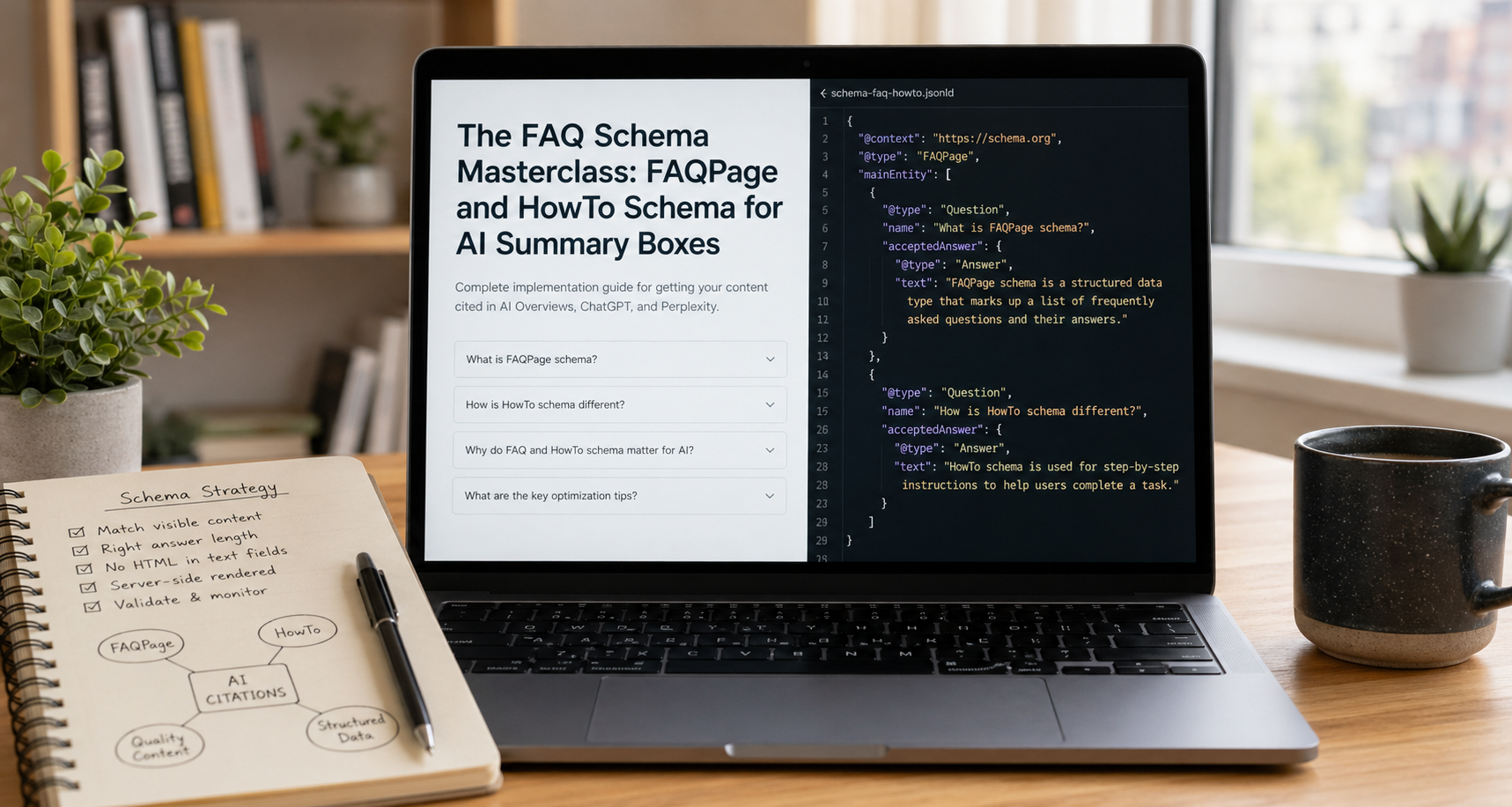
Why Schema Is the Highest-Leverage Technical Signal Available
Most technical SEO investments improve your probability of ranking. Schema markup is different. Done correctly, it does not just improve your probability of ranking — it tells AI systems, knowledge graph crawlers, and retrieval-augmented generation engines exactly what your content contains, what questions it answers, what steps it describes, and how to extract and represent that information accurately in a generated response.
That distinction matters in 2026 more than it ever has. Google's AI Overviews, ChatGPT's browse-and-cite functionality, Perplexity's answer engine, and the expanding ecosystem of agentic AI tools are all parsing the web for content they can synthesize into direct answers. The brands that appear in those syntheses are not always the brands with the highest domain authority or the most backlinks. They are frequently the brands whose content is most legible to machines — most clearly structured, most precisely typed, most explicitly labeled as to what it contains and who created it.
FAQPage and HowTo schema are the two most directly relevant structured data types for AI summary box optimization. FAQPage explicitly marks question-and-answer content in a machine-readable format that AI systems can extract and present without further parsing. HowTo explicitly marks step-by-step instructional content with the same extractability. Both communicate directly to AI retrieval systems: here is a self-contained unit of information, here is what it answers, here is how to present it.
This guide covers both types completely — the specification, the correct implementation, the common errors that undermine their value, the platform-specific code for every major CMS and framework, and the optimization strategies that move your marked-up content from technically valid to actively preferred by AI citation systems.
Part One: Understanding What FAQPage and HowTo Schema Actually Signal
Before writing a single line of structured data, it helps to understand precisely what signal these schema types send — and to whom.
What FAQPage Schema Signals
FAQPage schema tells machines that a page or section of a page contains one or more Question entities, each of which has an acceptedAnswer. The word "accepted" is significant — it is not just any answer, but the definitive answer from the page's perspective. This framing mirrors how AI retrieval systems evaluate content: they are looking for pages that assert a specific, confident answer to a specific question, not pages that vaguely discuss a topic.
When a retrieval-augmented generation system encounters a page with valid FAQPage schema, it receives:
A structured list of discrete question strings it can match against user queries
A structured list of corresponding answer strings it can extract and synthesize
A signal that the page's authors considered these questions important enough to explicitly address
A machine-readable confirmation that the content is structured for direct answer extraction
This is materially different from a crawler having to parse unstructured HTML to find a question buried in a paragraph and infer what the answer is. Schema markup removes the inference requirement — the machine does not have to guess what the question is or where the answer starts and stops. You have told it explicitly.
What HowTo Schema Signals
HowTo schema tells machines that a page describes a procedure — a named task that can be completed through a specific sequence of steps. Each step is a discrete HowToStep entity with its own name, text description, and optionally image, URL, and time estimate. The overall HowTo entity includes the procedure name, total time, required tools, required supplies, and estimated cost.
The extraction value for AI systems is the same as FAQPage but structured for procedural rather than declarative content. An AI answering "how do I implement Organization schema" can extract your HowTo steps directly and present them as a numbered procedure in its response — without having to parse your prose to figure out where step 1 ends and step 2 begins.
The Extraction vs. Ranking Distinction
One point requires explicit clarification before proceeding, because it is widely misunderstood:
FAQPage and HowTo schema do not directly cause AI systems to cite your content. They do not guarantee a rich result. They do not override domain authority or content quality signals. What they do is make your content significantly easier to extract accurately when an AI system has already decided your content is worth citing.
Think of it this way. An AI system evaluating content for citation has two sequential decisions: is this source credible enough to cite, and can I extract the relevant information from it accurately and efficiently? Schema markup directly addresses the second decision. It also indirectly influences the first — well-structured, schema-marked content signals editorial rigor, which AI systems treat as a proxy for credibility.
The complete optimization strategy therefore combines content quality signals (which determine whether you get considered for citation) with schema markup (which determines whether the extraction is accurate and efficient enough to actually use).
Part Two: FAQPage Schema — Complete Specification and Implementation
The Specification
FAQPage schema uses three primary types from Schema.org:
FAQPage — the page type declaration
Question — each individual question entity
Answer — the accepted answer for each question
The minimum valid FAQPage markup contains one Question with one acceptedAnswer. The practical optimum is between 3 and 10 questions per page — enough to cover the meaningful question space without diluting the signal or exceeding the context window budget of retrieval systems parsing your page.
Complete FAQPage JSON-LD specification:
json
{
  "@context": "https://schema.org",
  "@type": "FAQPage",
  "mainEntity": [
    {
      "@type": "Question",
      "name": "What is entity SEO?",
      "acceptedAnswer": {
        "@type": "Answer",
        "text": "Entity SEO is the practice of optimizing your brand, content, and online presence so that search engines and AI models recognize your organization as a distinct, well-defined, credible entity — rather than just a collection of web pages containing relevant keywords. It focuses on building structured signals like schema markup, Wikidata entries, and consistent cross-platform brand representation that allow knowledge graphs and AI retrieval systems to accurately describe, cite, and associate your brand with relevant topics."
      }
    },
    {
      "@type": "Question",
      "name": "How is entity SEO different from traditional keyword SEO?",
      "acceptedAnswer": {
        "@type": "Answer",
        "text": "Traditional keyword SEO optimizes individual pages to rank for specific search queries by targeting relevant terms. Entity SEO optimizes your brand's overall representation in knowledge systems — ensuring that AI models, knowledge graphs, and search engines understand what your organization is, what it does, who it serves, and what topics it is authoritative on. Keyword SEO operates at the page level. Entity SEO operates at the brand level."
      }
    },
    {
      "@type": "Question",
      "name": "How long does entity SEO take to show results?",
      "acceptedAnswer": {
        "@type": "Answer",
        "text": "For retrieval-based AI systems like Perplexity that index content in near-real-time, schema markup and structured database improvements can influence citations within weeks. For foundation model training, the lag is typically 6 to 12 months. Google Knowledge Graph updates typically appear within 1 to 3 months of the underlying signals being indexed. Meaningful entity recognition improvements are typically visible within 90 days of a comprehensive entity signal implementation."
      }
    }
  ]
}
Implementation by Platform
HTML (manual implementation — all platforms):
Place the JSON-LD block inside a <script> tag in the <head> of the page, or immediately before </body>:
html
<head>
  <!-- existing head content -->
  <script type="application/ld+json">
  {
    "@context": "https://schema.org",
    "@type": "FAQPage",
    "mainEntity": [
      {
        "@type": "Question",
        "name": "Your question text here?",
        "acceptedAnswer": {
          "@type": "Answer",
          "text": "Your complete answer text here."
        }
      }
    ]
  }
  </script>
</head>
WordPress (functions.php — dynamic generation from ACF fields):
php
<?php
// Add to functions.php
// Assumes Advanced Custom Fields with a repeater field named 'faq_items'
// Each row has fields: 'question' and 'answer'

function ritner_faq_schema() {
    if ( ! is_single() && ! is_page() ) return;

    global $post;

    // Check if this post has FAQ items
    if ( ! have_rows( 'faq_items', $post->ID ) ) return;

    $faq_entities = [];

    while ( have_rows( 'faq_items', $post->ID ) ) {
        the_row();
        $question = get_sub_field( 'question' );
        $answer   = get_sub_field( 'answer' );

        if ( ! $question || ! $answer ) continue;

        // Strip HTML from answer for schema — schema text should be plain
        $answer_clean = wp_strip_all_tags( $answer );

        $faq_entities[] = [
            '@type'          => 'Question',
            'name'           => esc_html( $question ),
            'acceptedAnswer' => [
                '@type' => 'Answer',
                'text'  => esc_html( $answer_clean )
            ]
        ];
    }

    if ( empty( $faq_entities ) ) return;

    $schema = [
        '@context'   => 'https://schema.org',
        '@type'      => 'FAQPage',
        'mainEntity' => $faq_entities
    ];

    echo '<script type="application/ld+json">'
        . wp_json_encode( $schema, JSON_UNESCAPED_SLASHES | JSON_UNESCAPED_UNICODE )
        . '</script>';
}

add_action( 'wp_head', 'ritner_faq_schema' );
Next.js (App Router — dynamic FAQ schema component):
typescript
// components/FAQSchema.tsx
interface FAQItem {
  question: string;
  answer: string;
}

interface FAQSchemaProps {
  items: FAQItem[];
}

export default function FAQSchema({ items }: FAQSchemaProps) {
  if (!items || items.length === 0) return null;

  const schema = {
    "@context": "https://schema.org",
    "@type": "FAQPage",
    "mainEntity": items.map((item) => ({
      "@type": "Question",
      "name": item.question,
      "acceptedAnswer": {
        "@type": "Answer",
        "text": item.answer
      }
    }))
  };

  return (
    <script
      type="application/ld+json"
      dangerouslySetInnerHTML={{ __html: JSON.stringify(schema) }}
    />
  );
}

// Usage in a page component:
// app/blog/[slug]/page.tsx
import FAQSchema from '@/components/FAQSchema';

export default async function BlogPost({ params }: { params: { slug: string } }) {
  const post = await getPostBySlug(params.slug);

  return (
    <>
      <FAQSchema items={post.faqItems} />
      {/* rest of page */}
    </>
  );
}
Next.js (with next/head for Pages Router):
typescript
// components/FAQSchema.tsx
import Head from 'next/head';

interface FAQItem {
  question: string;
  answer: string;
}

export default function FAQSchema({ items }: { items: FAQItem[] }) {
  const schema = {
    "@context": "https://schema.org",
    "@type": "FAQPage",
    "mainEntity": items.map((item) => ({
      "@type": "Question",
      "name": item.question,
      "acceptedAnswer": {
        "@type": "Answer",
        "text": item.answer
      }
    }))
  };

  return (
    <Head>
      <script
        type="application/ld+json"
        dangerouslySetInnerHTML={{ __html: JSON.stringify(schema) }}
      />
    </Head>
  );
}
Python (Flask/Django — server-side rendering):
python
import json
from markupsafe import Markup

def generate_faq_schema(faq_items):
    """
    Generate FAQPage JSON-LD schema.

    Args:
        faq_items: list of dicts with 'question' and 'answer' keys

    Returns:
        Markup object safe for template injection
    """
    schema = {
        "@context": "https://schema.org",
        "@type": "FAQPage",
        "mainEntity": [
            {
                "@type": "Question",
                "name": item["question"],
                "acceptedAnswer": {
                    "@type": "Answer",
                    "text": item["answer"]
                }
            }
            for item in faq_items
            if item.get("question") and item.get("answer")
        ]
    }

    if not schema["mainEntity"]:
        return None

    return Markup(
        f'<script type="application/ld+json">'
        f'{json.dumps(schema, ensure_ascii=False)}'
        f'</script>'
    )

# Flask route example
@app.route('/blog/<slug>')
def blog_post(slug):
    post = Post.query.filter_by(slug=slug).first_or_404()
    faq_schema = generate_faq_schema(post.faq_items) if post.faq_items else None
    return render_template('blog_post.html', post=post, faq_schema=faq_schema)
html
<!-- Template usage -->
{% if faq_schema %}
  {{ faq_schema }}
{% endif %}
Webflow (custom code embed):
In Webflow, add a custom code embed element to your FAQ section and paste the JSON-LD block directly:
html
<script type="application/ld+json">
{
  "@context": "https://schema.org",
  "@type": "FAQPage",
  "mainEntity": [
    {
      "@type": "Question",
      "name": "Your question here?",
      "acceptedAnswer": {
        "@type": "Answer",
        "text": "Your answer here."
      }
    }
  ]
}
</script>
For dynamic Webflow CMS collections, use Webflow's custom code field in the collection template with the CMS field references embedded in the JSON template.
Part Three: FAQPage Schema — Optimization for AI Citation
Valid schema is the baseline. Optimized schema is what actually moves the needle on AI citation. These are the specific optimization decisions that separate technically correct markup from markup that actively improves your AI summary box performance.
Answer Length Optimization
The most common FAQPage optimization error is writing answers that are too short. A one-sentence answer is parsable — AI systems can extract it — but it provides minimal signal about the depth and credibility of your content.
Optimal answer length for AI citation is 40 to 120 words. This range provides:
Enough content for the AI to understand the answer is substantive
Enough context for the answer to be self-contained when extracted without surrounding prose
Enough specificity to be meaningfully distinct from generic answers to the same question
Short enough to fit efficiently within context window budgets for real-time retrieval
Here is the same answer at three lengths, illustrating the difference:
Too short (under-signals depth):
json
"text": "Entity SEO optimizes your brand for AI recognition."Optimal (specific, complete, self-contained):
json
"text": "Entity SEO is the practice of building structured signals — schema markup, Wikidata entries, consistent cross-platform brand representation, and credentialed author entities — that allow AI models and knowledge graphs to recognize your brand as a distinct, well-defined, credible organization. Unlike keyword SEO, which optimizes individual pages for specific queries, entity SEO optimizes your brand's overall representation in AI knowledge systems, directly influencing whether AI models cite you, describe you accurately, and associate you with relevant topics."Too long (exceeds efficient extraction range): A 400-word answer embedded in the answer field will be technically valid but AI retrieval systems operating under context constraints will truncate it or deprioritize it in favor of more efficient sources.
Question Phrasing for Query Matching
The name property of a Question entity is the string that AI systems match against user queries. The phrasing of your questions should mirror the natural language patterns of the queries your target audience actually asks — not the formal, keyword-optimized phrasings that traditional SEO has conditioned content teams to write.
Compare:
Keyword-optimized phrasing (poor query match):
json
"name": "Entity SEO definition and best practices"Natural language phrasing (strong query match):
json
"name": "What is entity SEO and how does it work?"Conversational phrasing (strong match for AI query patterns):
json
"name": "How do I make sure AI models recognize my company?"AI queries tend toward the conversational and the specific. Write questions that sound like something a real person would type into ChatGPT or Perplexity, not like a blog post title.
The Specificity Premium
Generic questions get generic treatment by AI systems. Specific, distinctive questions — ones that only your content, or very few sources, address directly — generate more durable citation value because AI models have fewer alternatives to cite in response to those queries.
Compare a generic question with high competition:
json
"name": "What is SEO?"With a specific question where your content has a genuine advantage:
json
"name": "How often does the #1 Google result get cited by ChatGPT for B2B queries?"The second question is answerable only by your research. Any AI model encountering that query and finding your FAQ schema will cite you because there are no competing sources — you own the data point.
Build FAQ questions around your original research findings, your proprietary benchmark data, and your specific methodological claims. These are the question-answer pairs that generate sustained citation value because they are not replicable by competitors without doing the underlying work.
Answer Self-Containment
AI systems extract FAQ answers and present them independently of the surrounding page content. An answer that references "the table above" or "as described in the previous section" will be extracted in isolation and become nonsensical.
Every answer must be fully self-contained — intelligible to a reader who has seen only that answer and nothing else on the page. Test each answer by reading it in isolation and asking whether it makes complete sense without any surrounding context.
Answer that fails isolation test:
json
"text": "As shown in the data above, the answer is 41%. This is significantly lower than most marketers assume."Answer that passes isolation test:
json
"text": "Based on Ritner Digital's analysis of 1,000 B2B search queries across ChatGPT and Perplexity, the #1 Google result is cited by AI models only 41% of the time — meaning there is a better-than-even chance that an AI model will not reference the top-ranking page when answering the same query."Combining FAQPage with Article Schema
FAQPage schema performs best when combined with the full Article schema stack discussed in our Entity Mapping guide — because the Article schema provides the author entity, publication date, and publisher attribution that give AI systems the credibility context they use to evaluate citation worthiness.
The correct implementation nests both schema types on the same page using a JSON-LD array:
json
[
  {
    "@context": "https://schema.org",
    "@type": "Article",
    "@id": "https://ritnerdigital.com/blog/entity-seo-guide/#article",
    "headline": "Entity Mapping 101: Moving from Keywords to Brands",
    "datePublished": "2026-03-01",
    "dateModified": "2026-04-01",
    "author": {
      "@type": "Person",
      "@id": "https://ritnerdigital.com/team/jane-smith/#person"
    },
    "publisher": {
      "@type": "Organization",
      "@id": "https://ritnerdigital.com/#organization"
    }
  },
  {
    "@context": "https://schema.org",
    "@type": "FAQPage",
    "mainEntity": [
      {
        "@type": "Question",
        "name": "What is entity SEO?",
        "acceptedAnswer": {
          "@type": "Answer",
          "text": "Entity SEO is the practice of building structured signals that allow AI models and knowledge graphs to recognize your brand as a distinct, well-defined, credible organization — directly influencing whether AI models cite you and associate you with relevant topics."
        }
      }
    ]
  }
]
Part Four: HowTo Schema — Complete Specification and Implementation
The Specification
HowTo schema is the structured data type for procedural content — content that guides a reader through a sequence of steps to accomplish a specific task. It is the appropriate schema type for tutorials, setup guides, configuration walkthroughs, implementation checklists, and any content that answers "how do I do X."
The core HowTo entity contains:
name — the name of the procedure
description — a brief description of what the procedure accomplishes
totalTime — ISO 8601 duration format (PT30M = 30 minutes, PT2H = 2 hours)
estimatedCost — optional cost estimate with currency
tool — array of HowToTool entities listing required tools
supply — array of HowToSupply entities listing required materials
step — array of HowToStep entities, each with name, text, url, and optionally image
Each HowToStep contains:
name — a short title for the step (used as the step heading in rich results)
text — the full instructional text for the step
url — the URL of the page section covering this step (anchor link)
image — optional image illustrating the step
Complete HowTo JSON-LD specification:
json
{
  "@context": "https://schema.org",
  "@type": "HowTo",
  "name": "How to Implement Organization Schema for Entity SEO",
  "description": "A step-by-step guide to implementing Organization schema markup on your website to improve brand entity recognition in AI models and Google's Knowledge Graph.",
  "totalTime": "PT45M",
  "estimatedCost": {
    "@type": "MonetaryAmount",
    "currency": "USD",
    "value": "0"
  },
  "tool": [
    {
      "@type": "HowToTool",
      "name": "Google's Rich Results Test"
    },
    {
      "@type": "HowToTool",
      "name": "Schema.org Validator"
    },
    {
      "@type": "HowToTool",
      "name": "Text editor or CMS access"
    }
  ],
  "step": [
    {
      "@type": "HowToStep",
      "position": 1,
      "name": "Gather your organization's canonical attributes",
      "text": "Before writing a single line of schema, compile your canonical brand name, legal name, canonical URL, founding date, address, phone number, social profile URLs, and a one-sentence description. Every attribute you include in your Organization schema must be consistent with how your brand appears on LinkedIn, Google Business Profile, and Wikidata. Inconsistencies across platforms undermine the entity corroboration that makes schema effective.",
      "url": "https://ritnerdigital.com/blog/organization-schema-guide#step-1"
    },
    {
      "@type": "HowToStep",
      "position": 2,
      "name": "Build the Organization schema JSON-LD block",
      "text": "Create a JSON-LD script block containing your Organization schema. Include the @id property using your canonical URL with /#organization appended. Populate the sameAs array with every platform where your brand has a structured presence — LinkedIn, Twitter, Facebook, Wikidata, Crunchbase, and any relevant directories. Add knowsAbout entries for your primary topical areas.",
      "url": "https://ritnerdigital.com/blog/organization-schema-guide#step-2"
    },
    {
      "@type": "HowToStep",
      "position": 3,
      "name": "Add the script block to your homepage and About page",
      "text": "Place the JSON-LD script block inside the <head> tag of your homepage and your About page. These are the two pages where Organization schema carries the most weight — they are the canonical entry points for AI crawlers evaluating your brand entity. Do not place Organization schema only on interior pages.",
      "url": "https://ritnerdigital.com/blog/organization-schema-guide#step-3"
    },
    {
      "@type": "HowToStep",
      "position": 4,
      "name": "Validate using Google's Rich Results Test",
      "text": "Navigate to search.google.com/test/rich-results and enter your homepage URL. The tool will parse your schema and identify any errors or warnings. Common issues include missing required properties, incorrect value types, and malformed JSON. Resolve every error before proceeding — invalid schema is ignored entirely by parsers.",
      "url": "https://ritnerdigital.com/blog/organization-schema-guide#step-4"
    },
    {
      "@type": "HowToStep",
      "position": 5,
      "name": "Verify using the Schema.org Validator",
      "text": "Run your schema through the Schema.org Validator at validator.schema.org for a second pass. The Rich Results Test validates against Google's implementation of schema; the Schema.org Validator validates against the full specification. Both checks catch different categories of errors. A schema that passes both validators is correctly implemented.",
      "url": "https://ritnerdigital.com/blog/organization-schema-guide#step-5"
    },
    {
      "@type": "HowToStep",
      "position": 6,
      "name": "Monitor Google Search Console for rich result performance",
      "text": "After deploying valid schema, check Google Search Console's Rich Results report under Enhancements to confirm Google has detected and validated your schema. Allow 1 to 2 weeks after deployment before expecting the report to populate. Monitor for any new errors that appear as you update your schema over time.",
      "url": "https://ritnerdigital.com/blog/organization-schema-guide#step-6"
    }
  ]
}
Implementation by Platform
WordPress (functions.php — dynamic generation):
php
<?php
// Add to functions.php
// Assumes ACF with a repeater field 'howto_steps'
// Each row has: 'step_name', 'step_text', 'step_url'
// Post also has fields: 'howto_name', 'howto_description', 'howto_time_minutes'

function ritner_howto_schema() {
    if ( ! is_single() ) return;

    global $post;

    $howto_name = get_field( 'howto_name', $post->ID );
    if ( ! $howto_name ) return;

    $description   = get_field( 'howto_description', $post->ID );
    $time_minutes  = get_field( 'howto_time_minutes', $post->ID );
    $total_time    = $time_minutes ? 'PT' . intval( $time_minutes ) . 'M' : null;

    $steps = [];
    $position = 1;

    if ( have_rows( 'howto_steps', $post->ID ) ) {
        while ( have_rows( 'howto_steps', $post->ID ) ) {
            the_row();
            $step_name = get_sub_field( 'step_name' );
            $step_text = get_sub_field( 'step_text' );
            $step_url  = get_sub_field( 'step_url' );

            if ( ! $step_name || ! $step_text ) continue;

            $step = [
                '@type'    => 'HowToStep',
                'position' => $position,
                'name'     => esc_html( $step_name ),
                'text'     => wp_strip_all_tags( $step_text ),
            ];

            if ( $step_url ) {
                $step['url'] = esc_url( $step_url );
            }

            $steps[] = $step;
            $position++;
        }
    }

    if ( empty( $steps ) ) return;

    $schema = [
        '@context'    => 'https://schema.org',
        '@type'       => 'HowTo',
        'name'        => esc_html( $howto_name ),
        'description' => esc_html( $description ),
        'step'        => $steps,
    ];

    if ( $total_time ) {
        $schema['totalTime'] = $total_time;
    }

    echo '<script type="application/ld+json">'
        . wp_json_encode( $schema, JSON_UNESCAPED_SLASHES | JSON_UNESCAPED_UNICODE )
        . '</script>';
}

add_action( 'wp_head', 'ritner_howto_schema' );
Next.js (TypeScript component):
typescript
// components/HowToSchema.tsx
interface HowToStep {
  name: string;
  text: string;
  url?: string;
  image?: string;
}

interface HowToTool {
  name: string;
}

interface HowToSchemaProps {
  name: string;
  description: string;
  totalTime?: string; // ISO 8601 duration e.g. "PT30M"
  tools?: HowToTool[];
  steps: HowToStep[];
}

export default function HowToSchema({
  name,
  description,
  totalTime,
  tools,
  steps
}: HowToSchemaProps) {
  const schema: Record<string, unknown> = {
    "@context": "https://schema.org",
    "@type": "HowTo",
    "name": name,
    "description": description,
    "step": steps.map((step, index) => {
      const stepObj: Record<string, unknown> = {
        "@type": "HowToStep",
        "position": index + 1,
        "name": step.name,
        "text": step.text
      };
      if (step.url) stepObj["url"] = step.url;
      if (step.image) {
        stepObj["image"] = {
          "@type": "ImageObject",
          "url": step.image
        };
      }
      return stepObj;
    })
  };

  if (totalTime) schema["totalTime"] = totalTime;

  if (tools && tools.length > 0) {
    schema["tool"] = tools.map((t) => ({
      "@type": "HowToTool",
      "name": t.name
    }));
  }

  return (
    <script
      type="application/ld+json"
      dangerouslySetInnerHTML={{ __html: JSON.stringify(schema) }}
    />
  );
}

// Usage:
// <HowToSchema
//   name="How to Implement Organization Schema"
//   description="Step-by-step guide to Organization schema for entity SEO"
//   totalTime="PT45M"
//   tools={[{ name: "Google Rich Results Test" }]}
//   steps={post.howToSteps}
// />
Ruby on Rails (helper method):
ruby
# app/helpers/schema_helper.rb
module SchemaHelper
  def howto_schema_tag(name:, description:, steps:, total_time: nil, tools: [])
    return unless steps.present?

    schema = {
      "@context": "https://schema.org",
      "@type": "HowTo",
      "name": name,
      "description": description,
      "step": steps.each_with_index.map do |step, i|
        step_obj = {
          "@type": "HowToStep",
          "position": i + 1,
          "name": step[:name],
          "text": step[:text]
        }
        step_obj["url"] = step[:url] if step[:url].present?
        step_obj
      end
    }

    schema["totalTime"] = total_time if total_time.present?

    if tools.any?
      schema["tool"] = tools.map { |t| { "@type": "HowToTool", "name": t } }
    end

    content_tag(:script, schema.to_json.html_safe, type: "application/ld+json")
  end
end

# View usage:
# <%= howto_schema_tag(
#   name: "How to Implement Organization Schema",
#   description: "Step-by-step entity SEO schema implementation",
#   total_time: "PT45M",
#   tools: ["Rich Results Test", "Schema.org Validator"],
#   steps: @post.howto_steps
# ) %>
Part Five: HowTo Schema — Optimization for AI Citation
Step Text Depth
The text property of each HowToStep is the primary extraction target for AI systems generating procedural answers. The same self-containment principle that applies to FAQ answers applies here — each step's text must make complete sense in isolation, without reference to other steps or surrounding content.
Additionally, step text should be actionable — it should tell the reader exactly what to do, not just describe what happens at this stage. Compare:
Descriptive but not actionable:
json
"text": "At this stage, the schema validator checks your markup for errors."Actionable and extractable:
json
"text": "Navigate to validator.schema.org, paste your JSON-LD block into the input field, and click 'Run Test'. Review every item in the results panel — errors (red) must be fixed before deployment, warnings (yellow) should be investigated but may be acceptable depending on your implementation context."The actionable version gives an AI system a complete, executable instruction that a user can follow without any additional context. That completeness is what makes it valuable to cite.
Step Naming for Scanability
The name property of each HowToStep appears as the step heading in rich result displays and is used by AI systems to generate step summaries. Name each step with a verb-first imperative that describes the action:
json
// Strong step names — verb-first, action-oriented
"name": "Create your JSON-LD schema block"
"name": "Validate using Google's Rich Results Test"
"name": "Add your Wikidata Q-number to sameAs"
"name": "Deploy schema to the <head> of your homepage"

// Weak step names — descriptive rather than instructional
"name": "Schema block creation"
"name": "The validation process"
"name": "Wikidata integration"
"name": "Homepage deployment"
Step Count Optimization
HowTo schema should contain between 3 and 10 steps for optimal AI extraction. Below 3 steps, the procedure is too simple to warrant HowTo markup — use a numbered list and FAQPage schema instead. Above 10 steps, consider whether the procedure should be broken into sub-procedures, each with its own HowTo schema, or whether steps can be consolidated without losing actionable specificity.
The optimal step count for your specific content is the number of discrete actions a user must take, where each action represents a meaningfully different task. Do not artificially inflate step counts to appear more comprehensive, and do not artificially consolidate steps to appear simpler. AI systems evaluating HowTo content for citation value assess the quality and specificity of each step — not the count.
The Position Property
Always include the position property on each HowToStep. While Schema.org does not require it, AI systems use position to determine step order when extracting procedural content. Without explicit position values, the ordering relies on JSON array sequence — which can be disrupted by parsers that do not preserve array order. Explicit position declarations are defensive coding that ensures your procedure is always presented in the correct sequence.
Part Six: Speakable Schema — The Third Structured Data Type for AI Extraction
FAQPage and HowTo are the two most directly applicable schema types for AI summary box optimization, but a third type deserves specific attention: Speakable.
Speakable schema marks specific sections of a page as particularly suitable for audio playback and AI synthesis — explicitly signaling to AI systems which content is most extractable and most representative of the page's core value.
json
{
  "@context": "https://schema.org",
  "@type": "WebPage",
  "name": "Entity Mapping 101",
  "speakable": {
    "@type": "SpeakableSpecification",
    "cssSelector": [
      ".article-summary",
      ".key-findings",
      "h2",
      "h3",
      ".callout-block"
    ]
  },
  "url": "https://ritnerdigital.com/blog/entity-seo-guide"
}
The cssSelector array tells AI systems which CSS-selected elements contain the most summary-worthy content. This is particularly valuable for long-form content where the most citable material is distributed throughout the page — Speakable schema gives AI retrieval systems a map to the highest-value extraction targets without having to parse the full document.
Part Seven: Validation, Testing, and Monitoring
The Validation Stack
Every schema implementation must pass three levels of validation before deployment:
Level 1: JSON syntax validation
Before testing schema-specific validity, confirm your JSON-LD is syntactically valid:
bash
# Command line validation using Python
echo '{"@context":"https://schema.org","@type":"FAQPage","mainEntity":[]}' | python3 -m json.tool

# Or use jq
cat schema.json | jq .
A JSON syntax error will silently invalidate your entire schema block — parsers encountering malformed JSON will ignore the entire script tag.
Level 2: Schema.org specification validation
Use the Schema.org Validator at validator.schema.org. This validates against the full Schema.org specification — catching type mismatches, missing required properties, and invalid property values that Google's more permissive Rich Results Test may allow.
Level 3: Google rich result validation
Use Google's Rich Results Test at search.google.com/test/rich-results. This validates specifically against Google's implementation of schema for rich result eligibility. A schema that passes the Schema.org Validator but fails the Rich Results Test is technically valid but Google-incompatible — which limits its AI Overview citation value for Google's systems specifically.
Google Search Console Monitoring
After deployment, monitor the Enhancements section of Google Search Console for:
FAQPage rich results — detected, valid, and error counts
HowTo rich results — same metrics
Any new errors — schema errors in GSC indicate that Google's parser encountered issues your local validation did not catch, typically due to rendered page differences between what your validator tested and what Googlebot actually receives
Allow 7 to 14 days after deployment before expecting GSC to populate with new schema data. Changes to existing valid schema typically reflect in GSC within 48 to 72 hours of Google recrawling the affected pages.
Server Log Verification
Verify that AI crawlers are actually accessing your schema-marked pages by filtering your server logs for relevant user agents:
bash
# Check which AI crawlers have accessed your FAQ and HowTo pages
grep -Ei "gptbot|oai-searchbot|claudebot|claude-searchbot|perplexitybot" access.log \
  | grep -E "(blog|guides|resources)" \
  | awk '{print $1, $7, $9}' \
  | sort | uniq -c | sort -rn \
  | head -30
If AI crawlers are not hitting your high-value pages, check whether those pages are accidentally blocked in robots.txt or behind JavaScript rendering that crawlers cannot execute.
The Schema Audit Spreadsheet
Maintain a running schema audit spreadsheet with the following columns:
URLSchema TypesLast ValidatedGSC StatusFAQ CountHowTo StepsAI Citation Detected/blog/entity-seoArticle, FAQPage2026-04-01Valid8—Yes (Perplexity)/blog/schema-guideArticle, FAQPage, HowTo2026-04-15Valid67Monitoring/services/entity-seoOrganization, FAQPage2026-03-20Valid4—No
Review this quarterly. Schema specifications evolve, CMS updates can break existing implementations, and new content may warrant schema that was not added at publication.
Part Eight: Common Errors and How to Fix Them
Error 1: Placing Schema in the Wrong Location
Symptom: Rich Results Test cannot detect your schema.
Cause: JSON-LD placed inside a JavaScript framework component that renders client-side — the schema appears in the DOM only after JavaScript executes, but many crawlers parse the initial HTML response without executing JavaScript.
Fix: Ensure schema is server-side rendered and present in the initial HTML response. In Next.js, use server components or getServerSideProps/getStaticProps to inject schema into the initial render. In React SPAs, consider a server-side rendering layer specifically for schema injection.
typescript
// Correct — server-side rendered in Next.js App Router
// app/blog/[slug]/page.tsx (Server Component)
export default async function Page({ params }) {
  const post = await getPost(params.slug); // server-side data fetch
  return (
    <>
      <script  // this renders in initial HTML
        type="application/ld+json"
        dangerouslySetInnerHTML={{ __html: JSON.stringify(buildSchema(post)) }}
      />
      <ArticleContent post={post} />
    </>
  );
}
Error 2: HTML in Answer Text
Symptom: Schema validates but AI-extracted answers contain raw HTML markup.
Cause: Answer text in the acceptedAnswer.text field contains HTML tags (<strong>, <a href="">, <p>, etc.).
Fix: The text property expects plain text. Strip all HTML before populating the schema field:
javascript
// JavaScript utility
function stripHtml(html) {
return html
.replace(/<[^>]*>/g, ' ') // replace tags with space
.replace(/&/g, '&')
.replace(/</g, '<')
.replace(/>/g, '>')
.replace(/"/g, '"')
.replace(/'/g, "'")
.replace(/\s+/g, ' ') // collapse multiple spaces
.trim();
}php
// PHP equivalent
$answer_clean = wp_strip_all_tags( html_entity_decode( $answer_html ) );
Error 3: Duplicate FAQPage Schema on the Same Page
Symptom: Rich Results Test shows errors about multiple FAQPage declarations.
Cause: Multiple schema script blocks on the same page, each declaring @type: FAQPage — often caused by a plugin adding its own FAQPage schema alongside manually added schema.
Fix: Consolidate all FAQ questions into a single mainEntity array within one FAQPage declaration. If using a plugin for schema, disable manual schema on the same pages, or use the plugin's API to inject additional questions rather than adding a separate script block.
Error 4: Questions Without Visible Page Content
Symptom: Schema validates but Google ignores it or flags it as spammy.
Cause: FAQ questions and answers in the schema do not correspond to visible content on the page — the schema contains questions that are not present in the human-readable page content.
Fix: FAQPage schema should reflect and enhance visible content, not replace it. Every question in your schema should have a corresponding visible FAQ section on the page. Schema markup that does not correspond to visible content is a quality signal violation that AI systems and Google treat as an attempt to game structured data — and it will be penalized accordingly.
Error 5: Stale Schema After Content Updates
Symptom: AI citations present outdated information from your pages.
Cause: Page content was updated but the schema was not — the answer text in the schema still reflects the previous version of the content.
Fix: Establish a schema review step in your content update workflow. Every time a FAQ answer or HowTo step is updated on the page, the corresponding schema field must be updated to match. In CMS implementations where schema is dynamically generated from the same fields that populate visible content, this is automatic. In manually maintained schema blocks, it requires a checklist item.
Want a structured data audit of your existing content — identifying every FAQPage and HowTo opportunity you are currently leaving unclaimed?
Request your Technical SEO Audit → ritnerdigital.com/#contact
Frequently Asked Questions
Does FAQPage schema still work after Google reduced rich result display?
Yes — though Google reduced FAQ rich results in organic search for most sites in 2023, FAQPage schema continues to serve its primary purpose for AI summary box optimization. The schema is parsed by AI crawlers for content extraction regardless of whether Google displays a traditional FAQ rich result in organic search. The reduction in Google's FAQ rich result display does not affect how AI retrieval systems use FAQPage markup.
How many FAQ questions should I include per page?
Between 3 and 10 is the practical optimum. Below 3, you have a narrow question coverage that limits citation opportunities. Above 10, you risk diluting the signal and exceeding efficient context window budgets for real-time retrieval crawlers. For pages with genuinely more than 10 important FAQ questions, consider creating a dedicated FAQ page with its own FAQPage schema rather than embedding all questions on a single content page.
Can I use both FAQPage and HowTo schema on the same page?
Yes — and for tutorial or guide content that includes both a procedural walkthrough and a FAQ section, using both types is correct and beneficial. Implement them as an array of schema objects in a single JSON-LD script block, as shown in the Article + FAQPage combination example above.
Should my FAQ answers be identical to what appears in the visible page content?
They should accurately reflect the visible content but do not need to be word-for-word identical. The schema answer can be a more concise, self-contained version of a longer visible answer — as long as it accurately represents the content and does not contradict or diverge from what's visible. What it must not do is contain information that does not appear anywhere in the visible page content.
How do I handle FAQ schema for multi-language sites?
Implement language-specific FAQ schema on language-specific pages. The schema text property should match the language of the page it appears on. Do not use machine-translated text in schema fields — quality and accuracy matter more in schema than in supporting content because AI systems treat schema as a high-confidence signal about what the page contains.
Does HowTo schema work for software tutorials?
Yes — HowTo schema is appropriate for any procedural content where a user follows discrete steps to accomplish a specific task. Software tutorials, configuration guides, API integration walkthroughs, and setup procedures are all strong HowTo schema candidates. The key requirement is that the content genuinely describes a procedure with discrete steps — not that the procedure involves any particular type of task.
What is the difference between HowTo and FAQPage for the same content?
If your content answers the question "how do I do X" by describing a sequence of steps, use HowTo schema. If your content answers multiple questions in a Q&A format — including "how do I do X" — use FAQPage schema. For a long tutorial post that has both a step-by-step procedure section and a FAQ section at the end, use both: HowTo for the procedure, FAQPage for the FAQ section, combined in a single JSON-LD array.
How do I test whether my schema is being used by AI systems?
Direct verification is not currently possible — no AI platform publishes an API that shows which schema blocks it has parsed and incorporated into its citation logic. Indirect verification approaches include: monitoring server logs for AI crawler access to schema-marked pages, tracking AI citation rates for queries that match your FAQ questions over time, and using tools like Perplexity to search for your FAQ questions and observe whether your content is cited in the response.
References
Schema.org. (2024). FAQPage Schema Documentation. Schema.org. https://schema.org/FAQPage
Schema.org. (2024). HowTo Schema Documentation. Schema.org. https://schema.org/HowTo
Schema.org. (2024). Speakable Schema Documentation. Schema.org. https://schema.org/Speakable
Google Search Central. (2024). FAQPage Structured Data Documentation. Google. https://developers.google.com/search/docs/appearance/structured-data/faqpage
Google Search Central. (2024). HowTo Structured Data Documentation. Google. https://developers.google.com/search/docs/appearance/structured-data/how-to
Google Search Central. (2024). Rich Results Test. Google. https://search.google.com/test/rich-results
Schema.org. (2024). Schema.org Validator. https://validator.schema.org
BrightEdge. (2026). AI Search Behavior and Content Performance Report. BrightEdge. https://www.brightedge.com/resources/weekly-ai-search-insights
Search Engine Journal. (2025). Structured Data and AI Overview Citation Rates: A 2025 Analysis. Search Engine Journal. https://www.searchenginejournal.com
Ritner Digital. (2026). Entity Mapping 101: Moving from Keywords to Brands. Ritner Digital. https://www.ritnerdigital.com/blog/entity-mapping
Ritner Digital. (2026). How to Build an AI Sitemap for Agentic Crawlers. Ritner Digital. https://www.ritnerdigital.com/blog/ai-sitemap-guide
Ritner Digital is a B2B digital marketing agency specializing in technical SEO, structured data implementation, and AI-era content strategy.