What Does "28 Days" Mean in Google Search Console? (And Why It's 28 and Not 30)
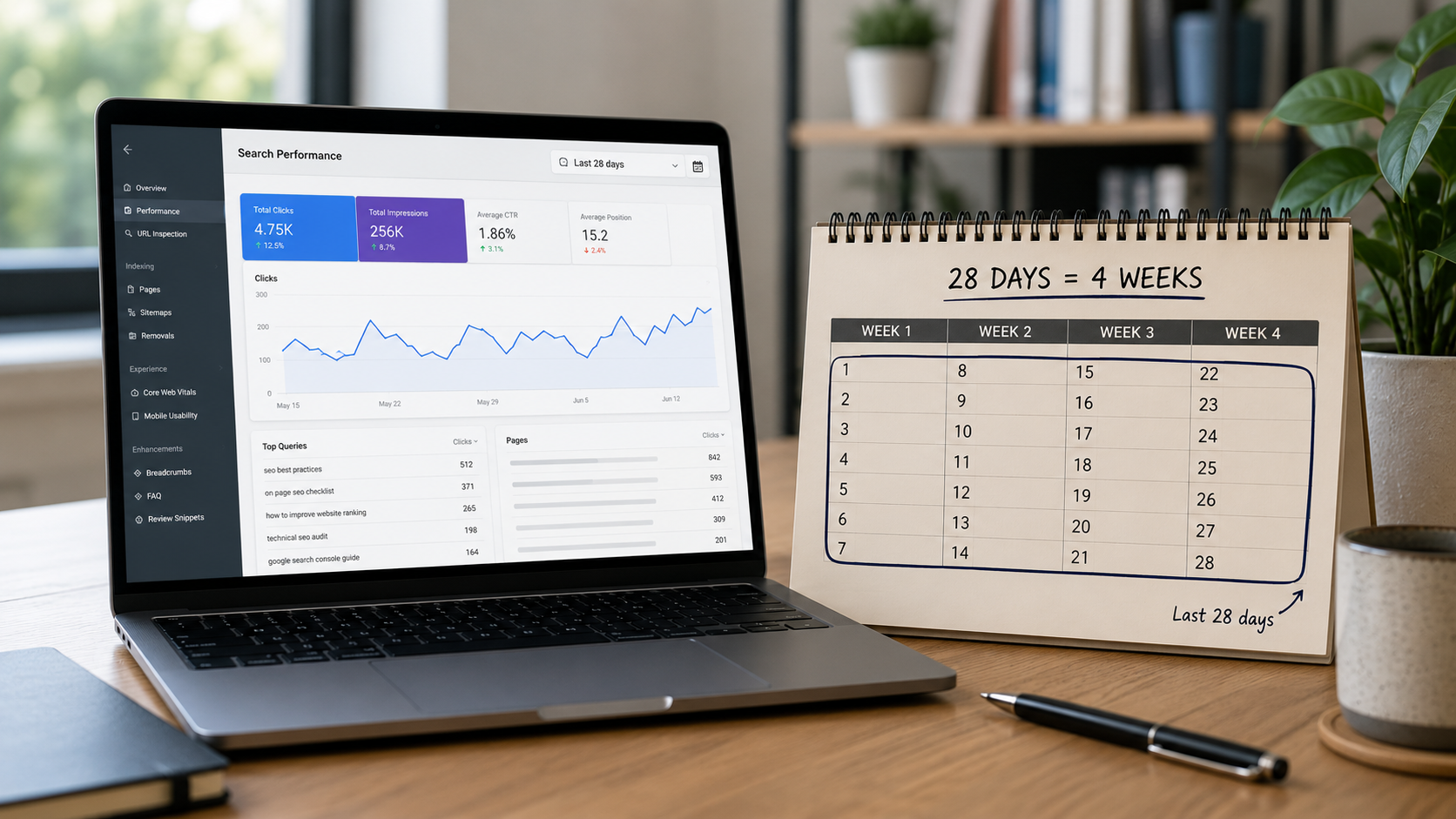
If you've spent any time in Google Search Console, you've bumped into the number 28 everywhere. The Performance report offers a "Last 28 days" range. The Insights page defaults to 28 days. The Achievements report awards milestones for "clicks in 28 days." Your Search Console emails brag about "the past 28 days." Meanwhile, every other tool in your life — Google Analytics, your bank, your calendar — thinks in months.
So what's the deal? Here's the plain-English answer:
"28 days" in Search Console means the most recent 28 complete days of data — a rolling window that slides forward every single day. And Google chose 28 instead of 30 for one specific, clever reason: 28 days is exactly four weeks, which means the window always contains exactly four Mondays, four Tuesdays, four Saturdays, and so on. That makes every 28-day period directly comparable to any other, with no weekday math skewing the numbers.
That's the short version. The long version — how the rolling window actually behaves, why your numbers can dropwithout anything being wrong, how it interacts with milestones, and the handful of gotchas that trip people up — is what the rest of this post covers. Because once you understand the 28-day window, half the "why did my traffic do that??" panics resolve themselves.
Why 28 Days Instead of 30? The Weekday Problem, Solved
Start with the question everyone asks first, because the answer explains everything else about how Google thinks about your data.
Search traffic has a heartbeat. For most sites — especially business sites — traffic pulses with the week: strong Tuesdays, soft Saturdays, or the reverse for consumer and hobby sites. That weekly rhythm creates a nasty measurement problem with calendar months: months contain unequal numbers of each weekday. One month might hold five Mondays; the next holds four. Compare a 31-day month to a 30-day month and you're not just off by a day of volume — you're off by a business day versus a weekend day, which can swing the comparison by far more than any real change in your SEO.
Twenty-eight days makes the problem vanish. Four exact weeks means the weekday/weekend pattern aligns perfectly between any two 28-day periods, giving you a clean, seasonality-adjusted comparison. When Search Console tells you clicks are up 12% versus the previous 28 days, that's twenty-eight days containing identical weekday mixes on both sides. The change you're seeing is real change, not calendar noise.
This is also why Google later added weekly and monthly aggregation views to the Performance report — specifically because daily data misaligns across comparison periods due to weekend variations. The whole product is designed around one obsession: making sure that when you compare two periods, you're comparing like to like.
The practical takeaway: "last 28 days vs. previous 28 days" is the cleanest short-term comparison in Search Console.Use it as your default health check. (Year-over-year comparisons are still valuable for seasonality — just know the weekdays won't line up exactly, so expect a little fuzz.)
It's a Rolling Window — And That Changes How You Should Read Every Number
Here's the concept that, once it clicks, ends most Search Console confusion: the 28-day figure is not a fixed report for a fixed period. It's a window that slides forward daily. Every day, the newest complete day of data enters the window and the oldest day falls out the back.
Picture a conveyor belt 28 slots long. Each morning, today's slot gets added at the front and the slot from 29 days ago drops off the end. Your "clicks in the last 28 days" is simply the sum of whatever's currently on the belt.
This produces behaviors that feel like bugs but are pure arithmetic:
Your 28-day total can fall while your site is doing fine. If a great day from a month ago just rolled off the back of the window and today was merely average, your total dips — even though nothing negative happened this week. One viral post or a strong promotional week creates a "ghost" in your numbers that haunts the total for exactly 28 days and then vanishes, producing a drop that looks like a problem but is really just an anniversary.
Milestones are crossed, not held. This matters enormously for the Achievements report we broke down with our own real timeline: a badge like "500 clicks in 28 days" marks the first day your rolling window ever summed past 500. The next week, the window can slide back under 500 — the badge stays (achievements are permanent records of the crossing), but your live number breathes. That's not backsliding; that's what a rolling metric does.
Day-to-day changes in the total reflect the difference between the entering day and the exiting day. If today added 30 clicks and the day that fell off had 10, the total rises by 20. If the exiting day was your best day of the quarter, the total falls no matter how decent today was. When your 28-day number moves sharply, the explanation is as often at the back of the window as the front.
Once you internalize the conveyor belt, you stop reacting to wiggles and start reading trends — which is the entire point of the design.
The Fine Print: Delays, Time Zones, and "Complete Days"
Three technical details about how Google fills that window, each responsible for a category of confusion:
The window ends a day or two behind reality. Search Console needs time to collect and finalize data, so the most recent day or two is either missing or provisional. By default, Search Console shows only complete days — you have to select custom dates to even attempt viewing today or yesterday, and the freshest data can still be revised. So "last 28 days" really means "the last 28 finalized days," typically ending a day or so ago. If you published something this morning and it's not in the numbers, that's the pipeline, not a problem.
The clock runs on California time. Search Console dates display in Pacific time (the exception being the 24-hour hourly view, which uses your local browser time). For an East Coast business, "Tuesday" in Search Console starts and ends three hours later than your Tuesday. This is one reason GSC and Google Analytics never quite agree — GA4 uses your property's configured time zone, so the two tools are literally slicing days at different points, on top of measuring different things (GSC counts clicks from Google Search results; GA4 counts sessions from all sources).
New properties start with an empty window. Just added your site? Charts can be empty or partial for days while collection ramps up, and the window only contains data from the days since tracking started. A brand-new property's "28-day" number is really an "X-days-so-far" number until a full four weeks have accumulated — which is also why Achievements can take about 28 days to show anything on a fresh property.
Where the 28-Day Window Shows Up (And How to Use Each One)
The Performance report. The date picker offers 24 hours, 7 days, 28 days, 3 months, and beyond, up to a 16-month maximum of historical data. The 28-day view is your tactical dashboard: recent enough to catch changes, long enough to smooth out daily noise. Pair it with Compare mode ("vs. previous 28 days") for the cleanest possible "are we growing?" answer. For strategic questions — is this quarter better than last, is this a seasonal dip — zoom out to 3, 6, or 12 months; and remember that 16-month ceiling means exporting data (or enabling the BigQuery export) if you want history beyond it.
Insights. Defaults to a 28-day lens and narrates your recent wins in plain language — which pages grew, which queries emerged.
Achievements. Every milestone is denominated in 28-day clicks, which is exactly what makes the badges comparable over time and across sites. As our own six-month milestone timeline showed, the interesting story is how fast you cross successive 28-day thresholds — ten weeks for our first doubling, seventeen days for a later one.
The emails. Those periodic "your site's performance" emails summarize the same rolling window. Same rules apply: a softer email after a spike month usually means the spike aged out, not that the wheels came off.
The Mistakes the 28-Day Window Causes (So You Can Skip Them)
Panicking at the spike anniversary. The most common one: traffic surges, everyone celebrates, and exactly four weeks later the 28-day total "collapses" as the surge exits the window. Before diagnosing a penalty or a lost ranking, check whether the drop is 28 days after a peak. It usually is.
Comparing 28 days to a calendar month. Your bookkeeper thinks in months; Search Console thinks in four-week windows. A "month" of 31 days will genuinely show ~10% more volume than a 28-day window at identical daily performance. When reporting to stakeholders, pick one convention and label it clearly — or use the monthly aggregation view when calendar months are the requirement.
Judging SEO on a single window. Twenty-eight days is a snapshot; SEO compounds over quarters. The window is superb for spotting changes and terrible for judging strategies — our own first ten weeks looked like nothing before the compounding arrived. Read the 28-day view weekly, judge the program quarterly.
Forgetting what clicks measure. However you slice the dates, GSC clicks count people arriving from Google Search — the middle of the funnel. They don't count conversions, and they don't capture the growing share of discovery happening inside AI answers, which often shows up disguised as branded or direct traffic. The 28-day window measures one door of your digital front door — an important one, but not the whole storefront.
Frequently Asked Questions
What does "last 28 days" mean in Google Search Console?
It means the most recent 28 complete days of finalized search data — a rolling window that updates daily by adding the newest complete day and dropping the oldest. It is not a calendar month and not a fixed report period. Because Search Console needs a day or two to finalize data, the window typically ends a day or so before today, and all dates are calculated in Pacific time. Both the Insights page and several other Search Console surfaces use 28 days as their default range.
Why does Google use 28 days instead of 30 days or a month?
Because 28 days is exactly four weeks, so every 28-day window contains precisely four of each weekday. Search traffic follows strong weekly patterns — most sites see very different volume on Tuesdays versus Saturdays — and calendar months contain unequal weekday counts, which distorts month-to-month comparisons. With 28-day windows, any period compared to any other has an identical weekday mix, so the difference you see reflects real performance change rather than calendar composition. It's the cleanest apples-to-apples short-term comparison the data allows.
Why did my 28-day clicks go down when my site is doing fine?
Almost always because a strong day (or stretch of days) from about a month ago just rolled out of the back of the window. The rolling total changes based on the difference between the day entering and the day exiting — so when a spike ages out 28 days after it happened, the total drops even if current performance is steady. Before assuming a ranking loss, check your daily chart: if the "drop" coincides with a peak from exactly four weeks earlier leaving the window, it's arithmetic, not a problem.
Can I lose a Search Console Achievement if my clicks drop back below the milestone?
No. Achievements record the first time your rolling 28-day clicks crossed a threshold — the badge and its date are permanent, even if the live number later dips back under the milestone. That's by design: the rolling window naturally breathes up and down, and the Achievements report is a historical record of crossings, not a live status you must maintain. Your current 28-day figure and your achieved milestones are two different things; only the first one fluctuates.
Why don't my Search Console numbers match Google Analytics?
Several structural reasons, stacked. They measure different events: Search Console counts clicks from Google Search results, while GA4 counts sessions from all traffic sources. They use different clocks: Search Console reports in Pacific time, GA4 in your property's configured time zone, so the tools slice "days" at different moments. They have different processing delays and filtering (GA4 is affected by consent, ad blockers, and tag placement; GSC is not). Expect the tools to agree directionally, never exactly — use GSC for search visibility and GA4 for on-site behavior.
How far back does Google Search Console data go?
Sixteen months through the interface — that's the hard ceiling on historical data in the Performance report, regardless of date range selected. Anything older is gone from the UI. If you need longer history (and for judging multi-year SEO trends, you eventually will), export reports on a schedule or enable the Bulk Data Export to BigQuery, which retains data indefinitely from the point you activate it. Starting that export early is one of the cheapest favors you can do for your future reporting.
Is 28 days the right window for judging whether SEO is working?
It's the right window for spotting changes, and the wrong window for judging strategy. Twenty-eight days smooths daily noise and enables clean period comparisons, making it ideal for weekly health checks — did clicks, impressions, or positions move, and on which queries? But SEO compounds over quarters: content ages into rankings, authority builds, and growth arrives unevenly. Judge tactics in 28-day comparisons; judge the program over three to twelve months, and tie both to leads and revenue rather than clicks alone.
The Window Is the Lens, Not the Verdict
So: "28 days" is Google's four-week rolling measuring stick — chosen so every comparison contains the same weekday mix, sliding forward daily, always a step behind real time, and running on Pacific hours. Understand the conveyor belt and the mysterious dips explain themselves, the milestone math makes sense, and the "vs. previous 28 days" comparison becomes the most trustworthy short-term signal in your dashboard.
And then remember what the lens is pointed at. The 28-day window measures people clicking through from Google Search — one entrance to your digital front door, in an era when customers also arrive through Maps, AI answers, and everywhere in between. The window tells you whether that door's traffic is trending up. Making it trend up — and making the visitors convert once they're inside — is the actual work.
That's the part we do. Ritner Digital builds the SEO, content, AI search visibility, and conversion-focused websites that make every 28-day window better than the last — and we report on it in plain language, with the same transparency as the real milestone timeline we published from our own dashboard.
👉🏼 Get your free visibility audit →
Bring your Search Console — we'll read your 28-day story with you and show you what's between you and your next milestone.
Sources: Google Search Console Help documentation, PPC Land Search Console coverage (date controls, Pacific time, aggregation views), SEO Stack Performance report guide, Search Engine Land.