Google Business Profile Optimization for Indianapolis Businesses
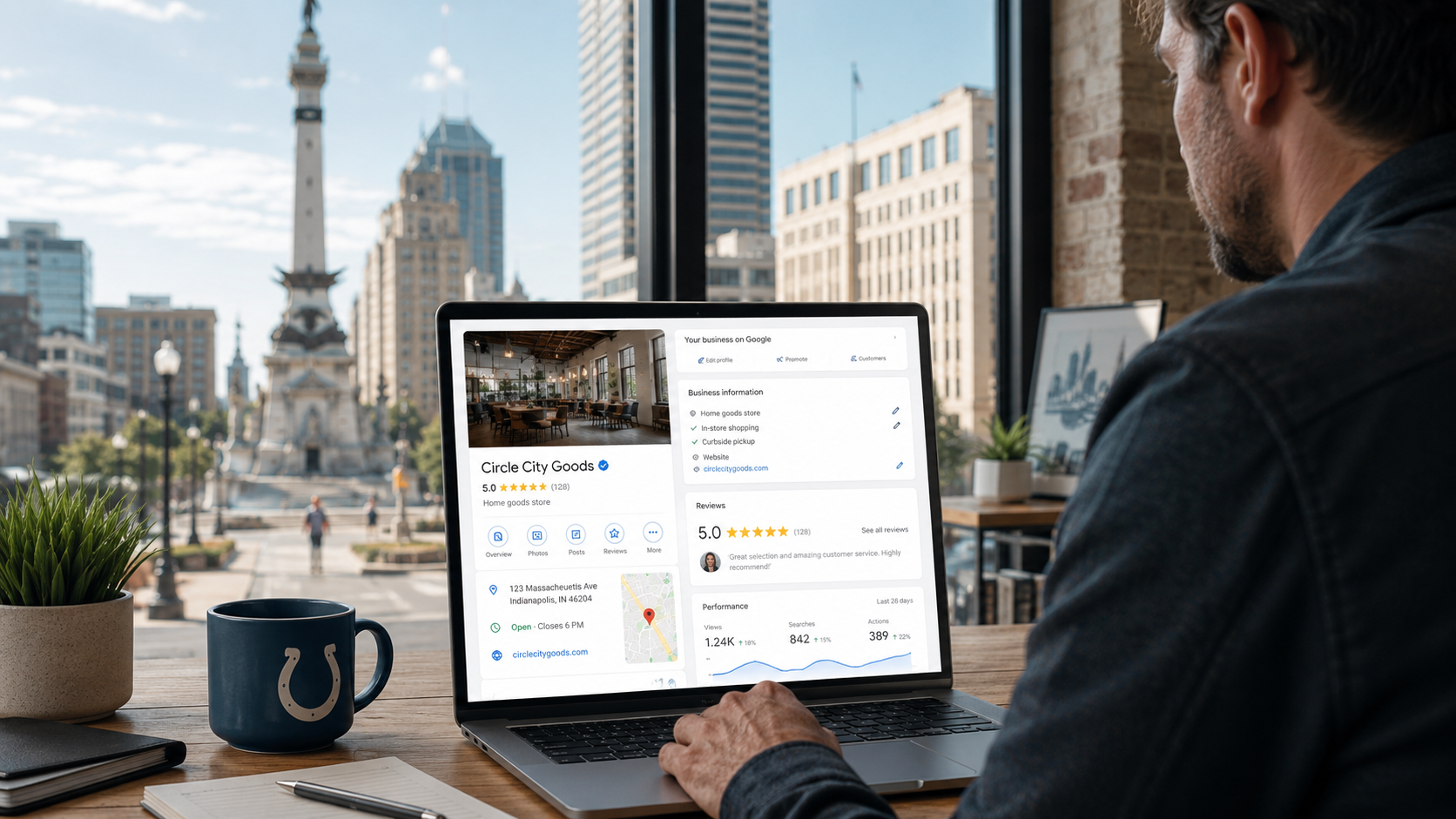
Someone in Indianapolis searches:
“plumber near me.”
Another person searches:
“personal injury lawyer Indianapolis.”
Someone else searches:
“HVAC repair near me.”
A homeowner searches:
“roofer Indianapolis.”
A buyer searches:
“real estate agent near me.”
A potential patient searches:
“dentist Indianapolis.”
Google may place several local businesses directly in front of those customers before they ever reach a traditional organic website result.
And one of the main assets powering that local visibility is the Google Business Profile.
For many Indianapolis businesses, the Business Profile can display:
Business name
Category
Reviews
Star rating
Phone number
Website
Address
Service information
Hours
Photos
Directions
Other business attributes
A potential customer can sometimes make most of their decision without even visiting your homepage.
That makes Google Business Profile optimization more than an SEO task.
It is also:
Reputation management.
Conversion optimization.
Local branding.
Customer acquisition.
But there is an important distinction.
Completing every field does not automatically make you rank #1.
Google's current documentation says local results are mainly based on three concepts:
Relevance
Distance
Prominence
Google also explicitly says businesses cannot request or pay for better organic local rankings.
So Google Business Profile optimization should not be treated like:
Fill in 100% of the profile and unlock the #1 position.
Instead, think:
Give Google the clearest, most accurate information possible about the business, create a compelling profile for customers, and strengthen the relevance and prominence signals you can control.
Distance remains partly outside your control.
If your business is ten miles farther from a searcher than a competitor, changing your business description will not physically move your office.
But a poorly configured Business Profile can absolutely make an already competitive local market harder than it needs to be.
This is how Indianapolis businesses should optimize theirs in 2026.
Start With Google's Actual Local Ranking Framework
Before changing anything, understand what Google says it evaluates.
Google says local results are mainly based on:
Relevance
How closely does your Business Profile match what someone is searching for?
Distance
How far is the business from the person searching or the location used in the query?
Prominence
How established or well known does the business appear?
Google says prominence can incorporate information from across the web, including websites linking to the business and reviews. More reviews and positive ratings can also help local rankings.
This gives us a useful optimization framework.
Business Profile fields primarily help clarify relevance and customer information.
Reviews, links, brand authority, and broader web signals support prominence.
Your legitimate location influences distance.
You need all three concepts in mind.
For the deeper Indianapolis framework, read:
What Makes an Indianapolis Business Rank in Google's 3-Pack?
1. Make Sure the Business Is Eligible Before Optimizing Anything
Do not spend hours optimizing an ineligible profile.
Google's current eligibility rules generally require businesses to have in-person contact with customers during stated hours.
Google specifically lists certain businesses as ineligible, including online-only businesses and some lead-generation operations.
That matters for Indianapolis businesses operating remotely.
For example:
Eligible Scenario
An Indianapolis plumber travels to customers' homes and performs plumbing work in person.
That can fit Google's service-area-business model.
Potentially Ineligible Scenario
A marketing consultant works entirely remotely, never meets Indianapolis customers in person, and has no customer-facing office.
Creating a fake Indianapolis Maps location does not make that business eligible.
Google Business Profile eligibility and organic Indianapolis SEO are separate things.
If your company is not eligible for Maps, you can still pursue:
Indianapolis organic SEO
Local content
Indianapolis case studies
Local backlinks
AI search visibility
Search ads
Do not create a fake storefront to force Maps participation.
2. Claim and Verify the Correct Profile
Optimization begins only after you have control of the correct listing.
Before creating anything new, search Google and Google Maps for:
Exact Business Name
Business Name + Indianapolis
Business Name + Address
You may discover an existing profile created by:
Previous owner
Former employee
Marketing agency
Google
Customer/public data
Another company representative
Do not immediately create another profile.
Duplicate listings can create unnecessary problems.
If the correct profile already exists, claim or request access to it.
Google says verification confirms that the person managing the profile is authorized to represent the business and notes that verified businesses are more likely to appear in search results.
3. Use Your Real Business Name
This seems simple.
It is also one of the most abused Business Profile fields.
Suppose the actual company name is:
Smith Plumbing
Do not change the profile to:
Smith Plumbing | Indianapolis Plumber | Drain Cleaning & Water Heater Repair
unless those words genuinely form part of the real-world business name.
Google says businesses should enter their names as they appear consistently in the real world on signage, stationery, and branding.
This means the Business Profile name is not a keyword field.
Avoid:
Adding Indianapolis unnecessarily
Adding service keywords
Adding “near me”
Adding promotional language
Adding “best”
Adding unnecessary legal terms unless genuinely used in the real-world name
Keyword stuffing may look attractive when competitors are doing it.
That doesn't make it compliant.
A long-term local SEO strategy should not depend on violating the guidelines governing one of your most valuable lead-generation assets.
4. Choose the Primary Category Carefully
Your category is one of the clearest ways to explain what the business actually is.
Google says your primary category should represent the main business and that businesses can select additional categories when appropriate. The current profile editor allows a primary category plus up to nine additional categories.
Think:
“This business IS a…”
not:
“This business HAS a…”
For example:
A plumbing company is a plumber.
It may have water-heater services.
A dental practice is a dentist/dental practice.
It may offer dental implants.
A law firm is a legal practice.
It may handle several practice areas.
Choose the category that most accurately represents the core business.
Do Not Add Every Category Available
More categories do not automatically mean more rankings.
Google specifically says not to use categories merely as keywords and recommends choosing categories that accurately describe the core business.
Do not add unrelated categories because:
“Maybe it'll help us show up for another search.”
You can create confusion about relevance.
Use additional categories when they genuinely describe meaningful parts of the business.
5. Study Competitor Categories—but Don't Copy Blindly
Competitive research can still be useful.
Look at the companies consistently ranking for:
Indianapolis plumber
Indianapolis HVAC
Indianapolis attorney
Indianapolis dentist
Then ask:
Which categories are they using?
But do not automatically copy them.
Competitors can:
Use wrong categories
Violate guidelines
Offer services you don't
Operate under different business models
Competitive research produces hypotheses.
Your actual business determines what is accurate.
6. Configure Your Address Correctly
For a true storefront or office where customers legitimately visit during your stated hours, your address should be complete and accurate.
Google says businesses can add their public address and adjust the map pin when needed so it represents the actual business location.
Check:
Street address
Suite
City
ZIP
Map pin
Driving directions
An incorrect pin can create customer frustration.
But do not move the pin toward a more desirable Indianapolis location because you want better proximity.
The map should represent reality.
7. Hide Your Address If You're a True Service-Area Business
A plumber operating from a residence may qualify for Google Business Profile because the plumber travels to customers.
That does not necessarily mean the residential address should be publicly displayed.
Google says businesses that do not serve customers at their address can hide that address and show a service area instead.
This often applies to:
Plumbers
Electricians
HVAC contractors
Roofers
Cleaning companies
Landscapers
Pest-control companies
Other mobile services
If customers are not welcome at the location:
do not pretend they are.
For the broader home-service strategy, see:
SEO for Indianapolis Home Service Companies: A Local Lead Generation Playbook
8. Do Not Use a Virtual Office to Manufacture Indianapolis Proximity
A business wants a better downtown Maps presence.
So it rents:
Virtual office
Mailing address
Coworking mailbox
Executive-suite address
and creates a Business Profile.
Google's current guidelines restrict virtual-office and mailing-address setups that do not represent actual business operations.
If you legitimately operate from an eligible location, use it.
If you don't, don't manufacture it.
A fake Maps location can create:
Verification problems
Suspension risk
Duplicate problems
Customer confusion
We've built an entire troubleshooting guide around these issues:
Why Your Indianapolis Business Isn't Showing Up on Google Maps
9. Configure Service Areas Accurately
Service-area businesses and hybrid businesses can specify the areas where they travel or deliver.
Google currently supports service areas based on cities, ZIP codes, and other geographic areas.
The current maximum is 20 service areas.
For an Indianapolis home service company, those might legitimately include some combination of:
Indianapolis
Carmel
Fishers
Greenwood
Noblesville
Avon
Plainfield
Brownsburg
Zionsville
depending on actual operational coverage.
Do not add cities you would never serve.
Adding a Service Area Does Not Create Ranking Proximity
This deserves emphasis.
A contractor adds:
Fishers
to its service area.
That does not mean the business physically moved closer to Fishers searchers.
Google separately states that distance is one of its primary local ranking factors.
Use service areas to communicate where you work.
Do not treat the service-area editor as paid-ad geographic targeting.
If you're struggling with proximity searches, read:
How to Rank for “Near Me” Searches in Indianapolis
10. Use an Accurate Primary Phone Number
Your phone number should be one customers can actually use to reach the business.
Google currently allows one primary number plus up to two additional phone numbers on the profile.
If you use call tracking, configure it thoughtfully so you preserve consistency and can still measure calls without confusing customers or other business data.
Most importantly:
answer the phone.
An optimized Google Business Profile generating unanswered calls is not a successful local lead strategy.
11. Link to the Best Website Page
Your website link is not an afterthought.
For most single-location businesses, the homepage may make sense.
For multi-location companies, the specific location page may make more sense.
Ask:
Which page best represents this exact Business Profile?
The destination should:
Load correctly
Clearly identify the business
Explain major services
Reinforce location
Display contact information
Work well on mobile
Make conversion easy
Google's profile editor also notes that Googlebot should not be blocked from the website linked through the Business Profile.
Do not send local customers into:
Broken redirects
Generic corporate pages
Unrelated landing pages
Slow websites
Tracking URLs that malfunction
Your Business Profile and website should reinforce each other.
12. Build Strong Service Pages on the Website Too
Your Google Business Profile does not replace your website.
Suppose your Indianapolis electrician wants visibility for:
Electrical panel upgrades
EV charger installation
Rewiring
Emergency electrical work
The profile can communicate that information.
But substantial website pages give you much more room to demonstrate:
Expertise
Process
Pricing factors
FAQs
Projects
Photos
Credentials
Local relevance
Think:
Business Profile → concise local business summary
and:
Website → full evidence
For Indianapolis service companies, that relationship is critical.
13. Complete the Services Section
For eligible business categories, Google allows businesses to add and manage services in their Business Profile.
Use this feature.
For a plumber, services might include legitimate offerings such as:
Drain cleaning
Water heater repair
Sewer line repair
Leak repair
Fixture installation
For HVAC:
AC repair
Furnace repair
Heat-pump service
Maintenance
System replacement
For a law firm:
Practice areas it genuinely handles
For a real estate professional:
Relevant services supported by the profile's available options
Do not add services you don't provide just because the keyword is attractive.
Services Should Match the Website
Imagine the Business Profile says:
Commercial HVAC
but the website gives no indication the company handles commercial clients.
That is a weak information system.
Your Business Profile and website should agree on:
What you do
Where you work
Who you serve
How customers contact you
Consistency should come from reality.
Not from mechanically repeating identical wording everywhere.
14. Set Accurate Business Hours
Hours matter because customers use them.
Google lets businesses set normal weekly hours and additional/special hours for temporary changes and holidays.
Check them regularly.
Especially before:
Holidays
Seasonal changes
Temporary closures
Extended hours
Schedule changes
There are few easier ways to annoy a customer than telling them:
Open
when the door is locked.
Or:
Open 24 hours
when nobody answers after 7 p.m.
Don't Claim 24/7 Unless You Actually Operate 24/7
This is especially relevant for:
Plumbers
HVAC
Restoration companies
Locksmiths
Emergency services
If you genuinely answer calls and provide service around the clock, great.
If:
24/7
really means:
Leave us a voicemail and we'll call tomorrow,
that is not the same customer experience.
Accurate profiles build trust.
15. Use Special Hours Before Holidays
Don't wait for customers to discover your holiday schedule is wrong.
Google provides special-hour functionality specifically for temporary changes to normal operating hours.
Add this to your monthly Business Profile maintenance checklist.
Before:
Thanksgiving
Christmas
New Year's
Independence Day
Other closures
verify hours.
This is not glamorous SEO.
It is useful profile management.
And useful profile management is what customers need.
16. Write a Clear Business Description
Google currently allows a Business Profile description of up to 750 characters.
Google recommends using the description to explain things such as:
What the business offers
What makes it distinct
How long it has been operating
Other helpful information
Google says descriptions should focus on the business rather than promotions, prices, or sales and should not contain URLs or HTML.
A strong Indianapolis description might say:
Smith Mechanical provides residential heating and cooling services throughout Indianapolis and surrounding Central Indiana communities. Our team handles AC repair, furnace repair, heat-pump service, maintenance, and HVAC replacement for homeowners.
That's clear.
Compare:
We are passionate about delivering next-generation solutions with exceptional customer-centric service.
What do they do?
Nobody knows.
Should You Stuff Keywords Into the Description?
No.
Write it for customers.
Mention:
Important services
Market
Useful differentiation
naturally.
Do not write:
Indianapolis plumber Indianapolis plumbing plumber near me Indianapolis best plumber Indianapolis emergency Indianapolis plumber.
Even if Google allowed the text, it would be terrible marketing.
Your profile should look like it belongs to a professional business.
17. Add Relevant Business Attributes
Google Business Profile attributes vary by business type.
Google says attributes can communicate factual details such as:
Amenities
Payment information
Accessibility
Other business-specific characteristics
and notes that some attributes can make businesses eligible to appear in searches involving those characteristics.
Complete the attributes that genuinely apply.
Do not mark:
Yes
for something simply because it might increase visibility.
Accuracy is the rule.
18. Add Strong Photos
Google specifically recommends adding photos and videos because they help customers understand what a business offers and tell the business's story.
For an Indianapolis business, useful photo categories can include:
Exterior
Help customers identify the location.
Interior
Show the actual environment.
Team
Put real people behind the company.
Work
Show actual services.
Products
Where relevant.
Projects
Particularly useful for:
Roofers
Remodelers
Landscapers
Contractors
Real estate companies
The goal is not:
Upload 300 images because more photos must equal higher ranking.
Google does not publish such a formula.
The goal is:
Give customers visual evidence.
Use Real Photos Whenever Possible
Stock photography is easy.
Real business photography is more persuasive.
A contractor should show:
Trucks
Crews
Equipment
Projects
A law firm can show:
Attorneys
Office
Professional environment
A real estate company can show:
Agents
Actual local properties where appropriate
Market activity
A restaurant can show:
Food
Interior
Exterior
Make the Business Profile look like the business customers will actually encounter.
Monitor Customer-Uploaded Photos Too
Customers can also contribute photos and photo updates to Business Profiles.
Google says business owners cannot prevent customers from posting photo updates, although inappropriate content can be reported when it violates policy.
Periodically inspect:
Customer images
Incorrect images
Old images
Photos of another business
Inappropriate content
You do not control every image Google chooses to display.
But you should know what customers are seeing.
19. Build a Legitimate Review Generation System
Reviews are one of the most powerful parts of the profile.
Google says reviews can help businesses stand out and provide useful information to potential customers.
Google also explicitly allows businesses to request reviews using a review link or QR code.
That means review generation should be part of normal operations.
After a genuine customer experience:
Finish the work.
Confirm the customer has had an opportunity to evaluate it.
Send the Google review request.
Make the process easy.
Ask for honest feedback.
No complicated funnel needed.
Never Buy Google Reviews
Google says reviews must reflect genuine experiences.
Its current guidance explicitly prohibits offering incentives such as free or discounted products or services in exchange for someone posting, changing, or removing a review.
So don't:
Pay $10 per review.
Give 10% off for five stars.
Enter reviewers in a giveaway.
Have employees review the company as customers.
Hire someone to generate accounts and reviews.
The objective is authentic reputation.
Don't Review-Gate
A common process looks like this:
Rate us privately from 1–5.
If they select five:
Great! Please leave a Google review.
If they select two:
Please send feedback privately.
That selectively directs happy customers toward public reviews.
Build a process where legitimate customers are invited to provide honest feedback rather than filtering only positive experiences into Google.
Google's guidance emphasizes genuine and balanced reviews.
Reviews Matter for Customers Too
This is not just an algorithm conversation.
BrightLocal's 2026 Local Consumer Review Survey was conducted with 1,002 U.S. adults and found that star ratings and review recency remain highly important in local-business evaluation.
So a profile with:
Great ranking + terrible reputation
can still lose the customer.
Local SEO gets you considered.
Reputation helps you get selected.
20. Respond to Reviews Professionally
Google recommends replying to customer reviews and says responses show customers that their feedback matters.
Positive review?
Thank them when appropriate.
Negative review?
Stay calm.
Do not publicly attack the person.
Google's own review-response guidance recommends:
Staying professional
Protecting privacy
Avoiding personal attacks
Explaining limitations honestly
Responding in a timely way
Remember:
Your review response is not written only for the reviewer.
It is written for every future customer reading the conversation.
21. Reviews Are Not the Only Ranking Factor
You have:
427 reviews.
Competitor has:
98 reviews.
They rank above you.
That does not mean Google is broken.
Google's stated framework combines:
Relevance
Distance
Prominence
and prominence includes more than raw review count.
Your competitor may have:
Better proximity
More relevant category
Better website
Stronger service pages
Better local links
More established authority
We've built the full explanation here:
Why Your Competitor Ranks Above You in Indianapolis — Even With Fewer Reviews
22. Add Social Media Links Where Available
Google currently allows eligible Business Profiles in supported regions to add one link per supported social platform.
Supported platforms currently include:
Facebook
Instagram
LinkedIn
Pinterest
TikTok
X
YouTube
Google notes that the feature is not available on every profile or in every region.
If the option is available:
Add your legitimate profiles.
Make sure:
URLs work
Branding matches
Accounts are active
Information is accurate
Google currently says it does not provide Business Profile performance click metrics specifically for social links.
23. Use Google Posts—But Don't Treat Them Like a Secret Ranking Lever
Google currently supports Business Profile posts for communicating things such as updates, offers, and events.
Posts can be useful for:
Recent projects
Announcements
Seasonal services
Events
Promotions
New resources
Company updates
For example:
HVAC
AC Tune-Up Appointments Available Before the Next Heat Wave
Law Firm
New Indiana Legal Guide Published
Real Estate
July Indianapolis Market Update
Restaurant
Weekend Event
But be careful with the claim:
Posting three times per week improves your Maps ranking.
Google's official local-ranking documentation does not list posting frequency as a guaranteed ranking factor. Its published framework remains relevance, distance, and prominence.
Use posts because they help communicate with customers.
Not because someone invented a posting-frequency formula.
24. Keep Google Business Profile Information Current
Your profile is not static.
Google says Business Profiles may also be updated based on information gathered from other sources.
That means a business owner should periodically inspect the profile for:
Category changes
Hours
Phone
Address
Website
Attributes
Other edits
Do not assume the information stays exactly as you entered it forever.
Make profile review a recurring operational task.
25. Use Individual Practitioner Profiles Correctly
Some Indianapolis industries have an additional opportunity.
Google identifies public-facing professionals such as:
Doctors
Dentists
Lawyers
Financial planners
Insurance agents
Real estate agents
as individual practitioners under its current Business Profile guidelines.
A qualifying practitioner may have a dedicated profile when they:
Operate in a public-facing role
Can be contacted directly at the verified location during stated hours
Google says support staff should not create individual practitioner profiles.
Law Firms Need a Firm + Attorney Strategy
Suppose several lawyers practice from one Indianapolis office.
Google says the organization can have its own profile while eligible individual practitioners may also have separate practitioner profiles.
But don't create:
Jane Smith – Personal Injury
Jane Smith – Car Accident Lawyer
Jane Smith – Wrongful Death Attorney
as three profiles for one attorney.
Google says practitioners should not create multiple profiles simply to represent different specializations.
For the complete Indianapolis law-firm strategy:
Local SEO for Indianapolis Law Firms: How to Win More Cases from Search
Real Estate Agents Can Have Practitioner Profiles Too
Google also explicitly lists real estate agents as individual practitioners.
That creates opportunities for:
Brokerage profile
Eligible agent profiles
when Google's requirements are met.
But again:
Do not create separate agent profiles for:
Carmel Agent
Indianapolis Agent
Luxury Agent
First-Time Buyer Agent
if all four represent one practitioner.
Use the structure Google actually permits.
Our full real estate strategy is here:
SEO for Indianapolis Real Estate Companies: Beyond Zillow and Realtor.com
26. Build the Website Around the Same Business Entity
Your Business Profile should not exist in isolation.
The website should support the same business information.
At minimum, the site should make clear:
Company name
Main services
Indianapolis relationship
Phone
Location where appropriate
Service area
Team
Contact path
Then build substantial pages around the commercial services you want to grow.
The Business Profile helps Google and customers understand the business.
The website gives you space to prove the claim.
27. Connect Local Citations to the Profile
Your business may also appear on:
Apple
Bing
Yelp
BBB
Chambers
Industry directories
Manufacturer sites
Professional associations
Keep important information accurate.
This is particularly valuable after:
Move
Rebrand
Phone change
Acquisition
Location closure
The objective is not:
perfect identical punctuation everywhere.
It is:
avoid conflicting business identities.
See:
Indianapolis Local Citations: Which Business Directories Actually Matter?
for the full prioritization strategy.
28. Build Local Links for Prominence
Google explicitly says links from other websites can contribute to local prominence.
That means optimizing the Business Profile itself is only part of Google Maps SEO.
You also need to strengthen what exists outside the profile.
Potential Indianapolis authority sources include:
Chambers
Associations
Universities
Local media
Manufacturers
Vendors
Partnerships
Community organizations
Original research
Do not buy 100 junk backlinks.
Build relationships that make sense.
Use:
Local Link Building in Indianapolis: Where Local Businesses Can Earn Authority
for the full local authority strategy.
29. Measure Google Business Profile Performance
Google currently provides Business Profile performance data covering several types of interactions.
Depending on the profile, available metrics can include:
Searches
Views
Direction requests
Calls
Website clicks
Messages
Bookings
Other category-specific actions
Use it.
Don't optimize blindly.
Look at the Searches That Trigger Your Profile
Google's performance report can show search terms associated with Business Profile appearances.
This can reveal:
Brand searches
Service searches
Unexpected queries
Suppose an HVAC company primarily appears for:
company name
but barely appears for:
AC repair
furnace repair
heat pump
That suggests a discoverability gap.
The profile exists.
Customers who already know the brand can find it.
The bigger challenge is non-branded relevance.
Track Calls
Google's performance reporting can measure the number of times customers click the call button on the Business Profile.
But:
call click ≠ qualified lead.
Your deeper reporting should ask:
Was the caller in your service area?
Did they want the right service?
Did somebody answer?
Was the appointment booked?
What was the job value?
The Business Profile can generate the opportunity.
Your operational systems have to convert it.
Track Website Clicks
Google can also report website clicks from the Business Profile.
Then your website analytics should continue the story.
Measure:
GBP → website → form/call → qualified lead → customer
That is much more useful than:
Profile views increased 26%.
Views can be useful.
Revenue is better.
Track Directions for Storefront Businesses
For:
Restaurants
Retail
Medical practices
Law offices
Other customer-facing locations
direction requests can be meaningful.
Google's performance reporting includes direction requests where applicable.
A growing number of direction requests may indicate greater discovery or customer interest.
But again:
Connect metrics to business reality.
30. Use Geographic Rank Tracking Too
Business Profile performance does not answer every SEO question.
If you want to understand:
Where in Indianapolis do we rank?
you need geographic rank tracking.
Build local grids for searches such as:
plumber Indianapolis
HVAC near me
personal injury lawyer Indianapolis
dentist near me
You may discover:
Strong visibility near your location
Weak visibility farther away
One service outperforming another
Specific competitor zones
This matters because Google explicitly uses distance in local rankings.
A single manual search cannot represent the entire Indianapolis market.
31. Profile Strength Is Not the Business Outcome
Google may provide Profile Strength prompts that encourage you to complete or improve profile information.
That can be useful as a checklist.
But do not turn:
“100% complete”
into the KPI.
Google's published local ranking guidance still points to relevance, distance, and prominence rather than a public “profile completeness percentage” formula.
A business could have an extremely complete profile and still struggle because:
It is too far from the searcher
Competition is stronger
Reviews are weak
Website relevance is weak
Prominence is weak
Complete the profile.
Then compete.
32. Never Let an Agency Own the Profile Instead of You
Google's guidance for businesses working with third parties emphasizes that profile owners control who has access and can update permissions. Google also warns that third parties cannot guarantee Google Search or Maps placement through special influence.
Your company should retain appropriate ownership access.
An SEO agency can be added as a manager.
But if you fire the agency tomorrow, you should not lose:
Reviews
Business Profile
Maps presence
Historical data
This is your business asset.
Treat it like one.
33. Be Skeptical of Guaranteed Maps Rankings
An agency tells you:
We guarantee top-three Google Maps rankings in 30 days.
Google tells businesses something different.
Google explicitly says there is no way to request or pay for a better organic local ranking and warns that third-party providers cannot directly influence placement through special means.
A legitimate local SEO company can:
Improve relevance
Improve profile quality
Improve website content
Build reviews
Build authority
Fix technical problems
Track rankings
Strengthen conversion
But no agency owns Google's Maps algorithm.
34. Don't Waste Time on Google Business Profile Myths
There are several recurring myths.
Myth: Post Every Day to Rank Higher
Google allows posts.
Google does not publish a daily posting requirement for better Maps rankings.
Myth: Add Every Service Area to Rank There
Google separately uses distance.
Adding a city does not move you closer to it.
Myth: Most Reviews Always Wins
Reviews matter.
But relevance, distance, and broader prominence matter too.
Myth: Put Keywords Everywhere
Business name and categories must follow Google's guidelines.
Myth: Rent an Indianapolis Mailbox
A mailing address is not automatically an eligible business location.
Myth: Complete Profile = #1
Completeness helps Google understand the business.
Competition still exists.
35. What Should an Indianapolis Business Optimize First?
Use this order.
Priority 1: Eligibility and Verification
Nothing else matters if the profile is fundamentally invalid.
Priority 2: Business Identity
Name
Address
Phone
Website
Priority 3: Category
Choose the strongest accurate primary category.
Priority 4: Location Model
Storefront
Service area
Hybrid
Priority 5: Services
Make the commercial offering clear.
Priority 6: Hours
Accurate normal and special hours.
Priority 7: Description and Attributes
Give customers useful information.
Priority 8: Photos
Show the real business.
Priority 9: Reviews
Create a legitimate review workflow.
Priority 10: Website Relevance
Support the profile with strong service/location pages.
Priority 11: Prominence
Build citations, backlinks, media, and authority.
Priority 12: Measurement
Track Maps visibility and actual customer actions.
That is optimization.
Not merely filling boxes.
An Indianapolis Google Business Profile Optimization Checklist
AreaWhat to CheckEligibilityBusiness legitimately qualifiesVerificationProfile is verifiedOwnershipBusiness retains owner accessNameMatches real-world namePrimary categoryAccurately represents core businessSecondary categoriesOnly genuinely relevant optionsAddressCorrect and eligibleMap pinAccurately placedService areaAccurate operational coveragePhoneWorking customer-facing numberWebsiteCorrect local destinationHoursCurrentSpecial hoursUpdated for holidaysServicesImportant offerings addedDescriptionClear and usefulAttributesAccuratePhotosCurrent, real business imageryReviewsLegitimate acquisition systemResponsesProfessional and timelySocial linksAdded where availablePostsUsed when usefulCitationsCore business info accurateBacklinksLegitimate local/industry authorityPerformanceCalls, clicks, searches, directions trackedRankingsMeasured geographically
If you can work down this list honestly, you're ahead of many businesses that treat Google Business Profile optimization as:
Add keywords and publish a post every Thursday.
A 30-Day Google Business Profile Optimization Plan
Days 1–3: Establish Control
Confirm:
Correct profile
Ownership
Verification
Eligibility
No duplicate problems
If you're missing entirely, start with:
Why Your Indianapolis Business Isn't Showing Up on Google Maps
Days 4–7: Fix Core Business Information
Audit:
Name
Primary category
Additional categories
Address
Service areas
Phone
Website
Hours
Do not optimize around hacks.
Make the profile accurately represent the business.
Days 8–12: Build Relevance
Complete:
Services
Description
Attributes
Then audit the website.
Do your major Business Profile services have legitimate supporting pages?
If not, build them.
Days 13–17: Build Customer Confidence
Upload:
Exterior images
Interior images
Team
Service work
Projects
Review:
Existing customer photos
Outdated images
Review responses
Make the profile look alive because the business is alive.
Days 18–22: Build the Review System
Create Google's review link or QR code.
Google explicitly supports both.
Add review requests to appropriate customer workflows.
Examples:
Completion email
Receipt
Follow-up text
Thank-you email
Ask for honest feedback.
Never incentivize it.
Days 23–26: Strengthen External Authority
Audit:
Core citations
Local memberships
Manufacturer profiles
Industry directories
Backlinks
Media opportunities
Use:
Local Link Building in Indianapolis: Where Local Businesses Can Earn Authority
for the authority piece.
Days 27–30: Measure
Export or record:
Profile searches
Views
Calls
Website clicks
Directions where applicable
Then establish geographic ranking grids for your most important searches.
Now you have a baseline.
Repeat measurement monthly.
Google Business Profile Optimization for Indianapolis HVAC Companies
An HVAC company should pay special attention to:
Correct HVAC category
Service-area configuration
AC repair
Furnace repair
Heat pumps
Maintenance
System replacement
Emergency hours if genuinely offered
Technician/project photos
Reviews
Manufacturer relationships
Then make sure each major service is supported by substantial website content.
See:
SEO for Indianapolis HVAC Companies: How to Generate More Service Calls
Google Business Profile Optimization for Indianapolis Law Firms
Law firms should consider:
Firm profile
Accurate legal category
Practice-area relevance
Attorneys as eligible practitioners where appropriate
Office eligibility
Attorney profiles
Reviews handled with confidentiality considerations
Accurate hours
Strong legal website pages
See:
Local SEO for Indianapolis Law Firms: How to Win More Cases from Search
Google Business Profile Optimization for Indianapolis Real Estate Companies
Real estate companies should evaluate:
Brokerage profile
Eligible agent profiles
Legitimate office locations
Accurate practitioner naming
Reviews
Market photos
Website links
Neighborhood content
Agent profile pages
Google currently identifies eligible real estate agents as individual practitioners.
See:
SEO for Indianapolis Real Estate Companies: Beyond Zillow and Realtor.com
Google Business Profile Optimization for Indianapolis Home Service Companies
Home service businesses should focus heavily on:
Service-area setup
Hidden address where appropriate
Category accuracy
Services
Real project photos
Reviews
Mobile calls
Local links
Geographic rank tracking
Use:
SEO for Indianapolis Home Service Companies: A Local Lead Generation Playbook
for the full local lead funnel.
Google Business Profile and AI Search
Optimizing your Google Business Profile should primarily be viewed as a Google Search and Maps strategy.
Do not claim:
“Google Business Profile is a confirmed ChatGPT ranking factor.”
OpenAI has not published that.
But customers use multiple discovery channels.
Someone may:
Ask ChatGPT for Indianapolis companies.
See your name.
Search your company on Google.
Open the Business Profile.
Read reviews.
Visit the website.
Call.
That means your local reputation and AI-search presence should support one another.
For ChatGPT-specific optimization:
How Indianapolis Businesses Can Get Recommended by ChatGPT
And for the broader AI strategy:
AI Search Optimization in Indianapolis: SEO for ChatGPT, Gemini & Google AI
Frequently Asked Questions
What Is a Google Business Profile?
A Google Business Profile is a business listing that eligible businesses can manage across Google Search and Maps.
It can display information such as:
Name
Category
Address
Service area
Phone
Website
Hours
Reviews
Photos
Is Google Business Profile Free?
Yes.
Google does not charge businesses to create and manage an eligible Business Profile.
Google also says businesses cannot pay for better organic local rankings.
Advertising is separate.
Does Google Business Profile Help Local SEO?
Yes.
Google says complete and accurate Business Profile information can help businesses appear for relevant local searches and recommends verifying businesses, keeping information current, responding to reviews, and adding photos.
What Determines Google Maps Rankings?
Google says local rankings are mainly based on:
Relevance
Distance
Prominence
What Is the Most Important Google Business Profile Ranking Factor?
Google does not publish one universal single factor.
Its official framework combines relevance, distance, and prominence.
Does Completing My Google Business Profile Guarantee Better Rankings?
No.
Completeness helps Google understand the business and helps customers evaluate it.
But distance and competition still matter, as does broader prominence.
Should I Put Keywords in My Google Business Profile Name?
Only if those words are genuinely part of the real-world business name.
Google says businesses should use the name represented consistently in real-world branding.
Can I Add Indianapolis to My Business Name for SEO?
Not unless Indianapolis legitimately forms part of the business name used in the real world.
Do not add location terms solely for ranking purposes.
How Many Google Business Profile Categories Can I Use?
Google's current profile editor allows one primary category plus up to nine additional categories.
Use only categories that accurately describe the business.
Should I Add Every Relevant Category?
No.
Google recommends selecting specific categories representing the business and says categories should not be used solely as keywords.
Does My Primary Category Matter?
Yes.
The primary category tells Google what the core business is.
Choose the most accurate category describing your main business activity.
Should Service-Area Businesses Show Their Address?
If customers do not visit the business address, Google allows service-area businesses to hide the address and display service areas instead.
Can I Use My Home Address?
Potentially, if the business qualifies.
But if you operate as a service-area business and do not receive customers at the residence, the address should generally be hidden from customers.
Can I Use a Virtual Office?
Do not use an address where the business does not actually operate simply to create a Maps location.
Google has specific eligibility rules around virtual and coworking offices.
How Many Service Areas Can I Add?
Google currently allows eligible businesses to add up to 20 service areas.
Use areas the company genuinely serves.
Does Adding a Service Area Make Me Rank There?
Not automatically.
Google separately says distance between the business and customer is one of its core local-ranking factors.
Adding Fishers to a service area does not physically move an Indianapolis business closer to Fishers.
How Long Can My Google Business Profile Description Be?
Google currently limits the Business Profile description to 750 characters.
Should I Put Keywords in My Business Description?
Use normal language explaining:
Services
Business
Location
Differentiators
Do not keyword-stuff the description.
Should I Add Services to My Google Business Profile?
Yes, when the services feature is available and the offerings genuinely apply.
Services help customers understand what the business provides.
Do Google Business Profile Services Improve Rankings?
Google does not publish a formula guaranteeing ranking improvements from adding a specific service.
Use services because they clarify what the business provides and strengthen the completeness of customer information.
Do Google Business Profile Photos Help SEO?
Google recommends adding photos and videos to help customers understand the business and says they can help tell the business's story.
Google does not publish a rule such as:
10 photos = X ranking increase.
How Often Should I Add Photos?
There is no official universal posting frequency required for ranking.
Add current, useful images whenever you have legitimate visual evidence worth showing.
Should I Use Stock Photos?
Real business photos are generally more useful for proving what customers will actually encounter.
Show:
Team
Location
Work
Products
Projects
where appropriate.
Can Customers Add Photos to My Profile?
Yes.
Google allows customers to submit photos and photo updates. Businesses can report content that violates Google's policies.
Do Google Reviews Help Rankings?
Yes.
Google says more reviews and positive ratings can help local ranking and contribute to prominence.
Can I Ask Customers for Google Reviews?
Yes.
Google provides businesses with review links and QR codes specifically for requesting reviews.
Can I Give a Discount for a Google Review?
No.
Google explicitly prohibits incentives such as free or discounted products or services in exchange for reviews.
Should I Respond to Reviews?
Google recommends replying to reviews because responses show customers that their feedback matters.
Keep responses:
Professional
Helpful
Respectful
Why Does a Competitor With Fewer Reviews Rank Higher?
Because review count is not the only factor.
Google also evaluates relevance, distance, and broader prominence.
See Why Your Competitor Ranks Above You in Indianapolis — Even With Fewer Reviews.
Should I Use Google Business Profile Posts?
They can be useful for communicating:
Updates
Offers
Events
Recent information
Google currently supports Business Profile posts.
Do not assume a specific posting frequency guarantees better Maps rankings.
Can I Add Social Media Links?
Google currently allows some Business Profiles in supported regions to add social profiles for platforms including Facebook, Instagram, LinkedIn, Pinterest, TikTok, X, and YouTube.
Availability varies.
Does Google Track Social Profile Clicks?
Google currently says it does not provide Business Profile performance metrics for social-media-link clicks.
What Google Business Profile Metrics Can I Track?
Depending on the business, Google performance reporting can include:
Searches
Views
Calls
Website clicks
Directions
Messages
Bookings
How Should I Measure Google Business Profile SEO?
Track:
Search terms
Geographic Maps rankings
Calls
Website clicks
Direction requests
Leads
Appointments
Qualified customers
Revenue where possible
Profile views alone should not be the final KPI.
Why Do My Google Maps Rankings Change Across Indianapolis?
Because distance matters.
Google says the distance between the business and person searching is one of its main local-ranking factors.
Use geographic rank tracking instead of checking from one location.
Can Google Business Profile Help “Near Me” Rankings?
It is central to local discovery, but “near me” rankings also depend heavily on proximity.
See How to Rank for “Near Me” Searches in Indianapolis.
Do Backlinks Help Google Business Profile Rankings?
Google says links to a business can contribute to local prominence.
See Local Link Building in Indianapolis: Where Local Businesses Can Earn Authority.
Do Local Citations Help?
Accurate citations support a consistent public business footprint.
Focus on meaningful directories and platforms rather than mass submissions.
See Indianapolis Local Citations: Which Business Directories Actually Matter?.
Can Lawyers Have Individual Google Business Profiles?
Yes, eligible public-facing lawyers can qualify as individual practitioners under Google's current guidelines.
Can Real Estate Agents Have Individual Profiles?
Yes.
Google explicitly lists qualifying real estate agents as individual practitioners.
Can Dentists Have Individual Profiles?
Yes.
Dentists are also among the public-facing professionals Google identifies as individual practitioners.
Should My SEO Agency Own My Google Business Profile?
Your company should retain appropriate ownership control.
Google warns businesses to maintain control over profile access when working with third parties.
Can an SEO Agency Guarantee #1 Google Maps Rankings?
No legitimate agency controls Google's local algorithm.
Google says there is no way to request or pay for better organic local rankings, and its third-party guidance warns against guaranteed placement claims.
How Much Does Google Business Profile Optimization Cost?
Pricing varies.
Simple optimization may involve a limited project.
A competitive local SEO campaign may require ongoing:
Website work
Review strategy
Content
Citations
Backlinks
Technical SEO
Rank tracking
See How Much Does SEO Cost in Indianapolis? A Real Pricing Guide.
What Should I Fix First on My Google Business Profile?
Use this order:
Eligibility
Verification
Ownership
Business name
Category
Address/service-area setup
Phone
Website
Hours
Services
Description
Attributes
Photos
Reviews
External authority
Measurement
Do not start with weekly posts if the business category is wrong.
Sources
This guide was researched and updated for August 2026. Google's official Business Profile documentation is used as the primary authority for claims about local ranking, profile information, categories, reviews, practitioner profiles, photos, social links, and performance measurement.
Google Business Profile — Tips to Improve Your Local Ranking on Google. Google's official explanation of relevance, distance, prominence, reviews, links, profile completeness, and local ranking.
Google Business Profile — Edit Your Business Profile. Current Google instructions covering business names, categories, addresses, service areas, hours, phone numbers, websites, descriptions, services, photos, attributes, and social profiles.
Google Business Profile — Guidelines for Representing Your Business on Google. Current rules covering real-world business names, locations, virtual offices, categories, individual practitioners, and profile structure.
Google Business Profile — Business Eligibility and Ownership Guidelines. Current rules explaining which businesses qualify for Google Business Profiles.
Google Business Profile — Manage Your Business Address. Google's instructions for accurate addresses, map pins, and hiding an address for qualifying service-area businesses.
Google Business Profile — Edit Your Business Hours. Current instructions covering regular business hours and related hour-management options.
Google Business Profile — Tips to Get More Reviews. Google's current guidance for requesting legitimate reviews, using review links/QR codes, responding to reviews, and avoiding incentives.
Google Business Profile — Manage Your Business Attributes. Current instructions for adding factual business attributes.
Google Business Profile — Manage Social Media Links. Current supported social platforms, availability limitations, and social-link management rules.
Google Business Profile — Understand Your Business Profile Performance & Insights. Current performance metrics covering searches, views, calls, website clicks, directions, bookings, and other interactions.
Google Business Profile — Understand Google Updates on Your Business Profile. Current documentation explaining that profile information may also be updated based on information Google receives from other sources.
Google Business Profile — About Photo Updates From Customers. Current guidance covering customer-submitted photo updates and reporting inappropriate imagery.
Google Business Profile — Tips for Working With Third Parties. Google's current warnings concerning profile ownership, ranking guarantees, transparency, and third-party profile management.
BrightLocal — Local Consumer Review Survey 2026. Current U.S. consumer research based on a panel of 1,002 adults examining review behavior, star-rating expectations, review recency, and local-business evaluation.
Google Business Profile Optimization Is Not About Filling Every Box
This is the most important point.
You can complete:
Business name.
Category.
Services.
Description.
Photos.
Hours.
Attributes.
and still not rank #1.
Because Google Business Profile optimization is not a video game where completing every field earns enough points to unlock the top position.
Google itself tells us the system revolves around:
Relevance.
Distance.
Prominence.
So the profile's job is to give Google and customers the clearest possible representation of the business.
Then your wider local SEO system has to reinforce it.
Your website should demonstrate the services.
Your reviews should document real customer experiences.
Your citations should accurately identify the company.
Your backlinks should show legitimate industry and Indianapolis authority.
Your photos should show a real operation.
Your Business Profile should remain current.
Your geographic ranking data should show where visibility is strong and weak.
And your analytics should tell you whether that visibility is producing:
Calls.
Directions.
Website visits.
Appointments.
Qualified leads.
Customers.
That is what Google Business Profile optimization should ultimately accomplish.
Not:
“Profile Strength: 100%.”
But:
More of the right Indianapolis customers finding and choosing your business when they search locally.
Want to Improve Your Google Maps Visibility in Indianapolis?
Ritner Digital helps businesses turn Google Business Profile from a basic directory listing into part of a complete local search acquisition system.
That can include:
Google Business Profile audits
Profile eligibility review
Category optimization
Service-area configuration
Maps rank tracking
Indianapolis Local Pack SEO
Review strategy
Service-page optimization
Local citations
Local link building
Competitor analysis
Technical SEO
Geographic rank grids
Website conversion analysis
AI search optimization
ChatGPT visibility
Performance reporting
If your profile is verified but competitors consistently appear above you, the answer may not be another weekly Google post.
It may be:
Category relevance
Distance
Website weakness
Review quality
Local authority
Backlinks
Service-page depth
Geographic competition
Or a combination of several.
Contact Ritner Digital today and tell us which Indianapolis searches you want your business to compete for.
We'll look at your Google Business Profile, categories, services, address or service-area setup, reviews, website, local rankings, citations, backlinks, competitors, and AI-search presence—and identify what we'd prioritize first.