How Google Measures Your Site Even When You Haven't Given It Permission To
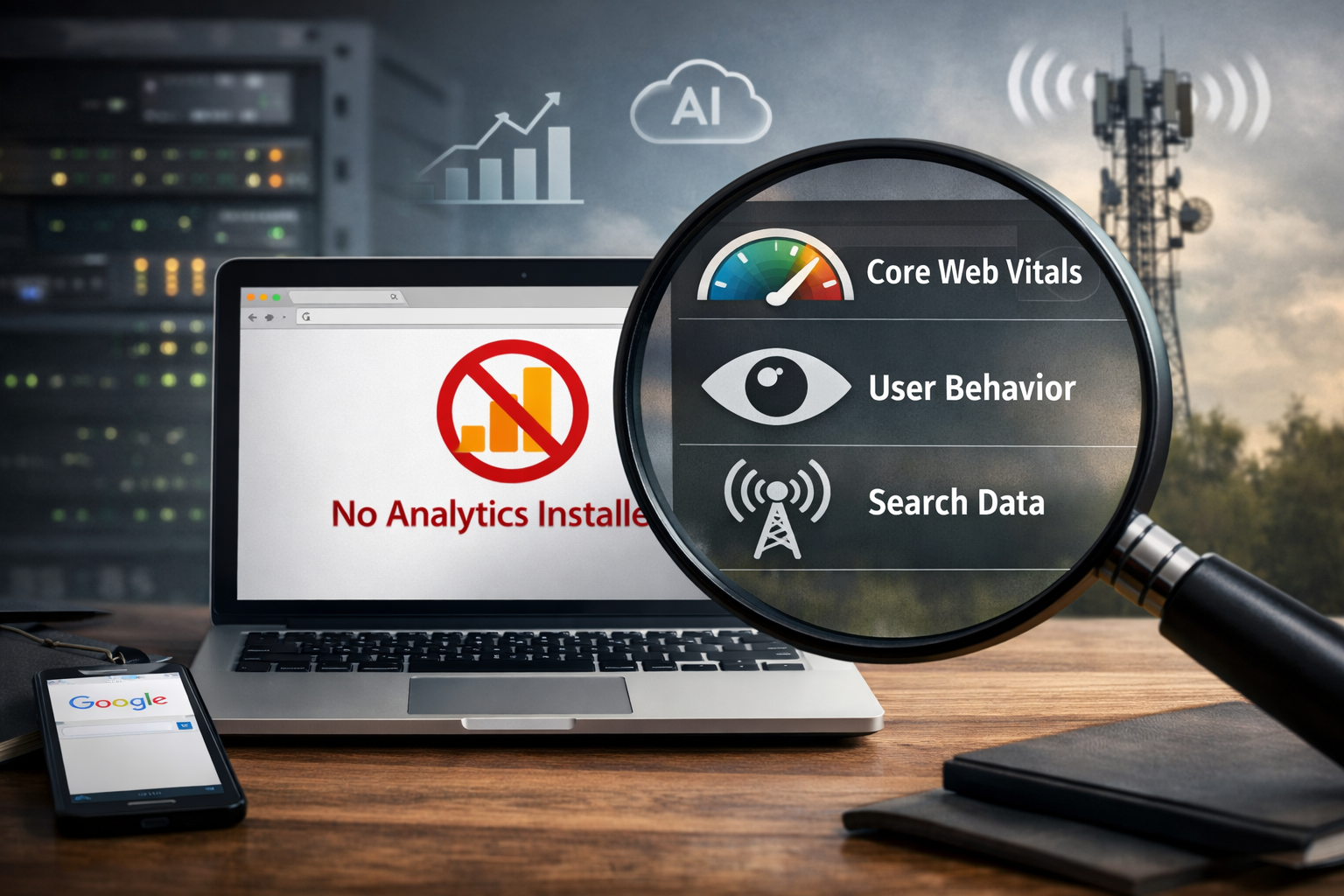
One of the most persistent myths in SEO is that Google's understanding of your site's user experience is limited to what you explicitly share with it. The logic goes: if you don't have Google Analytics installed, Google can't see how your visitors behave. No tag, no data, no behavioral signal.
This is wrong. And understanding why it's wrong changes how you think about on-site experience as an SEO factor.
Google does not need your analytics tag to understand how users interact with your content after clicking an organic search result. It has access to behavioral signals that are entirely independent of any tracking code you install — or don't install — on your site. Some of these signals are more direct than others, but taken together they give Google a remarkably detailed picture of whether your site is delivering a good experience to the people it sends there.
Here's how it actually works.
The Signal Google Owns That You Don't Control
The most important thing to understand about Google's behavioral measurement is where it sits in the chain of events. When someone clicks your result in Google Search and then eventually returns to the search page, that entire interaction — the click, the time elapsed, the return — happens within Google's own environment. Not yours.
Google doesn't need to be on your site to measure that sequence. It owns both ends of it.
Pogo-Sticking and Return-to-SERP Behavior
When a user clicks a search result, lands on your page, and then hits the back button to return to the search results page, Google sees that. It knows exactly how much time elapsed between the click and the return. It knows whether the user then clicked a different result for the same query. It knows whether they refined their search or abandoned it entirely.
This behavior — clicking a result, returning quickly to the SERP, clicking something else — is called pogo-sticking, and it is one of the clearest signals available to Google that a result failed to satisfy the user's intent. The page promised something the search query was asking for and didn't deliver it, or delivered it poorly enough that the user didn't stay.
You don't install a tag for this. You don't opt in. The entire measurement happens in Google's own interface, using data Google owns by virtue of operating the search engine. Every site with organic search traffic is generating this signal whether they know it or not.
Click Dwell Time
Related to pogo-sticking but distinct from it is dwell time — the amount of time that elapses between a click on a search result and any subsequent interaction with Google's interface, whether that's returning to the SERP, performing a new search, or closing the browser entirely.
Long dwell time suggests the page was engaging enough that the user spent real time on it before returning to Google or moving on. Short dwell time — especially combined with a return to the SERP and a click on a competing result — suggests the page failed to hold attention.
Google has been careful not to officially confirm dwell time as a ranking signal, and the relationship between dwell time and rankings in controlled tests is more complex than the simple version suggests. But the data exists, Google captures it, and it would be unusual for a company with Google's engineering resources to be sitting on a signal that directly measures user satisfaction without using it in some capacity.
Chrome: The Data Layer Most People Forget About
Beyond the search interface itself, Google has a second and arguably more powerful source of behavioral data that has nothing to do with analytics tags: Chrome.
Chrome is the dominant web browser globally, with somewhere between 60 and 65 percent market share depending on the measurement. Every user browsing the web on Chrome is, by default, sharing behavioral data with Google that includes far more than what happens in the search interface.
What Chrome Sees That Analytics Doesn't
A user with Chrome's default settings enabled — which is the vast majority of Chrome users, most of whom have never changed a privacy setting — is sharing data with Google that includes browsing patterns, time spent on pages, scroll behavior, and interaction patterns across the web, not just on Google-owned properties.
This means that for the roughly 60 percent of your visitors arriving on Chrome, Google has access to behavioral signals that are comparable to — and in some ways richer than — what Google Analytics would capture. Time on page, scroll depth, whether the user interacted with the content or sat idle, whether they navigated deeper into the site or closed the tab — Chrome can see all of this regardless of whether you have an analytics tag installed.
The Privacy Caveat
It's worth being precise here: Chrome's data collection is governed by Google's privacy policy and the user's consent settings. Users who have opted out of personalization, who use Chrome in Incognito mode, or who have modified their privacy settings are generating less of this signal. And the aggregate, anonymized form in which this data is used for ranking signals is different from the individual-level tracking that Google Analytics provides to site owners.
But for the purposes of understanding how Google develops a picture of site quality and user experience at scale, the Chrome data layer is real, substantial, and entirely independent of anything a site owner installs or configures.
Google Search Console: The Signal You're Sending Without Realizing It
Google Search Console is another data source that is active regardless of whether you have Google Analytics installed — and many site owners don't fully appreciate what they're giving Google by verifying their Search Console property.
What Search Console Captures
Search Console captures impressions, clicks, click-through rates, and average positions for every query that surfaces your site in search results. These are signals Google is collecting on its own infrastructure, not yours. Verifying your Search Console property gives you access to this data — it doesn't create the data, which already exists.
The behavioral signals embedded in this data — particularly the relationship between position and click-through rate, and the queries for which your pages earn clicks versus impressions without clicks — give Google meaningful information about whether your search appearances are resonating with users even before they reach your site.
A page with a significantly below-average click-through rate for its position is signaling something. Maybe the title and meta description aren't matching user intent well. Maybe the brand isn't trusted. Maybe a competitor's result is simply more compelling. Google sees all of this at the query level, for every site, whether or not you've installed a single line of tracking code.
Core Web Vitals and Technical Performance Signals
Beyond behavioral signals, Google has a set of technical performance metrics — Core Web Vitals — that it measures for ranking purposes and that are captured through a combination of sources that don't require your analytics implementation.
The Chrome User Experience Report
The Chrome User Experience Report, known as CrUX, is a dataset Google compiles from real Chrome user interactions with websites across the web. It captures Largest Contentful Paint, Interaction to Next Paint, Cumulative Layout Shift, and other performance metrics — the actual experience real users are having on real pages, measured from Chrome's vantage point rather than from any tag you've installed.
CrUX data is what populates the field data in Google's PageSpeed Insights tool. When you check your Core Web Vitals in Search Console, you are seeing data derived from real Chrome users visiting your pages — data Google collected without needing your permission or your analytics tag.
For sites with low traffic that don't appear in CrUX data, Google falls back to lab data from its own crawlers. But for any site with meaningful organic traffic, the Core Web Vitals signals Google uses are real-user measurements captured through Chrome, entirely outside your control or configuration.
The Crawler's Own Observations
Google's crawler — Googlebot — visits your site regularly to index your content. In doing so, it makes its own observations about your site's technical health, structure, and content quality that serve as proxies for user experience signals even when behavioral data isn't available.
What Googlebot Can Infer
Page load speed as measured by the crawler. Internal linking structure and how easily the crawler can navigate between related content. The presence and quality of structured data markup. Whether pages are mobile-responsive. Whether content is accessible without JavaScript rendering. Whether the text-to-code ratio suggests content-heavy pages or thin pages padded with markup.
None of this requires an analytics tag. Googlebot observes it directly on each crawl and uses it to build a picture of site quality that informs ranking independent of user behavioral signals.
Content Quality Signals From the Page Itself
Beyond technical observations, Google's natural language processing systems evaluate content quality directly from the page content — the depth of topic coverage, the specificity of information, the presence of original analysis versus recycled generic content, the coherence of the argument being made.
These are signals Google derives from reading the page, not from measuring what users do after they read it. A site with no analytics tag, no Chrome users, and minimal search traffic is still generating these signals every time Googlebot crawls a page.
Third-Party Data and the Broader Signal Ecosystem
Google also has access to data sources beyond its own products that contribute to its understanding of site quality and authority.
Links as Behavioral Proxies
Inbound links have always been one of Google's primary quality signals, and they function partly as behavioral proxies. When another site links to your content, a human editor made a judgment that your content was worth linking to. That judgment is a form of behavioral signal — a more deliberate and considered one than a page view or a dwell time measurement.
The link graph gives Google a picture of which sites are being cited, referenced, and recommended by other sites — a behavioral signal about content quality that is entirely independent of analytics implementation.
Brand Search Volume
When users search for your brand name directly, that is a behavioral signal about brand recognition and trust that Google can measure through its own search data. A site that generates significant branded search volume — people seeking it out by name rather than finding it through generic queries — is demonstrating a level of audience relationship that Google can infer from its own search logs, no analytics tag required.
What This Means for How You Think About SEO
The practical implication of all of this is that on-site user experience is a ranking factor that you cannot opt out of by omitting analytics tracking. The signals exist. Google captures them through channels it controls. And they influence rankings whether you're measuring them yourself or not.
You're Being Graded on Experience Whether You Measure It or Not
The site that loads slowly is being penalized in rankings for that slowness, measured through CrUX, regardless of whether its owner has ever looked at a PageSpeed score. The page that users consistently bounce from after a few seconds is generating a negative signal through pogo-sticking behavior, regardless of whether the site owner has bounce rate data in any dashboard. The content that fails to satisfy search intent is underperforming in rankings for that reason, regardless of whether the publisher is tracking time on page.
Not measuring something doesn't make it stop mattering. It just means you're operating blind while the grading continues.
The Argument for Installing Your Own Analytics Anyway
Given that Google is measuring your site's user experience whether you want it to or not, the argument for installing Google Analytics — or an alternative like Plausible, Fathom, or Matomo — is not about giving Google data it doesn't already have. It's about giving yourself data that lets you understand and improve what Google is already seeing.
The site owner who has Google Analytics installed can identify the pages with high bounce rates and improve them. They can see which traffic sources produce the most engaged visitors. They can track the conversion paths that connect content to revenue. They can make informed decisions about what to produce and promote next.
The site owner without analytics is still being evaluated by Google on all of those dimensions. They just can't see the scorecard.
Frequently Asked Questions
Does Installing Google Analytics Actually Help Your Rankings?
Not directly. Installing Google Analytics gives you access to data — it doesn't feed ranking signals back to Google that weren't already being captured through other means. The indirect benefit is that having analytics data lets you identify and fix the experience problems that are hurting your rankings, which then improves your rankings. The tag itself is neutral. What you do with the data it provides is what matters.
Is Google's Use of Chrome Data for Ranking Purposes Confirmed?
Google has confirmed the use of Chrome data for certain purposes — specifically, CrUX data for Core Web Vitals measurements — while being less explicit about the extent to which broader Chrome behavioral data influences ranking signals. What's confirmed is that CrUX data is real, substantial, and actively used. What's reasonable to infer, given Google's engineering capabilities and the competitive value of the data, is that the signal usage extends further than officially acknowledged. The SEO industry's working assumption is that Chrome behavioral data is a meaningful input to Google's quality assessments, and that assumption is consistent with observable ranking behavior even if it isn't fully confirmed in official documentation.
How Does Google Handle Sites With Very Low Traffic That Don't Appear in CrUX Data?
For sites below the CrUX traffic threshold, Google falls back to lab-based measurements — simulated page load tests run in controlled environments by Google's own tools. These are less precise than real-user measurements but give Google a reasonable baseline for technical performance signals. Content quality signals, link signals, and search behavior signals still apply at any traffic level. The absence from CrUX data means the Core Web Vitals assessment is less precise, not that the site is being evaluated in a fundamentally different way.
Does Using a Privacy-Focused Alternative to Google Analytics Affect Rankings?
No. Whether you use Google Analytics, a privacy-focused alternative, or no analytics at all, your rankings are determined by signals Google collects through its own channels. The analytics tool you choose is purely about what data you have access to as a site owner, not about what signals Google receives. If anything, the signals Google collects through its own infrastructure are more consistent and less affected by ad blockers and privacy settings than the signals you collect through a client-side JavaScript tag.
If Google Can Measure User Experience Without Analytics, Why Do So Many SEOs Emphasize Analytics Implementation?
Because the value of analytics is for the site owner, not for Google. SEO professionals emphasize analytics implementation because you cannot improve what you cannot measure. Understanding which pages have poor engagement metrics, which traffic sources produce low-quality visitors, which content is driving conversions and which isn't — that intelligence is what enables informed SEO decision-making. Google is going to evaluate your site on experience signals regardless. Analytics gives you the ability to see and act on the same signals before they become ranking problems.
Related Reads
〰️
Related Reads 〰️

Why We Don't Recommend Button-Level Tracking in Google Tag Manager (And What to Do Instead)
Tracking every button click on your site sounds like a reasonable way to understand user behavior. In practice, it tends to produce cluttered analytics, fragile implementations, and data that's hard to act on. There's a better approach — one built around the moments that actually indicate user intent rather than every interaction that happens to be trackable. Here's why we steer clients away from button-level tracking in Google Tag Manager, and what we recommend building instead.

How to Add Google Analytics to Your Gradual Community (and Start Turning Members Into Leads)
If you’re running a community or events on Gradual and not tracking what happens after people land on your site, you’re leaving leads (and money) on the table. In this guide, we break down exactly how to add Google Analytics to the Gradual platform using GA4 and Google Tag Manager—so you can stop guessing, start measuring, and turn traffic into predictable leads.

Does Your Search Ranking Actually Matter for Getting Cited by AI?
AI tools like ChatGPT, Perplexity, and Claude don't cite ten sources per response — they cite two to seven. That's a far more competitive visibility environment than page one of Google, and the sites winning those citations aren't winning by accident. Here's what actually determines whether an AI retrieval system pulls your content, why traditional search rankings still matter in an AI-driven landscape, and what your content strategy needs to account for if citation visibility is something your business can't afford to ignore.